Week 2- 2R Robotic Arm Challenge
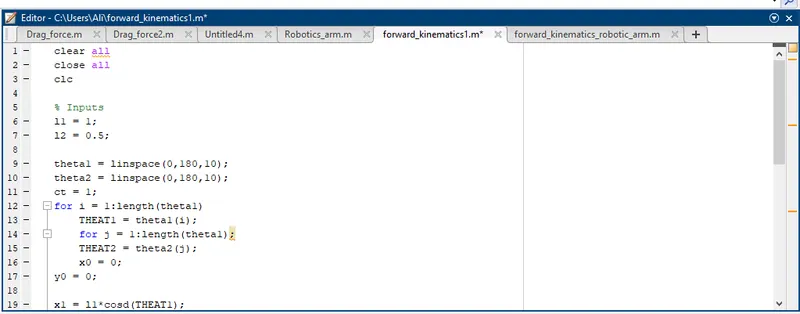
First i started the code by writing the inputs, the links length and the angles range for each link which start from zero to 180 degree counter clockwise with horizontal axis , then i put (ct) variable to use for plotting figures.
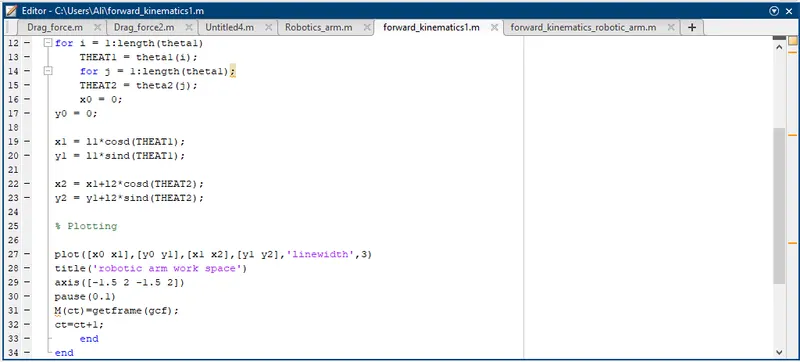
Then i used for loop and coordinates equations for plotting and in plotting commands i assigned a variable M to make an array of frames so matlab can use later to create video.

Then i have used these commands to create a movie.
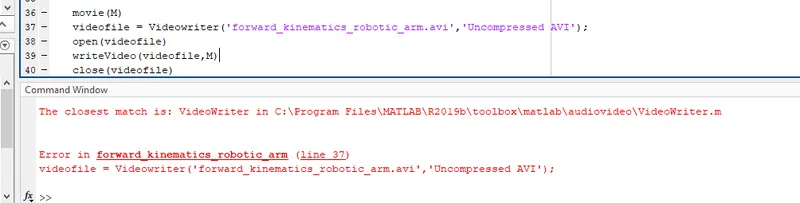
The error i have face was in line 37 that wrote the word writer with small (w) and it should be with a capital (W).
YOUTUBE LINK :
https://youtu.be/iinS2skh0oY
clear all
close all
clc

% Inputs
l1 = 1;
l2 = 0.5;

theta1 = linspace(0,180,10);
theta2 = linspace(0,180,10);
ct = 1;
for i = 1:length(theta1)
    THEAT1 = theta1(i);
    for j = 1:length(theta1);
    THEAT2 = theta2(j);
    x0 = 0;
y0 = 0;

x1 = l1*cosd(THEAT1);
y1 = l1*sind(THEAT1);

x2 = x1+l2*cosd(THEAT2);
y2 = y1+l2*sind(THEAT2);

% Plotting

plot([x0 x1],[y0 y1],[x1 x2],[y1 y2],'linewidth',3)
title('robotic arm work space')
axis([-1.5 2 -1.5 2])
pause(0.1)
M(ct)=getframe(gcf);
ct=ct+1;
    end
end

movie(M)
videofile = VideoWriter('forward_kinematics10.avi','Uncompressed AVI');
open(videofile)
writeVideo(videofile,M)
close(videofile)