Week 2- 2R Robotic Arm Challenge
 https://drive.google.com/file/d/1ZzhYveOtv_emahYGFjD9bWeDyqv865S2/view?usp=sharing
clc
close all
clear all
%inputs
l1 = 1.5
l2 = 1
theta1 = linspace(0,90,20)
theta2 = linspace(0,90,20)
ct = 1
for i = 1:length(theta1)
    THETA1 = theta1(i)
    for j = 1:length(theta2)
    THETA2 = theta2(j)
    x = 0
    y = 0
    x1 = l1*cosd(THETA1)
    y1 = l1*sind(THETA1)
    x2 = x1+l2*cosd(THETA2)
    y2 = y1+l2*sind(THETA2)
    %ploting
    plot([x x1],[y y1],[x1 x2],[y1 y2],'linewidth',3)
    axis([0 2.7 0 2.7])
    pause(0.03)
    m(ct) = getframe(gcf)
    ct=ct+1
    end
end
movie(m)
videofile = VideoWriter('forward_kinematics.avi','uncompressed avi')
open(videofile)
writeVideo(videofile,m)
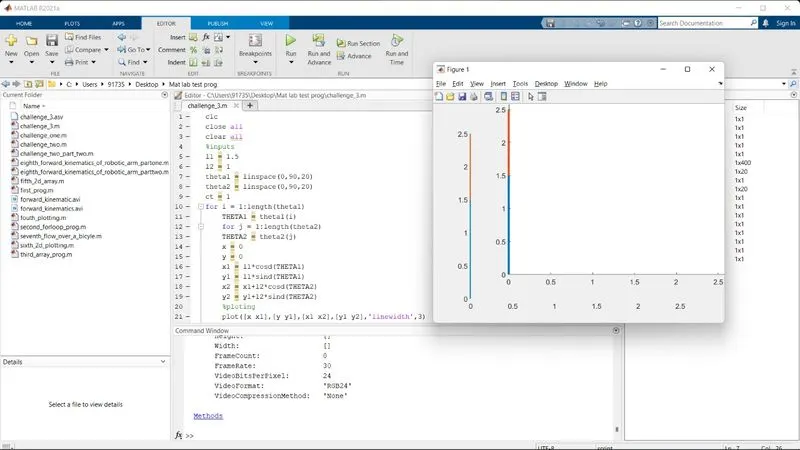
close(videofile)- Firstly functions like clc, close all, and clear all are used in order to clear all prior works done in Matlab.
- Inputs are assigned to variables l1 and l1.
- theta 1 and theta 2 are assigned with a linspace of zero to ninety and are separated into 20 divisions respectively.
- ct function is used in order to revert back and have an extra addition to the previous output so that the output keeps on changing constantly with respect to the input.
- For loop is used for a variable i which is having an array of 1 to the length of theta1.
- Then a new variable THETA1 is added which is nothing but the product of theta1 and i.
- Similarly the same is done for THETA 2 and j.
- Then formulas are used for x,x1,x2,y,y1,y2 accordingly.
- Plotting is done for the above variables with a linewidth of 3 for better visuality.
- Axis is assigned according to our desire.
- The pause function is used to get the frames to display with a gap of 0.03 sec between each of them.
- Even though we get an animation that might seem smooth, using pause makes gaps between each frame,
- In order to counter this problem movie, the function is used to produce the smoothest outcome at the same time it can be viewed in various other video applications due to .avi format.
ERRORS AND RECTIFICATION
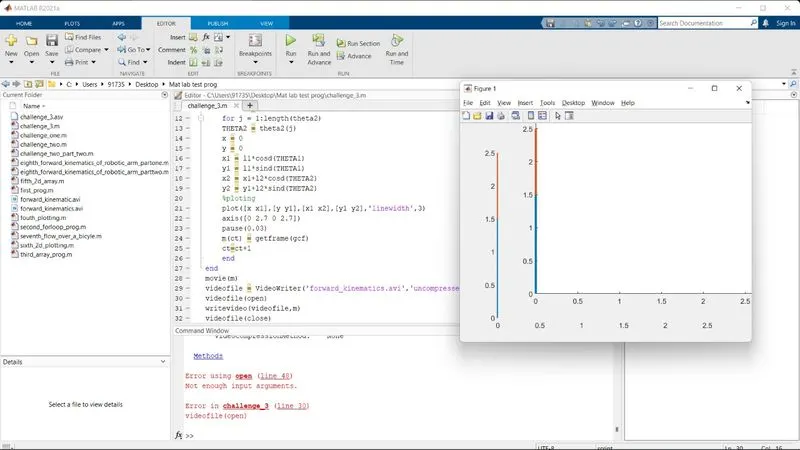
- Used videofile as the function at the beginning. Later changed open and close as the functions.
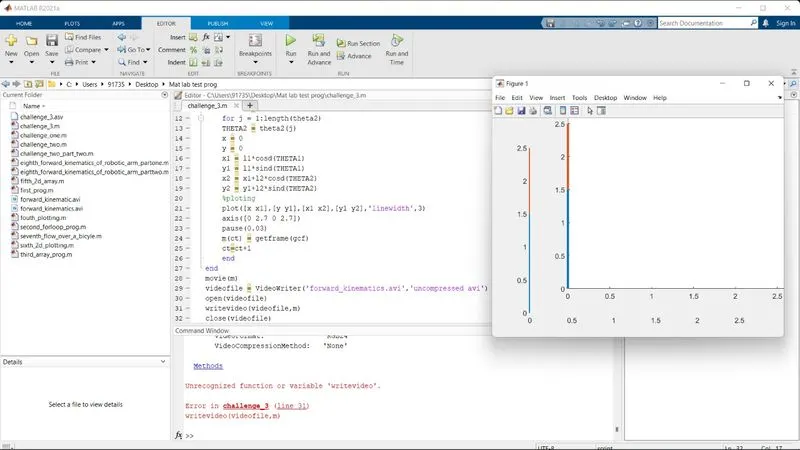
- Didn't use caps for 'v' in writeVideo.Then changed it to caps.