Week 2- 2R Robotic Arm Challenge
AIM:- Write a program in Matlab to simulate the forward kinematics of a 2R Robotic Arm.
Theory:-
A robotic arm is a type of mechanical arm, usually programmable, with similar functions to a human arm; the arm may be the sum total of the mechanism or may be part of a more complex robot. The links of such a manipulator are connected by joints allowing either rotational motion or translational displacement. The links of the manipulator can be considered to form a kinematic chain. The terminus of the kinematic chain of the manipulator is called the end effector .
Forward kinematics refers to the use of the kinematic equations of a robot to compute the position of the end-effector from specified values for the joint parameters.
Robotic arms used in various industrial applications such as drilling, welding, metal cutting , painting etc.
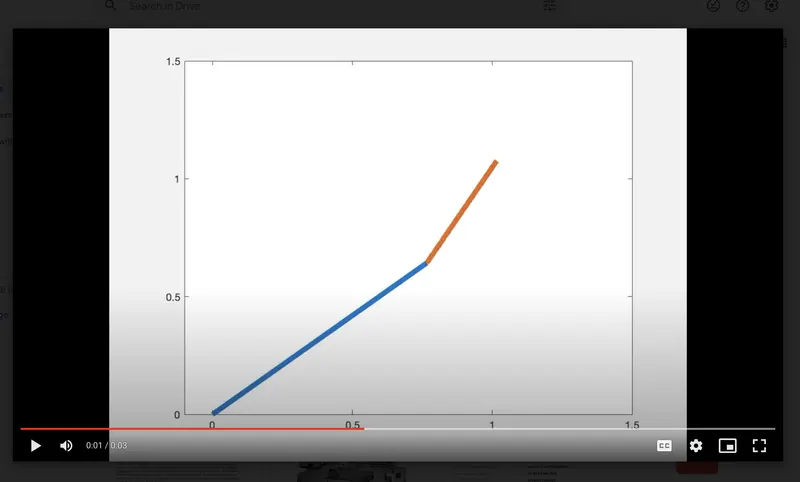
Now, 2R Robotics arm are as shown in the given figure.
In the above figure the link-1 is attached to the base and end of link one is connected to link-2. And end of link-2 is connected to the end effector which performs the desired operation.
Explation of Code.
While wriiting codes, some procedure are followed.
Step 1.
At first we start by using comment then code is started with cear all, close all and clc commands.
% Forward kinematis of a 2R robotics arm manipulator

clear all
close all
clc
Step 2.
Lengths of both the links are taken as input. Length of link-1 (L1) is taken as 1m and length of link-2 (L2) is taken as 0.5m.
% inputs

 l1 = 1;    %length of link 1

 l2 =0.5;   %Length of link 2
Step 3.
- Calculating the position of link 1
From the fixed Support, the initial value of X and Y for the Link-1 (X0, Y0) and the final value is (X1, Y1)
x0 =0;
y0 =0;

x1 =l1*cosd(THETA1);
y1 =l1*sind(THETA1);- Calculating the position of link 2
For the Link-2 starting point is the Ending point if the Link-1 i.e (X1, Y1) and Ending point is (X2, Y2)
x2 = x1 + l2*cosd(THETA2);

y2 = y1 + l2*sind(THETA2);- Writting basic code.
Basic Program represents the basic idea about the plot where we get only 2D plot but no animation.
To get basic plot ,We are Providing the basic input as L1= 1 and L2=0.5
Theta 1 = 45 in Degree
Theta 2 = 30 im Degree
% coordinates are
%coordinates
x0=0
y0=0

x1 = l1* cosd(theta1)
y1 = l1* sind(theta2)

x2 = x1+l2* cosd(theta2)
y2 = y1+l2* sind(theta2)
For plotting we are using the command Line not plot because plot command gives us an error.
line([x0 x1], [y0 y1])

line([x1 x2], [y1 y2])
The complete command for simple plotting.
%  Program for the kinematices of robotices arm

close all
clear all
clc

%inputs
l1 = 1
l2 = 0.5

theta1=45
theta2=30

%coordinates
x0=0
y0=0

x1 = l1* cosd(theta1)
y1 = l1* sind(theta2)

x2 = x1+l2* cosd(theta2)
y2 = y1+l2* sind(theta2)
line([x0 x1], [y0 y1],'linewidth', 3, 'color' ,'r')
line([x1 x2], [y1 y2],'linewidth', 3, 'color' ,'b')
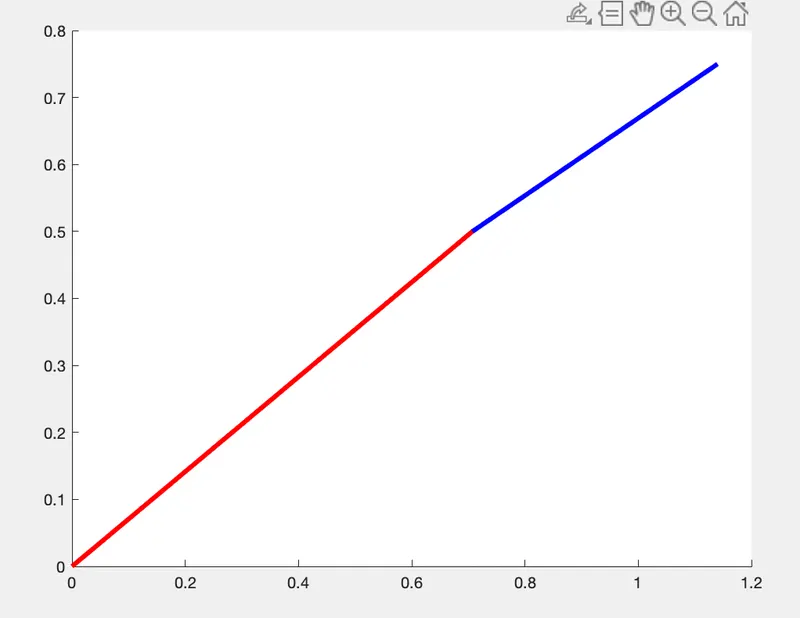
The output of the Programm is a simple plot as shown below.
Step 4. Program for Arm Animation and Error Elimination.
Here we are taking multiple angles and multiple values of (X, Y).
Initially, we are providing the inputs for the angle with the help of linspace command as follows;
theta1 =linspace(0,90,10);

theta2 =linspace(0,90,10);
Where:-
In linsapce command the first value represents the starting point of angle, similarly, the second point represents the ending point of the angle and at last, the third point represents the number of values between them.
Step 5.
To change the angle we are using For-loop command as shown below.
for i = 1: length(theta2)

THETA1 = theta1(i)
THETA2 = Theta2(i)
Now, here is the value of (i) changes we are taking the values of theta1, theta2 from the original arrays, and assigning to the variable called THETA1, THETA2.
Rearrange Program in the following manners. for each value of theta1, each position of the link1, link2 can take multiple positions and which is depend’s on theta2.
Further, if it is THETA1 then THETA2 required another for-loop. for each value of theta1, we are looping the value of theta2, which is as follows.we got our first plot but not animation as follows.we got our first plot but not animation as follows.
for  i = 1:length(theta1)           % i.e THETA1 = theta1(i)
    THETA1 = theta1(i);
  for j = 1:length(theta2)          % i.e THETA2 = theta(j)
      THETA2 =theta2(j);

  end
end
for kinematic calculation, we are copying our first program below the line THETA2 = theta2(j)
Writting code
% Forward kinematis of a 2R robotics arm manipulator

clear all
close all
clc

 % inputs
 l1 = 1;
 l2 =0.5;
 theta1 =linspace(0,90,10);
 theta2 =linspace(0,90,10);

 for  i = 1:length(theta1)
      THETA1 = theta1(i);
  for j = 1:length(theta2)
      THETA2 =theta2(j);

      x0 =0;
      y0 =0;


      x1 =l1*cosd(THETA1);
      y1 =l1*sind(THETA1);

      x2 = x1 + l2*cosd(THETA2);
      y2 = y1 + l2*sind(THETA2);

      % plotting

      line([x0 x1],[y0 y1])
      line([x1 x2],[y1 y2])


  end

 end
Now, we got our first plot but not animation as follows.
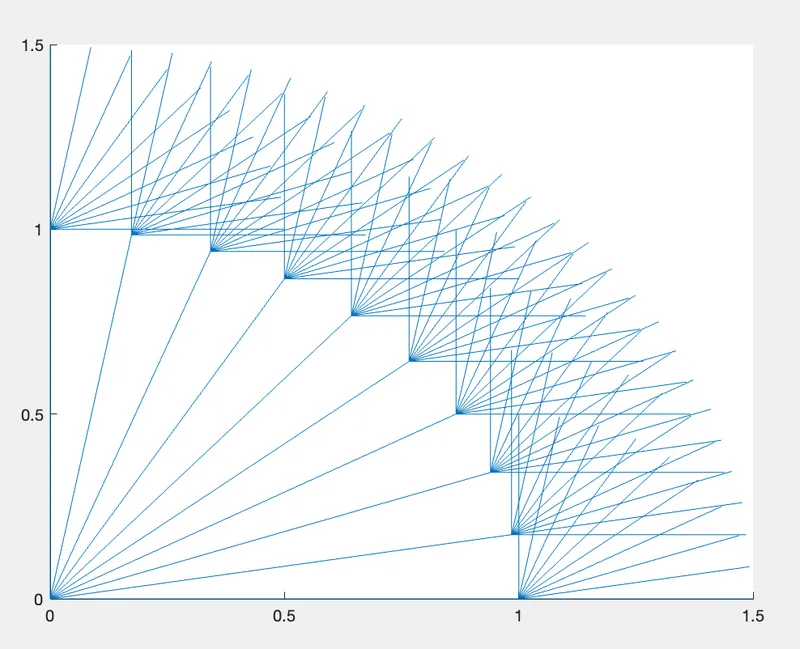
To eliminate this we are typing figure(ct) before plotting and outside for-loop ct=1
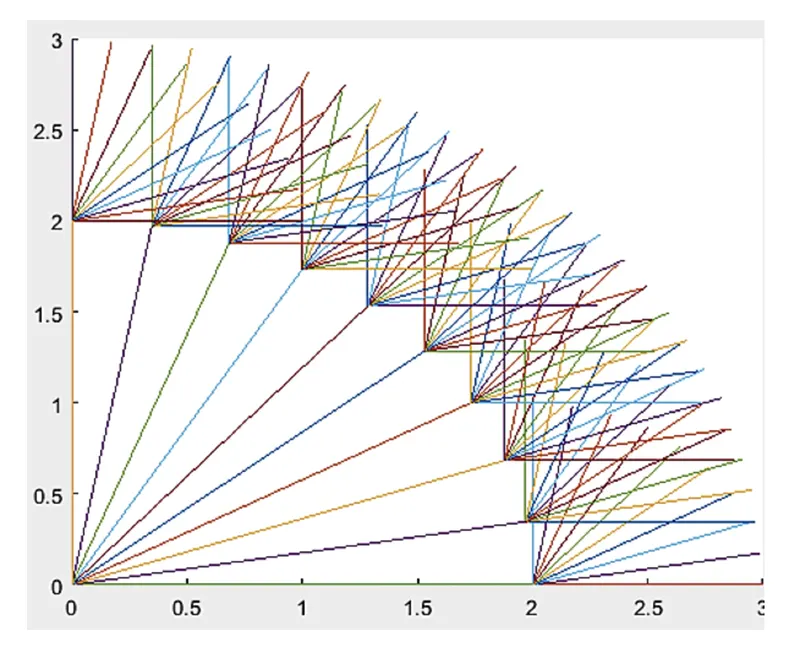
And after the plot command type ct=ct+1 (i.e we increment the value each time program gets executed in the for-loop) and executing the command we get 100 independent plots (because our angle1 value is 10 and angle2 value is also 10).
we get an animated plot with random color changes as shown below.
Step-6: Creating a movie.
To create movie type M(ct)=getframe(gcf) just below the pause(0.01) and at extreme end command type Movie(M)
Where:- ct represents every frame and getfram command represents to getting the current figure in the window. Further, we are going to save all the figures in the array called (M).
Further, we are creating avi file to get this we are using the following commands.
videofile = VideoWriter(‘forward_kinematics.avi’);

open(videofile)

writeVideo(videofile, M)

close(videofile)
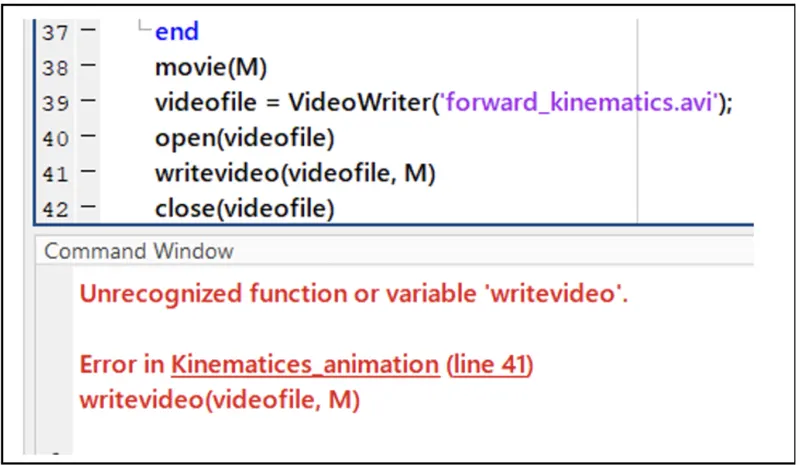
Note:- while using the writeVideo command use it as it is because it is case sensitive hence any mistake can give an error in the program execution. Also, we can use uncompress command but it gives us the large avi file. Hence in this program, we are not using it.
Now complete program
% Forward kinematis of a 2R robotics arm manipulator

clear all
close all
clc

 % inputs
 l1 = 1;
 l2 =0.5;
 theta1 =linspace(0,90,10);
 theta2 =linspace(0,90,10);

 ct = 1;
 for  i = 1:length(theta1)
      THETA1 = theta1(i);
  for j = 1:length(theta2)
      THETA2 =theta2(j);

      x0 =0;
      y0 =0;


      x1 =l1*cosd(THETA1);
      y1 =l1*sind(THETA1);

      x2 = x1 + l2*cosd(THETA2);
      y2 = y1 + l2*sind(THETA2);

      % plotting

      plot([x0 x1],[y0 y1],[x1 x2],[y1 y2],'linewidth',5)
      axis([-0.1 1.5 0 1.5])
      pause(0.03)
      M(ct)= getframe(gcf);
      ct=ct+1;


     end

 end

movie(M)
videofile = VideoWriter('forward_kinematis.avi','uncompressed AVI');
open(videofile)
writeVideo(videofile,M)
close(videofile)
OUTPUT:
The output is obtained in form of an animated video clip. This animation can be viewed by visiting the link mentioned below.
https://drive.google.com/file/d/1_kVPU8BuqqiG4bLm-xqDNcfqwgSvAEDj/view?usp=sharing