Week 12:Project 2-Meshing of Rear Wheel Holder challenge
1. An New optistruct file was created in Hypermesh and the given solidpart Model was imported By Import option in the geometry pannel.
2.The Given model/component has been checked each face to create the midsurface.
3. Mid surface created Manually for each Body seperately using Offset option In Surface edit pannel.
4.The Size of the edges are measured and the surafce is selected By face And half of the edge values are given to be offsetted and moved as new componenet.
5. Geometry clean up was performed both automatically and manually in Mid surfaces.
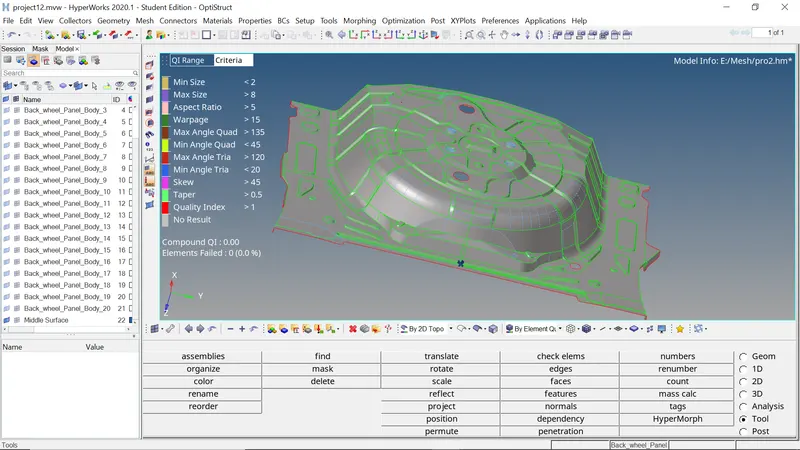
5. The 2D mesh was generated in the midsurface of the given component.The generated midsurface was quiet symetrical ,so that the mesh could be performed easily.
6. Target elemnt size and other quality conditions were given in The check elements dialouge box(F10)
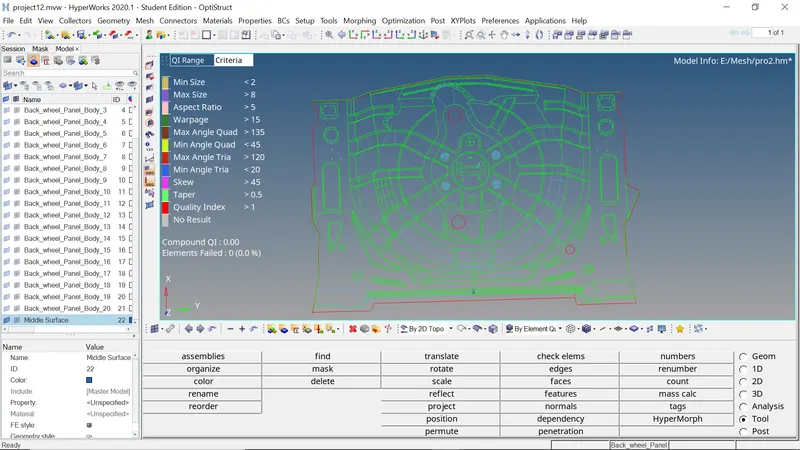
7. By checking elements value which given in check elements panel,if any elements fails ,the failed elements were corrected by using remesh or cleanup tools in quality index panel.
8. As The process did above ,the mesh is generated acoording to the given element Size and criteria.
9. In the generated midsurface component ,proper geometry cleanup was done before, to get good mesh Quality and proper elemnt size.
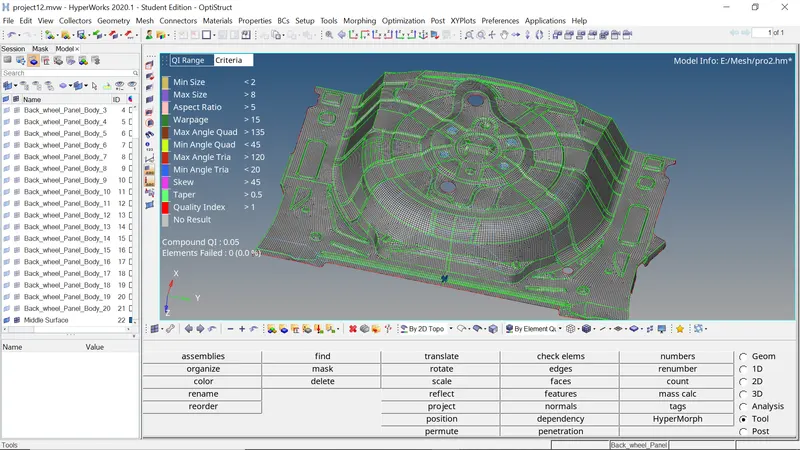
10. by selecting each face of surface the mesh was Created.As mentioned above.
11. And as same the total component was selected and performed geometry clean up Both mnually and automatically using Quick edit option
12. The performed Mesh And geometry was rechecked.
13. After checking the mesh and geometry, the Edges were checked in all components and the nodes are eqvalanced with respective tolerances.and the edges are deleted.
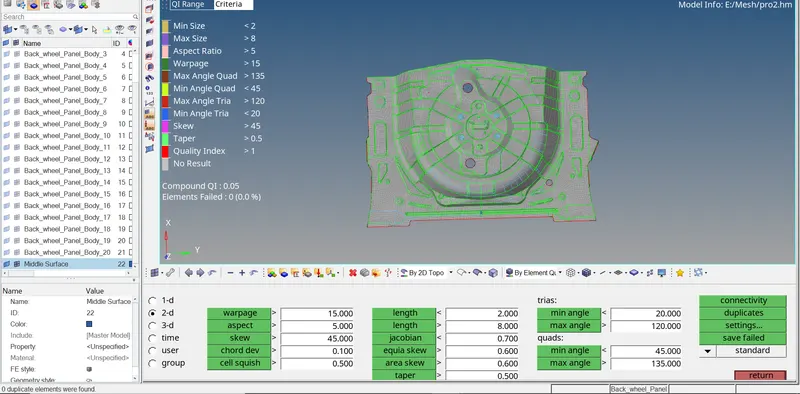
14. After Generating the 2D meshes in component Quality Check should be done as the Elements should lie in the given criteria and respective,Taper,Skewness, MIn and Max angles for Trias and Quads,Jacobian,and Warpage must be checked Whether its lying within given Quality conditions.
15. After all these the duplicate surfaces must be deleted and check whether the mesh is lying in proper manner as per the given conditons.
CONCLUSION:
By this i've gained respective knowledge and hands in Creating Manual Midsurface and 2D meshing and How to perform geometry clean up Manuallly in Some conditions and to assign thickness , Editing the elements according to the given criteria.