Meshing of Rear Wheel Holder
OBJECTIVE :
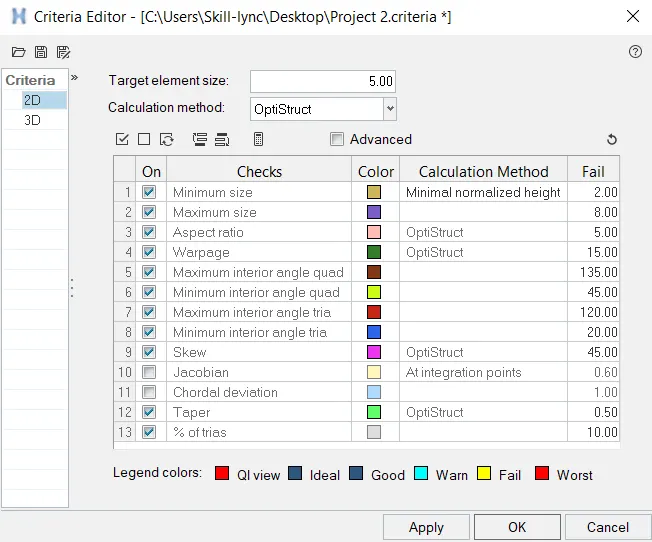
The Below quality parameter to be followed and the component is to be meshed with
Target Element Length = 5 Units
| S.N | Quality Criteria | Value |
| 1 | Aspect Ratio | 5 |
| 2 | Skewness | 45 |
| 3 | Warping | 15 |
| 4 | Taper | 0.5 |
| 5 | Min. Length | 2 Units |
| 6 | Max. Length | 8 Units |
| 7 | Min angle Quad | 45 |
| 8 | Max angle Quad | 135 |
| 9 | Min angle Tria | 20 |
| 10 | Max angle Tria | 120 |
| 10 | Tria % | 10 |
PROCEDURE :
- Check for topological errors in all the components one by one
- Extract mid surface of the component to be meshed.

- Set the quality criteria parameter ,
click F10 > Settings > Criteria editor,
MESHING :
Press F12, for automesh > Select Surface
Options to be considered,
- Use Quality index clean up tools to removed meshing re- works.
- Smooth option to smooth the mesh region and align accordingly.
- "Edit element" from geometry to clean up surface and fix up surface issues.
- Key "F6" to create, split, create and combine elements.
- "Shift + F7" is used to align the mesh to the surface/line/plane/vector
- Use "O" key to
keep mesh - Keeps mesh without re arranging other meshed region
Remesh model - Helps in remeshing
Advanced remesh - Equivalences the meshed region nearby when meshed.
- Rebuild mesh to create inbuilt mesh optimizer
- Element clean up if all the method to optimize the element fails.
- Reflect option to mirror the activity.
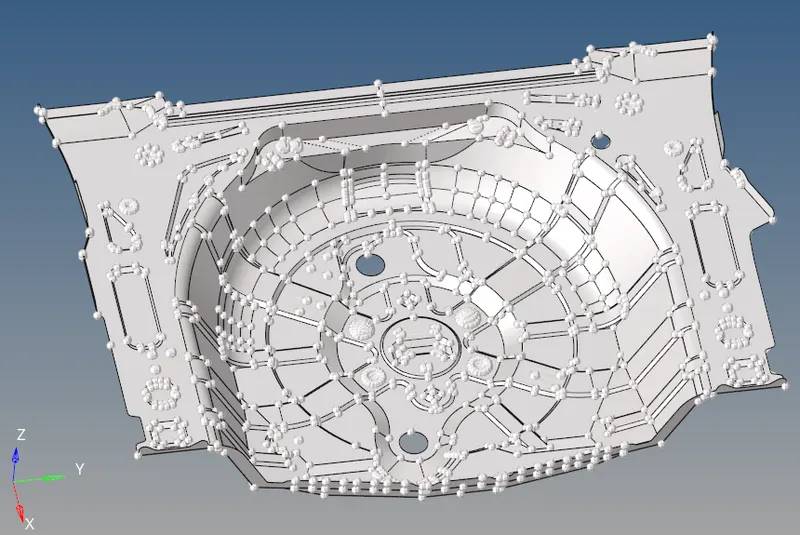
COMPONENT:
MID SURFACING:
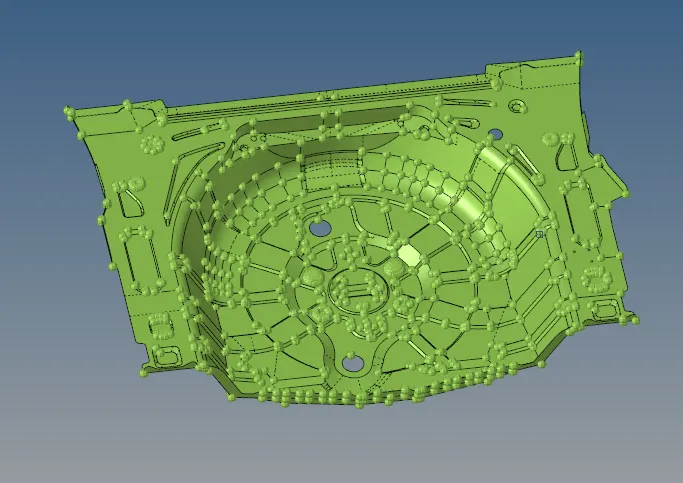
Geometry > Mid Surface > Offset
- Generates auto mid surface of the geometry, fix the topological errors in the component, the component looks like,
- Split the component as in required manner that eases the flow of mesh and satisfies the criteria
- The component is then meshed to each part, in which reflect translate commands are use to simplify the parts that are resembling each other or symmetric.
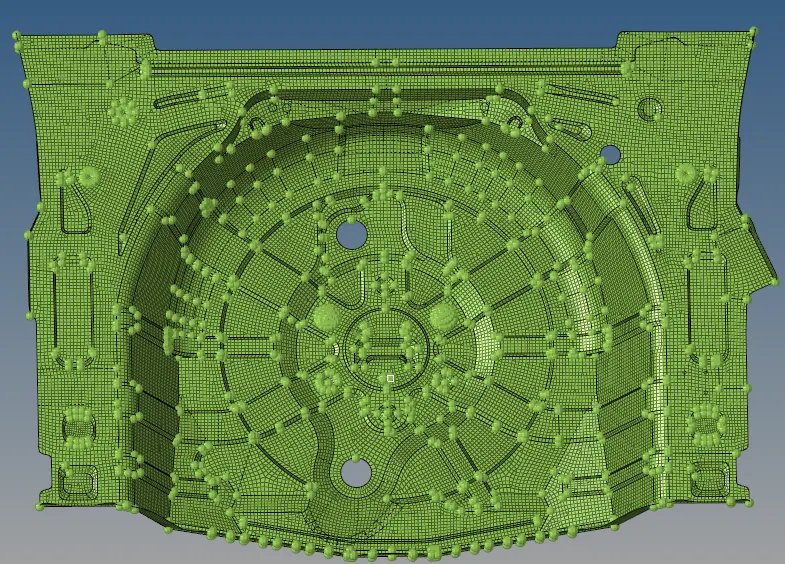
Meshed Part :
The meshed part of the Model is as shown below,
Quality Criteria:
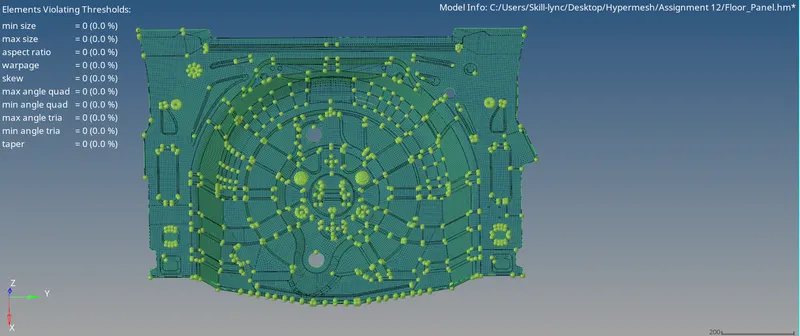
RESULT :
The component is meshed for the quality criteria assigned and the model is attached below