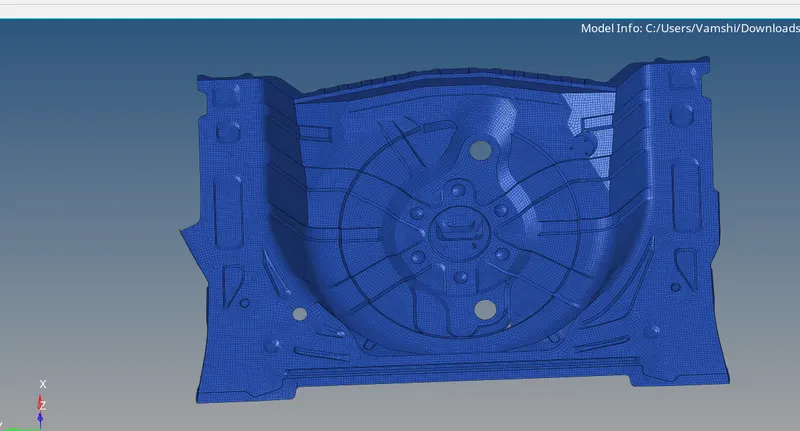
Week 12:Project 2-Meshing of Rear Wheel Holder challenge
Objective: Mesh the Wheel Holder model. Do the geometry cleanup, mid surfacing and meshing with given quality criteria.
Import: The given model is in .IGES, hence we can go to Import Tool>Geometery>Import. The below image shows the same.
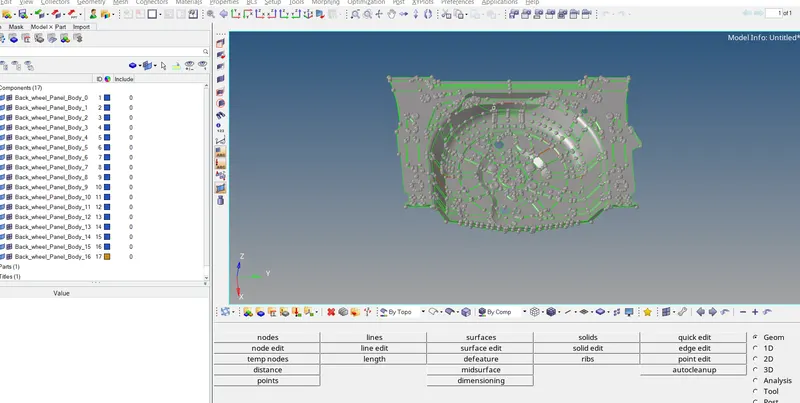
Geometry Cleanup: In order to create mid-surface with lesser surface issues, we need clear the issues with the Parent Geometry: After importing we will check the complete model for such issues and resolve the same.
We can change the view to wire-frame to see free edges in parent geometry. The wire-frame view for parent geometry must not have any free edges. The below image shows the issue with parent geometry.
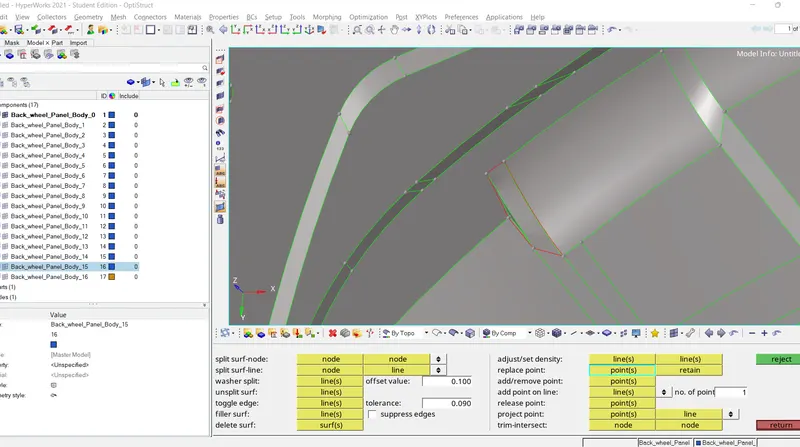
Mid-surfacing: After clearing the issues with the geometry we can create the mid-surface. For the given model since the thickness is inform throughout the geometry, we can use Auto-Mid option to create mid-surface.
For auto-mid we go to Geom>Mid-surface>Auto Mid-surface. For extraction option we tried different option and check given best result, hence for this model we used Offset-Plane+Sweep. The surface so created will be assigned to another component created for mid-surface.
The below image shows the procedure of extracting the mid-surface.
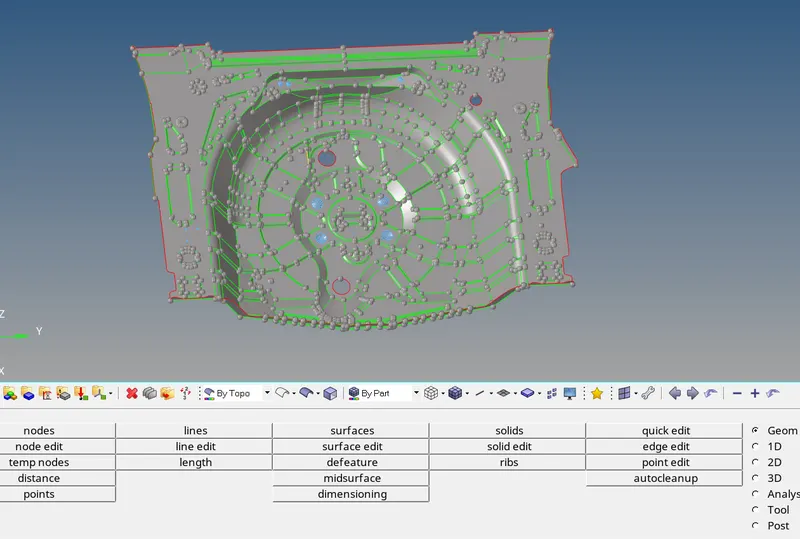
Next step is meshing the components.
Meshing is an integral part of the engineering simulation process where complex geometries are divided into simple elements that can be used as discrete local approximations of the larger domain.
The mesh influences the accuracy, convergence and speed of the simulation.
We have generated 2D mesh, for meshing.
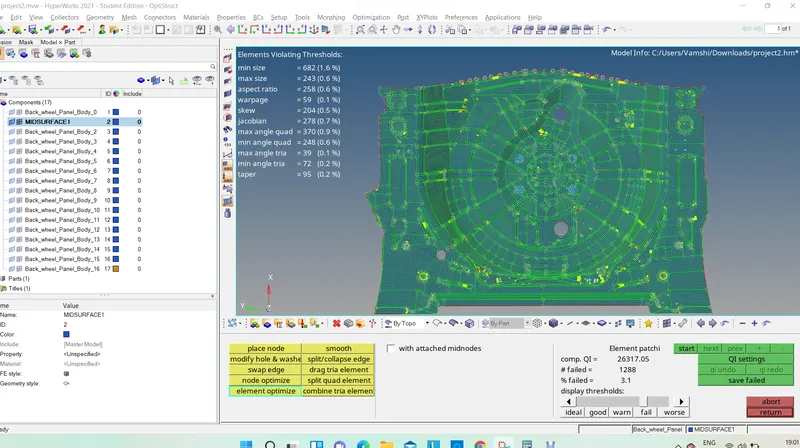
Assigning creteria for the following meshed one.
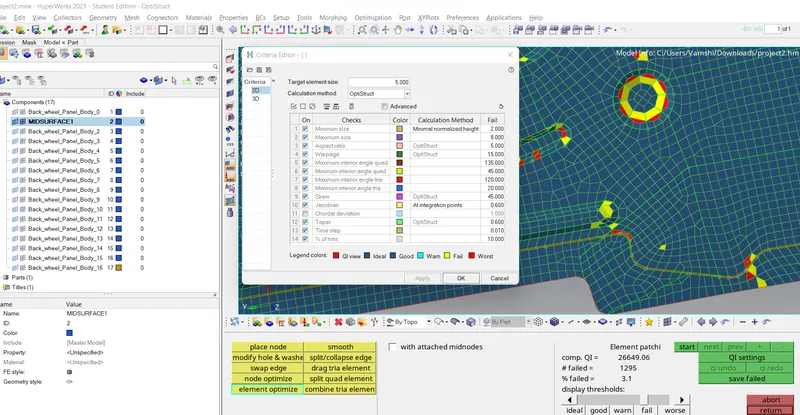
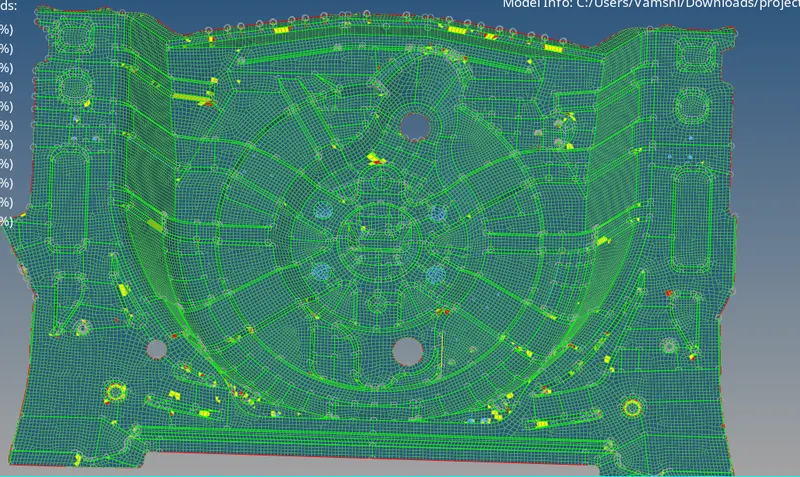
These elements need to be cleaned to get the requirement mesh criteria.
The failed elements can be fixed using the element fixing tools in the quality criteria menu.
While using the quality criteria menu the failed elements are highlighted in yellow and red colours.
Yellow errors indicate that the errors can be fixed easily, whereas the red colour indicates critical errors.
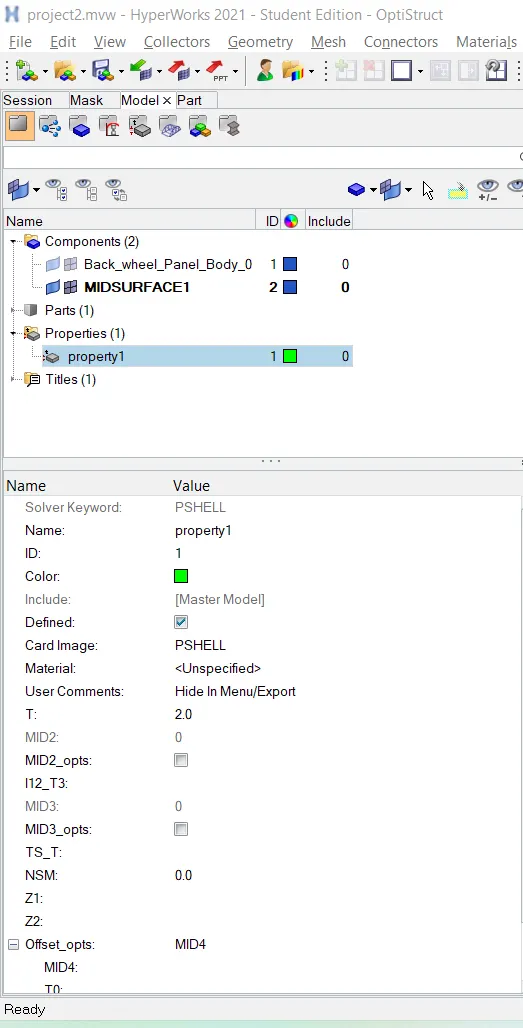
After that thickness is assigned to the components by creating the property card for the part.
Results
After cleaning the elemnts consists of few bad elements its because of skewness at sharp comers which can't be cleaned.