Meshing of Door Inner Panel using Hypermesh
OBJECTIVE :
The component given to be meshed with below set parameters and assign thickness
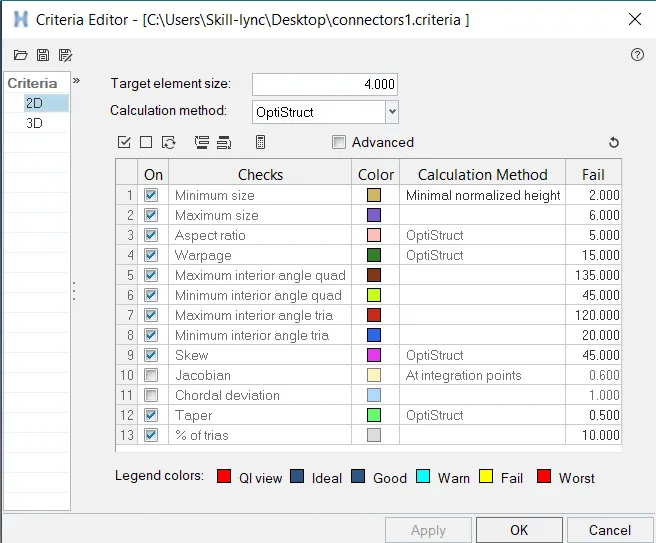
Follow the Quality Criteria and mesh the following component and assign thickness:
Target Element Length = 4 Units
| S.N | Quality Criteria | Value |
| 1 | Aspect Ratio | 5 |
| 2 | Skewness | 45 |
| 3 | Warping | 15 |
| 4 | Taper | 0.5 |
| 5 | Min. Length | 2 Units |
| 6 | Max. Length | 6 Units |
| 7 | Min angle Quad | 45 |
| 8 | Max angle Quad | 135 |
| 9 | Min angle Tria | 20 |
| 10 | Max angle Tria | 120 |
| 10 | Tria % | 10 |
COMPONENT:
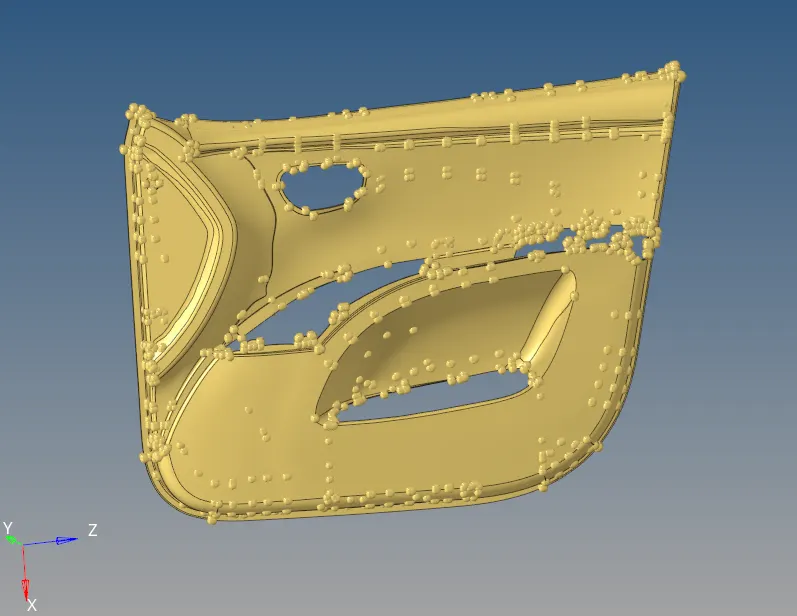
PROCEDURE :
- Check for topological errors in all the components one by one
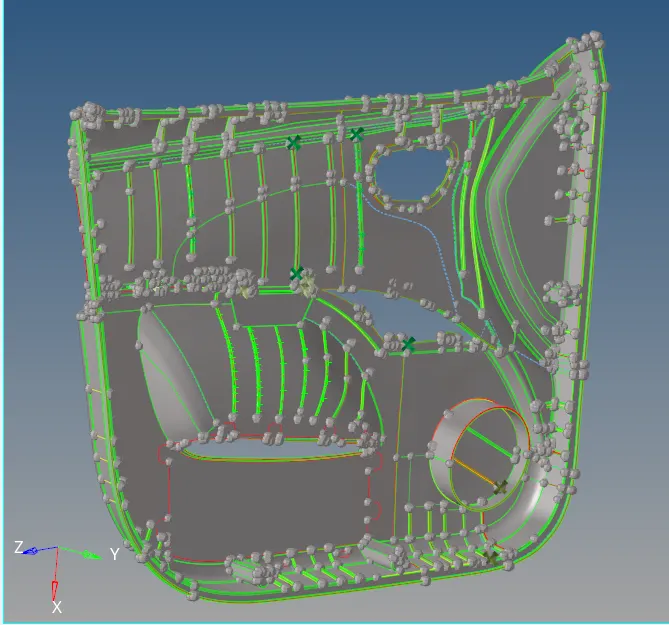
- Extract mid surface of the component to be meshed, in this model we use manual offset.

- Set the quality criteria parameter ,
click F10 > Settings > Criteria editor,
MESHING :
Press F12, for automesh > Select Surface
Options to be considered,
- Use Quality index clean up tools to removed meshing re- works.
- Smooth option to smooth the mesh region and align accordingly.
- "Edit element" from geometry to clean up surface and fix up surface issues.
- Key "F6" to create, split, create and combine elements.
- "Shift + F7" is used to align the mesh to the surface/line/plane/vector
- Use "O" key to
keep mesh - Keeps mesh without re arranging other meshed region
Remesh model - Helps in remeshing
Advanced remesh - Equivalences the meshed region nearby when meshed.
- Rebuild mesh to create inbuilt mesh optimizer
- Element clean up if all the method to optimize the element fails.
- Reflect option to mirror the activity.
MID SURFACE :
The Mid surfacing of the ribs in the part will be challenging, in which manual offset is performed for each rib, with the method such as midline, final edit tools, offset.
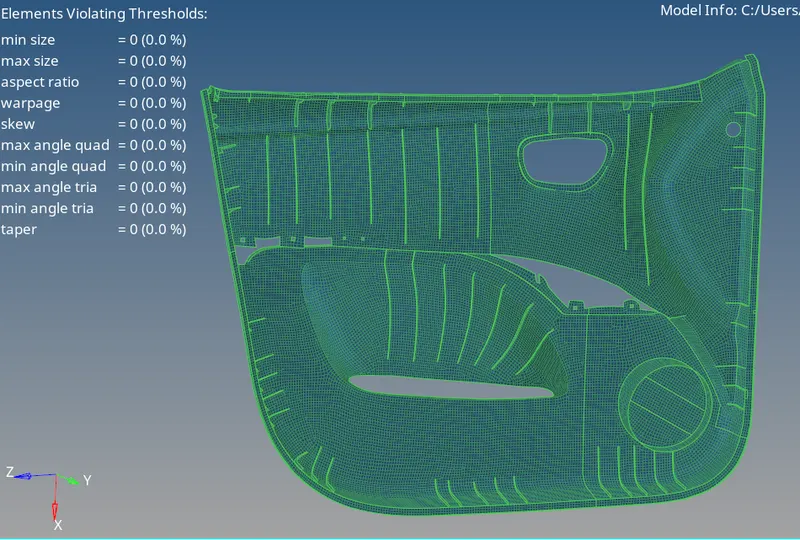
MESHED MODEL:
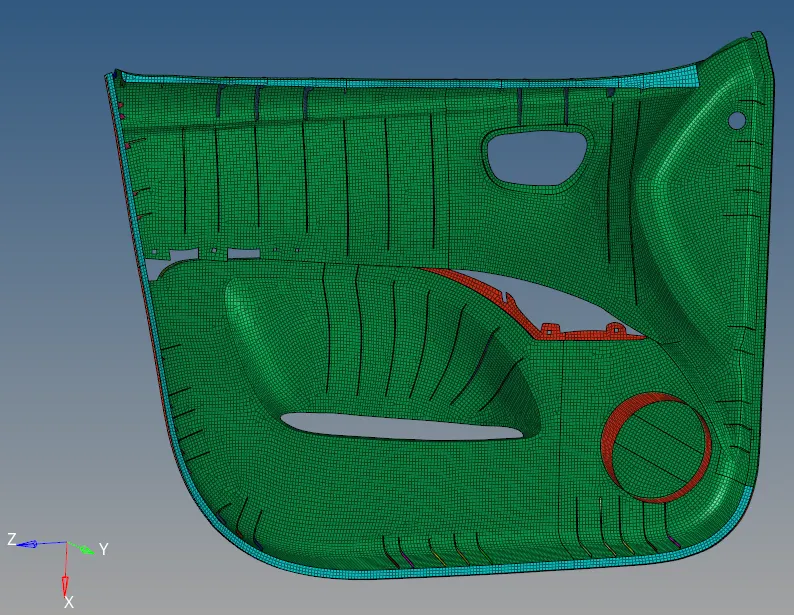
Quality Index:
ASSIGNING THICKNESS:
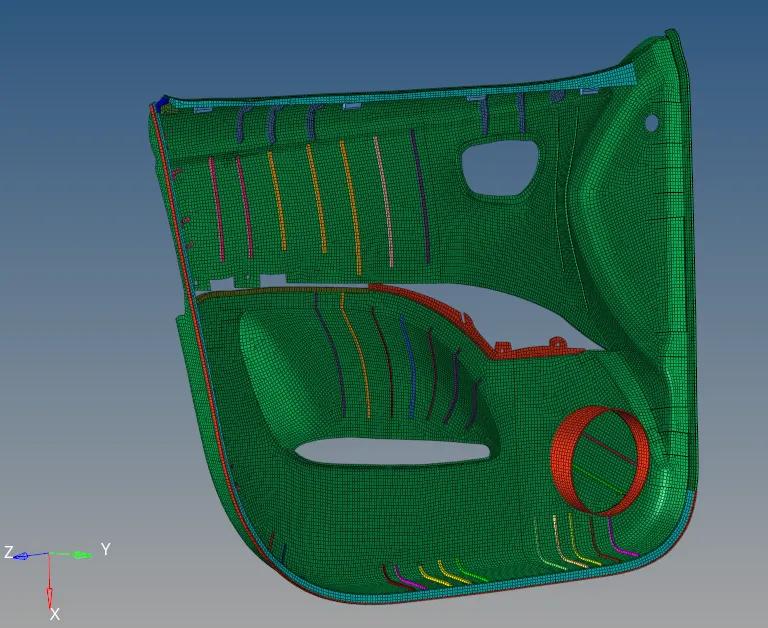
- Property has to be created in the model secion, in which thickness is denoted as "t" to which the thickness is specified.
- The property assigned is to be specifies in the component region which related the thickness data in the model.
- Select "2D Element representation"
- The assigned thickness will be represented in Screen as below,
RESULT:
The component is meshed and Thickness is assigned with the features of the side door model.