Week 11: Hot Aisle Cold Aisle Containment for Data Center
Hot Aisle Cold Aisle Containment for Data Center
Aim:
To Clean up the geometry and setup the case for the DATA CENTER and make necessary calculations to setup the case as explained in the videos.
To Show the flow physics and explain the following terms,
- Plenum region
- CRAC units
- Server room
Geometry:
The geometry was imported into Converge,CAD clean up and diagnosis was done.
Setup:
- Application: General Flow
- Solver: Transient solver
- Material: Air
- Species: O2 and N2
- Solid material: Aluminium
- Simulation mode: Full hydrodynamic
- Simulation time parameters:
Start time:0 sec
End time:0.075 sec - Super cycling is enabled
- Region & Initialization:
Created a region for initializing the setup - Boundary conditions
Plennum walls -Wall motion type- Stationary
Surface movement- FIXED
Temperature- 285 K -
Server walls: Wall motion type- Stationary
Surface movement- FIXED
Temperature- 300 K -
Inlet 1 (BOUNDARY ID-3): Pressure- Zero gradient
Velocity- 0.0029 kg/s
Temperature- 285 K -
Inlet 2 (BOUNDARY ID-4): Pressure- Zero gradient
Velocity- 0.0029 kg/s
Temperature- 300 K -
Outlet (BOUNDARYID-5): Pressure- 101325 Pa
Velocity- Zero gradient
Temperature- 300 K -
Cabinet: Wall motion type- Stationary
Forward side (server region) - Velocity- Law of wall
Temperature- Law of wall
Reverse side (solid) – Velocity- No slip
Temperature- Specified Value - Events:
Region A
Region B
Event
Plenum region
Server region
OPEN
-
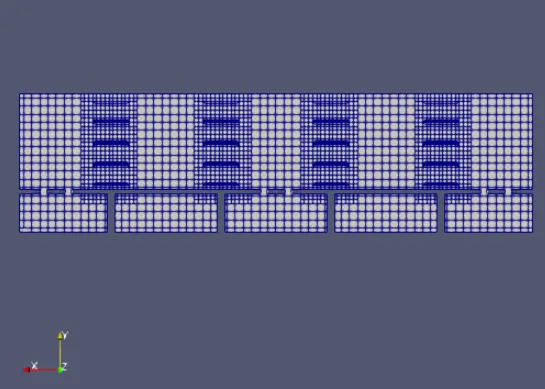
Grid Control:
- Element size:dx = 0.1m, dy = 0.1m & dz = 0.1m
- Fixed embedding is enabled
- Turbulence Model - K epsilon
Mesh:
Results:
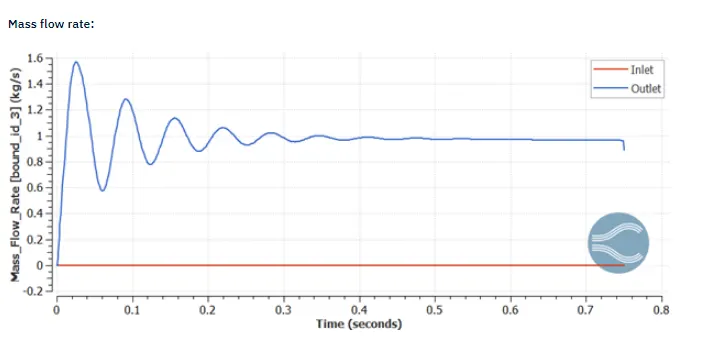
Mass flow rate:
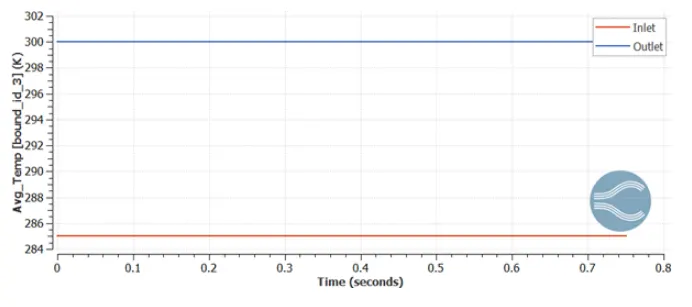
Temperature :
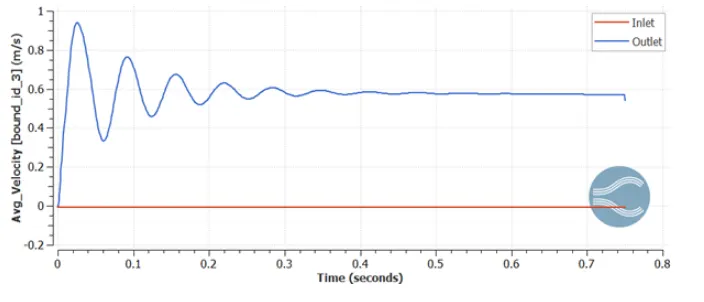
Velocity:
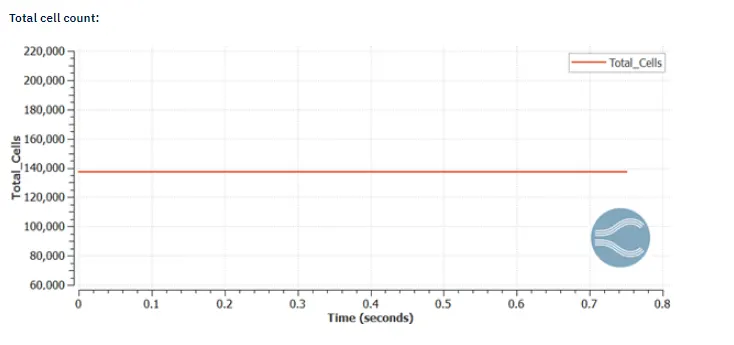
Total cell:
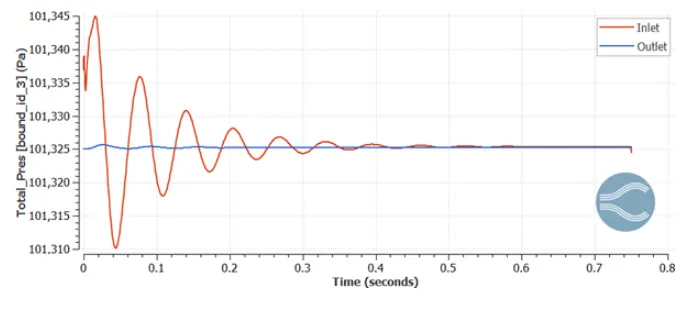
Pressure plot:
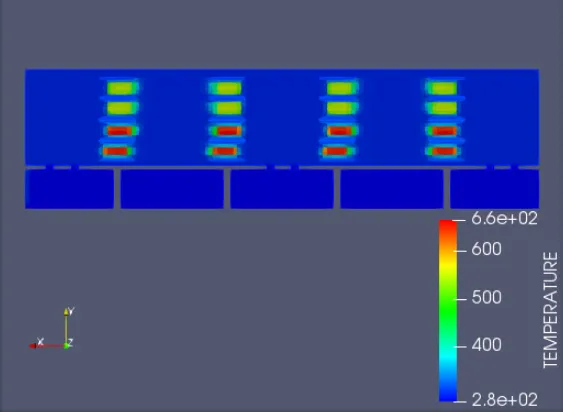
Temperature contour:
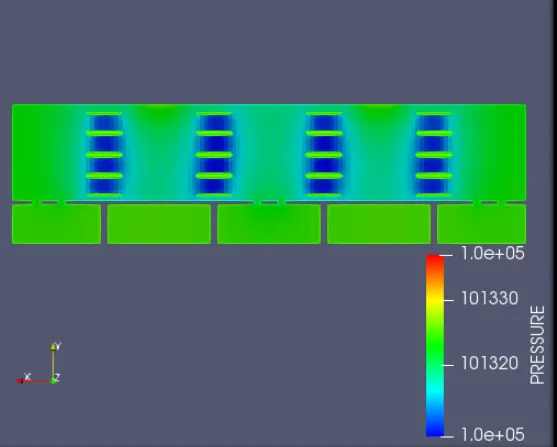
Pressure contour:
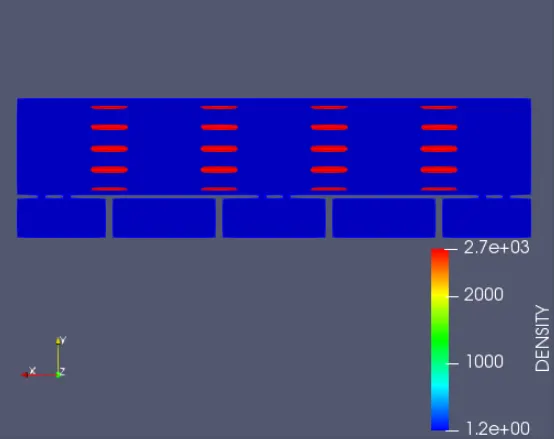
Density contour:
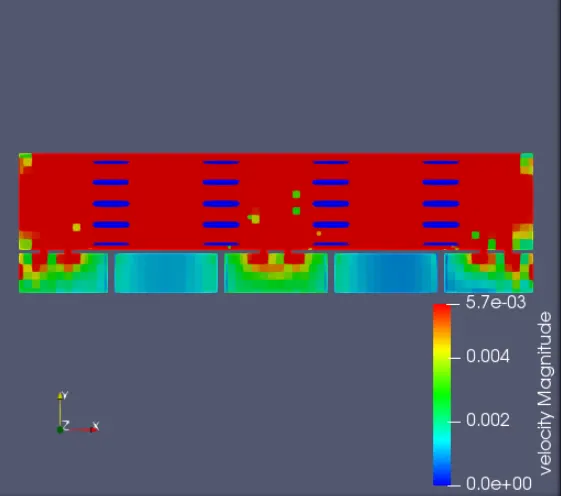
Velocity contour:
Conclusion:
The simulation process for hot aisle and cold aisle containment for data centre is done.