Week 11 Car Crash simulation
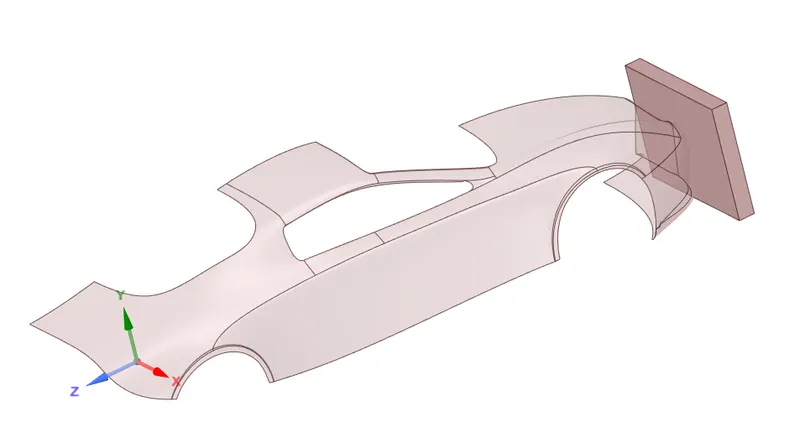
Objective : To simulate a car crash in Ansys Workbench using explicit analysis.
Model :
Procedure:
- Firstly changed the material of the car body to stainless steel NL to analyse it's non linear behavior.
- Used the symmetry option so that the half car model can be simulated as a full car to save computational time.
- Fixed the car at one place using fixed support and provided the wall a displacement of 500.
- The simulation is going to be simulated for 0.001 seconds.
Mesh : Default mesh
- Patch conforming mesh in the region rear region of car to reduce mesh elements.
- Sizing to reduce the size of the mesh to fit the academic limit.
Meshed model:
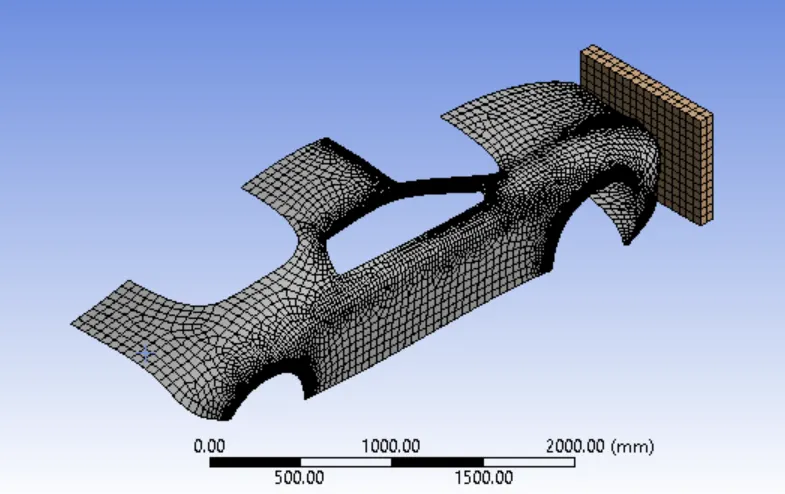
Parametric study for different body thickness of the car body namely 0.3 , 0.5 , 0.7.
Simulation result:
https://drive.google.com/file/d/14YoiNsQcZzA0PayzNzvirjmzYVQxyOTZ/view?usp=sharing
Simulation snapshots :
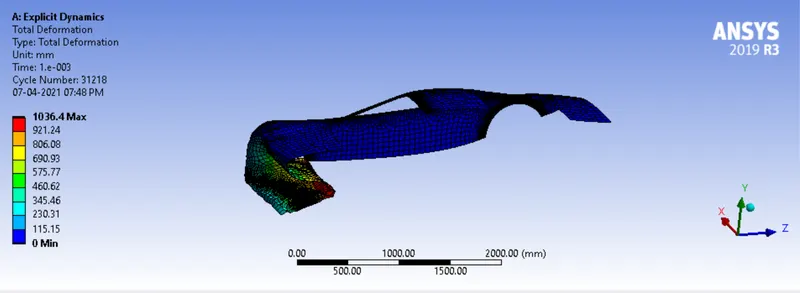
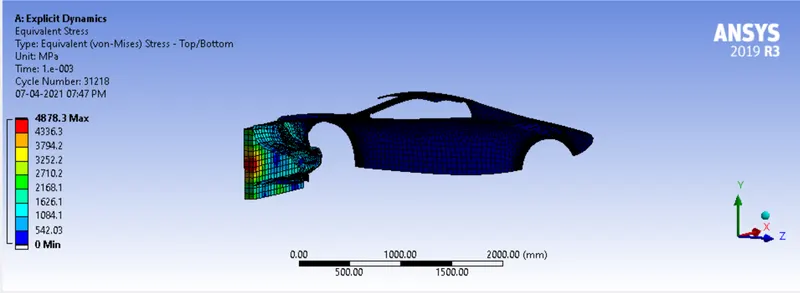
Case 1 (0.3mm thickness)
Total deformation :
Von mises equivalent stress:
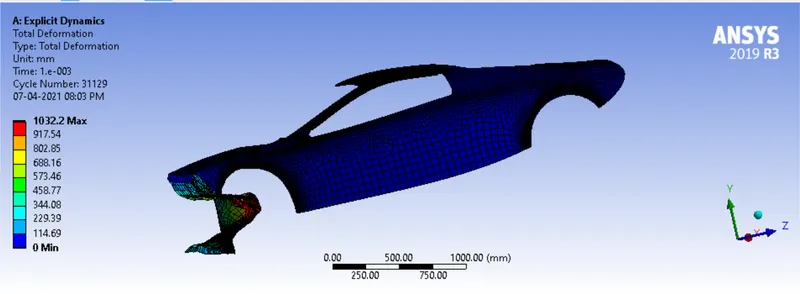
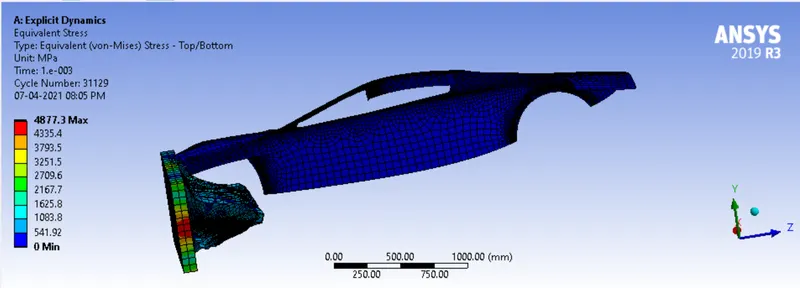
Case 2 (0.5mm thickness)
Total deformation :
Von mises equivalent stress:
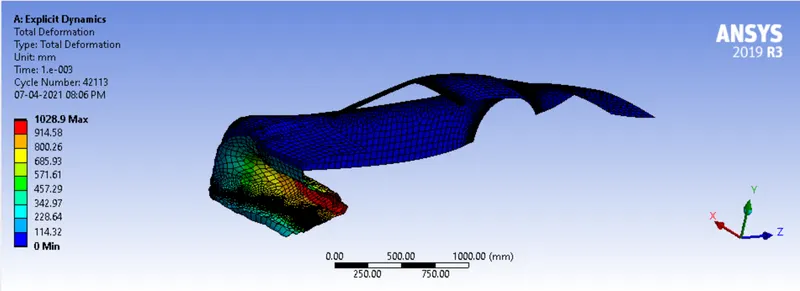
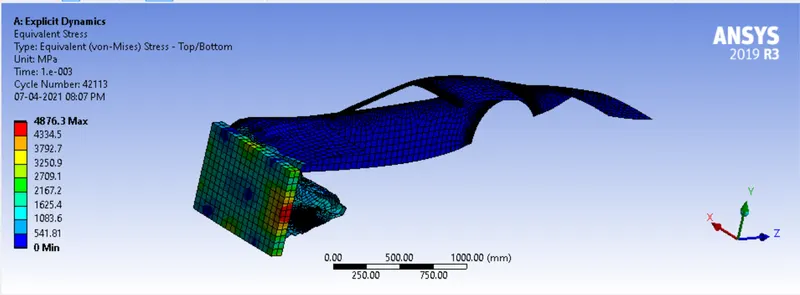
Case 3 (0.7mm thickness)
Total deformation :
Von mises equivalent stress:
Tabulated results:
| Thickness(mm) | 0.3 | 0.5 | 0.7 |
| Equivalent Stress (MPa) | 4878.3 | 4877.3 | 4876.3 |
| Total Deformation(mm) | 1036.4 | 1032.2 | 1028.9 |
Inference : From the above table we can see that as thickness increases the total deformation reduces. In real world applications we can't just increase the thickness as much as we want because increasing the thickness of the chassis would increase the mass of car. So we specify the amount of deformation that is allowable to protect the passengers and driver. Then decide the thickness by simulating the situation , by doing a parametric study we can arrive at the necessary thickness.