Week 11 Car Crash simulation
Aim: To conduct a frontal car crash simulation.
Procedure:
Materials: Go to engineering data and import non-linear structural steel as it will be applied to the car.
Geometry: Drag and drop the geometry in space claim to upload it. Change the wall and create a solid block using the pull feature.
Setup:
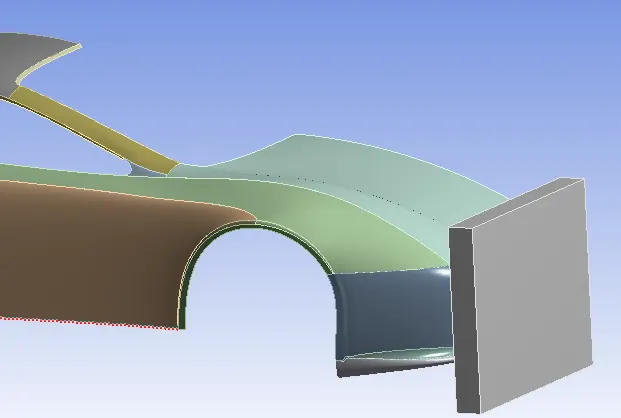
Components: Rename the car parts and assign them to a group. For all the car parts assign the thickness and set that as a parameter.
Connections: As the car parts are not a single part we need to create a bonded contact between all the car parts.
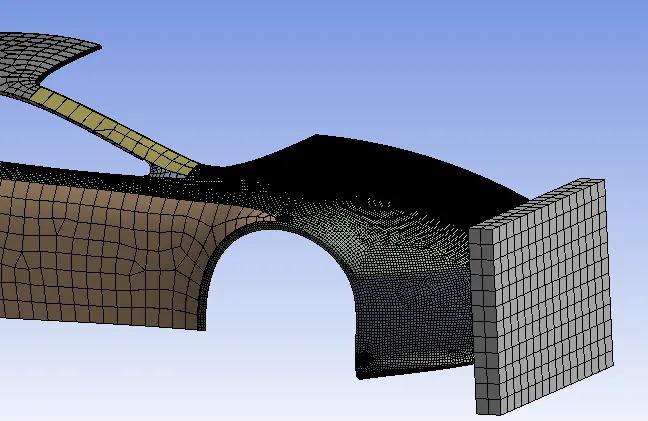
Mesh: Mesh the car part depending on the analysis.
- Assign a finer mesh in the front car parts. 10mm
- The rear of the car parts has larger materials as they won't come in contact with the wall. 200mm
- The wall is made up of Hexa elements.
Analysis Settings:
- Assign an end time step of 1e-003s to the setup.
Load Settings:
- Assign a fixed condition to the rear parts of the car.
- Assign a displacement load at the first time step as 500mm.
Solution: Create parameters for the minimum & maximum total deformation & equivalent stress.
Results & Discussion:
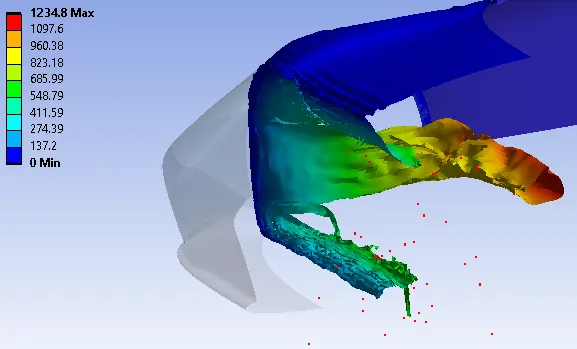
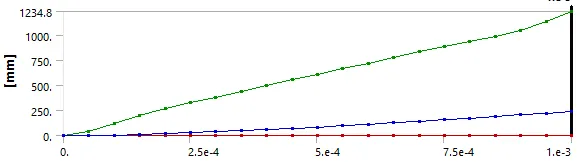
Case 1 (0.3mm)
The maximum deformation obtained is 1234.8mm.
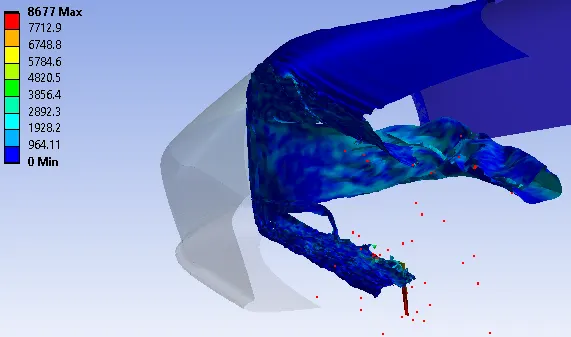
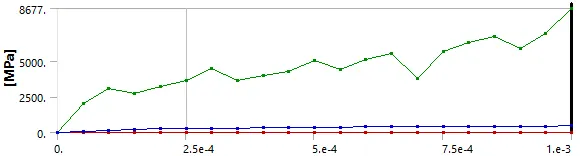
The maximum stress obtained is 8677 MPa at the end of the time step.
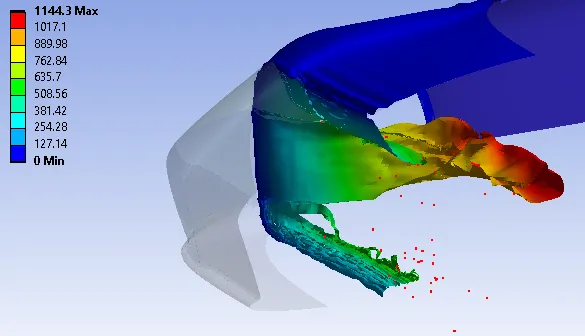
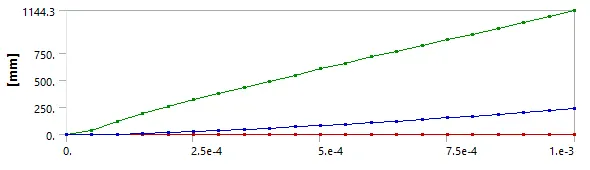
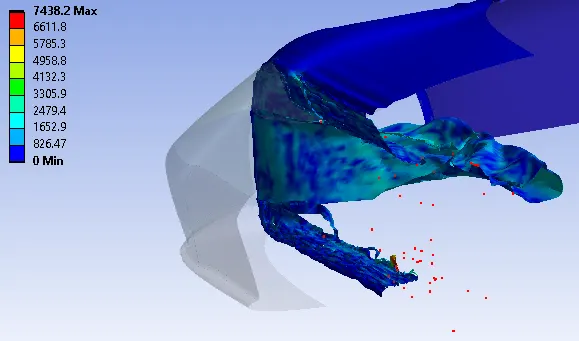
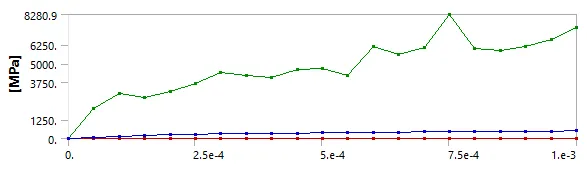
Case 2 (1.0mm)
The maximum displacement obtained is 1144.3mm.
The maximum stress obtained is 8280.9 MPa at the end of the time step.
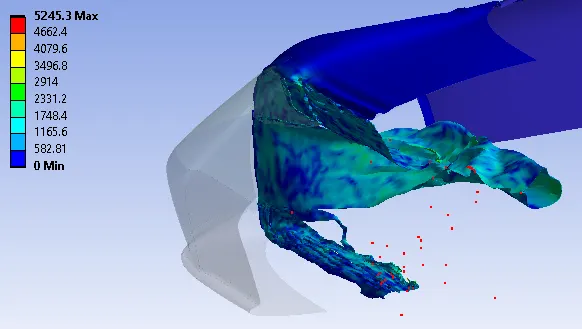
Case 3 (1.5mm)
The maximum displacement obtained is 1247.9mm.
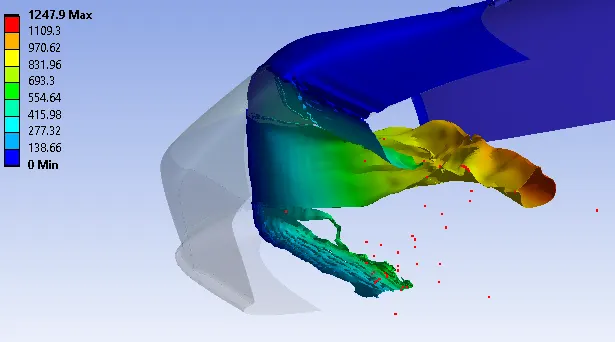
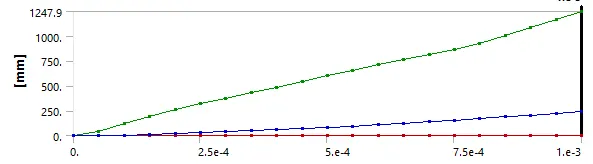
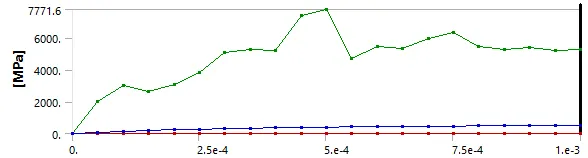
The maximum stress obtained is 5245.3 MPa at the end of the time step.