Week 1 Spur Gear Challenge
AIM :
To Simulating the Spur gear with three different materials, finding out the Total Deformation, Equivalent Stress & Stress Intensity.
OBJECTIVES :
Adding the Required materials to case set up from the Engineering data source.
To performing an structural Analysis by using Cast Steel, Cast Bronze & Grey Cast Iron materials.
Finding Location of fracture point.
Comparision of simulation results for those three material.
INTRODUCTION :
A Spur gear is one of the simplest gear and it looks like a cyclindrical in shape. A main difference of spur gear than other gears, gear tooths are made up of parallel to the axis of shaft. Mostly, by using Hobbing milling machine to which manufacture the external tooths spur gear and also by using broaching machine to which manufacture a internal tooth spur gear.
Common Applications are used to speed reduction & torque multiplication such as ball mills, crushing equipment and sliding mesh gear box.
PROCEDURE FOR ATTAINING THE OBJECTIVES :
I) CAD Model :
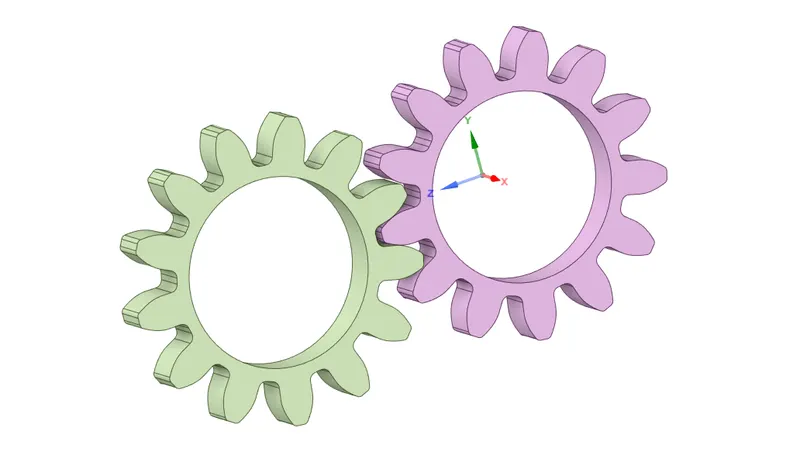
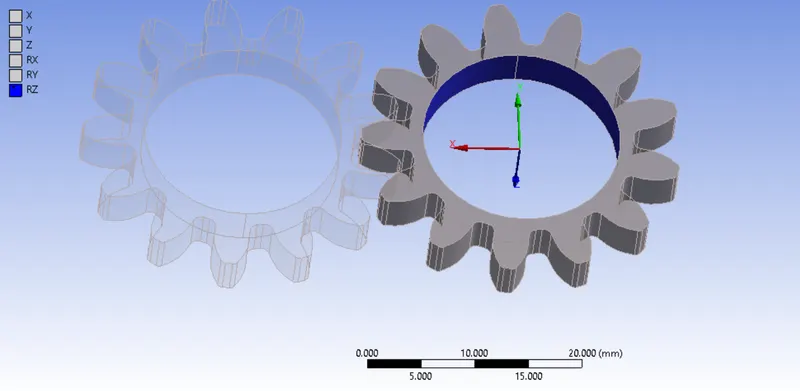
A Spur Gear CAD Model is given from design team. We have to import the model into our structural analysis case setup. Inorder to view the model, open a space claim or Design modeler will shown up like as below image.
II) Adding Required materials :
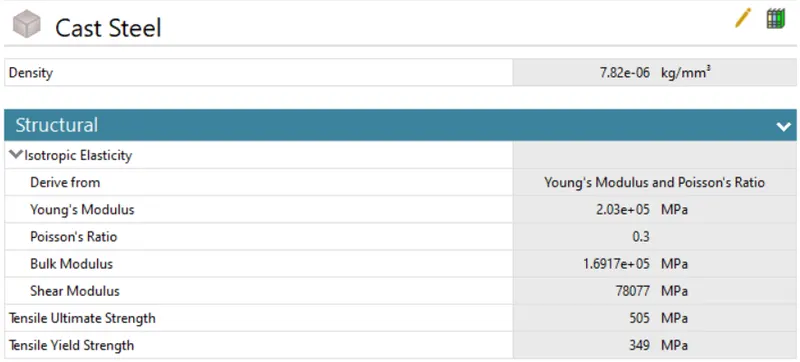
Open a Engineering data, initially "Structural Steel " material has added by default. We have to manually add the new materials such as Cast Steel, Cast Bronze and then Grey cast Iron.
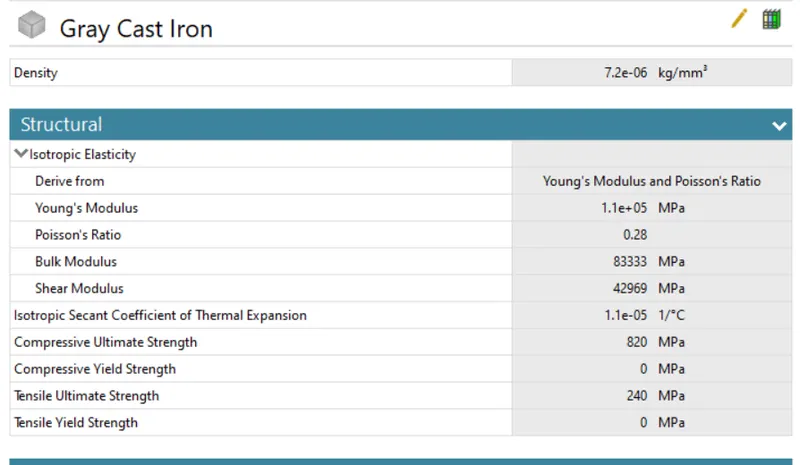
First of all, open a "Engineering data sources " and then followingly click the "General Materials ", from that we importing the one material which is "Grey Cast iron".
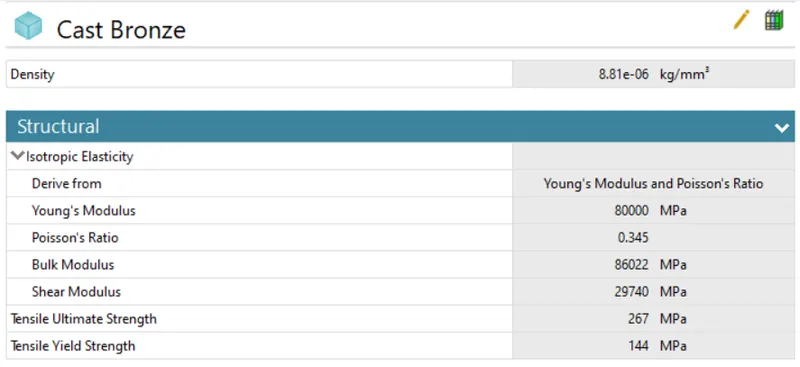
Cast Steel & Cast Bronze ar not available in under General Materials source. So, we add those two material from the "ANSYS GRANTA Materials data sources for simulation ".
Here below snap are mentioned at properties for those corresponding materials.
Cast Steel Material :
Cast Bronze Material :
Grey Cast Iron Material :
III) Assigning Materials :
Once open the Mechanical model, we have to assign the proper material to the respective model.
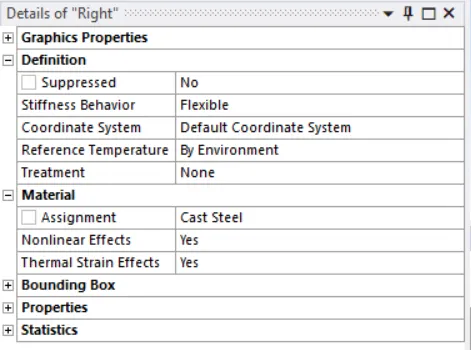
Select the both left & right gear, keep assignment as Cast Steel for case 1. Similarly, we has change the different material for remaining two cases by same manner.
IV) Connections :
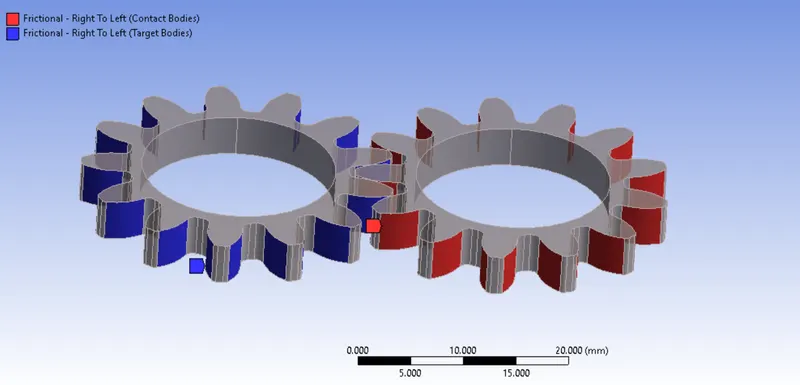
Select the tooth faces for the right side gear as a contact bodies & click the apply and followingly select the tooth faces for a left side gear as a Target Bodies.
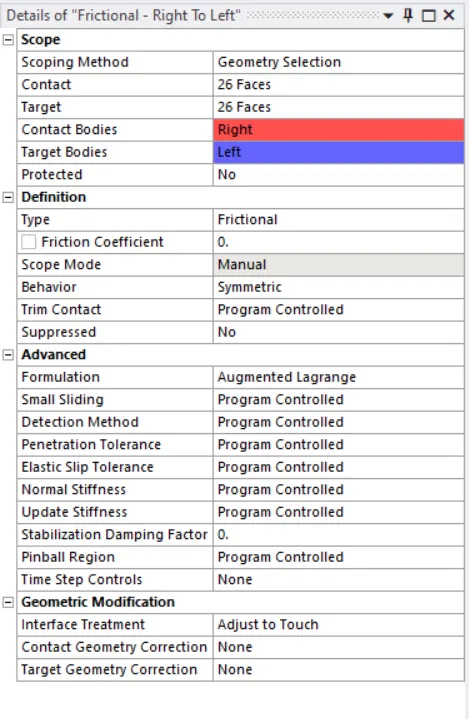
Keep "Frictional" as a contact type, which maintain frictional force between the contacted surface based on Friction coefficient. In this case, we can also use "Frictionless" type, because there's no friction coefficient between them.
Keep "Symmetric" as a Behavior of the contact, which assume contact & Target are same. Also, it leads to quick convergence.
Keep Formulation as "Augmented Lagrange" Algorithms which help to increase the stiffness of the contact and resists the penetration between them. This type of algorithms are used any type of contact.
Keep Interface Treatment as "Adjust to Touch", which make touch to eachother instead gaps between them and also avoid the penetration between them.
Apart from those things, keep default settings as it is.
Joints :
Create a new Joints under the connection tree outline. Select the inner face of the left side spur gear, it will automatically constraints the degree of freedom at RZ which means allow the rotation of about Z axis.
Make sure select the Body to Ground for Connection Type and type of motion is Revolute.
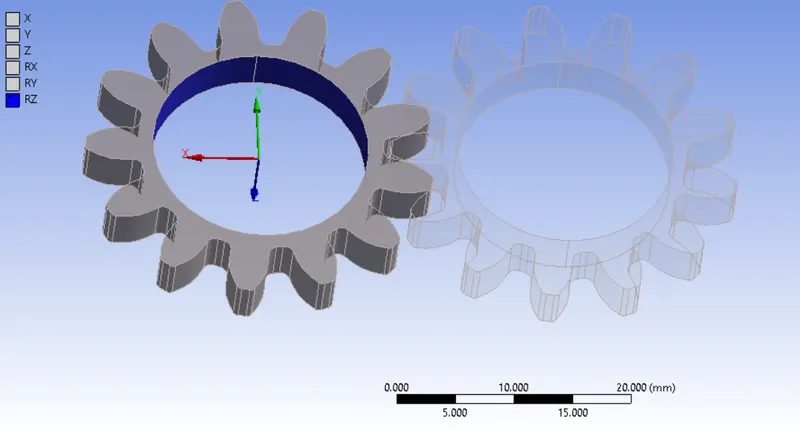
Similarly, we follow the same procedure to do for Right Side spur gear.
V) Meshing :
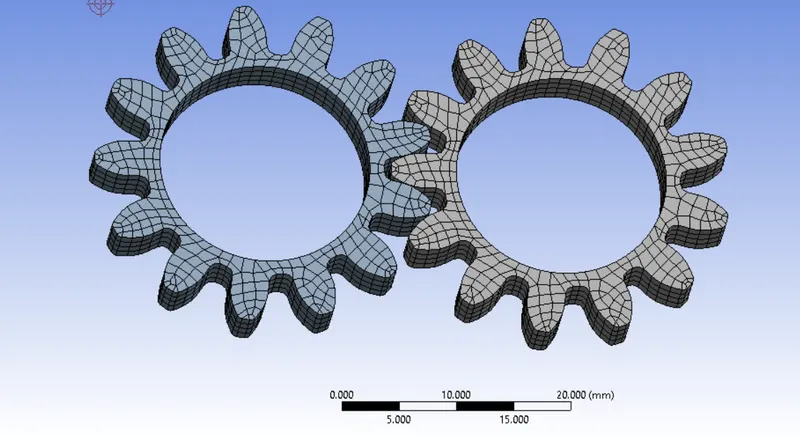
Basically, To divide the entire model into infinitesimal control volume, that frame work is called Meshing. This process is called Discritization. This FEM is widely used for solving partial differential equation in different physical field such as Structural problem, Heat transfer problem, Fluid flow problem, Electro magnetic Analysis & Acoustics Analysis.
Element Size = 1 mm
Element Type = Volumetric meshing with Hexahedrons or Hexahedrals element
No of Nodes = 16474
No of Elements = 2808
We keep "Program Controlled" for Element Order, so Ansys takes a second order elements, each Hexa elements have 20 nodes itself. By results, it take more time for solving as compared to First order elements & increasing storage space also. But, results has been more accurate as compared then first order discritization.
After done the meshing on the model, it has looks as shown in below image.
VI) Analysis Settings :
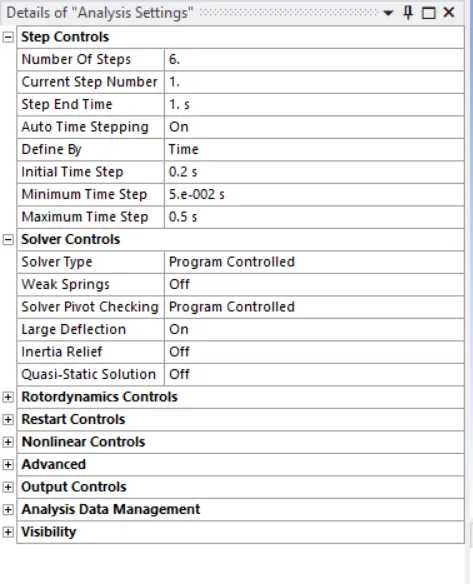
Increase the number of time step = 6
Auto Time Stepping = On
Define By = Time
Initial Time Step = 0.2 sec
Minimum Time Step = 0.05 sec
Maximum Time Step = 0.5 sec
Large Deflection = On
Boundary Condition :
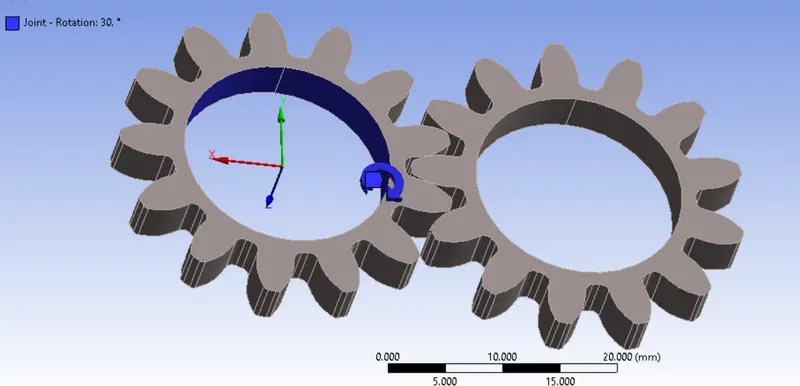
Joint - Rotation :
Joint = Ground to Left ( Left Spur Gear)
Type of Joint = Rotational
Degree of Freedom = Rotation about Z axis
Magnitude = Tabular data
Tabular data = Rotation is 0 degree to 180 degree with 30 degree interval or 6 time steps.
Joint - Moment :
Joint = Ground to Right (Right Spur Gear )
Type of Joint = Moment
Degree of Freedom = Rotation about Z axis
Magnitude = Tabular data
Tabular Data = 10 KN Constant Moment acting on each time step.
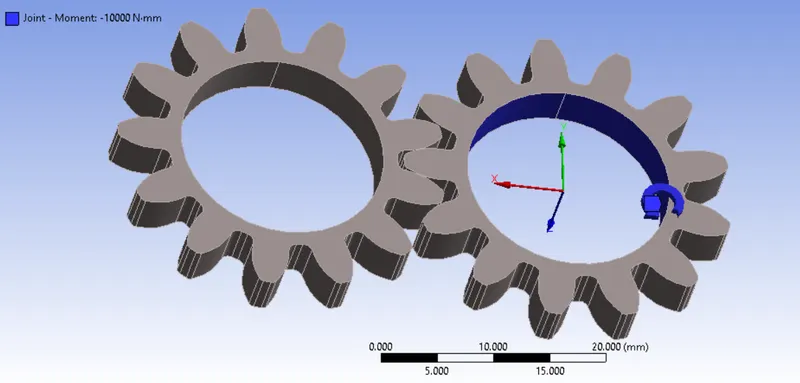
RESULTS :
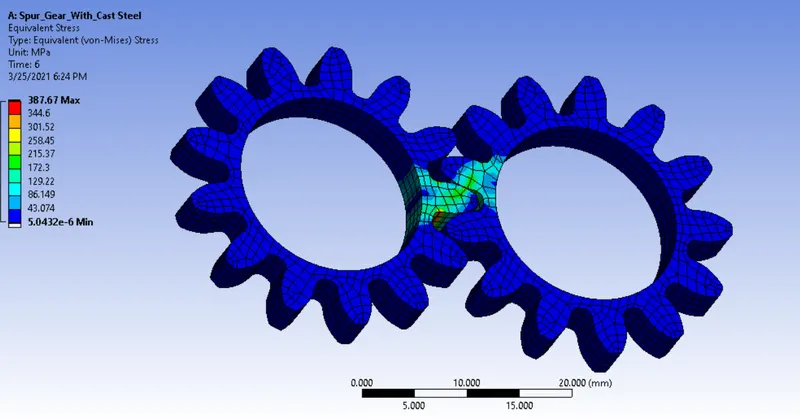
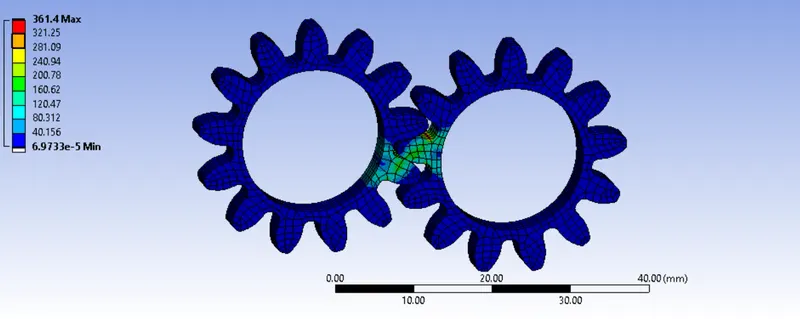
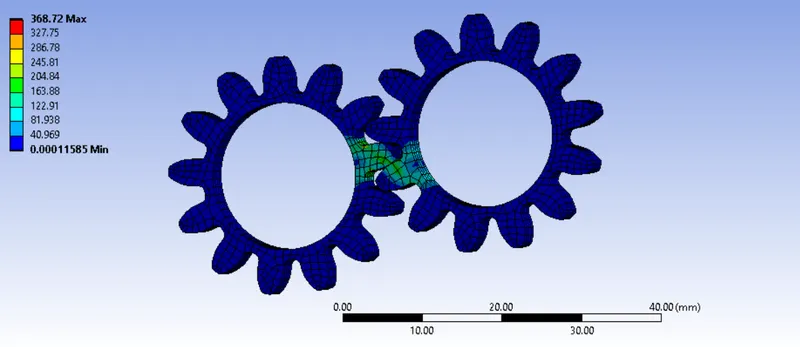
Equivalent Stress :
Equivalent Von Mises stress is also called as Maximum Distortion Stress Theory. Each Material have Yield Stress Value, based on that we can findout where the material has failed first.
If the equivalent von mises stress value is equal or Less than Yield stress of the material. Then, that type of material is recommended.
Equivalent Stress for Cast Steel :
Equivalent Stress for Cast Bronze :
Equivalent Stress for Grey Cast Iron :
Stress Intensity :
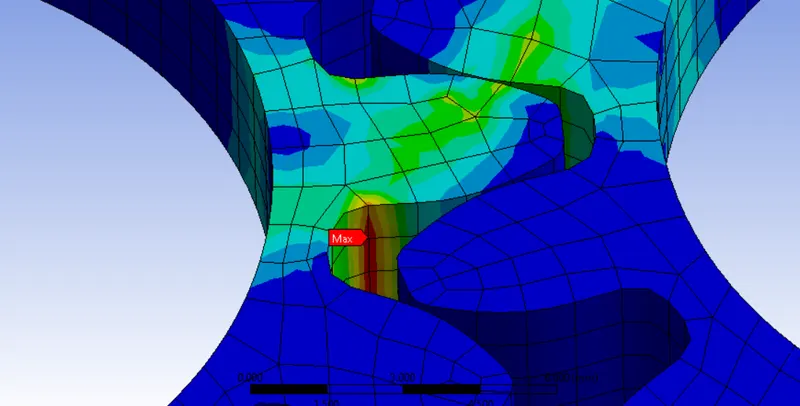
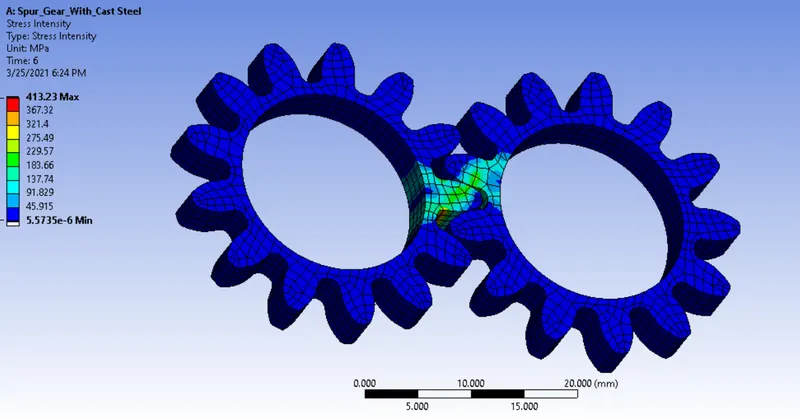
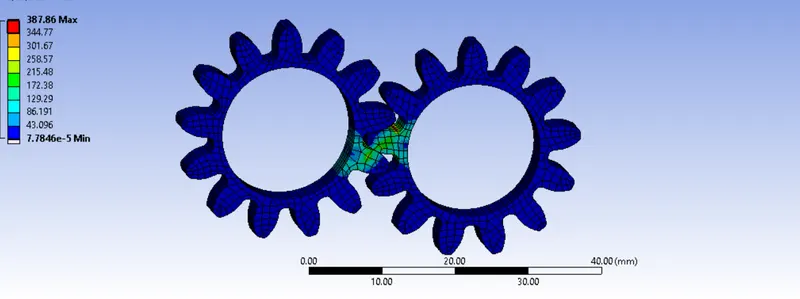
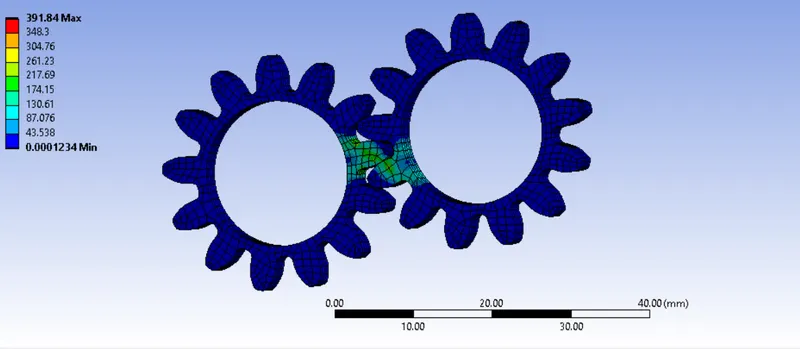
A Stress Intensity is used to find out the stress concentration on the tooth tip. Here below, probe point is helps us to annotate the maximum stress occured region and also fracture developing region.
Due to the less cross sectional area & momentum acting on that place, by results stress concentration is higher than rest of the area.
Stress Intensity for Cast Steel :
Stress Intensity for Cast Bronze :
Stress Intensity for Grey Cast Iron :
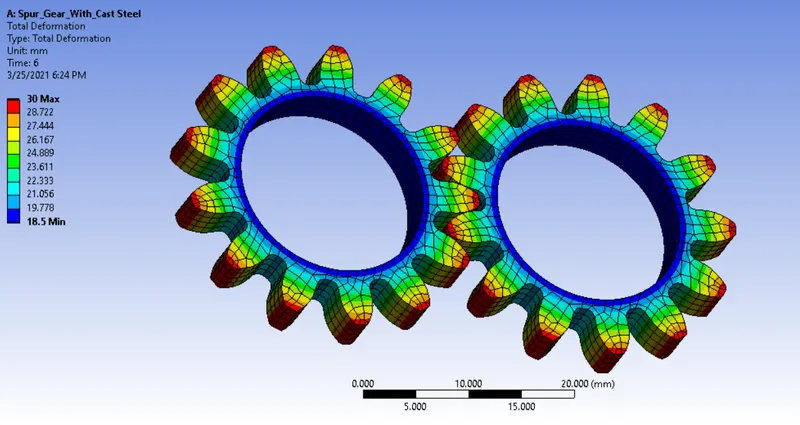
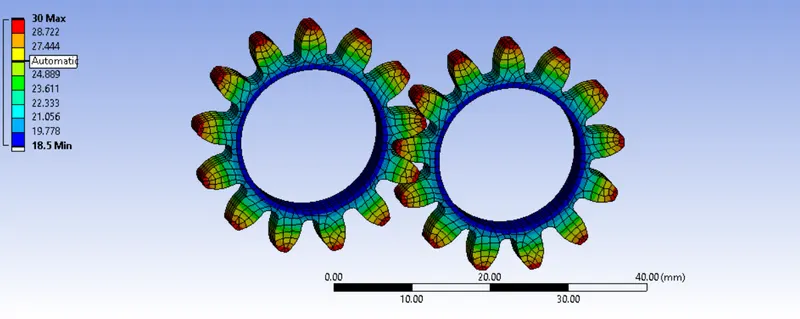
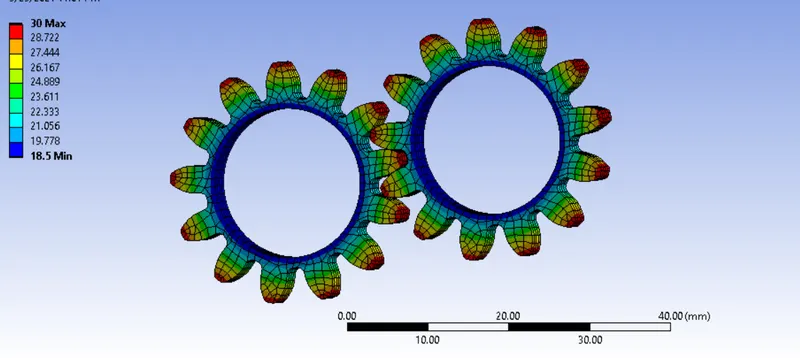
Total Deformation :
Total Deformations are pretty same for all cases. A Maximum deformation occurs at tip of the tooth for all the cases.
Total Deformation for Cast Steel :
Total Deformation for Cast Bronze :
Total Deformation for Grey Cast Iron :
CONCLUSION :
| Materials | Equivalent Von Mises Stress (Mpa) | Stress Intensity (Mpa) | Total Deformation in mm |
| Cast Steel | 387.67 | 413.23 | 30 |
| Cast Bronze | 361.4 | 387.86 | 30 |
| Grey Cast Iron | 368.72 | 391.84 | 30 |
According to the simulation results for the each case, we can conclude Cast Bronze is best, because maximum stress & Stress Intensity develop is less as compared to remaining two cases. But, Stress values are exceeding the Yield stress of the material. So, we avoid this material for this moment.
Recommended material is Grey Cast Iron, because Stresses are less than cast steel material stress value.