Meshing of Switch Panel (Tool Test 1)
Objective: To mesh the plastic Switch panel model of a vehicle door, and a floor component according to the given quality criteria in "ANSA" "CAE".
Quality Criteria:
|
S.No |
Quality Criteria |
Value |
|
1 |
Target/Average length |
4 |
|
2 |
Minimum Length |
2 |
|
3 |
Maximum Length |
6 |
|
4 |
Aspect |
3 |
|
5 |
Warpage |
15 |
|
6 |
Skewness |
45 |
|
7 |
Jacobian |
0.7 |
|
8 |
Minimum Quad Angle |
45 |
|
9 |
Maximum Quad Angle |
135 |
|
10 |
Minimum Tria Angle |
30 |
|
11 |
Maximum Tria Angle |
120 |
|
10 |
Tria Percentage |
15 |
Procedure:
1. Switch Panel:
- The model was imported and the 'topo' command was given in order to remove single CONs, if any, in the model. Later using the 'perimeter>length' option, the model was made finer.
- The model had even thickness overall except the dog house. Hence, the 'offset' command from the 'faces' tab in the 'topo' mode was used to extract the midsurface.
- In the intricate areas like the dog house and its ribs which had a tapering geometry, the 'curve>middle' option was used. Middle curves were obtained from the boundary and new faces were created with the help of those curves.
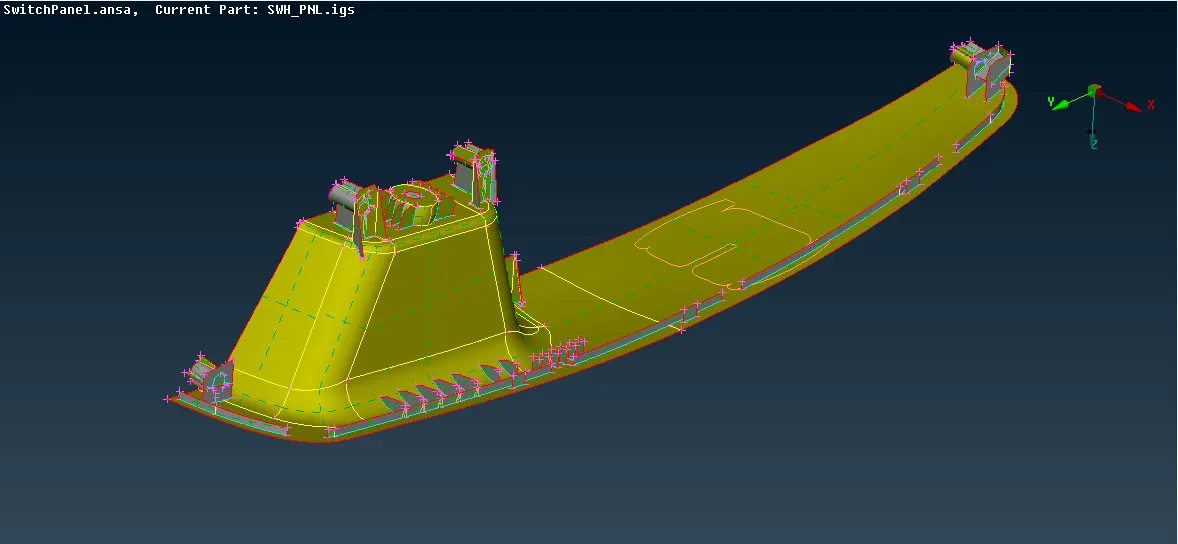
- These surfaces were extended to their target faces for maintaining connectivity. This was done by the 'extend' option in the 'faces' tab. Later the property was assigned to the model according to its thickness. The image below shows the midsurface.
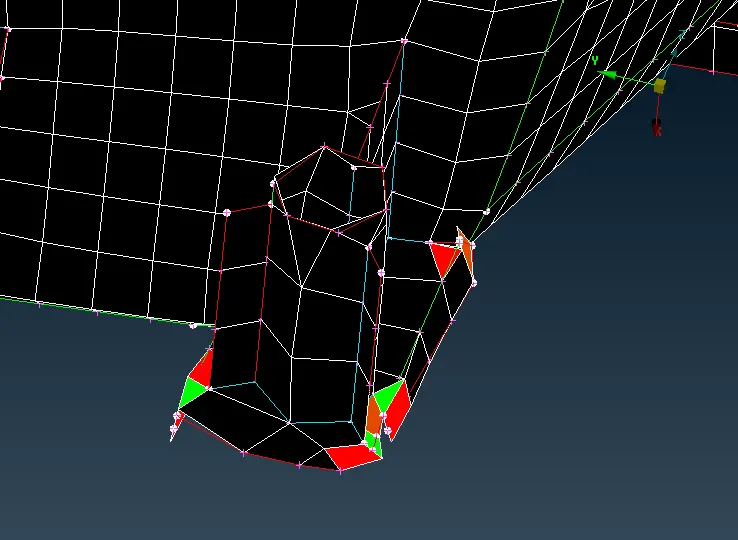
- Later the model was meshed according to the above-mentioned quality criteria. In order to get a better mesh flow and to avoid any failing elements, the mesh 'reconstruct' option was used. The mesh was made finer and better, but there were some failing elements present in the model in some sensitive areas where the feature capturing was important. Hence it was not possible to maintain the quality of mesh in those areas. The image below shows some of the failing elements.
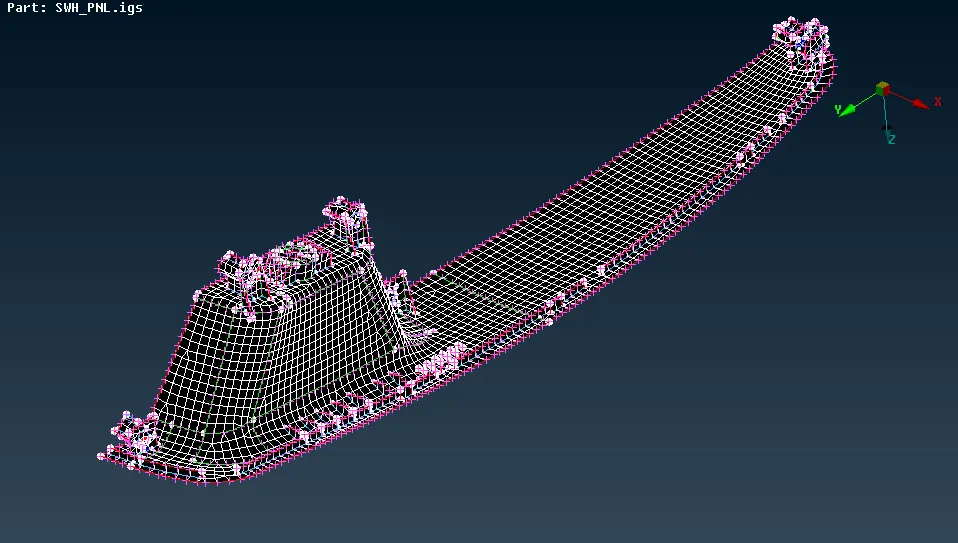
- The finalized mesh is as shown below.
2. Floor Component:
- The floor component was imported and the 'topo' command was applied just like before. Later the perimeter was reduced to get a finer look at the model.
- The geometry of the model was symmetrical except for the middle portion. Therefore, using the 'plane cut' option, the model was divided from the middle, and one of the halves was hidden using the 'not' command.
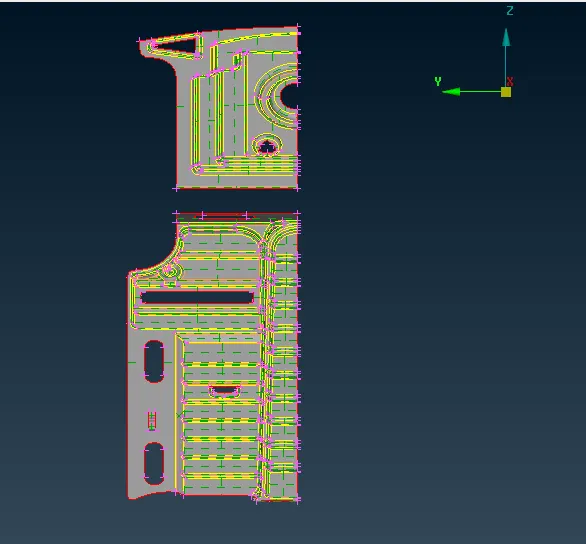
- Midsurface for one half was extracted. The thickness was even throughout the model hence the use of 'offset' command was feasible. The image below shows the midsurface of one half. Later the property was assigned to the model according to its thickness.
- The model was then mesh using the 'best' mesh option and was 'reconstructed' pertaining to the quality criteria. The image below shows the mesh for half of the model.
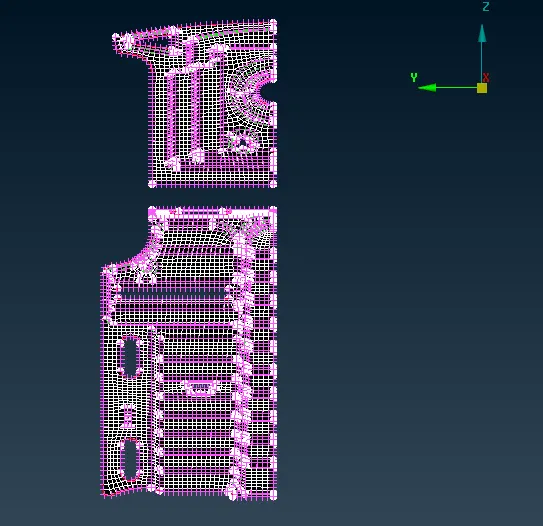
- Later this mesh was mirrored using the 'symmetry>mirror 3 points plane'. Three points were selected in order to define the mirror plane.
- The remaining face in between was then offset and meshed. The image below shows the final mesh.
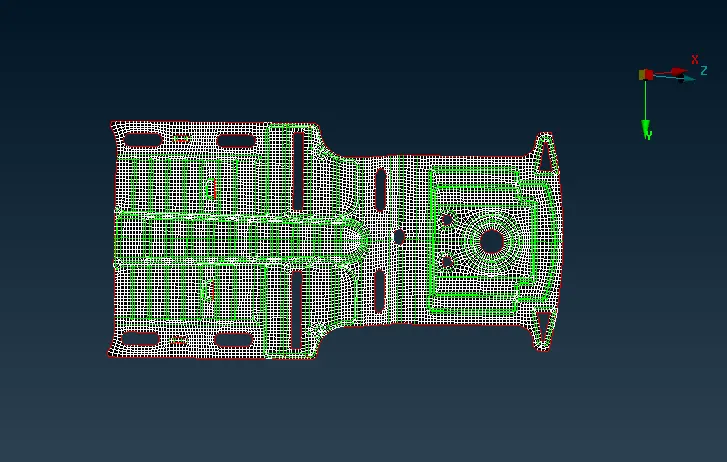
The time required for both the components combined was approximately 7-8 hours.
Gdrive link: Tool test models