To Perform a manual, batch & casting meshing method on a given component.
AIM :
To Performing an middle surface extraction & meshing by using Skin face method, Casting Method and then Batch meshing method. All should be done in ANSA.
OBJECTIVES :
Geometry Cleanuping on a given component.
Extract the Mid surface by using skin face auto generation method from parent geometry.
Setting the Quality parameters and Mesh Parameters for meshing.
Perform Manual meshing and batch meshing on a middle surface with quality checking.
Perform Casting method on a parent Geometry with quality checking.
Comparing the all three method results.
CAD MODEL IMAGE :
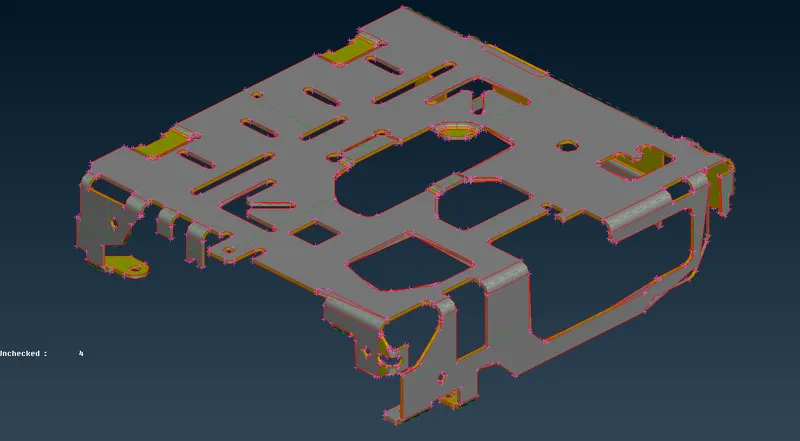
Open the ANSA Software, Importing the appropriate file by using GUI open Option. After Opening the given model, it showing from the Graphical window as shown in below image.
This model have made up of sheet metal & uniform cross section thickness is 1mm.
PROCEDURE FOR ACQUIRING THE OBJECTIVES :
I) Geometry Cleanuping :
i) Topology Cleanup :
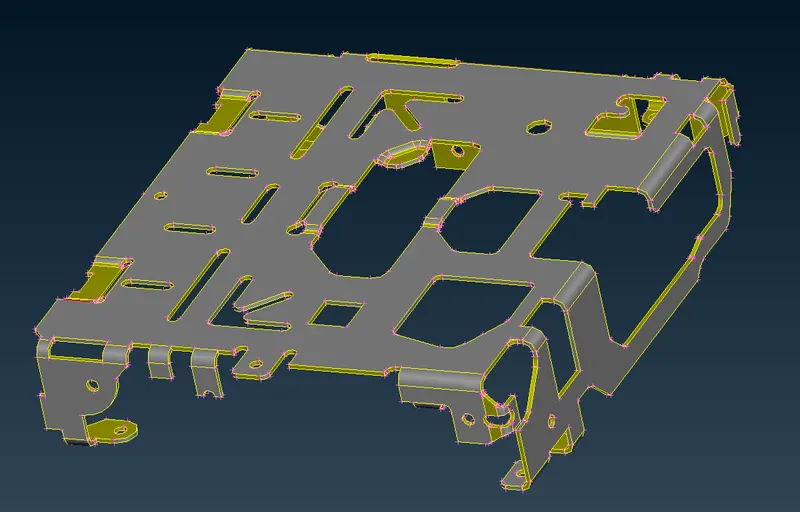
As we noticed from the imported model, each & every Macros are not connected to each other. Inorder to connects the macros to eachother, we have to use "Topo" option under where "Topo" module & "Faces" Sub module for which performing the topology cleanup in single shot with box selection.
This has done before going to checking the model.
After done the topological cleanup, a model looks like as shown in below image.
ii) Geometry Cleanuping :
Before going to discritization process, Make sure we have to checking the geometry if there's any geometrical issue are presented or not.
ANSA have by default template which have prepresented some few important parameters, we have to select all those things except "Sharped Edges" and "Unmeshed Macros". Because, those are no need for this case.
After complete the parameters selection, make sure keep "Visible On" from the "Execute On" option and then click Execute to which finding the errors from the visible geometry by ANSA itself..
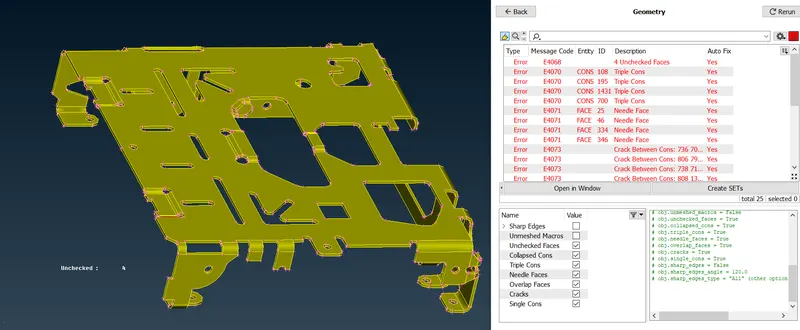
ANSA findout few errors from the visible geometry which are "Triple Cons", "Needle Face", crack between the macros & then single cons issue also be presented.
Inorder to fix those errors, we have two option in our hand. One is Manual fix and another one automatic fix. In this case, We surely going to with automatic fix, because as we noticed from the check tab which is "Yes" for "Auto fix". Which means ANSA can able to fix the issues by itself.
Inorder to do fix those thing in automatically, we have to select all errors which are shown up and right click & followingly select fix option. Afterthat, ANSA have fix those issue in proper manner.
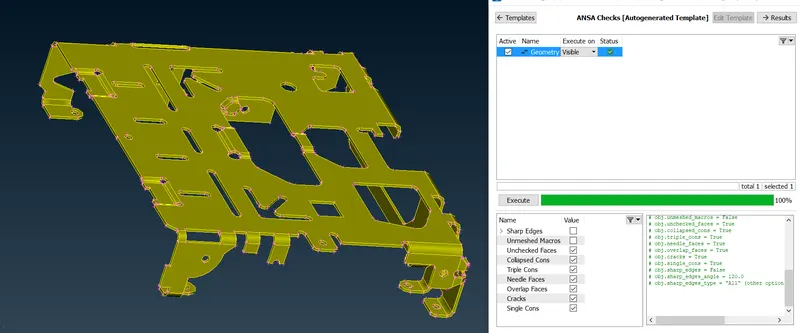
Again we have to cross check the geometry by using same template. Now, there' no issues are happening on it as shown in below snap.
II) Middle surface extraction :
Before going to extract the middle surface by using skin face option or offset face option, make sure our component have to maintain a proper orientation of the surface.
Here's a below image shows component has not a proper orientation on it.
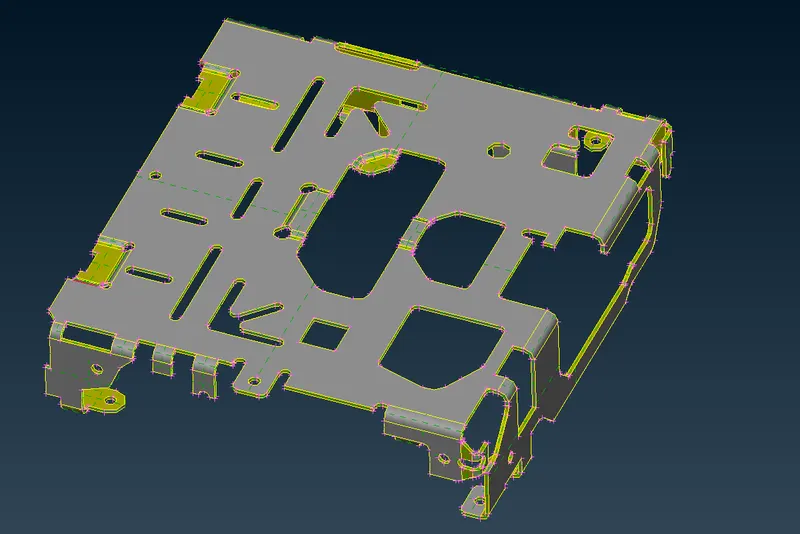
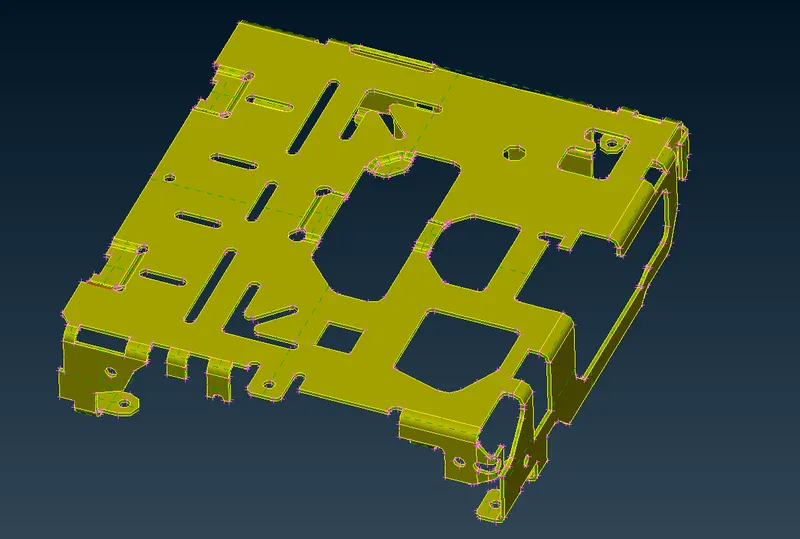
By using "Orientation" option under which "Topo" module & "Faces" Sub modules to which change the orientation at one direction .
Yellow means Negative direction, Grey colour means Positive direction.
By using "Skin Mid surface" option under where "Topo" module & "Faces" Sub modules to which generate the middle surface from the parent component.
First of all, select the any one of the surface, by default it will automatically selecting the whole component. Followingly, click the middle mouse button to proceed with next step.
ANSA has find out the top, bottom & then Cross section thickness of the component itself and findout the neutral which is half a thickness of parent component thickness.
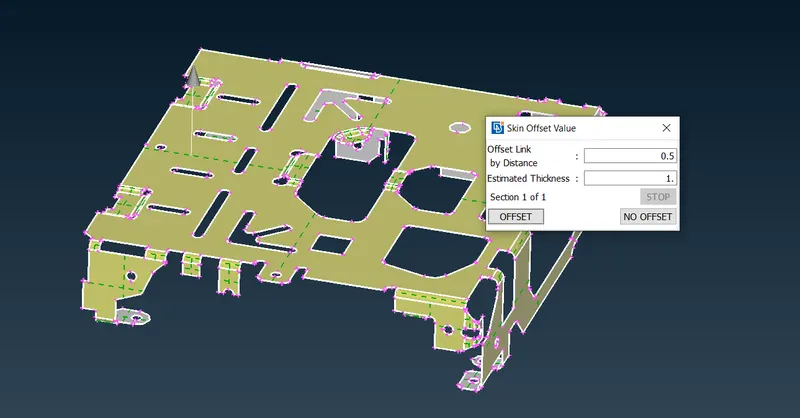
After click the middle mouse button, it will automatically extract out the mid surface from the parent component. Once, we get the middle surface, it looks like as shown in the below image.
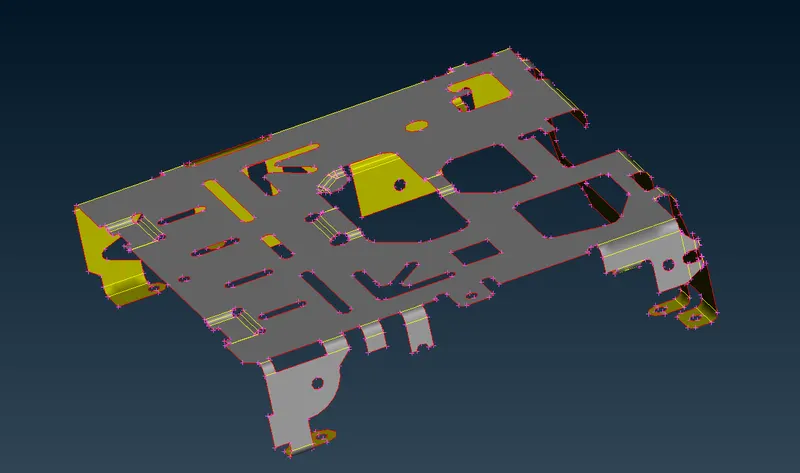
III) Setting the Quality Parameters & Mesh Parameters :
i) Mesh Parameters :
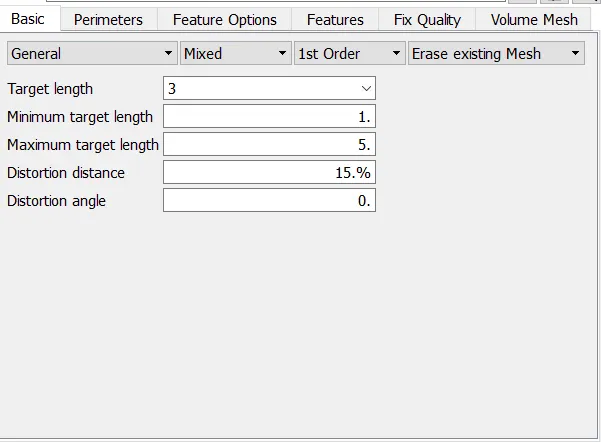
Before going to performing the batch meshing or Manual meshing, make sure we have to setting the mesh parameters like as shown in the below.
When we perform meshing operation, initially a mesh algorithm has trys to generating the mesh elements as per macros or perimeter node distances.
If we trys to improve the mesh quality by using reconstruct or reshape or Improve option, that time these mesh parameters is necessary to preset.
ii) Quality Criterias :
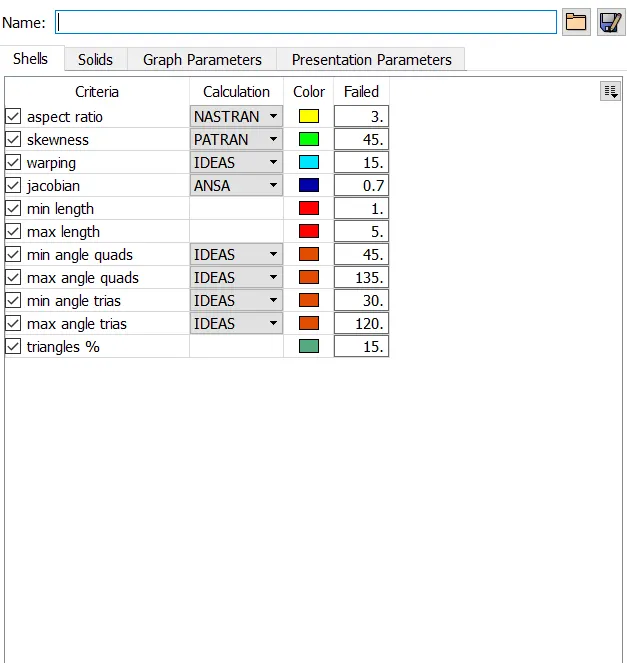
Make sure we have to enabling all important quality parameters & provide the appropriate values in numerically. It's helps us to checking the failure of the elements when we perform meshing operation.
IV) Discritization of component by manual method :
Basically, To divide the entire model into infinitesimal control volume, that framework is called meshing. This process is called discritization.
First of all, Make sure keep the resolution of components to which distance between the two nodes is equal to the target element length by using "Length" option under the "Perimeter" sub module & "Mesh" module.
By using Best or Spot algorithms with Mixed elements to which performing the meshing operation on surface by surface along with checking the quality of each & every elements is necessary.
If generated elements are not got proper orientation or any elements has been failed due to any of the given element quality criterias. We have to use reconstruct option or Improve option to which remesh on it, by results we get proper orientation of elements and also avoid the element failing.
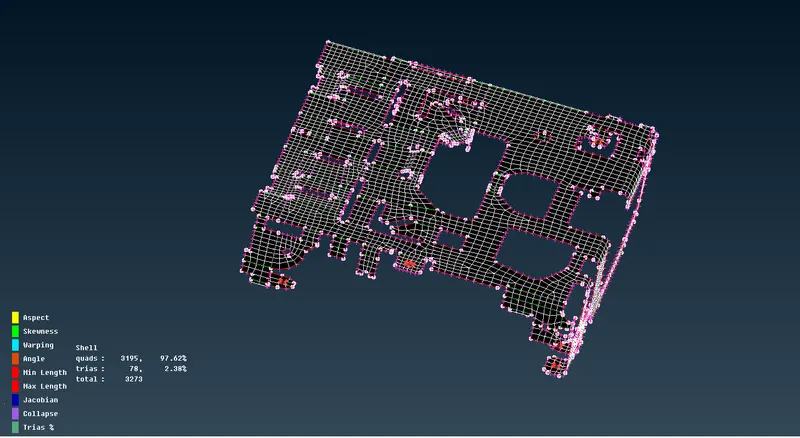
Keep four nodes at where hole features to get avoid the element failing & capturing the proper mesh flow. Use "Slide" & "Marked/Unmarked" option to which set the hole for our convenience.
In this model, all mesh element are passed the given quality criterias & got proper mesh flow as well.
V) Discritization of component by Batch Meshing :
Inorder to perform a batch meshing, First of all we have to generate the middle surface by using offset face option or face skin option.
Make sure assign a new property Id for this mid surface.
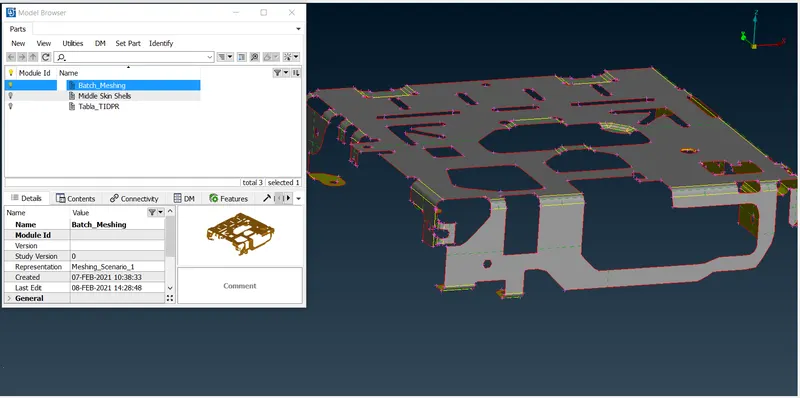
Open Model Browser, Set the new part & assigning the visible middle surface to that particular part.
After we properly assigning into it. If we select the file, it will showing the respective model from right bottom in the model browser tab as shown in below.
Then open a Batch Mesh Manager, Select the New option & followingly choose the "Meshing Scenerio".
Make sure we have presetted the mesh parameters & Quality Criteria.
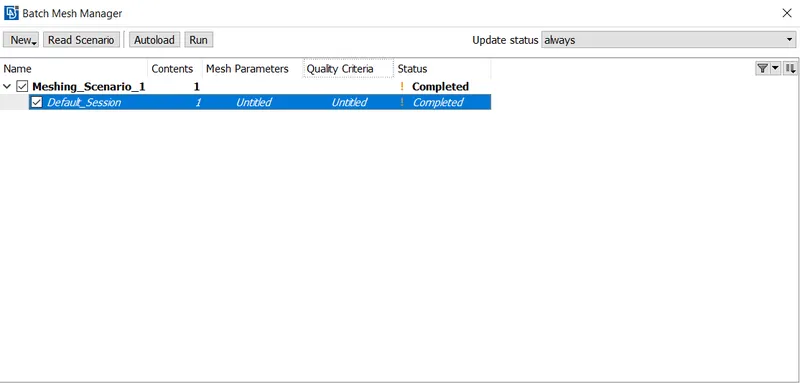
Clicking on " Contents", afterthat new tab will pop up like as shown below.
Select the appropriate part which we gonna perform batch meshing & click the Green colour right arrow option to which transmit the part from pending Items side to meshing Scenerio side.
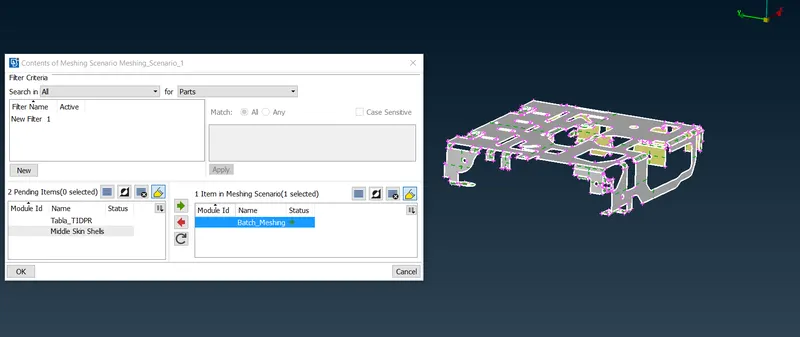
Click Ok & click the "Run" option to perform the batch meshing by ANSA itself as per given mesh & Quality Parameters.
After done the batch meshing, a model has looks like as shown in below image.
As we notice, some of the elements are failing due to max length, aspect & Jacobian also. These kind of element failing is not recommended, we have manually work on whereever required on a FE model.
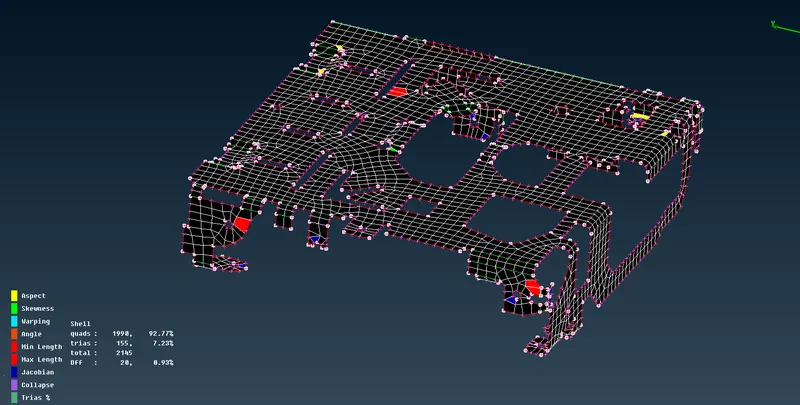
Apart from element failing, batch meshing was wrongly defeaturing the double cons at where some few areas like fillet region as shown in below image.
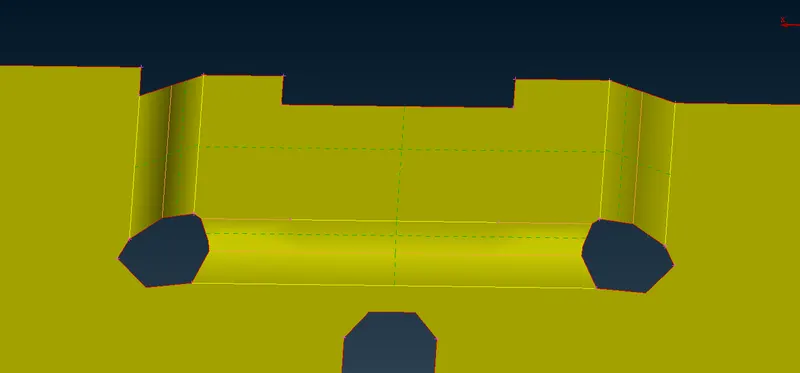
We have to manually rework on it like creating the new double cons for which capturing the fillet feature like as shown in the below snap.
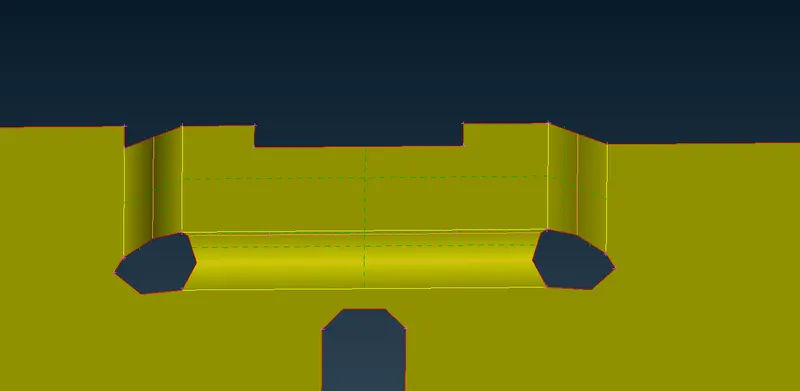
After done the manual work on some few areas. Now, there's no element failing issue are happens. A model will look like as shown in below image.
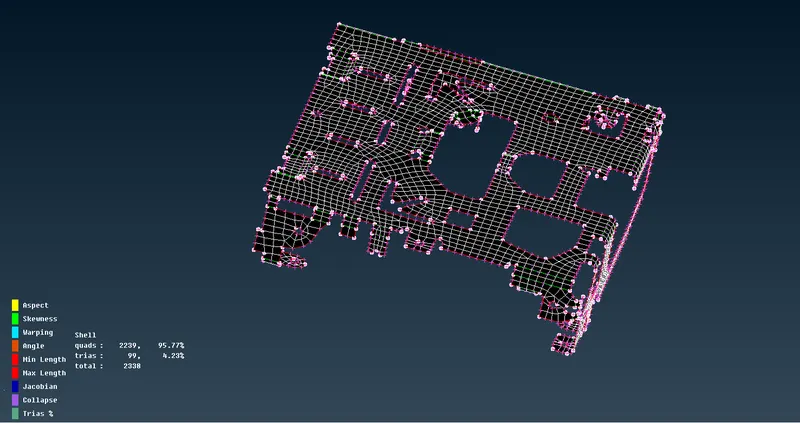
VI ) Extract mid FE Model by using Casting method :
Select the Mid surface option under the "Topo" module & "Faces" sub panels, followingly choose the "Casting" method. Make sure geometry should be clean, then only casting method will work like auto skin mid generation.
After click the casting, new tab is pop up & followingly we have to provide the minimum thickness , Target element length and keep the remaining options as it is. Click ok, ANSA will automatically generate the mid surface and meshing on it as per given target element length.
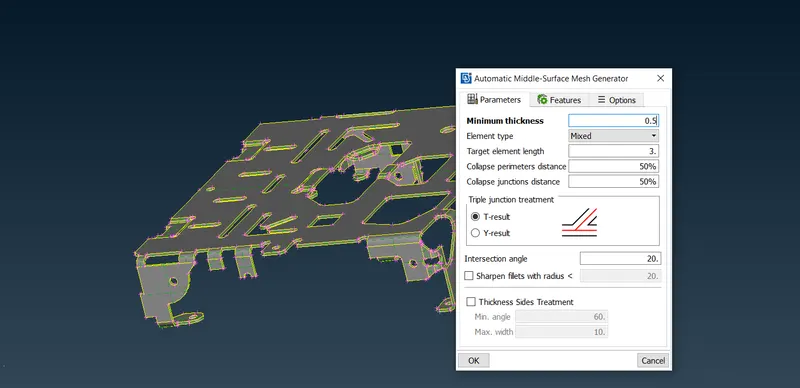
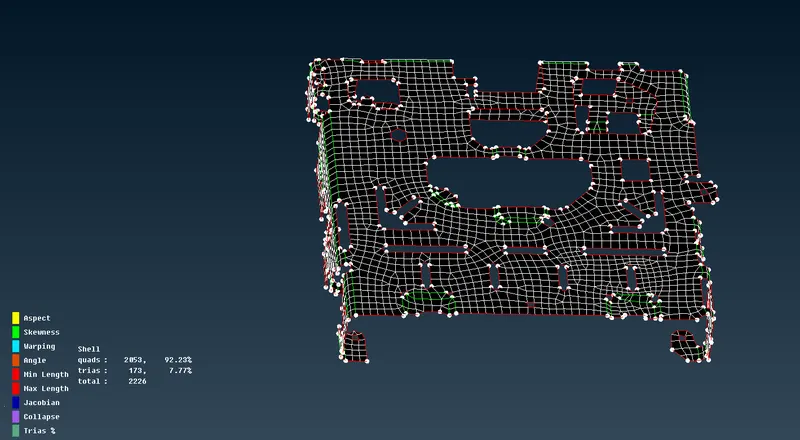
After completes the batch meshing, by result we get only FE Model like as shown in below.
As we notice, there's more number of element had been failed as compared to batch meshing.
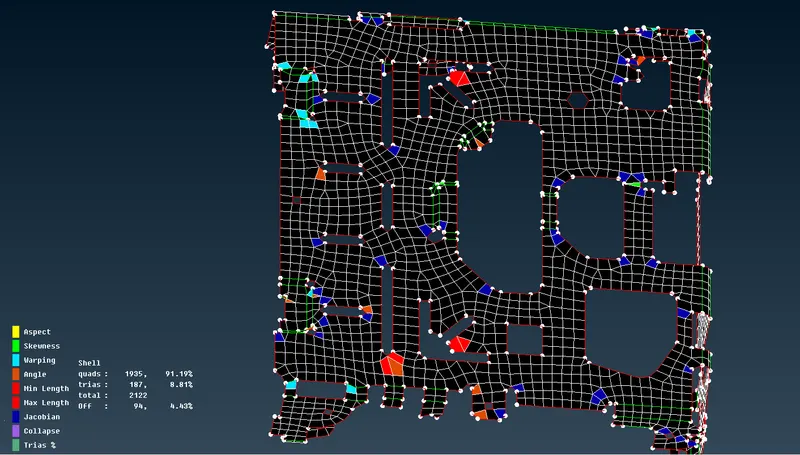
We have only FE Model alone, it's very hard to work on feature areas without an surface.
Still, we can achieve the FE Model without element failing as shown in below image.
VII) COMPARING THE RESULTS :
We will comparing the results for all method meshing on the same component.
| Operations / Methods | MANUAL METHOD | CASTING METHOD | BATCH MESHING METHOD |
| Geomtery Cleanup | Mandatory | Mandatory | Mandatory |
| Middle Extraction Method | By using Skin face Auto mid generation | It creates a mid surface automatically.(Once completed the meshing, mid surface will deleted by itself) | By using offset face method. |
| Parent component is available after extract the mid |
After generated the mid surface, a parent geometry is deleted. By using Undelete option to get again the parent geometry. |
Available | Available |
| Meshing method | Manual meshing by using any of option like spot, best, gradual etc.. | It perform Automatic meshing as per given target element length | Automatic meshing as per given mesh & Quality parameters. |
| Time taken for complete the mesh | More than one Hour | Less than 5 minutes | Less than 10 minutes |
| Number of Element Failing | ZERO | 94 | 20 |
| Time taken for removing the Element failing | ZERO (because there's no error) | Morethan 20 minutes | Morethan 10 minutes |
| Number of Quad Elements (Before & After Cleanup the Element Quality) | 3195/3195 | 1935/2021 | 1990/2239 |
| Number of Tria Elements (Before & After Cleanup the Element Quality) | 78/78 | 187/178 | 155/99 |
| Total Number of Elements (Before & After Cleanup the Element Quality) | 3273/3273 | 2122/2199 | 2145/2338 |
CONCLUSION :
Successfully done the manual method, casting method & batch meshing method on a given same component.
Manual meshing is always better then casting & batch meshing method. Because, it have proper orientation of mesh flow, Elements are properly capture the feature and elements are generated as per meshing thumb rule. As we keep in mind, it more time consuming than remaining two methods. Make sure go with manual meshing If respective person give required time to do manual meshing.
If given time is very less for this component, then gonna use batch meshing. Because, mid surface extraction is very simple for this component & quality element failing is less than the casting method.
If parent surface is not required, then we gonna perform casting method. But, it's very diffcult to clear the element failing without mid surface.
If element quality is not required in the less time, then we perform meshing operation with either batch meshing or casting method.