To Design RC column and beam for RC residential structure using TSD
- Based on the analysis design RC column and beam.
AIM: Based on the analysis we need to design RC column and Beam.
Procedure:
- Open the tekla model and run the analysis
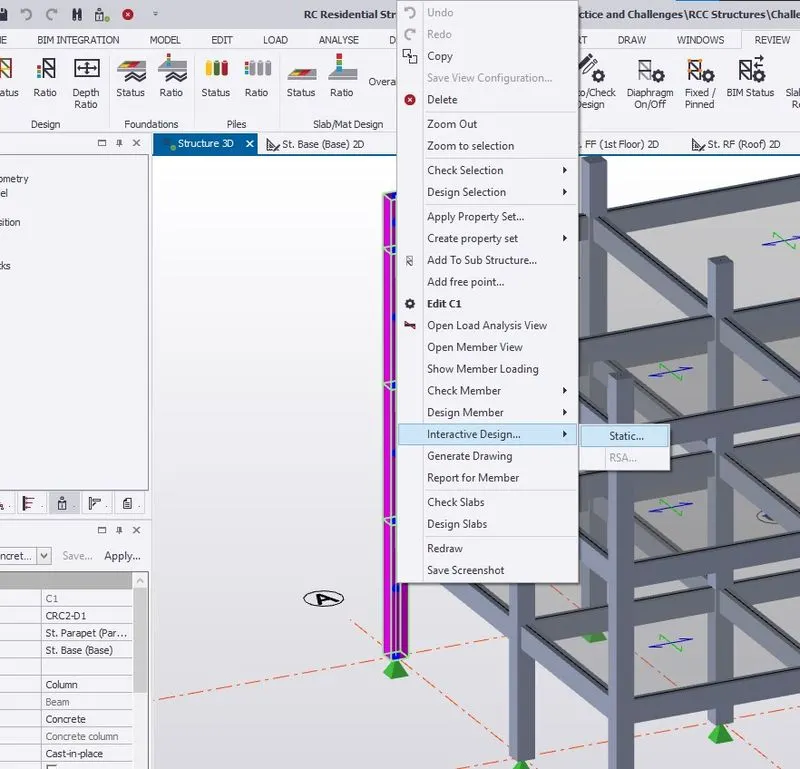
- Select any of the column member and right click on it
- Then select the interactive design- static from the given option
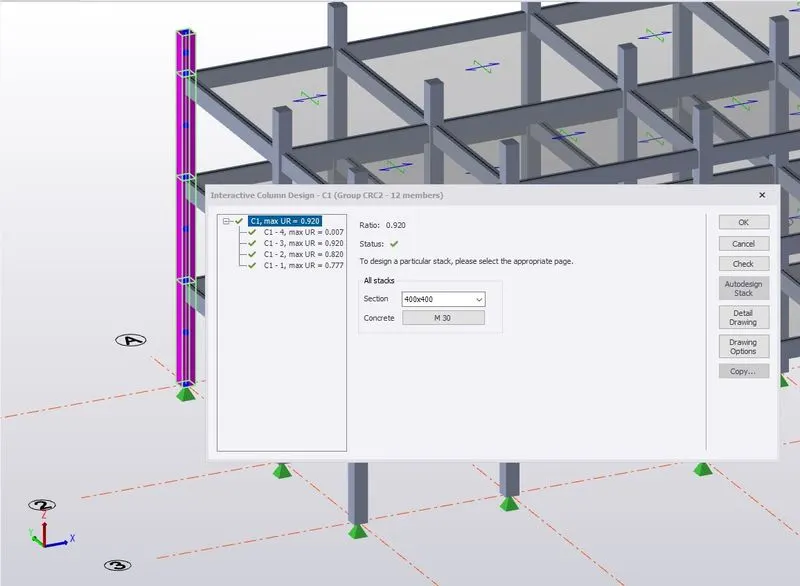
- Check the errors and check again wheather the member is passing through all the design checks.
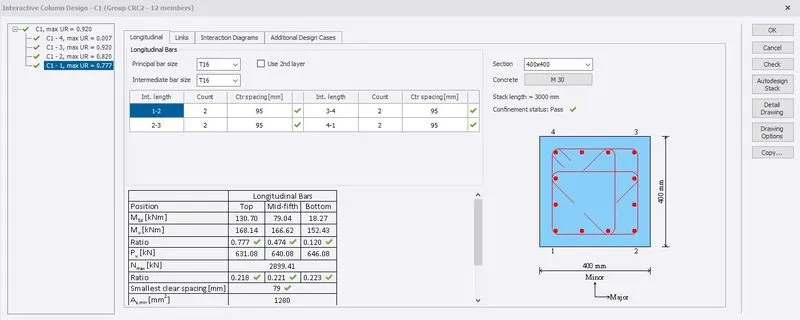
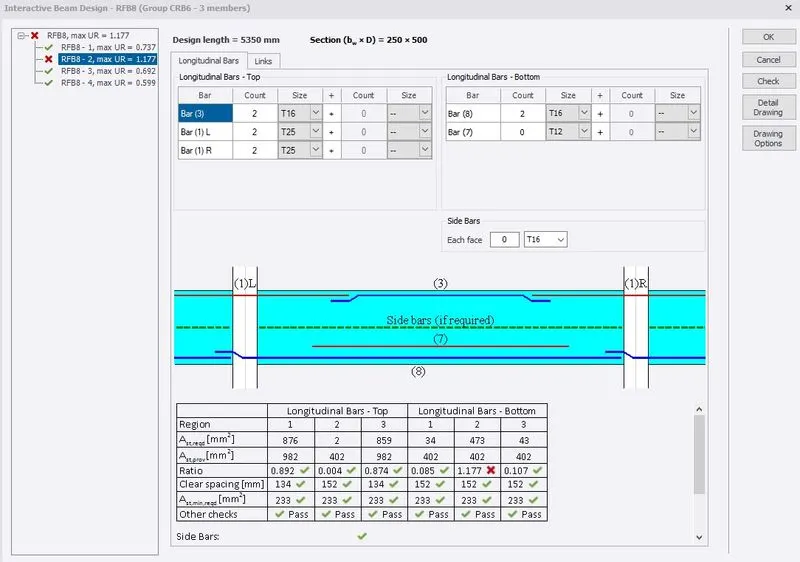
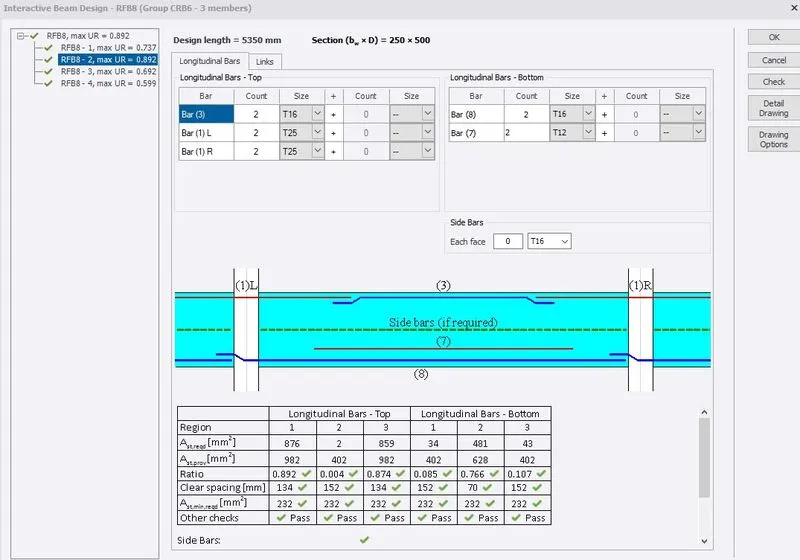
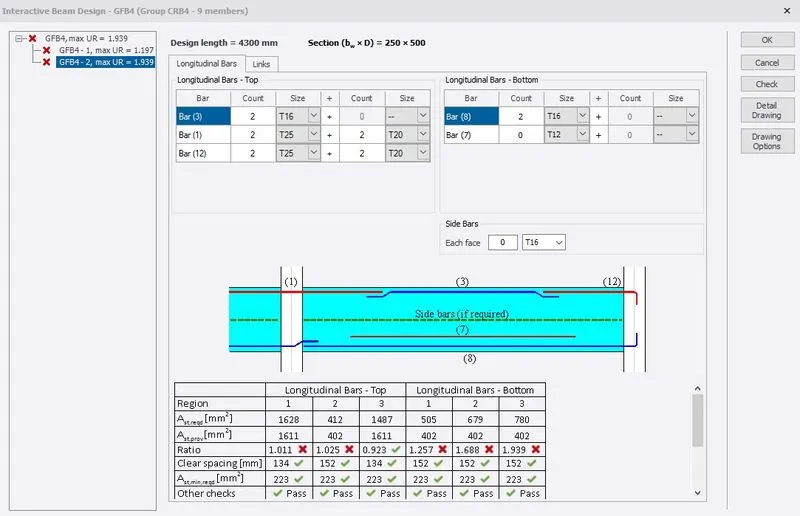
- If the model has any errors then change the principal bar size, intermediate bar size and counts as per the satisfying ratio to be under 1.
COLUMN C1
COLUMN C2
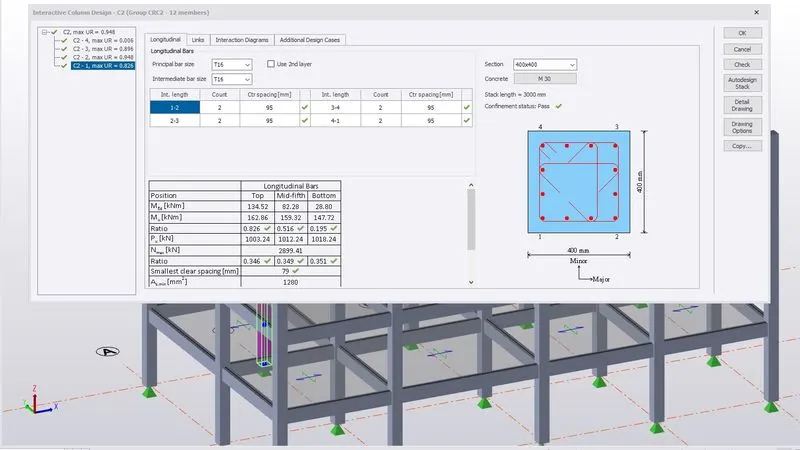
COLUMN C3
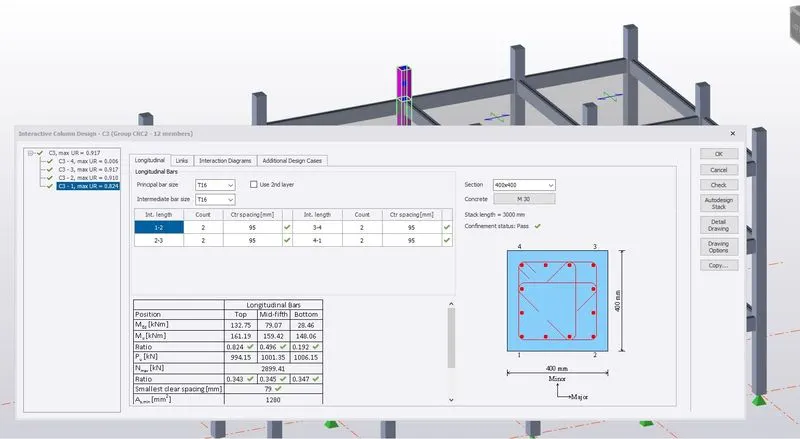
COLUMN C4
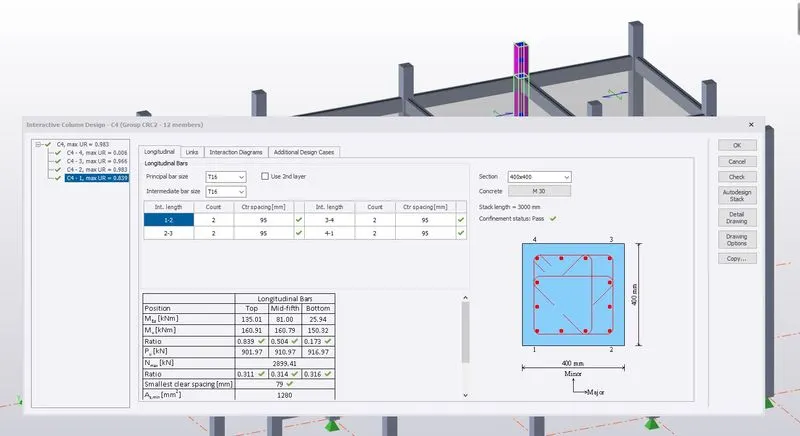
COLUMN C5
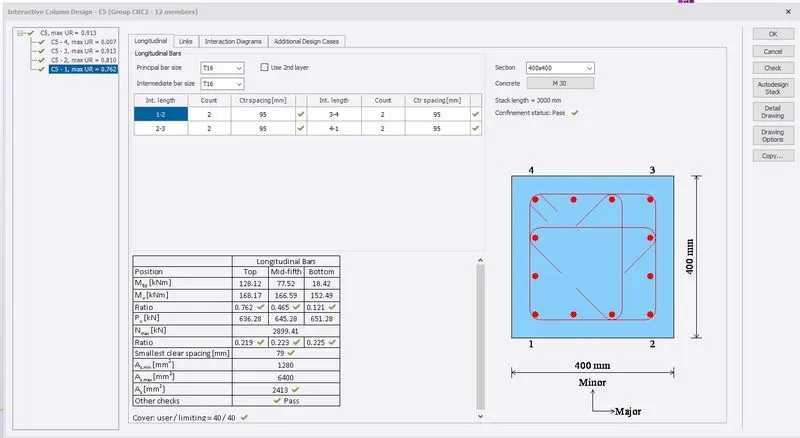
Similarly verify and correct all beams and columns longitudinal bars ratio is less than 1.
- To verify simply go to review tab then click on ratio.

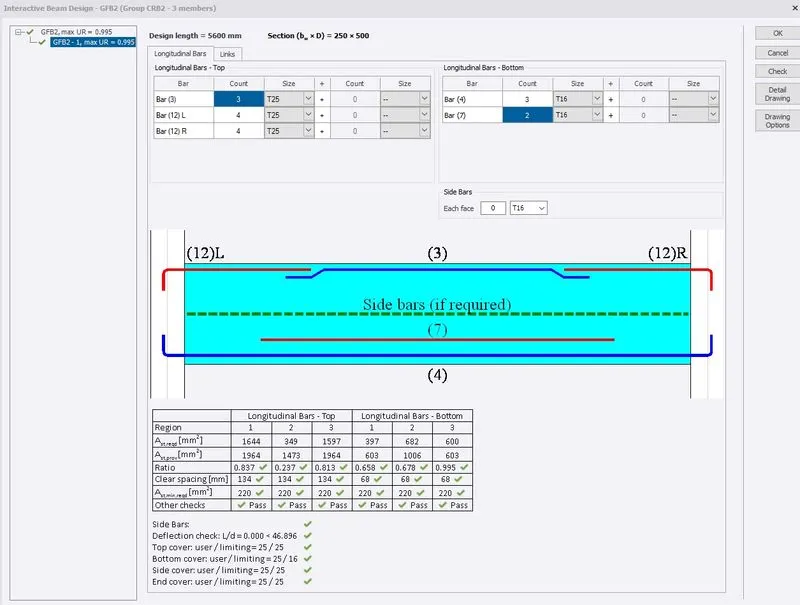
Error in GFB2
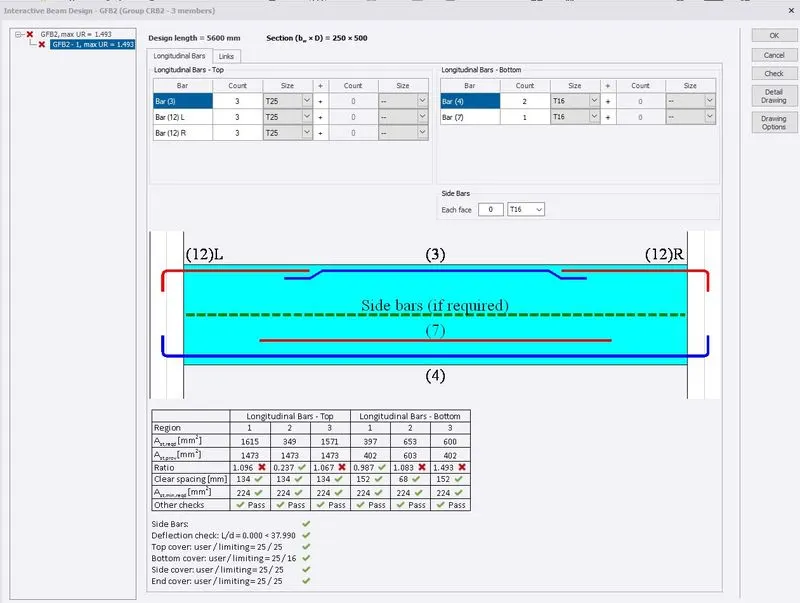
- Here we can see error in Beam design. The Ratio in longitudinal bars top and bottom are failing.
- Solving by changing the bars count and size.
GFB2 Error solved
Error in RFB8
Error in RFB8 solved
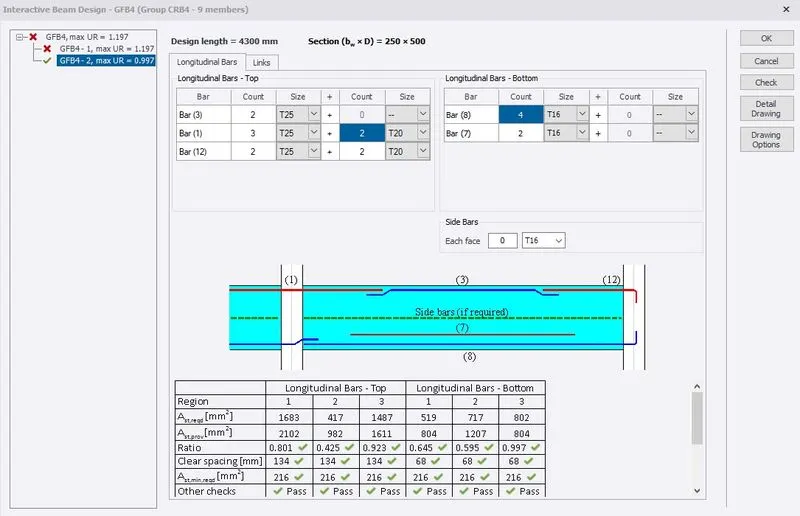
Error in GFB4-2
Error in GFB4-2 solved
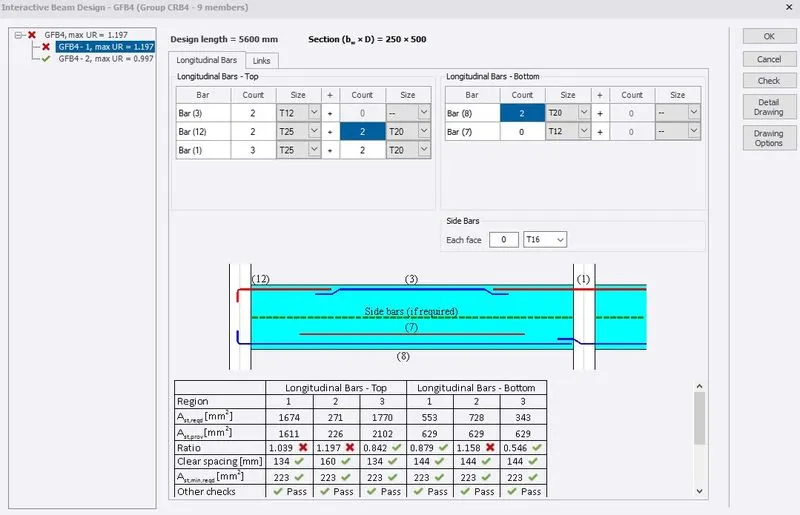
Error in GFB4-1
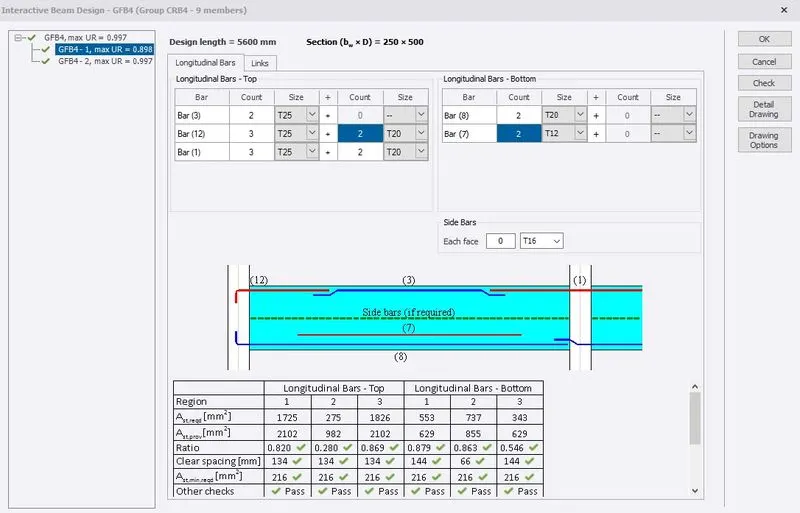
Error in GFB4-1 solved
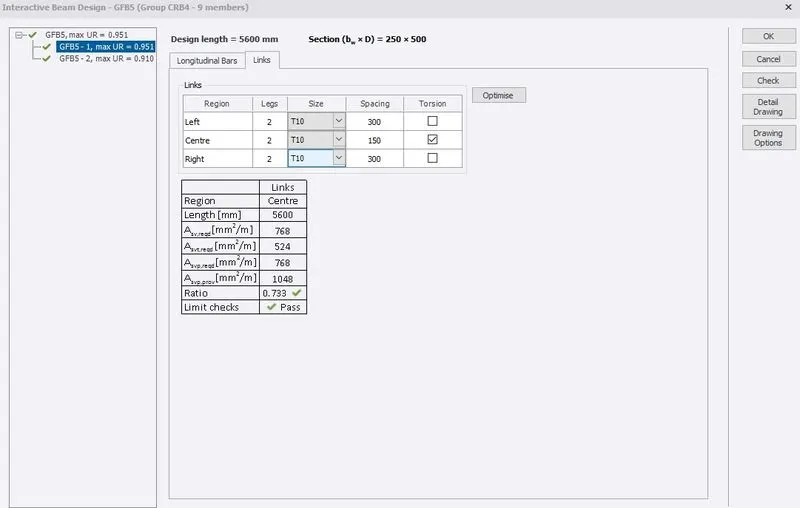
Link size change to T10 in GFB5
- The model is then shown as per the ratio. As we can see the ratio is more than 1. and not a single beam or column is in red.
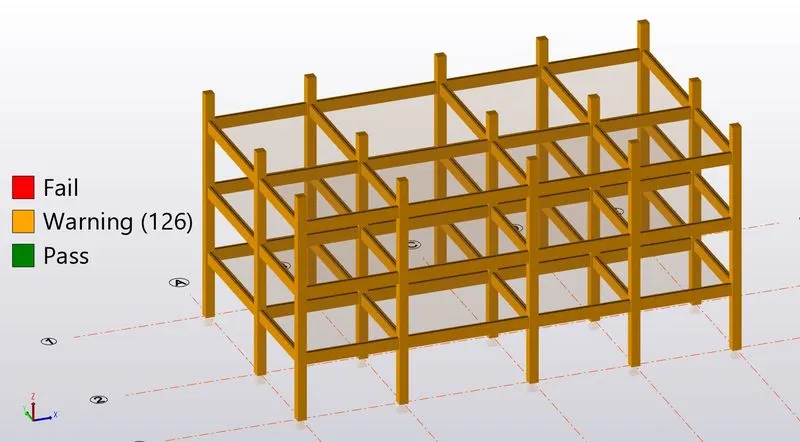
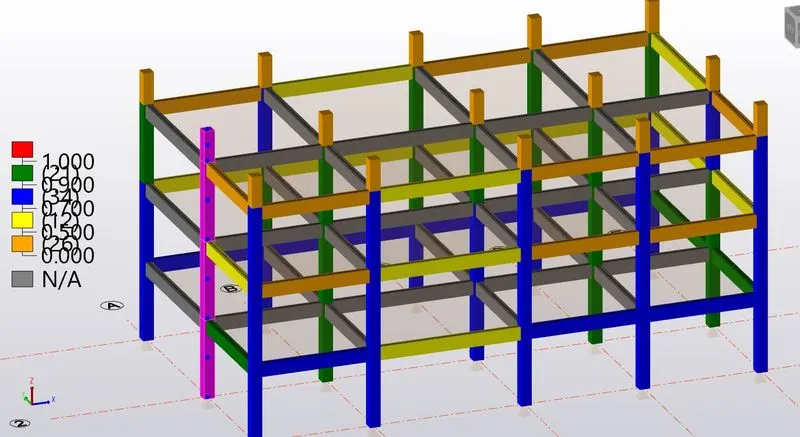
- If still error comes. Then simply change the section size by double clicking on the member and sort by data category and click on the stack then change the section size. Click on Ok.
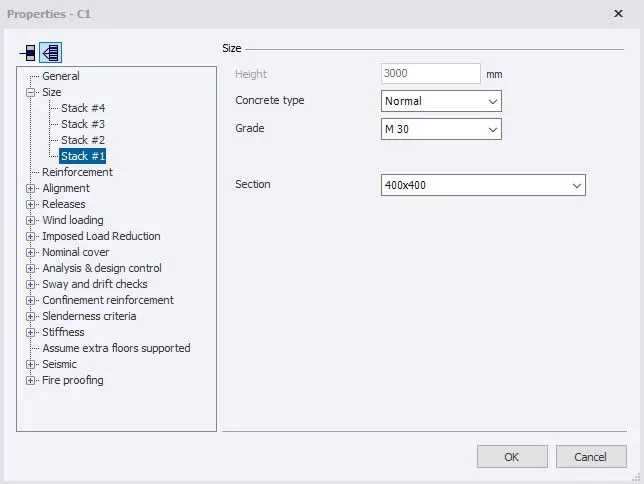
Repeat the same procedure till all errors are solved.
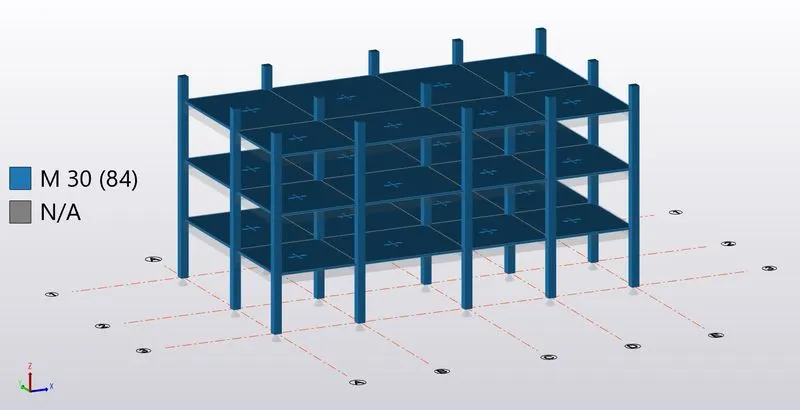
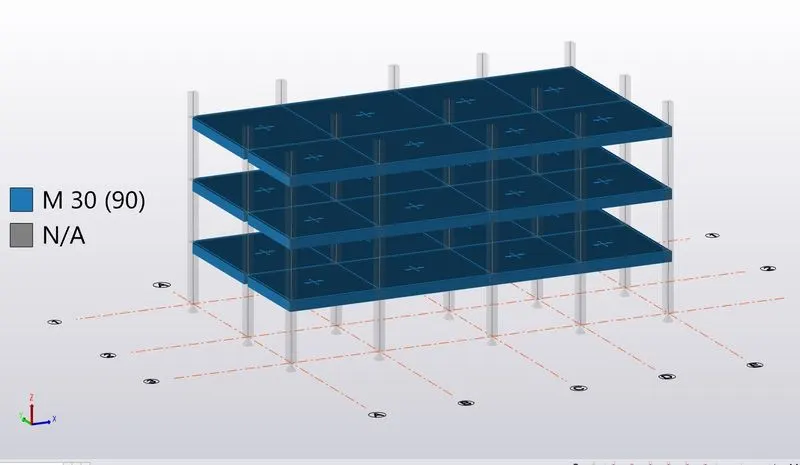
- To check the grade of concrete simply go to review, under section /material grade. Go to properties on the bottom left click material type as concrete and characteristics as column or beam.

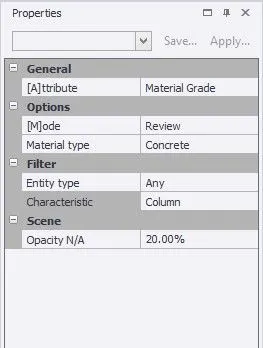
Column Grade M30
Beam Grade M30
RESULT : As per the question, based on the analysis design RC column and beam is hereby completed.