To Design RC column and beam for RC residential structure using TSD
1. Based on the analysis design RC column and beam.
Aim:- To analysis the structure and design reinforced concrete beam and column
Procedure:-
Step 1:
- Open the previous file of week 9 challenge.
- Click on Analyze - 1st order analysis
- At the right side bottom corner - Click on Result View.
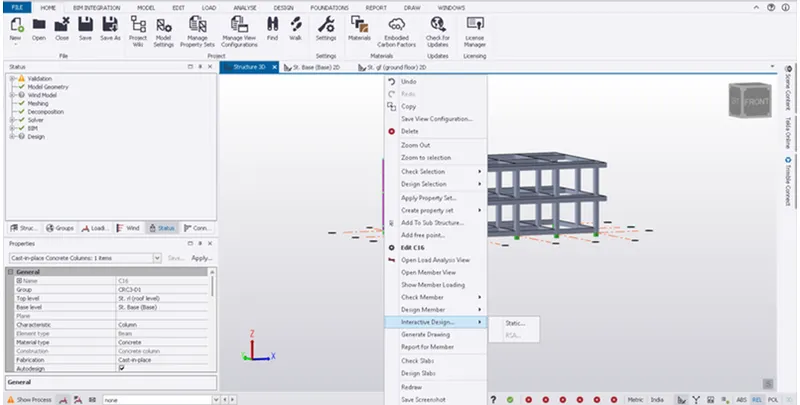
- Select any of the column member and right click on it
- Then select the interactive design - Check the Design Member
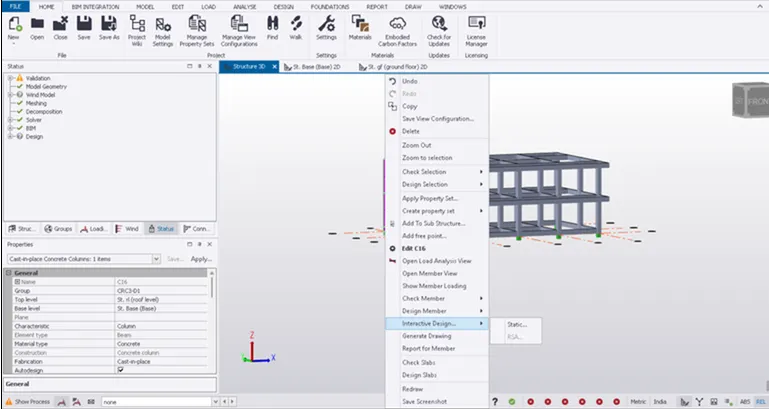
1: Column No - 12
- Right Click on Column - Interactive Design - Check the desgin
- Check the member passed or failed.
- Based on the analysis design RC column and beam.
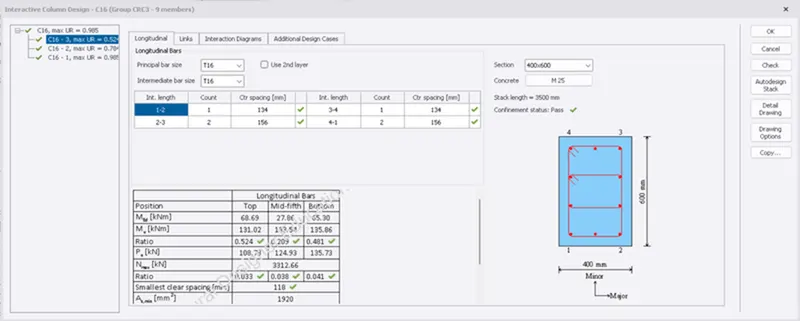
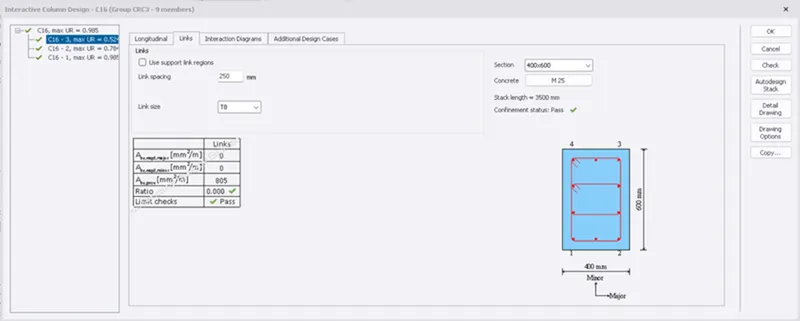
2 : Column - 15
- Similarly Check the Column No 15.
- Here we can see that Ratio is greater than 1 at Bottom and Top.
- Either change the dia of Reinforcement or we can increase the No of Bars.
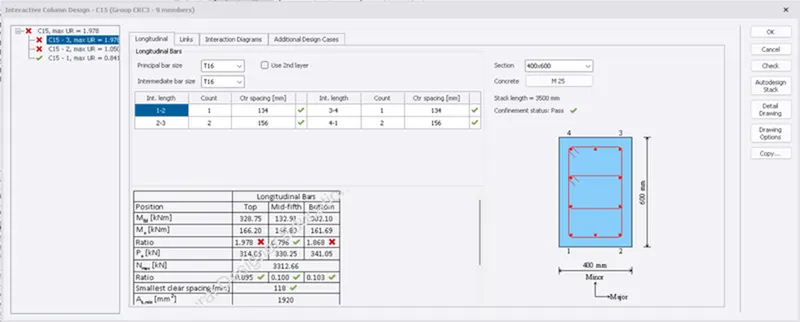
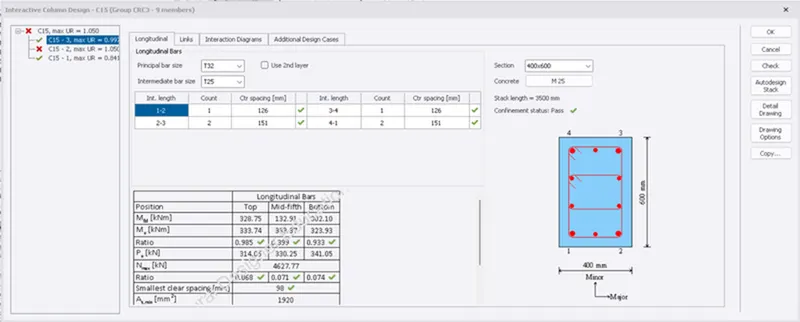
- Similary Change the diameter of Column No 15 at 1st Floor
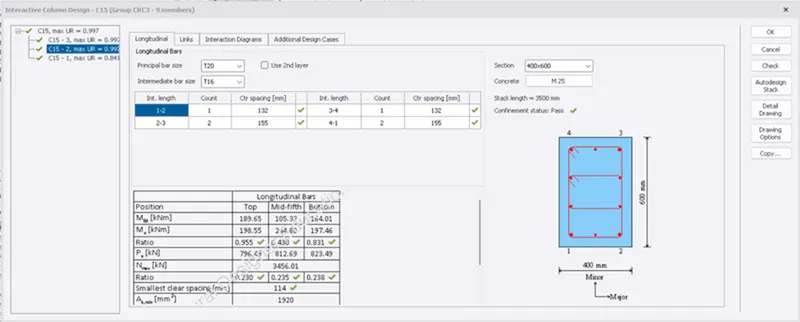
- Similarly followed the same procedure for remaining columns.
2) Design of Beam:-
Step 3:
- Follow the same procedure of column to design beam.
- Select the beam - Right click on Beam - Interactive Design - and Check the Design.
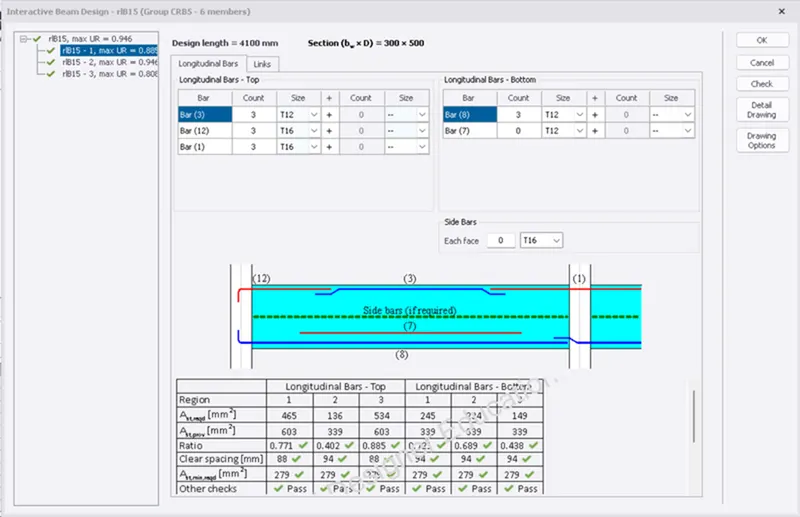
1: Beam 15 :-
- As the Beam 15 is safe for all the checks.
- Therefore no need to change the property details.
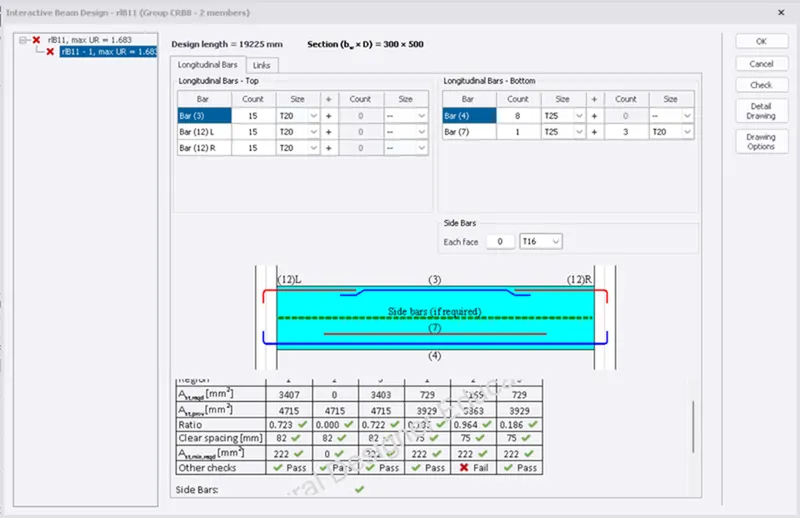
2 : Beam 11
- Similarly Check the Beam no 11.
- As we can see that Beam 11 is failied in Other Check i.e Deflection Checks.
- Increase the Size of the beam to minimise the deflection.
Results :-
i) The design of the RCC columns and RCC beam is done and verified with the design checks.