Section Modulus calculation and optimization
Aim:
Use the Section from your Hood design and calculate the section modulus using the formula S = I/y.
Section modulus:
Section modulus is a geometric property for a given cross-section used in the design of beams or flexural members. Other geometric properties used in design include area for tension and shear, radii of gyration for compression, and second moment of inertia and polar second moment of area for stiffness. There are two types of section moduli, the elastic section modulus and the plastic section modulus.
Section modulus, Z = I/Y (Unit is mm2 or m2)
Where,
I=Momentum inertia of the area
Y= Distance from the neutral axis to the outer surface
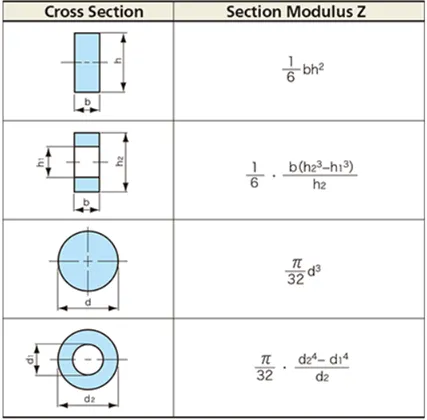
Elastic section modulus:
The elastic section modulus is defined as S = I / y, where I is the second moment of area (or area moment of inertia, not to be confused with moment of inertia) and y is the distance from the neutral axis to any given fibre. It is often reported using y = c, where c is the distance from the neutral axis to the most extreme fibre, as seen in the table below. It is also often used to determine the yield moment (My) such that My = S × σy, where σy is the yield strength of the material.
Plastic section modulus:
The plastic section modulus is used for materials where elastic yielding is acceptable and plastic behavior is assumed to be an acceptable limit. Designs generally strive to ultimately remain below the plastic limit to avoid permanent deformations, often comparing the plastic capacity against amplified forces or stresses.The plastic section modulus depends on the location of the plastic neutral axis (PNA).The PNA is defined as the axis that splits the cross section such that the compression force from the area in compression equals the tension force from the area in tension. So, for sections with constant, and equal compressive and tensile yielding stress, the area above and below the PNA will be equal, but for composite sections, this is not necessarily the case.
Steps involved to find out section modulus using the software
1)Select the intersection command then select the place on which section is required
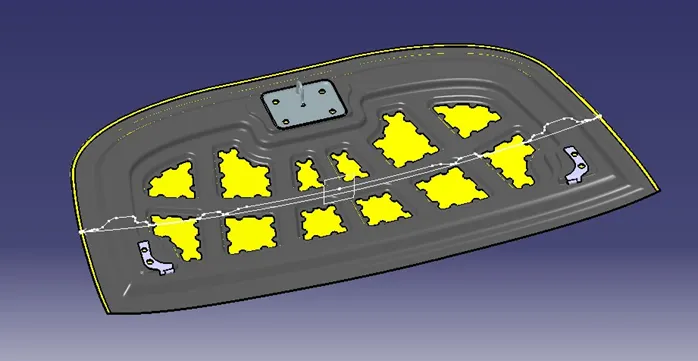
2) Join the line to make the closed section
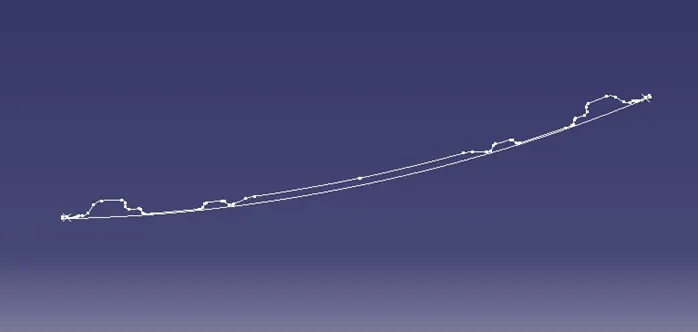
3)Fill the 2d sketch using fill command
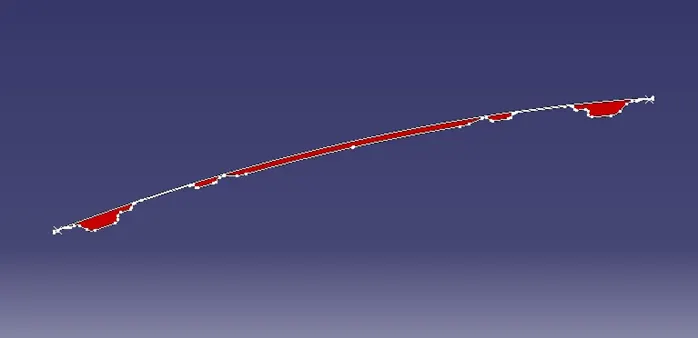
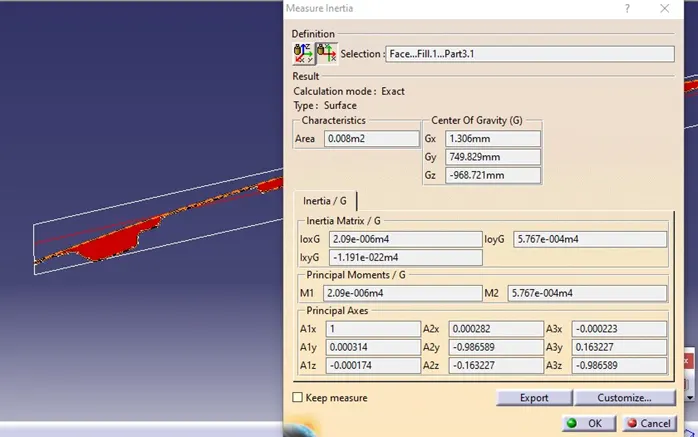
4)Go to measurement inertia then select the 2D surface
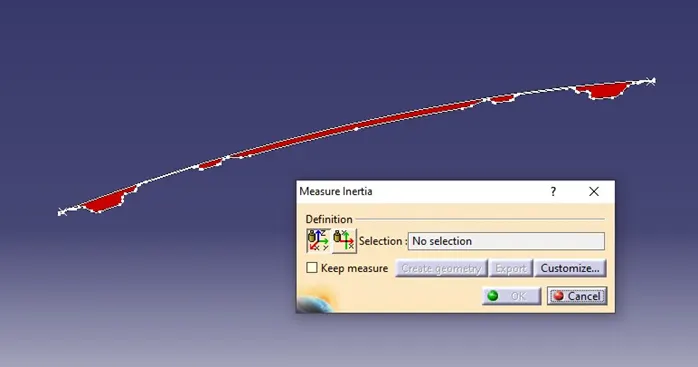
The below image shows the result of the section modulus
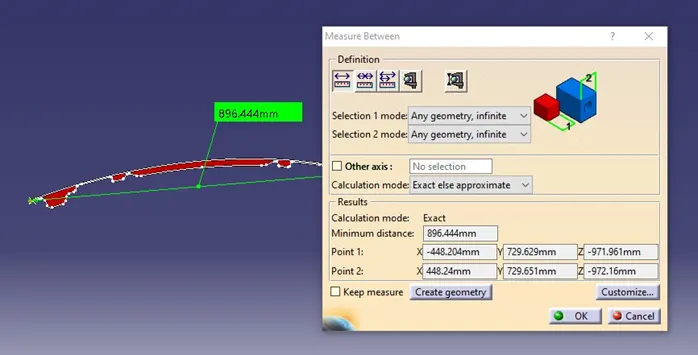
Distance Y
SECTION MODULUS CALCULATION
Moment of Inertia (Max.) = 2.09e-006 m4
Moment of Inertia (Min.) = 5.767e-004 m4
Length (Y) = 896.44 mm = 896.44e-3 m
Length from neutral axis = 448.22e-3 m
Calculate the section modulus using the formula
Section Modulus (Z) = Moment of Inertia / Length from the neutral axis
For the maximum moment of inertia:
Z_max = I_max / y
Z_max = 2.09e-006 m4 / 448.22e-3 m
Z_max ≈ 4.660e-003 m3
For the minimum moment of inertia:
Z_min = I_min / y
Z_min = 5.767e-004 m4 / 448.22e-3 m
Z_min ≈ 1.285e-003 m3
Maximum moment of inertia = 4.660e-003 m3
Minimum moment of inertia =1.285e-003 m3
Calculate the section modulus by increasing the area of the object by 50%
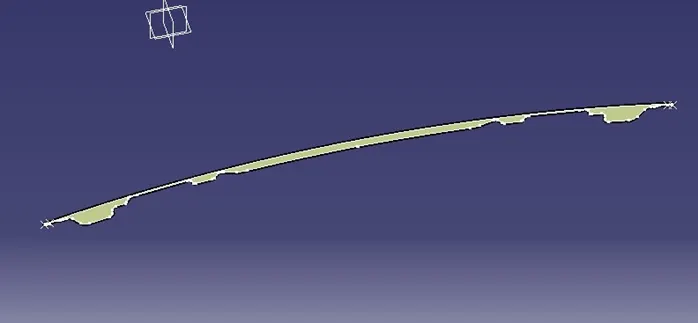
Section modulus result :
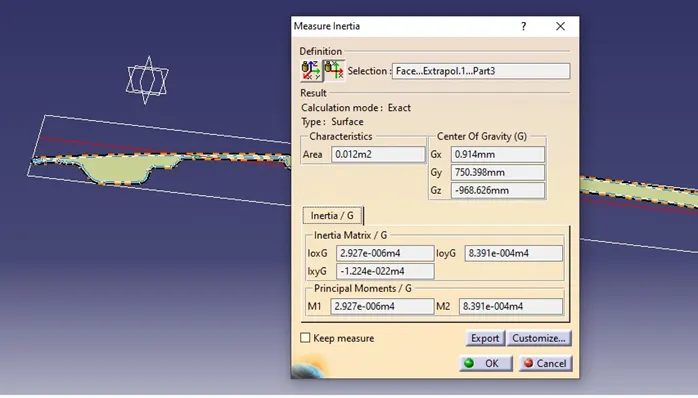
Moment of Inertia (Max.) = 2.927e-006 m4
Moment of Inertia (Min.) = 8.391e-004 m4
Length (Y) = 896.44 mm = 896.44e-3 m
Length from neutral axis = 448.22e-3 m
Calculate the section modulus using the formula
Section Modulus (Z) = Moment of Inertia / Length from the neutral axis
For the maximum moment of inertia:
Z_max = I_max / y
Z_max = 2.927e-006 m4 / 448.22e-3 m
Z_max ≈ 6.53e-003 m3
For the minimum moment of inertia:
Z_min = I_min / y
Z_min = 8.391e-004 m4 / 448.22e-3 m
Z_min ≈ 18.72e-003 m3
Maximum moment of inertia = 6.53e-003 m3
Minimum moment of inertia =18.72e-003 m3
Conclusion:
While increasing the area of an object can potentially lead to an increase in the section modulus under certain conditions, it is not a direct relationship. Therefore, it is inaccurate to state that as the area of an object increases, the value of the section modulus will also increase.