RADIOSS Engine File Editing
Questions:
1. Check the material properties of the rail component and calculate the speed of sound in steel rail=_______
2. The length of the rail is about 1000 mm.calculate the time takes for a shock wave to travel from one end of the rail to the other.
3.Time for sound to travel length of rail=______
4.Edit the engine file so that the stress wave can be monitored, moving from one end of the rail to the other during impact -this will require a termination time equal to the time it takes for the sound to travel the length of the rail(set on/RUN card)
5.Set the frequency of animation output to a time that will give 20 animation steps(/ANIM/DT)
6.Change /print -10.
7.3d meshing tetra mesh and hex mesh
- Repeat class examples and, maintain the quality.
- Target tet size=5mm,hex size=10mm,tet collapse=0.15.
Solution:
- Check the material properties of the rail component and calculate the speed of sound in steel rail.
Firstly, we gonna import the RAD file in import solver deck. To do so, we follow FILE>IMPORT>SOLVER DECK & specify RADIOSS > followed by path provided.
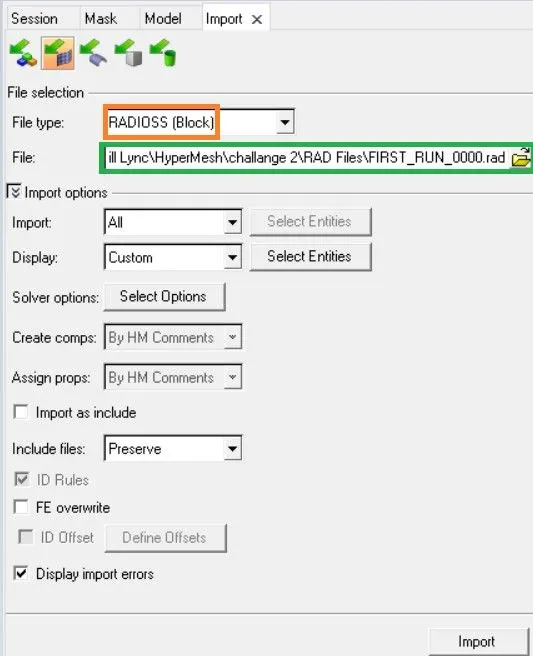
as mentioned above, the imported file is termed as, 'FIRST_RUN_000.rad'
Now, lets begin with checking the Material property. On GUI under model tree, material is mentioned in which steel is mentioned. MODEL TREE > MATERIAL > STEEL. The material property is visualized.
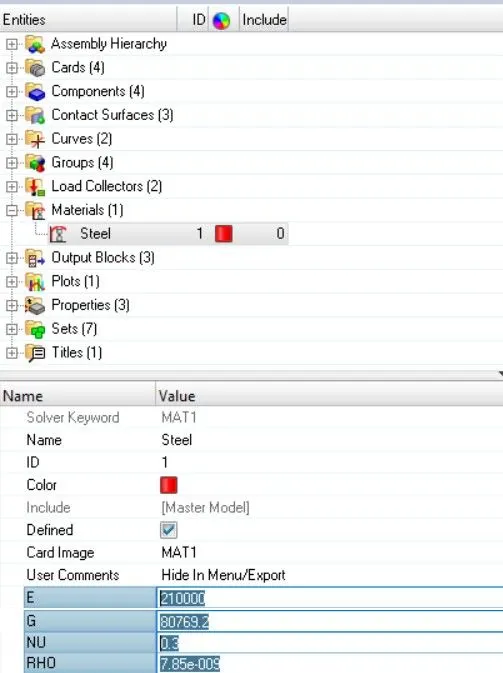
from above,
- YOUNGS MODULUS (E) = 210000 `N//mm^2`
- RHO DENSITY (`rho`)= 0.0078 `Kg//mm^3`
- POISSION'S RATIO = 0.3
There is alternate method to visualize the Material property which is nothing but the imported rad file can be opened in notepad.
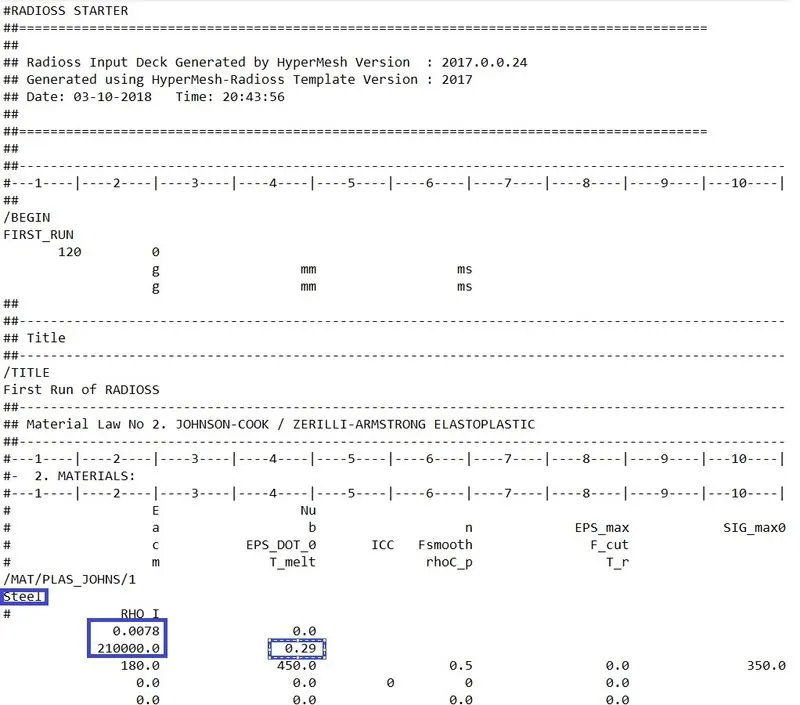
Now, lets calculate the speed of sound in steel rail.
we know that, speed of sound in air is C = 5188.74 m/s
and we calculated length of railtrack as L = 1000mm
- The length of the rail is about 1000 mm.calculate the time takes for a shock wave to travel from one end of the rail to the other.
then, Time taken for shockwave = (Length of rail)/(speed of sound in air)
T = 1000/5188.74
= 0.1927 m/s
=0.0001927 sec.
4. Edit the engine file so that the stress wave can be monitored, moving from one end of the rail to the other during impact -this will require a termination time equal to the time it takes for the sound to travel the length of the rail(set on/RUN card)
In order to edit file, we import file as per previous method followed by go to MODEL TREE > CARDS > ENGINE RUN > Tstop >CHANGE TIME
replace Tstop from 60 to 0.1927
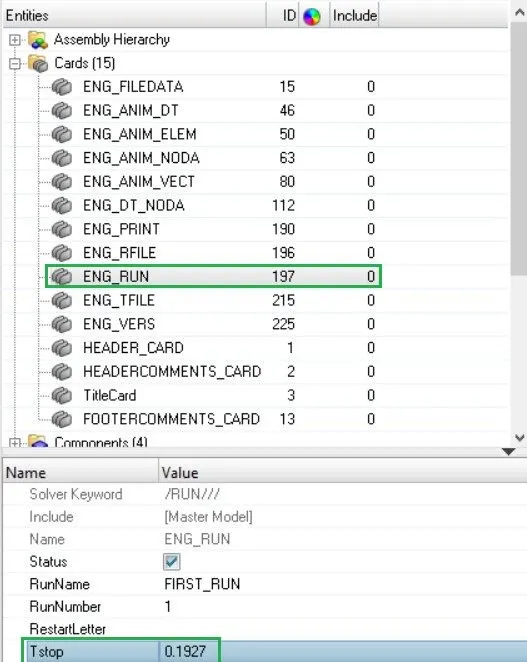
above changes can be see in notepad document as well, once the updated file exported.
5.Set the frequency of animation output to a time that will give 20 animation steps(/ANIM/DT)
since, we want 20 animation step, we gonna calculate time related to frequency.
animation step (As) = 20
time step (Ts) = 0.1927
(T freq) = animation step (As)/ time step (Ts)
= 0.009635
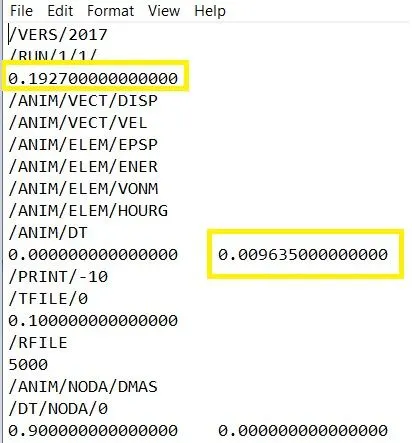
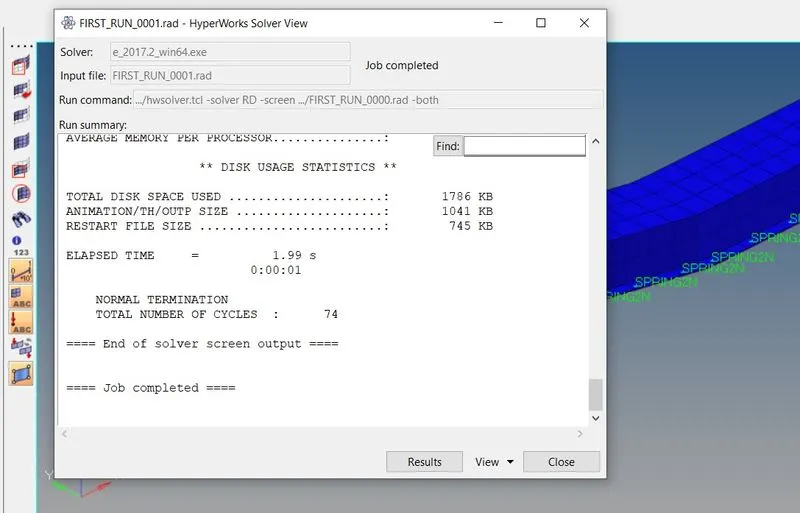
Then, we shall check animation upon T freq & T stop. We begin with Analysis deck under which select radios.

a window appears where, simulation results can been visualize
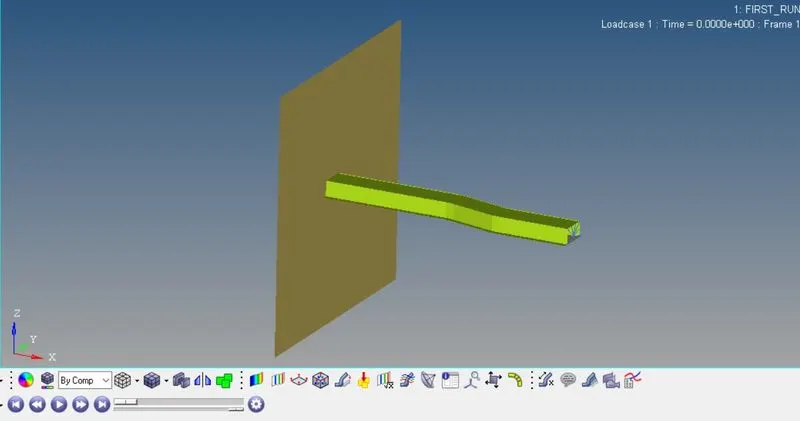
similarly, the animation can be seen here,
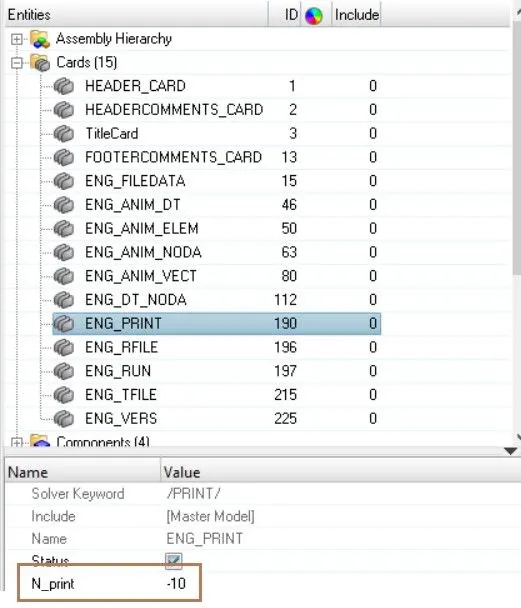
6.Change /print -10.
Inside card we again select ENG_PRINT and print -10 is assigned.