Radar Mast & Final Assembly of Yacht
Objective: To Deisgn the parts in Solidworks and make an assembly using the modeled parts. Finally create photo realistic renders of the yacht using photoview 360 or Solidworks Visualize.
Introduction: yacht is a type of vessel which is used for cruising or racing. It usually has a cabin so there is place to stay overnight. In early days yachts are sailing boats, but now a days there are motorised. Racing yachts prioritise speed over comfort but for normal yachts comfort is not compromised .This yacht is modelled using advanced surface modelling tools of SolidWorks. Finally, all the parts are assembled. Photorealistic renders are created using visualize with the final assembly.
Parts to be Modelled:
Following Parts are modelled and assembled in SolidWorks.
- Propeller
- Radar
- Hull
- Garage Door
- Front Seat
- Middle Seat
- Rear Seat
- Super Structure
- Radar Mast
Tools/Features used:
Sketch Features:
Line: Used to create a straight lines and tangent arcs to the line sketched previously.
Circle: Used to sketch a circle of required dimensions.
Rectangle: Different types of rectangles can be sketched like corner rectangle, 3 point
rectangle,center rectangle etc
Arc: Different types of arcs like 3-point arc, tangent arc, and center point arc can be
sketched.
Spline: Used to create spline lines and can be adjusted by modifying the handles as
per requirements.
Convert Entities: Used to bring the previous sketch entities or edges of a solid profile
to persent sketch plane
Offset Entities: This feature allows us to offset a part of sketch or a entire sketch with
a certain distance
Mirror Entities: Used to mirror centain sketch entities along a certain reference line.
Trim Entities: Used to trim unnecessary sketch entities depending on requirement.
Pattern: Used to pattern sketch entites based on selection like linear patter or circular
pattern etc.
Text: Creates text on a continuous curve.
Solid Features:
Extrude Boss/Base: Entrudes a sketch or sketch contours based on selection in one
direction or two direction to create a solid body based on the requirement.
Revolve Boss/Base: Revolves a sketch or sketch contours based on selection around a
axis along with angle which can be specified to create a solid body
Lofted Boss/Base: Adds material between two or more profiles. created solid bodies.
Swept Boss/Base: Sweeps a profile (open or closed) to create a solid body.
Extrude Cut: Cuts a solid body bt extruding a profile in one or two directions, can be
used to cut multiple bodies as well.
Fillet: Creates a rounded profile which can be internal or external depending on
selection on a solid or suface body.
Chamfer: This tools creates a bevelled feature on the selected edge or face of the
body.
Pattern: Patterns features, faces or bodies based on selection of feature like linear or
circular or sketch driven etc
Shell: Hollows out the part leaving a thin wall and opening the faces that are selected,
if no faces are selected then it creates a closed, hollow model.
Mirror: Mirrors features, faces and bodies about a plane face or a plane itself.
Refernce Planes: Used to create reference planes or axis based on the contrains
Projected Curve: Used to create a 3d curve based on two 2d skethes
Split Line: Uses a sketch open or closed to split any face based on selection.
Split Bodies: Split a single body into multiple bodies
Spiral or Helix: Used to create a spiral or helix based on the sketch.
Dome: Creates a dome (circular or elliptical) on a selected face or faces.
Surface Featuresu:
Extrude Surface: Extrudes a selected countours in one or two directions to create a surface.
Swept Surface: Sweeps a closed profile along a open or closed profile, can be defined
by constrains or guide curves.
Lofted Surface: Creates a loft surface between multiple profiles or sketches cnd
constrains can be defined.
Trim Surface: Trims where a surface intersects with another surface, Trim tool can be
Ruled Surface: inserts rulled surface in a specified direction from edges.
selected and the surface to remove or keep can also be defined.
Filled: Patches a surface with in a boundary defined by edges.
Extend Surface: Extend the selected surface base of conditions provided.
Knit Surface: Combines multiple adjacent nonintersecting surface into a single
surface and also can made into a solid if it is a closed volume.
Appearances:
Part Modelling:
1.Propeller:
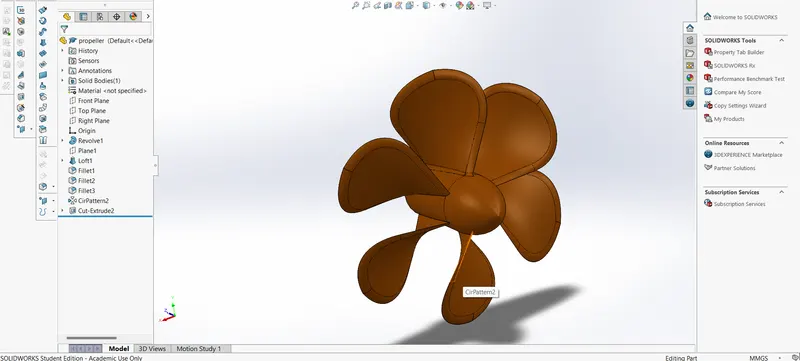
Propeller is used to convert rotational energy into thrust by propelling the fluid medium in which they are used. They are usually mounted at the rear bottom of the Yacht
Feature/Tools used:
Sketch,Revolve Boss/Base ,Extrude Cut ,Lofted Boss/Base,Fillet,Circular Pattern ,Appearances
2.Radar:
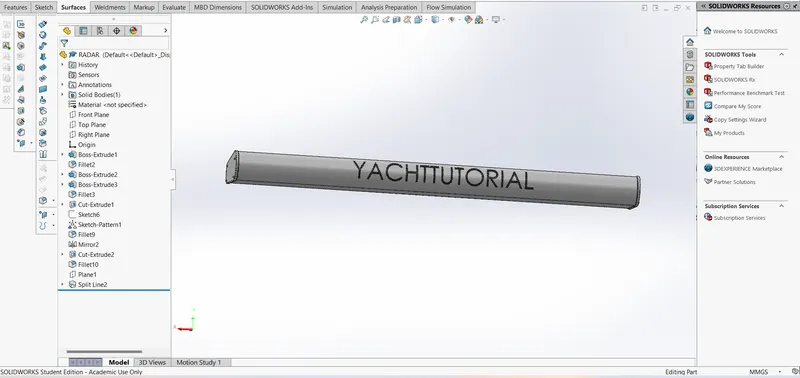
Radars are used to detect other ships. These are mounted on top of the yacht
Features/Tools used:
Sketch,Extrude Boss/Base,Mirror,Extrude Cut,Fillet,Sketch Driven ,PatternSplit Line
3.Hull:
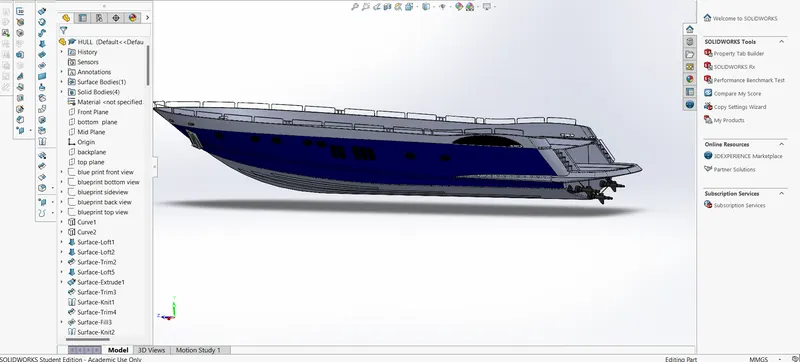
Hull is the structural entity of the ships and is a water-tight enclosure of the ship.
Modeling of the hull is done with the help of the blueprints.
Features/Tools used:
Sketch, Projected Curve, Swept Surface, Surface Loft,Shell,Surface Extrude,Revolve Boss/Base,Knit Surface,Extrude,Mirror,Extrude Cut,Fillet, Chamfer, Pattern, Split, Offset Surface, Split Line
4.Front Seat:
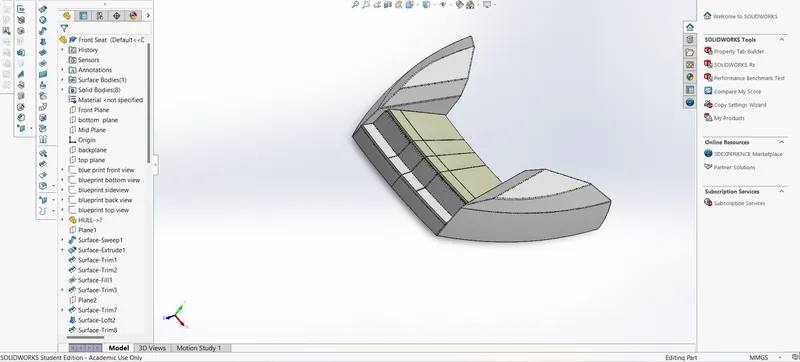
Features/Tools used:
Sketch, Projected, Curve, SweptSurface, Trim Surface, Knit Surface, Revolve Boss/Base, Extruded Cut, Chamfer, Fillet, Mirror, Dome.
5. Middle Seat:
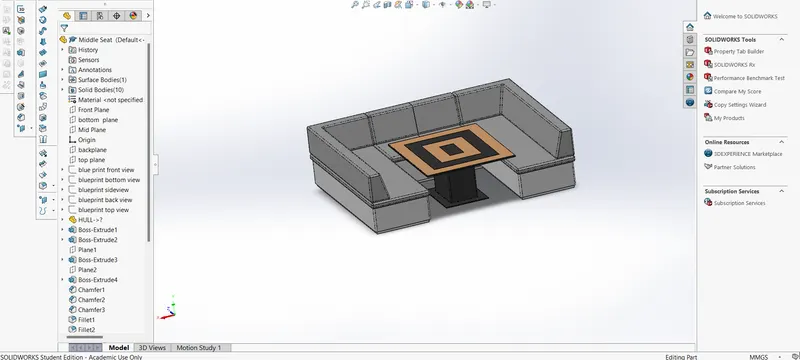
The Middle seat is mounted behind the superstructure and the Rear seat
Features/Tools Used:
Insert Part, Extruded Boss/Base, Chamfer, Mirror, Fillet, Extruded Cut.
6. Super Structure:
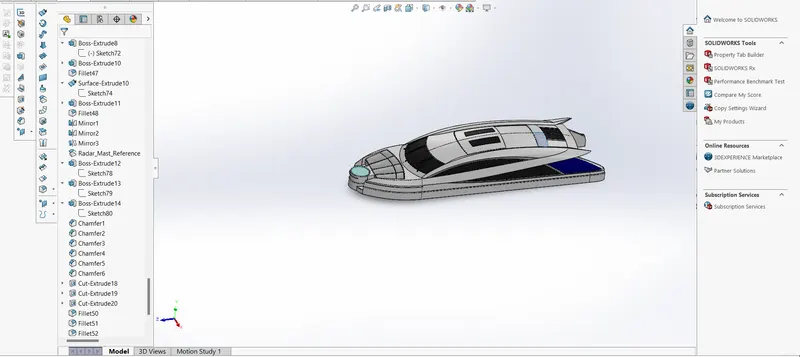
This is built above the hull and main deck. It aids with the structural strength of the ship.
Features/Tools used:
Insert Par, extruded, Surface Swept, Knit Surface, Fillet ,Ruled Surface, Lofted Surface, Filled Surface, Trim Surface
, Knit Surface, Extend Surface, Extruded Boss/Base, Extruded Cut, Thicken, Offset Surface, Dome, Chamfer, Split Line, Mirror, Swept Boss/Base.
7.Radar Mast:
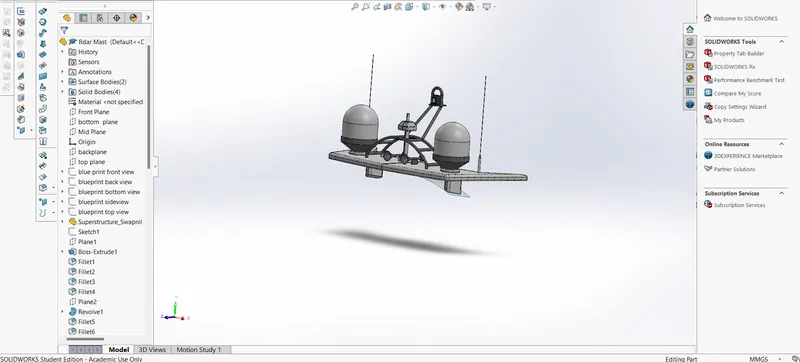
Features/Tools used:
Insert Part, Extruded Boss/Base, Fillet, Revolve Boss/Base, Swept Boss/Base, Mirror, Mirror, Chamfer, Shell
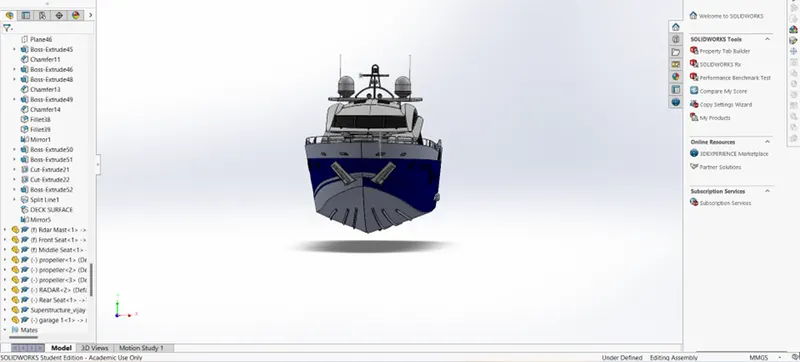
8. Assembly of Yacht
1.Side View
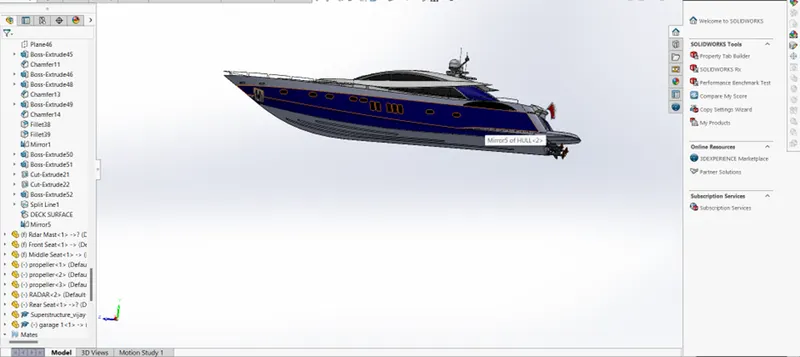
2. Front View:
Conclusion:
All of the pieces have Solidworks models. All of the pieces are put together using Solidworks Assembly tools.In SolidWorks Visualize, the assembly is loaded, and a photorealistic render is created.