Project 2 - V&V SW Analysis II
Question:1 Perform Static Code Review Analysis for “C:\**\LDRA_workarea\Examples\C_Testbed_examples\Testrain\Testrain.c” Generate Code review reports and upload them
Solution:
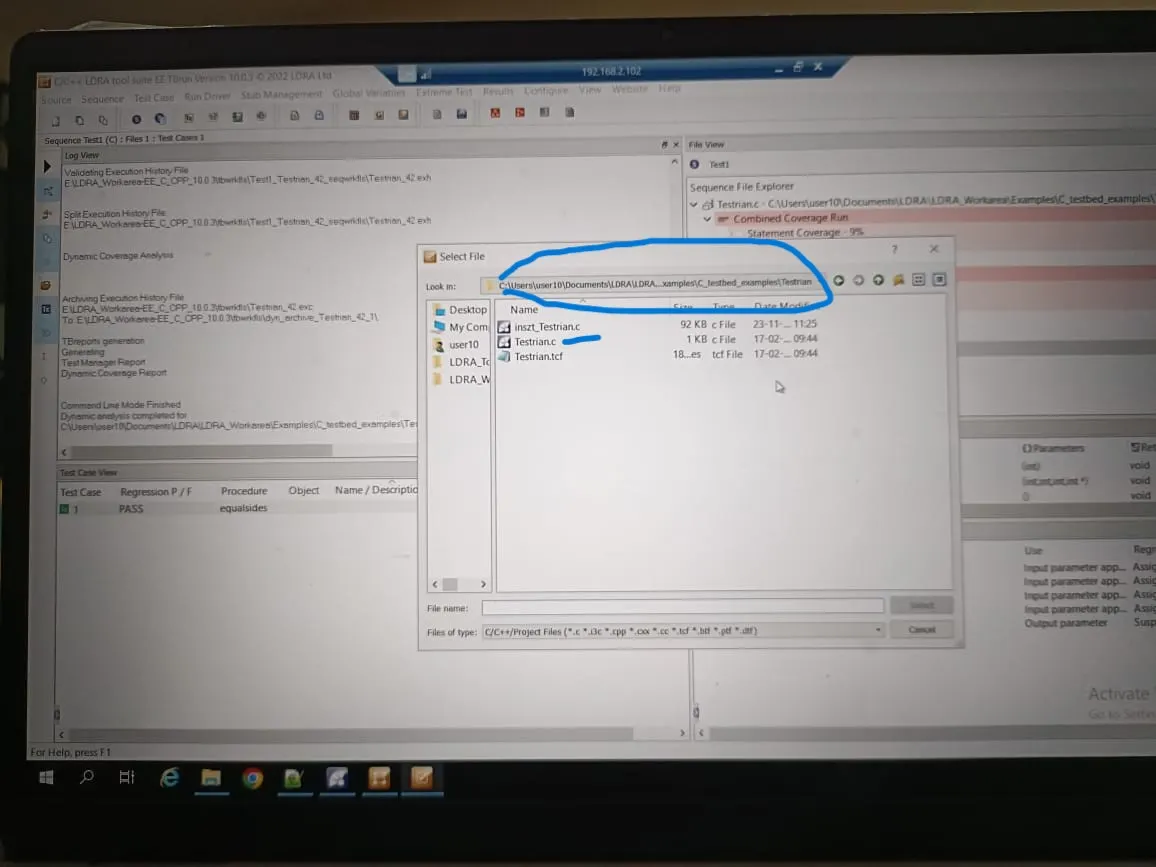
Step 1: Open the LDRA tool in User10 Select LDRA tool suite EE Tburn and select the single source file location of the file mentioned in question directory
Step 2: Create sequence Name Test1 and Create test case for first Function equalsides, In this function declared integer pointer so now we have to create one global pointer and assign value for *int and assign in I/O view as Per our Code and Run
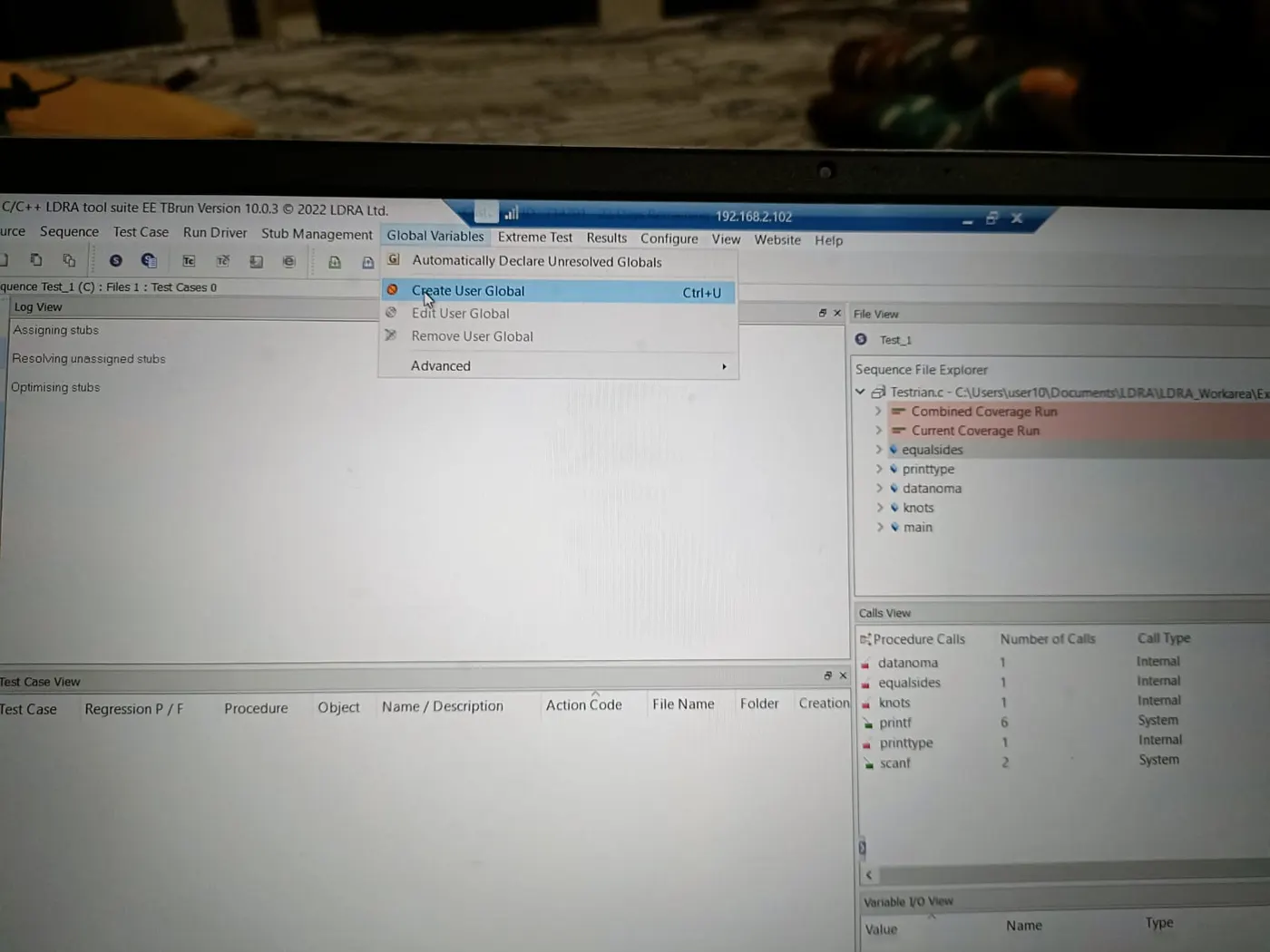
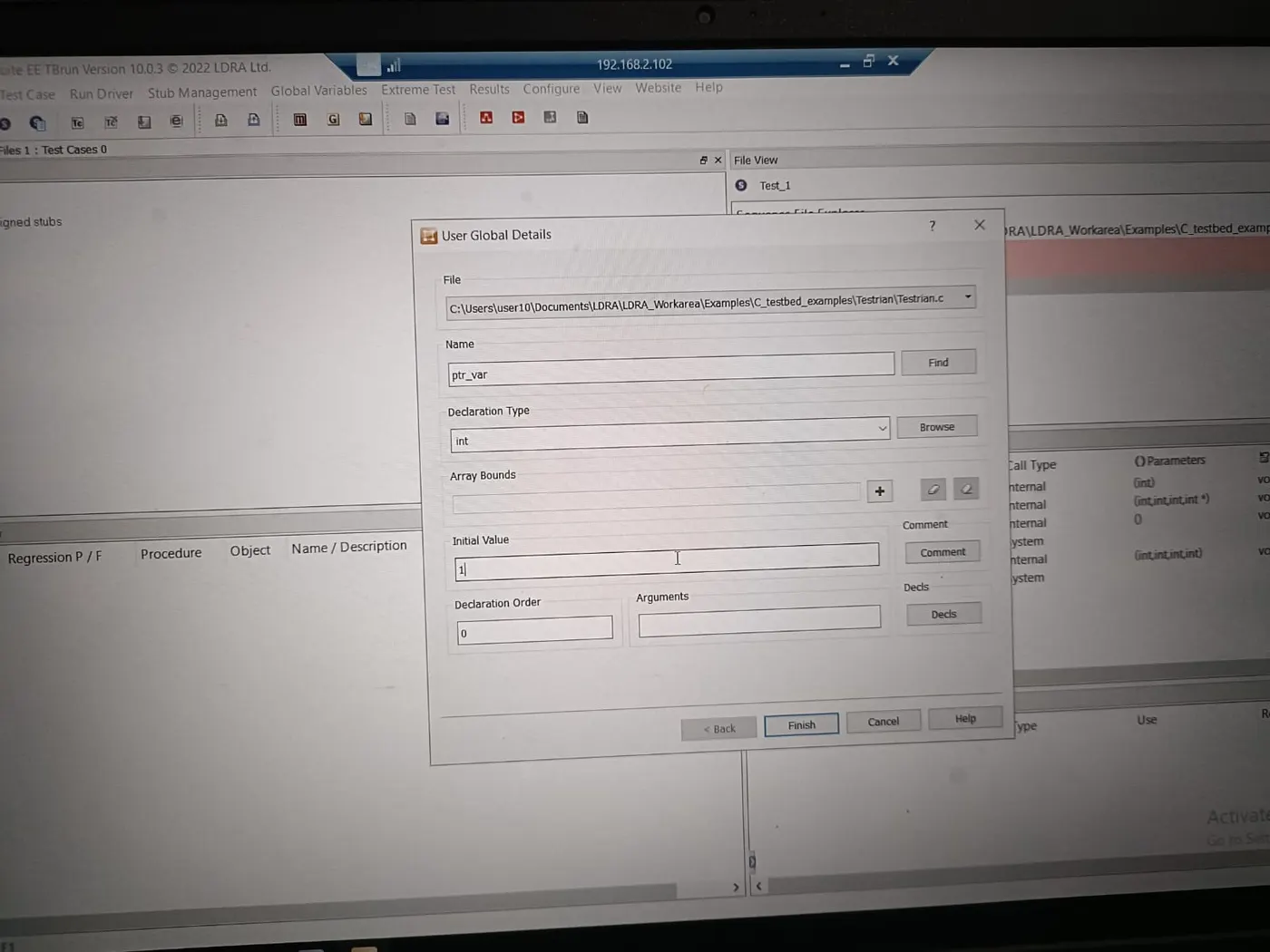
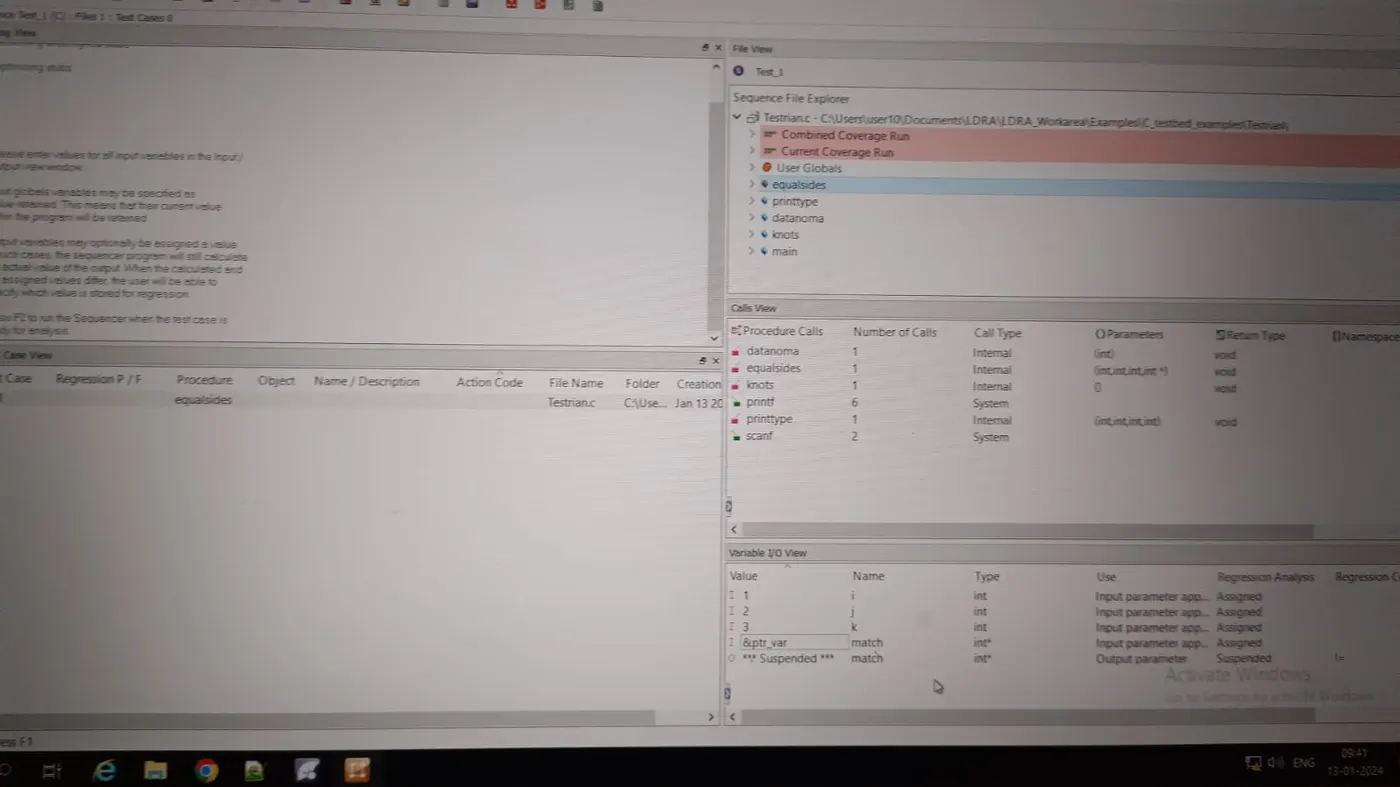
Step 3: One by one Create test case for function and assign value as per Code and check the Pass/Fail Graph for flow of code
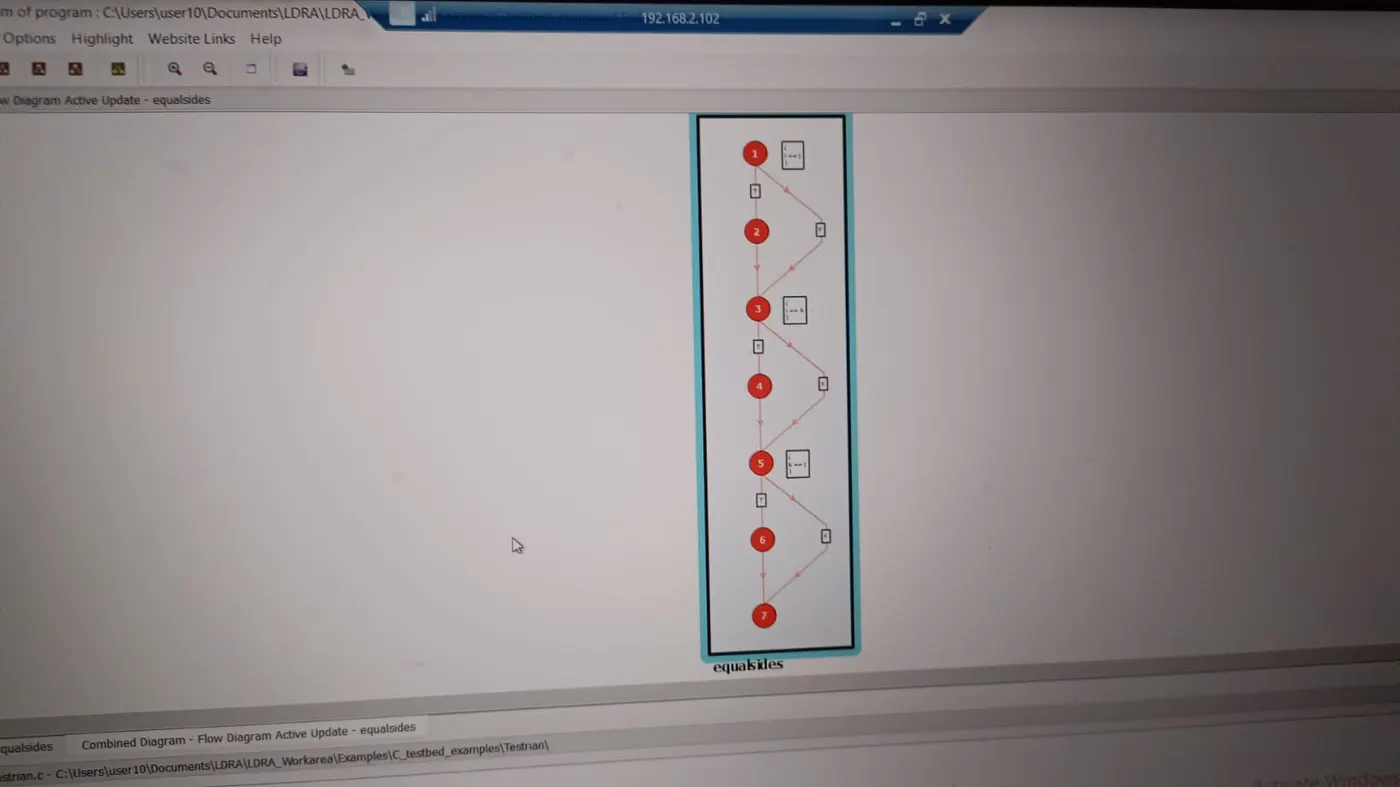
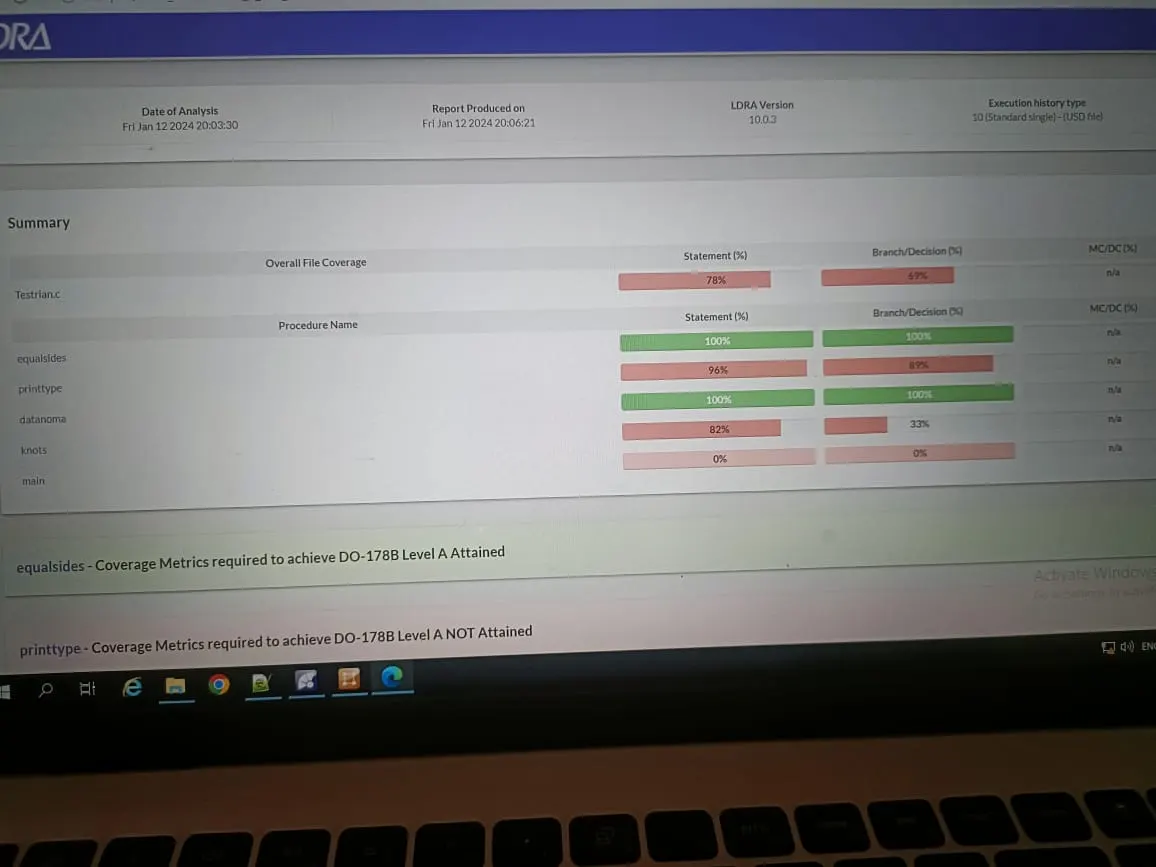
Step 4: After complete Statement, Branch and MCDC Coverage 100%, Open Dynamic Analysis Report And Check Coverage Level
Question 2: Perform Integration testing by including all the .C files available in the folder location C:\**\LDRA_workarea\Examples\Toolsuite\Cashregister_6.0\ ** A)Create the test cases manually as well as automatically using TBExtreme and upload the reports. B)store the test cases as .tcf file. Upload the location image where the .tcf file is stored.
NOTE: I am facing a technical error to connect the VPN server, I talked to revathi Madam, and they informed me to submit these Questions and steps on how to do it, Step-by-step process given below
Solution B:
Step 1: Open the LDRA tool and tbrun.
Step 2: Open the tools and select source --> Multiple file --> Create list name for multiple files and add files at the mention
location Select these files, Click on OK, and Perform the analysis
Step 3: Save file as tcf file, First click on the source in the home screen then file Save as TCF, Select location, and Crete tcf name
Step 4: After Analysis of the dile and compilation, Create a sequence to do testing in the file view area. Now Create a test case for a Call function and see the call graph,
Flow diaram and source code for refer to doing further testing.
Step 5: Cover 100% of Statement coverage, Branch Coverage, and MCDC Coverage. Cover all coverage of the function and see the result, Dynamic analysis
Report and Check coverage level
And Save the file as TCF.
Solution B:
Step 1: Now Create a new sequence file for the same file as the above file mentioned for automatically TB Extreme
Step 2: Selec a function and right click on this and select Run Tabular test, In this all possible cases for this function are created. Tf we select Standard Extreme it creates one test case for the function.
In this we can create test cases for fucntion as well as for files. For fast and time-saving.
Step 3: After creating test of all function in file than Check Dynamic analysis report. And check it report level.