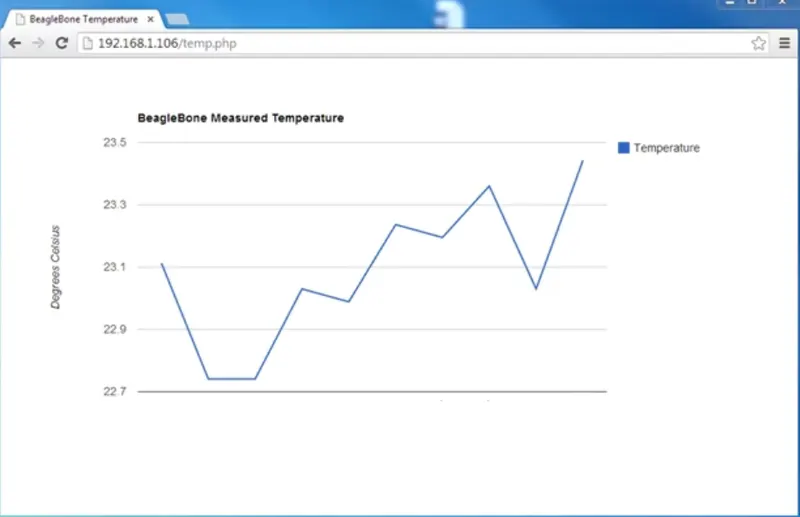
Project 2 - Design and develop the web based Temperature control system using Beagle Bone Black.
/* Project - 2 */
Overview of the Project:
Device Driver:
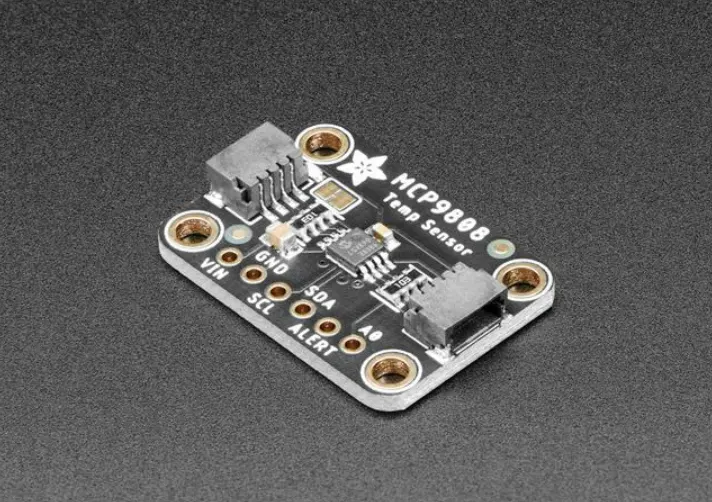
Write the device driver for MCP9808 Temperature Sensor.
Probe function: Register the Platform device under driver/misc.
Read function: It should send the i2c message to read the data from sensor and copy it to the user space.
Alert pin connected to BBB as gpio interrupt. The temp sensor is programmed for Tlower and Tupper through dts file. Based on interrupt, Motor will be turned ON or OFF.
Compatible string: it should be unique and same string should be entered in dts file.
Dts file: The I2C instance and GPIO pins used should be configurable.
Hardware Setup:
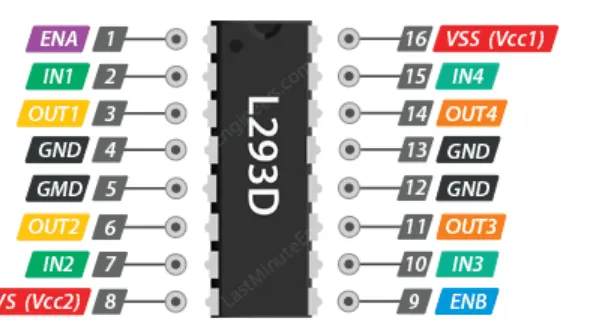
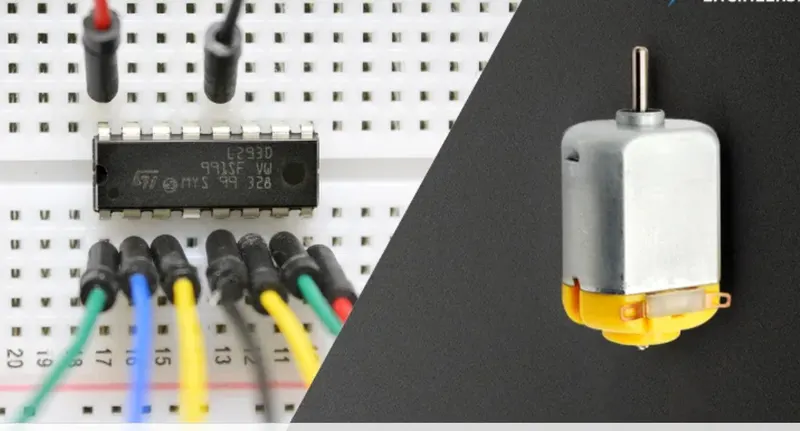
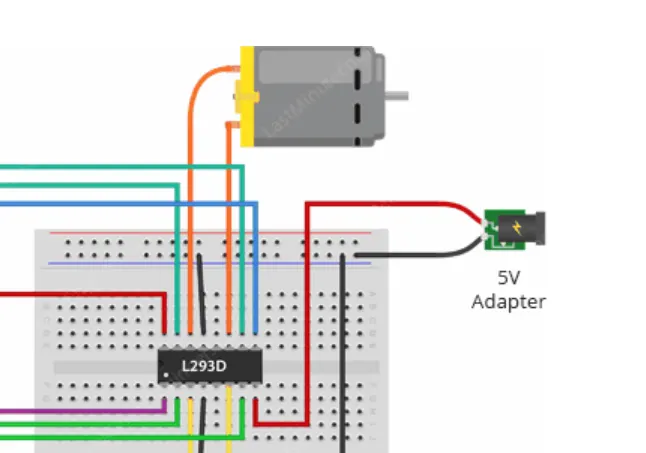
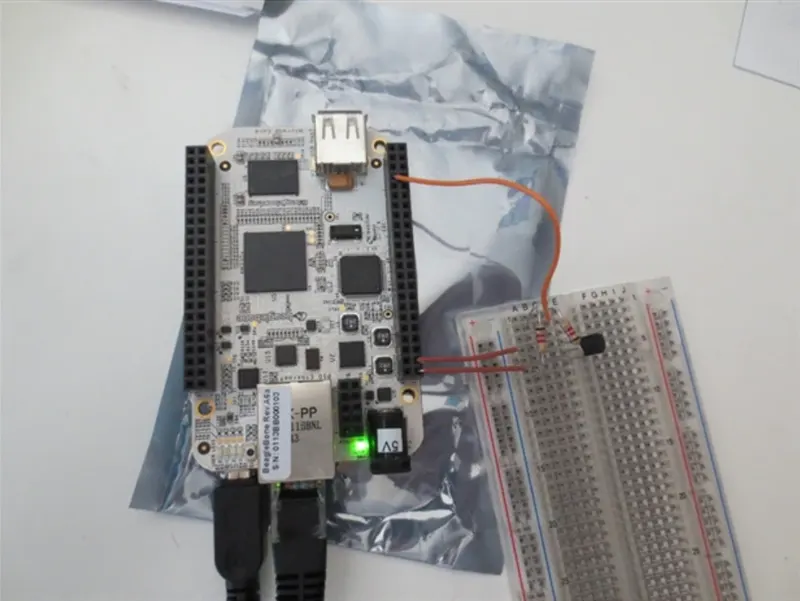
MCP9808 Temperature sensor should be connected to the I2C and DC motor connected to the GPIO pin using the Driver IC LN293D.
User Space Application:
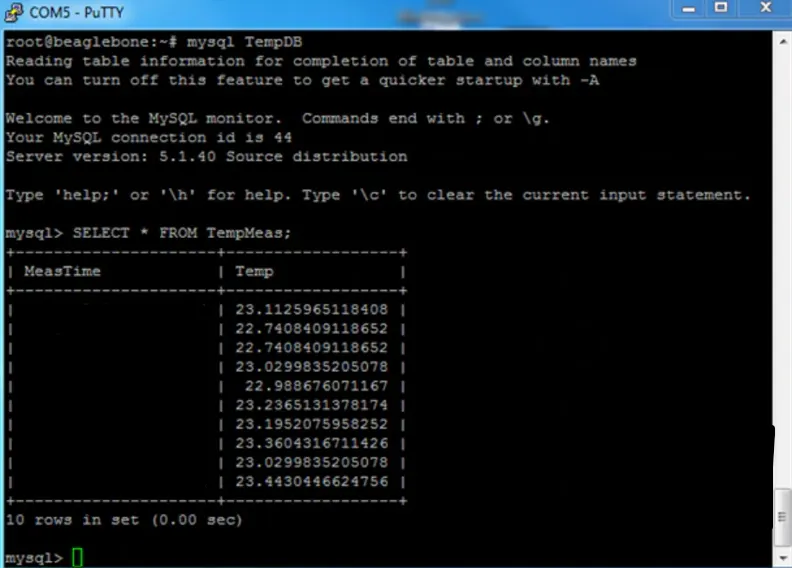
Temperature must be monitored for every 15 mins and stored in the database (MySql).
When the temperature exceeds the set value, the motor should turn On and Off when temperature comes down.
Web page should be provide the following feature
Set the Threshold Temperature
Retrieve the data from database and plotted as a graph
Goals:
The student will have capability to build the customized image to the Embedded Target - Beagle bone black.
The student will be able to connect the sensor and actuator to the embedded target.
Key Highlights of the Project:
The project helps the student to understand the various steps involved in building the Embedded Linux target.
It makes the students understand how to configure the pins exposed in the Beagle bone Header P8 and P9.
It covers the various kernel subsystem like GPIO, I2C, Interrupt Handling, Platform device drivers.
It also enables the write not only device driver but also the user space application to present the data to remote world.
Deliverables of this Project:
Embedded Linux Image for the BBB - It contains U-Boot, Linux Kernel and Root File system.
DTS source file - The file allows the user to configure the GPIO pins connected to Motor and Temperature sensor connected to I2C lines. The file can be compiled separately and updated to SD card if needed.
Simple HTML web page capable of monitoring the temperature and controlling the motor.
Database has to be capable of storing the temperature reading for 15 days.
Expected Outcomes:
The students will learn the following things
Able to build the custom kernel image for the embedded target.
Able to configure the Gpio pins and Temperature sensor connected to target through DTS files.
Able to learn the I2C and GPIO subsystem.
Able to understand the remote monitoring of the device through internet.
Ans:
Introduction:
This project involves interfacing the MCP9808 temperature sensor with the BeagleBone Black (BBB) to monitor temperature and control a motor based on temperature thresholds. The primary objectives are to develop:
(i): A kernel driver for the MCP9808 sensor using the I2C and GPIO subsystems.
(ii): A user-space application to log and display temperature data.
(iii): A web interface to monitor and control the system.
1. Device Tree (DTS):
The Device Tree Source (DTS) file specifies hardware configurations, such as the I2C interface for the MCP9808 sensor and GPIO pins for the motor.
Key Properties:
(i): compatible: Identifies the hardware ("microchip,mcp9808").
(ii): reg: I2C address of the sensor.
(iii): alert-gpio: GPIO pin for alert interrupt.
(iv): t-lower and t-upper: Temperature thresholds.
2. Kernel Driver:
The kernel driver interacts with the hardware (sensor and GPIO pins) and provides an interface to user-space applications.
Subsystems Involved:
(i): I2C Subsystem: Communicates with the MCP9808 sensor.
(ii): GPIO Subsystem: Controls the motor and handles interrupts.
(iii): Platform Device Subsystem: Registers the sensor as a device.
3. User-Space Application:
The user-space application:
(i): Reads temperature data via the driver.
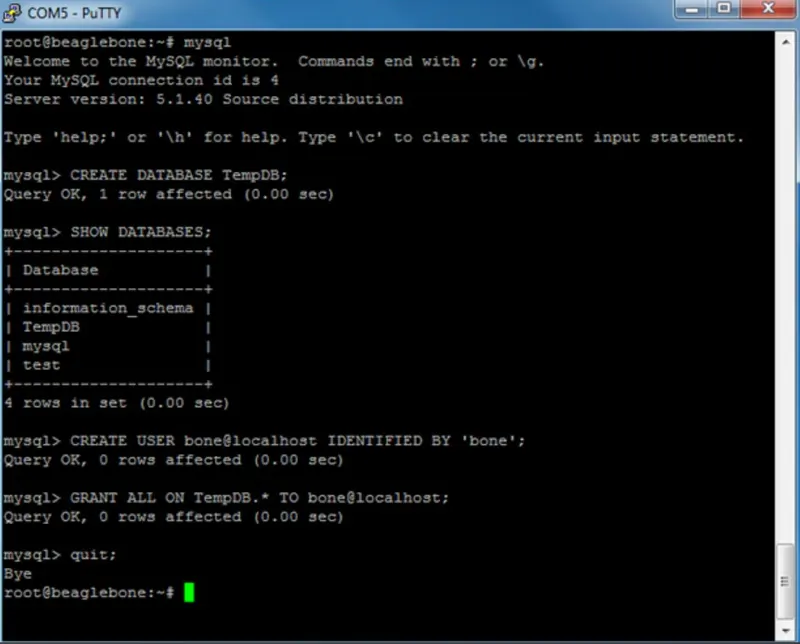
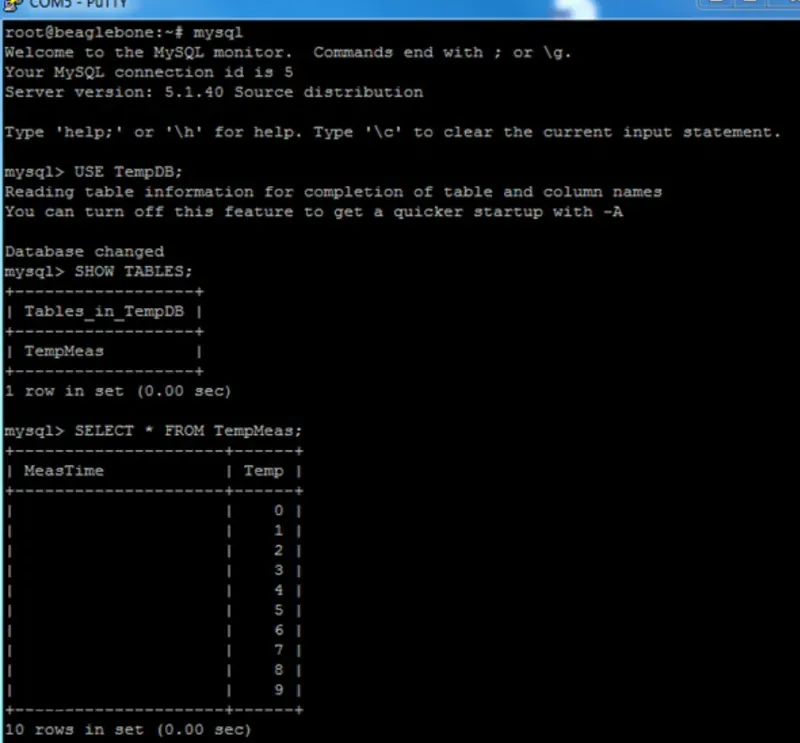
(ii): Stores the data in a MySQL database.
(iii): Provides control to adjust thresholds.
4. Web Interface:
The web interface is built using HTML and JavaScript to:
(i): Display temperature readings and trends as graphs.
(ii): Allow the user to set temperature thresholds.
Steps:
1: Declare the device information in the device tree by adding the compatible string and properties for the sensor.
2: Initialize the I2C interface for the sensor by registering it with the I2C subsystem.
3: Create a device driver structure that contains the necessary callbacks, such as probe(), read(), and other optional functions.
4: In the probe() function, register the platform device for the MCP9808 Temperature Sensor with the driver/misc subsystem.
5: In the read() function, send the appropriate I2C messages to read the temperature data from the sensor and copy it to the user space.
6: Set up the GPIO interrupt for the alert pin on the BBB and configure the interrupt handler.
7: Based on the interrupt, turn the motor on or off as per the temperature thresholds set through the DTS file
Once the device driver is written, We can write a user space application to read the temperature data at regular intervals and store it in a database. The web page can be developed using HTML and JavaScript to retrieve the temperature data from the database and plot it as a graph.
The expected outcome of this project is to learn the various steps involved in building an embedded Linux target, configuring the GPIO and I2C subsystem, and understanding the device driver development process.
Code:
1: Device Tree (DTS) Configuration:
&i2c1
{
status = "okay";
mcp9808: temp-sensor@18
{
compatible = "microchip,mcp9808";
reg = <0x18>;
t-lower = <200>; /* Lower threshold (20°C) */
t-upper = <300>; /* Upper threshold (30°C) */
alert-gpio = <&gpio2 3 GPIO_ACTIVE_HIGH>;
};
};
2. Kernel Driver:
#include <linux/module.h>
#include <linux/init.h>
#include <linux/i2c.h>
#include <linux/interrupt.h>
#include <linux/gpio.h>
#include <linux/platform_device.h>
#define MCP9808_TEMP_REG 0x05
#define MCP9808_T_LOWER_REG 0x02
#define MCP9808_T_UPPER_REG 0x03
struct mcp9808_data
{
struct i2c_client *client;
int irq_gpio;
int threshold;
};
/* Interrupt Handler */
static irqreturn_t mcp9808_alert_handler(int irq, void *data)
{
struct mcp9808_data *mcp = data;
u8 buf[2];
int temp;
i2c_smbus_read_i2c_block_data(mcp->client, MCP9808_TEMP_REG, 2, buf);
temp = ((buf[0] & 0x0F) << 8) | buf[1];
if (temp > mcp->threshold)
{
gpio_set_value_cansleep(mcp->irq_gpio, 1); /* Motor ON */
}
else
{
gpio_set_value_cansleep(mcp->irq_gpio, 0); /* Motor OFF */
}
return IRQ_HANDLED;
}
/* Probe Function */
static int mcp9808_probe(struct i2c_client *client, const struct i2c_device_id *id)
{
struct mcp9808_data *mcp;
int ret;
mcp = devm_kzalloc(&client->dev, sizeof(*mcp), GFP_KERNEL);
if (!mcp) return -ENOMEM;
mcp->client = client;
mcp->irq_gpio = of_get_named_gpio(client->dev.of_node, "alert-gpio", 0);
mcp->threshold = 250; /* Default threshold (25°C) */
if (gpio_is_valid(mcp->irq_gpio))
{
ret = gpio_request(mcp->irq_gpio, "mcp9808-alert");
if (ret) return ret;
ret = gpio_direction_output(mcp->irq_gpio, 0);
if (ret)
{
gpio_free(mcp->irq_gpio);
return ret;
}
ret = request_irq(gpio_to_irq(mcp->irq_gpio), mcp9808_alert_handler,
IRQF_TRIGGER_RISING | IRQF_TRIGGER_FALLING,
"mcp9808-alert", mcp);
if (ret)
{
gpio_free(mcp->irq_gpio);
return ret;
}
}
dev_info(&client->dev, "MCP9808 sensor initialized\n");
return 0;
}
/* Driver Registration */
static const struct i2c_device_id mcp9808_id[] = { { "mcp9808", 0 }, {} };
MODULE_DEVICE_TABLE(i2c, mcp9808_id);
static const struct of_device_id mcp9808_of_match[] =
{
{ .compatible = "microchip,mcp9808", },
{}
};
MODULE_DEVICE_TABLE(of, mcp9808_of_match);
static struct i2c_driver mcp9808_driver =
{
.driver =
{
.name = "mcp9808",
.of_match_table = mcp9808_of_match,
},
.probe = mcp9808_probe,
};
module_i2c_driver(mcp9808_driver);
MODULE_LICENSE("GPL");
3. MySQL Integration:
#include <mysql/mysql.h>
#include <stdio.h>
#include <stdlib.h>
void error_exit(MYSQL *con)
{
fprintf(stderr, "%s\n", mysql_error(con));
if (con) mysql_close(con);
exit(1);
}
int main()
{
MYSQL *con = mysql_init(NULL);
if (!con) error_exit(con);
if (!mysql_real_connect(con, "localhost", "user", "password", "TempDB", 0, NULL, 0))
{
error_exit(con);
}
if (mysql_query(con, "CREATE TABLE IF NOT EXISTS TempLog (Time DATETIME, Temp DOUBLE)"))
{
error_exit(con);
}
MYSQL_STMT *stmt = mysql_stmt_init(con);
if (!stmt) error_exit(con);
const char *query = "INSERT INTO TempLog (Time, Temp) VALUES (NOW(), ?)";
if (mysql_stmt_prepare(stmt, query, strlen(query))) error_exit(con);
double temp = 25.0;
MYSQL_BIND bind = {0};
bind.buffer_type = MYSQL_TYPE_DOUBLE;
bind.buffer = &temp;
if (mysql_stmt_bind_param(stmt, &bind)) error_exit(con);
mysql_stmt_execute(stmt);
mysql_stmt_close(stmt);
mysql_close(con);
return 0;
}
4. Web Interface (HTML + JavaScript):
<!DOCTYPE html>
<html>
<head>
<title>Temperature Monitor</title>
<script src="https://cdn.jsdelivr.net/npm/chart.js"></script>
</head>
<body>
<h1>Temperature Monitor</h1>
<canvas></canvas>
<script>
const ctx = document.getElementById('tempChart').getContext('2d');
const chart = new Chart(ctx,
{
type: 'line',
data:
{
labels: ['1:00', '2:00', '3:00'], /* Time labels */
datasets: [
{
label: 'Temperature (°C)',
data: [22, 24, 26], /* Temperature data */
borderColor: 'rgba(75, 192, 192, 1)',
borderWidth: 2
}
]
}
}
);
</script>
</body>
</html>
Output: