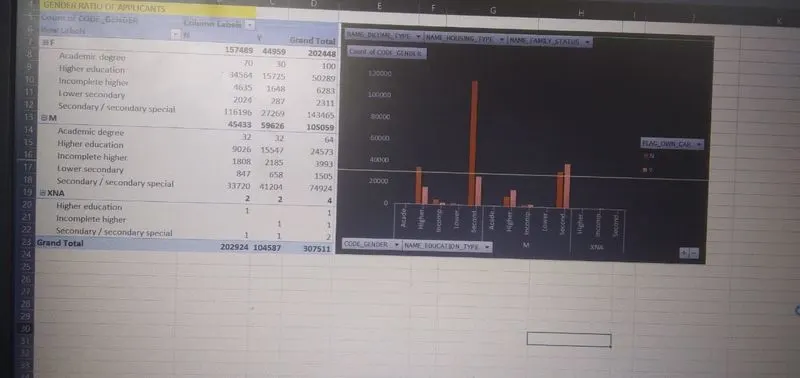
Project 2 - Create a report using PowerQuery, Macro VBA, List Functions and Data Validation functions for Data Reporting of Supply Chain Management companies
Sub SpellCheck()
For Each sh In Worksheets
Sheets(sh.Name).Cells.CheckSpelling
Next
End Sub
Dim WS As Worksheet
Dim FileName As String
Dim FilePath As String
I’m going to convert the activesheet to PDF. So I will assign activesheet to WS variable.
Set WS = ActiveSheet
Next we need to give the name to the PDF file
FileName = "Result PDF"
WS.PageSetup.Orientation = xlPortrai
FilePath = ThisWorkbook.Path
Or else you can assign specific file path like this.
FilePath = "C:\Users\EVS\Documents\PDF Reports"
WS.ExportAsFixedFormat Type:=xlTypePDF, FileName:=FilePath & "\" & FileName & ".pdf", _ Quality:=xlQualityStandard, IncludeDocProperties:=True, IgnorePrintAreas:=False
MsgBox "Completed", vbInformation, ""
And here is the complete code to do the job.
Sub SaveAsPDF()
Dim WS As Worksheet
Dim FileName As String
Dim FilePath As String
Set WS = ActiveSheet
FileName = "Result PDF"
WS.PageSetup.Orientation = xlPortrait
FilePath = ThisWorkbook.Path
WS.ExportAsFixedFormat Type:=xlTypePDF, FileName:=FilePath & "\" & FileName & ".pdf", _ Quality:=xlQualityStandard, IncludeDocProperties:=True, IgnorePrintAreas:=False
MsgBox "Completed", vbInformation, ""
End Sub
=FILTER(C2:C30721,H2:H30721=F)
=DSUM(C2:C30721,H2:H30721=M)
=DAVERAGE(C2:C30721,H2:H30721=M)
=DCOUNT(C2:CS30721,CS2:CL30721,4)