Project 2 - Create a report using PowerQuery, Macro VBA, List Functions and Data Validation functions for Data Reporting of Supply Chain Management companies
https://drive.google.com/drive/folders/1XmbghlNXw9a2ho2HNTPlBuTHOQTYK9NU?usp=share_link
1.
2.
a)
b)
C)
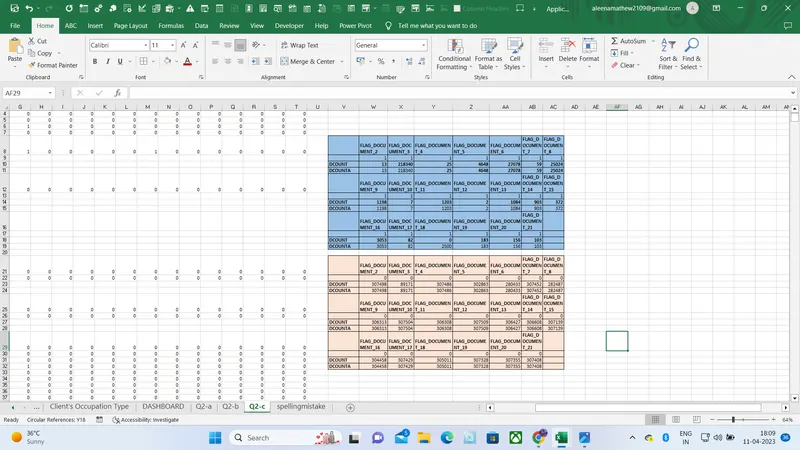
3.
- Create a Macro for Data Formatting (Conditional Formatting, Freezing Panes) of workbook as same will be applied to the data of next quarter
- Sub DataFormatting()
'
' DataFormatting Macro
' Macro for Data Formatting (Conditional Formatting, Freezing Panes)
'
' Keyboard Shortcut: Ctrl+k
'
Range("Applicant Data[[#All],[AMT_INCOME_TOTAL]]").Select
Selection.FormatConditions.Add Type:=xlCellValue, Operator:=xlGreater, _
Formula1:="=540000"
Selection.FormatConditions(Selection.FormatConditions.Count).SetFirstPriority
With Selection.FormatConditions(1).Font
.Color = -16754788
.TintAndShade = 0
End With
With Selection.FormatConditions(1).Interior
.PatternColorIndex = xlAutomatic
.Color = 10284031
.TintAndShade = 0
End With
Selection.FormatConditions(1).StopIfTrue = False
Selection.FormatConditions.Add Type:=xlCellValue, Operator:=xlLess, _
Formula1:="=220000"
Selection.FormatConditions(Selection.FormatConditions.Count).SetFirstPriority
With Selection.FormatConditions(1).Font
.Color = -16752384
.TintAndShade = 0
End With
With Selection.FormatConditions(1).Interior
.PatternColorIndex = xlAutomatic
.Color = 13561798
.TintAndShade = 0
End With
Selection.FormatConditions(1).StopIfTrue = False
ActiveWindow.SmallScroll Down:=-115
ActiveWindow.ScrollRow = 307484
ActiveWindow.ScrollRow = 307033
ActiveWindow.ScrollRow = 304782
ActiveWindow.ScrollRow = 300731
ActiveWindow.ScrollRow = 251659
ActiveWindow.ScrollRow = 143613
ActiveWindow.ScrollRow = 118852
ActiveWindow.ScrollRow = 90490
ActiveWindow.ScrollRow = 1
Range("E3").Select
ActiveWindow.FreezePanes = True
Range("G9").Select
End Sub 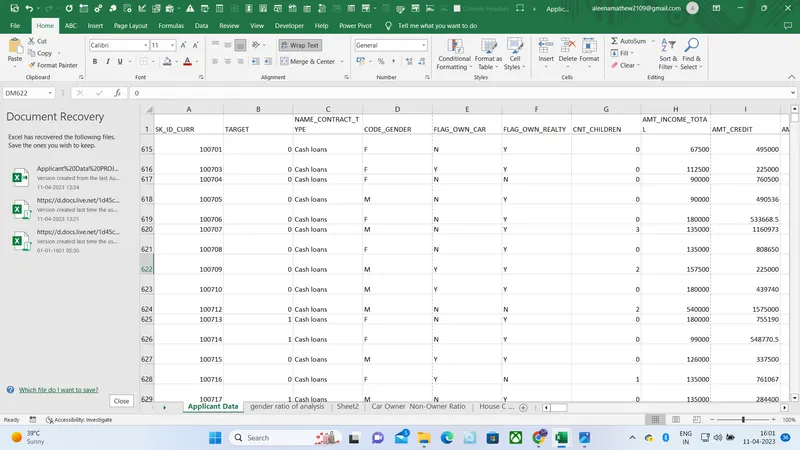
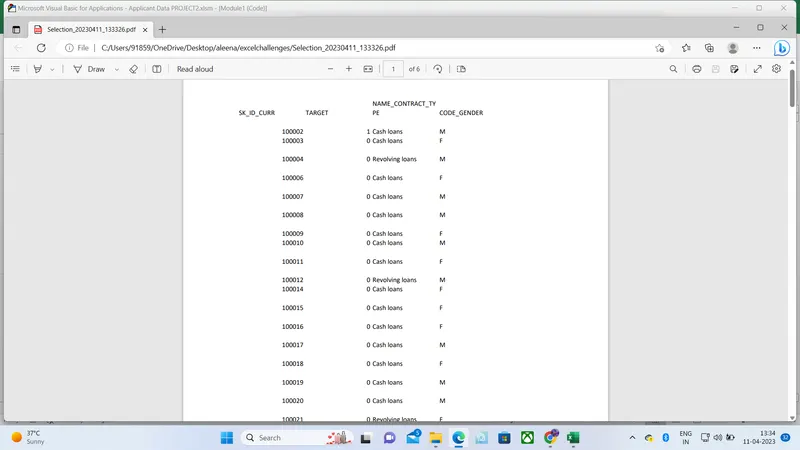
- Create VBA Code to convert selected data into pdf from applicant data
-
Sub PrintSelectionToPDF()Dim ThisRng As RangeDim strfile As StringDim myfile As VariantIf Selection.Count = 1 ThenSet ThisRng = Application.InputBox("Select a range", "Get Range", Type:=8)ElseSet ThisRng = SelectionEnd If'Prompt for save locationstrfile = "Selection" & "_" _& Format(Now(), "yyyymmdd_hhmmss") _& ".pdf"strfile = ThisWorkbook.Path & "\" & strfilemyfile = Application.GetSaveAsFilename _(InitialFileName:=strfile, _FileFilter:="PDF Files (*.pdf), *.pdf", _Title:="Select Folder and File Name to Save as PDF")If myfile <> "False" Then 'save as PDFThisRng.ExportAsFixedFormat Type:=xlTypePDF, Filename:= _myfile, Quality:=xlQualityStandard, IncludeDocProperties:=True, _IgnorePrintAreas:=False, OpenAfterPublish:=TrueElseMsgBox "No File Selected. PDF will not be saved", vbOKOnly, "No File Selected"End IfEnd Sub
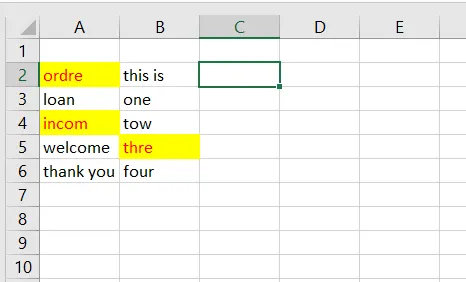
- Check Spelling mistakes in the workbook using VBA Code
-
Public Sub HighlightSpellingMistakes()
Dim wd As Range
For Each wd In ActiveSheet.UsedRange
If Not Application.CheckSpelling(word:=wd.Text) Then
wd.Font.Color = vbRed
wd.Interior.Color = vbYellow
End If
Next wd
End Sub