Project 2 - Create a report using PowerQuery, Macro VBA, List Functions and Data Validation functions for Data Reporting of Supply Chain Management companies
DASHBOARD
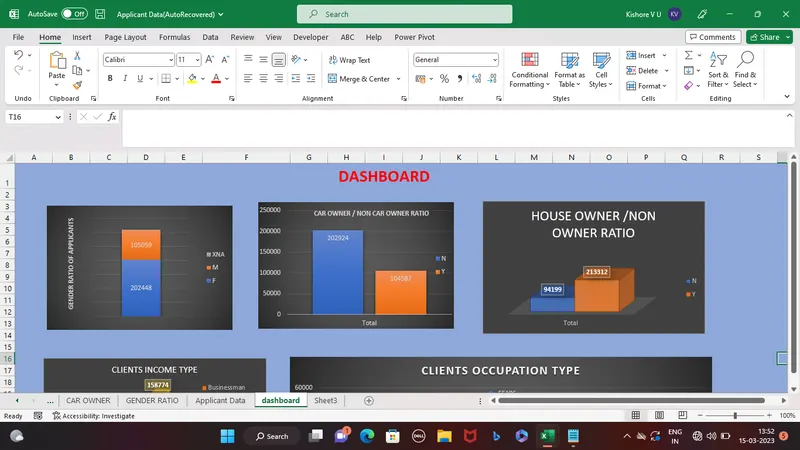
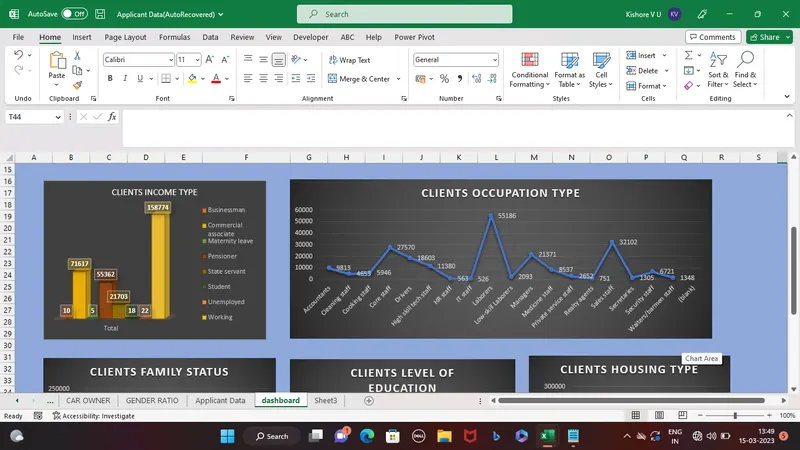
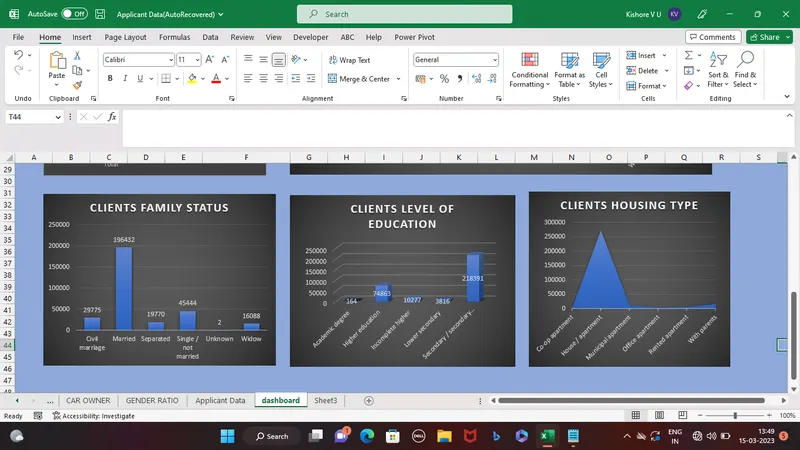
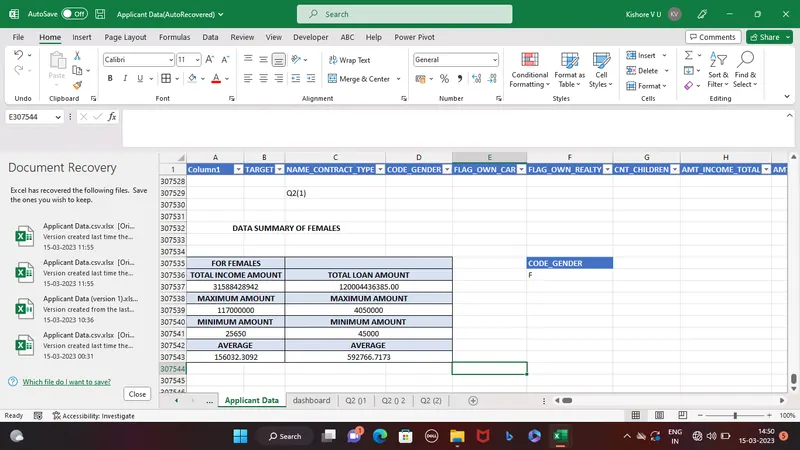
Q.NO 2
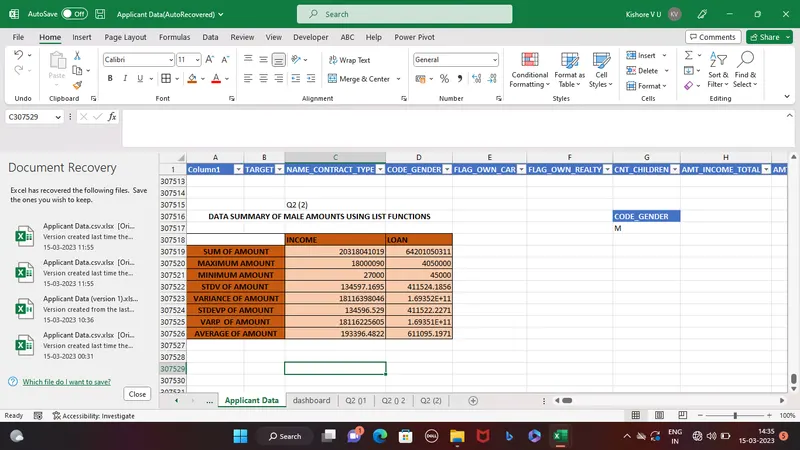
DATA SUMMARY USING FUNCTIONS
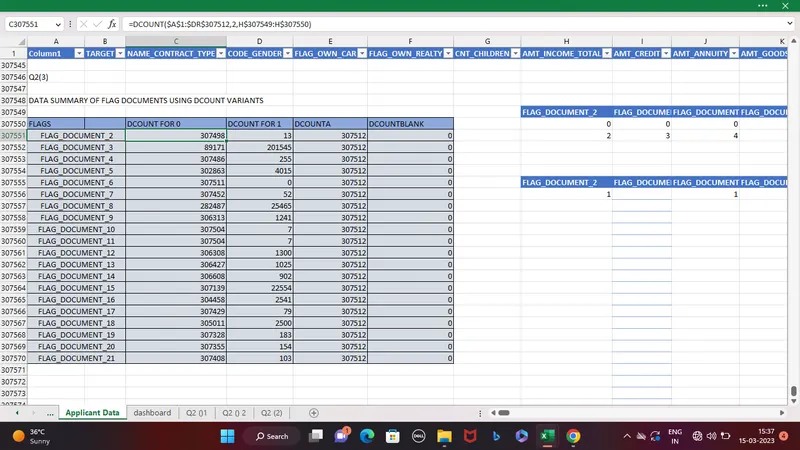
Q.NO 3
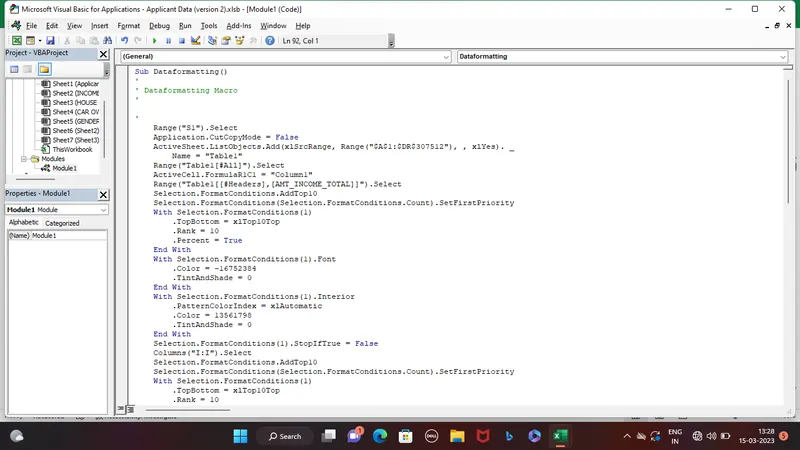
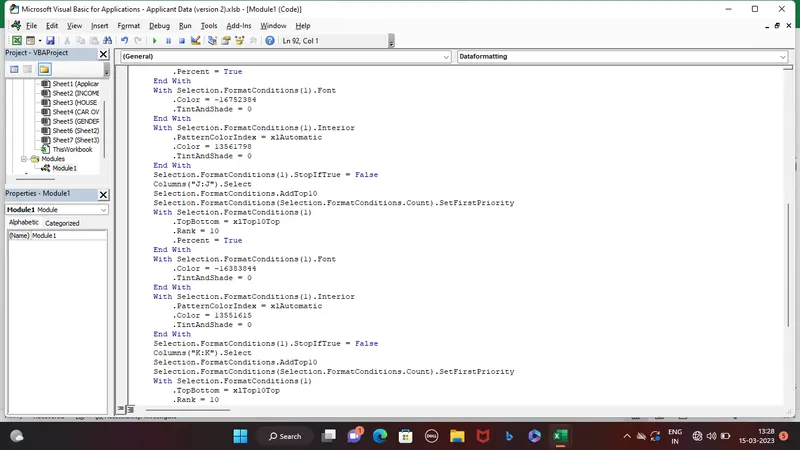
MACRO
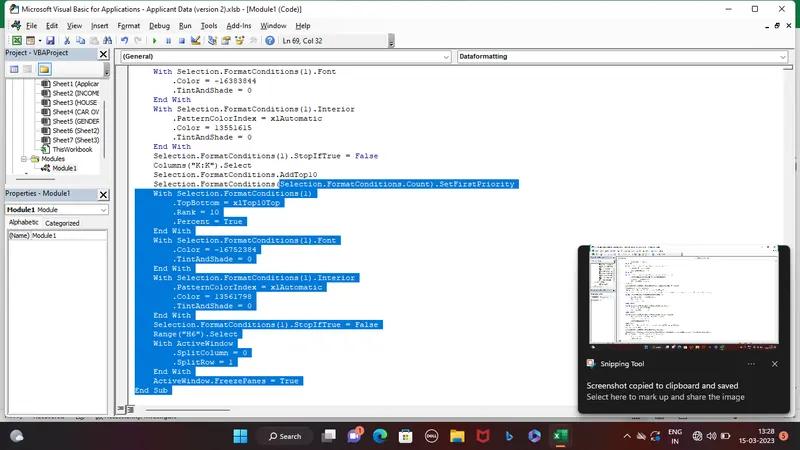
VBA CODE TO CONVERT TO PDF
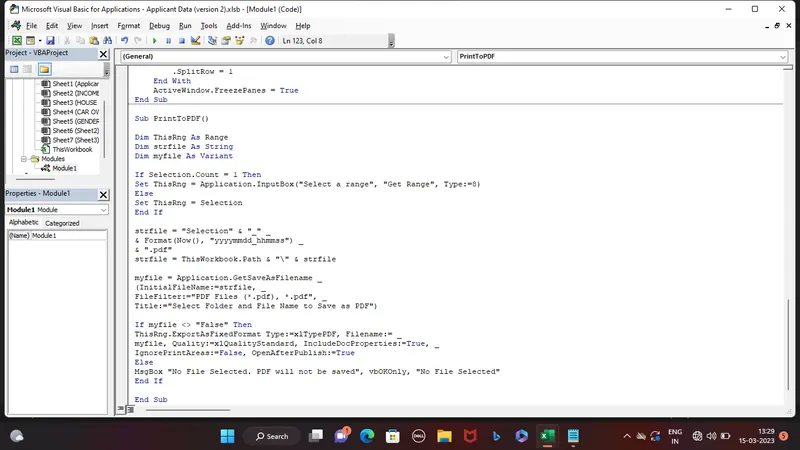
Sub PrintToPDF()
Dim ThisRng As Range
Dim strfile As String
Dim myfile As Variant
If Selection.Count = 1 Then
Set ThisRng = Application.InputBox("Select a range", "Get Range", Type:=8)
Else
Set ThisRng = Selection
End If
strfile = "Selection" & "_" _
& Format(Now(), "yyyymmdd_hhmmss") _
& ".pdf"
strfile = ThisWorkbook.Path & "\" & strfile
myfile = Application.GetSaveAsFilename _
(InitialFileName:=strfile, _
FileFilter:="PDF Files (*.pdf), *.pdf", _
Title:="Select Folder and File Name to Save as PDF")
If myfile <> "False" Then
ThisRng.ExportAsFixedFormat Type:=xlTypePDF, Filename:= _
myfile, Quality:=xlQualityStandard, IncludeDocProperties:=True, _
IgnorePrintAreas:=False, OpenAfterPublish:=True
Else
MsgBox "No File Selected. PDF will not be saved", vbOKOnly, "No File Selected"
End If
End Sub
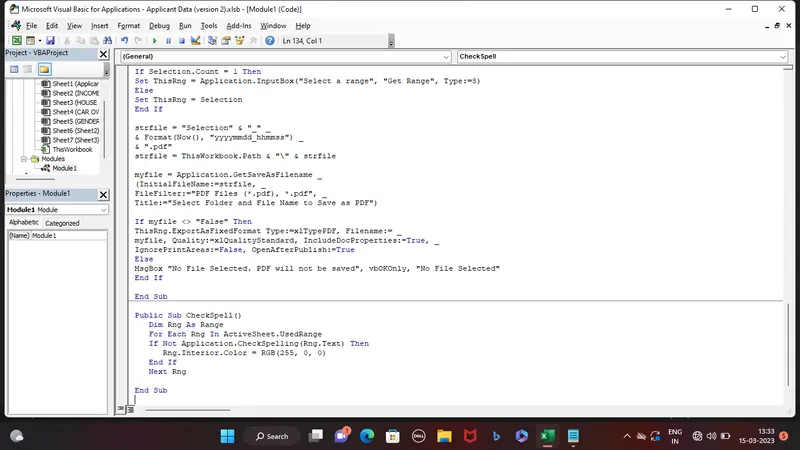
VBA CODE TO CHECK SPELLING
GOOGLE DRIVE LINK :
https://drive.google.com/file/d/1iWbPJl_22Sc93K-3O5xHEK0Fk64K4tEA/view
IN MY OLD VERSION OF EXCEL NEW FUNCTIONS DID NOT WORK SO I USED NORMAL FUNCTIONS
I DID Q.NO 2 IN MAIN DATASET SHEET ITSELF AT THE END