Project 2 - Create a report using PowerQuery, Macro VBA, List Functions and Data Validation functions for Data Reporting of Supply Chain Management companies
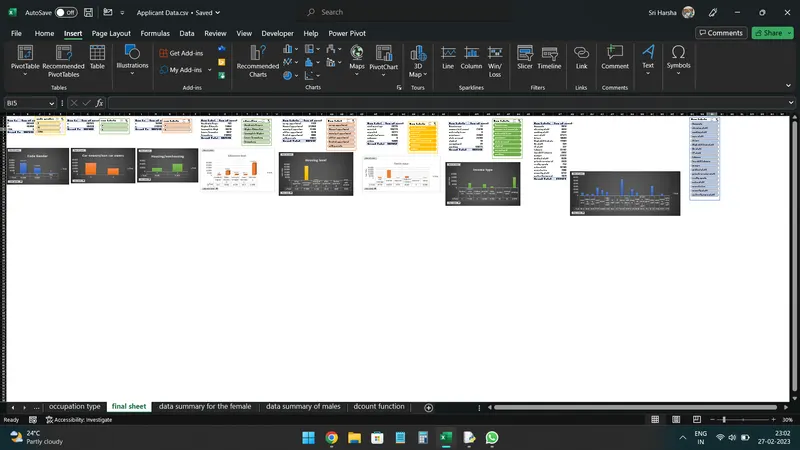
https://docs.google.com/spreadsheets/d/1Jl9LvrvcFD_ut_fo223SYvR4WtSZGLzl/edit?usp=share_link&ouid=118098229130349919800&rtpof=true&sd=true
as the gender ratio of applicatiants the answer mentioned in the worksheet of gender ratio
as the car owner/non car owner ratio of applicatiants the answer mentioned in the worksheet of car owner/non car owner ratio
as the house owner /non house owner ratio of applicatiants the answer mentioned in the worksheet of house owner/non house owner ratio
as the client income type of applicatiants the answer mentioned in the worksheet of income type r
as the client level of education of applicatiants the answer mentioned in the worksheet of education type
as the client housing type of applicatiants the answer mentioned in the worksheet of housing type
as the client family status of applicatiants the answer mentioned in the worksheet of family type
as the client occupation of applicatiants the answer mentioned in the worksheet of occupation type
as the data summary of females for income and loan of applicatiants the answer mentioned in the worksheet of data summary of female's
as the data summary of males for income and loan of applicatiants the answer mentioned in the worksheet of data summary of male's
as the data summary of the flages of the applicants the answers mentioned in the worksheet of dcount functions
Sub printselectionToPDF()
Dim thisRng As Range
Dim strfile As String
Dim myfile As Variant
If Selection.Count = 1 Then
Set thisRng = Application.InputBox
Else
Set thisRng = Selection
End If
strfile = "selection" & "_" & ".pdf"
strfile = ThisWorkbook.Path & "\" & strfile
Title = "select folder and file name to save as PDF"
If myfile <> "false" Then
thisRng.ExportAsFixedFormat = xltypePDFfilename
ignoreprintareas = FalseopenAfterpublish = True
Else
MsgBox "no file selected.Pdf will not be saved no file selected"
End If
End Sub
Public Sub spellcheck()
Dim Rng As Range
For Each Rng In ActiveSheet.UsedRange
If Not Application.CheckSpelling(Rng.Text) Then
Rng.Interior.Color = RGB(255, 0, 0)
End If
Next Rng
End Sub