Project 2 - Create a report using PowerQuery, Macro VBA, List Functions and Data Validation functions for Data Reporting of Supply Chain Management companies
Link : https://drive.google.com/drive/folders/1lqnaUo9kNZ7C4a0CBvw53V7jC4YhG-qx?usp=share_link
Answers : In Case if the Excel File cant be Uploaded to drive here are the Screenshots of the Answers.
Dashboard
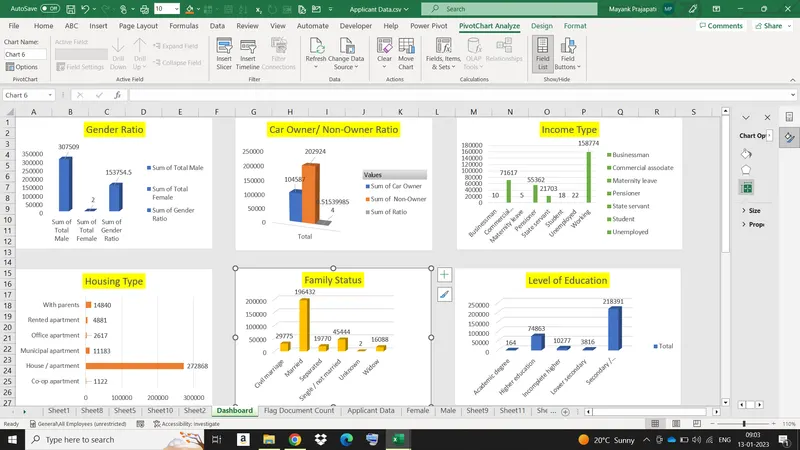
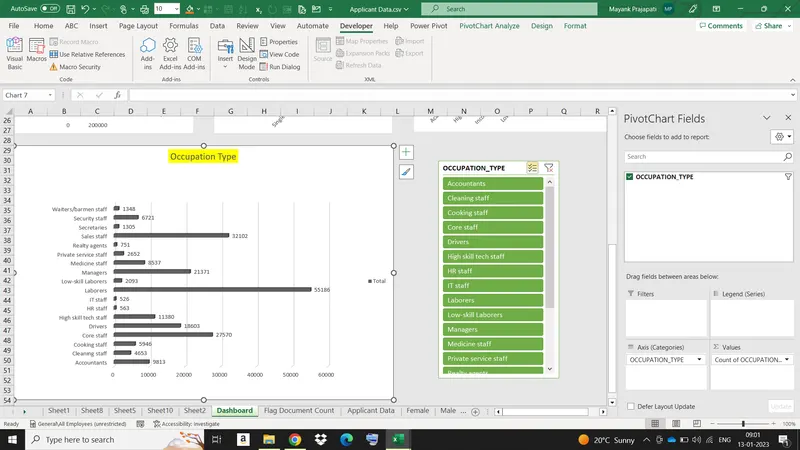
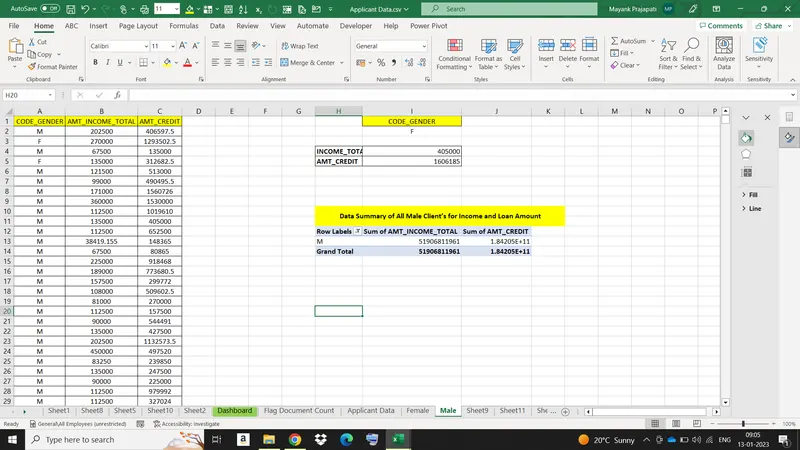
Data Summary of All Male Client’s for Income and Loan Amount
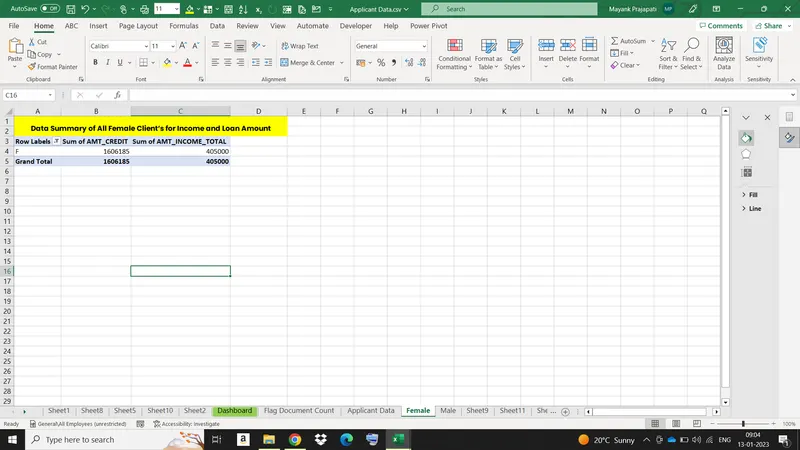
Data Summary of All Female Client’s for Income and Loan Amount
Data Summary for all Flag Columns like (FLAG_DOCUMENT_2, FLAG_DOCUMENT_3 etc.)
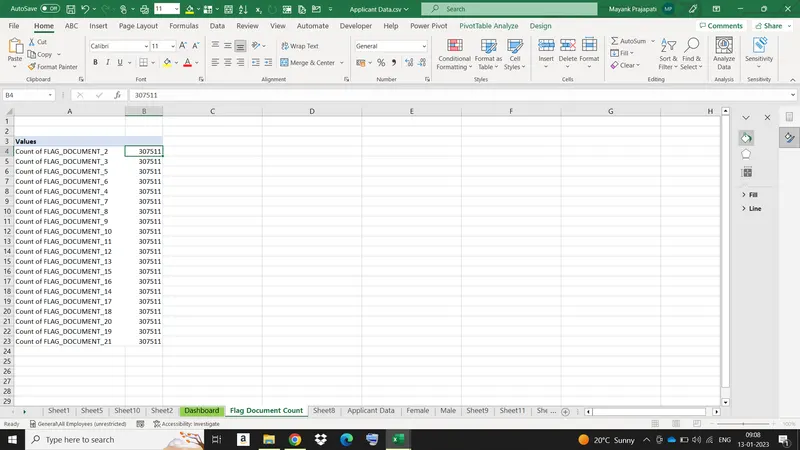
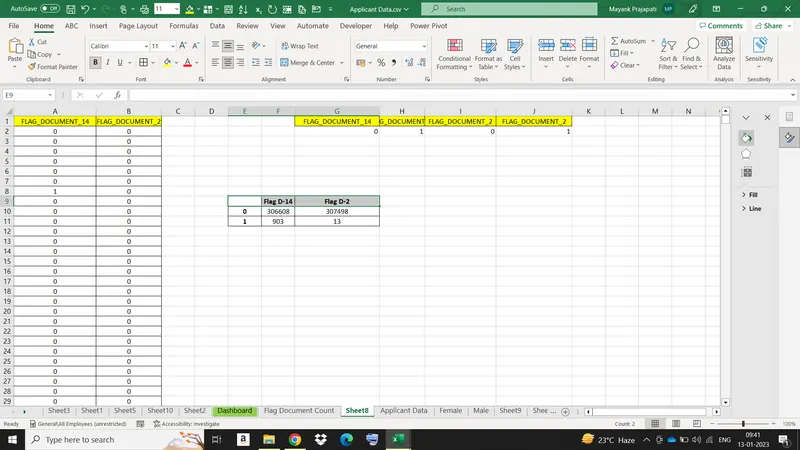
Created a Macro Using Conditional Formatting and Freezing Planes
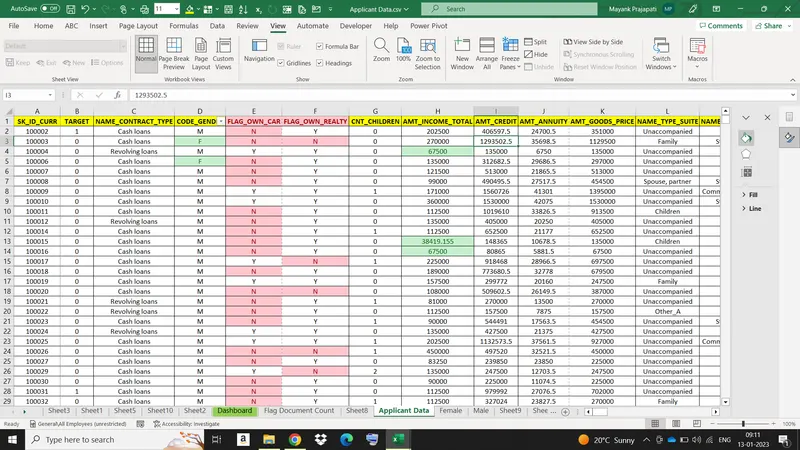
Freezing Top row
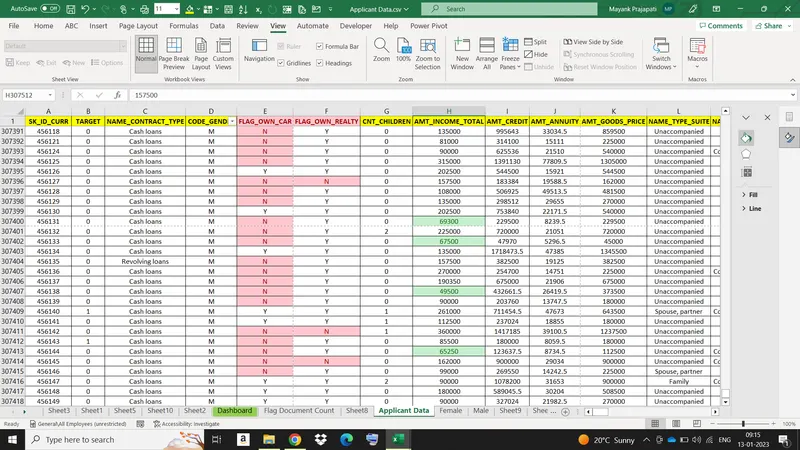
VBA Code to convert selected data into pdf from applicant data
Code : Public Sub PDF()
'SUBROUTINE: PrintSelectionToPDF
'DEVELOPER: Ryan Wells
'DESCRIPTION: Print your currently selected range to a PDF
Dim ThisRng As Range
Dim strfile As String
Dim myfile As Variant
If Selection.Count = 1 Then
Set ThisRng = Application.InputBox("Select a range", "Get Range", Type:=8)
Else
Set ThisRng = Selection
End If
'Prompt for save location
strfile = "Selection" & "_" _
& Format(Now(), "yyyymmdd_hhmmss") _
& ".pdf"
strfile = ThisWorkbook.Path & "\" & strfile
myfile = Application.GetSaveAsFilename _
(InitialFileName:=strfile, _
FileFilter:="PDF Files (*.pdf), *.pdf", _
Title:="Select Folder and File Name to Save as PDF")
If myfile <> "False" Then 'save as PDF
ThisRng.ExportAsFixedFormat Type:=xlTypePDF, Filename:= _
myfile, Quality:=xlQualityStandard, IncludeDocProperties:=True, _
IgnorePrintAreas:=False, OpenAfterPublish:=True
Else
MsgBox "No File Selected. PDF will not be saved", vbOKOnly, "No File Selected"
End If
End Sub
Check Spelling mistakes in the workbook using VBA Code
Code : Public Sub spelll()
Dim cell As Range
For Each cell In ActiveSheet.UsedRange
If Not Application.CheckSpelling(Word:=cell.Text) Then cell.Interior.ColorIndex = 6
Next
End Sub