Project 2 - Create a report using PowerQuery, Macro VBA, List Functions and Data Validation functions for Data Reporting of Supply Chain Management companies
1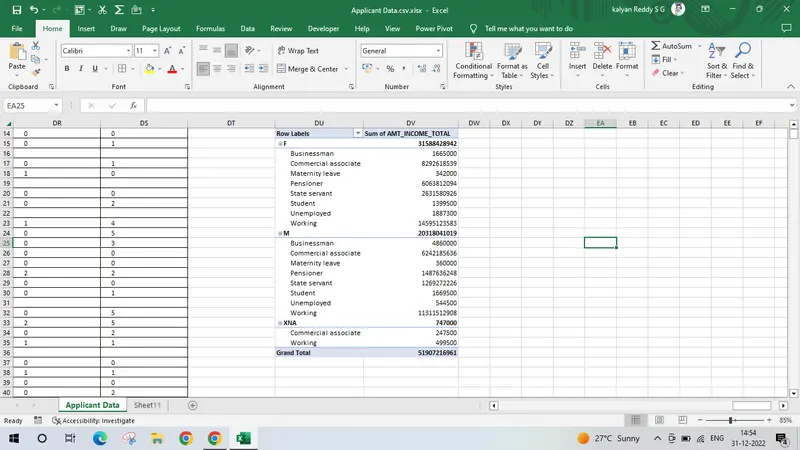
2
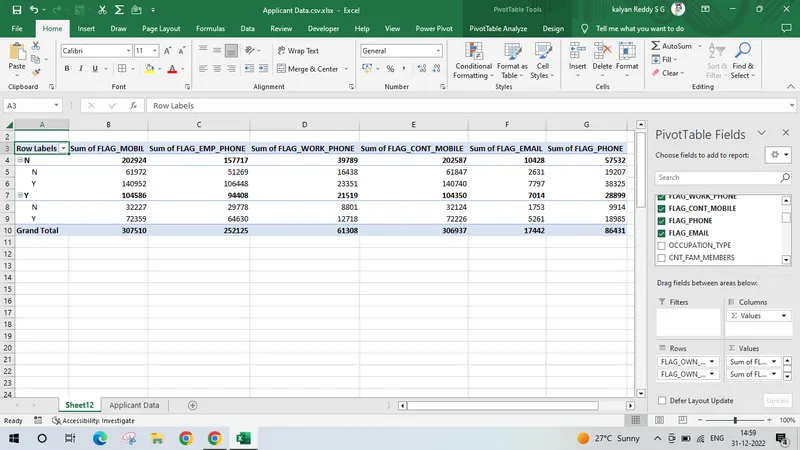
3.
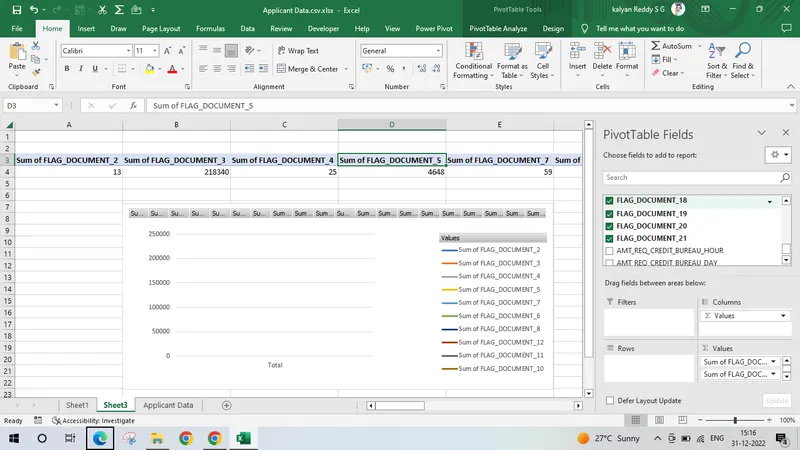
4,
Sub Highlight_Misspelled_Words()
Dim cell As Range
For Each cell In ActiveSheet.UsedRange
If Not Application.CheckSpelling(Word:=cell.Text) Then cell.Interior.ColorIndex = 6
Next
End Sub
5,
Sub PrintSelectionToPDF()
'SUBROUTINE: PrintSelectionToPDF
'DEVELOPER: Ryan Wells
'DESCRIPTION: Print your currently selected range to a PDF

Dim ThisRng As Range
Dim strfile As String
Dim myfile As Variant

If Selection.Count = 1 Then
Set ThisRng = Application.InputBox("Select a range", "Get Range", Type:=8)
Else
Set ThisRng = Selection
End If
'Prompt for save location
strfile = "Selection" & "_" _
& Format(Now(), "yyyymmdd_hhmmss") _
& ".pdf"
strfile = ThisWorkbook.Path & "\" & strfile

myfile = Application.GetSaveAsFilename _
(InitialFileName:=strfile, _
FileFilter:="PDF Files (*.pdf), *.pdf", _
Title:="Select Folder and File Name to Save as PDF")

If myfile <> "False" Then 'save as PDF
ThisRng.ExportAsFixedFormat Type:=xlTypePDF, Filename:= _
myfile, Quality:=xlQualityStandard, IncludeDocProperties:=True, _
IgnorePrintAreas:=False, OpenAfterPublish:=True
Else
MsgBox "No File Selected. PDF will not be saved", vbOKOnly, "No File Selected"
End If

End Sub
https://docs.google.com/spreadsheets/d/13_3y7AvwIh3Xoum1c5g5Vd1gBHr7Op0s/edit?usp=share_link&ouid=104408424478197221785&rtpof=true&sd=true