Project 2 - Create a report using PowerQuery, Macro VBA, List Functions and Data Validation functions for Data Reporting of Supply Chain Management companies
https://drive.google.com/file/d/1_cxPK9buDBiDH4FcAKW5ruHapcAhHnxB/view?usp=share_link
Features of Dashboard
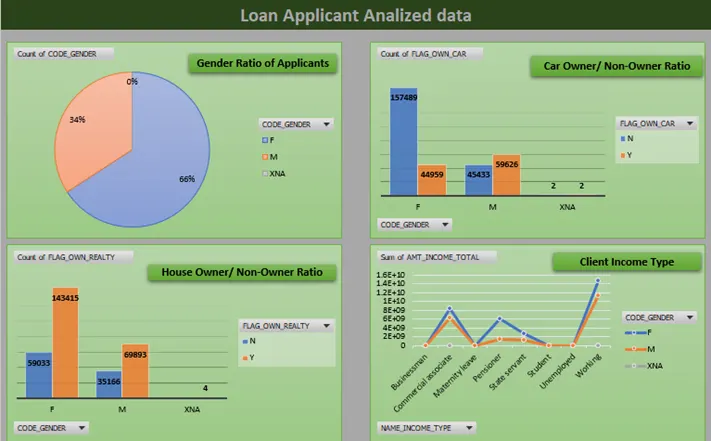
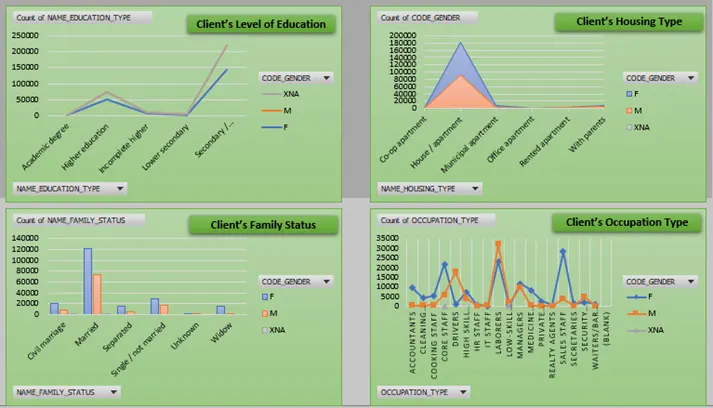
Separate Worksheet Required for
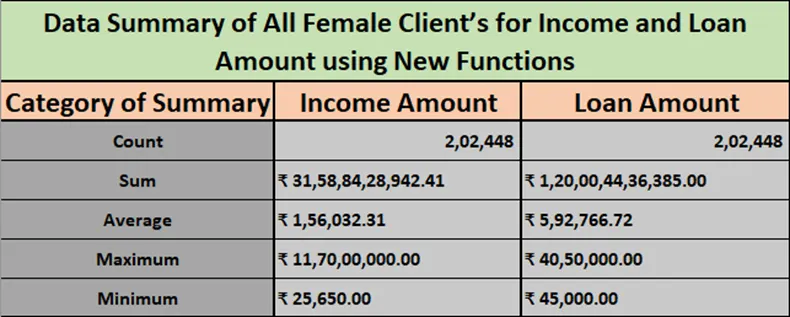
- Data Summary of All Female Client’s for Income and Loan Amount using New Functions
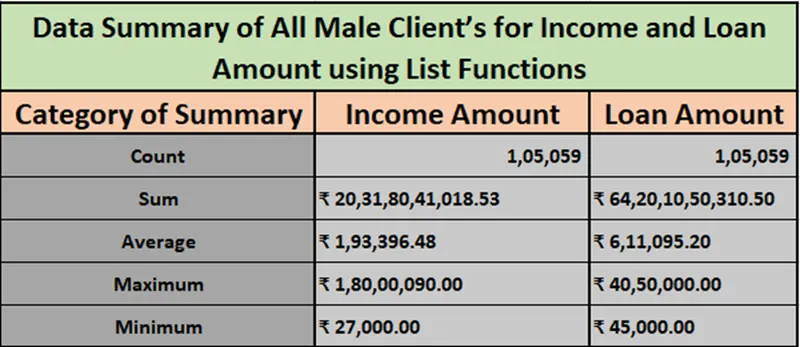
- Data Summary of All Male Client’s for Income and Loan Amount using List Functions
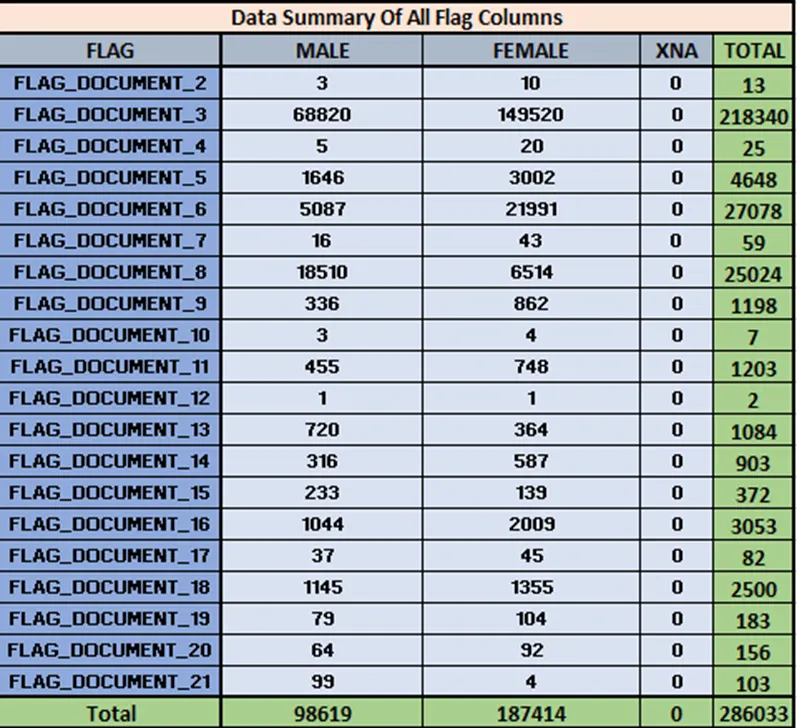
- Data Summary for all Flag Columns like (FLAG_DOCUMENT_2, FLAG_DOCUMENT_3 etc.) using all variants of DCOUNT function.
Other Deliverables
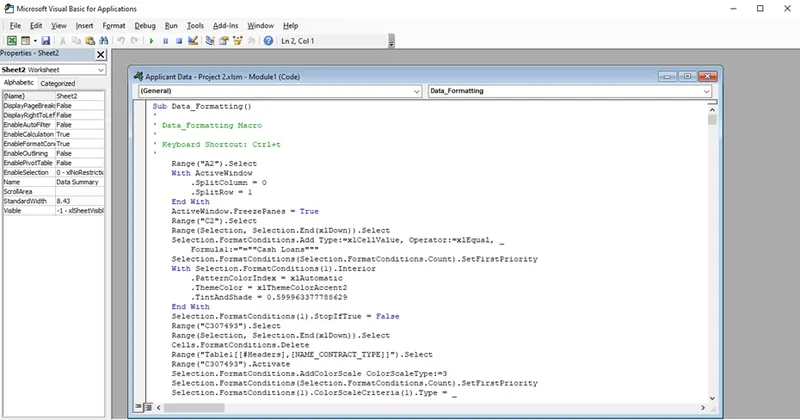
- Create a Macro for Data Formatting (Conditional Formatting, Freezing Panes) of workbook as same will be applied to the data of next quarter
- Create VBA Code to convert selected data into pdf from applicant data
Public Sub PrintSelectionToPDF()
Dim ThisRng As Range
Dim strfile As String
Dim myfile As Variant
If Selection.Count = 1 Then
Set ThisRng = Application.InputBox("Select a range", "Get Range", Type:=8)
Else
Set ThisRng = Selection
End If
strfile = "Selection" & "_" _
& Format(Now(), "yyyymmdd_hhmmss") _
& ".pdf"
strfile = ThisWorkbook.Path & "\" & strfile
myfile = Application.GetSaveAsFilename _
(InitialFileName:=strfile, _
FileFilter:="PDF Files (*.pdf), *.pdf", _
Title:="Select Folder and File Name to Save as PDF")
If myfile <> "False" Then
ThisRng.ExportAsFixedFormat Type:=xlTypePDF, Filename:= _
myfile, Quality:=xlQualityStandard, IncludeDocProperties:=True, _
IgnorePrintAreas:=False, OpenAfterPublish:=True
Else
MsgBox "No File Selected. PDF will not be saved", vbOKOnly, "No File Selected"
End If
End Sub
- Check Spelling mistakes in the workbook using VBA Code
Public Sub HighlightMisspellings()
Dim cell As Range
For Each cell In ActiveSheet.UsedRange
If Not Application.CheckSpelling(word:=cell.Text) Then
cell.Style = "Bad"
End If
Next cell
End Sub