Project 2 - Create a report using PowerQuery, Macro VBA, List Functions and Data Validation functions for Data Reporting of Supply Chain Management companies
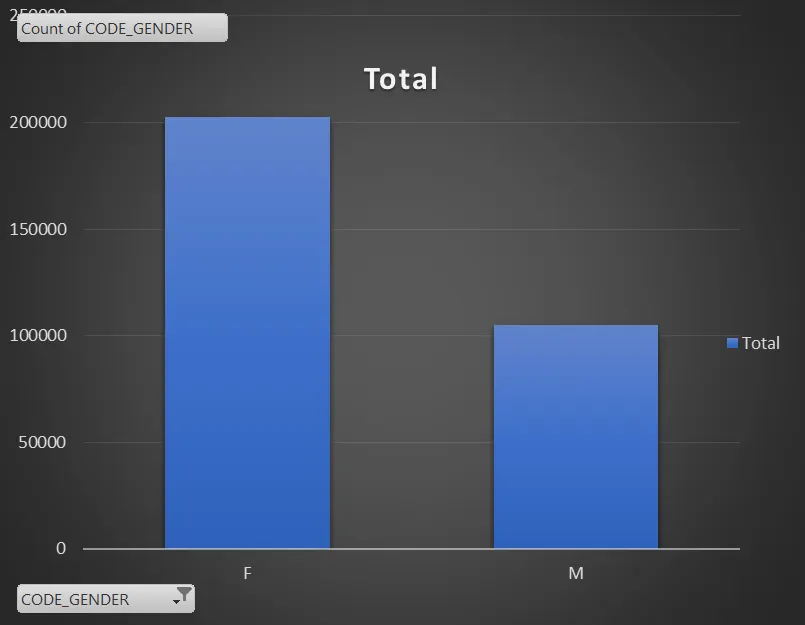
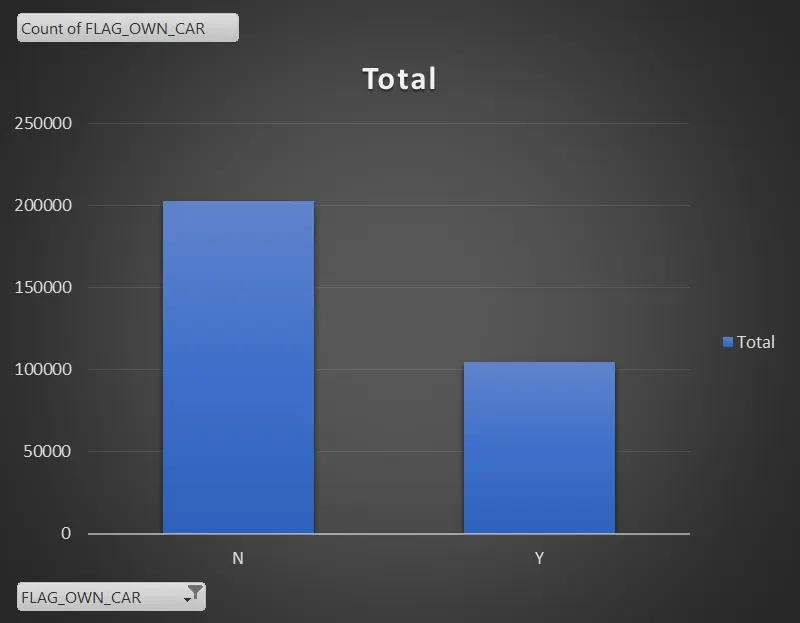
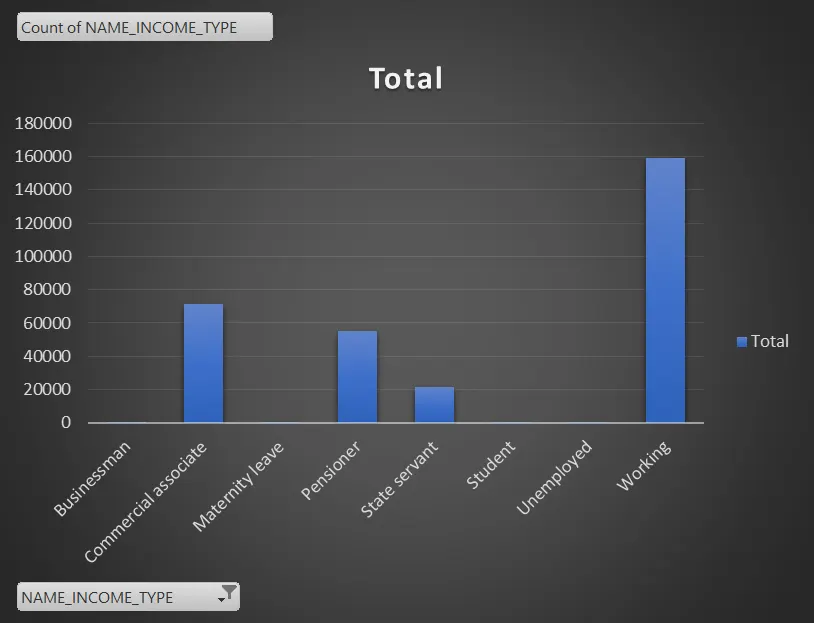
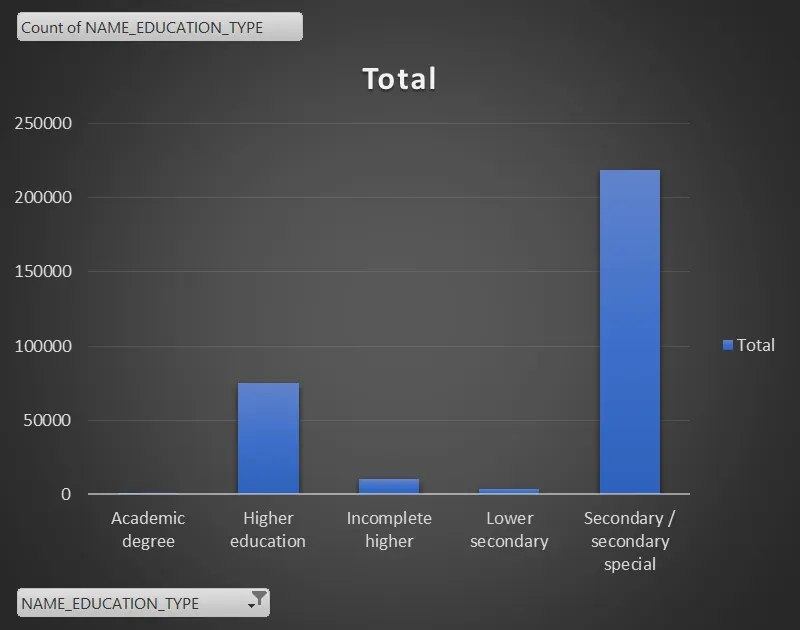
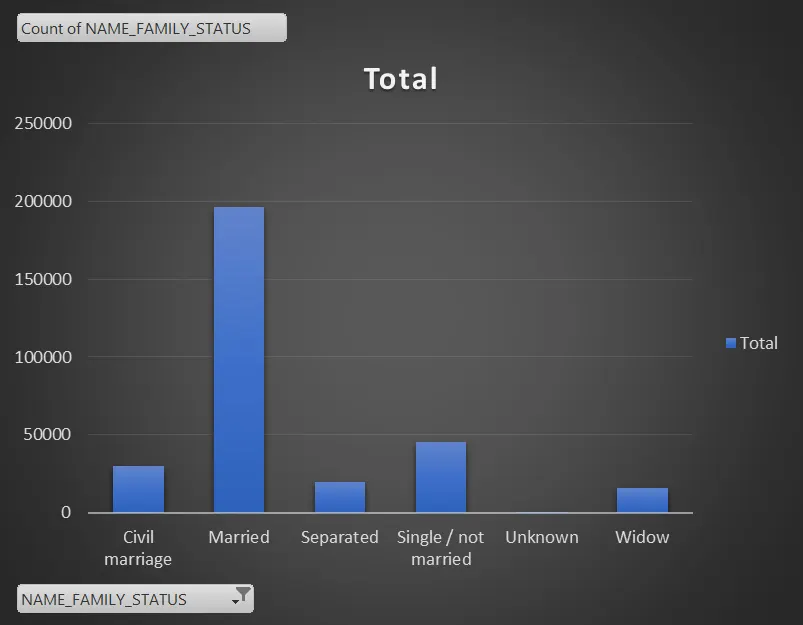
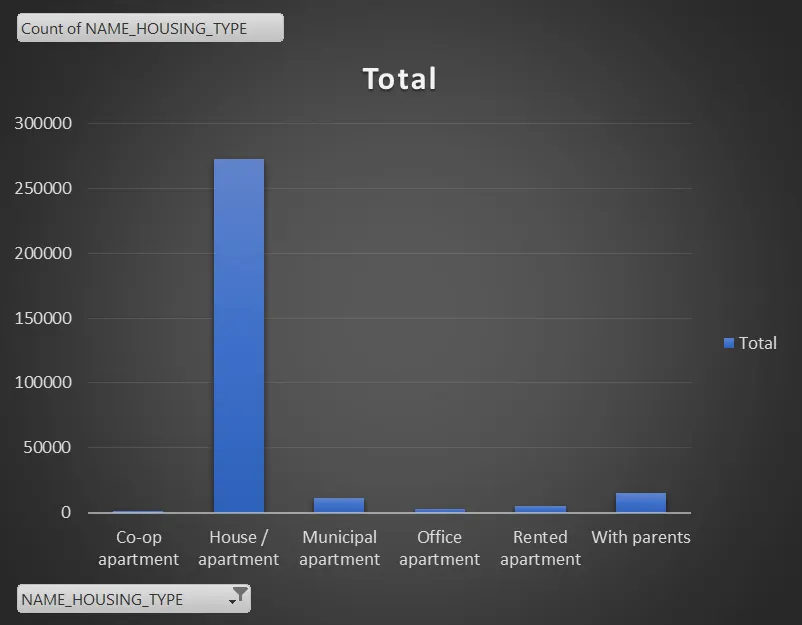
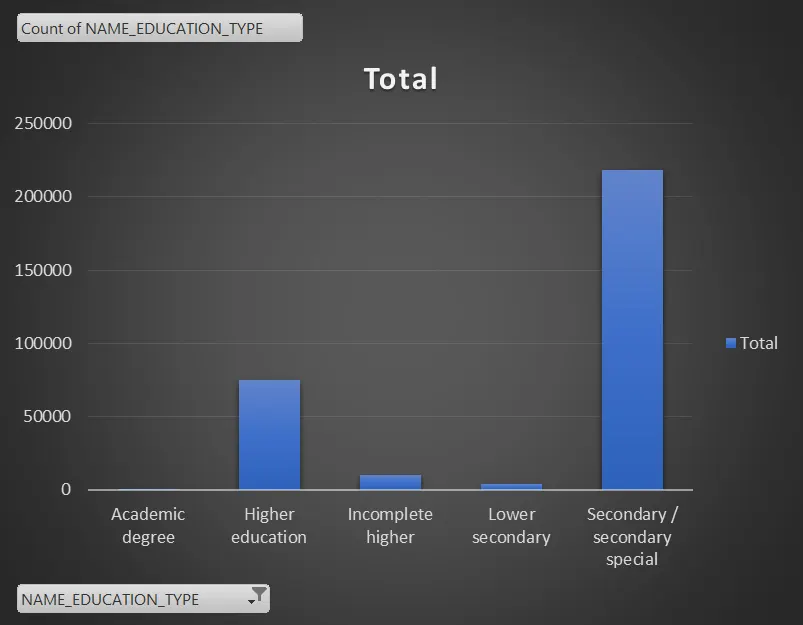
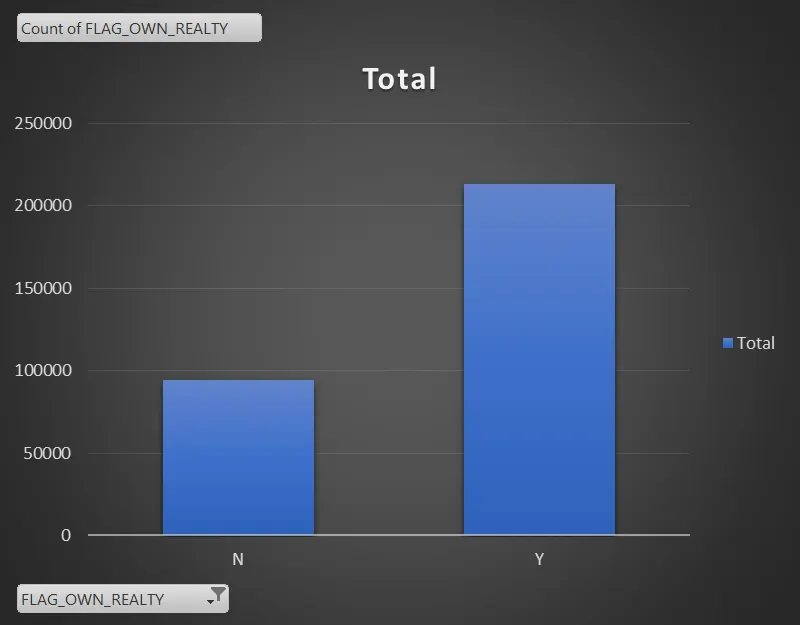
* for females
use sort with unique and filter function
select the income and loan amount data
from income column b2 to end of the data b307512 and ,
select the loan amount from c2 to c307512
=sort(unique(filter(B2:B307512,c2:c307512),2)
* for males
select the males data add sum of income and loan amount
=Dsum(b2+c2)
=dsum(b3+c3)
after getting total sdum take it avearge of entire data we will get average
=average(total sum)
select the data from flag_document_2 to (dl2) flag_document_21)
* =dcount(cs2:dl2,"flag_document_2")
Sub Macro1()
'
' Macro1 Macro
'
'
Columns("C:C").Select
Selection.FormatConditions.Add Type:=xlTextString, String:="cash loans", _
TextOperator:=xlContains
Selection.FormatConditions(Selection.FormatConditions.Count).SetFirstPriority
With Selection.FormatConditions(1).Font
.Color = -16383844
.TintAndShade = 0
End With
With Selection.FormatConditions(1).Interior
.PatternColorIndex = xlAutomatic
.Color = 13551615
.TintAndShade = 0
End With
Selection.FormatConditions(1).StopIfTrue = False
Range("D10").Select
End Sub
Sub Macro2()
'
' Macro2 Macro
'
'
Application.CutCopyMode = False
ActiveSheet.ExportAsFixedFormat Type:=xlTypePDF, Filename:= _
"C:\Users\HP\Documents\vba.pdf", Quality:=xlQualityStandard, _
IncludeDocProperties:=True, IgnorePrintAreas:=False, OpenAfterPublish:= _
True
End Sub
sub highlight_missspelled_words()
dim cell as range
for each cell in activesheet.usedrange
if not application.checkspelling(word:=cell.text) then cell.interior.colorindex=6
next
end sub