Project 2 - Create a report using PowerQuery, Macro VBA, List Functions and Data Validation functions for Data Reporting of Supply Chain Management companies
| Drive Link: https://drive.google.com/drive/folders/1Rp-xkvNsMXQtxmqiMIg0VHiys5itjwan?usp=sharing |
create pivot charts for all below mentioned questions & make an attractive dashboard out of it.
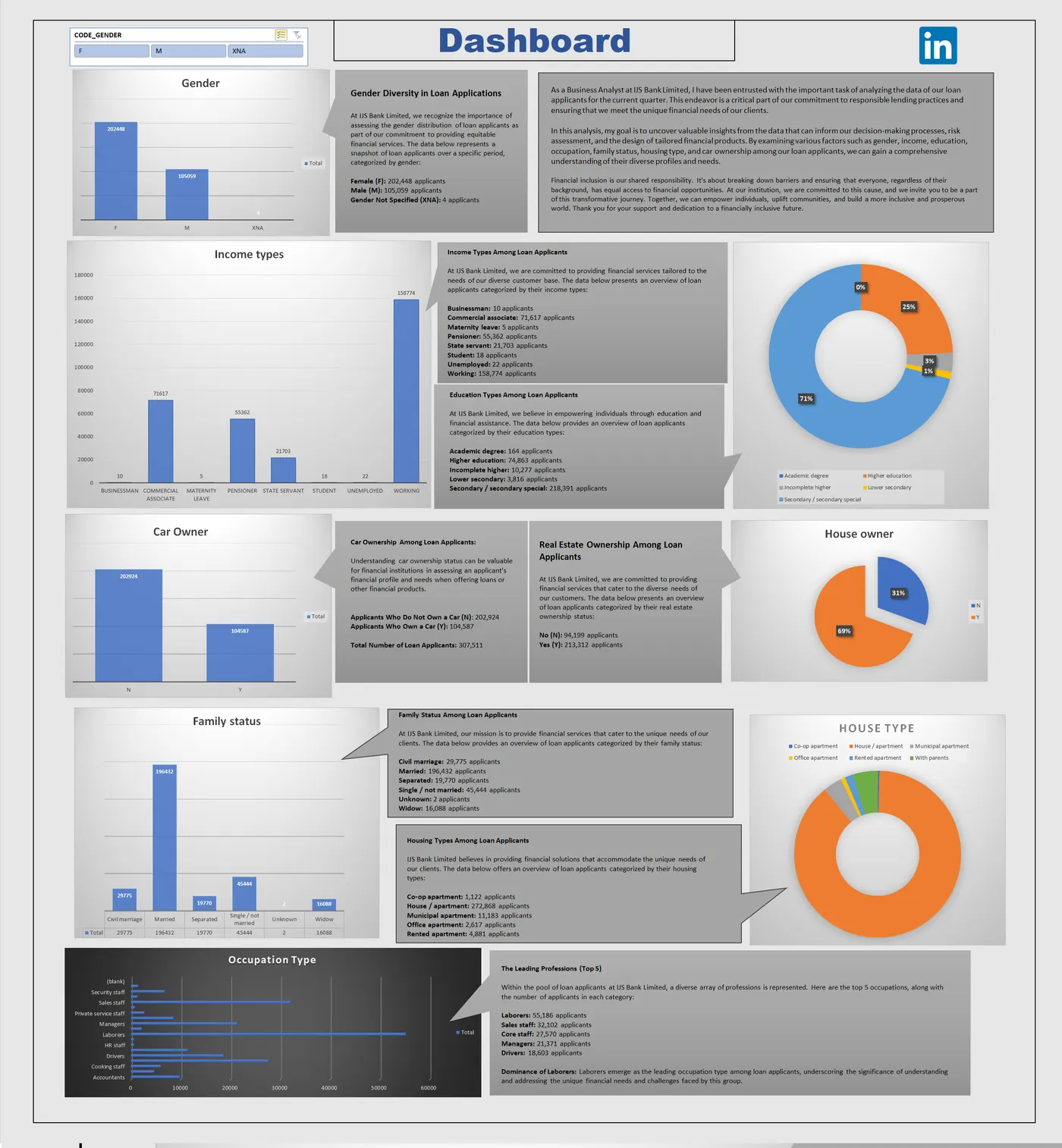
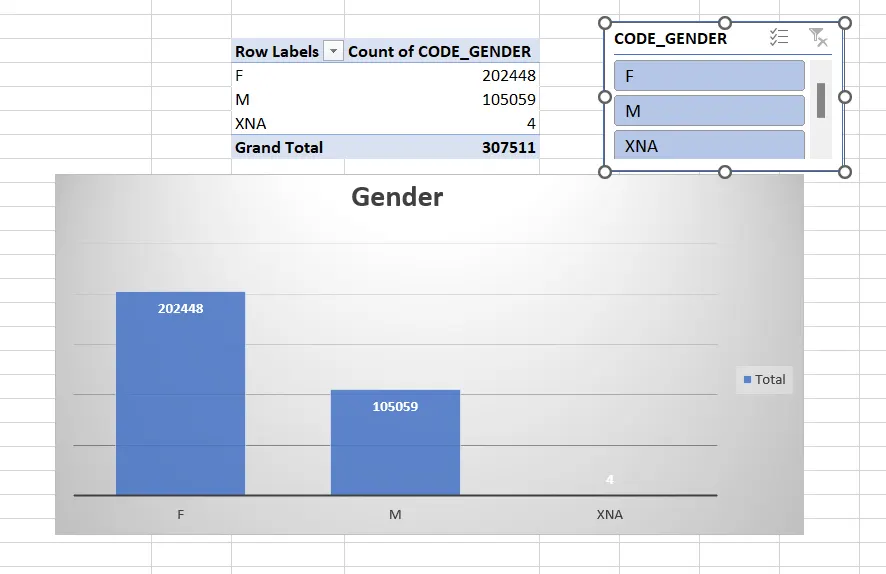
- Gender Ratio of Applicants
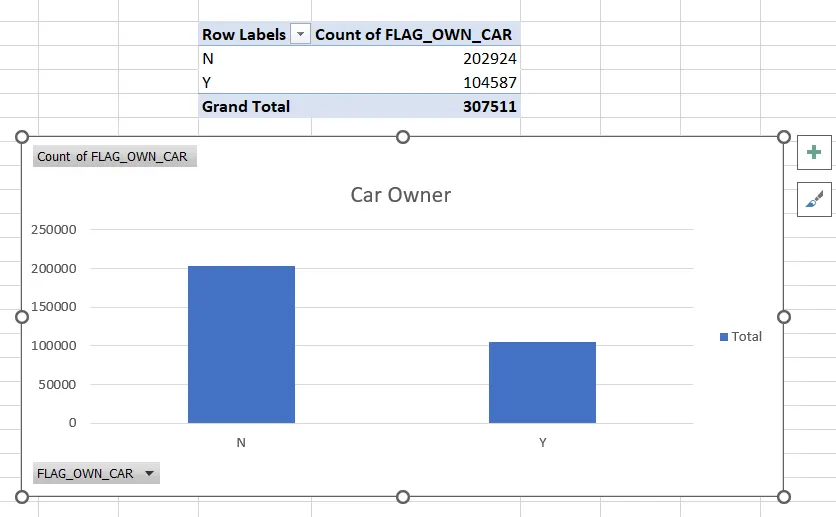
- Car Owner/ Non-Owner Ratio
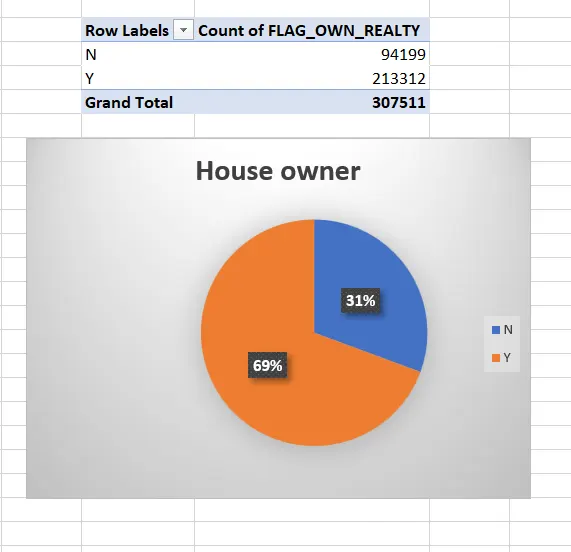
- House Owner/ Non-Owner Ratio
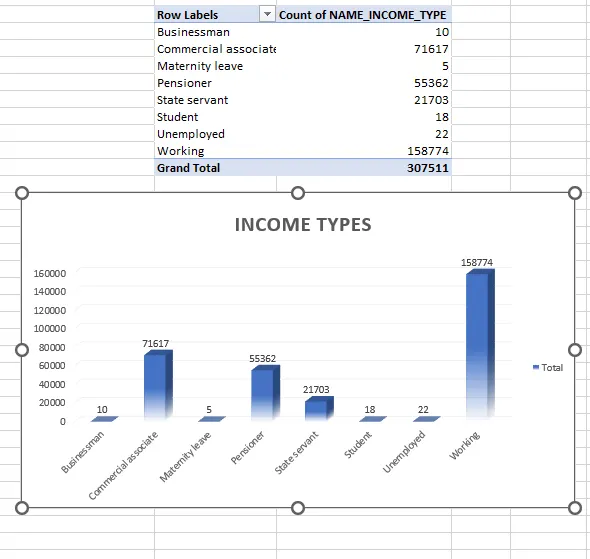
- Client Income Type
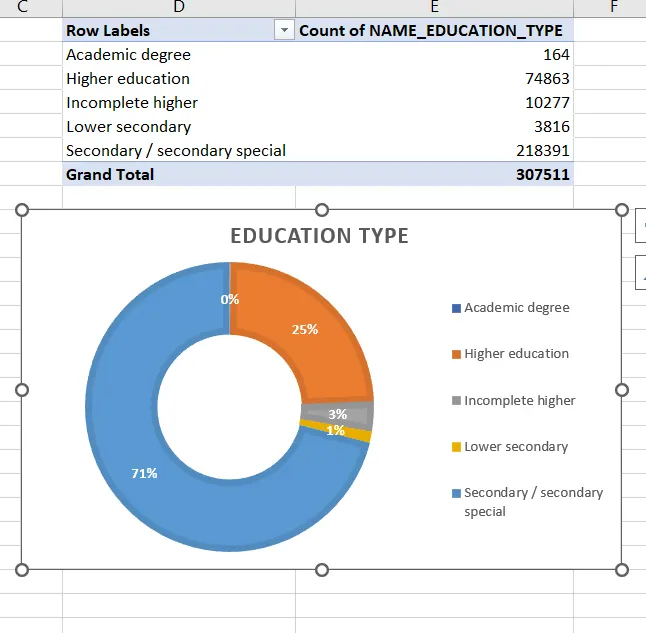
- Client’s Level of Education
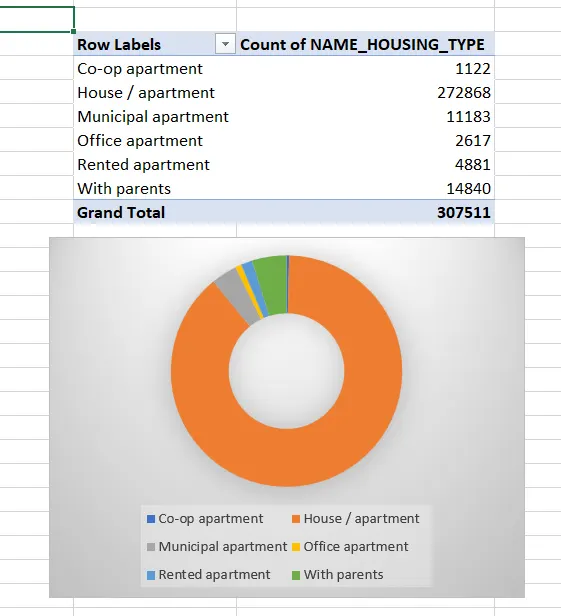
- Client’s Housing Type
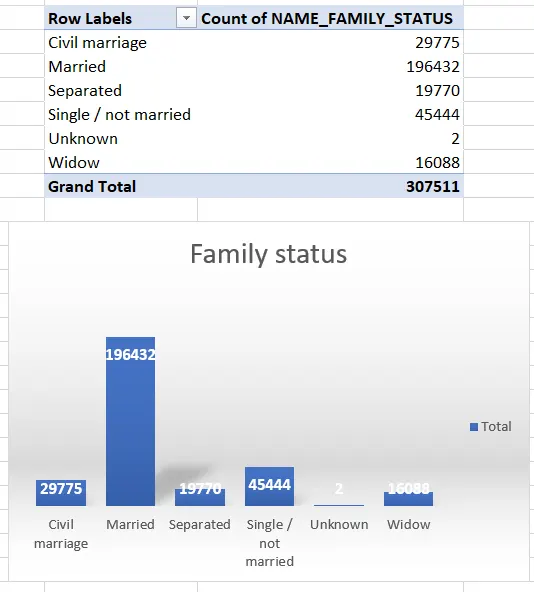
- Client’s Family Status
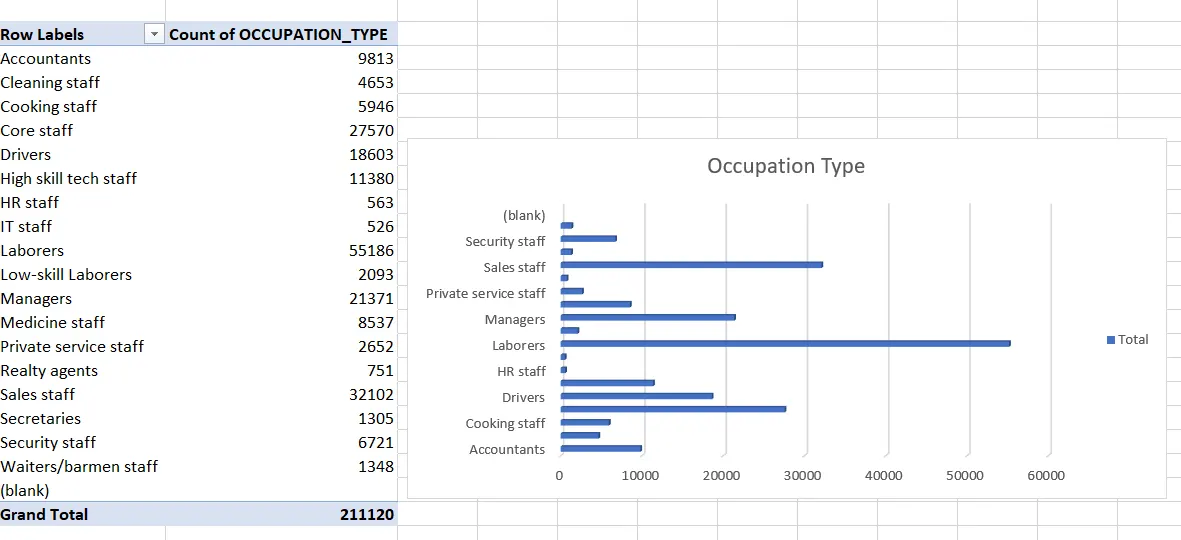
- Client’s Occupation Type
Separate Worksheet Required for
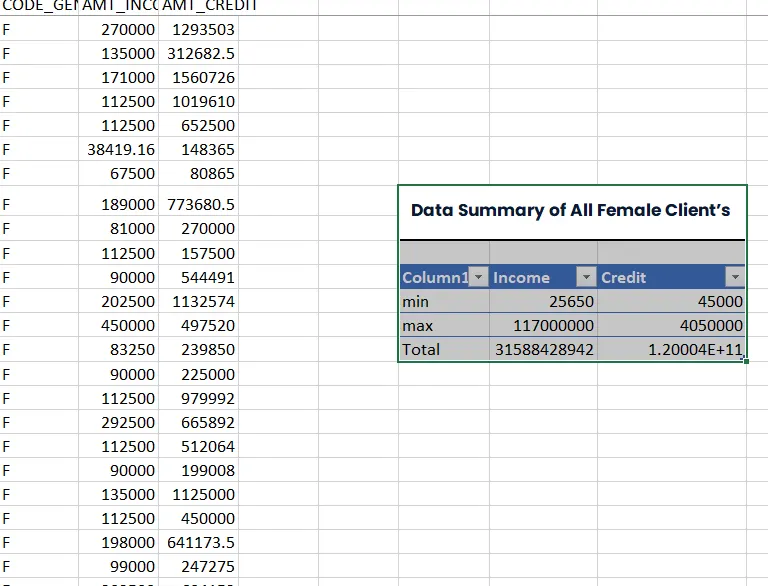
- Data Summary of All Female Client’s for Income and Loan Amount using New Functions (hint: use unique,sort,filter functions) if These functions are not supporting in your software please give a theoritical answer.
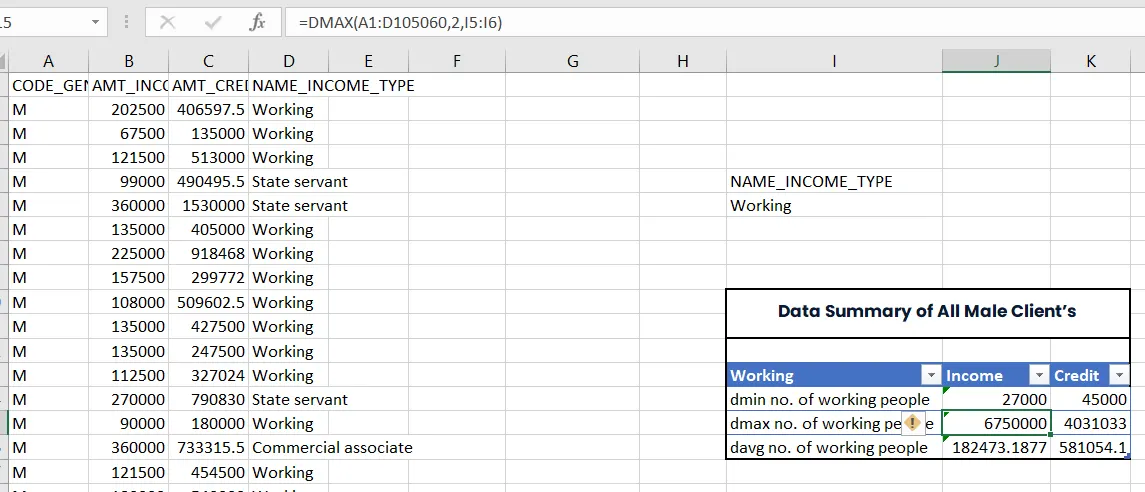
- Data Summary of All male Client’s for Income and Loan Amount using list Functions (hint:use dsum,daverage,..)
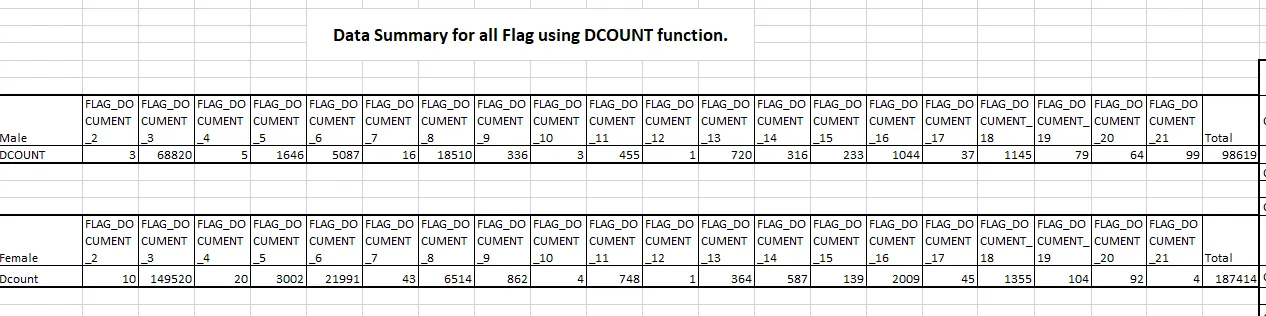
- Data Summary for all Flag Columns like (FLAG_DOCUMENT_2, FLAG_DOCUMENT_3 etc.) using all variants of DCOUNT function.
Other Deliverables
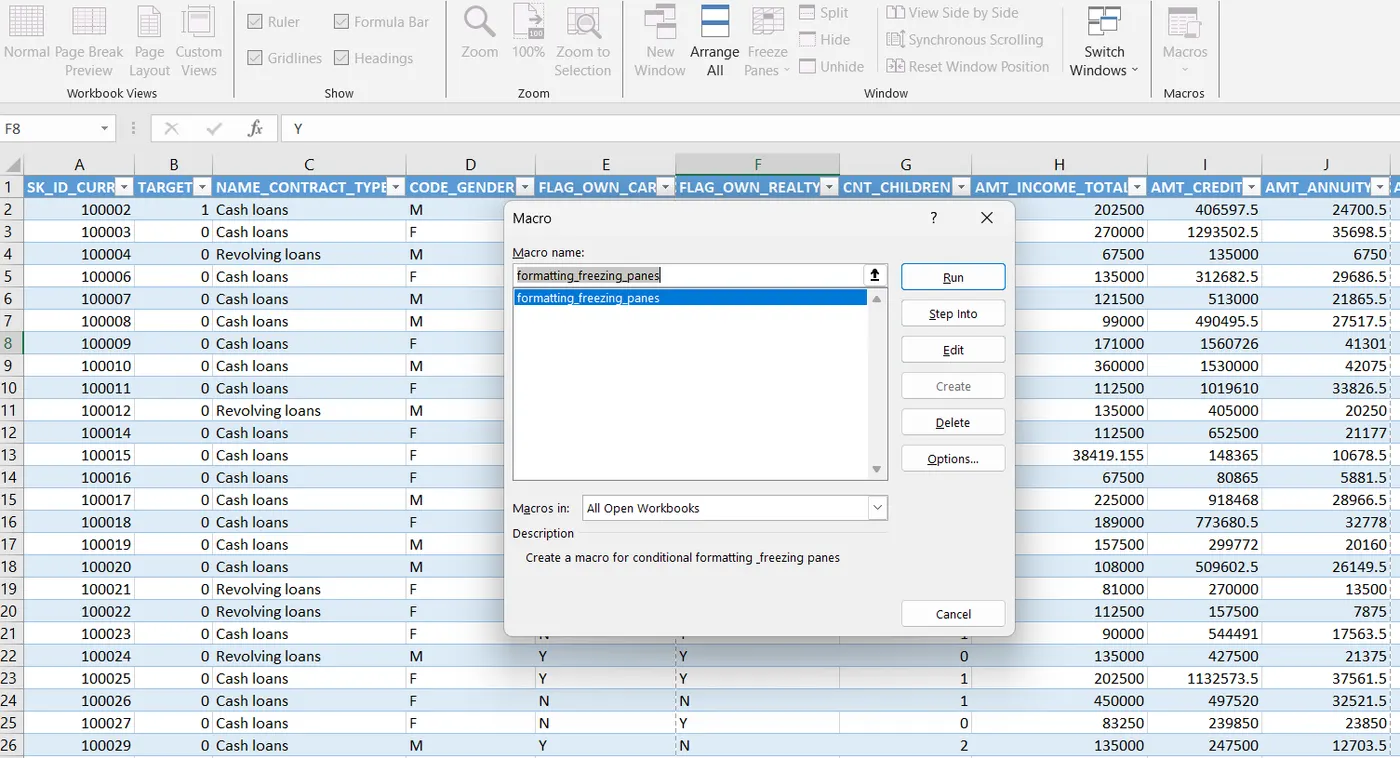
- Create a macro for conditional formatting & freezing panes
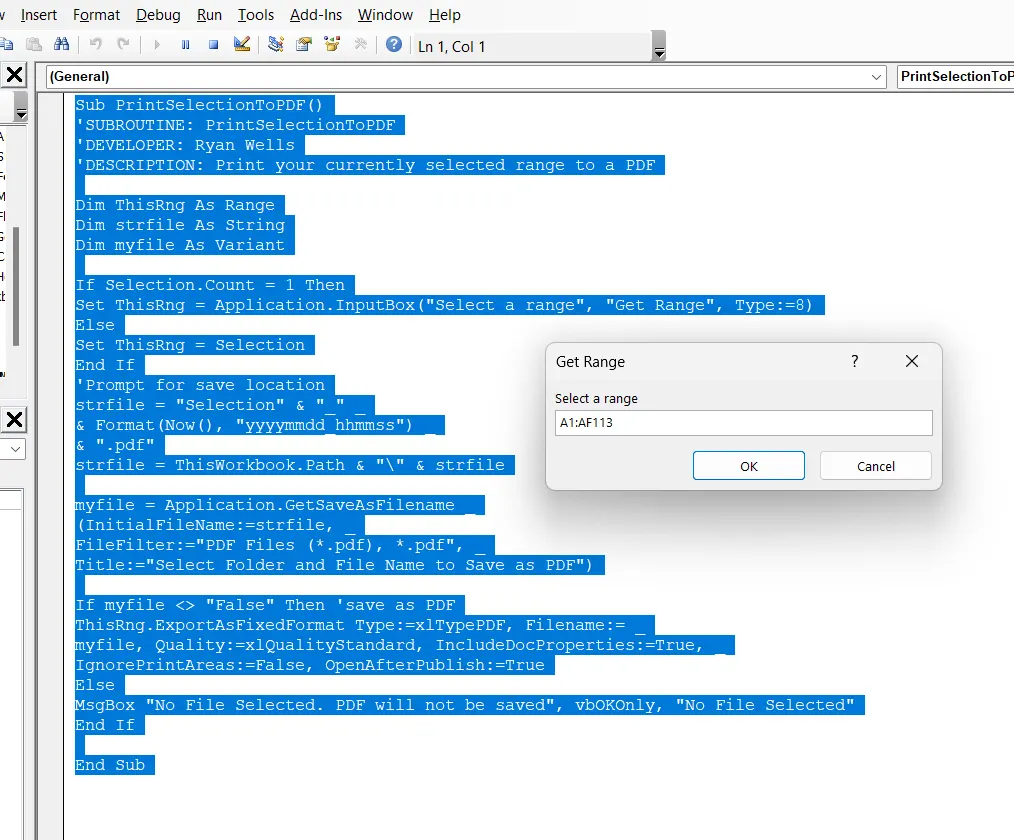
- Create VBA Code to convert selected data into pdf from applicant data
|
Sub PrintSelectionToPDF() Dim ThisRng As Range If Selection.Count = 1 Then myfile = Application.GetSaveAsFilename _ If myfile <> "False" Then 'save as PDF End Sub |
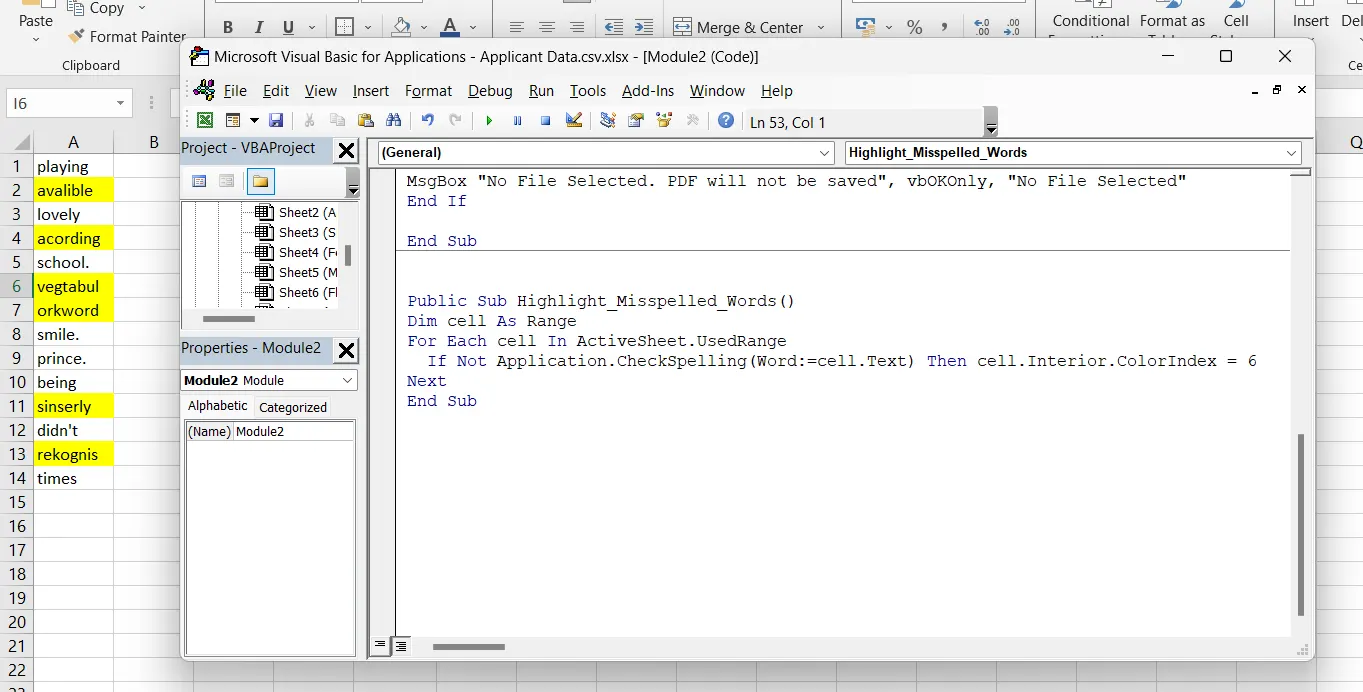
- Check Spelling mistakes in the workbook using VBA Code
| Public Sub Highlight_Misspelled_Words() Dim cell As Range For Each cell In ActiveSheet.UsedRange If Not Application.CheckSpelling(Word:=cell.Text) Then cell.Interior.ColorIndex = 6 Next End Sub |