Project 2
OBJECTIVE:
- To mesh the given model of floor panel of a car.
- Generate mid surface and perform geometry clean-up of the component
- Generate mesh with low tria concentration and proper mesh flow
- Satisfy all the below given quality parameters
- Assign thickness to the component
Target Element size - 5mm
|
S.N |
Quality Criteria |
Value |
|
1 |
Aspect Ratio |
5 |
|
2 |
Skewness |
45 |
|
3 |
Warping |
15 |
|
4 |
Taper |
0.2 |
|
5 |
Min. Length |
2mm |
|
6 |
Max. Length |
8mm |
|
7 |
Min angle Quad |
45 |
|
8 |
Max angle Quad |
135 |
|
9 |
Min angle Tria |
20 |
|
10 |
Max angle Tria |
120 |
|
10 |
Tria % |
10 |
SOLUTION:
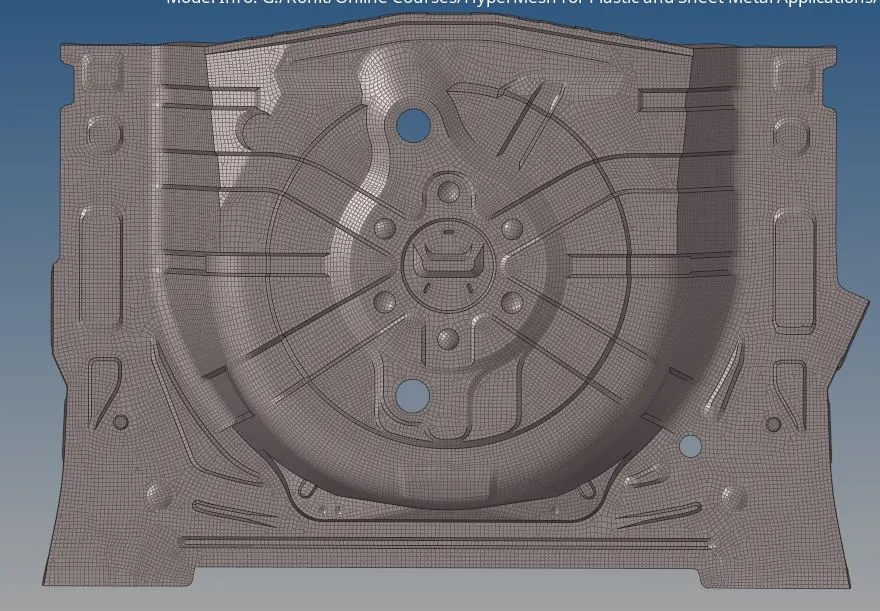
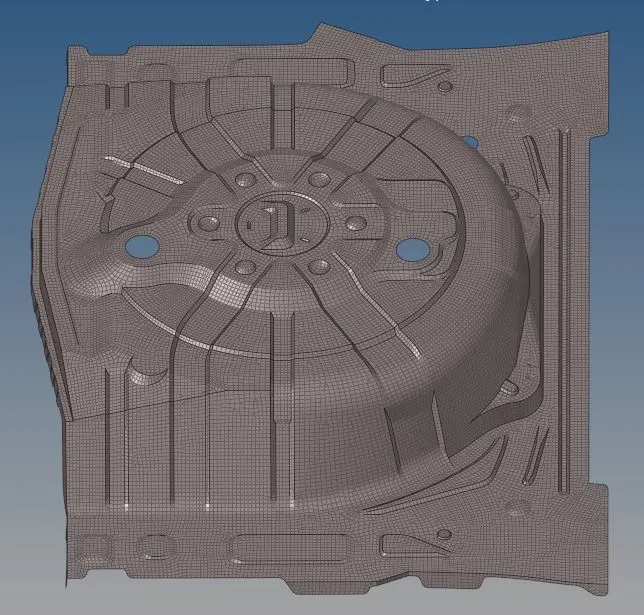
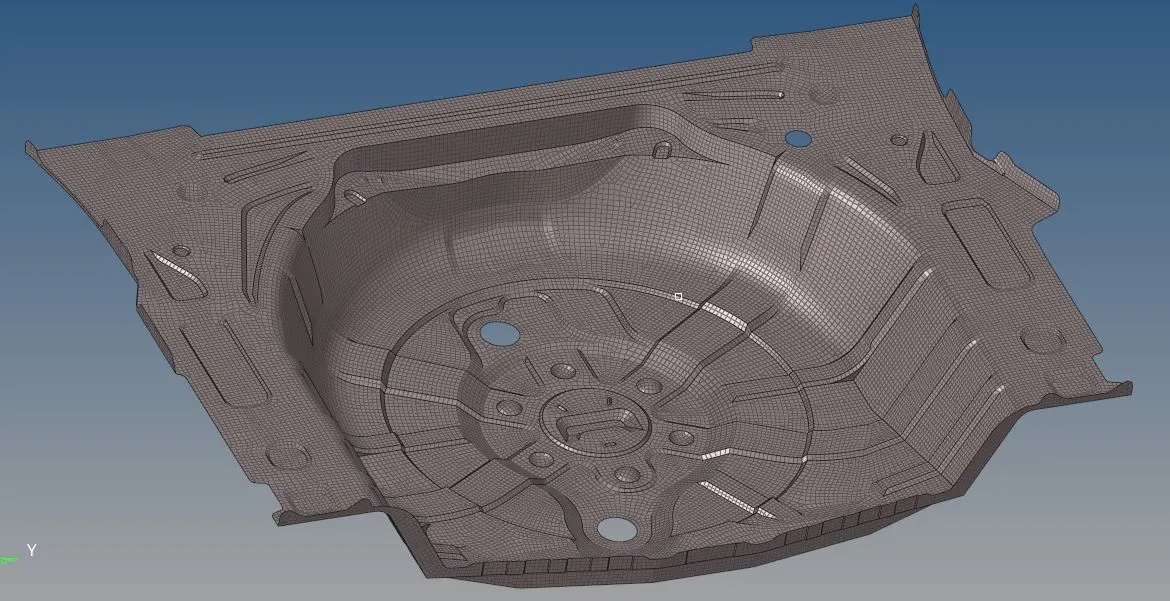
The objective of the project is to perform meshing of the given component. The component provided for the task is a passenger vehicle floor panel. The mid surface of the part has to be extracted and geometry clean-up needs to be performed. The meshing should be done using mixed elements and maintaining minimum tria element concentration. The final mesh has to satisfy all the given quality parameters and should have a god mesh flow.
Step 1:
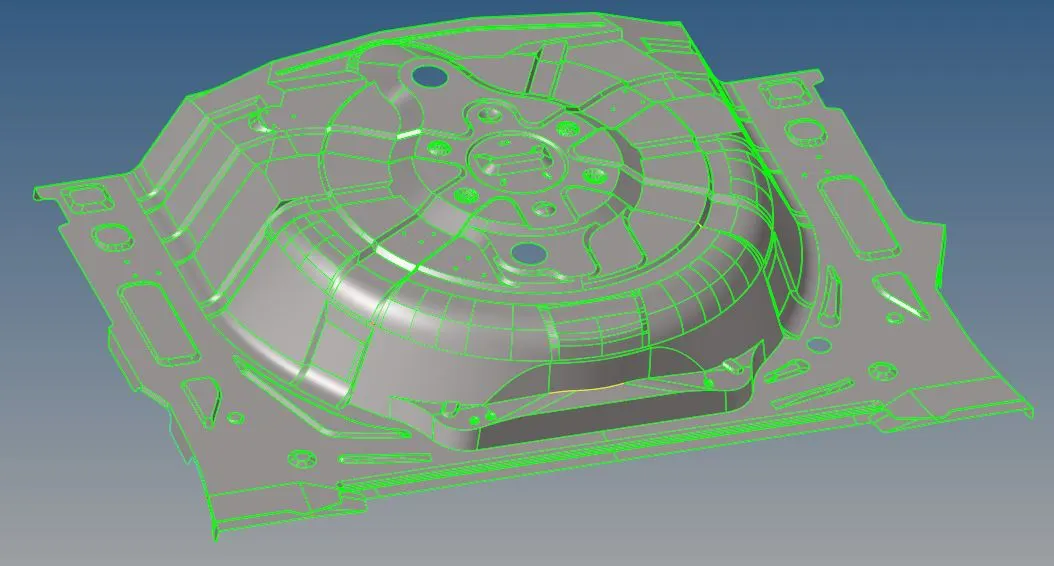
The model was imported into the HyperMesh GUI. Before mid-surface extraction, some geometry cleanup was performed on the given model.
Step 2:
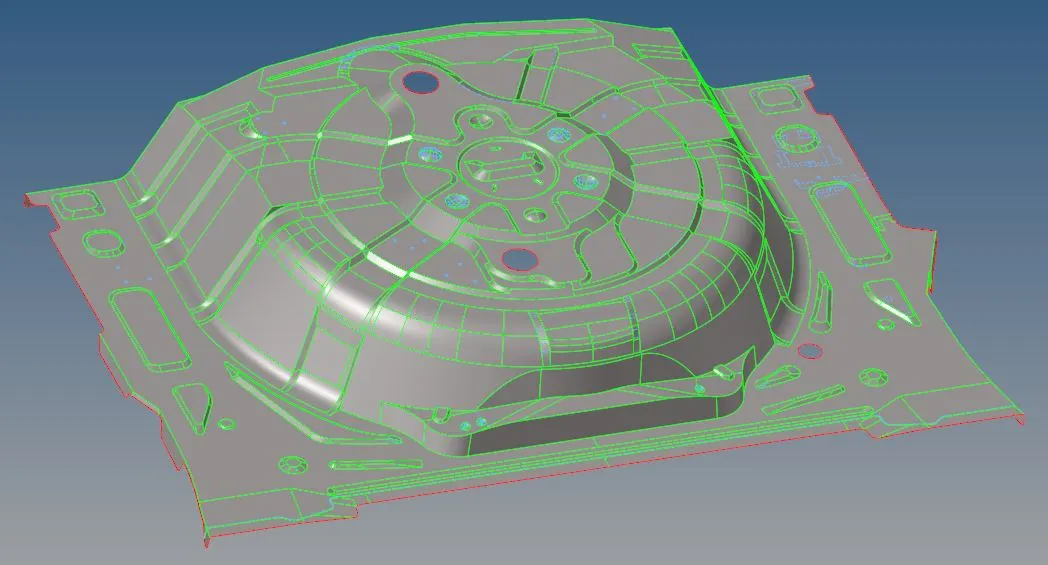
The mid surface for each part was extracted manually using surface offset option. Care was taken to include all the features and ribs in each of the parts. Features having size much less than the target element size was neglected.
Step 3:
After extracting the mid surface, the geometry clean-up of the surface was carried out. The given parts have multiple features of varying shapes in the geometry. When the meshing is performed, it is highly probable that the surfaces adjacent to these features is not captured properly. To better capture the geometry, washer splits may be created around these features, so that the area covered inside these lines is given a dedicated mesh flow. Further, depending on the feature geometry and size of the component multiple split line may be provided around the features. This was done using the quick edit option in the Geom panel.
Step 4:
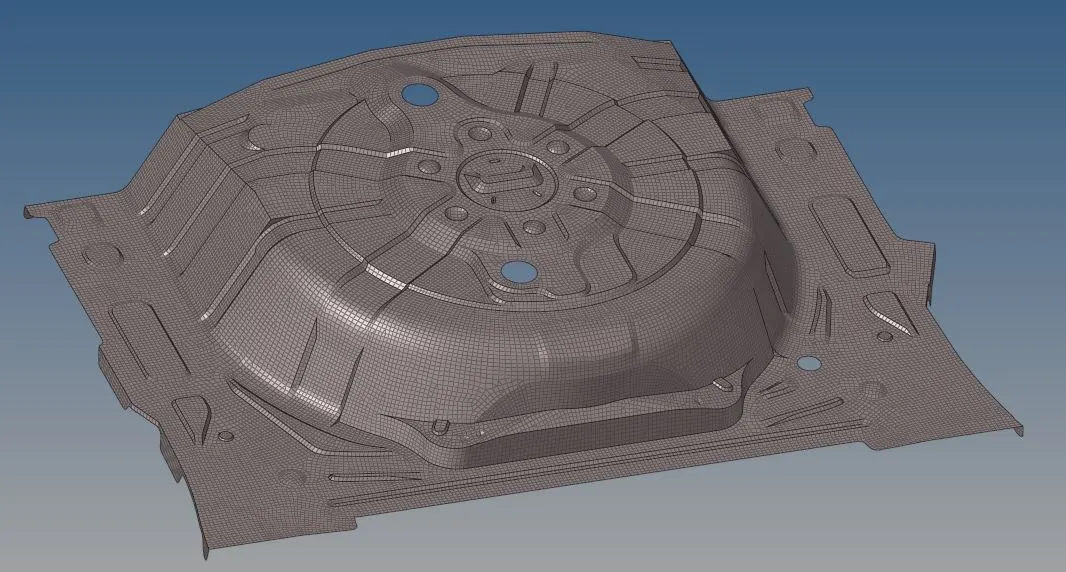
The mesh was created using mixed element of 5mm size using the automesh option in 2D panel. This is a computer generated mesh and requires clean-ups to satisfy the quality parameters and for good mesh flow.
Step 5: Mesh clean up
The mesh generated is supposed to have a good flow and satisfy all quality criterions. Some steps to achieve the same is as described:
- Some modification in the mesh can be brought by controlling the changing the number of elements at the different sections. This action can be performed at the initial step of meshing.
- For removing local element concentration and to imparting good mesh flow, the elements in these areas may be selected and meshed again. Sometimes, multiple iterations may be required to get a good mesh.
- For generating the mesh of required quality, various tools are available in the quality index and elem cleanup options in 2D panel.
- Some commonly used tools for generating good quality mesh includes element optimize, place nodes, combine tria elements, split quad elements, cleanup, automesh, check elements and so on.
Step 6: Material and Property
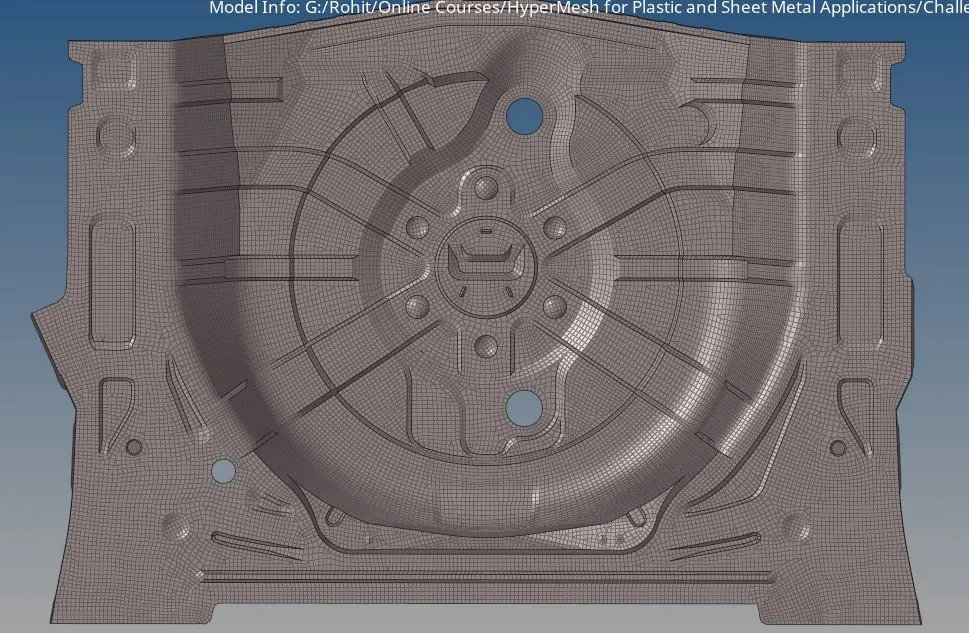
The material for components were selected as Steel and the material parameters were defined. Further the thickness was assigned to the meshed model.
The meshed model of the component is as shown:
Conclusion:
- The given component was imported and geometry clean ups were performed.
- The mid surface for each part was extracted and geometry cleanup was performed on the part.
- All parts were meshed using mixed elements and the mesh was modified to get good mesh flow.
- Further each quality parameter, as defined in the problem statement, was cross checked and necessary changes were incorporated into the mesh.
- Finally the material and thickness was assigned to the meshed model.