Project 2
# libraries
import cv2
import numpy as np
# gaussian filter
def gaussian_filter(image,filter_size,sigma):
    # used direct library of gaussian from open cv
    filtered_image = cv2.GaussianBlur(image,(filter_size,filter_size), sigma)
    # given the values sigma has to be decided to define SD.
    return filtered_image

def save_image(image_name, image):
    cv2.imwrite(image_name, image)

# filtered image projection
image = cv2.imread('Challenge_2_1638960812.png')
# gaussian filter is initaited on image using the define function
filtered_image = gaussian_filter(image,5,5)
# using the show function we try to show the comparision between original image and fitered image
cv2.imshow('gaussian_filter', np.hstack((image,filtered_image)))
cv2.waitKey(0)

# question 1
# prewitt filter

def prewitt_filter(image):
    image = gaussian_filter(image,5,5)
    # one to detect vertical and another is horizontal detection so
    # define vertical filter and horizontal filter
    x_filter = np.array([[1,1,1],[0,0,0],[-1,-1,-1]])
    y_filter = np.array([[-1,0,1],[-1,0,1],[-1,0,1]])
    # using the filter 2D function we create a vertical and horizontal filters
    vertical_filtered = cv2.filter2D(image,-1,x_filter)
    horizontal_filtered = cv2.filter2D(image,-1,y_filter)
    # using the convertScaleAbs we create derivative of x amd y
    abs_grad_x = cv2.convertScaleAbs(vertical_filtered)
    abs_grad_y = cv2.convertScaleAbs(horizontal_filtered)
    grad = cv2.addWeighted(abs_grad_x,0.5,abs_grad_y,0.5,0)
    return grad

# filtered image projection
image = cv2.imread('Challenge_2_1638960812.png')
gray_image = cv2.cvtColor(image, cv2.COLOR_BGR2GRAY) # we convert RGB to gray file since we are working on 2D
prewitt_edges = prewitt_filter(gray_image) # we apply the prewitt edge detector
cv2.imshow('prewitt_image', np.hstack((gray_image,prewitt_edges))) # we try to project the the original image and the filtered image
save_image('images\prewitt_saved_image.jpg',prewitt_edges)
cv2.waitKey(0)

# question 2
# laplacian filter

def laplacian_filter(image,size):
    image = gaussian_filter(image,5,5)
    # applying the gaussian filter to original image
    filtered_image = cv2.Laplacian(image,ksize =size, ddepth=cv2.CV_16S)
    # using the laplacian function we try to apply on gaussian image
    filter_image = cv2.convertScaleAbs(filtered_image)
    # we convert to abosolute gradient
    return filter_image

# filtered image projection
image = cv2.imread('Challenge_2_1638960812.png')
gray_image = cv2.cvtColor(image, cv2.COLOR_BGR2GRAY) # we convert to gray scale image
laplacian_edges = laplacian_filter(gray_image,3) # apply the defined laplacian filter to the gray image
cv2.imshow('laplacian_image', np.hstack((gray_image,laplacian_edges))) # project the original image and laplacian filtered image
save_image('images\laplacian_saved_image.jpg',laplacian_edges)
cv2.waitKey(0)

# question 3
comparision of the both the outputs
Out of all the edge detectors sobel works better in detecting the features and is as efficient as canny edge edge detector. But fails with more false edges.The other detectors such as laplacian and prewitt also detect various features but fails in dectecting smaller features. Canny edge detector is the best detector since its computational complexity is higher. Canny edge can be used for extraction of even objects with feeble edges.

In comparision between the prewitt and laplacian edge detectors we see that the space and time complexity of prewitt is better than laplacian and also it has better noise sensitivity than laplacian detector.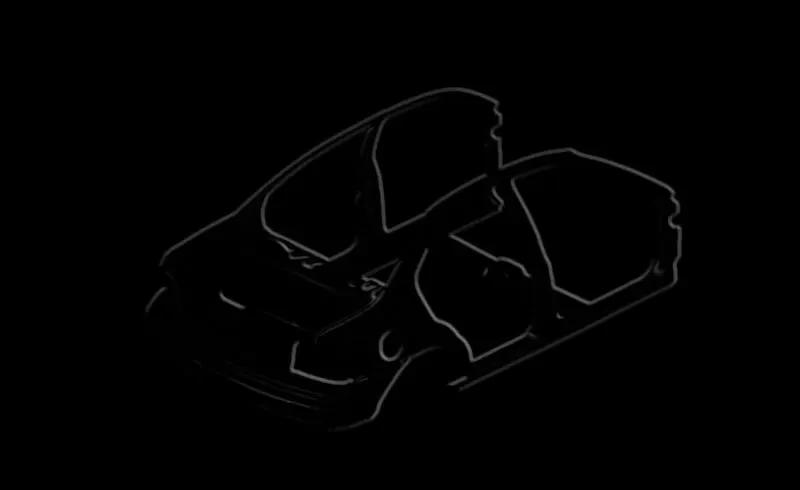
prewitt image
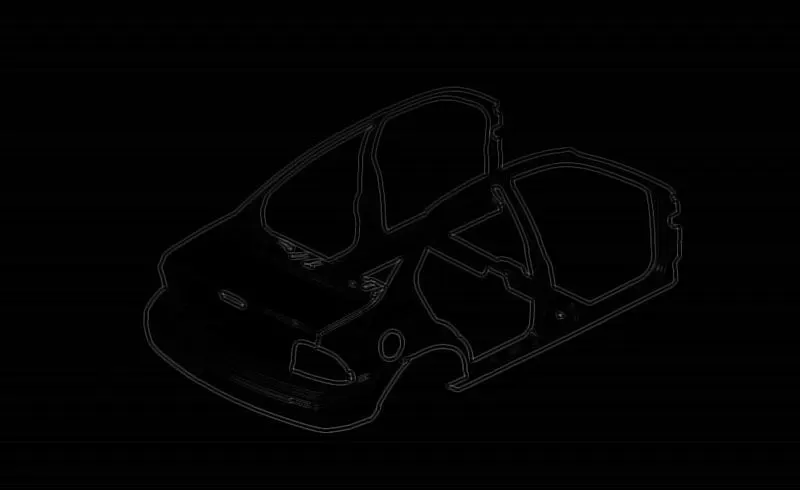
laplacian image