Project 2
Creating the wiring harness in the given back door cad assembly .1st we need to decide what are the electrical components in the back door that is wiper ,tail lamp assembly for that need to connector and bundles to connect.the connectors are shown below
Connectors are
- ‘C-776438’ Which is a 12 Pole connector is used as an inline Connector.
- C-dt06-4s-a-3d which is used as connector for wiper .
- C-dt06-2s-a-3d which is used as a connector tailamp assembly.
The connectors are defined geometrically and electrically in electric work bench.
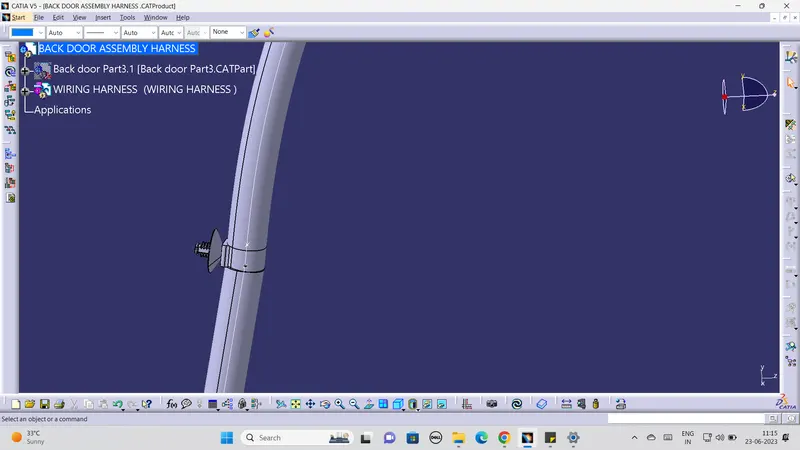
After defining the connectors we need fix the connectors in back door .we nee nee fur tree clip or omegaclip to bundling throughout the back door as per packaging rules the bundle length is more than 50 mm and bundle radius is about 1.4 we can use the slack adjustment minimum 5 % to 10%.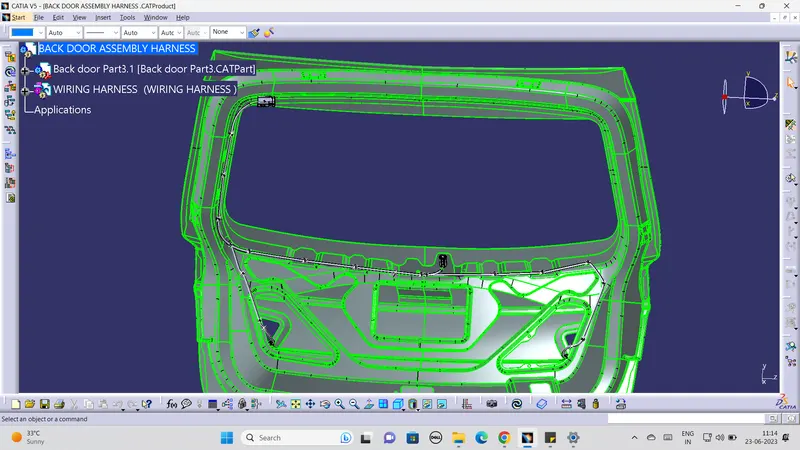
using of fur tree clip
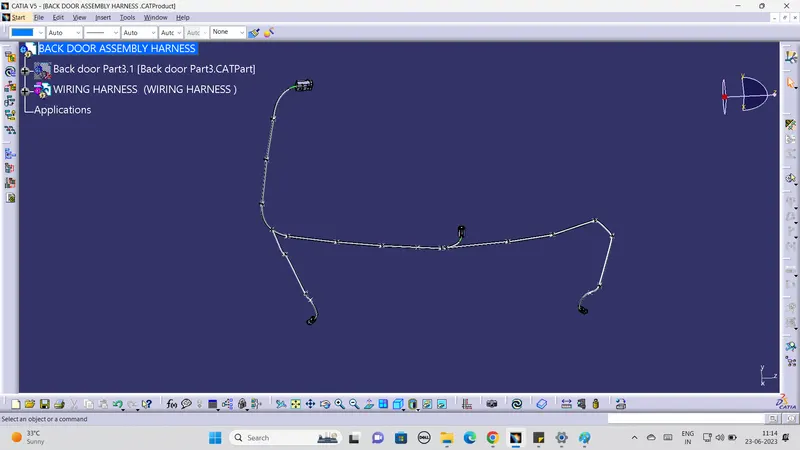
we need to check whether the bundles are fully connected or not by select
Edit >Search>Advanced the popupdialogue box is open.After that we need select Electrical >bundle segment>Fully connected >select true it will show whether it is connected or not .The fully connected image is attached below
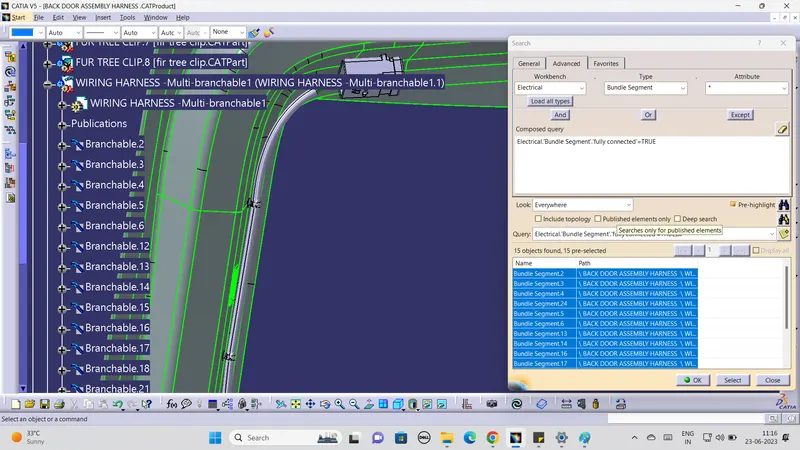
After that we need make protectivecovering fo the bundles it is used to protect the bundle from the sharp edges to protect from the wear and taer .The used cot tubes image are attached below .
After completing all above process we have to move to next which is flaten process.In flaten workbench we need assign certain parameteres in that workbench after we make flaten full bundle segment by using the icon flaten .the flaten image of the bundle segment is shown below 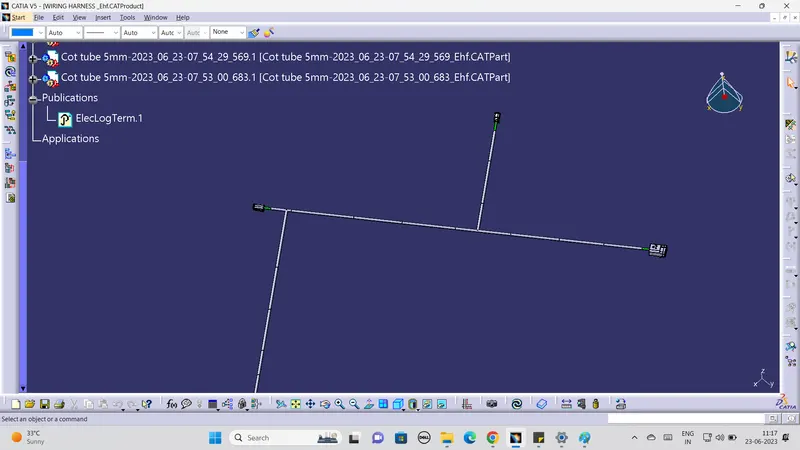
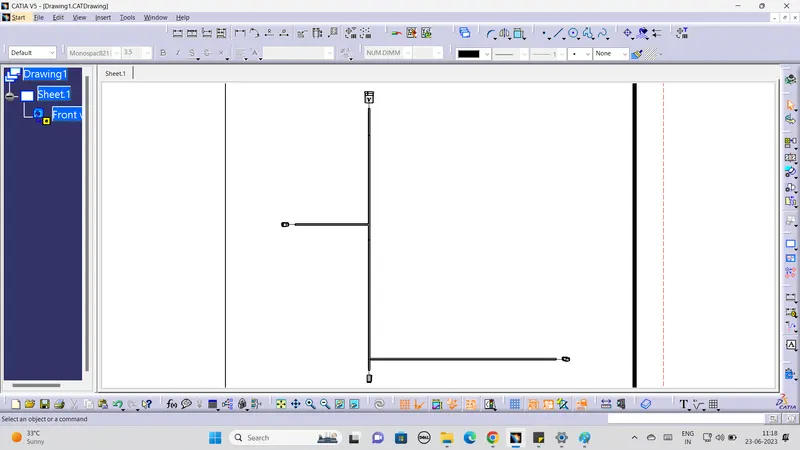
After flatening we make drawing for the flatening bundle .Drawing is used for the showing the dimension of the bundle diameter and length .the image of the drawing is attached below