PROJECT_ON_TRAFFIC_JAM_ASSISTANT:
Traffic Jam Assistant Feature
Introduction to the Feature:
Traffic Jam Assistant is one of the most common feature in Advanced Driver Assistance System. Traffic Jam Assistant helps the driver arrive more relaxed at their destination, even in dense traffic or in traffic jams. As a partially automated comfort function, the system takes over the longitudinal & lateral guidance of the vehicle. This means that the car can drive off, accelerate & brake automatically, as well as steer the vehicle within certain constraints. The driver has to permanently supervise the system & be ready to take over the complete control of the vehicle at any time.
Traffic Jam Assistant system helps to avoid rear end collisions in dense traffic conditions & traffic jams. In Traffic jams, the vehicle takes over driving off, acceleration, braking and steering within same lane.
Basic Working Principle:
Traffic Jam Assistant is based on the sensors and the functionality of the Adaptive Cruise Control (ACC) with stop & go and Lane Keeping Support (LKS). When ACC ‘Stop & Go’ is turned ON, the Traffic Jam Assistant continuously analyses the speed of the surrounding vehicles and compares it with the own driving speed. If the system detects dense traffic or a traffic jam at speeds less than 60 kmph, the driver can activate the functionality by press of a button. The vehicle will now automatically follow the vehicle in front, takes over driving off, acceleration, braking and steering within same lane.
Information regarding the Traffic Jam Assistant will be available to be displayed to the driver in the Instrument Panel Cluster (IPC). The Algorithm which the students need to implement here in this project is predominantly based on IPC units.
Problem Statement:
To develop one specific requirement of Traffic Jam Assistant algorithm which would predominantly feature in the IPC algorithm.Please note that the whole Traffic Jam Assistant is a very huge algorithm & only one small part of the logic is implemented here. Idea is to familiarize with concepts of Model Based Development in MATLAB Environment. The Project must be done keeping in mind the following processes & steps.
- This model must be developed in MATLAB Simulink as per MBD guidelines.
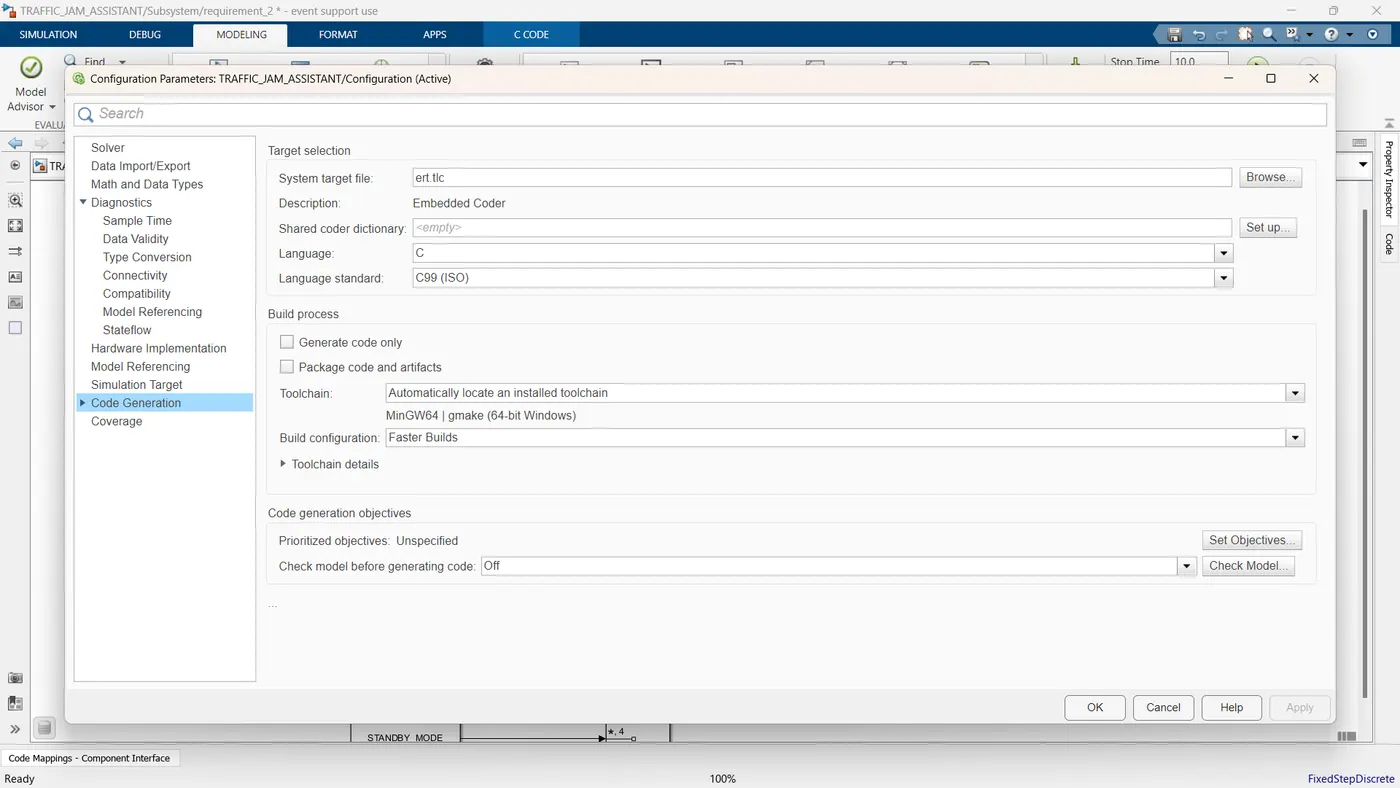
- Code Generation Profile must be in Embedded Coder.
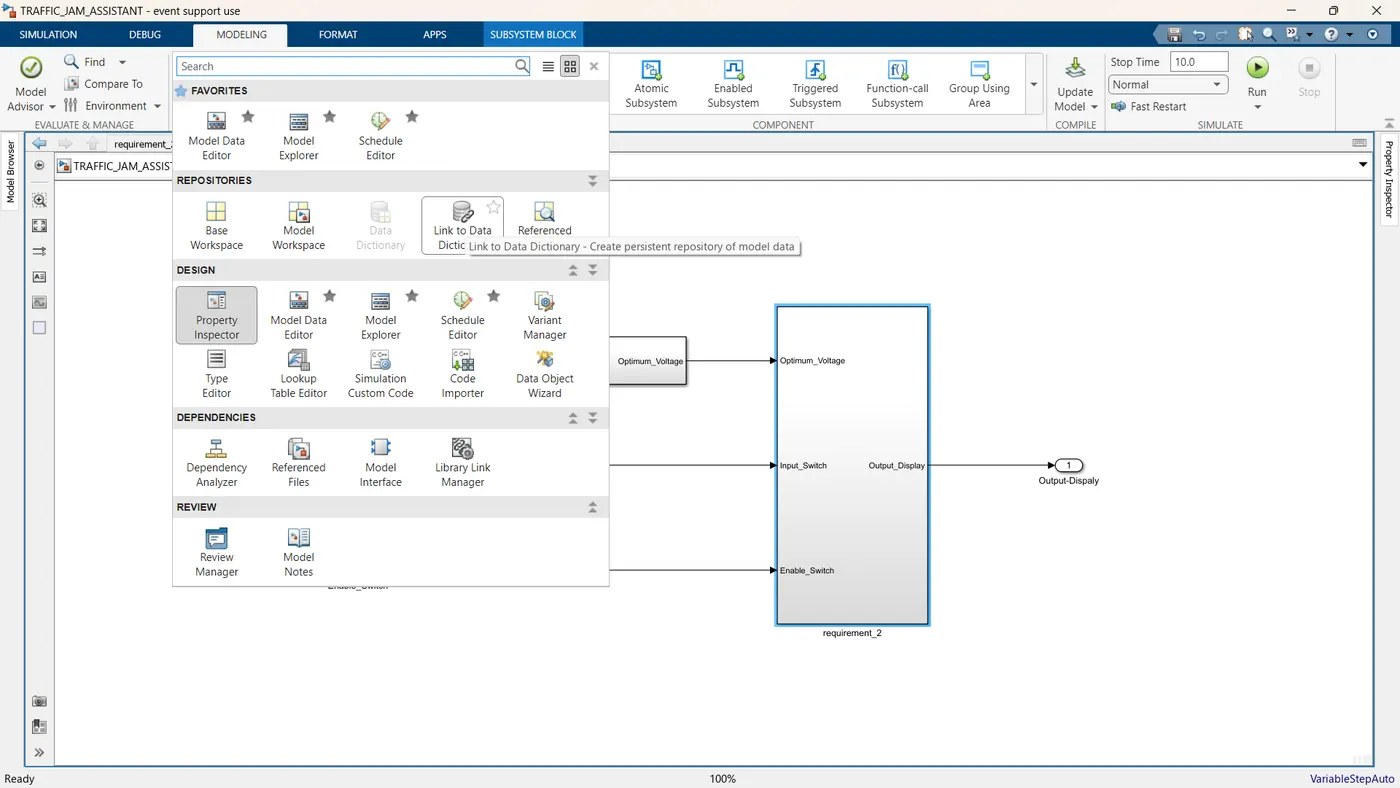
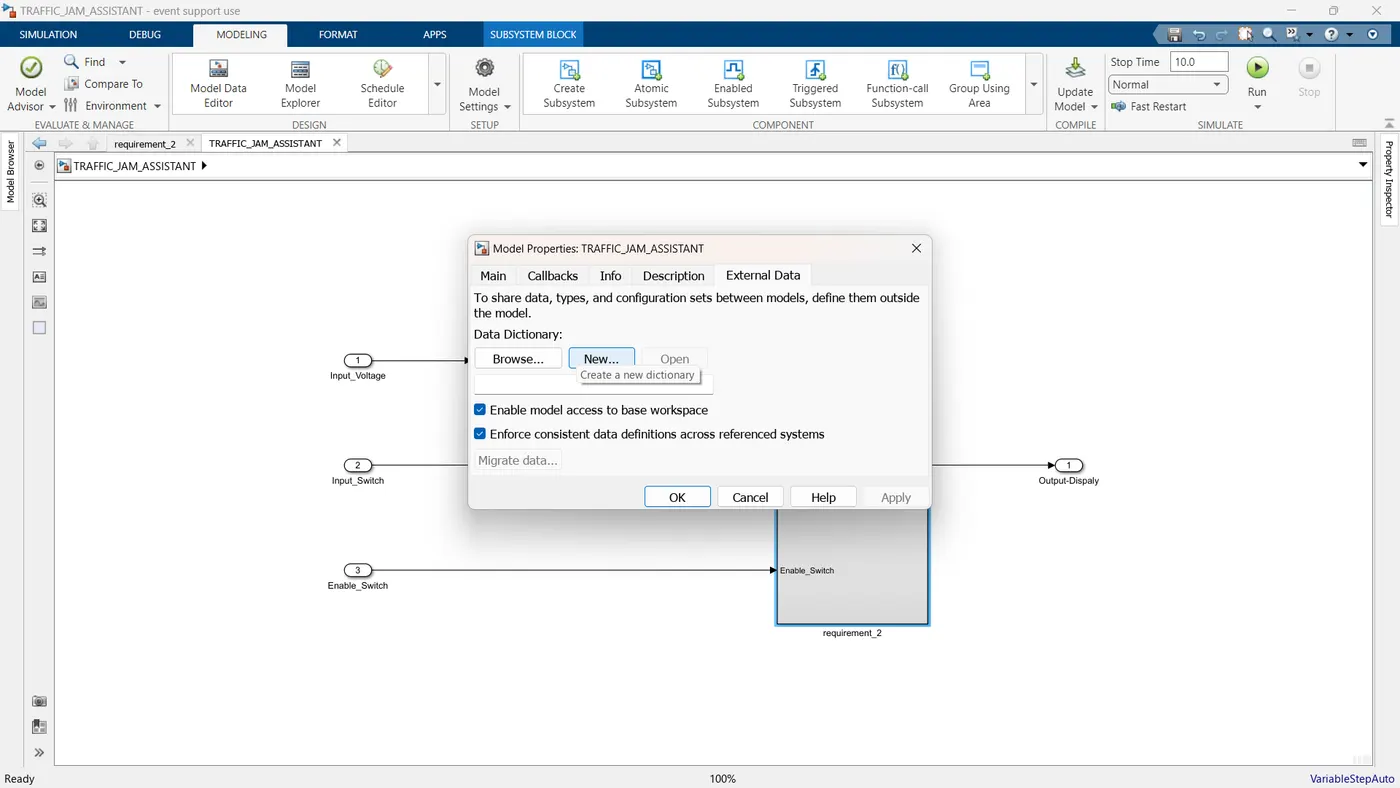
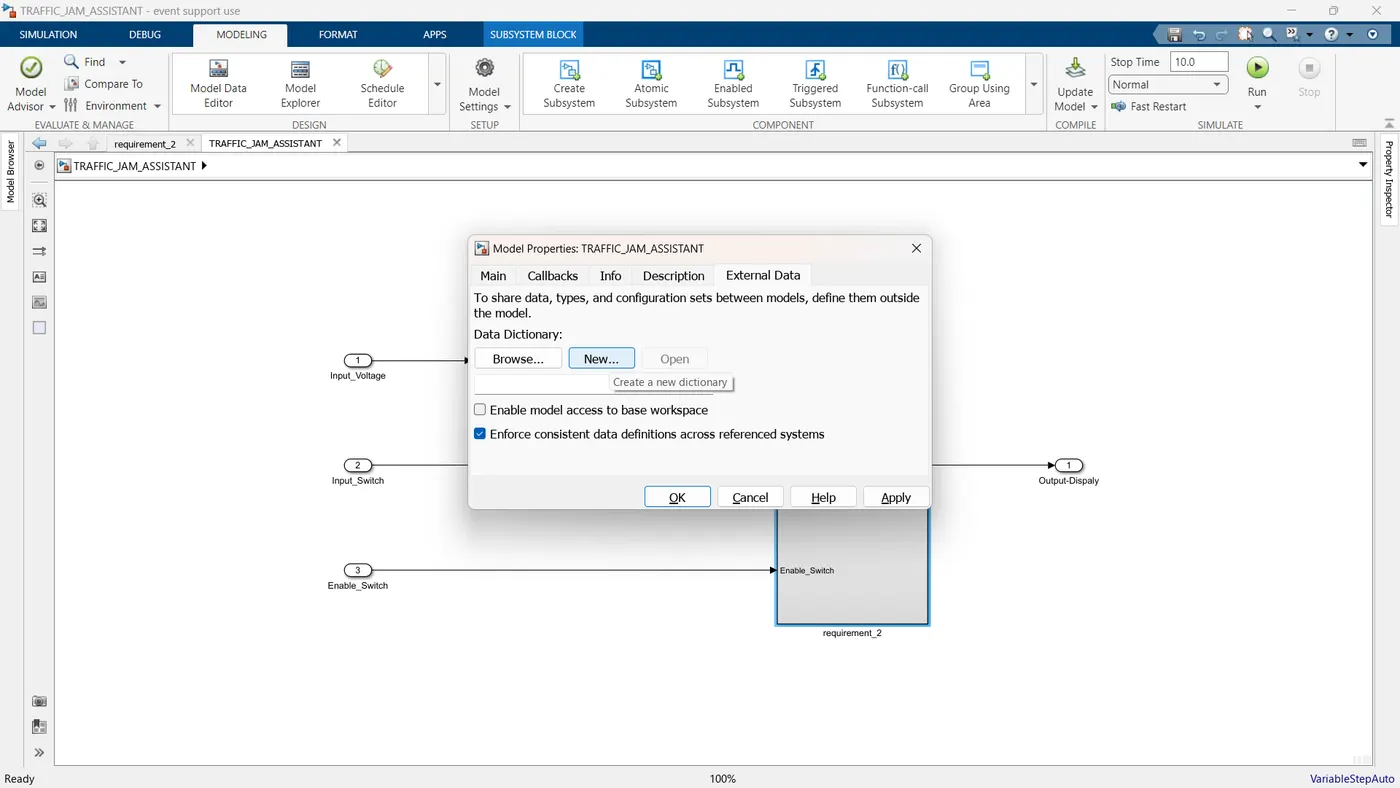
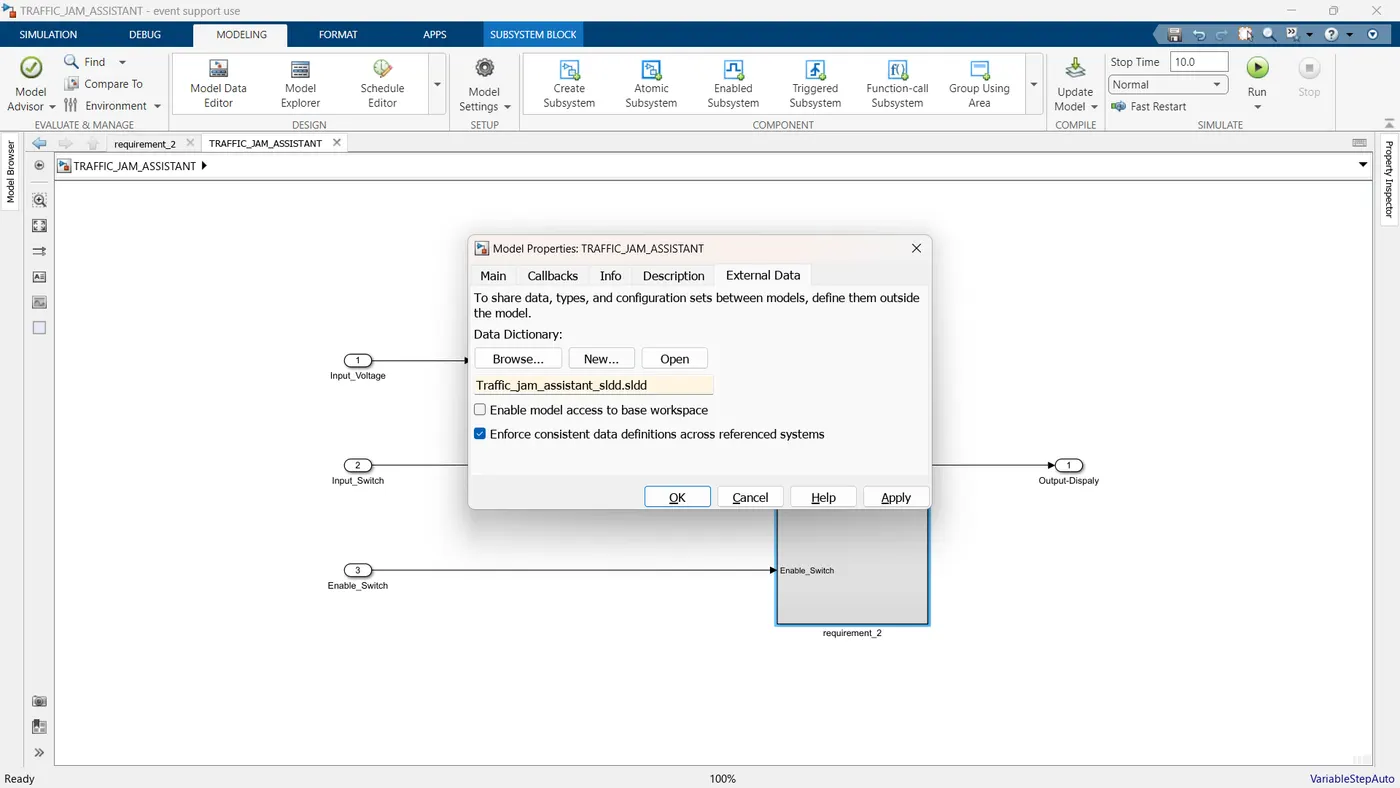
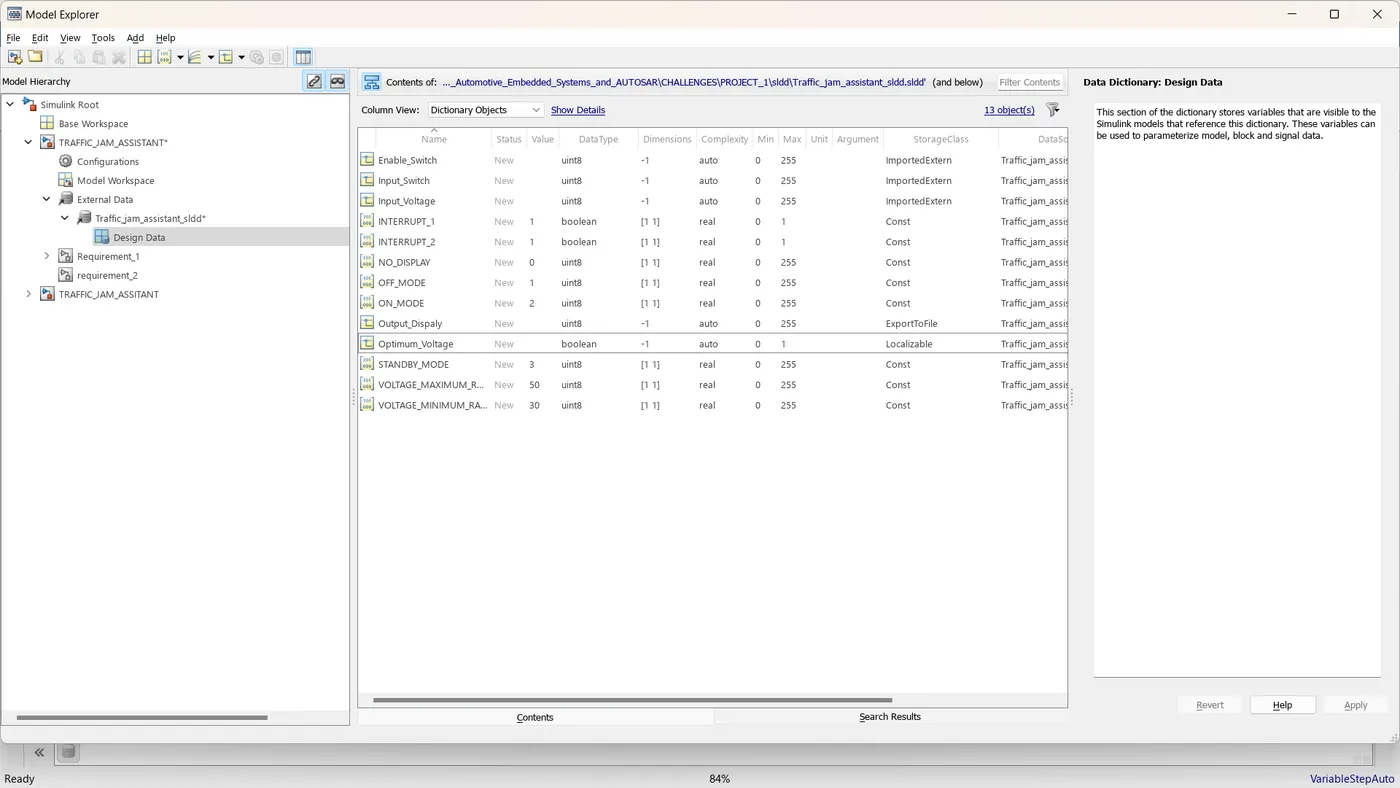
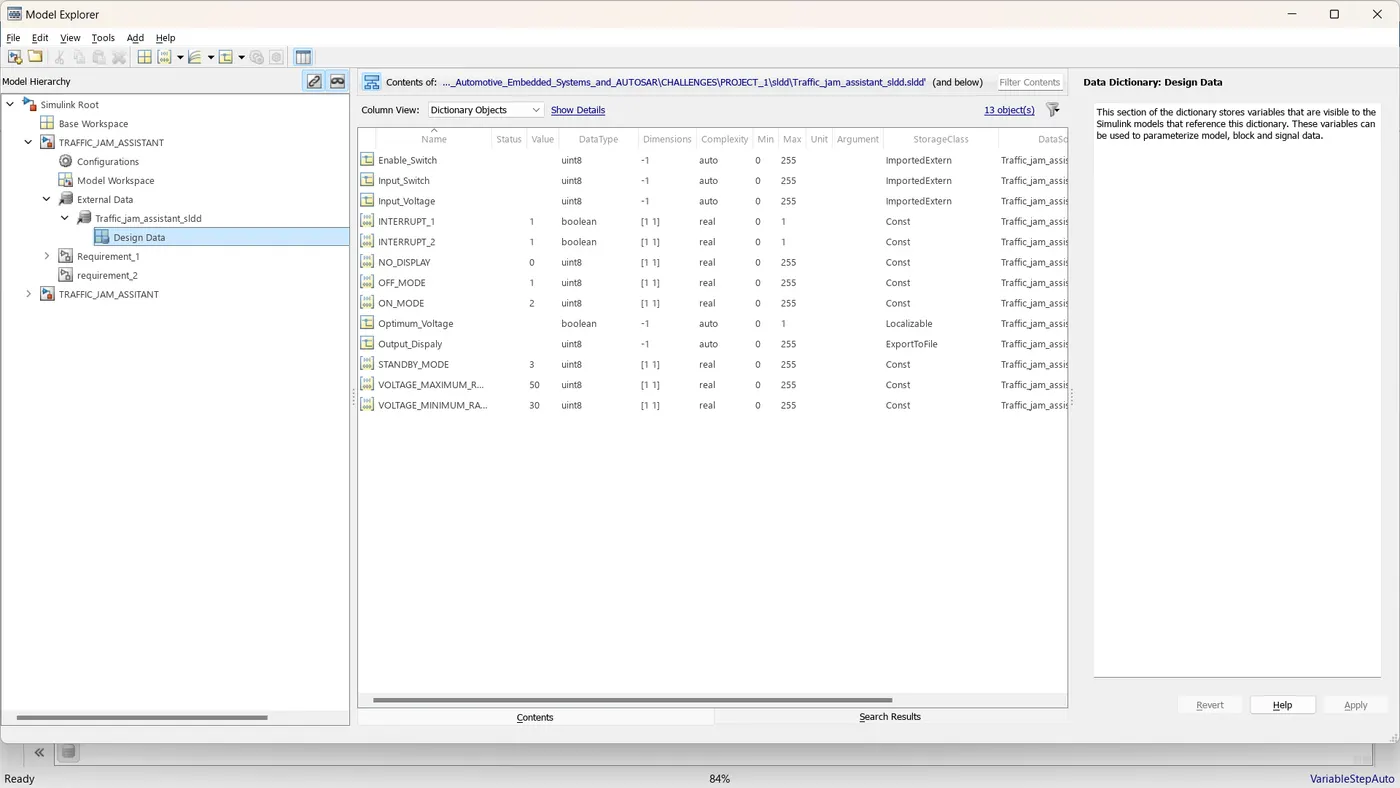
- Simulink Data Dictionary must be created for the model & must be linked to the model.
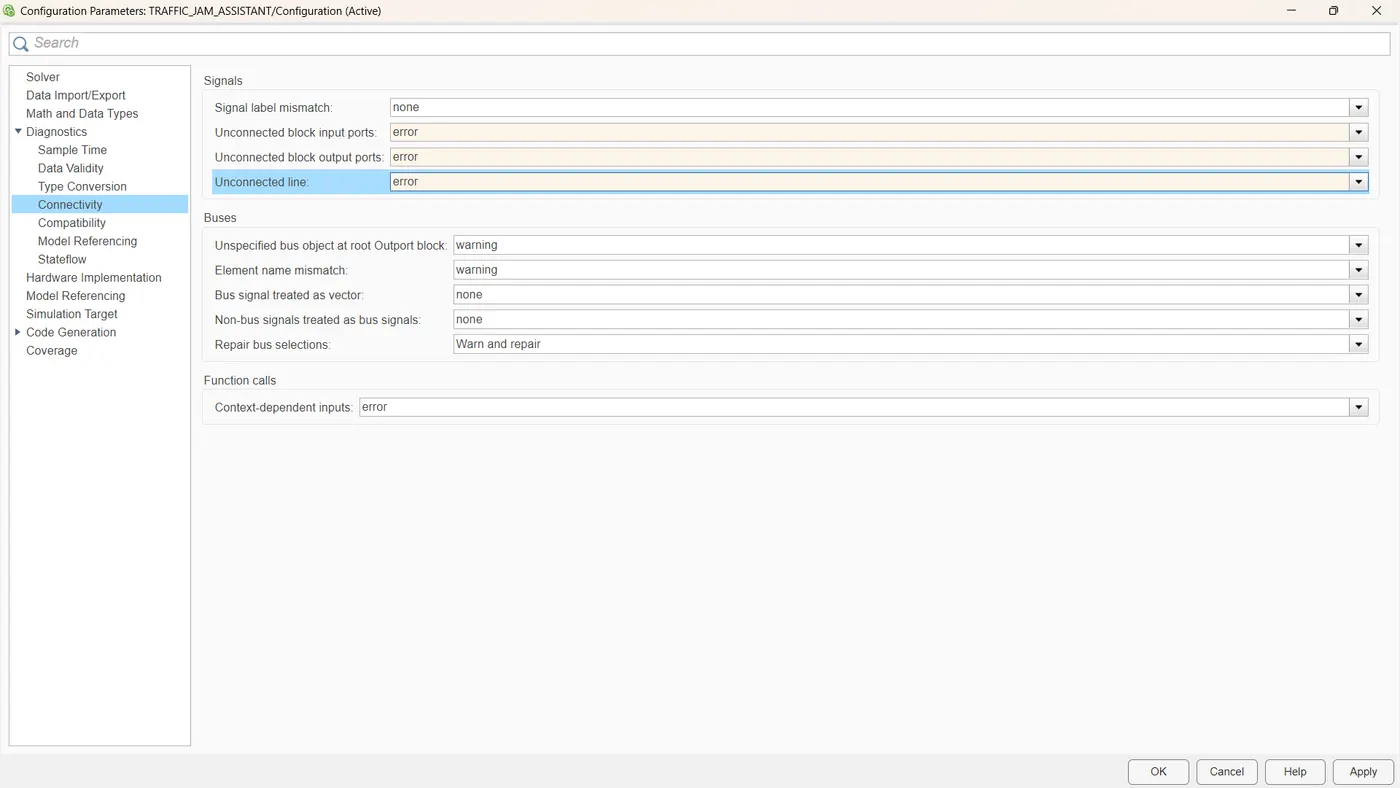
- Model Advisor Report is mandatory & this will be followed by Code Generation.
Input Signals:
|
Name of the Signal
|
Data Type
|
Range
|
|
Input_Voltage
|
uint8
|
0 - 255
|
|
Input_Switch
|
boolean
|
0 – 1
|
|
Enable_Display
|
uint8
|
0 - 255
|
Output Signal:
|
Name of the Signal
|
Data Type
|
Range
|
|
Output_Display
|
uint8
|
0 - 255
|
Calibration Signals:
|
Name of the Signal
|
Data Type
|
Range
|
Initial Value
|
|
VOLTAGE_MINIMUM_RANGE
|
uint8
|
0 – 255
|
30
|
|
VOLTAGE_MAXIMUM_RANGE
|
uint8
|
0 – 255
|
50
|
|
OFF_MODE
|
uint8
|
0 – 255
|
2
|
|
ON_MODE
|
uint8
|
0 – 255
|
1
|
|
STANDBY_MODE
|
uint8
|
0 – 255
|
3
|
|
INTERRUPT_1
|
boolean
|
0 – 1
|
1
|
|
INTERRUPT_2
|
boolean
|
0 - 1
|
1
|
|
NO_DISPLAY
|
uint8
|
0 – 255
|
0
|
Local Signal:
|
Name of the Signal
|
Data Type
|
Range
|
|
Optimum_Voltage
|
boolean
|
0 - 1
|
MODEL:
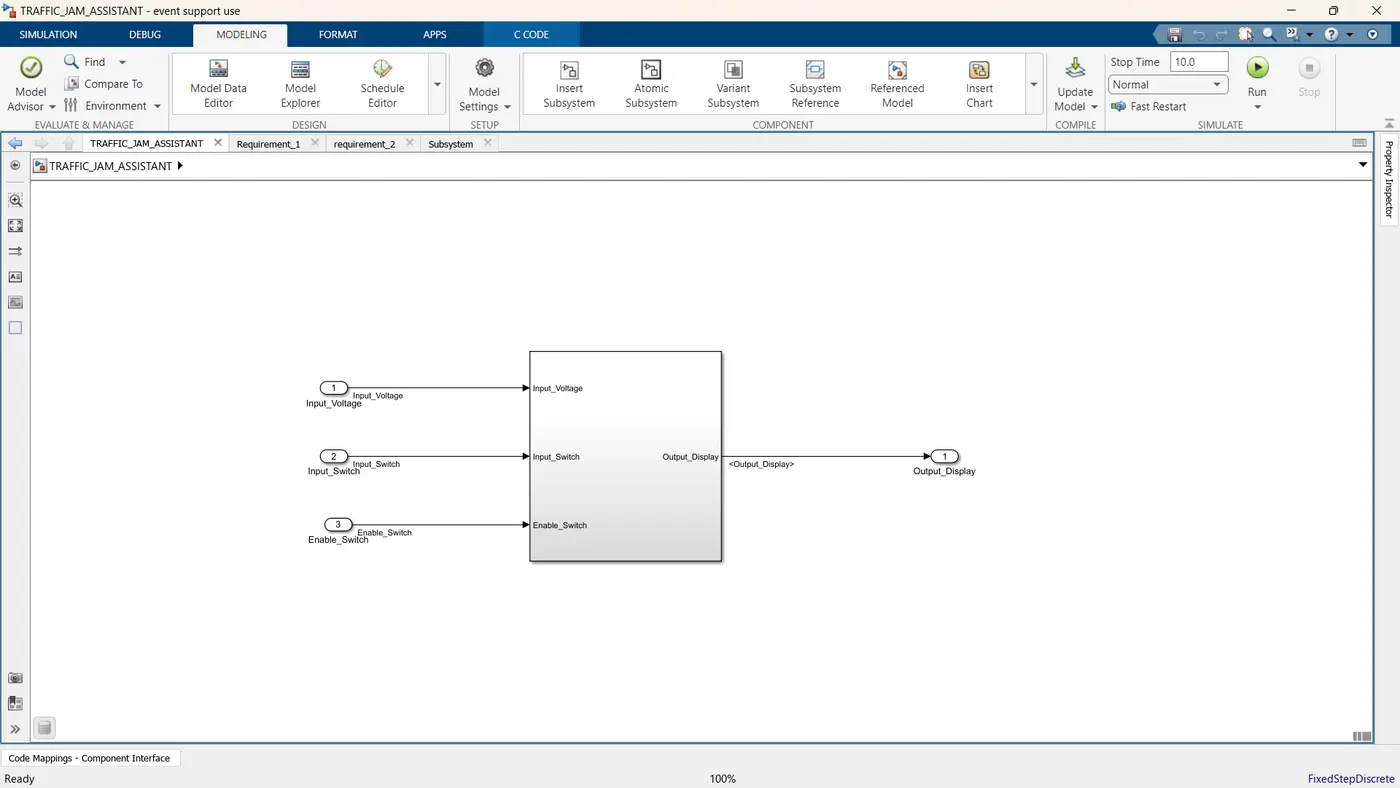
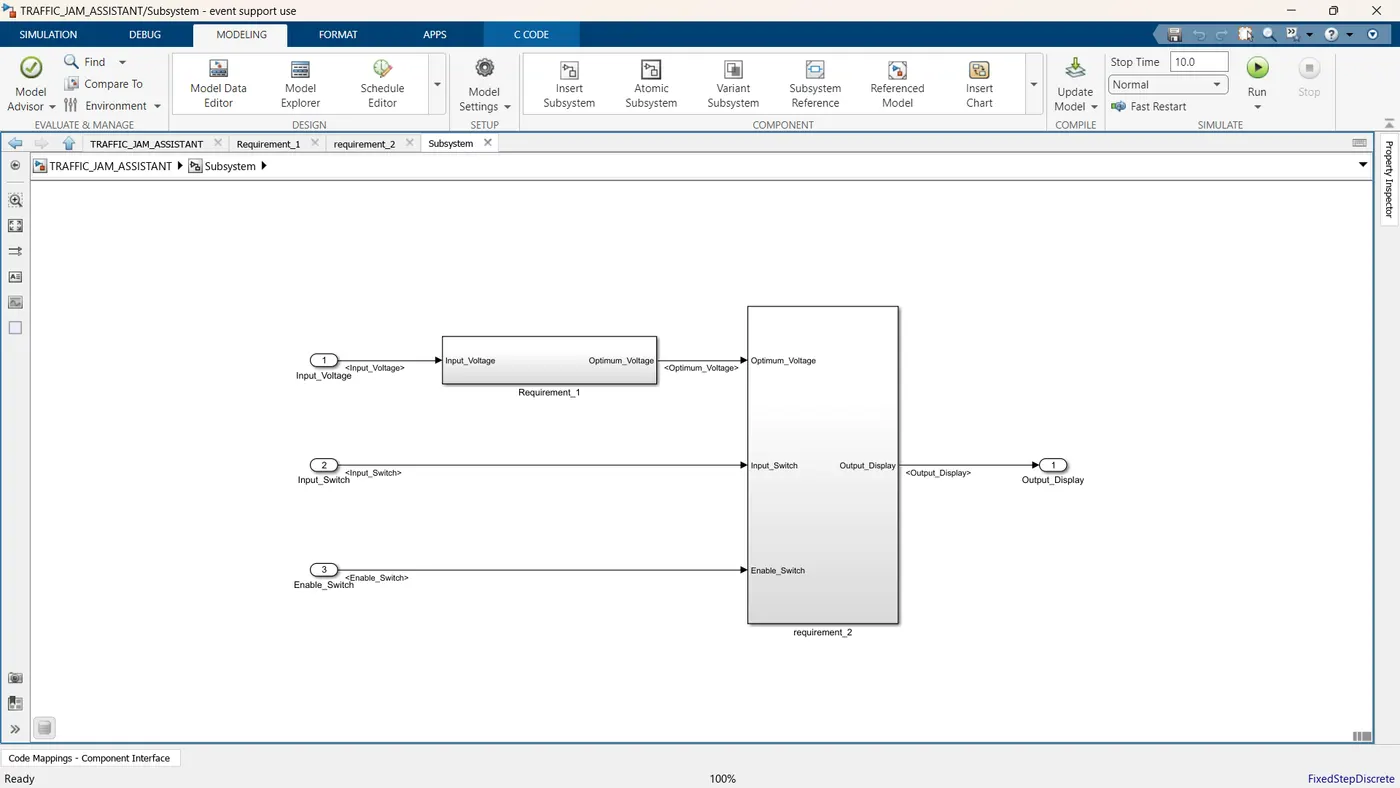
Requirement No 1:
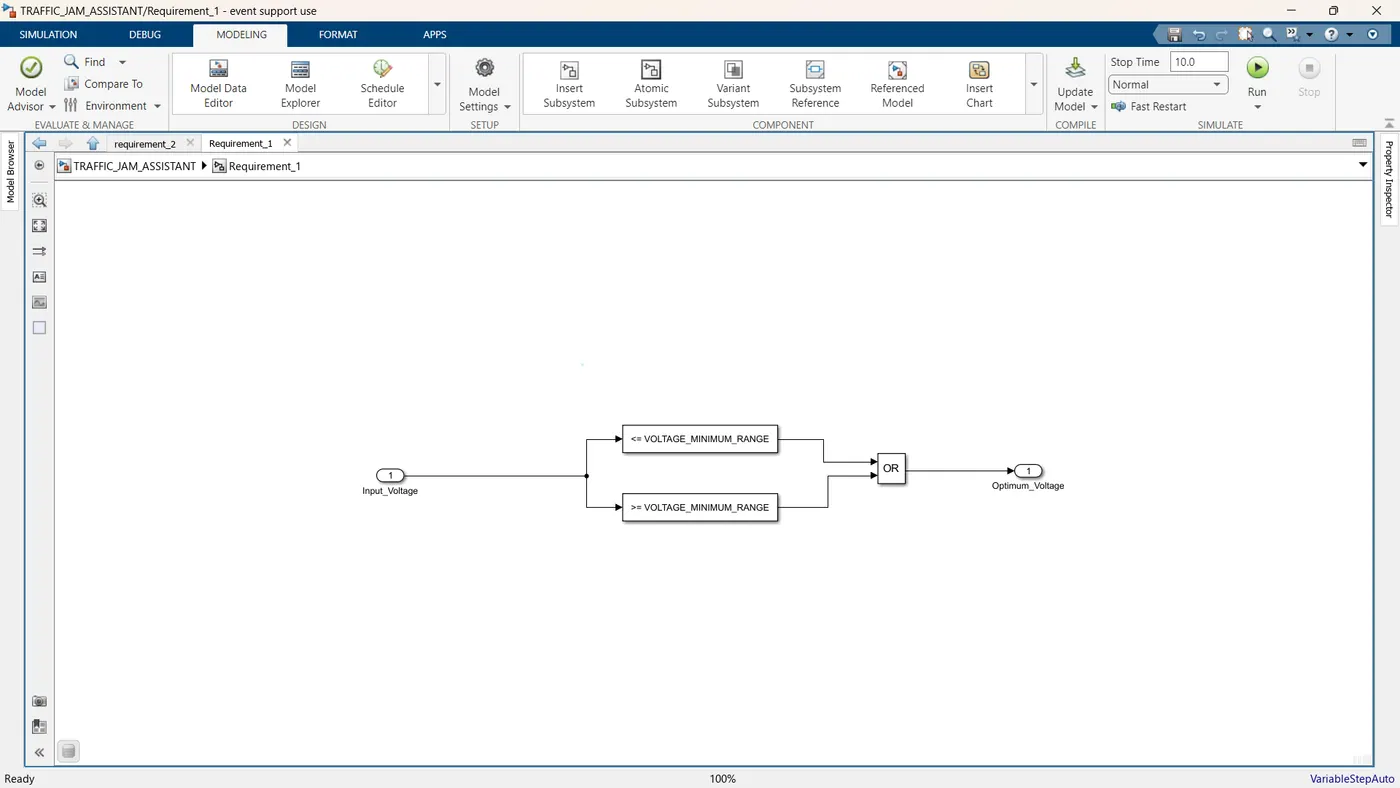
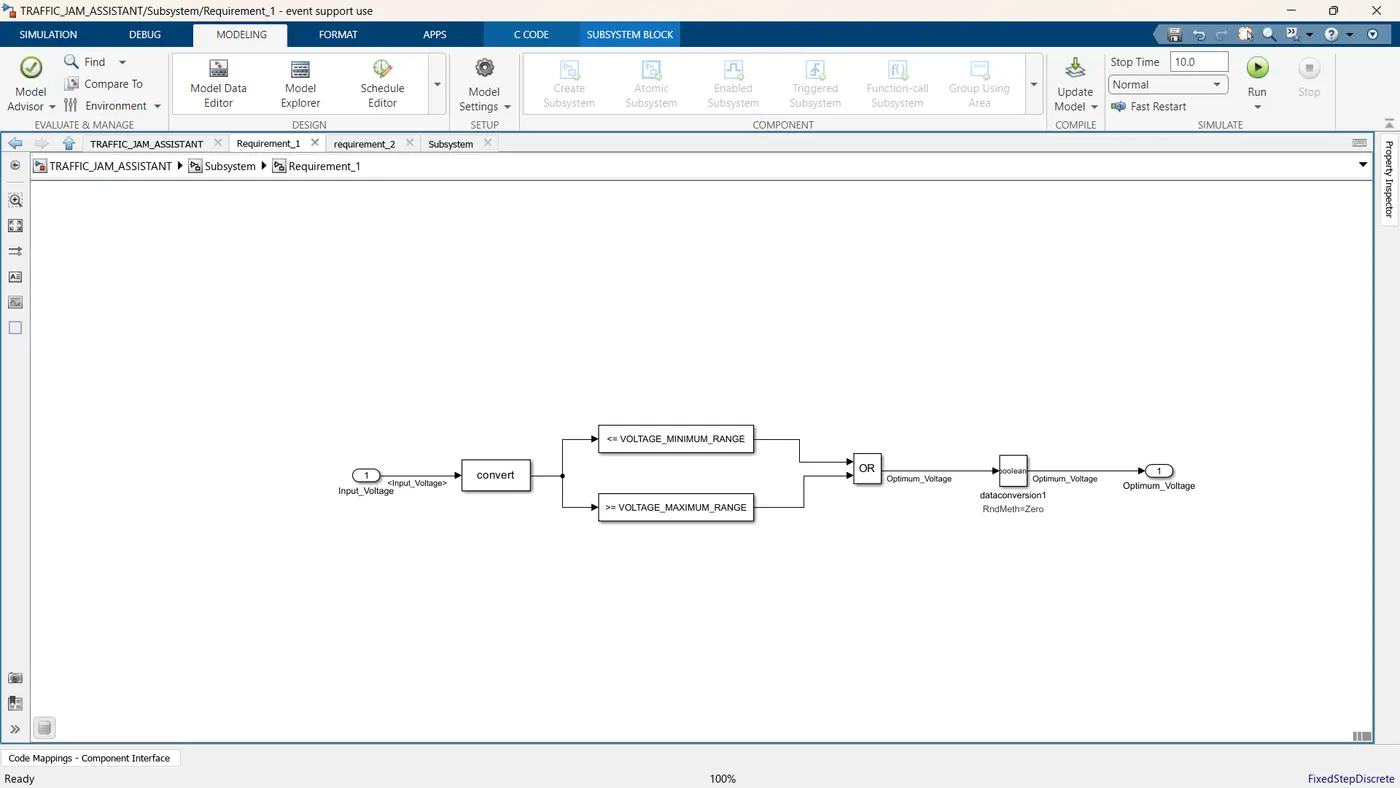
- Input Signal “Input_Voltage” is compared against voltage values “VOLTAGE_MINIMUM_RANGE” & “VOLTAGE_MAXIMUM_RANGE”.
- Incoming input signal “Input_Voltage” must be greater than – equal to “VOLTAGE_MINIMUM_RANGE” and less than – equal to “VOLTAGE_MAXIMUM_RANGE”.
- Output signal from here is “Optimum_Voltage” which will be one of the inputs to the subsystem “DisplayUnit”.
Requirement No 2 (DisplayUnit Subsystem):
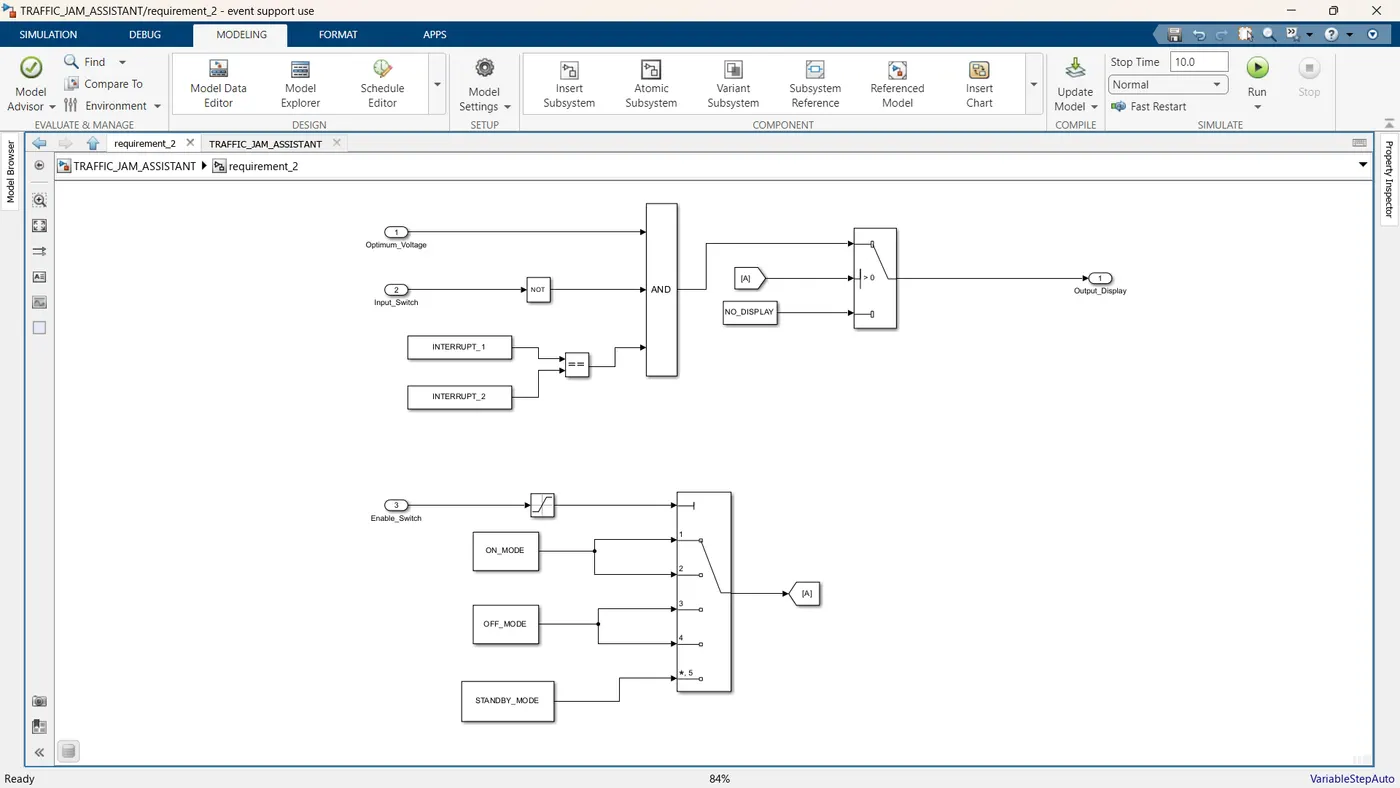
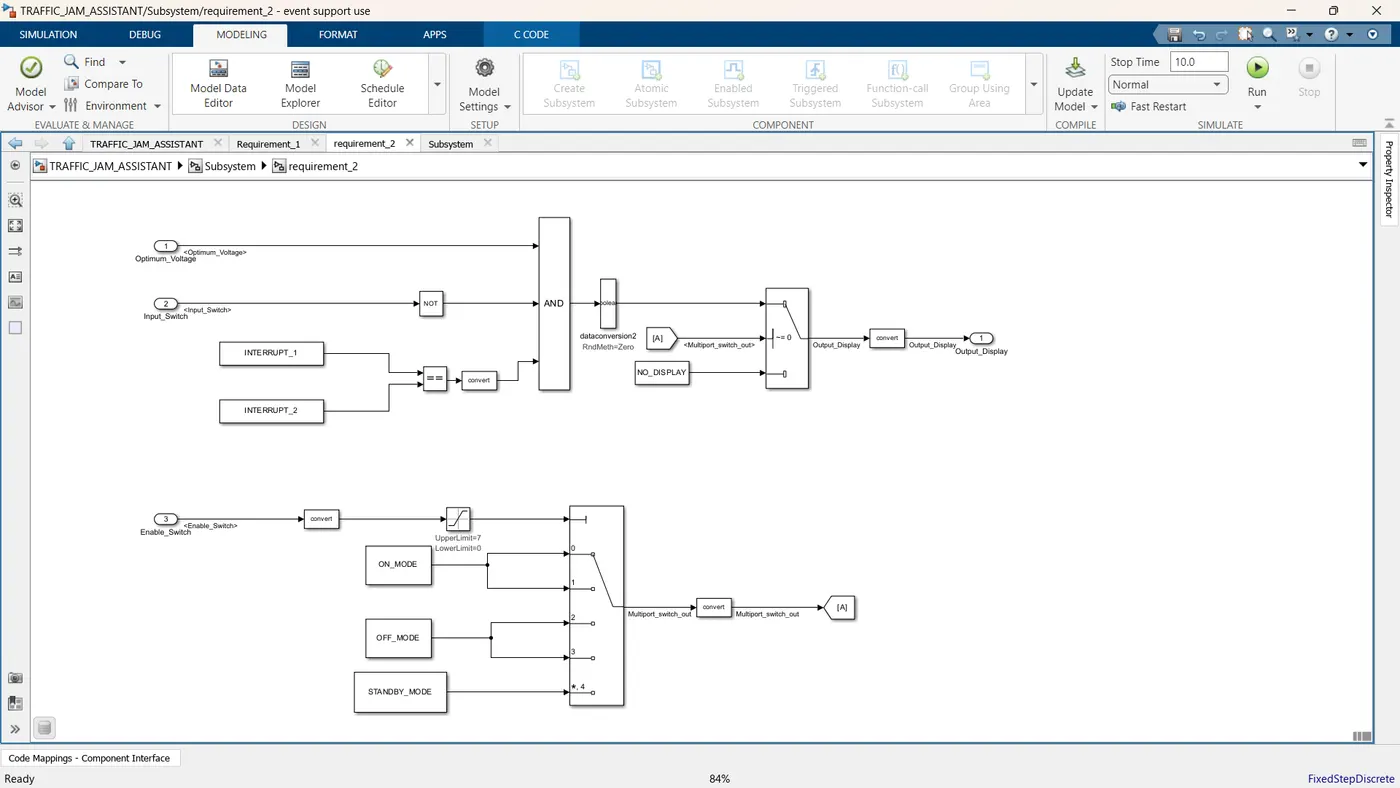
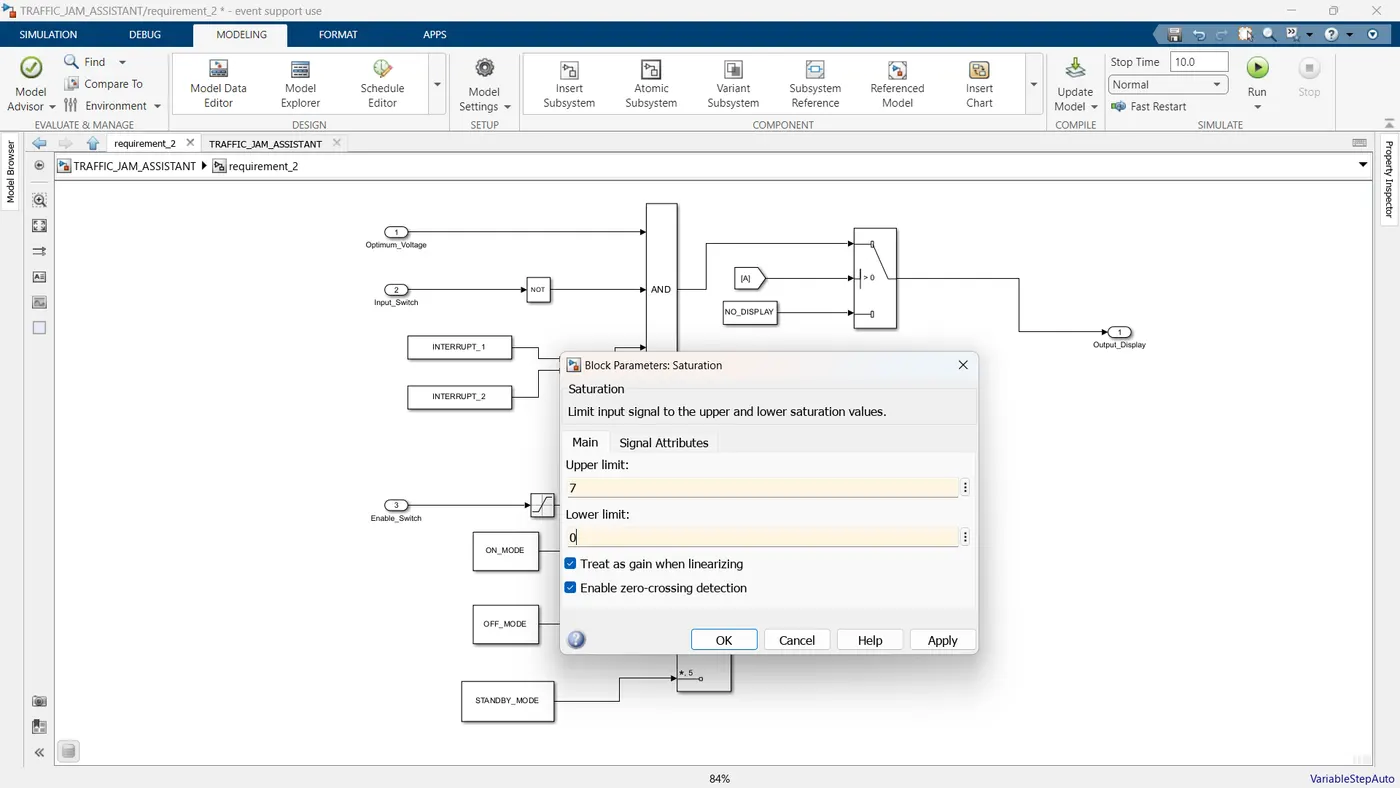
- Input Signals are “Optimum_Voltage”, “Input_Switch”,“Enable_Display”. Signal “Enable_Display” must be saturated between the range 0 – 7. Output signal from the subsystem is “Output_Display”.
- Input Signal “Enable_Display” is compared against pre – defined set of values in a multiport switch. Total data ports in the multiport switch is 5.
- Multiport switch inputs 1 & 2 is connected to calibration signal “ON_MODE”, Multiport switch inputs 3 & 4 is connected to calibration signal “OFF_MODE” while Multiport switch input 5 is connected to calibration signal “STANDBY_MODE”.
- The output from Multiport switch is connected to the first input port of the Switch block. The third input port of the Switch block is connected to the calibration signal “NO_DISPLAY”.
- Meanwhile NOT value of input signal “Input_Switch” is compared in an AND gate against input signal “Optimum_Voltage” and the output from comparing if calibration signals “INTERRUPT_1” & “INTERRUPT_2” are equal. The output of the AND gate is the second input of the switch block.
- The output from the switch block is “Output_Display”.
MAAB_GUIDELINES:
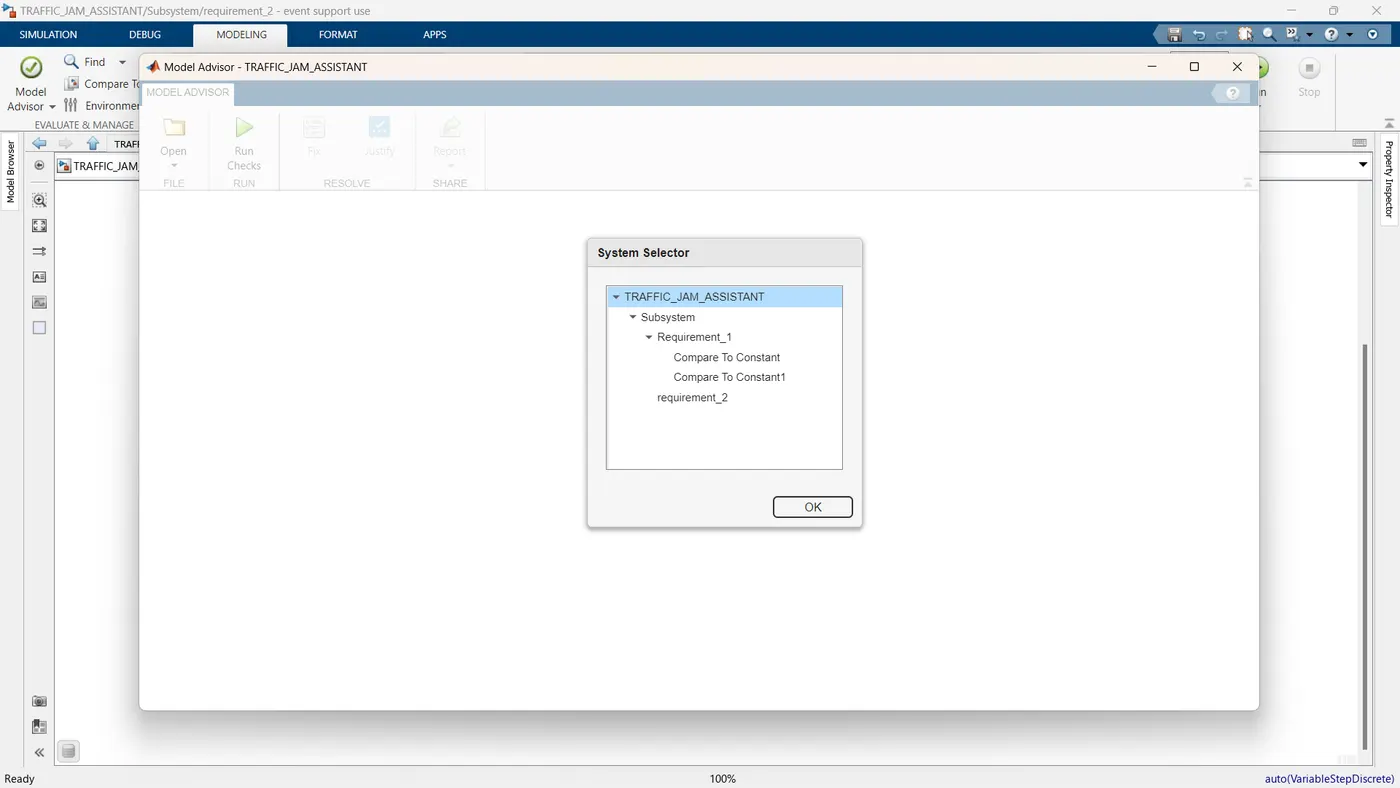
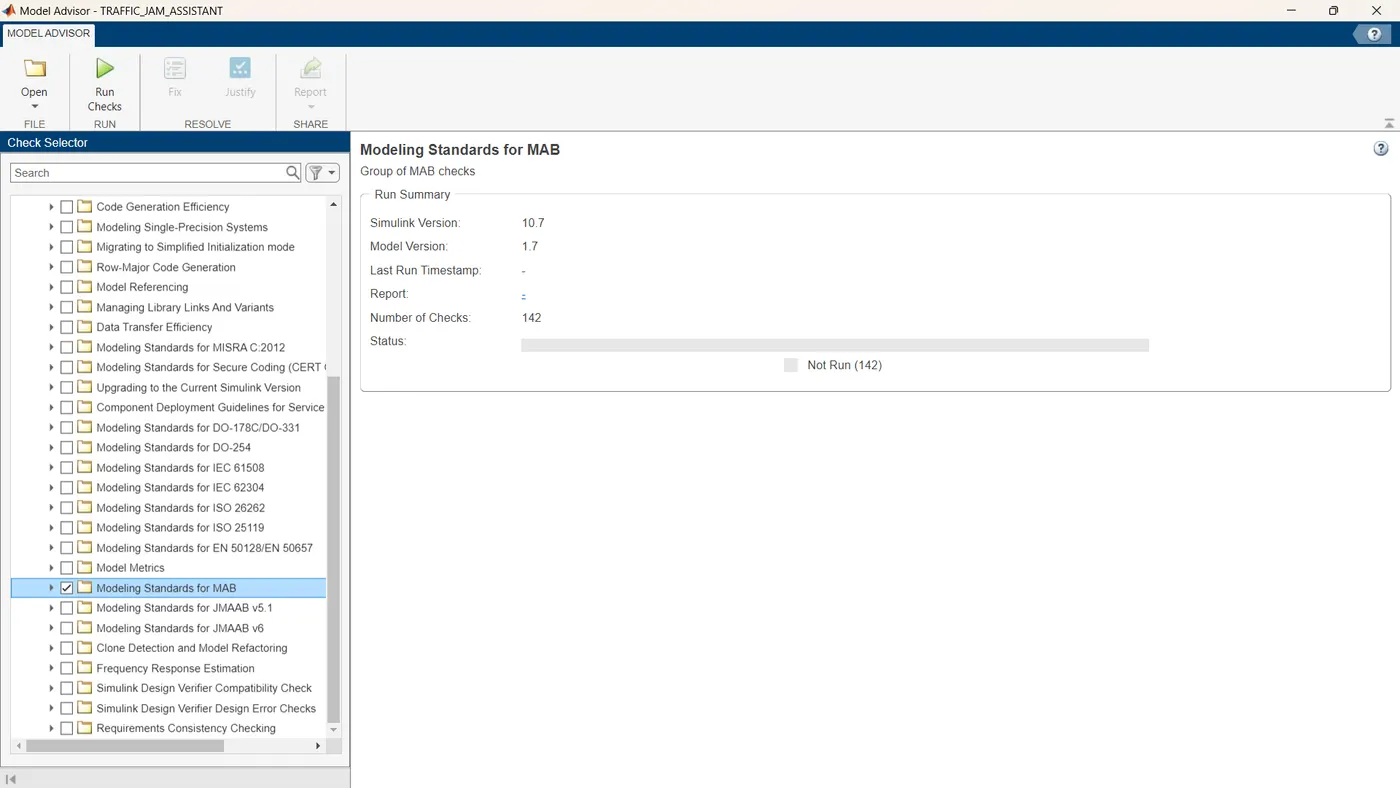
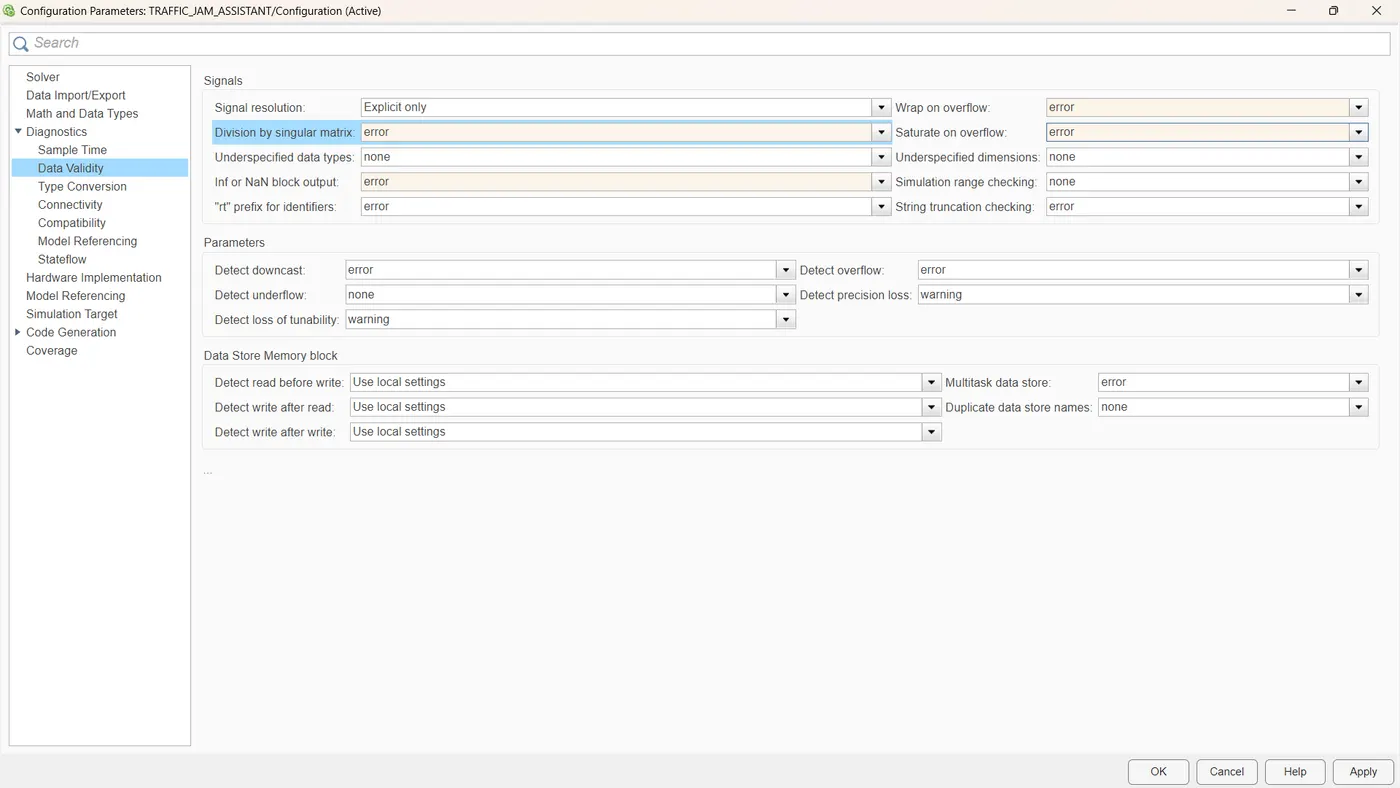
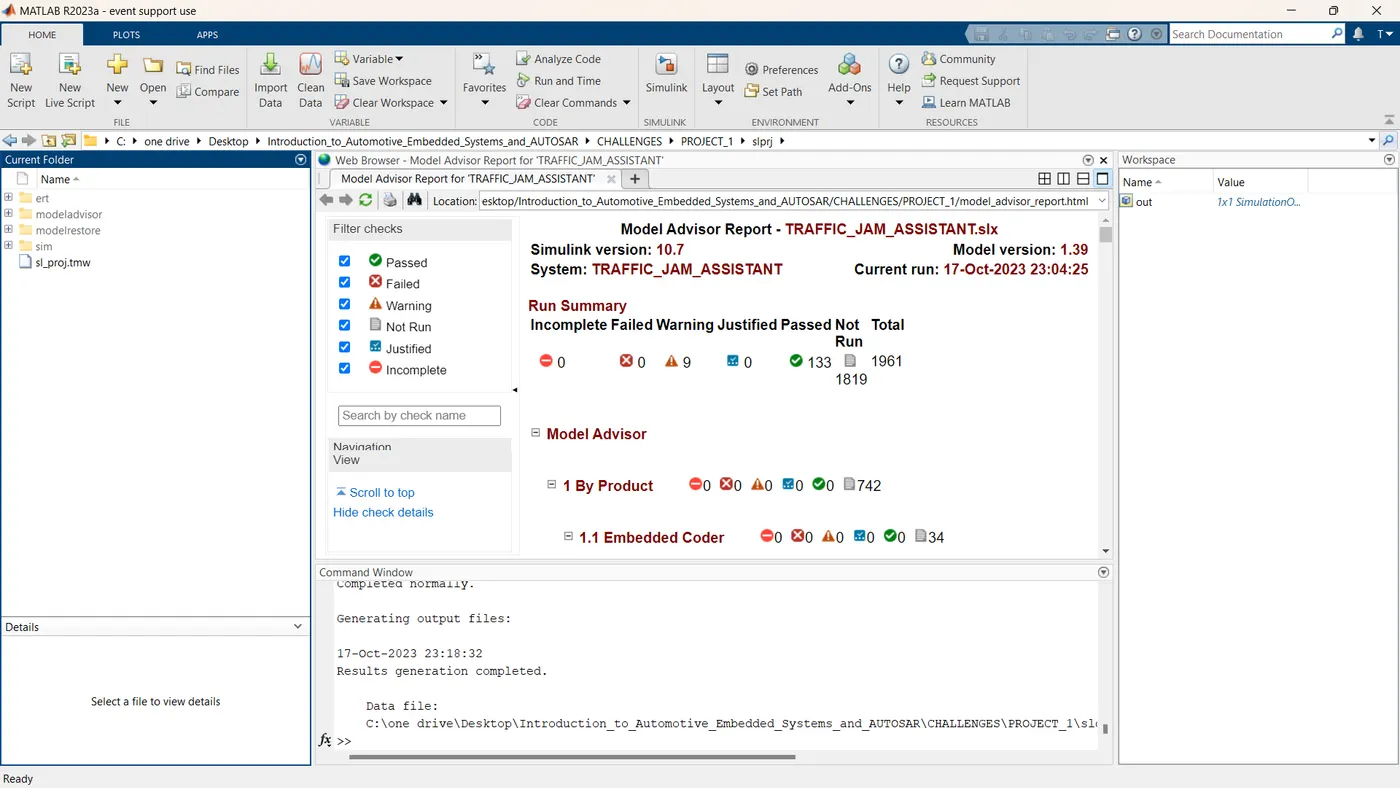
| Model Advisor Report - TRAFFIC_JAM_ASSISTANT.slx |
| Simulink version: 10.7 |
Model version: 1.39 |
| System: TRAFFIC_JAM_ASSISTANT |
Current run: 17-Oct-2023 23:04:25 |
Run Summary
| Incomplete |
Failed |
Warning |
Justified |
Passed |
Not Run |
Total |
|
![]() 0 0 |
![]() 0 0 |
![]() 9 9 |
![]() 0 0 |
![]() 133 133 |
![]() 1819 1819 |
1961 |
|
![]() Model Advisor
Model Advisor
![]() 1 By Product
1 By Product ![]()
0
![]()
0
![]()
0
![]()
0
![]()
0
![]()
742
![]() 1.1 Embedded Coder
1.1 Embedded Coder ![]()
0
![]()
0
![]()
0
![]()
0
![]()
0
![]()
34
![]()
Identify lookup table blocks that generate expensive out-of-range checking code
![]()
Check configuration parameters for generation of inefficient saturation code
![]()
Check for blocks not recommended for C/C++ production code deployment
![]()
Check output types of logic blocks
![]()
Check the hardware implementation
![]()
Identify questionable software environment specifications
![]()
Identify questionable code instrumentation (data I/O)
![]()
Identify blocks generating inefficient algorithms
![]()
Check configuration parameters for MISRA C:2012
![]()
Check for blocks not recommended for MISRA C:2012
![]()
Check for unsupported block names
![]()
Check usage of Assignment blocks
![]()
Check for switch case expressions without a default case
![]()
Check for missing error ports in AUTOSAR receiver interfaces
![]()
Check configuration parameters for secure coding standards
![]()
Check for blocks not recommended for secure coding standards
![]()
Check signal interfaces
![]()
Check configuration for component deployment using service interface configuration
![]()
Check startup and shutdown event
![]()
Identify questionable subsystem settings
![]()
Check usage of 'long long' data type
![]()
Check for blocks not supported for row-major code generation
![]()
Identify TLC S-Functions with unset array layout
![]()
Identify blocks that generate expensive fixed-point and saturation code
![]()
Check for missing const qualifiers in model functions
![]()
Check bus object names that are used as bus element names
![]()
Check modeling style for component deployment
![]()
Check usage of partial data send
![]()
Identify questionable fixed-point operations
![]()
Identify blocks that generate expensive rounding code
![]()
Check for bitwise operations on signed integers
![]()
Check for recursive function calls
![]()
Check for equality and inequality operations on floating-point values
![]()
Check integer word lengths
![]() 1.2 Simulink
1.2 Simulink ![]()
0
![]()
0
![]()
0
![]()
0
![]()
0
![]()
43
![]()
Check optimization settings
![]()
Identify unconnected lines, input ports, and output ports
![]()
Check root model Inport block specifications
![]()
Check diagnostic settings ignored during accelerated model reference simulation
![]()
Check for parameter tunability information ignored for referenced models
![]()
Check for implicit signal resolution
![]()
Check for optimal bus virtuality
![]()
Check for calls to slDataTypeAndScale()
![]()
Check for Discrete-Time Integrator blocks with initial condition uncertainty
![]()
Identify disabled library links
![]()
Identify parameterized library links
![]()
Identify unresolved library links
![]()
Identify configurable subsystem blocks in the model for converting to variant subsystem blocks.
![]()
Check usage of function-call connections
![]()
Check and update mask image display commands with unnecessary imread() function calls
![]()
Check and update mask to affirm icon drawing commands dependency on mask workspace
![]()
Identify Environment Controller blocks to be replaced with Variant Source blocks
![]()
Identify variant blocks with VariantActivation set to "Inherit From Simulink.VariantControl" but does not use Simulink.VariantControl
![]()
Runtime diagnostics for S-functions
![]()
Check if Read/Write diagnostics are enabled for Data Store blocks
![]()
Check Data Store Memory blocks for multitasking, strong typing, and shadowing issues
![]()
Check Model History properties
![]()
Check S-functions in the model
![]()
Open the Upgrade Advisor
![]()
Check structure parameter usage with bus signals
![]()
Check for large number of function arguments from virtual bus across model reference boundary
![]()
Check Delay, Unit Delay and Zero-Order Hold blocks for rate transition
![]()
Check bus signals treated as vectors
![]()
Check for potentially delayed function-call block return values
![]()
Identify block output signals with continuous sample time and non-floating point data type
![]()
Check usage of Merge blocks
![]()
Check usage of Outport blocks
![]()
Check usage of Discrete-Time Integrator blocks
![]()
Check model settings for migration to simplified initialization mode
![]()
Check for non-continuous signals driving derivative ports
![]()
Check data store block sample times for modeling errors
![]()
Check for potential ordering issues involving data store access
![]()
Identify unit mismatches in the model
![]()
Identify automatic unit conversions in the model
![]()
Identify disallowed unit systems in the model
![]()
Identify undefined units in the model
![]()
Identify ambiguous units in the model
![]()
Identify questionable operations for strict single-precision design
![]() 1.3 Simulink Coder
1.3 Simulink Coder ![]()
0
![]()
0
![]()
0
![]()
0
![]()
0
![]()
9
![]()
Identify blocks using one-based indexing
![]()
Check solver for code generation
![]()
Check for blocks not supported by code generation
![]()
Check for model reference configuration mismatch
![]()
Check code generation identifier formats used for model reference
![]()
Check for relative execution order change for Data Store Read and Data Store Write blocks
![]()
Check reuse of subsystem code
![]()
Check sample times and tasking mode
![]()
Check for blocks that have constraints on tunable parameters
![]() 1.4 AUTOSAR Blockset
1.4 AUTOSAR Blockset ![]()
0
![]()
0
![]()
0
![]()
0
![]()
0
![]()
2
![]()
Check compatibility of AUTOSAR Interpolation Routines
![]()
Check model configuration parameters for AUTOSAR compliance
![]() 1.5 Simscape
1.5 Simscape ![]()
0
![]()
0
![]()
0
![]()
0
![]()
0
![]()
3
![]()
Check consistency of block parameter units
![]()
Check for outdated AC source blocks
![]()
Check for dry hydraulic nodes
![]() 1.6 Simulink Check
1.6 Simulink Check ![]()
0
![]()
0
![]()
0
![]()
0
![]()
0
![]()
632
![]() 1.6.1 Modeling Standards
1.6.1 Modeling Standards ![]()
0
![]()
0
![]()
0
![]()
0
![]()
0
![]()
620
![]() 1.6.1.1 DO-178C/DO-331 Checks
1.6.1.1 DO-178C/DO-331 Checks ![]()
0
![]()
0
![]()
0
![]()
0
![]()
0
![]()
96
![]()
Check usage of standardized MATLAB function headers
![]()
Check for MATLAB Function interfaces with inherited properties
![]()
Check MATLAB Function metrics
![]()
Check MATLAB Code Analyzer messages
![]()
Check if/elseif/else patterns in MATLAB Function blocks
![]()
Check switch statements in MATLAB Function blocks
![]()
Check MATLAB functions not supported for code generation
![]()
Check state machine type of Stateflow charts
![]()
Check Stateflow charts for ordering of states and transitions
![]()
Check Stateflow debugging options
![]()
Check Stateflow charts for transition paths that cross parallel state boundaries
![]()
Check for inappropriate use of transition paths
![]()
Check naming of ports in Stateflow charts
![]()
Check scoping of Stateflow data objects
![]()
Check usage of While Iterator blocks
![]()
Check usage of For and While Iterator subsystems
![]()
Check for blocks not recommended for C/C++ production code deployment
![]()
Check for inconsistent vector indexing methods
![]()
Check usage of variant blocks
![]()
Check model file name
![]()
Check usage of lookup table blocks
![]()
Check safety-related solver settings for simulation time
![]()
Check Stateflow charts for uniquely defined data objects
![]()
Check global variables in graphical functions
![]()
Check usage of Gain blocks
![]()
Check for model elements that do not link to requirements
![]()
Check safety-related settings for hardware implementation
![]()
Check for parameter tunability ignored for referenced models
![]()
Check for disabled and parameterized library links
![]()
Check safety-related diagnostic settings for data store memory
![]()
Check safety-related diagnostic settings for saving
SLDD:
CODE_GENERATION:
MAIN.C_FILE:
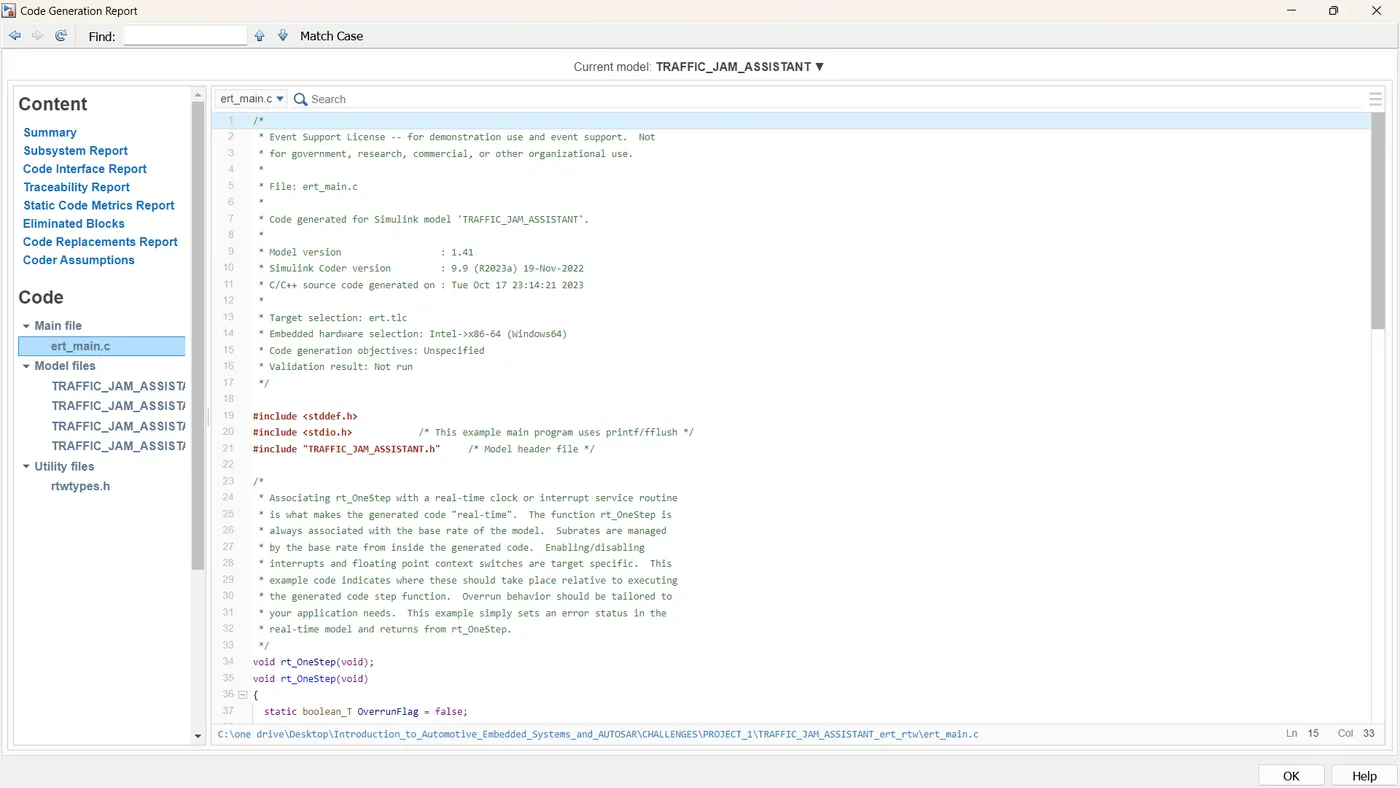
* Event Support License -- for demonstration use and event support. Not
* for government, research, commercial, or other organizational use.
* Code generated for Simulink model 'TRAFFIC_JAM_ASSISTANT'.
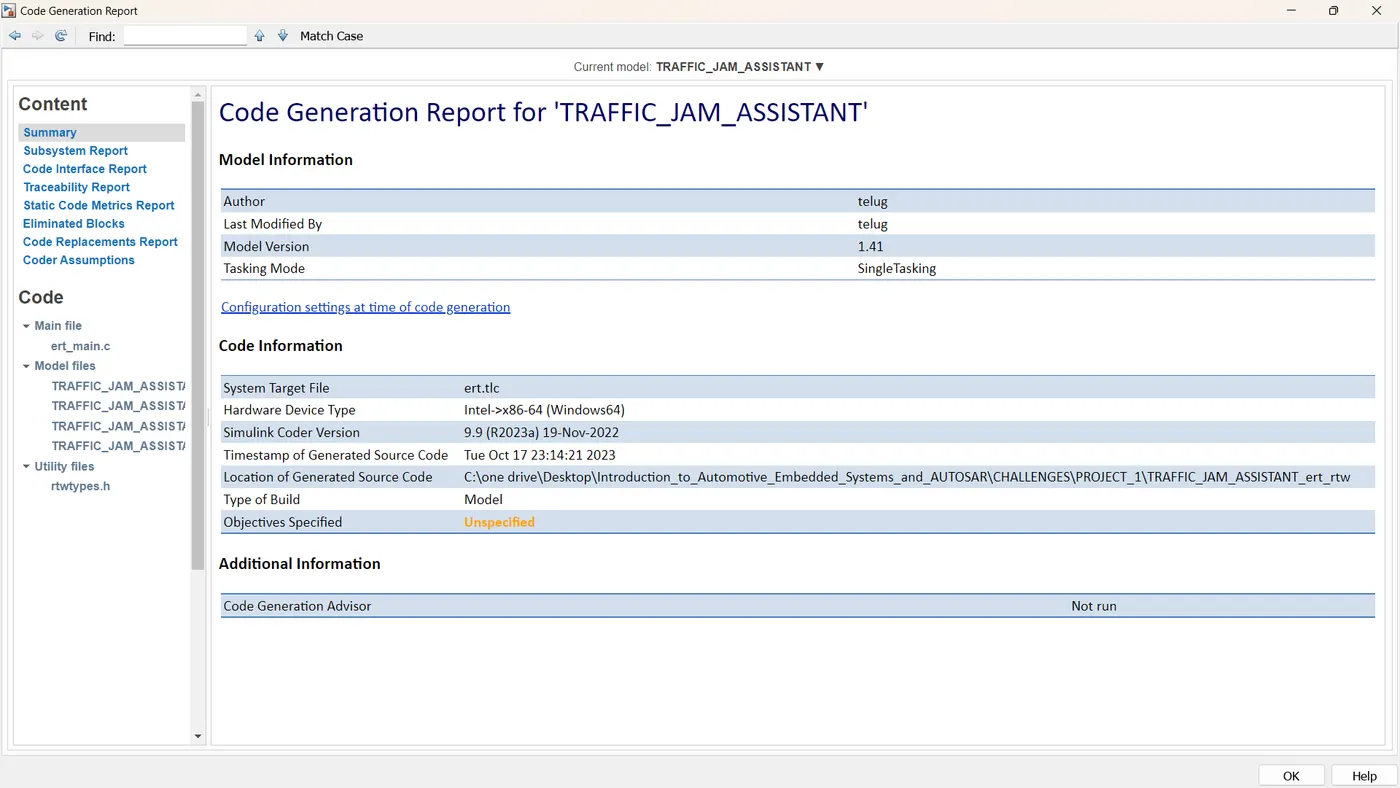
* Simulink Coder version : 9.9 (R2023a) 19-Nov-2022
* C/C++ source code generated on : Tue Oct 17 23:14:21 2023
* Target selection: ert.tlc
* Embedded hardware selection: Intel->x86-64 (Windows64)
* Code generation objectives: Unspecified
* Validation result: Not run
#include /* This example main program uses printf/fflush */
#include "TRAFFIC_JAM_ASSISTANT.h" /* Model header file */
* Associating rt_OneStep with a real-time clock or interrupt service routine
* is what makes the generated code "real-time". The function rt_OneStep is
* always associated with the base rate of the model. Subrates are managed
* by the base rate from inside the generated code. Enabling/disabling
* interrupts and floating point context switches are target specific. This
* example code indicates where these should take place relative to executing
* the generated code step function. Overrun behavior should be tailored to
* your application needs. This example simply sets an error status in the
* real-time model and returns from rt_OneStep.
static boolean_T OverrunFlag = false;
/* Disable interrupts here */
rtmSetErrorStatus(TRAFFIC_JAM_ASSISTANT_M, "Overrun");
/* Save FPU context here (if necessary) */
/* Re-enable timer or interrupt here */
/* Set model inputs here */
TRAFFIC_JAM_ASSISTANT_step();
/* Get model outputs here */
/* Indicate task complete */
/* Disable interrupts here */
/* Restore FPU context here (if necessary) */
/* Enable interrupts here */
* The example main function illustrates what is required by your
* application code to initialize, execute, and terminate the generated code.
* Attaching rt_OneStep to a real-time clock is target specific. This example
* illustrates how you do this relative to initializing the model.
int_T main(int_T argc, const char *argv[])
TRAFFIC_JAM_ASSISTANT_initialize();
/* Attach rt_OneStep to a timer or interrupt service routine with
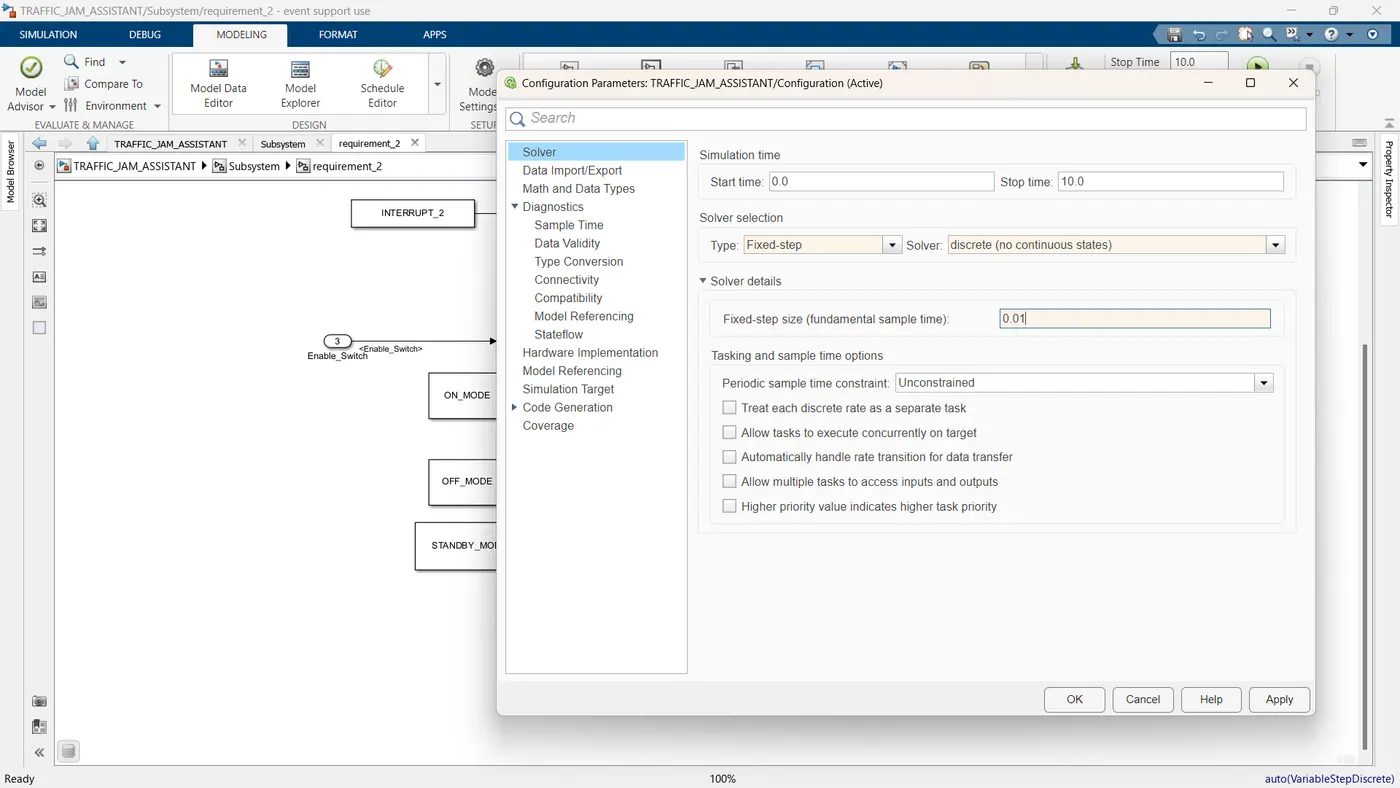
* period 0.01 seconds (base rate of the model) here.
* The call syntax for rt_OneStep is
printf("Warning: The simulation will run forever. "
"Generated ERT main won't simulate model step behavior. "
"To change this behavior select the 'MAT-file logging' option.\n");
while (rtmGetErrorStatus(TRAFFIC_JAM_ASSISTANT_M) == (NULL)) {
/* Perform application tasks here */
TRAFFIC_JAM_ASSISTANT_terminate();
* File trailer for generated code.
.C_FILE:
* Event Support License -- for demonstration use and event support. Not
* for government, research, commercial, or other organizational use.
* File: TRAFFIC_JAM_ASSISTANT.c
* Code generated for Simulink model 'TRAFFIC_JAM_ASSISTANT'.
* Simulink Coder version : 9.9 (R2023a) 19-Nov-2022
* C/C++ source code generated on : Tue Oct 17 23:14:21 2023
* Target selection: ert.tlc
* Embedded hardware selection: Intel->x86-64 (Windows64)
* Code generation objectives: Unspecified
* Validation result: Not run
#include "TRAFFIC_JAM_ASSISTANT.h"
#include "TRAFFIC_JAM_ASSISTANT_private.h"
/* Exported data definition */
/* Const memory section */
/* Definition for custom storage class: Const */
const boolean_T INTERRUPT_1 = true; /* Referenced by: '/Constant3' */
const boolean_T INTERRUPT_2 = true; /* Referenced by: '/Constant4' */
const uint8_T NO_DISPLAY = 0U; /* Referenced by: '/Constant5' */
const uint8_T OFF_MODE = 1U; /* Referenced by: '/Constant1' */
const uint8_T ON_MODE = 2U; /* Referenced by: '/Constant' */
const uint8_T STANDBY_MODE = 3U; /* Referenced by: '/Constant2' */
const uint8_T VOLTAGE_MAXIMUM_RANGE = 50U;/* Referenced by: '/Constant' */
const uint8_T VOLTAGE_MINIMUM_RANGE = 30U;/* Referenced by: '/Constant' */
/* External inputs (root inport signals with default storage) */
ExtU_TRAFFIC_JAM_ASSISTANT_T TRAFFIC_JAM_ASSISTANT_U;
/* External outputs (root outports fed by signals with default storage) */
ExtY_TRAFFIC_JAM_ASSISTANT_T TRAFFIC_JAM_ASSISTANT_Y;
static RT_MODEL_TRAFFIC_JAM_ASSISTAN_T TRAFFIC_JAM_ASSISTANT_M_;
RT_MODEL_TRAFFIC_JAM_ASSISTAN_T *const TRAFFIC_JAM_ASSISTANT_M =
&TRAFFIC_JAM_ASSISTANT_M_;
/* Model step function */
void TRAFFIC_JAM_ASSISTANT_step(void)
uint8_T rtb_Multiport_switch_out_a;
/* Saturate: '/Saturation' incorporates:
* Inport: '/Enable_Switch'
if (TRAFFIC_JAM_ASSISTANT_U.Enable_Switch <= 57344) {
tmp = TRAFFIC_JAM_ASSISTANT_U.Enable_Switch;
/* MultiPortSwitch: '/Multiport Switch' incorporates:
* Saturate: '/Saturation'
switch ((int32_T)((uint32_T)tmp >> 13)) {
rtb_Multiport_switch_out_a = MAX_uint8_T;
rtb_Multiport_switch_out_a = (uint8_T)(ON_MODE << 6);
rtb_Multiport_switch_out_a = MAX_uint8_T;
rtb_Multiport_switch_out_a = (uint8_T)(ON_MODE << 6);
rtb_Multiport_switch_out_a = MAX_uint8_T;
rtb_Multiport_switch_out_a = (uint8_T)(OFF_MODE << 6);
rtb_Multiport_switch_out_a = MAX_uint8_T;
rtb_Multiport_switch_out_a = (uint8_T)(OFF_MODE << 6);
rtb_Multiport_switch_out_a = MAX_uint8_T;
rtb_Multiport_switch_out_a = (uint8_T)(STANDBY_MODE << 6);
/* End of MultiPortSwitch: '/Multiport Switch' */
/* Switch: '/Switch' incorporates:
* DataTypeConversion: '/Data Type Conversion'
* DataTypeConversion: '/Data Type Conversion1'
* Inport: '/Input_Switch'
* MultiPortSwitch: '/Multiport Switch'
* RelationalOperator: '/Equal'
* RelationalOperator: '/Compare'
* RelationalOperator: '/Compare'
if (rtb_Multiport_switch_out_a != 0) {
/* DataTypeConversion: '/Data Type Conversion' incorporates:
* Inport: '/Input_Voltage'
tmp_1 = (real_T)TRAFFIC_JAM_ASSISTANT_U.Input_Voltage * 0.00390625;
tmp_0 = (((tmp_1 <= VOLTAGE_MINIMUM_RANGE) || (tmp_1 >=
VOLTAGE_MAXIMUM_RANGE)) && (!TRAFFIC_JAM_ASSISTANT_U.Input_Switch)
&& (INTERRUPT_1 == INTERRUPT_2));
tmp_0 = (NO_DISPLAY != 0);
/* Outport: '/Output_Display' incorporates:
* DataTypeConversion: '/Data Type Conversion2'
TRAFFIC_JAM_ASSISTANT_Y.Output_Display = (uint16_T)(tmp_0 << 15);
/* Model initialize function */
void TRAFFIC_JAM_ASSISTANT_initialize(void)
/* (no initialization code required) */
/* Model terminate function */
void TRAFFIC_JAM_ASSISTANT_terminate(void)
/* (no terminate code required) */
* File trailer for generated code.
.H_FILE:
* Event Support License -- for demonstration use and event support. Not
* for government, research, commercial, or other organizational use.
* File: TRAFFIC_JAM_ASSISTANT.h
* Code generated for Simulink model 'TRAFFIC_JAM_ASSISTANT'.
* Simulink Coder version : 9.9 (R2023a) 19-Nov-2022
* C/C++ source code generated on : Tue Oct 17 23:14:21 2023
* Target selection: ert.tlc
* Embedded hardware selection: Intel->x86-64 (Windows64)
* Code generation objectives: Unspecified
* Validation result: Not run
#ifndef RTW_HEADER_TRAFFIC_JAM_ASSISTANT_h_
#define RTW_HEADER_TRAFFIC_JAM_ASSISTANT_h_
#ifndef TRAFFIC_JAM_ASSISTANT_COMMON_INCLUDES_
#define TRAFFIC_JAM_ASSISTANT_COMMON_INCLUDES_
#endif /* TRAFFIC_JAM_ASSISTANT_COMMON_INCLUDES_ */
#include "TRAFFIC_JAM_ASSISTANT_types.h"
/* Macros for accessing real-time model data structure */
#ifndef rtmGetErrorStatus
#define rtmGetErrorStatus(rtm) ((rtm)->errorStatus)
#ifndef rtmSetErrorStatus
#define rtmSetErrorStatus(rtm, val) ((rtm)->errorStatus = (val))
/* External inputs (root inport signals with default storage) */
uint16_T Input_Voltage; /* '/Input_Voltage' */
boolean_T Input_Switch; /* '/Input_Switch' */
uint16_T Enable_Switch; /* '/Enable_Switch' */
} ExtU_TRAFFIC_JAM_ASSISTANT_T;
/* External outputs (root outports fed by signals with default storage) */
uint16_T Output_Display; /* '/Output_Display' */
} ExtY_TRAFFIC_JAM_ASSISTANT_T;
/* Real-time Model Data Structure */
struct tag_RTM_TRAFFIC_JAM_ASSISTANT_T {
const char_T * volatile errorStatus;
/* External inputs (root inport signals with default storage) */
extern ExtU_TRAFFIC_JAM_ASSISTANT_T TRAFFIC_JAM_ASSISTANT_U;
/* External outputs (root outports fed by signals with default storage) */
extern ExtY_TRAFFIC_JAM_ASSISTANT_T TRAFFIC_JAM_ASSISTANT_Y;
/* Model entry point functions */
extern void TRAFFIC_JAM_ASSISTANT_initialize(void);
extern void TRAFFIC_JAM_ASSISTANT_step(void);
extern void TRAFFIC_JAM_ASSISTANT_terminate(void);
/* Exported data declaration */
/* Const memory section */
/* Declaration for custom storage class: Const */
extern const boolean_T INTERRUPT_1; /* Referenced by: '/Constant3' */
extern const boolean_T INTERRUPT_2; /* Referenced by: '/Constant4' */
extern const uint8_T NO_DISPLAY; /* Referenced by: '/Constant5' */
extern const uint8_T OFF_MODE; /* Referenced by: '/Constant1' */
extern const uint8_T ON_MODE; /* Referenced by: '/Constant' */
extern const uint8_T STANDBY_MODE; /* Referenced by: '/Constant2' */
extern const uint8_T VOLTAGE_MAXIMUM_RANGE;/* Referenced by: '/Constant' */
extern const uint8_T VOLTAGE_MINIMUM_RANGE;/* Referenced by: '/Constant' */
/* Real-time Model object */
extern RT_MODEL_TRAFFIC_JAM_ASSISTAN_T *const TRAFFIC_JAM_ASSISTANT_M;
* These blocks were eliminated from the model due to optimizations:
* Block '/dataconversion1' : Eliminate redundant data type conversion
* Block '/Data Type Conversion' : Eliminate redundant data type conversion
* Block '/Data Type Conversion3' : Eliminate redundant data type conversion
* Block '/dataconversion2' : Eliminate redundant data type conversion
* The generated code includes comments that allow you to trace directly
* back to the appropriate location in the model. The basic format
* is /block_name, where system is the system number (uniquely
* assigned by Simulink) and block_name is the name of the block.
* Use the MATLAB hilite_system command to trace the generated code back
* to the model. For example,
* hilite_system('') - opens system 3
* hilite_system('/Kp') - opens and selects block Kp which resides in S3
* Here is the system hierarchy for this model
* '' : 'TRAFFIC_JAM_ASSISTANT'
* '' : 'TRAFFIC_JAM_ASSISTANT/Subsystem'
* '' : 'TRAFFIC_JAM_ASSISTANT/Subsystem/Requirement_1'
* '' : 'TRAFFIC_JAM_ASSISTANT/Subsystem/requirement_2'
* '' : 'TRAFFIC_JAM_ASSISTANT/Subsystem/Requirement_1/Compare To Constant'
* '' : 'TRAFFIC_JAM_ASSISTANT/Subsystem/Requirement_1/Compare To Constant1'
#endif /* RTW_HEADER_TRAFFIC_JAM_ASSISTANT_h_ */
* File trailer for generated code.