Project 1 - Parsing NASA thermodynamic data
Aim: -
- Extract 14 co-efficient and Calculate the enthalpy and specific Heats for each Species
- Use Local Temperature Range to be used for each species
- Calculate Molecular weight of each species and display in command
- Plot Cp,Enthalpy and Entropy for local temp
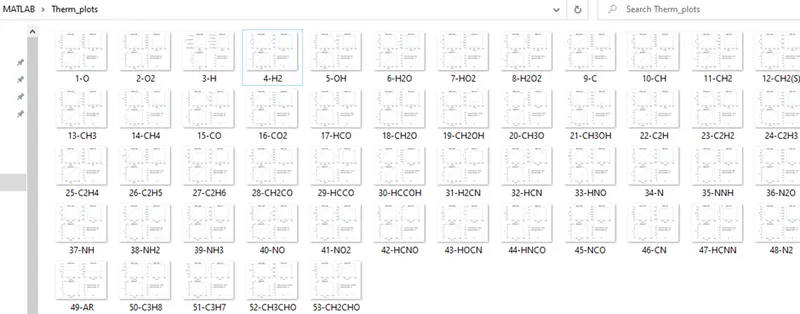
- Save plots as images to different folder
The key commands used:-
fopen – opens the file in the current folder. The THERMO.dat file to be present in the current folder
fgetl – get each line in the file (parsing each line in the file)
splitstring – split the existing string array using a delimiter. In the current case we split the first line in the family by ‘ ‘(space) to get individual values. The output of the split command will be cells. So need to use string command to
regexp – makes the array into a regular expression. Used to get the attribute values by converting the line to a regular Expression and splitting using any character (alphanumeric and non-alphanumeric) . the values received can then be appended to get the required values/expression
str2double – the values received in the above commands are strings and the str2double will convert them the double so that hit can be used for calculations.
mkdir – create new File Directory
cd – Change Directory to make the new directory as the Current working Directory.
Code Studies :-
The command follows the below logic –
- fopen used to open the file
- fgetl used to get each line in the file
- fgetl used 5 times to skip the heading
% opening the THERMO.dat file
f1 = fopen("THERMO.dat")

%skipping the iniital 5 introduction lines
for i=1:5
    skip=fgetl(f1);
end- The first line in the family group is read using fgetl
- This line is split using strsplit command the get the family name, and the local temperatures
        %selecting the first line for Family Name, and the local Temps
        rline=fgetl(f1);
        A=strsplit(rline, ' ');
        FamName(i,:)=string(A(1)); %array of Family Names as string
        len = size(A);
        B = [A(len(2)-3) A(len(2)-2) A(len(2)-1)]; % getting the Local Temps
C=B;- Second, third and fourth line are read to get the attributes . regexp and append is used to get the values to the required strings.
 %Parsing the Next line for the values
        rline=fgetl(f1);
        A=regexp(rline,'\W\w{1,15}', 'match'); %converting the line to a regular Expression and splitting using any character (alphanumeric and non-alphanumeric)
B = [append(A(1),A(2),A(3)) append(A(4),A(5),A(6)) append(A(7),A(8),A(9)) append(A(10),A(11),A(12)) append(A(13),A(14),A(15))];- All the values are stored in two array – FamAttribute (containing the local temps and the attributes) and FamName (containing all the family names)
- Each family is takenup separately and the Cp,H,S and the molWt are calculated. plots are generated for each family
 %Calculatinng Cp
        Cp(j)= (D(i)+ D(i+1)*T(j) +D(i+2)*T(j)^2+ D(i+3)*T(j)^3 +D(i+4)*T(j)^4) * R;

        %Calculating Entalpy
        H(j)= (D(i)+ (D(i+1)*T(j))/2 +(D(i+2)*T(j)^2)/3+ (D(i+3)*T(j)^3)/4 +(D(i+4)*T(j)^4)/5+ D(i+5)/T(j)) * R * T(j);

        %Calculating Entropy
        S(j)= (D(i) *LowTemp+ (D(i+1)*T(j)) +(D(i+2)*T(j)^2)/2+ (D(i+3)*T(j)^3)/3 +(D(i+4)*T(j)^4)/4+ D(i+6)) * R;


    % calculating the Molecular Wt.

  elements = ['H','C','N','O','A'];
  AtMass = [1,12,14,16,40];
  molWt = 0;

    a = regexp(FamName(x),'\w', 'match');
    for i=1: length(a)
        n=str2num(a(i));
        for j = 1:length(elements)
          if strcmpi(a(i),elements(j))
            wt= AtMass(j);
            molWt = molWt + wt;
          end
        end
        if n>1
            wt=wt*(n-1);
            molWt = molWt + wt;
        end
    end
- The plots are saved to the new Directory.
%creating directory to store the plots
mkdir('Therm_plots')
%Defining current folder
cd('Therm_plots')

%Saving the images to current folder in specified formats
saveas(figure(1),append(string(x),'-' ,FamName(x),'.jpg'))
Output plots
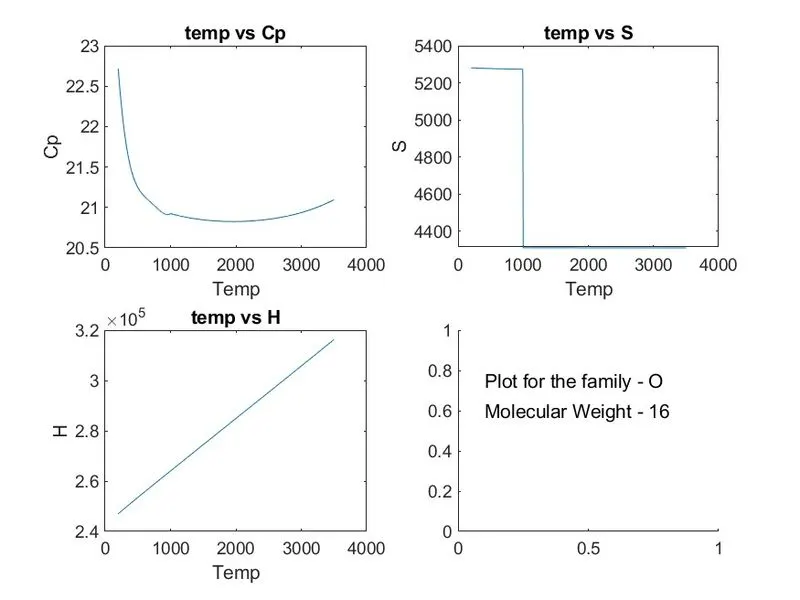
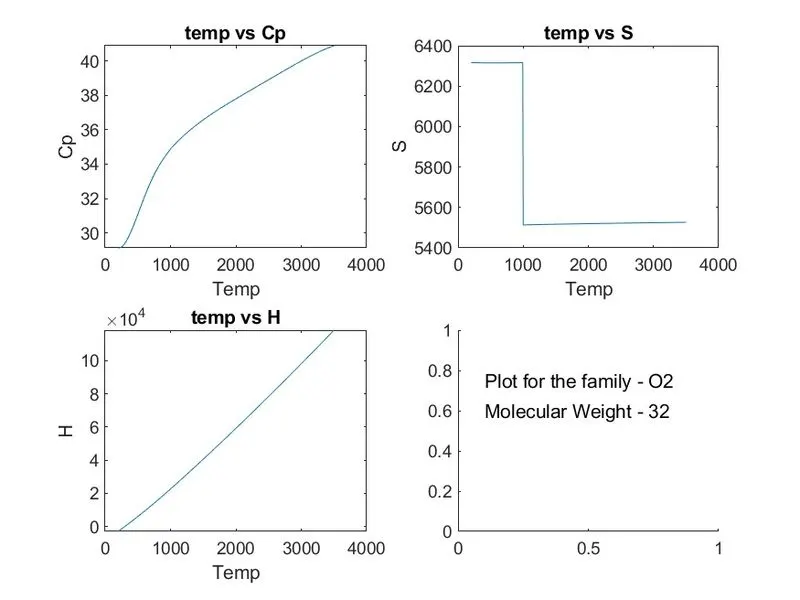
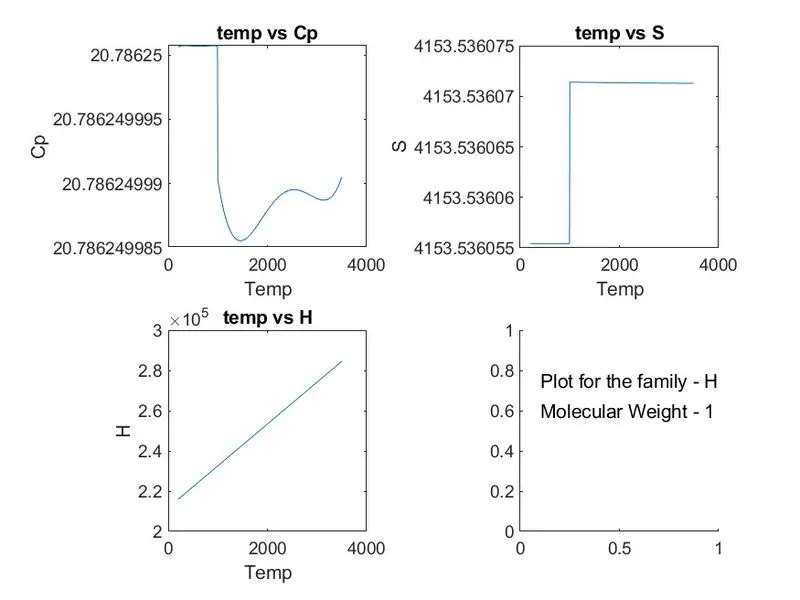
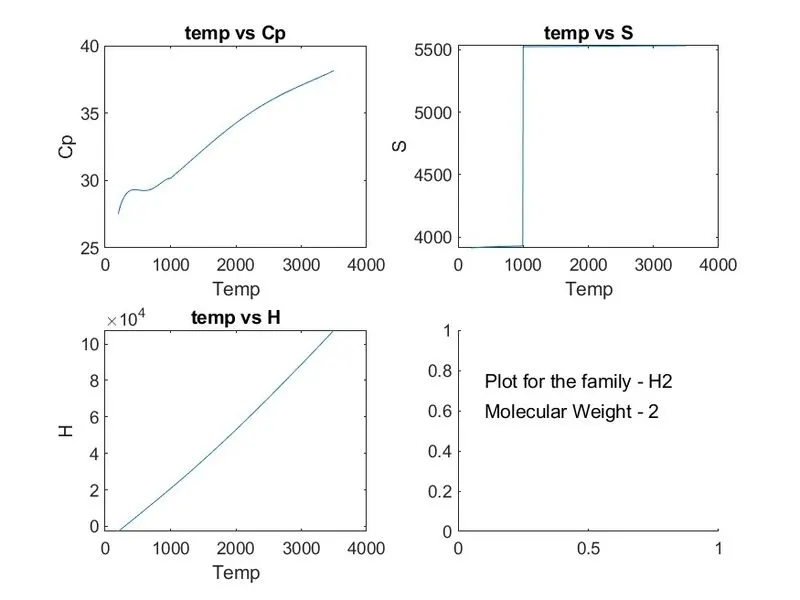
All 53 plots were generated and saved in the defined folder, with the file name as the family name.