Project 1 (Mini Project on Vehicle Direction Detection
OVERVIEW:
- Identifying the direction of the vehicle is one of the important & diverse features in Autonomous driving & Advanced Driver Assistance Features. This particular sub-feature of identifying the direction of vehicle is basically identifying the direction the vehicle is taking based on the camera input.
- Camera reads the road signs & stores into its memory with unique values for left turn, right turn & straight drive. Depending on the direction it is taking, final indication is given to the driver – as an indication if he is driving in the recommended direction or not.
- Vehicle Direction Determination can also be coupled along - side features like GPS systems to identify whether the vehicle is reaching its destination in an optimized manner. This sub feature can also be used along with Lane Detection, Highway Warning, Ramp Entry / Exit in Wrong Way Detection etc.
SLDD CREATION:
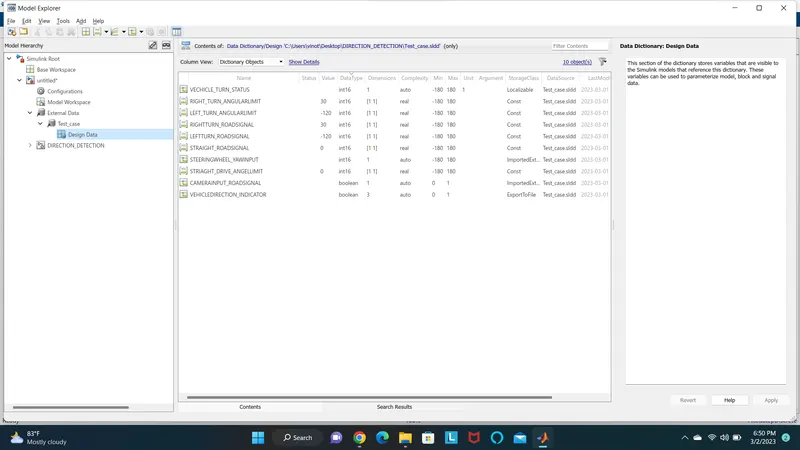
- Creation of SLDD in Matlab/simulink as done by the given calibration data in the portal.The multiple signal are used in the model creation the data.The following procedure are ued to create the SLDD.
- Open the simulink and go to the modelling section
- Then select Link to Data Dictionary option from Modeling section. Which is shown in the following figure.
MODELLING SUBSYSTEM:
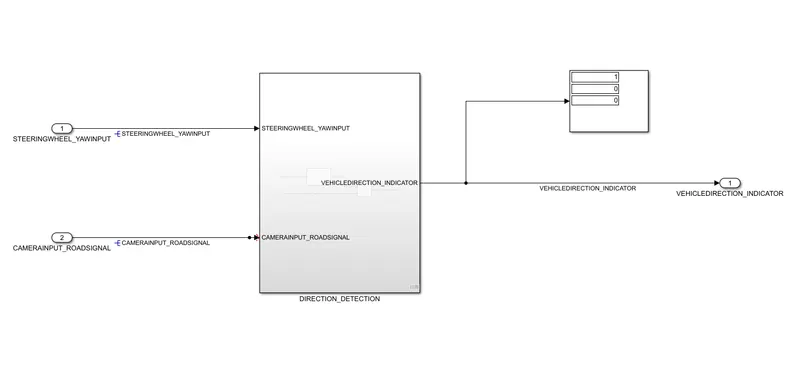
- Model- creation of the direction detecion of the vehice using Requiremens given in portal requirement 1& requirement2and named the sub system as direction detection.
- Added the information as per given in portal was implemented in the model
REQUIREMENT 1:
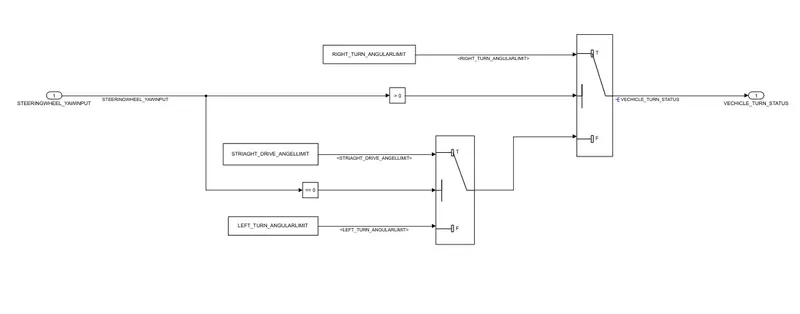
- Requirement 1 created using the sub system model and inside model build using the switch,constant,compare constant block,inport,out port blocks.
- This block will detect the steering position using the given angular limit value
- The given limit value are[ RIGHT_TURN_ANGULARLIMIT,STRIAGHT_DRIVE_ANGELLIMIT,LEFT_TURN_ANGULARLIMIT]
- This block will execute the model using the SLDD file input as we created before slide.
REQUIREMENT 2:
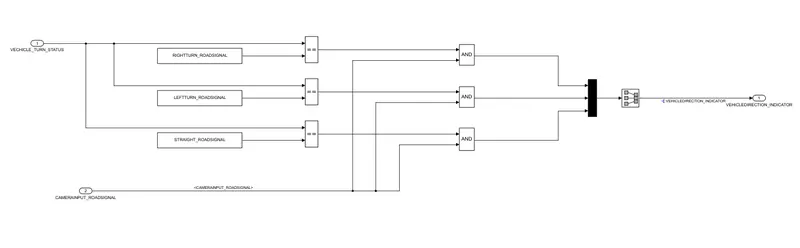
- Requiremet 2 was created using the subsystem model and inside model we created the actual comparator model between camera input and the standard value.
- Signal Vehicle_Turn_Status is compared against calibration values (Calibration Values: RightTurn_RoadSign, LeftTurn_RoadSign, Straight_RoadSign), if each of them is found equal, then each of the three corresponding output is compared against the camera input signal.
- using the relational operators,Logical operators,constant block we have created the model.
SOLVER CREATION:
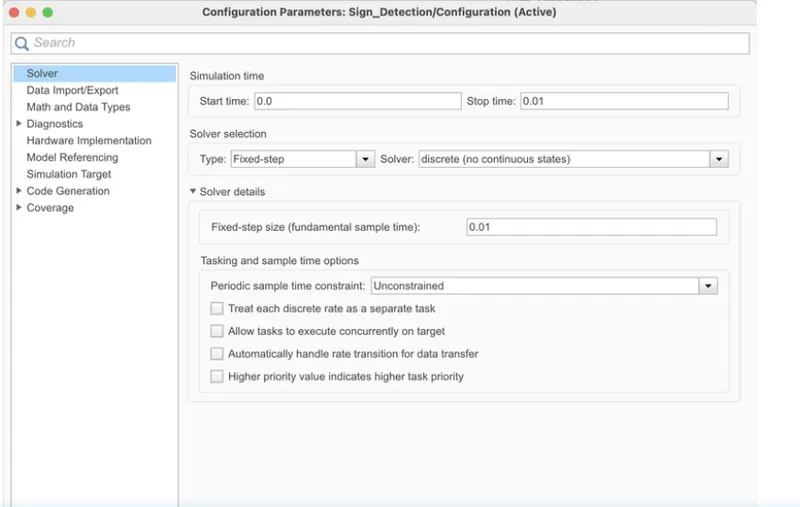
- Solver creation of the modelling and then setting were changed in the model setting and chancing the parameter settings as the 0.00 and 0.01 for simulation running coverage time
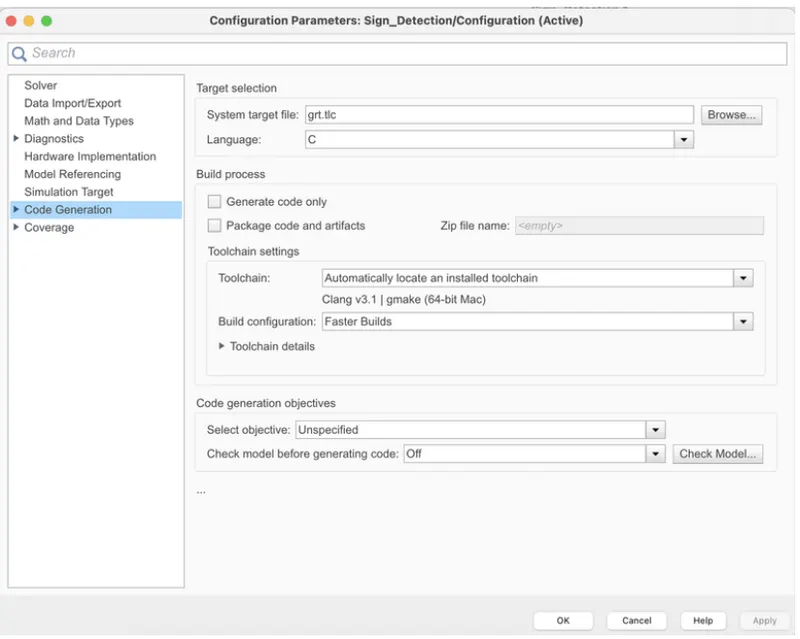
- changing the erlt.c and embedded coder in the model data setting and then the value into variable step in to fixed step.
- This setting are following in the given figure given below
- The following value of he embedded coder changes in the model data settings are done.
MAB GUIDELINES:
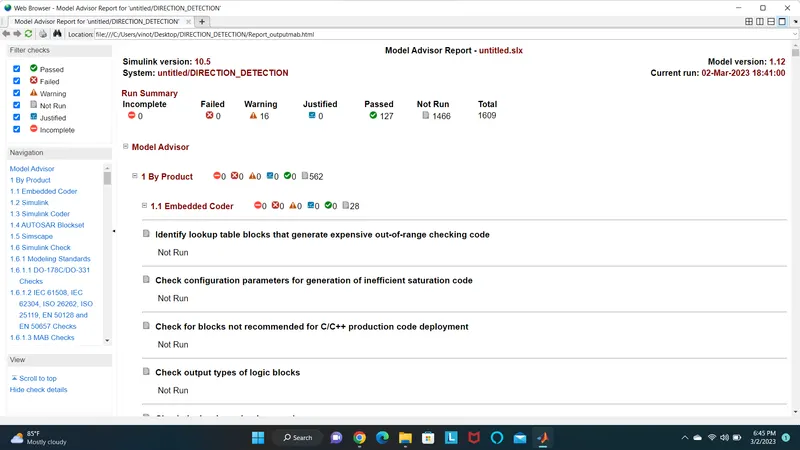
The MAB (MathWorks Advisory Board) Guidelines are a set of modeling guidelines developed by an independent industry working group for the usage of MATLAB, Simulink, Stateflow and Embedded Coder. The guidelines are the culmination of years of engineering expertise and best practices for developing, maintaining and documenting control algorithm models used in the development of production software.
- To perform the MAB guidelines test on our simulink model, go to modeling section and select Model Advisor which is at the top left corner of the window.
C CODING:
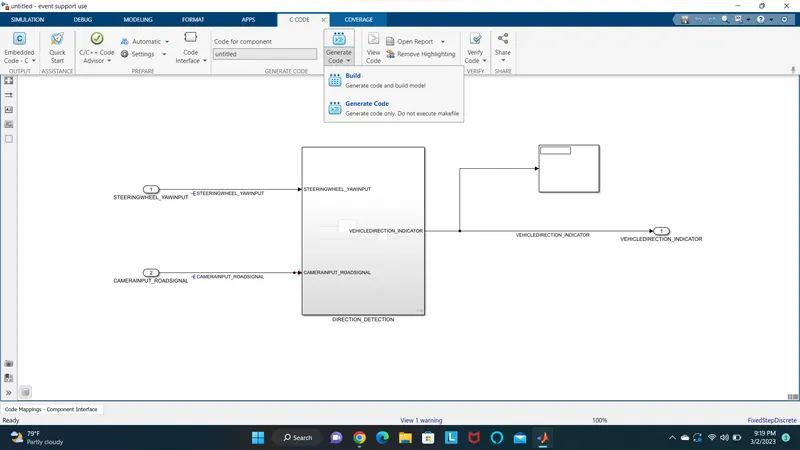
Now we are converting all our model in terms of C Code. To create C code of our simulink model, follow the procedure as explained below.
- To get the app version go to app in top of the display.
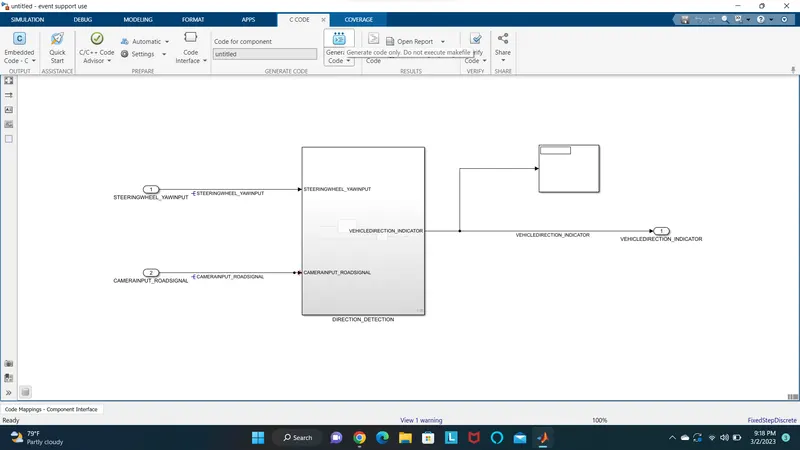
- To get the code builder and go to code generator and click on the build c code
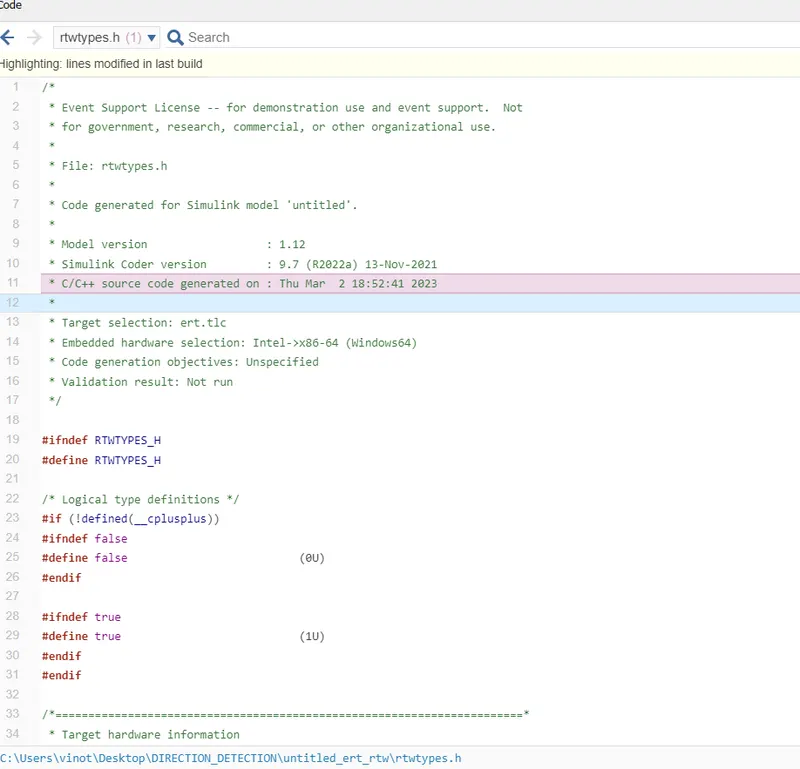
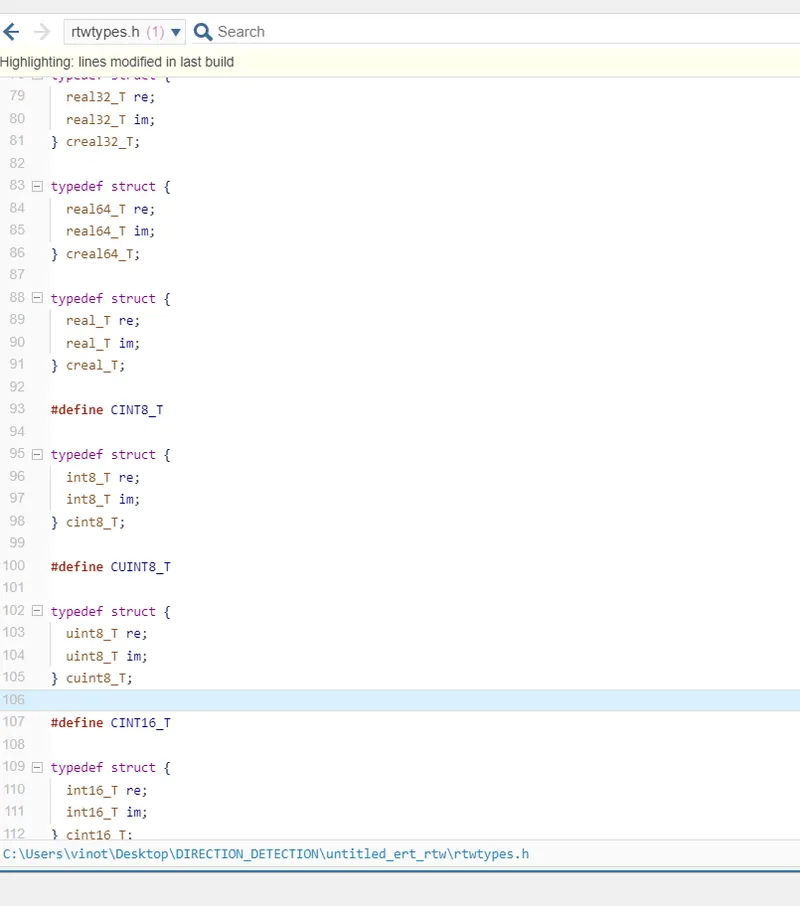
GENERATED C CODE:
Generated C Code of the Direction detection model is shown below.