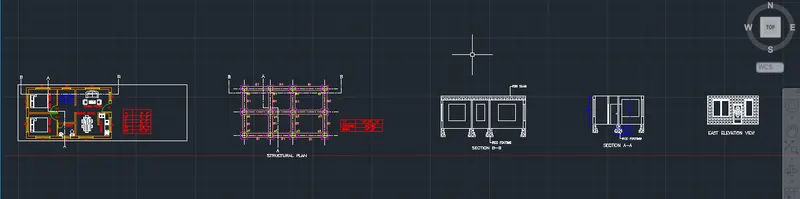
Project 1 _Creating an Architectural plan for the provided plot size and develop relevant basic structural drawings
Design and Draft a layout of a residential building with the following details:
a. Plot Size: 60’x20’(18.3m x6m)
b. Orientation- Facing East
c. Develop the following: 1. Architectural Drawing (Floor Plan, Elevations, and Sections) 2. Structural Drawing (Column, Bean, Footing Plan).
AIM: To Design and Draft a layout of a residential building with plot size (18.3 m x 6 m) .
Commands Used:
xl
offset
trim
Extension
ADC (design centre )
line
rectangle
lt (linetype)
arc
THE PLINTH DIMENSIONS ARE CHOSEN AS 30' X 18'.
Procedure:-
Step 1:
In the command prompt type Units >meters
In the command prompt type limmax >100,100
In the command prompt type limits >0,0
In the command prompt type zoom >a
step 2:
In the command prompt type xl to draft the infinite lines .
In the command prompt type offset , to offset it to the desired lines .
In the command promt type trim to remove the extra lines .
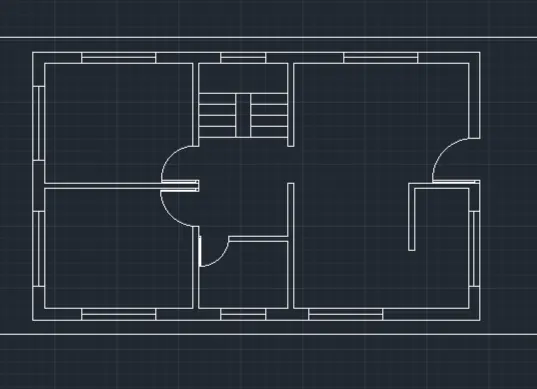
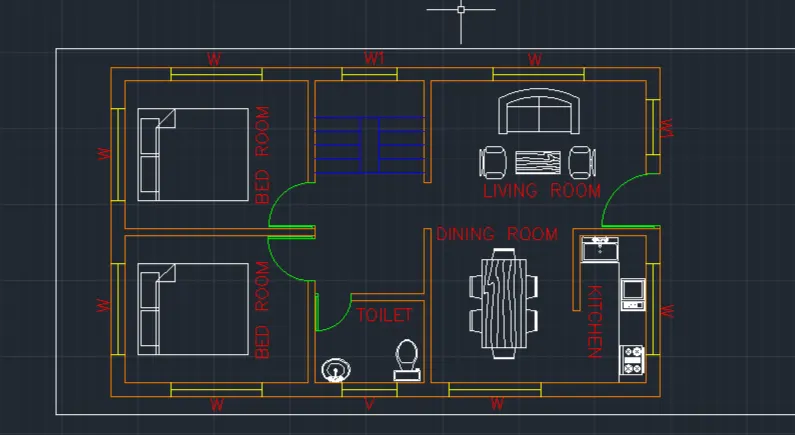
The main enterance of my plan is in the east direction .
In the ribbon bar > layers >walls , grids , furnitures ,doors.
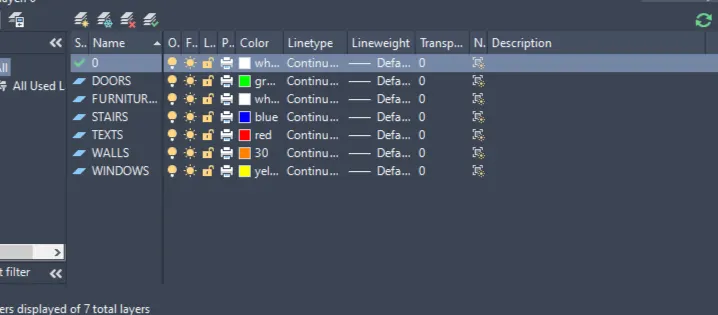
In the command prompt type ADC( design centre ) to add the components
In the command prompt type arc (to draw the doors ).
In the command prompt type lines (to draw the windoors ).
The architectural plan is completed.
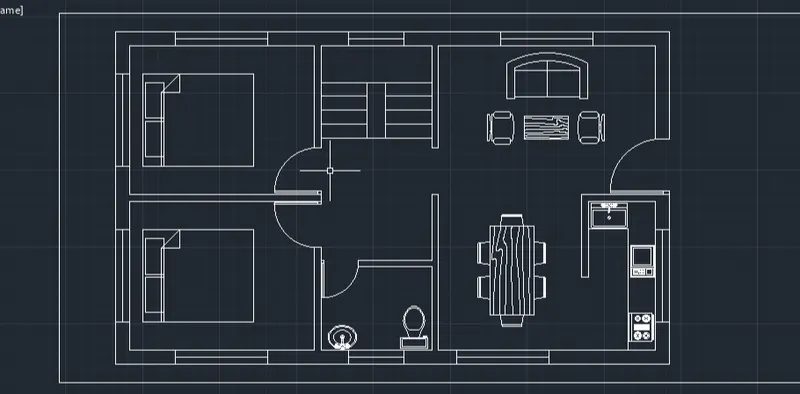
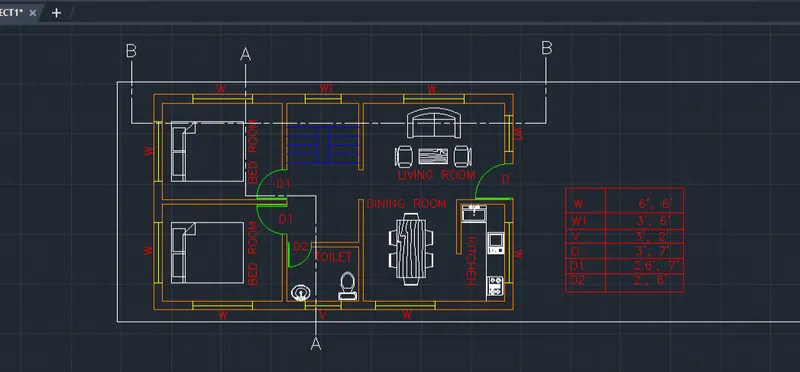
In the ribbon bar type Annotate to text the dimensions.
In the command prompt type table to give the door and window schedule.
Step 3:
Structural drawings:
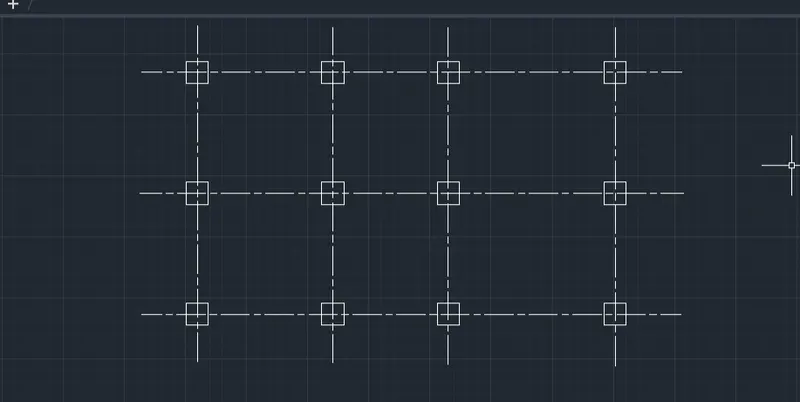
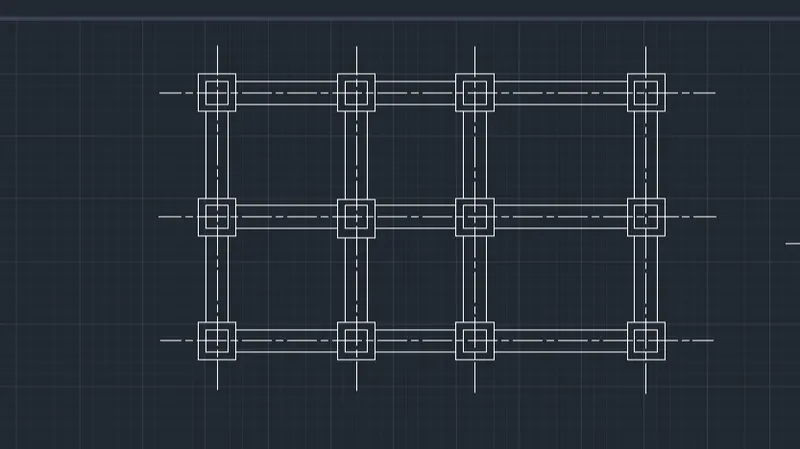
In the command prompt type xl to draw the grid lines .
In the command prompt type LT(to get the dotted lines ) to get the dotted lines .
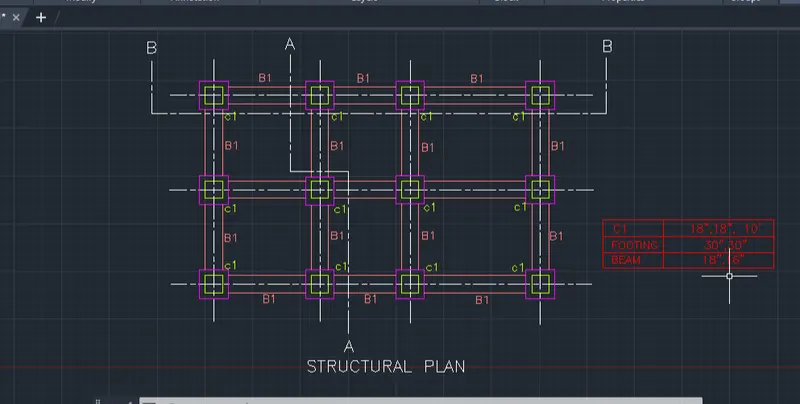
In the command prompt type rec of dimensions 18" x18" for columns .
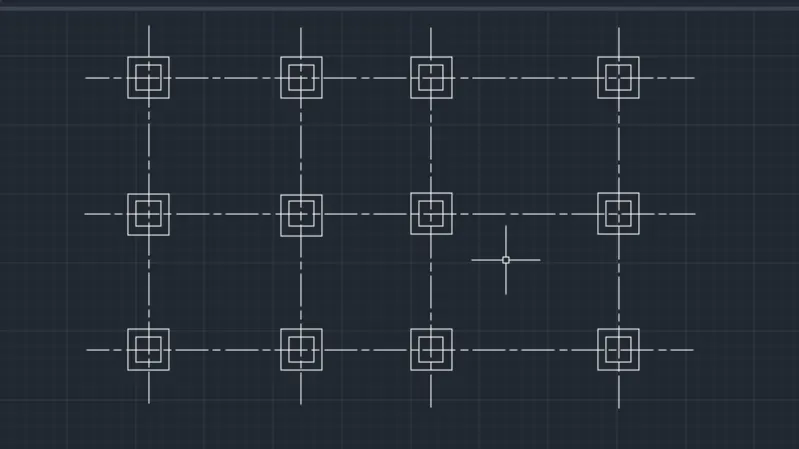
In the command prompt type rec of dimensions 30"x30" for footings.
In the command prompt type line to draft the beams.
Step 4: (to give section views )
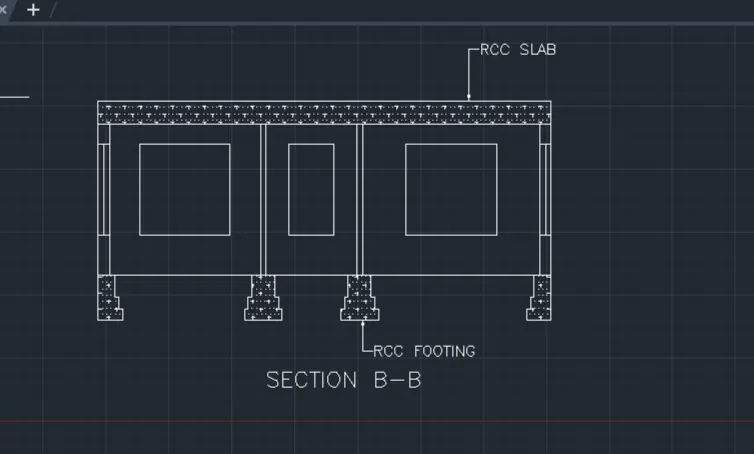
using dotted lines the horizontal and vertical sections are created .
In the ribbon tab > Hatch ( to annotations for concrete).
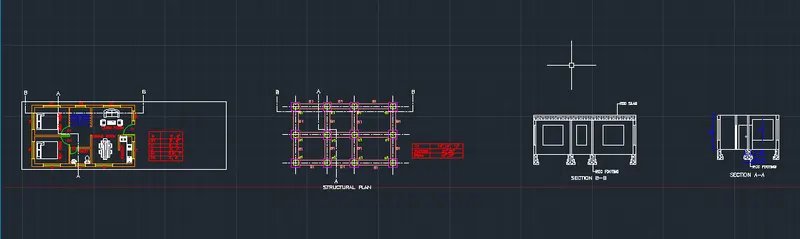
Result:
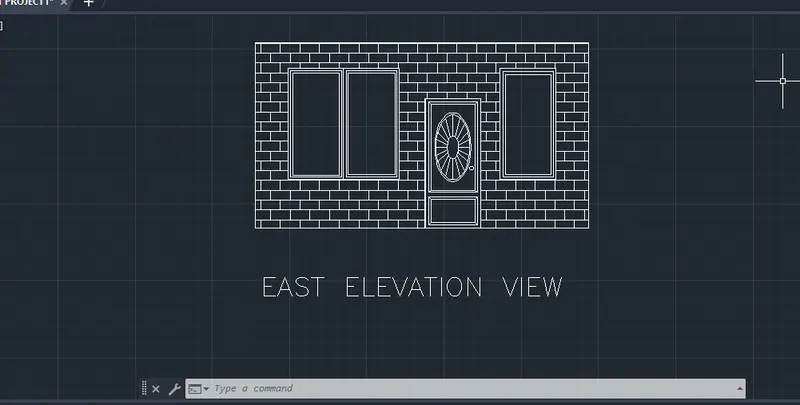
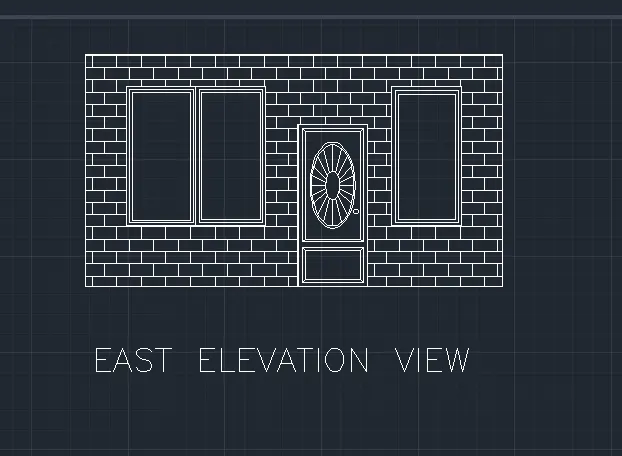
Step 5 ( to create elevation):
In the command prompt type L to draft the lines .
In the command prompt type Hatch > solid to give the desired annotations , colour to the elevation.
In the command prompt type adc > for door etc components.
 Final Result: