Project 1_Comparative study of different storey buildings for Seismic forces
Project 1_Comparative study of different storey buildings for Seismic forces.
AIM: TO MODEL AND ANALYZE MULTIPLE BUILDINGS WITH DIFFERENT FLOOR LEVELS AND DESIGN PARAMETERS USING ETABS SOFTWARE AND COMPARE THE RESULTS TO UNDERSTAND THEIR OVERALL SEISMIC BEHAVIOUR.
INTRODUCTION:
The structural configuration of the building plays a major role in determining the overall response during an earthquake. Different building geometries behave differently when induced by the same seismic forces. Hence, it is very important to properly understand the response of buildings related to their structural configurations for a safer design approach. Therefore in this project, we have modeled different buildings with varying geometries using ETABS. Furthermore, their responses are analyzed with the help of the software and the results are then compared to grasp an understanding of the structural behavior of buildings with different storeys.
DETAILED PROCEDURE:
For an easier approach, this project is divided into two phases. In the first phase, we have covered the modeling part of the buildings where the structures are drawn from scratch as per the pre-specified geometrical and structural conditions. Moreover, running the analysis and generating the structural output with regard to all the buildings is also covered in the first phase itself.
Moreover, a comparative analysis of the structural results obtained in the first half is executed in the second phase of this project. And based on the comparative results, various structural properties of the buildings pertaining to their seismic response are concluded.
PHASE ONE: Modeling the Buildings and Generating their Respective Structural Outputs using ETABS
There are a total of 10 buildings included in this project to achieve a more comprehensive conclusion. The buildings are listed in alphabetical order starting from A and ending at K. A complete stepwise procedure to model all the buildings and generate their respective structural outputs is discussed in detail as follows:
1. BUILDING "A" (G+2)
- Open ETABS and Set up the Model
- Open ETABS from the desktop shortcut or by searching for it from the start menu.
- Once the software is up and running, click on the new model option.
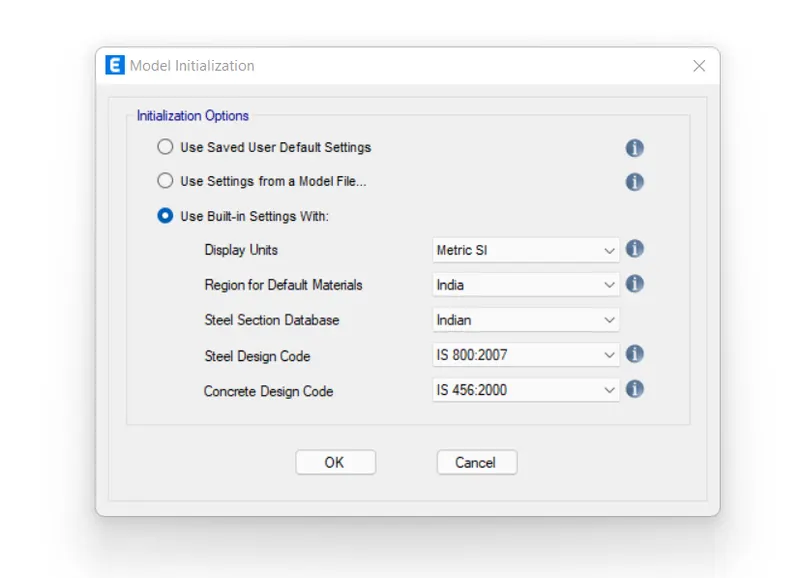
- Once you click on the new model, a dialogue box will pop up where you can set up the codes and units to be used in your project.
- Thus, do the needful settings and click ok to start modeling the first building in this project.
- Setting up the Grid Data
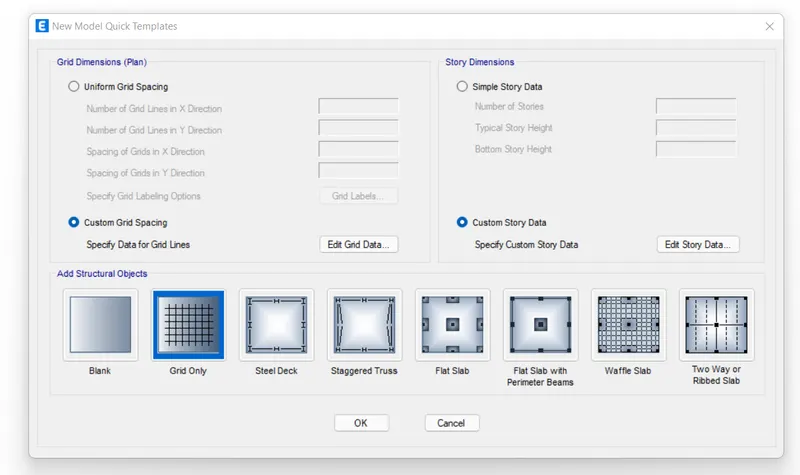
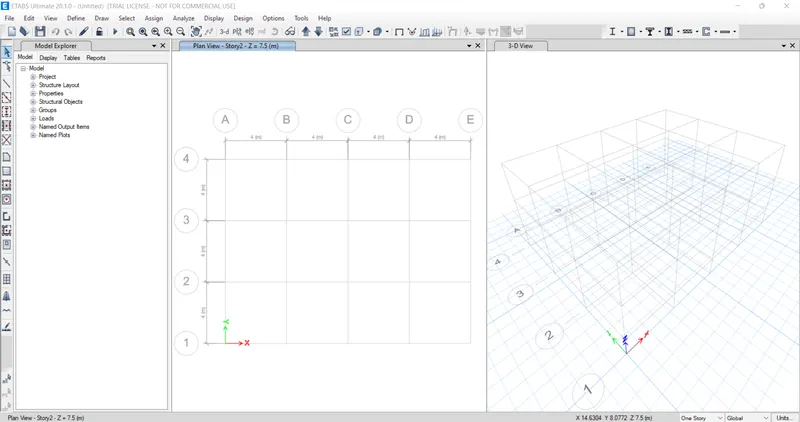
- To set up the grid data, you need to click on the custom grid option.
- Once you do that, a menu with all the grid settings will open up.
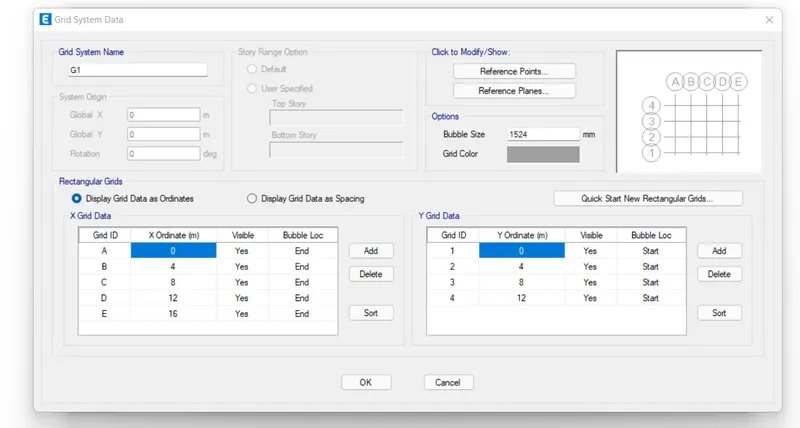
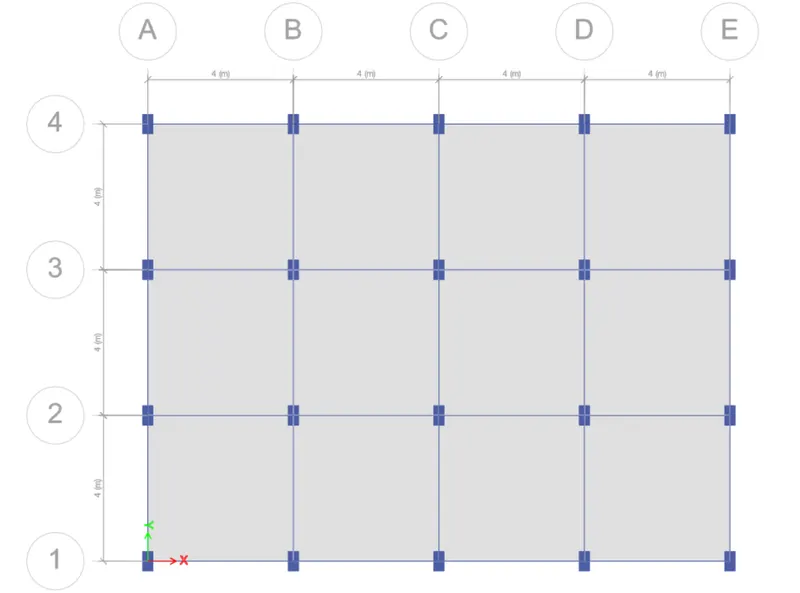
- In the same menu, you can fix the length, numbers of grids in both the orthogonal directions, spacing between all the vertical and horizontal grids, etc.
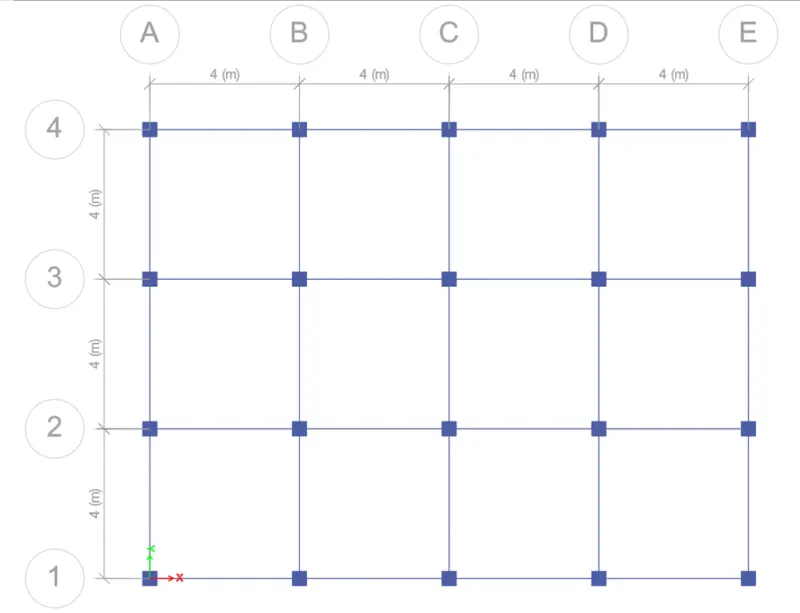
- So, by following the same approach, we have set up a 4 x 3 bay grid with 4m center to center spacing in-between.
- Fixing the Story Data
- Similar to what we did while setting up the grids, click on the custom story data option.
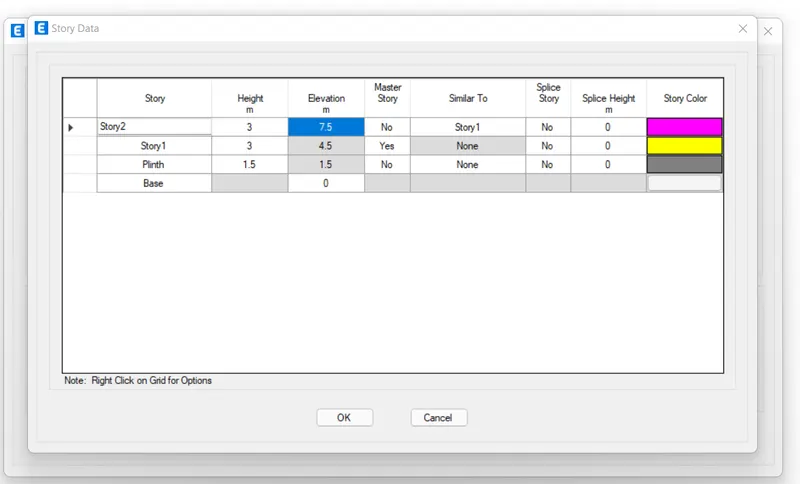
- Then, specify the base level, plinth level, height of each floor, and the number of floors to be included in the model.
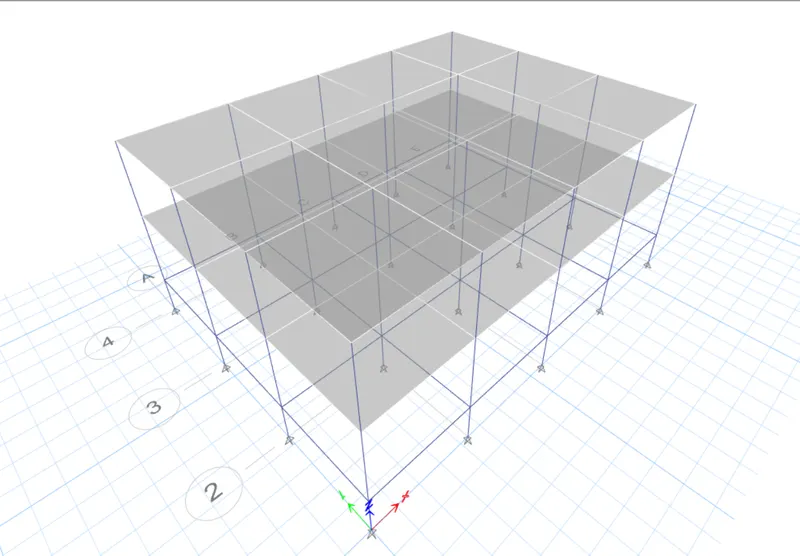
- Thus, we have arranged for a G+2 building with a 1.5m plinth height from the base.
- Also, you need to fix a master story and all the similar storeys in the same menu.
- And for our project, story one is the master and all other remaining floors are similar storeys.
- Once, you do this, your model is set to be executed in ETABS with the grid and storeys as specified.
- Defining the Material Properties
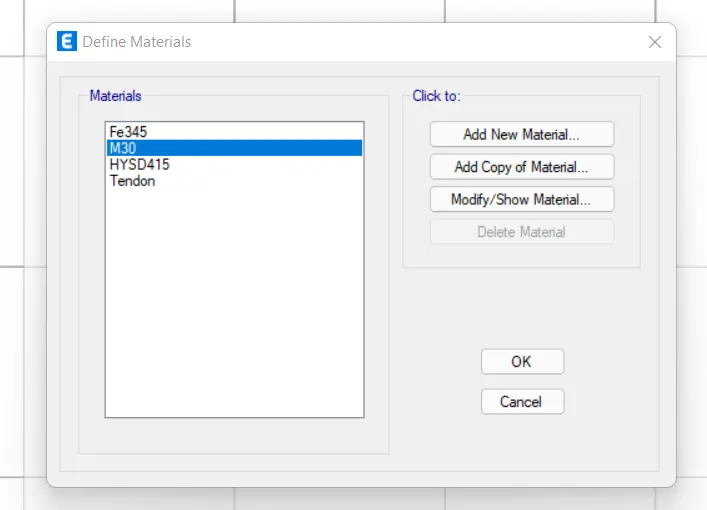
- It is important to set details of the materials you are going to use for the project in ETABS.
- And for our model, we have to use the M30 grade concrete and Fe415 HYSD steel as per the specifications.
- So, in order to define the same, go to define>material>properties>add new> concrete/steel> grade> ok.
- However, since we have already specified the Indian Standard Codes of practices, the M30 concrete and 450 steel is added by default into the project.
- Defining Section Properties
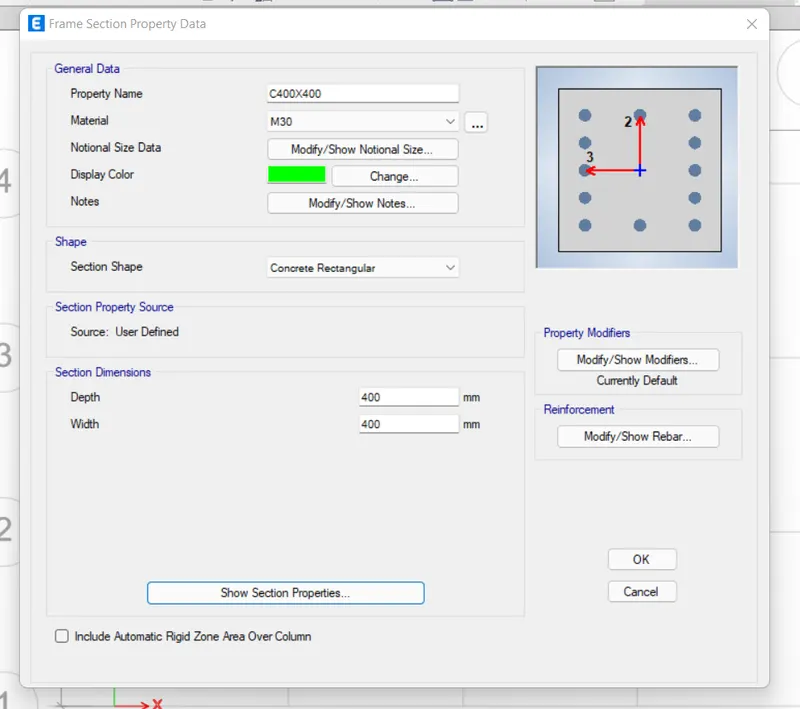
- We are using the rectangular concrete sections for all the structural elements like beams, columns, and slabs.
- So, we need to define that in ETABS software so that it allows us to use these sections repeatedly throughout the project.
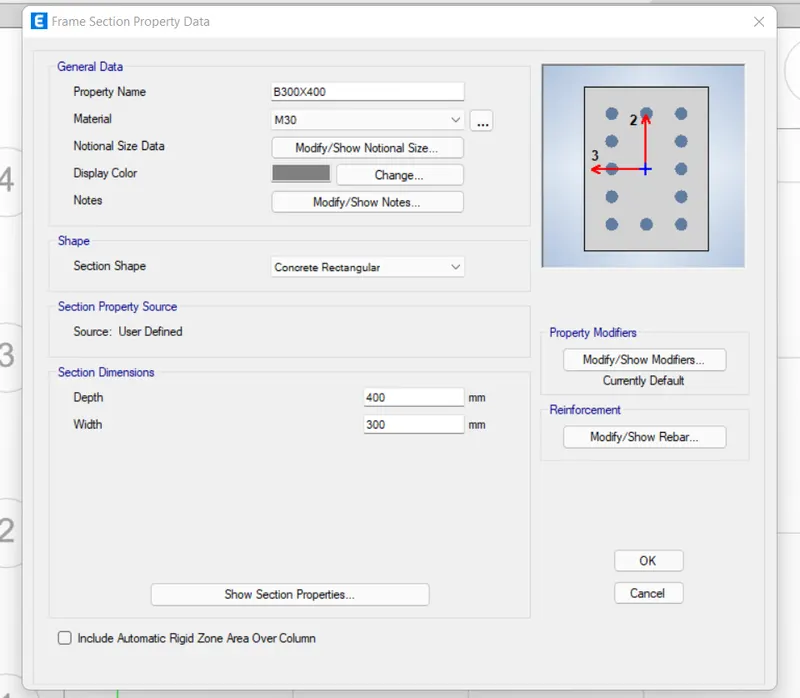
- And to do so, go to define>section properties>frame sections>concrete rectangular.
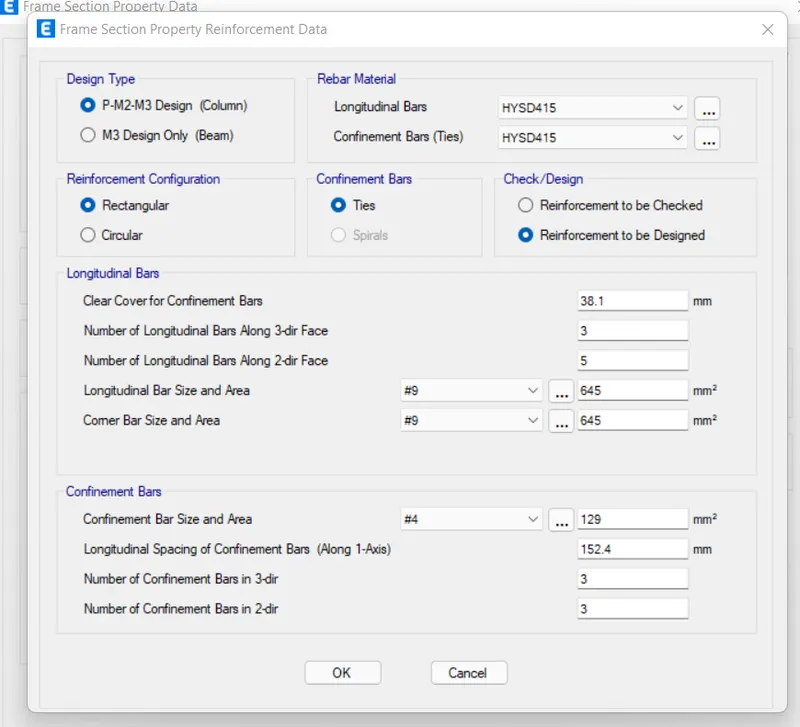
- Then, a dialogue box will appear on your ETABS screen where you can specify the column/beam dimensions and the type of reinforcement (HYSD415) to be used in the model.
- So, you can define both columns and beams from the same menu.
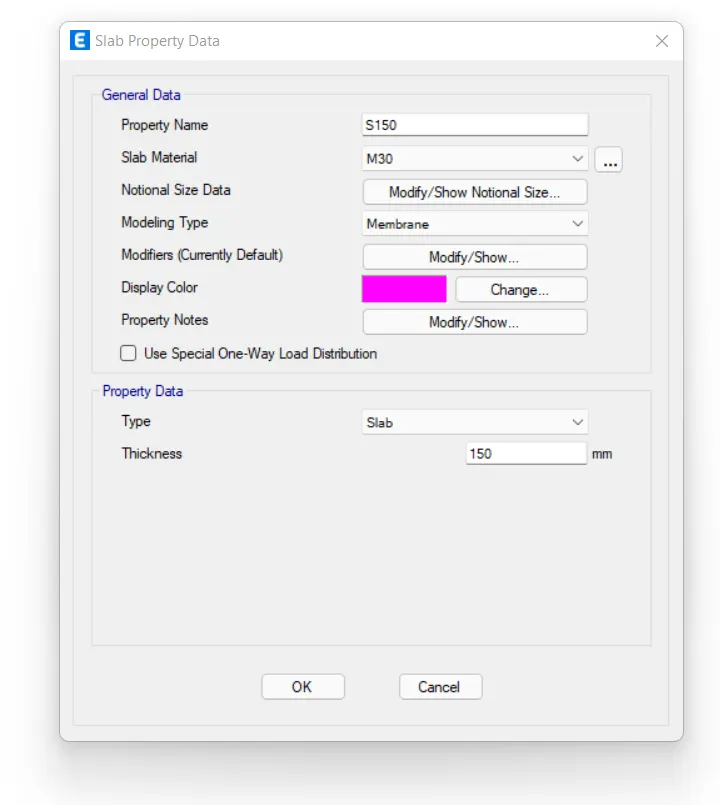
- Now, to define the slab section, again go to define>section>slab.
- Again a menu will open up where you need to set the slab specifications required for the project.
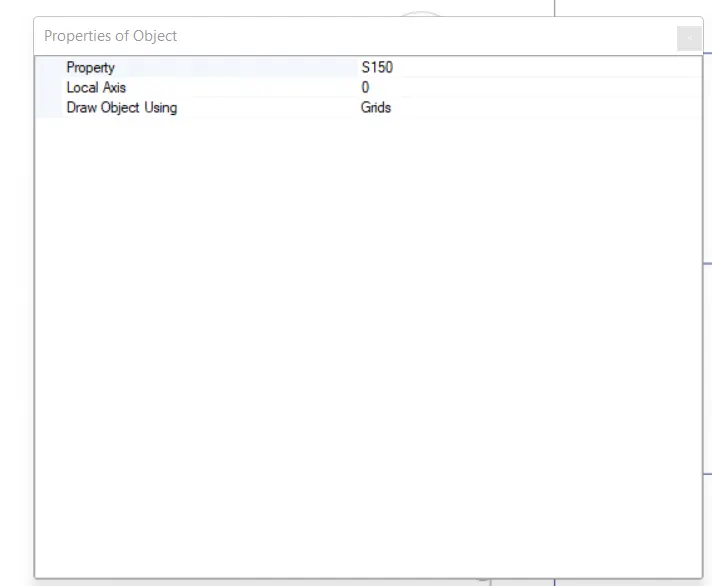
- Here, you need to specify the slab thickness as 150mm and the section as a membrane.
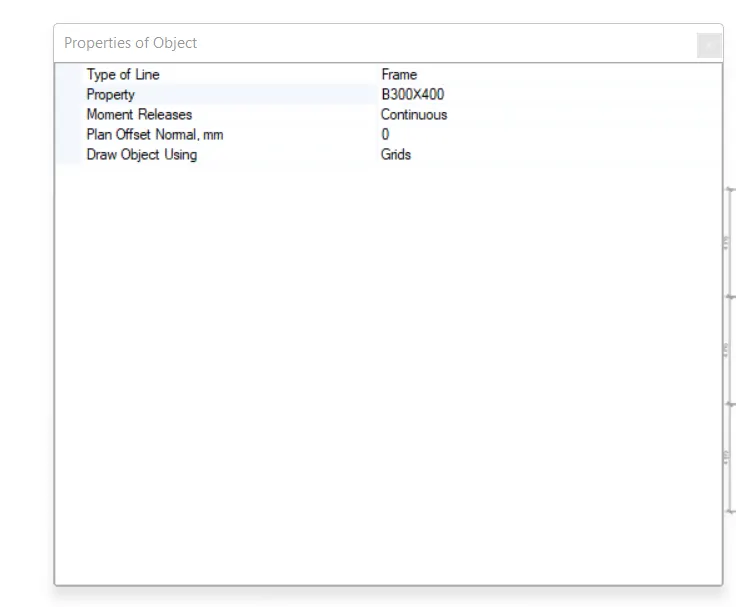
B300X400
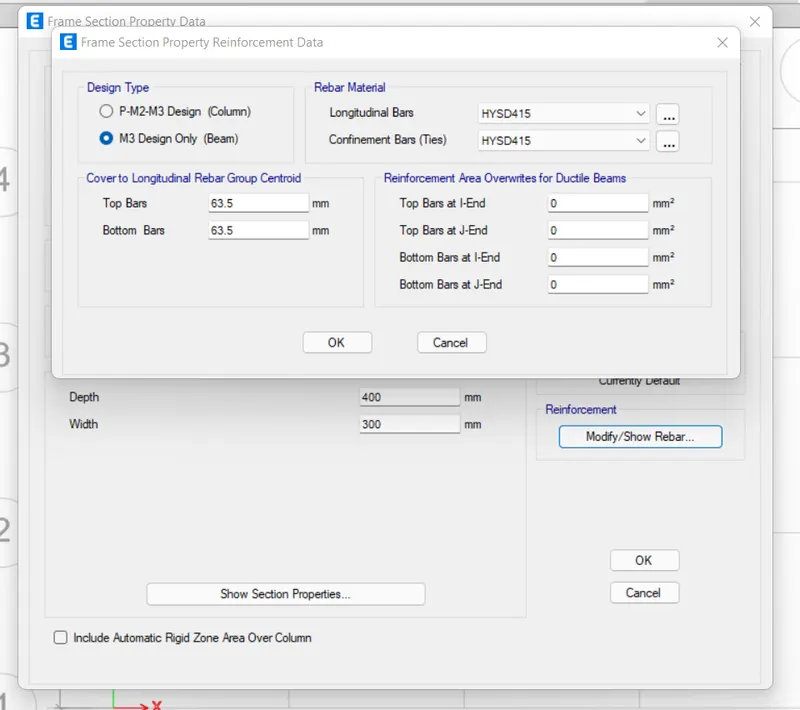
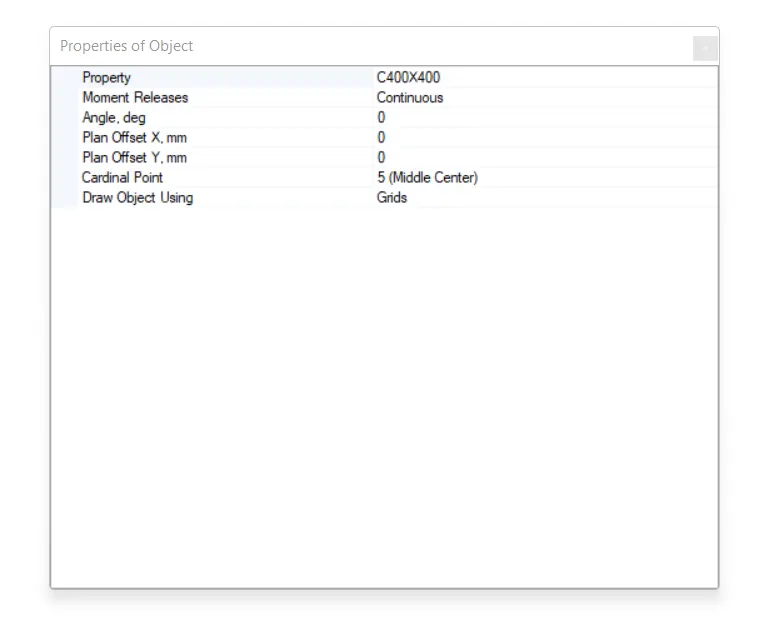
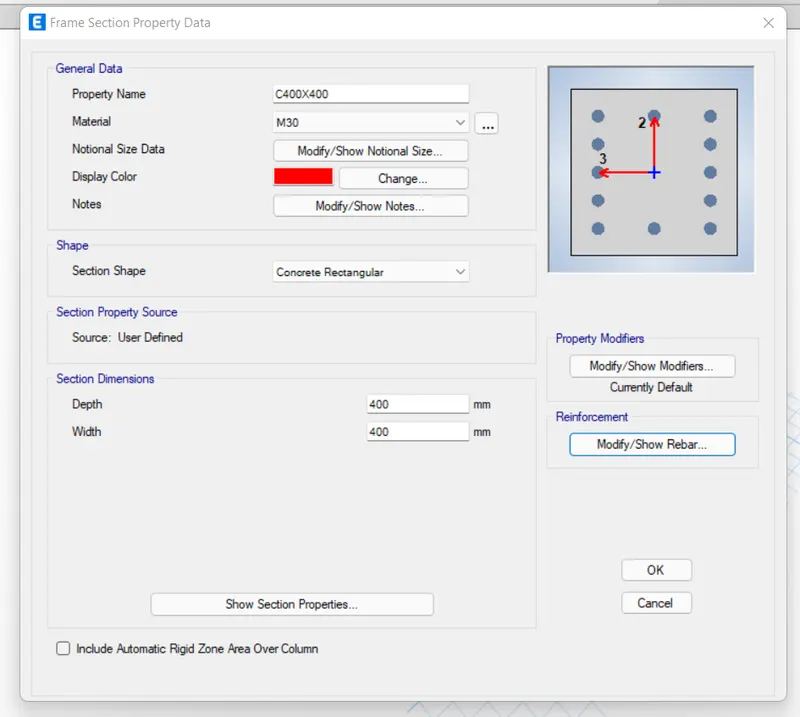
C400X400
S150
- Execute the Modeling
- Now that we have defined everything from materials to beams, columns, and slabs to be needed for our structure, we can go ahead and draw each structural element as per the specifications.
- And to do that, we can use the commands in ETABS named quick draw tool.
- As the name suggests, you can draw all the beams, floors, and columns with the help of this tool.
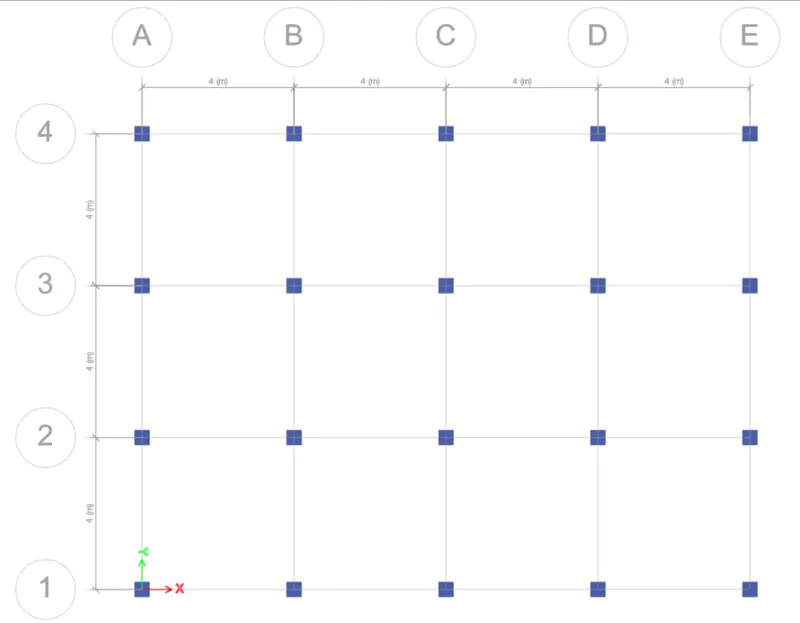
- All you need to do is select the relative tool that is quick draw columns for drawing columns and vice versa. Then choose the section from the dropdown list.
- Then, simply go to the grid system in plan view and start clicking on the grid locations where you want to build these structural elements.
- So, the same approach was followed and the following beams, floors, and slabs were drawn in our ETABS model.
Quick Draw Columns
Quick Draw Beams
Quik Draw Floors
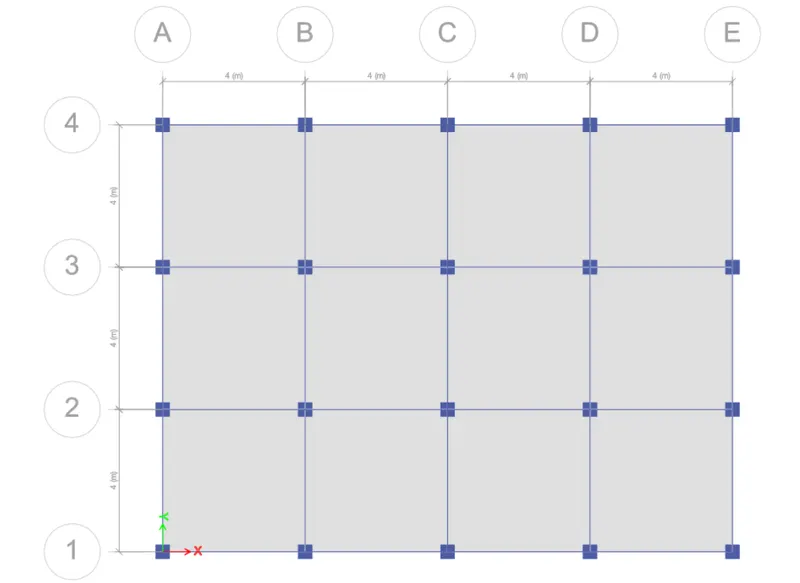
Complete Model in 3D
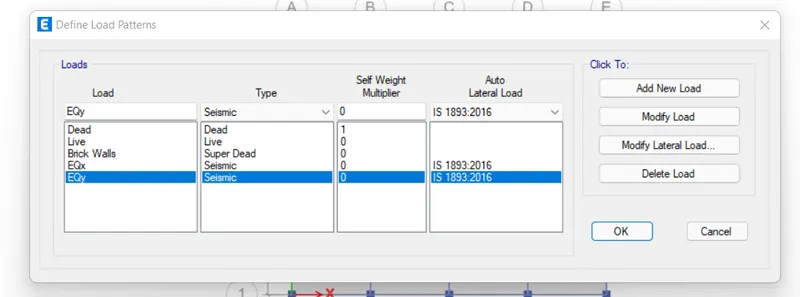
- Define the Load Patterns
- After completing the model, now we need to list down the types of loads that are expected on the structure during its service period.
- And to do so, go to define>load patterns>add loads.
- Here, you can add all the loads and for our project, we are having the dead load, super dead load (Brick wall load), live load, and the earthquake load in x and y directions.
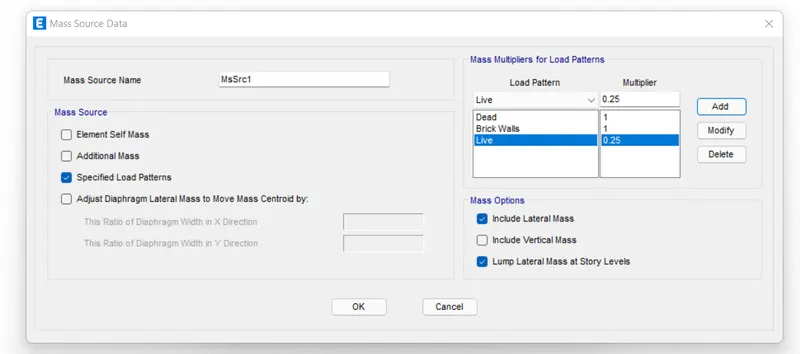
- Also, you need to define the mass source by adding 100% of dead and super dead load as well as 25% of the imposed or live load.
- Generate Load Combinations
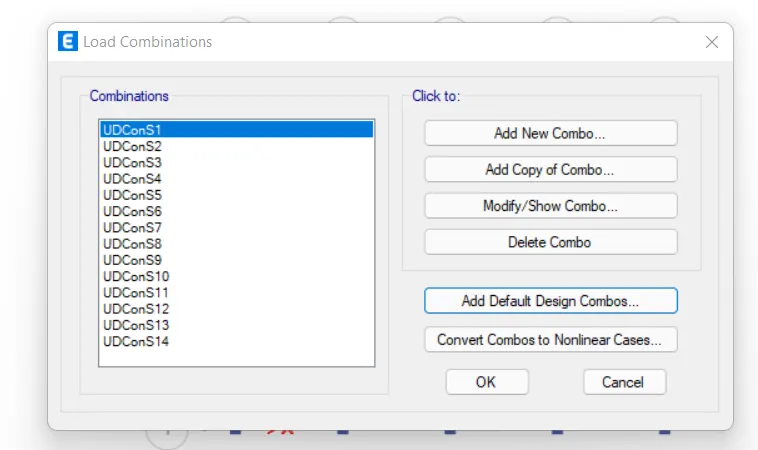
- Go to define>load combinations>default combinations>check the convertible option.
- A list of load combinations will appear which you can look at and modify anytime during the project if needed.
- Assign Loads to the Structural Members
- You can select a particular structural member from the model and assign it the load that is imposed on it.
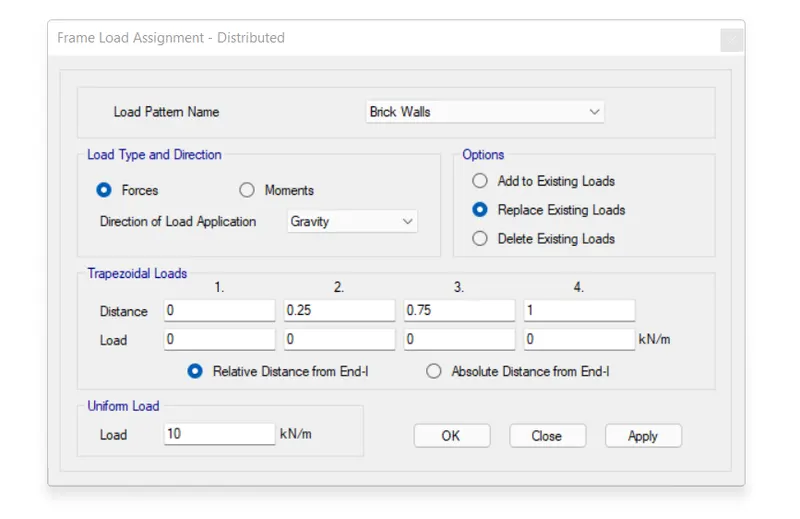
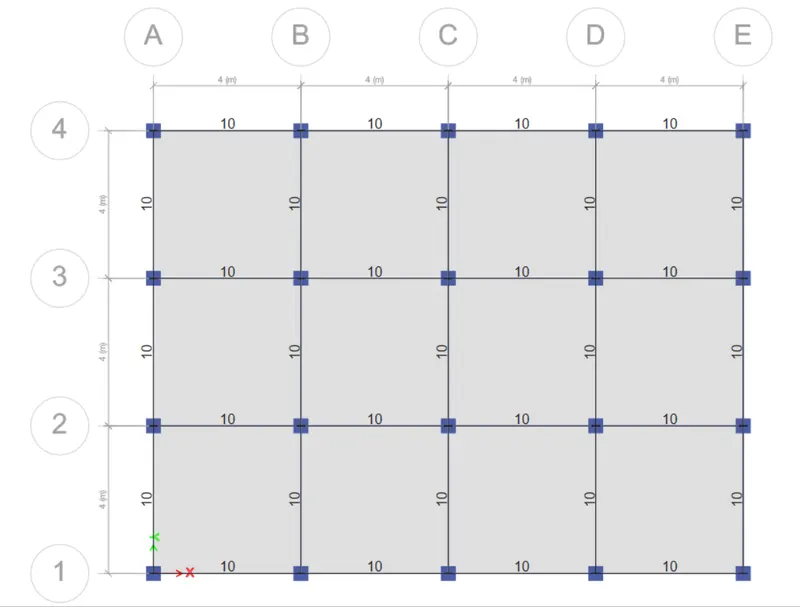
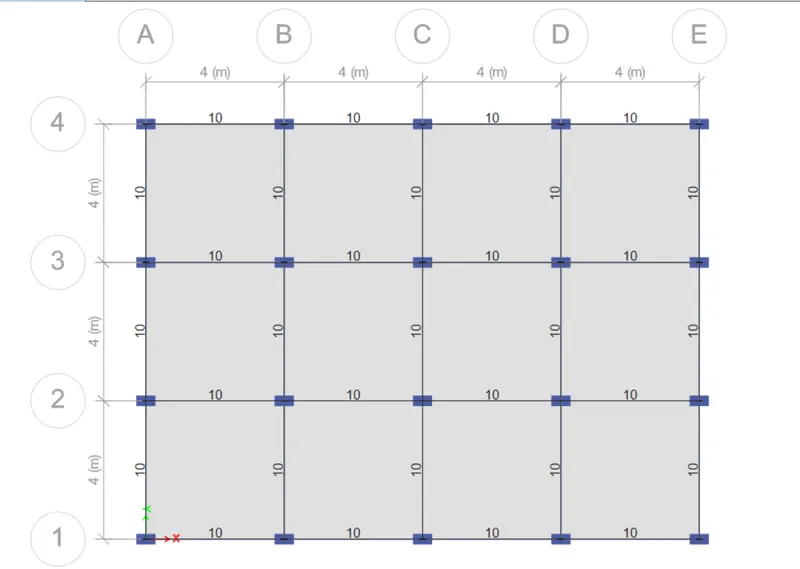
- For example, select the beam and assign a udl of super dead load due to the brick walls resting upon it.
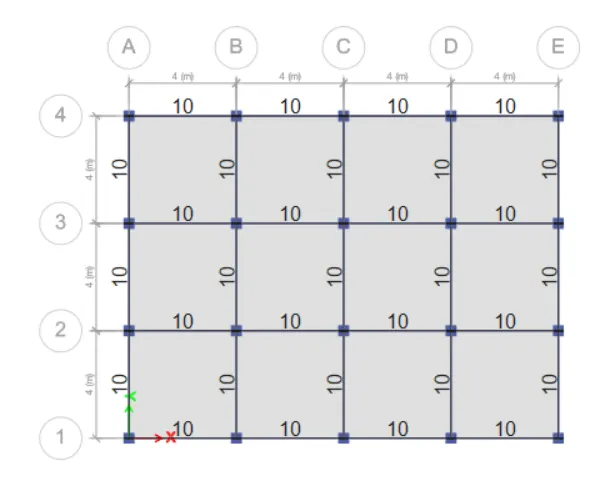
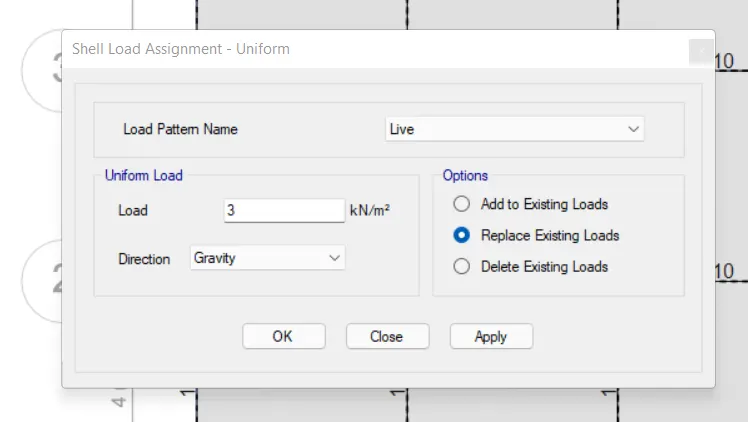
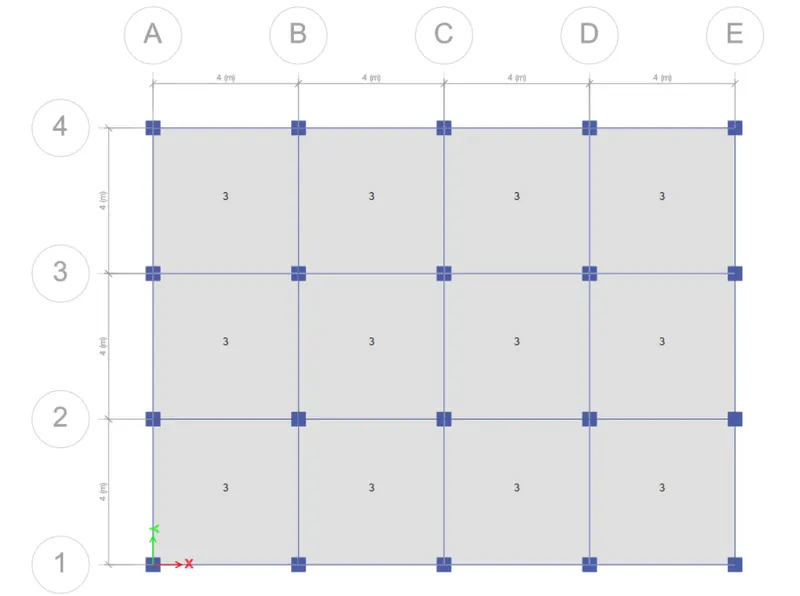
- Thus, a similar technique is used and the loads on beams and slabs are assigned as follows:
10 KN/m brick Wall Load on Beams
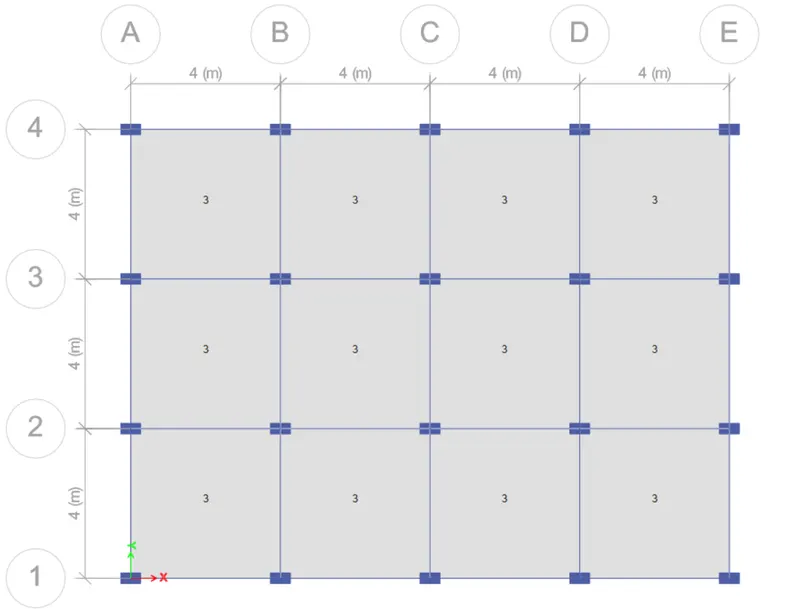
3 KN/m^2 Live Load on Slabs
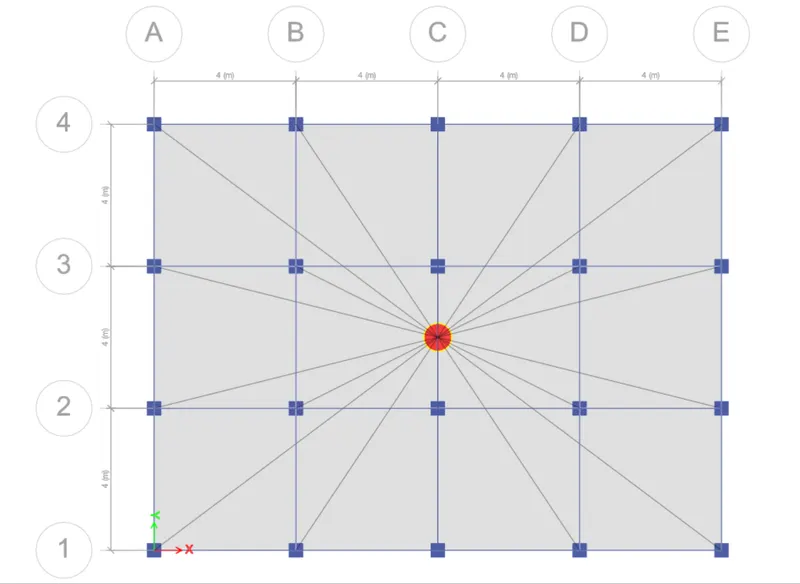
- Assign the Floor Diaphragm
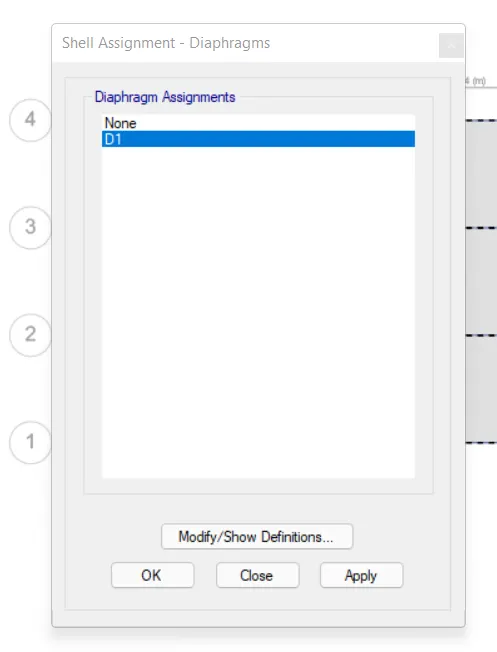
- Select the S150 slab section from the select option.
- Go to assign>shell>diaphragm.
- Select the default D1 diaphragm already incorporated in ETABS and press ok.
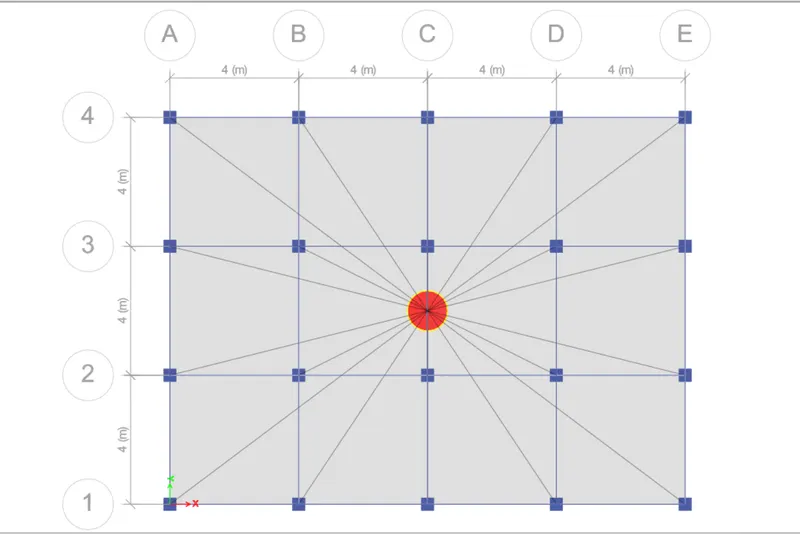
- It is now done, and you can see the center of mass for our model has been automatically calculated as we assigned the floor diaphragm.
- Save the Model and Run Analysis
- Now that everything with regards to our first model is complete, we can proceed to run the analysis for this building.
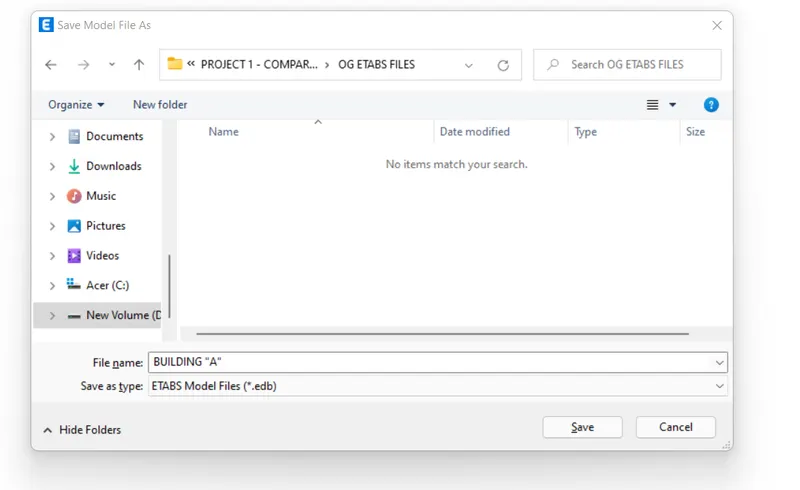
- But we'll have to first save our project before running the analysis so do it at the preferred location within your system.
- Then, you can simply press F5 on your keyboard or click on the arrowhead available on the ETABS screen to run the analysis for the current model.
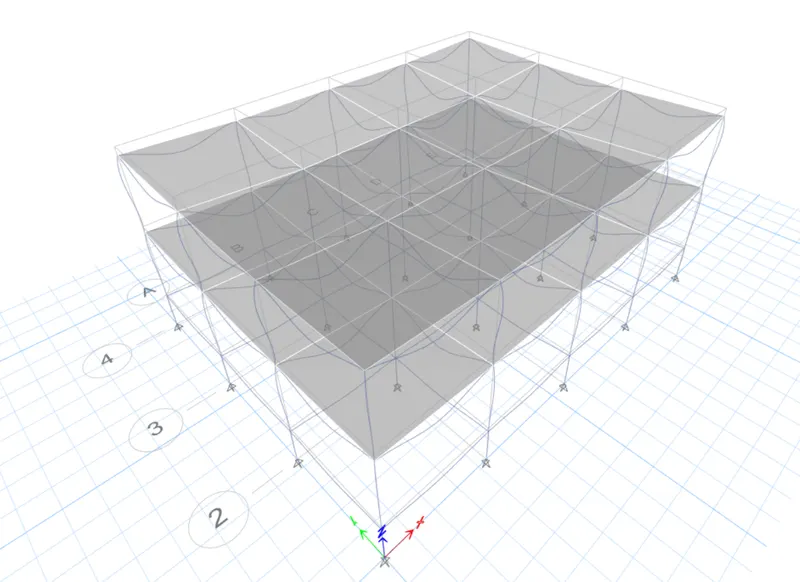
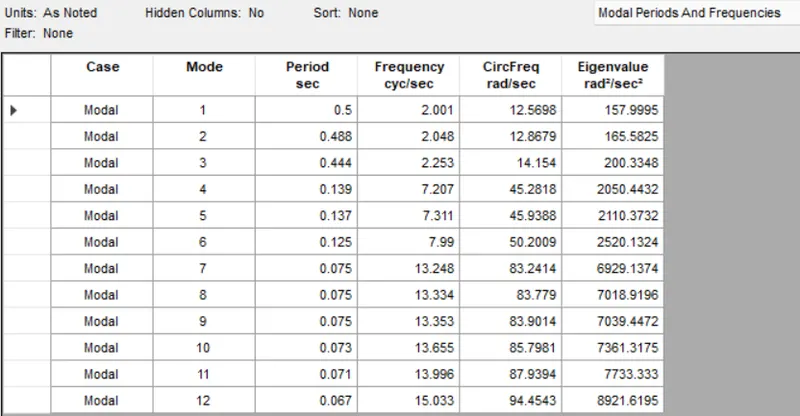
Modal Response for Building A
2. BUILDING "B" (G+5)
Now to model building B, we need not create a new ETABS file from scratch. Rather we will save a copy of the building A file and do the alterations needed for building B. For example, we can increase the number of stories to 5 by editing the story data within the copied file. So, the complete procedure to do so in ETABS is discussed below:
- Make a Copy by "Save as"
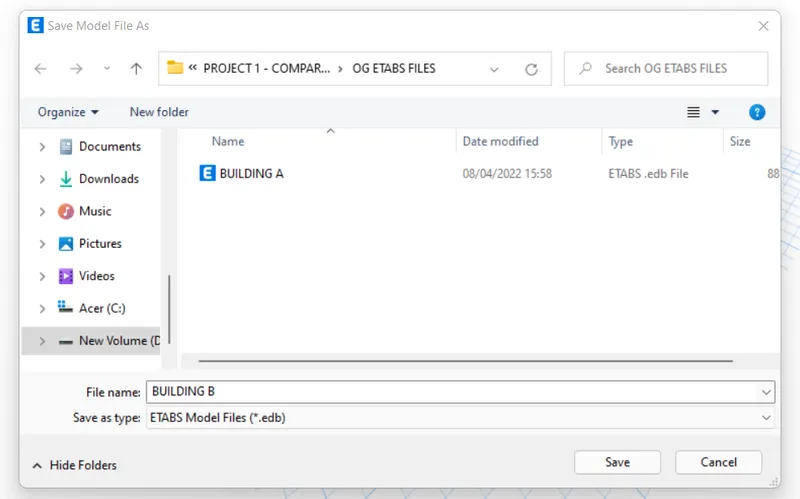
- From model A, go to files and click on the save as option.
- Set the destination folder and name it "BUILDING B".
- The model is set for changes as per the requirements of building b
- Edit Story Data
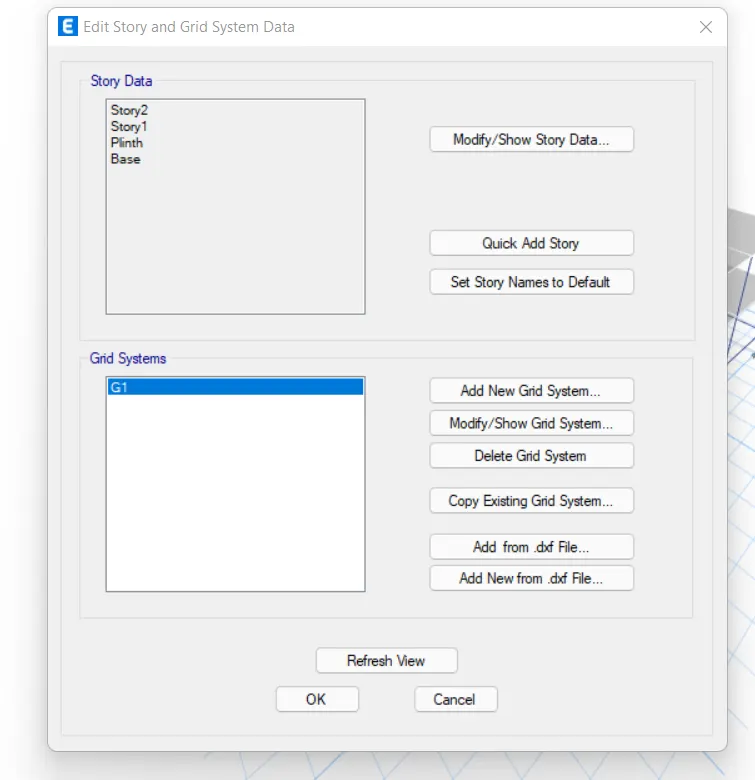
- From the new file, go to edit>story and grid data.
- Click on the modify story data option.
- Then, right-click on the top story and select the add story option.
- Set the height and the number of storeys you want to add.
- In our case, we need to add 3 more floors to convert our 2 story building into a 5 story one.
- Also, make sure to make each story similar to the master story created in Model A.
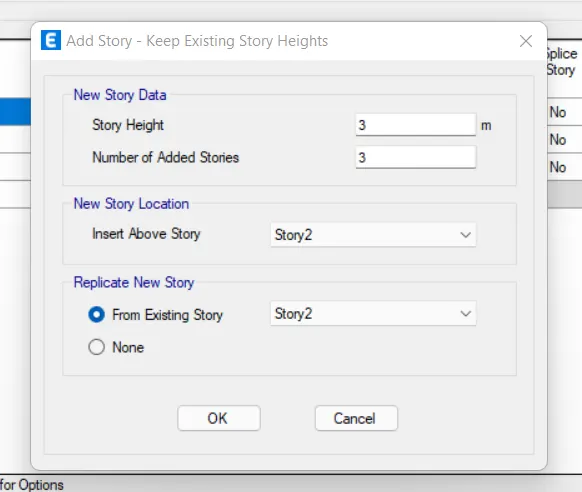
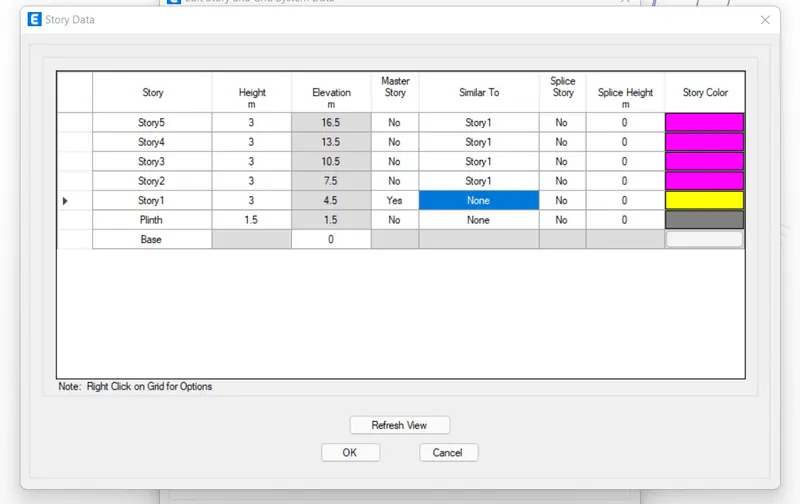
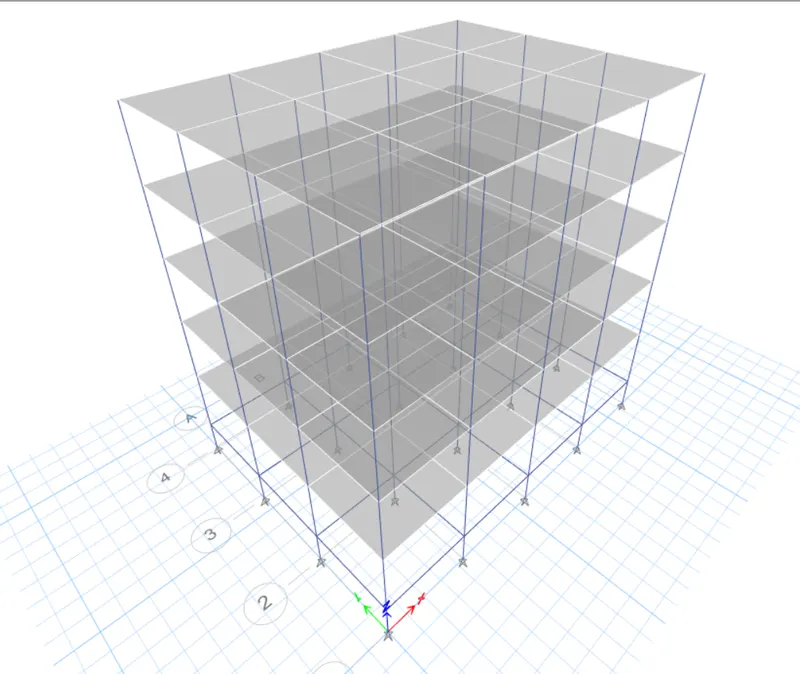
Converted 5 Story Model
- Check the Model before Running Analysis
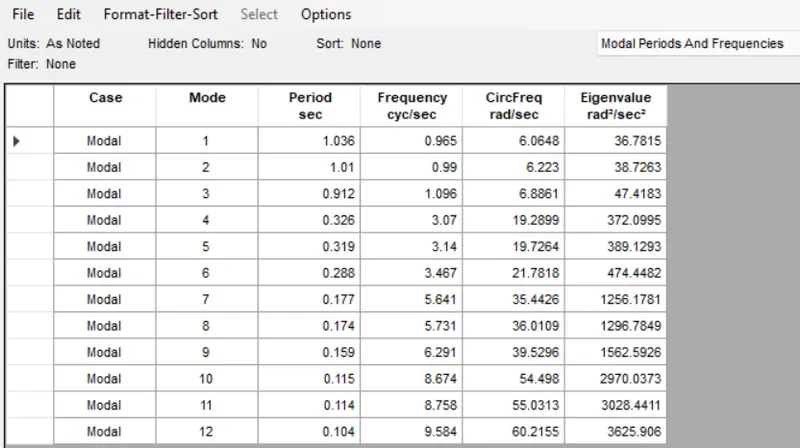
- Now that our model is ready we need to check for two to three things before running the analysis and noting the modal period.
- The first check is for the load assignment.
- From the bottom ribbon in ETABS, go the show frame and shell loads one at a time.
- This way the model will show if the corresponding load has been assigned till the top floor.
- Similarly, you need to check if the diaphragm has been assigned to the new model or not.
- You can check it by going to the view settings option and checking the diaphragm visibility.
- If the diaphragm is not visible, you need to select all the floors and assign the diaphragm like we did for the first model.
Check for Shell Loads
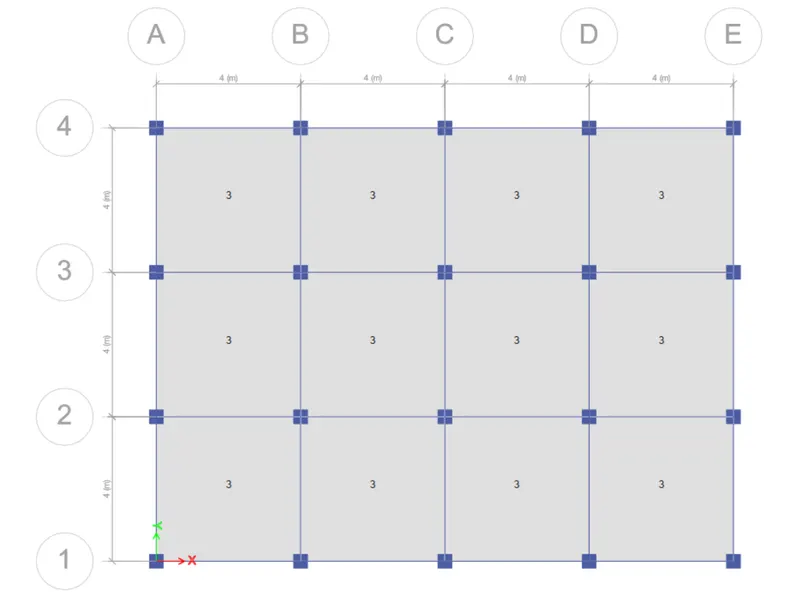
Check for the Frame Loads
Diaphragm Check
- Run the Analysis
- Now that all the checks have been made and the structure is ok, we can run the analysis.
- And to do that simply press the F5 button on your keyboard or click on the arrowhead available at the bottom ribbon in ETABS.
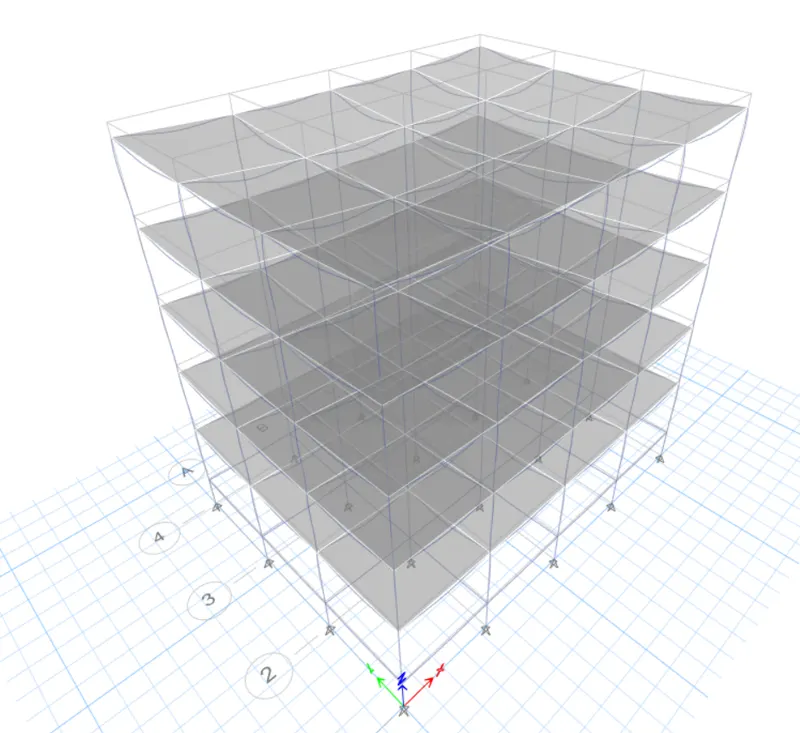
- It will take a few seconds and the deflected shape of the building will appear indicating that the analysis has been completed.
Modal Response for Building B
3. BUILDING "C" (G+5 with column orientation in X-direction)
The story and grid data for building c will remain still. However, we need to change the column size and orient the same in the X-direction. So, the complete stepwise procedure for the same is discussed in detail below:
- Create a Copy Model by Save As
- Like we did for building B, now do it for building C through building B.
- Choose the appropriate location and save the file as building c.
- Now, the model is set to be edited as needed.
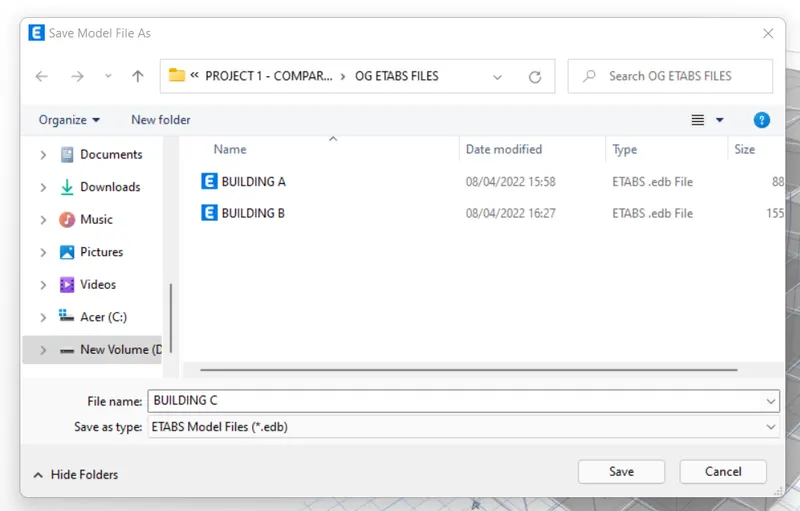
- Edit the Column Size and Orientation
- To edit the column section, go to define>section properties>frame section.
- Now, select the previously created column for building A and B.
- Click on the modify/show properties option.
- Rename the column as needed which in our case is 550x300.
- Then, edit the length and breadth by entering the values in the box.
- Now, we need to orient the 550mm in the X-direction.
- So, select the column section then go to assign>local axis>rotate>90 degrees.
- This way, all the columns shall be oriented in the X-direction meaning 550mm laying down in the x direction.
Required Column Section
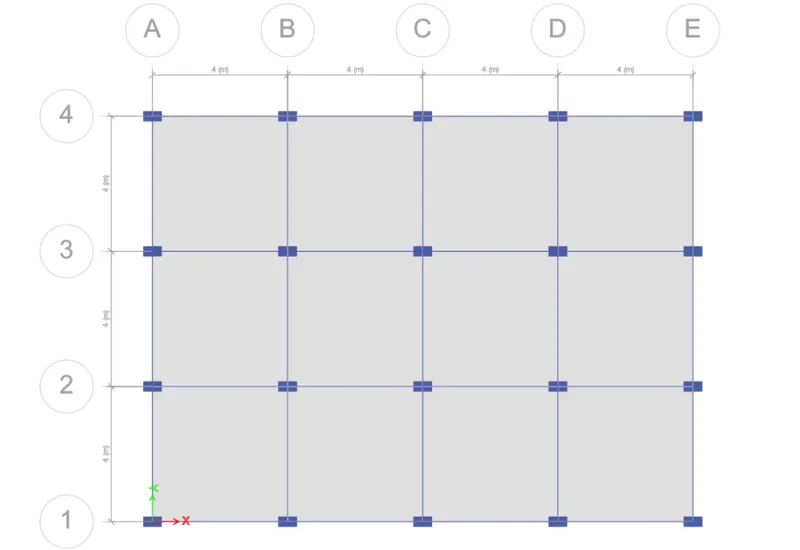
- Checks Before Running the Analysis
- Like we did for building B, checks for the frame and shell loads are to be made.
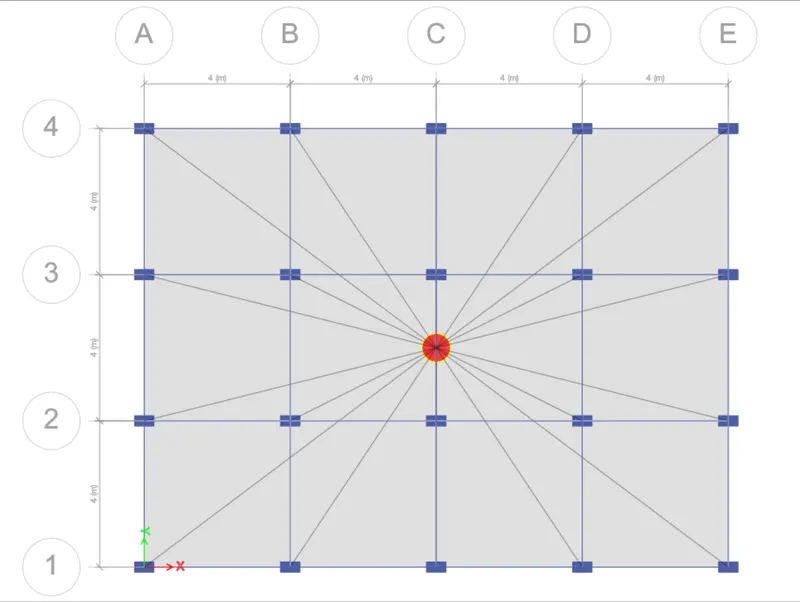
- Also, make sure the floor diaphragm has also been assigned before going ahead with the analysis.
Check for the Frame loads
Check for the Shell Loads
Diaphragm Check
- Run the Analysis
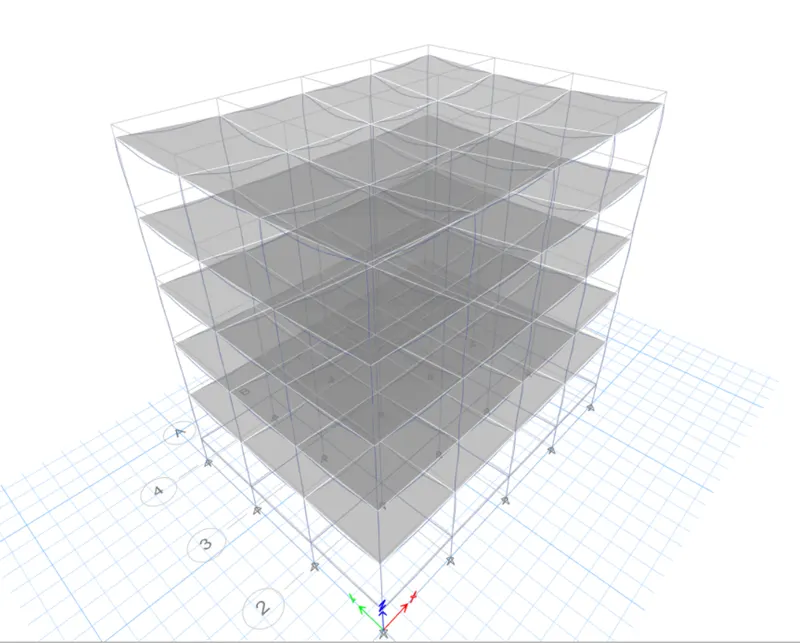
- Hit the F5 button on your keyboard and ETABS will automatically run the analysis for you.
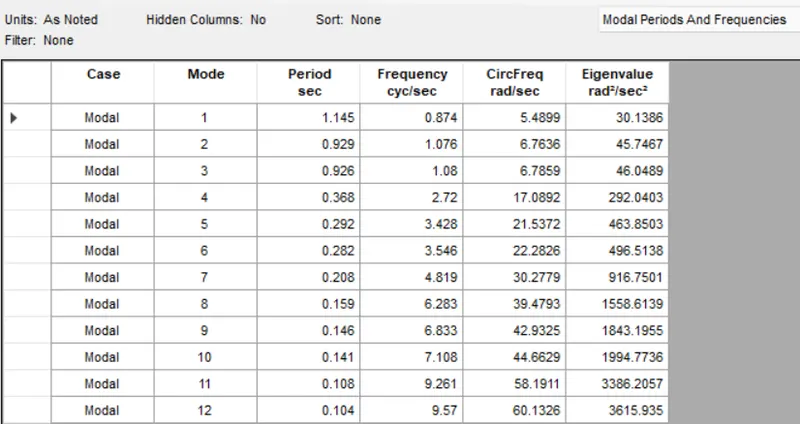
- You can display the modal table when the analysis is complete and the deflected shape of the model is visible on your screen.
Modal Response for Building C
4. BUILDING "D" (G+5 WITH COLUMN ORIENTATION IN THE Y-DIRECTION)
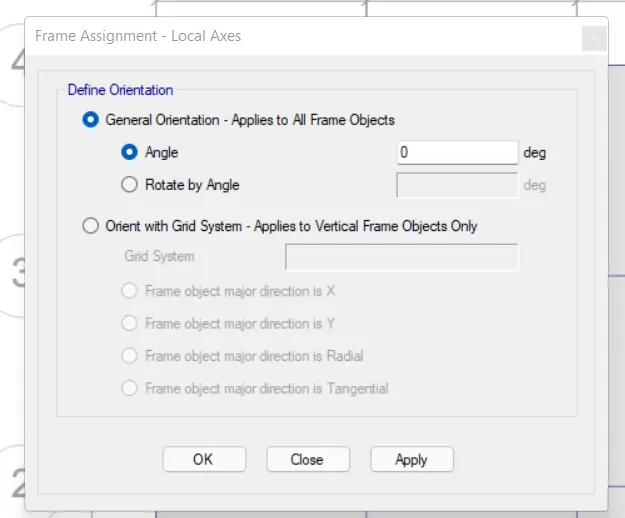
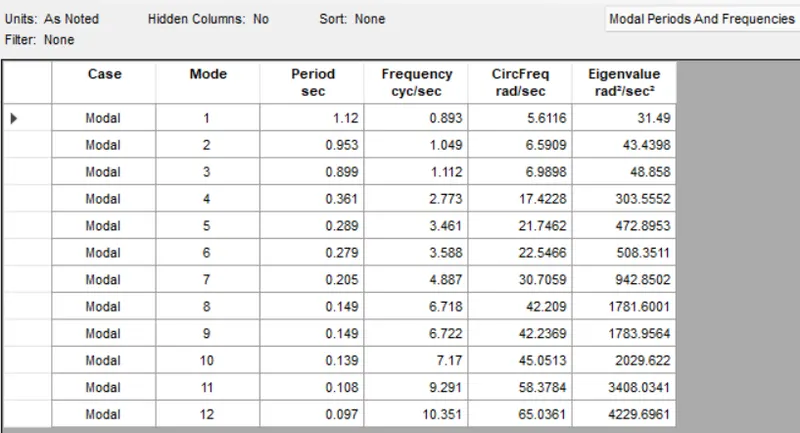
In this model, we don't need to alter anything other than the column orientation. The sizes of the column will remain the same however, we have to shift the column orientation from X to Y direction. So follow the same procedure as we did for the previous model and save as the C file into the D file. Then, select the column section and assign the local axes and bring the origin back to 0. This way, all the columns shall be oriented in the Y-direction. Then like usual, check for the loads and the diaphragm before running the analysis. Then, go ahead and note the modal period for building D.
So, as explained above, the model was executed for building D and the natural period was noted as inserted below:
- Select the Column Section and Bring the Orientation Back to Zero
(The detailed procedure to do it has already been discussed for the previous model)
Required Column Section
Run the Analysis
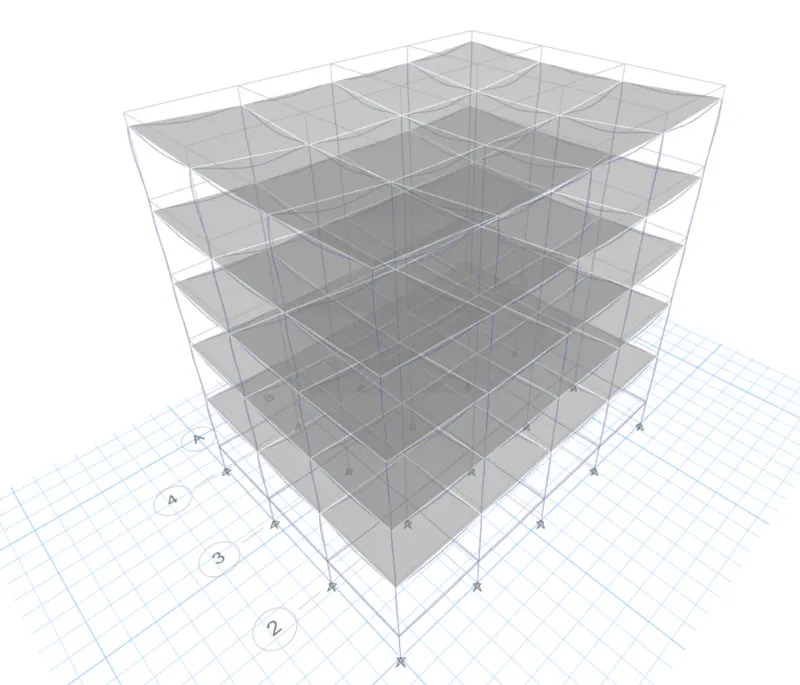
Modal Response for Building D
5. BUILDING "E" (G+10)
Column sizes for top 5 storeys: 400x400
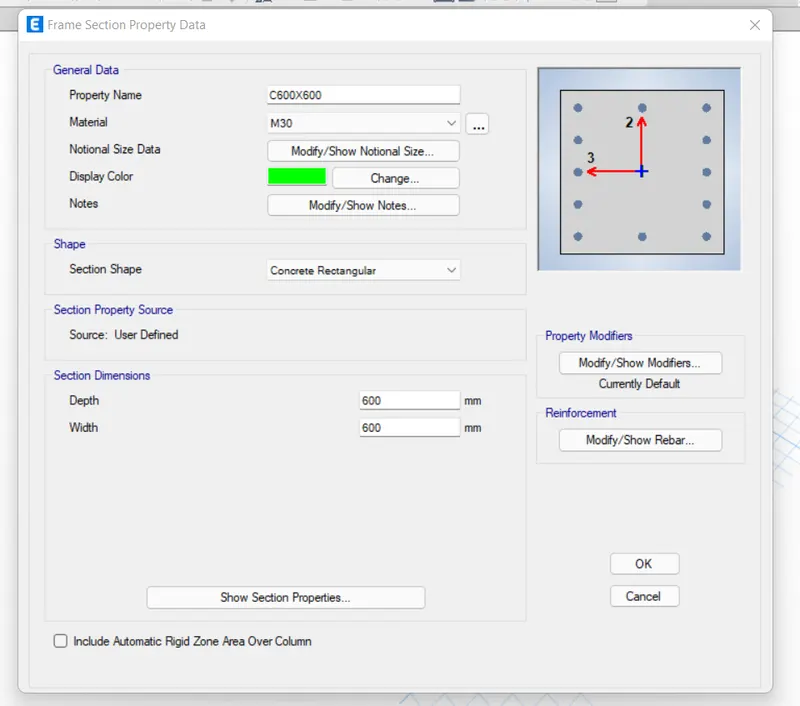
Column sizes for bottom 5 storeys: 600x600
PROCEDURE:
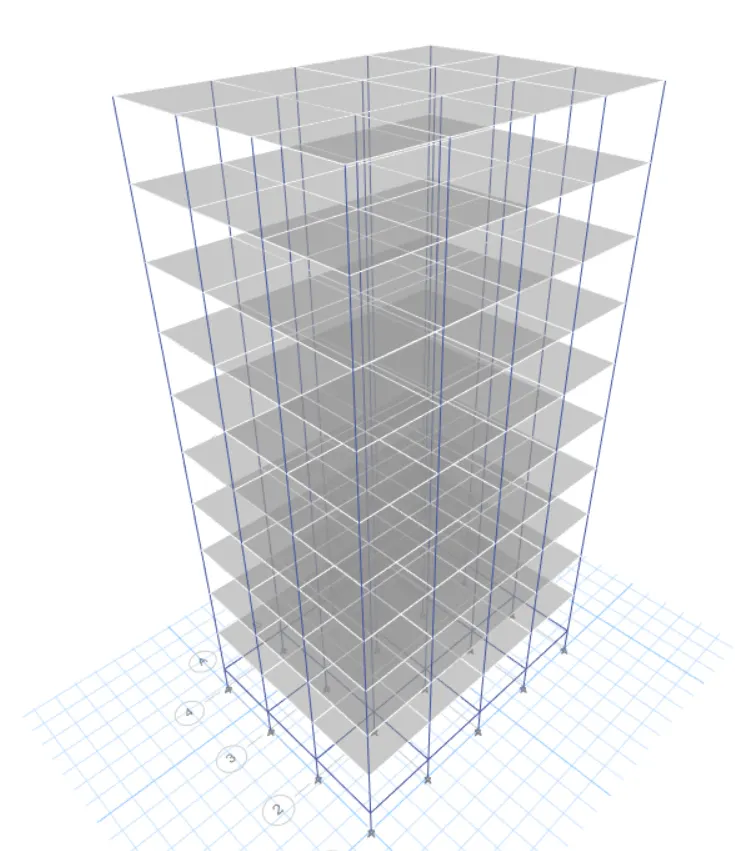
In this model, we need to add up 5 more storeys to our model. In addition, we also need to assign different column sizes on different floors. And to do that, we'll first save the ETABS file for building D as a new model for building E. Then, edit the story data as we have done for our previous models in ETABS. Then, we need to add two new column sections with the required directions and assign them at appropriate floors in our model as specified.
So, the stepwise procedure to create new columns and locate them on required floors is explained below:
- Add up 5 New Stories and Set the Model for Building E
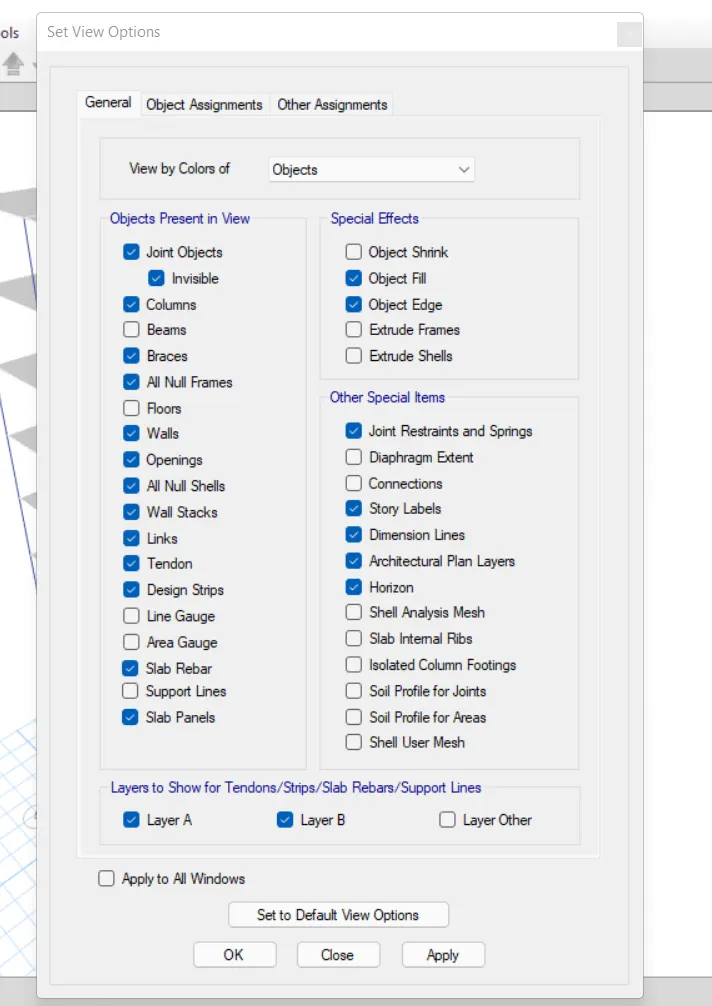
- Change the View Settings of the Model
- There's an option in ETABS that allows users to adjust the model and view the only objects that are needed to be worked on currently.
- The tool is called view option settings. It is easily accessible from the front tool ribbon of ETABS.
- So, you can go to view option settings and uncheck the structural members that you want to hide currently for modeling purposes.
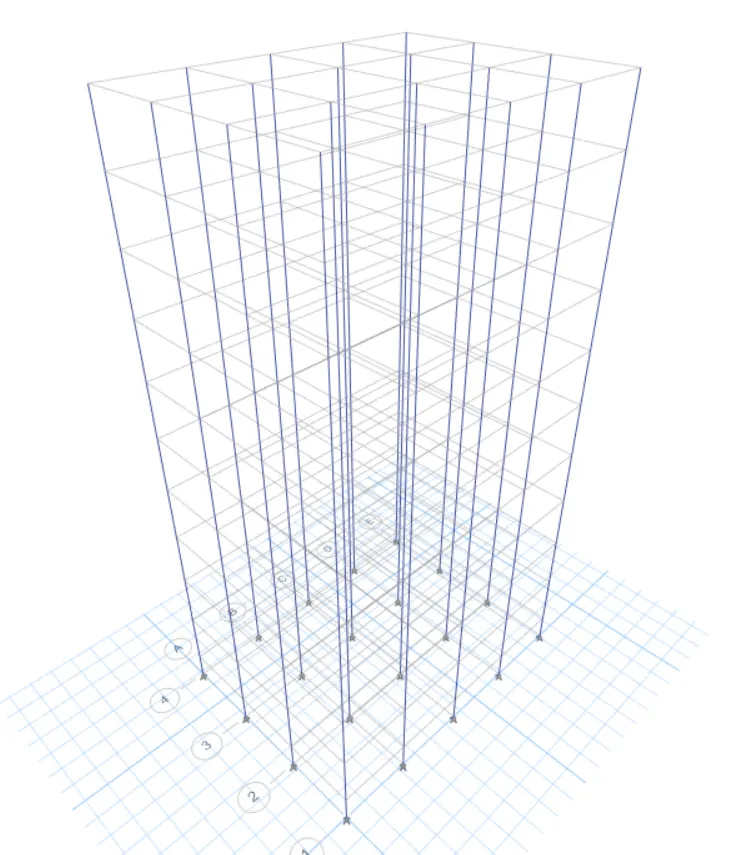
- Since we need to assign different column sizes in our model, we don't need to view beams and slabs currently.
- So, we go to the tool and uncheck beams and floors in order to make the only columns visible for editing purposes.
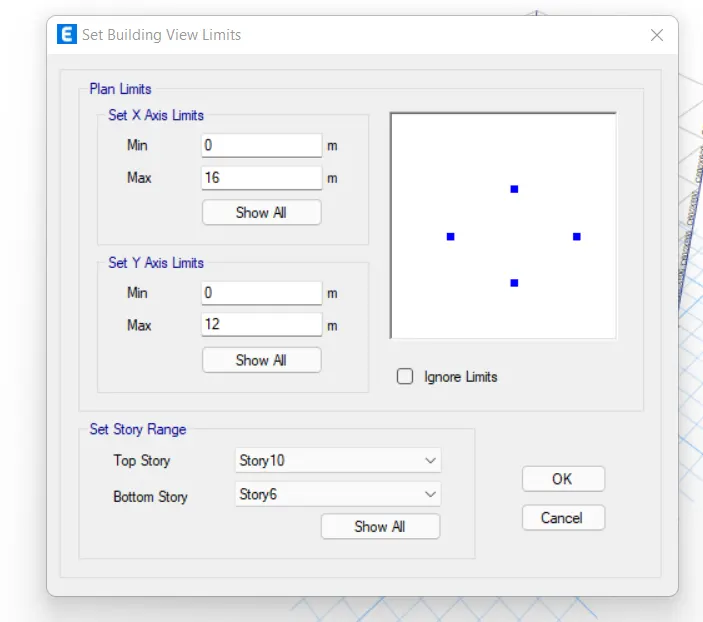
- Set the Building Limit, Select Columns, and Assign them the Required Sections
- Now, since we need different columns for the top 5 floors and different columns for the bottom five.
- Therefore, we need to edit the top 5 and bottom 5 stories one after the other.
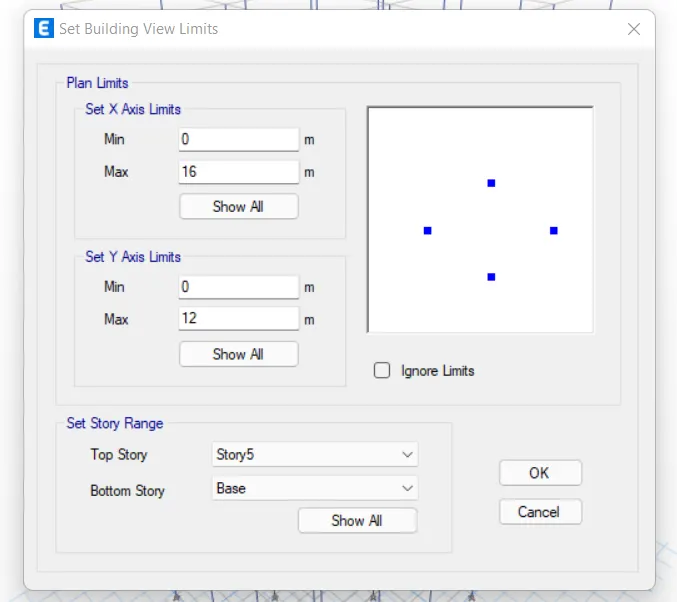
- So, we need first set the building limits up to the bottom five floors and then vice versa.
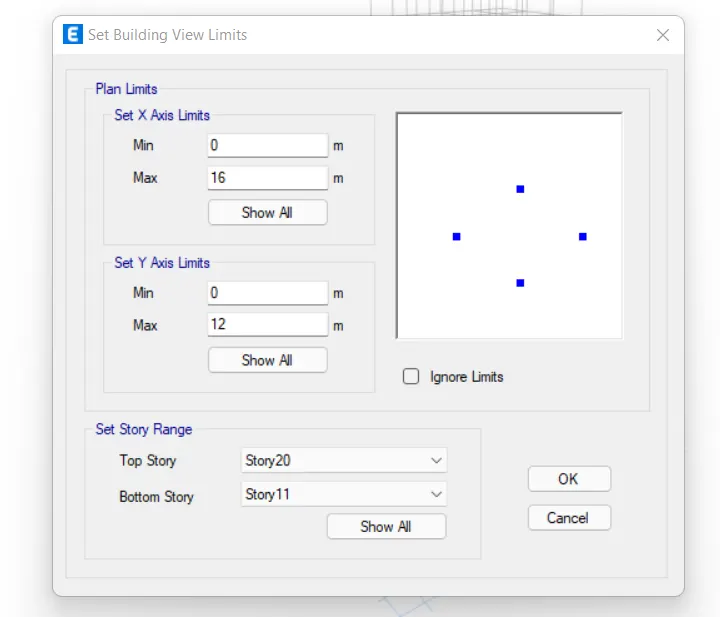
- And to do that, you can go to edit>set building limits.
- The set building limit option in ETABS allows you to view only the floors that you need to work on.
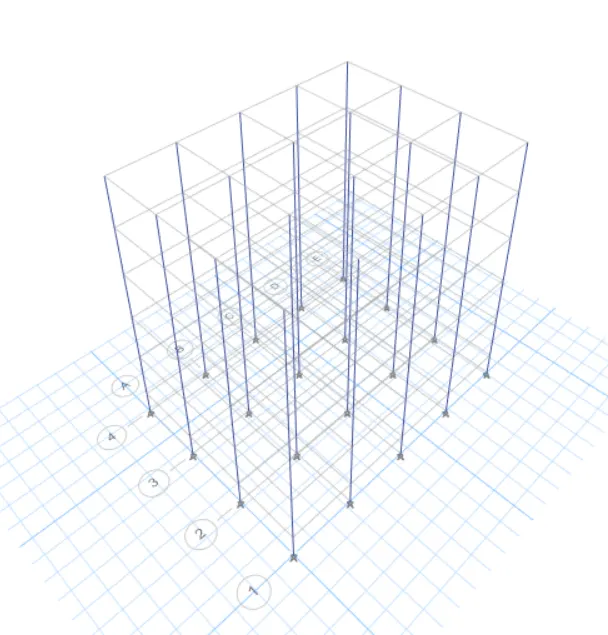
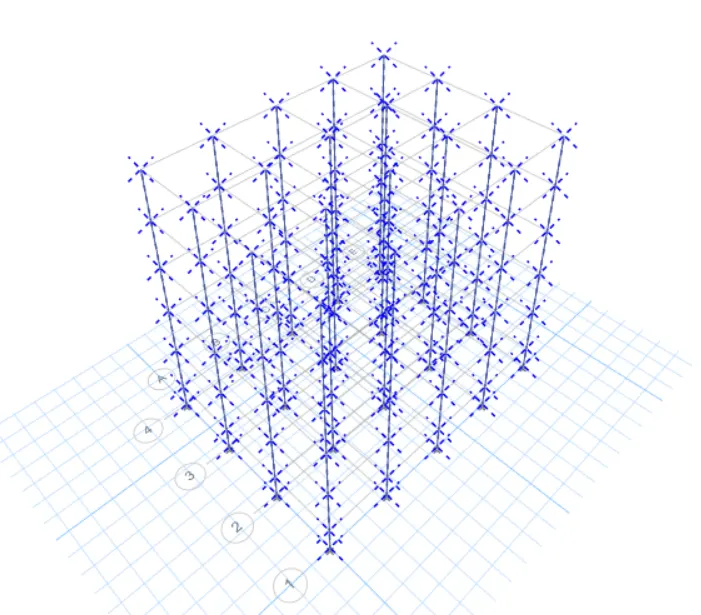
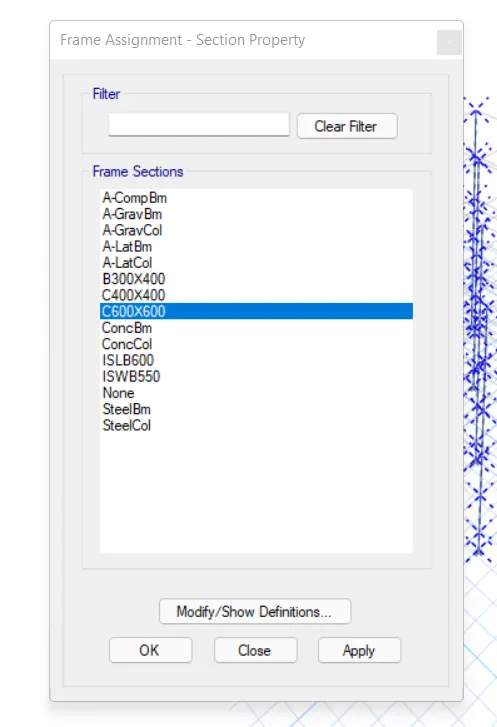
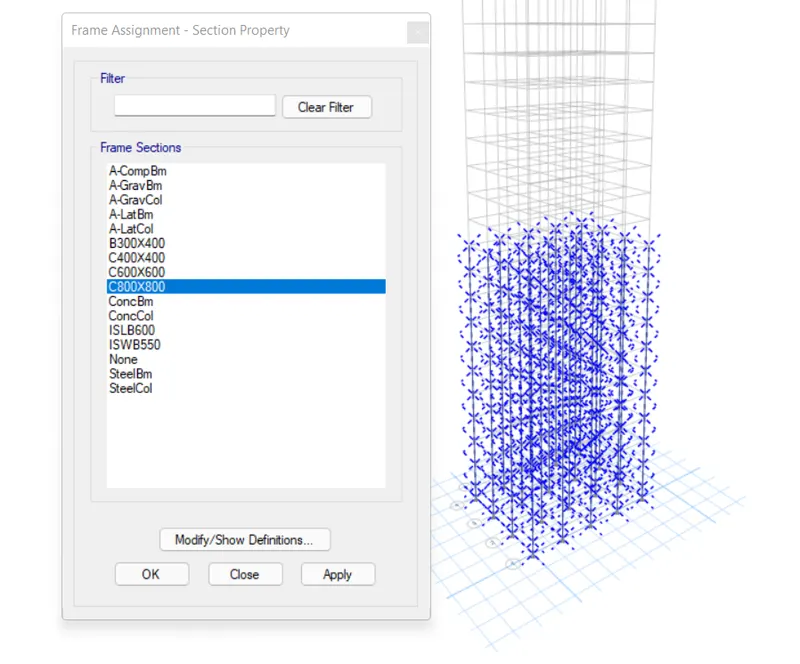
- Hence, first set the limit to bottom 5>select all columns by holding the left-click and making the box around the entire model>go to assign and assign them the required column section.
- Repeat the procedure for the remaining top columns and complete with the model.
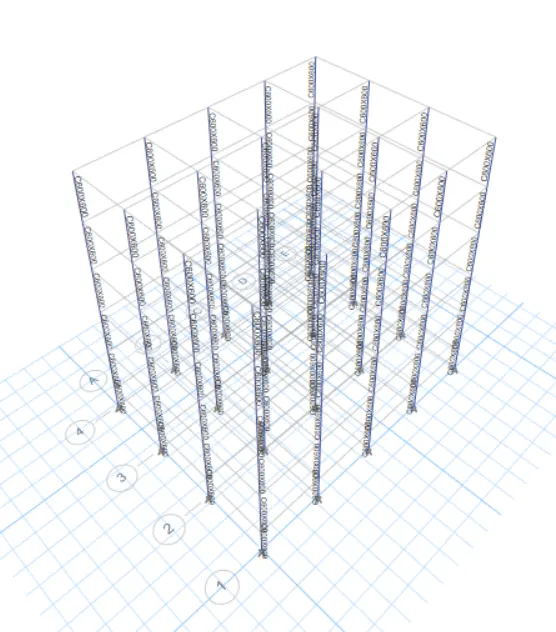
- Building Limits
- C400X400
- C600X600
- Select Bottom 5 Story Columns
- Assign C600x600
- Building Limit for Top 5 Stories
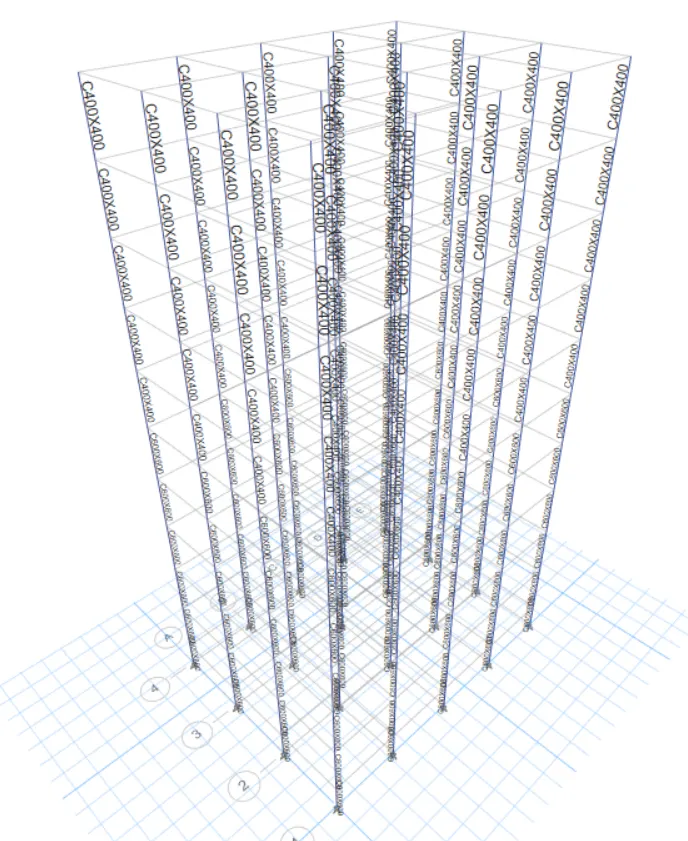
- Select All Columns and Assign them C400x400 Section
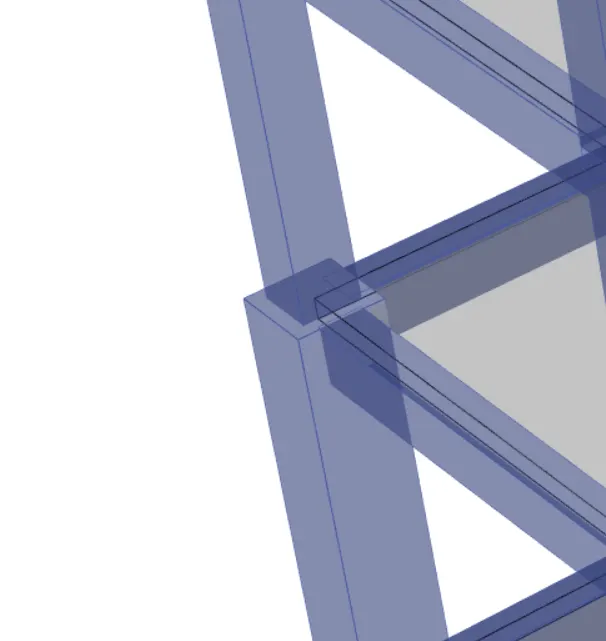
- Model After Assigning Different Columns for Different Floors
- Run the Analysis
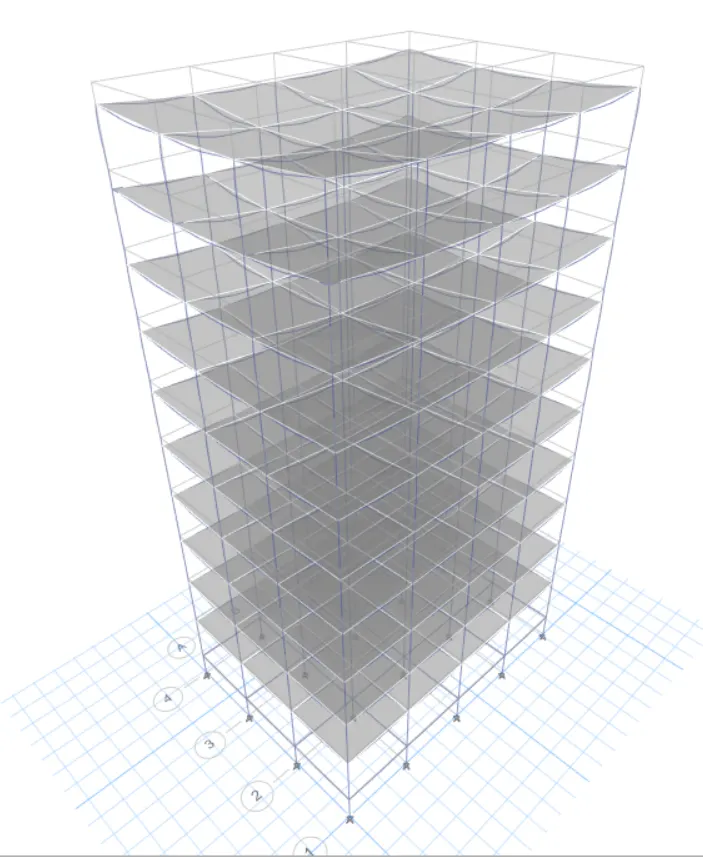
- Modal Response for Building E
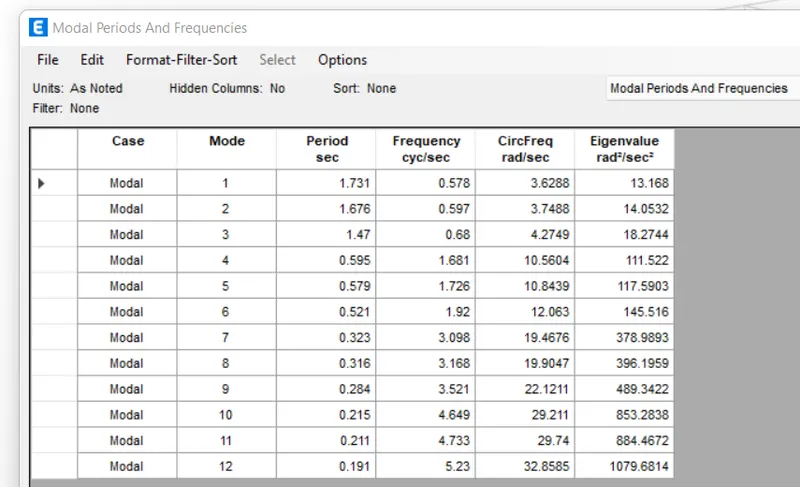
6. BUILDING "F" (G+10)
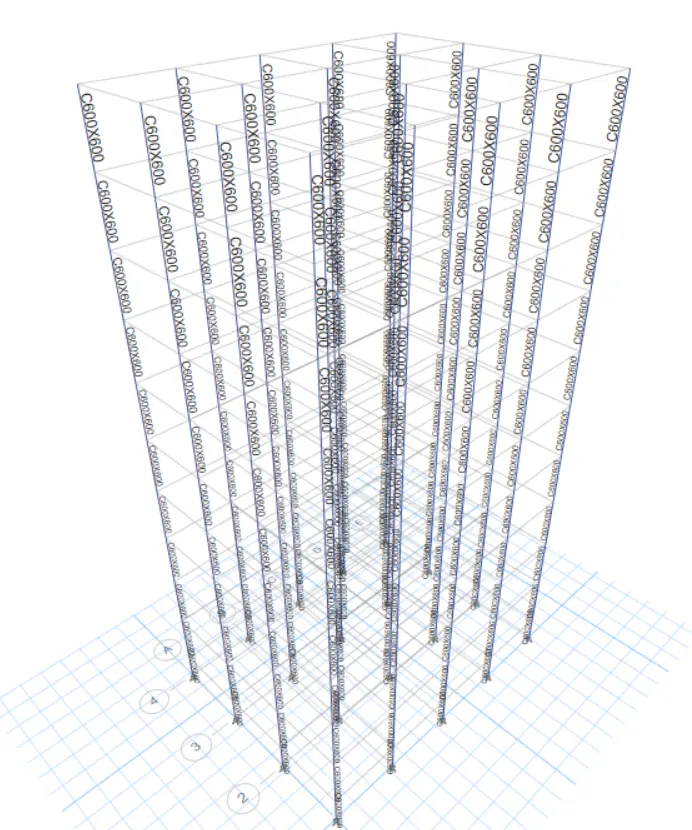
Consistent Column size throughout the structure: C600X600
PROCEDURE:
This building has the same columns for the entire structure. Therefore, we don't need to do much editing in terms of the sections. We just need to adjust the view settings>hide beams and floors>select all the columns>assign them the frame section properties of C600x600.
- Adjust View Option Settings
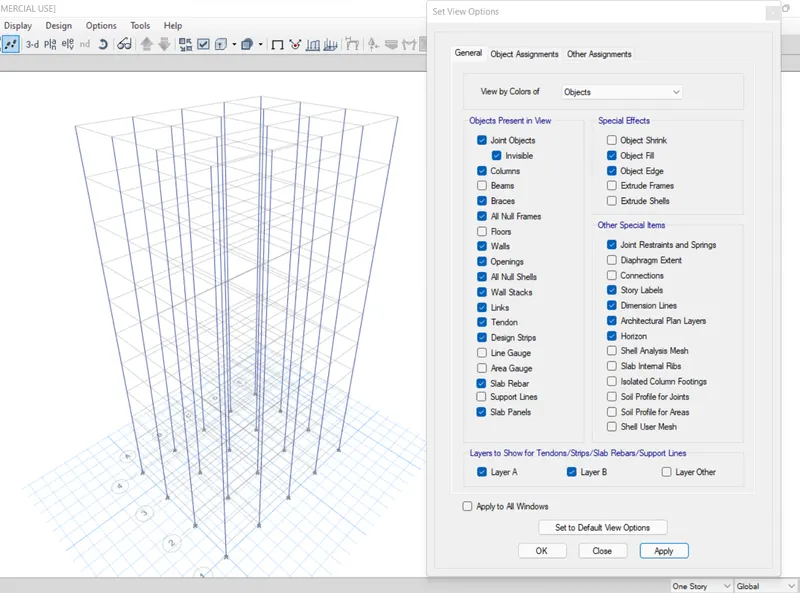
- Select all the Columns
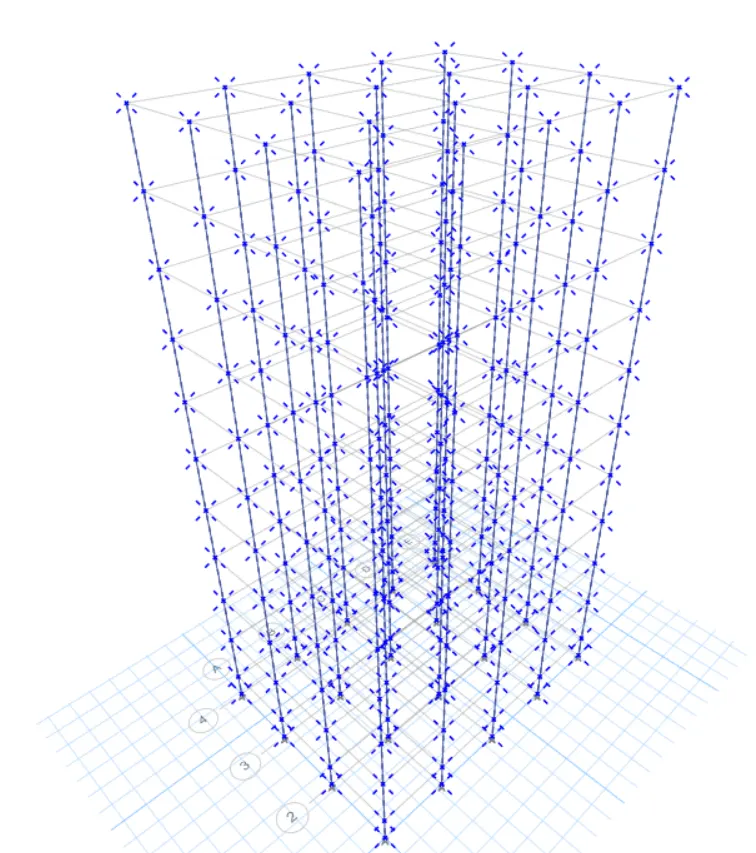
- Assign C600X600
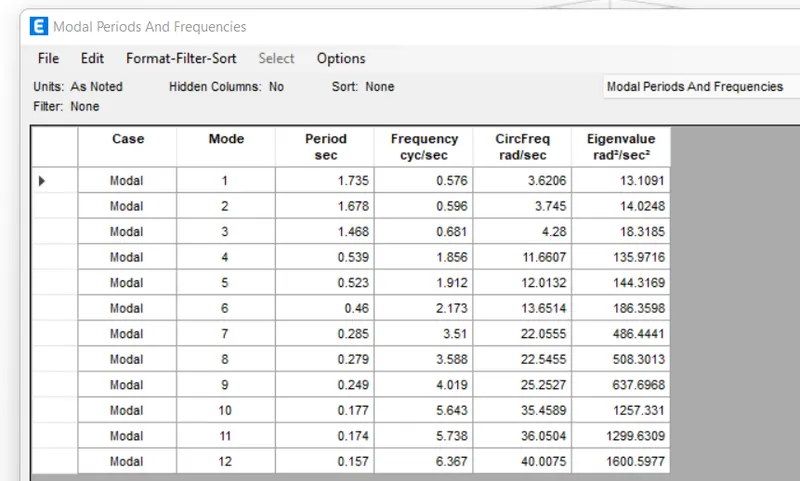
- Modal Response for Building F
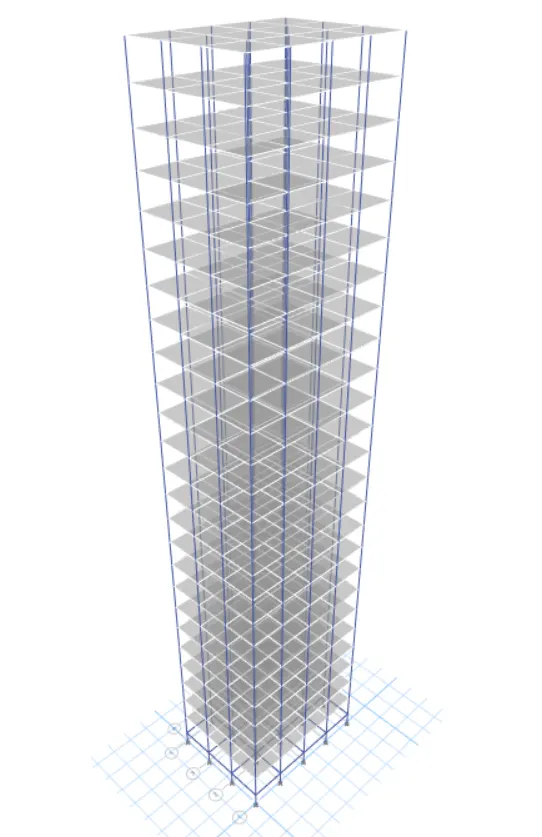
7. BUILDING G (G+25)
Columns for top 5 stories: C400X400
Columns for middle 10 stories: C600x600
Columns for bottom 10 stories: C800x800
PROCEDURE:
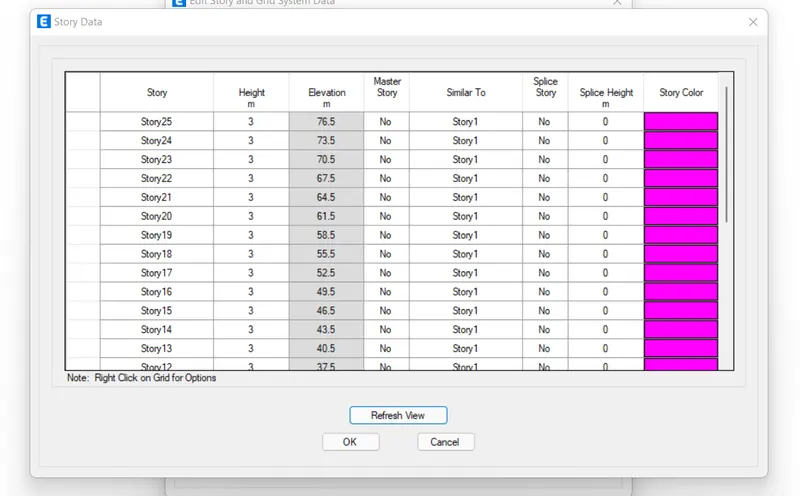
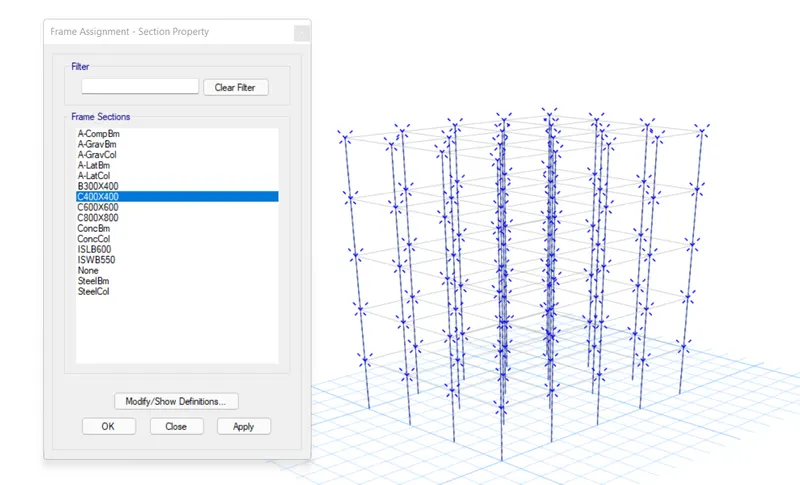
For this model, we need to add 15 new stories and assign different column sizes on different floors. We can follow the exact procedure that has already been explained for the previous project to create this model by editing building F. The same is discussed below:
- Edit the Story Data and Add up 15 New Stories
- View Settings
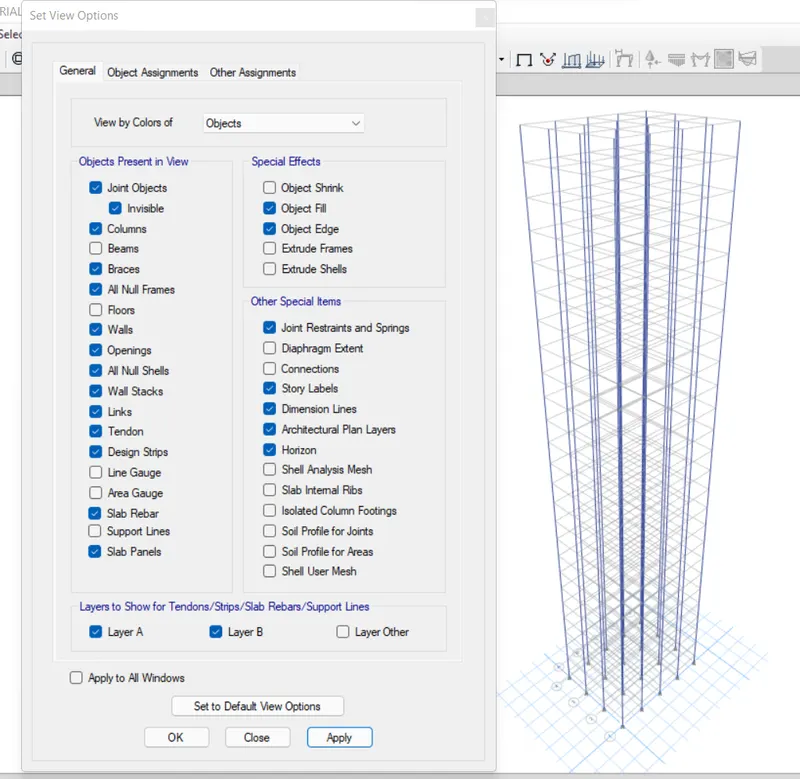
- Set Building Limit from 1-10
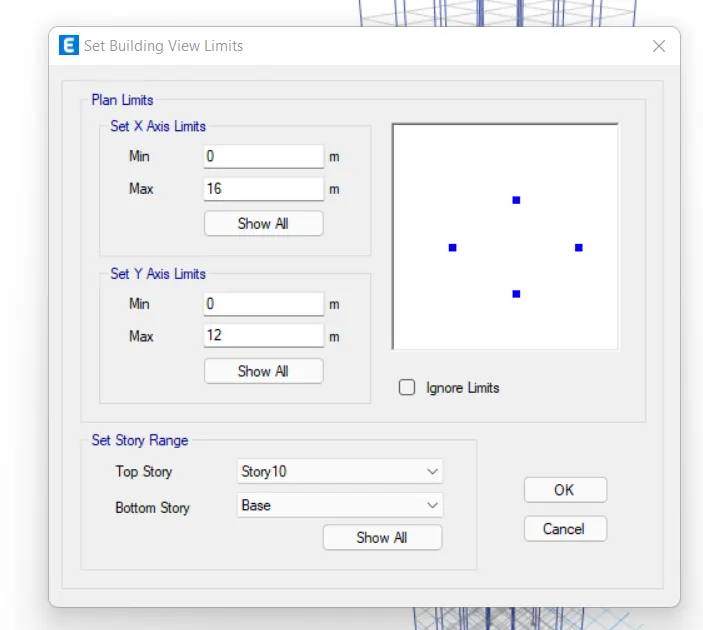
- Select all the Columns and Assign C800x800 Section
- Set Building Limit 11-20
- Select all the Columns and Assign C600x600 Section
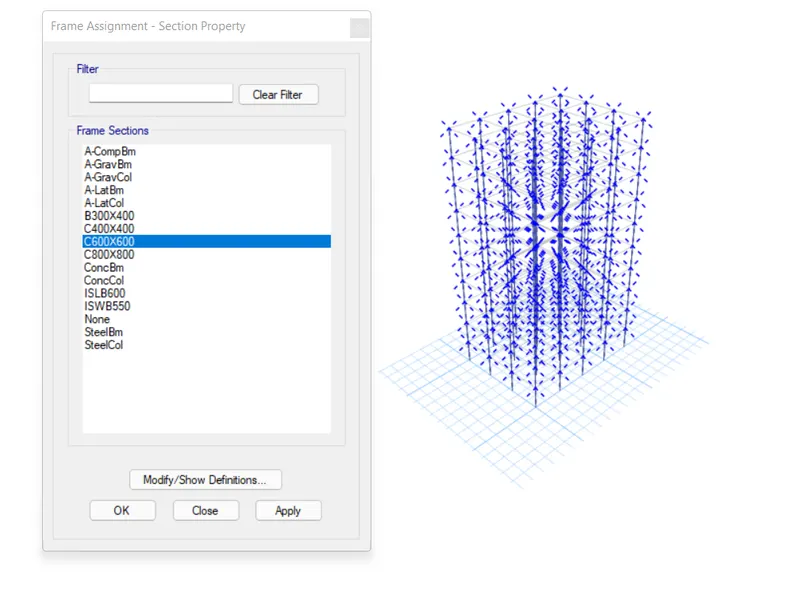
- Set Building Limit 20-25
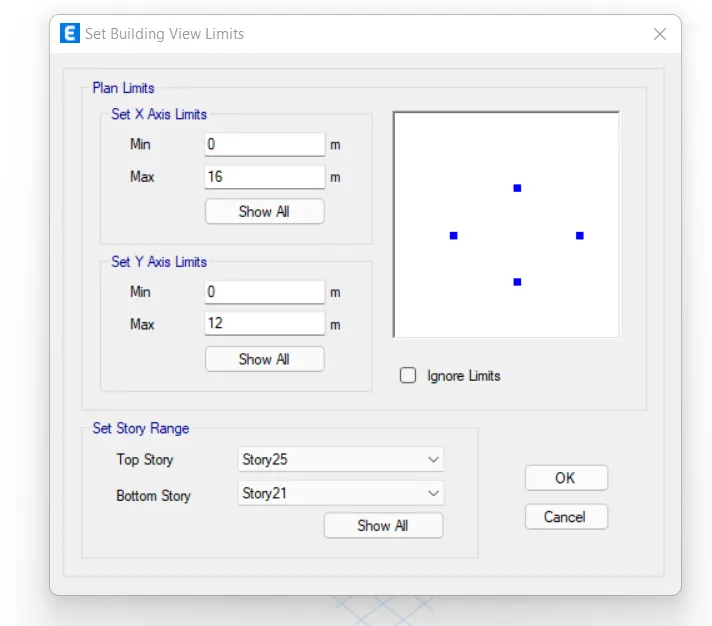
- Select all the Columns and Assign C400x400
- Run the Analysis
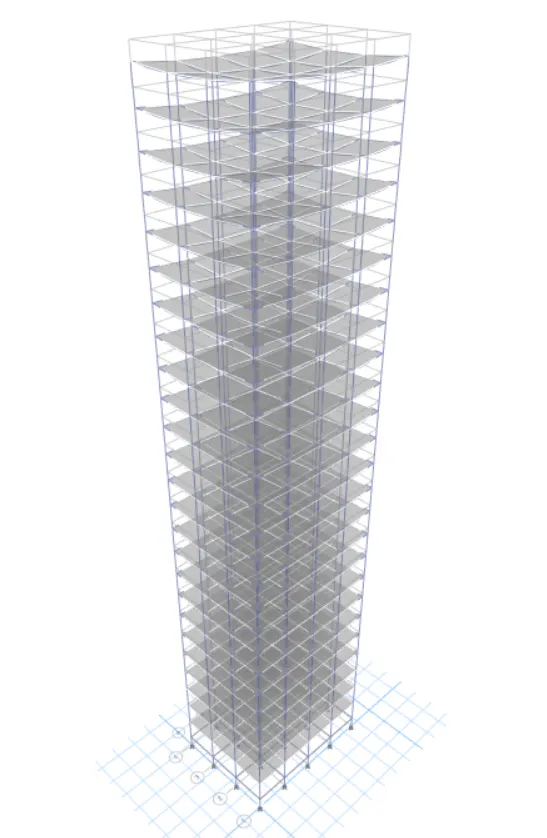
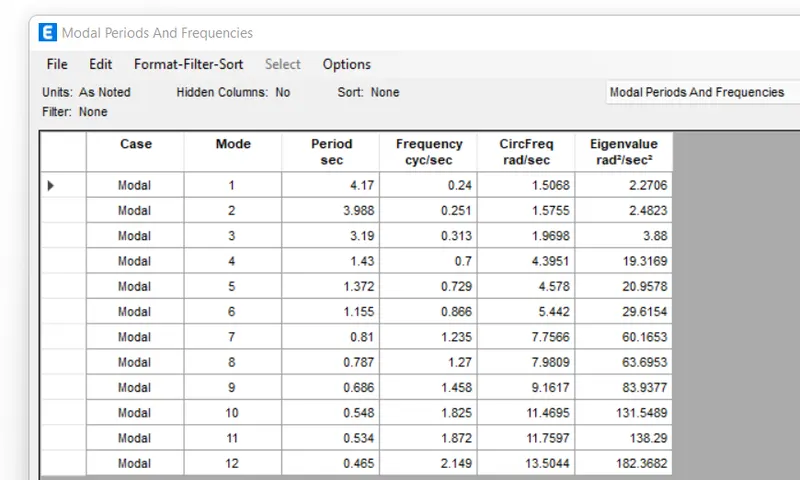
- Modal Response for Building G
8. BUILDING "H" (G+25)
Consistent column size throughout the building: C800X800
PROCEDURE:
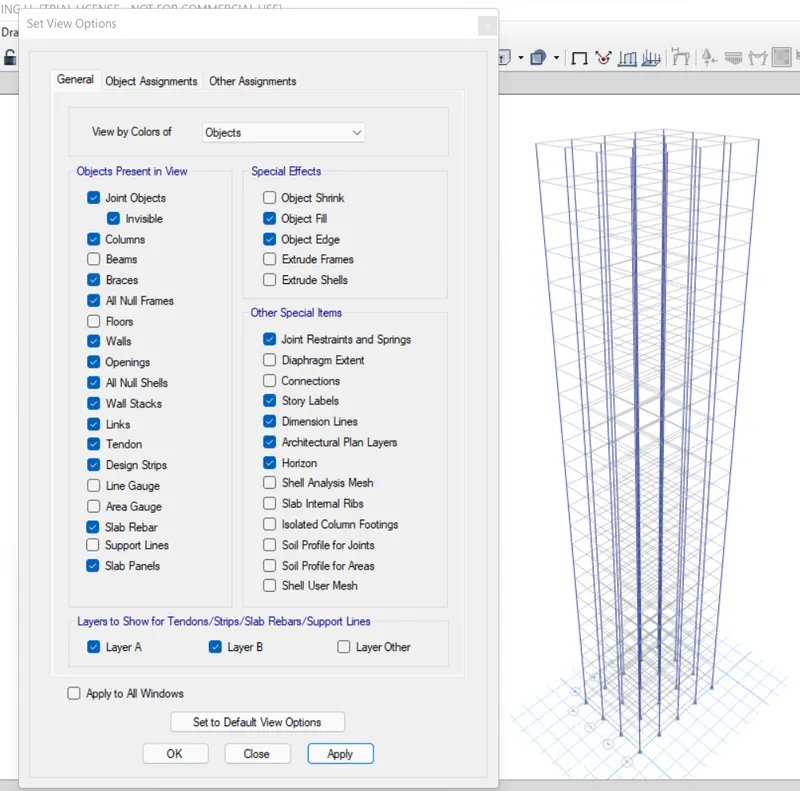
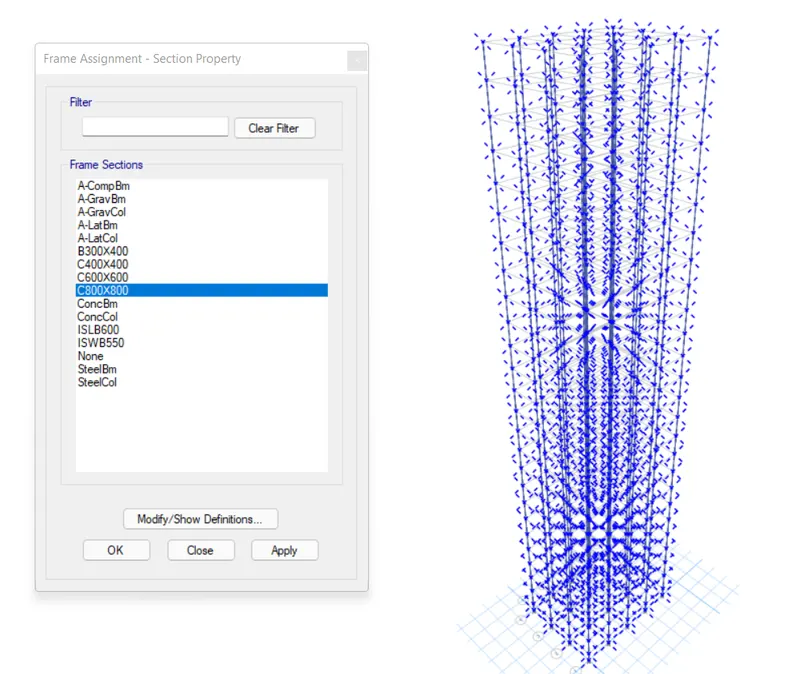
This is the same model as the previous one. All we need to do is assign the column section as C800x800 for the entire structure which can be done by simply selecting all the columns>go to assign>select C800x800>click ok and done. Thus the same procedure is listed down below for better understanding.
- View Settings to Hide Beams and Floors
- Select All the Columns and Assign C800x800 Section
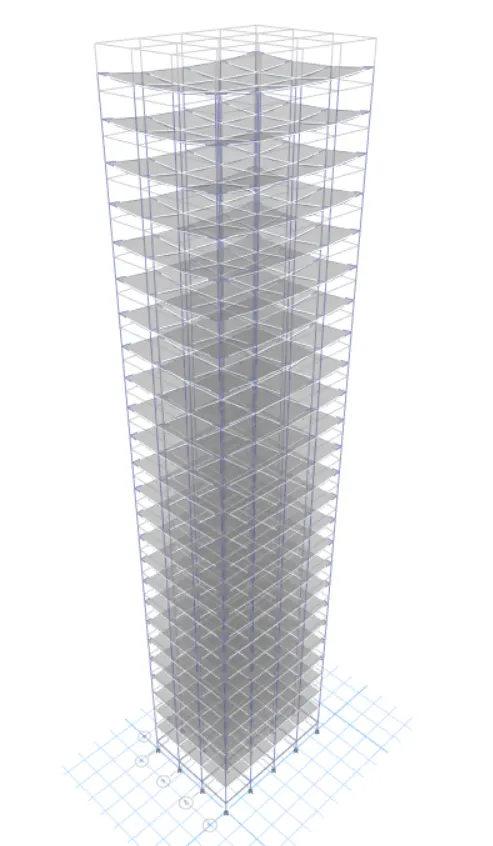
- Run the Analysis
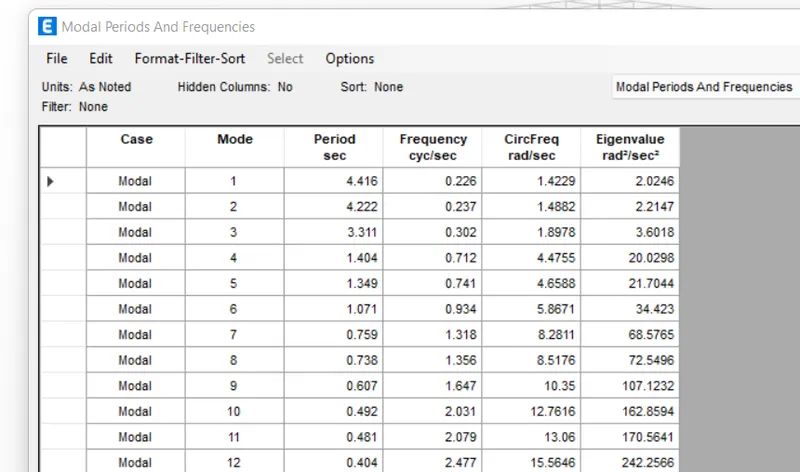
- Modal Response for Building H
9. BUILDING "J" (G+25)
10% increment in the imposed loads
PROCEDURE:
Building J is the exact copy of the model H and we don't need to alter anything related to the modeling. However, we need to increase the imposed load on the building by 10% which is assigned as 3KN/m^2 on all slabs of the building. So, the procedure to do the same is listed down below:
- Select the S150 Slab Section
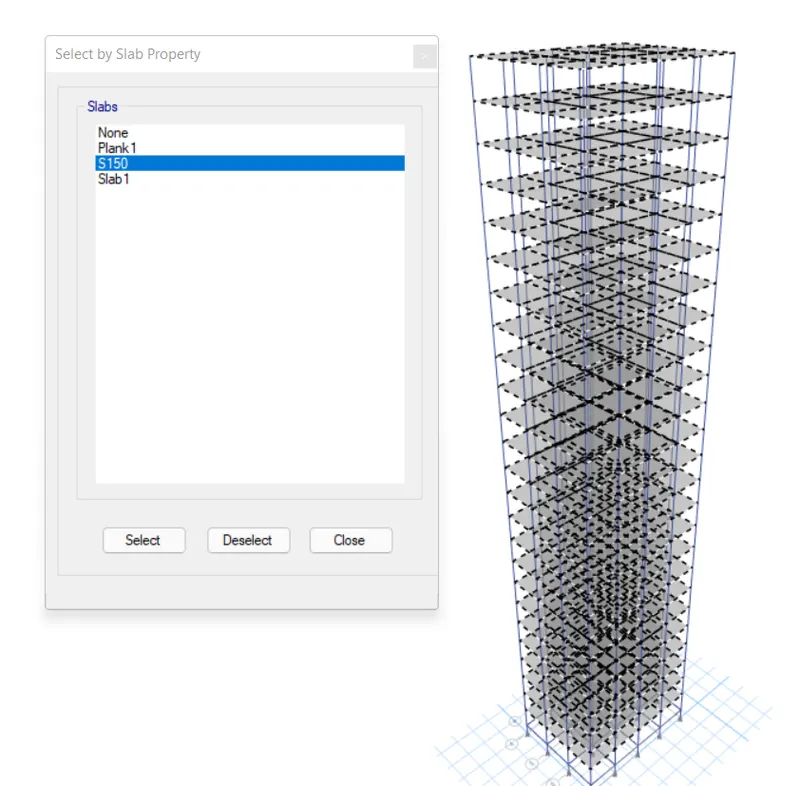
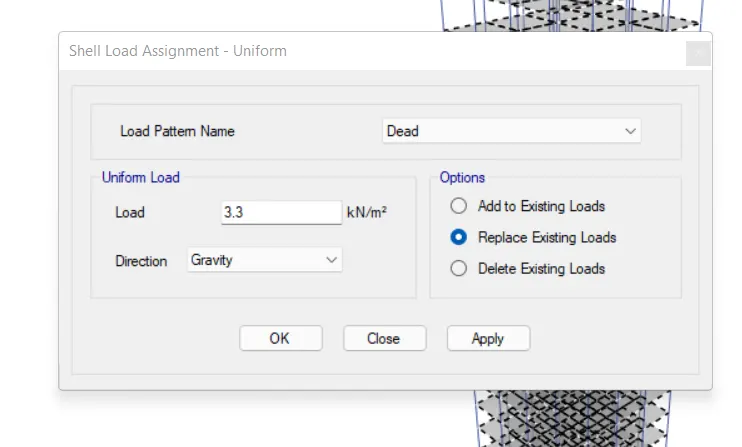
- Go to Assign>Shell loads>Uniform>increase it by 10%
- We have assigned a 3KN/m^2 imposed load on all slabs for all of our previous buildings.
- So, we need to increase that by 10% meaning we need to replace the existing imposed load with 3.3 KN/m^2
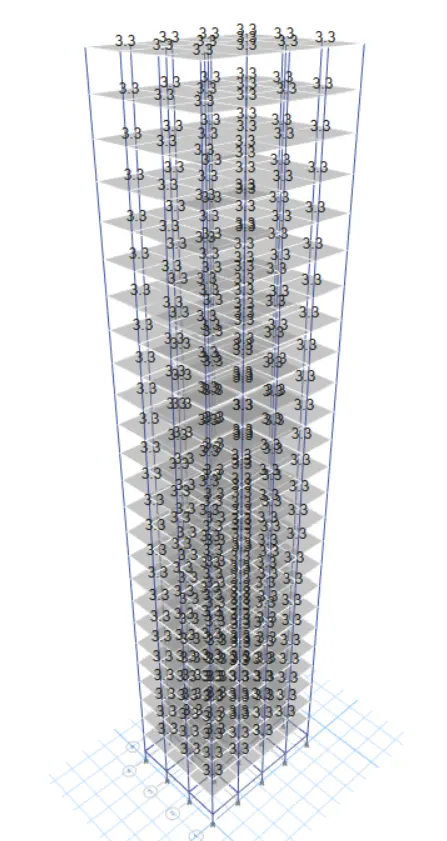
- Run the Analysis
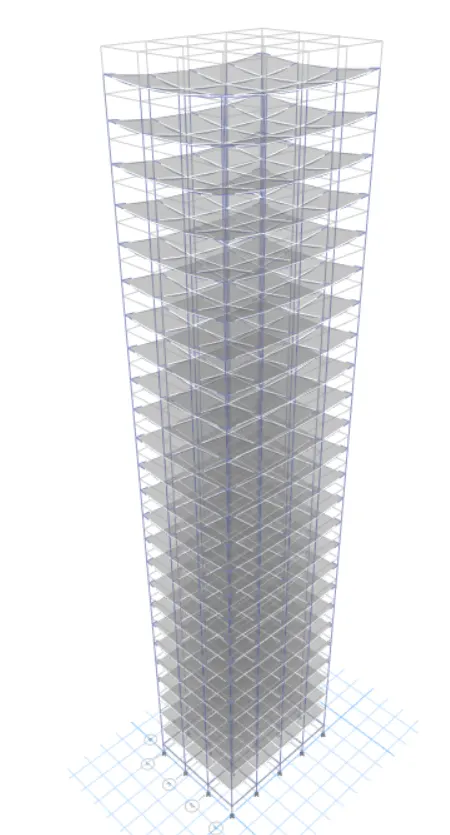
- Modal Response for Building J
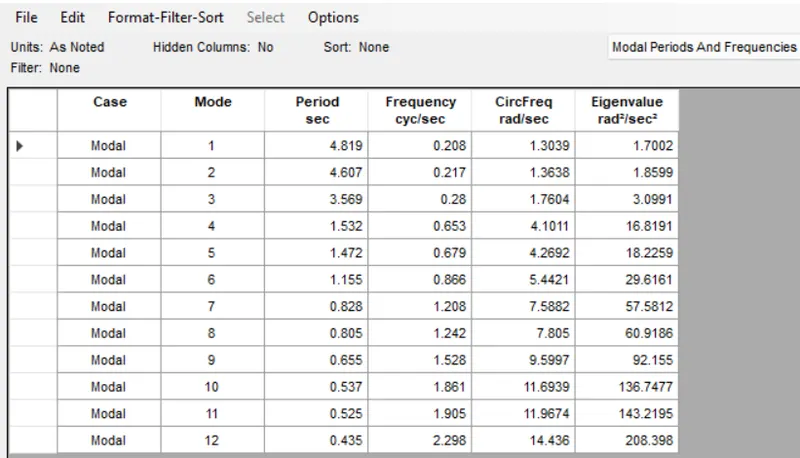
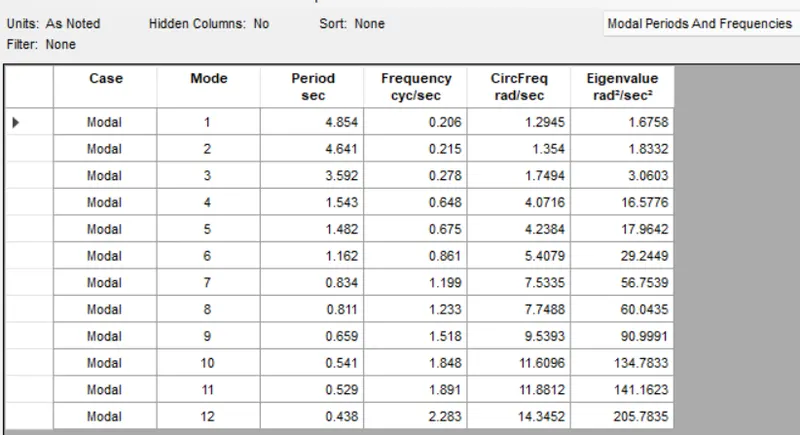
10. BUILDING "K" (G+25)
20% increment in the imposed loads
PROCEDURE:
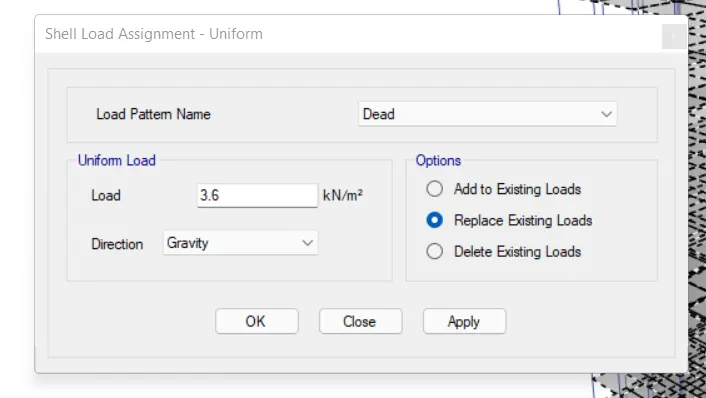
For this model, we can follow the exact procedure as we did for building j. However this time, we need to increase the live load by 20% as opposed to 10%. So, the stepwise procedure has been listed down below:
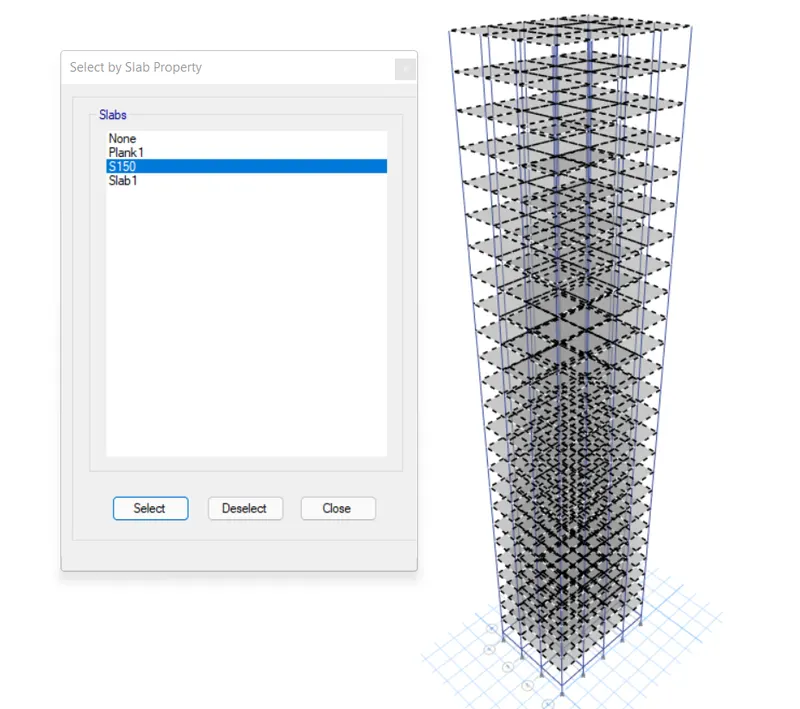
- Select the S150 Slab section
- Assign 3.6 KN/m^2 distributed shell load for a 20% increase
- Run the Analysis
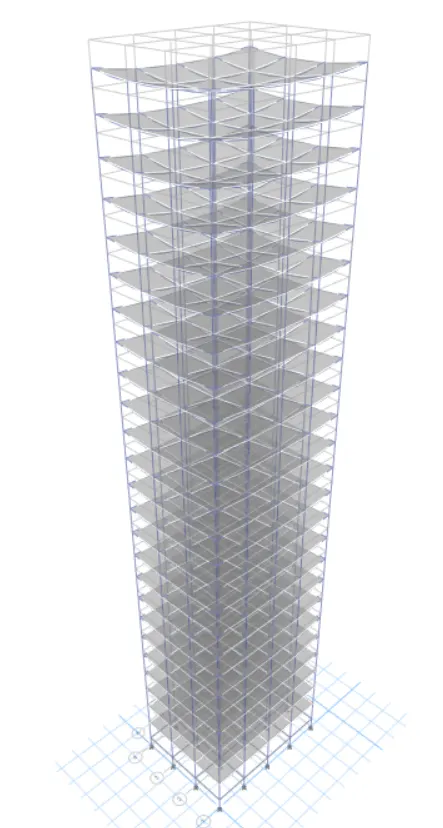
- Modal Response for Building K
PHASE II: COMPARATIVE ANALYSIS OF BUILDING PROPERTIES BASED ON THEIR STRUCTURAL OUTPUTS
As we have completed the modeling and analysis of different story buildings in the previous phase of this project, now we are going to compare those results and try to understand the change in behavior of buildings based on their structural geometries. So, a comprehensive comparative analysis of structural properties of different story buildings is executed in the below sections on the basis of various criteria such as stiffness, mass, building height, etc.
- Effect of stiffness on T: Compare fundamental natural periods of buildings E & F as well as G & H. Why is there a marginal or significant difference in the fundamental natural periods?
Comparative Table
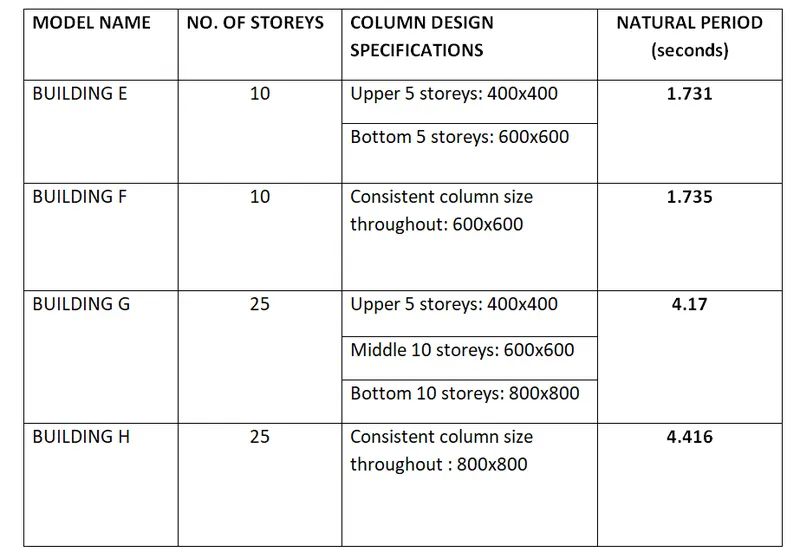
Conclusion:
For buildings E and F, varying column design doesn't make a big difference as there are only five stories. However, we can see that for buildings G and H, the consistent column size throughout the structure causes a more natural period. Therefore, it can be concluded that providing larger columns at the base and then reducing the size on top floors helps control the natural period 'T' for tall buildings.
- Effect of mass on T: Compare fundamental natural periods of buildings H, J and K. Have the buildings become more flexible or stiff due to change in mass?
Comparative Table
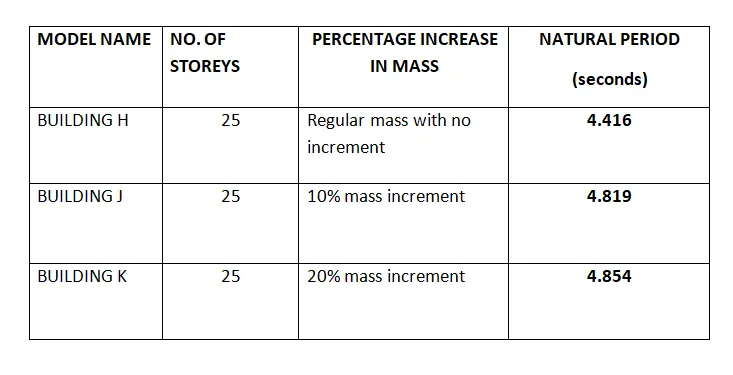
Conclusion:
As seen from the table, the natural period for the tall buildings is directly proportional to the imposed mass of the building.
- Effect of Building Height on T: How do the fundamental natural periods of Buildings A, B, F, and H change with a change in building height?
Comparative Table
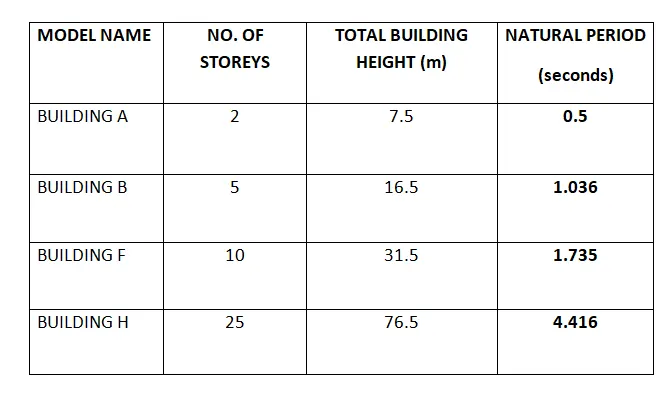
Conclusion:
As indicated in the above table, the natural period 'T' is also directly proportional to the building height.
- Effect of Column Orientation on T: How do the fundamental natural periods of Buildings B, C, and D change with a change in column orientation?
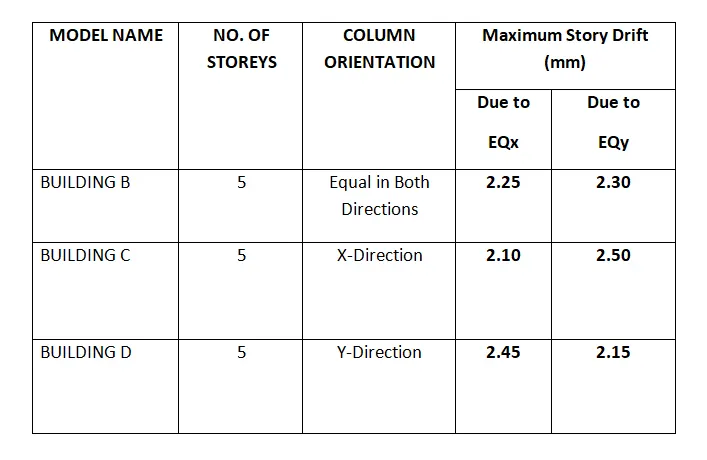
Conclusion:
When the column cross-section is square, there's not much difference between the lateral displacement in both the orthogonal directions. However, when you orient the column in a particular direction be it X or Y, the lateral displacement in that particular direction will be less than that in the other direction which has a lesser column length.
- Effect of Flexural Stiffness of Structural Elements on mode shapes: Compare fundamental mode shape of Building B in two situations when the flexural stiffness of beams relative to that of adjoining columns is very small versus when it is large.
Comparative Table
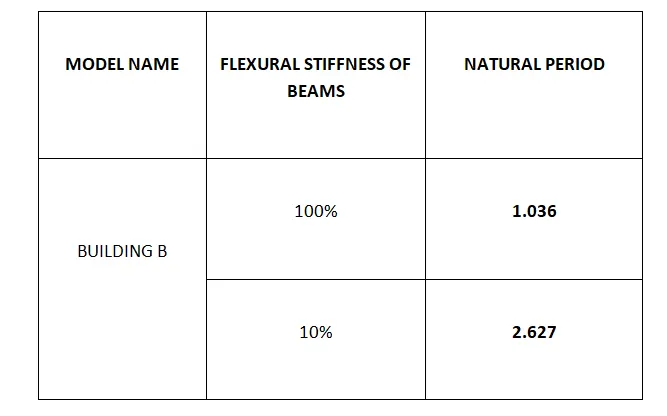
Conclusion:
It is pretty obvious that if you decrease the flexural stiffness of beams, the overall flexural strength of the beam is also going to reduce, and consequently, the fundamental natural period will shoot up.
- Effect of Axial Stiffness of Vertical Members on mode shapes: Compare the fundamental mode shape of Building H in two situations when the axial cross-sectional area of columns is very small versus when it is large.
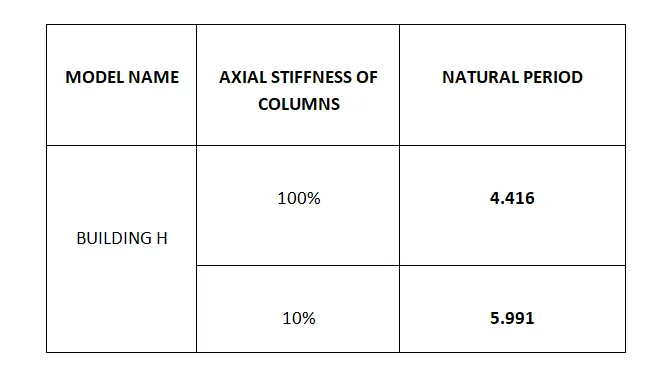
Conclusion:
As the axial stiffness of columns decreases, the fundamental natural period of the building increases regardless of its structural geometry.
- Effect of Degree of Fixity at column bases on mode shape: Compare the fundamental mode shape of Building B in two situations when the base of columns is pinned versus when it is fixed.
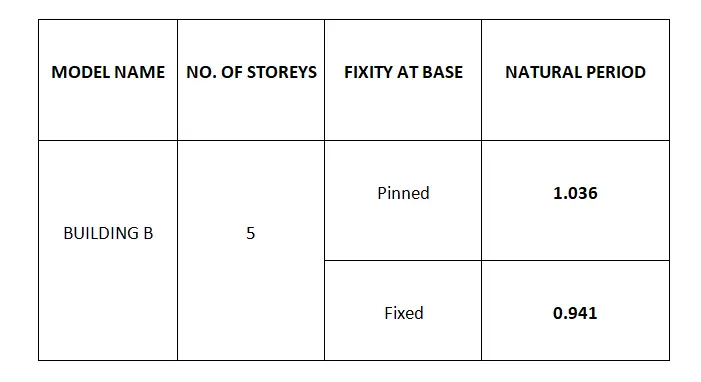
Conclusion:
It is evident that pinned support offers fewer restraints compared to the fixed one which leads to more movement and thus increased natural period. As a result, it can be concluded that the fixed support will give you better control over the fundamental natural period of buildings.