Project 1
1: Using what you’ve learned in your hands-on labs, write a program that logs CAN data from one or more CAN buses?
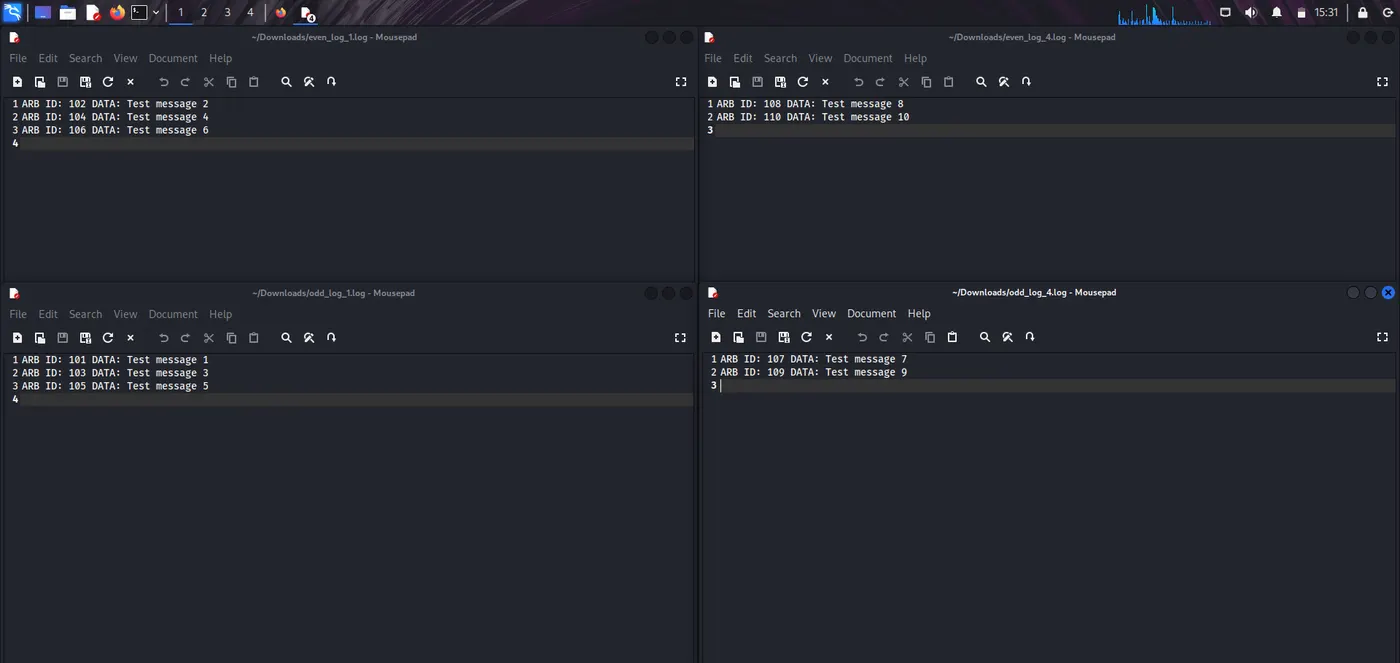
1. CAN messages (from any bus) should be sorted into logs of even ARB ID messages and odd ARB ID messages.
2. Even logs should be stored in a Linux Directory called “Even Logs” and odd logs should be stored in a Linux Directory called “Odd Logs”.
3. Individual log files should only store up to 1000 messages.
4. The program should run indefinitely until manually stopped.
Ans:
STEP 1: Install Required Tools:
i. can-utils → Tools to work with CAN on Linux.
ii. iproute2 → Used to configure network interfaces.
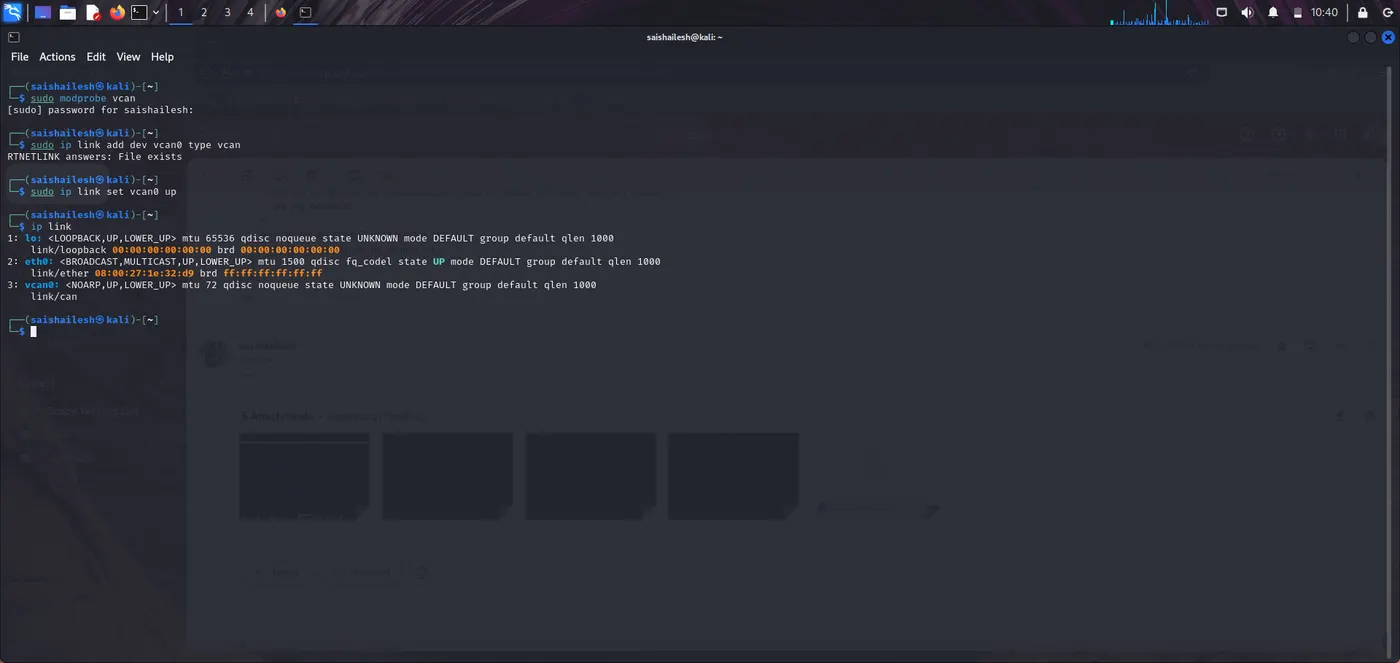
STEP 2: Set Up a Virtual CAN Interface:
-> Use a virtual CAN interface (vcan0).
Commands:
-> sudo modprobe vcan
-> sudo ip link add dev vcan0 type vcan
-> sudo ip link set up vcan0
STEP 3: Create the Bash Logger Script:
-> Create a file named can_logger.sh.
Command:
-> mousepad/nano can_logger.sh
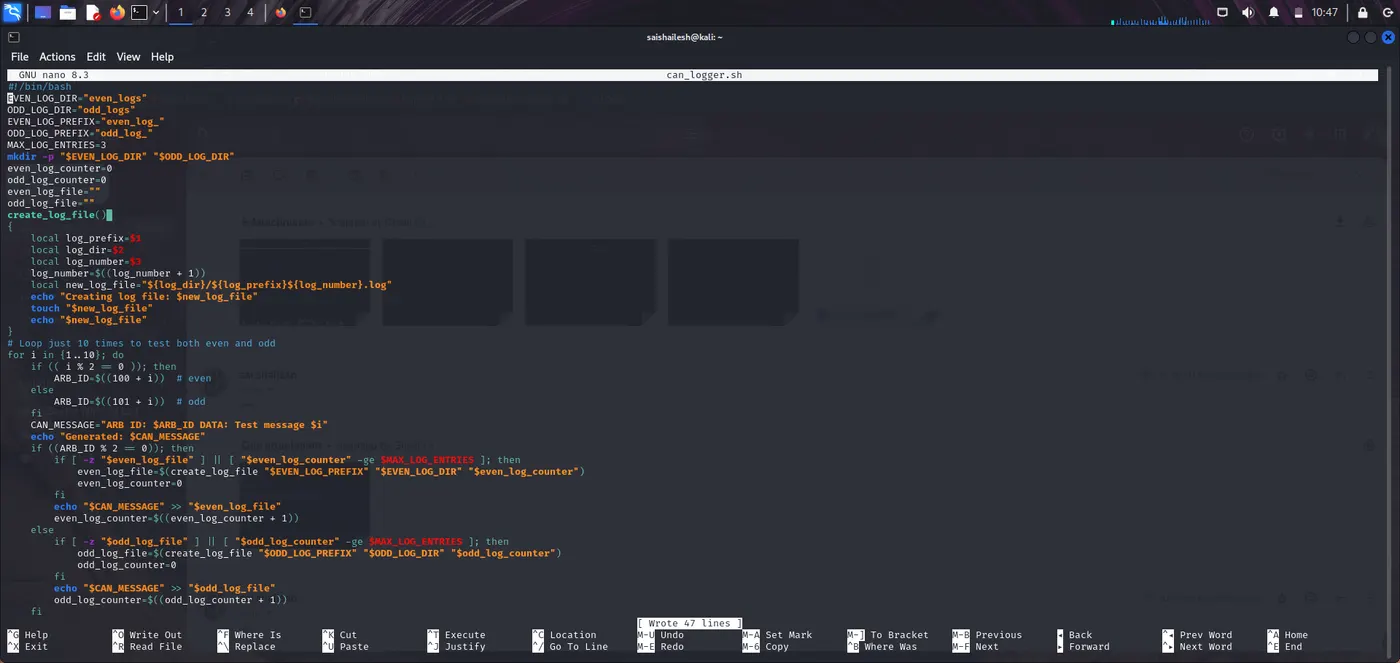
Script:
#!/bin/bash
EVEN_LOG_DIR="even_logs"
ODD_LOG_DIR="odd_logs"
EVEN_LOG_PREFIX="even_log_"
ODD_LOG_PREFIX="odd_log_"
MAX_LOG_ENTRIES=3
mkdir -p "$EVEN_LOG_DIR" "$ODD_LOG_DIR"
even_log_counter=0
odd_log_counter=0
even_log_file=""
odd_log_file=""
create_log_file()
{
local log_prefix=$1
local log_dir=$2
local log_number=$3
log_number=$((log_number + 1))
local new_log_file="${log_dir}/${log_prefix}${log_number}.log"
echo "Creating log file: $new_log_file"
touch "$new_log_file"
echo "$new_log_file"
}
# Loop just 10 times to test both even and odd
for i in {1..10}; do
if (( i % 2 == 0 )); then
ARB_ID=$((100 + i)) # even
else
ARB_ID=$((101 + i)) # odd
fi
CAN_MESSAGE="ARB ID: $ARB_ID DATA: Test message $i"
echo "Generated: $CAN_MESSAGE"
if ((ARB_ID % 2 == 0)); then
if [ -z "$even_log_file" ] || [ "$even_log_counter" -ge $MAX_LOG_ENTRIES ]; then
even_log_file=$(create_log_file "$EVEN_LOG_PREFIX" "$EVEN_LOG_DIR" "$even_log_counter")
even_log_counter=0
fi
echo "$CAN_MESSAGE" >> "$even_log_file"
even_log_counter=$((even_log_counter + 1))
else
if [ -z "$odd_log_file" ] || [ "$odd_log_counter" -ge $MAX_LOG_ENTRIES ]; then
odd_log_file=$(create_log_file "$ODD_LOG_PREFIX" "$ODD_LOG_DIR" "$odd_log_counter")
odd_log_counter=0
fi
echo "$CAN_MESSAGE" >> "$odd_log_file"
odd_log_counter=$((odd_log_counter + 1))
fi
done
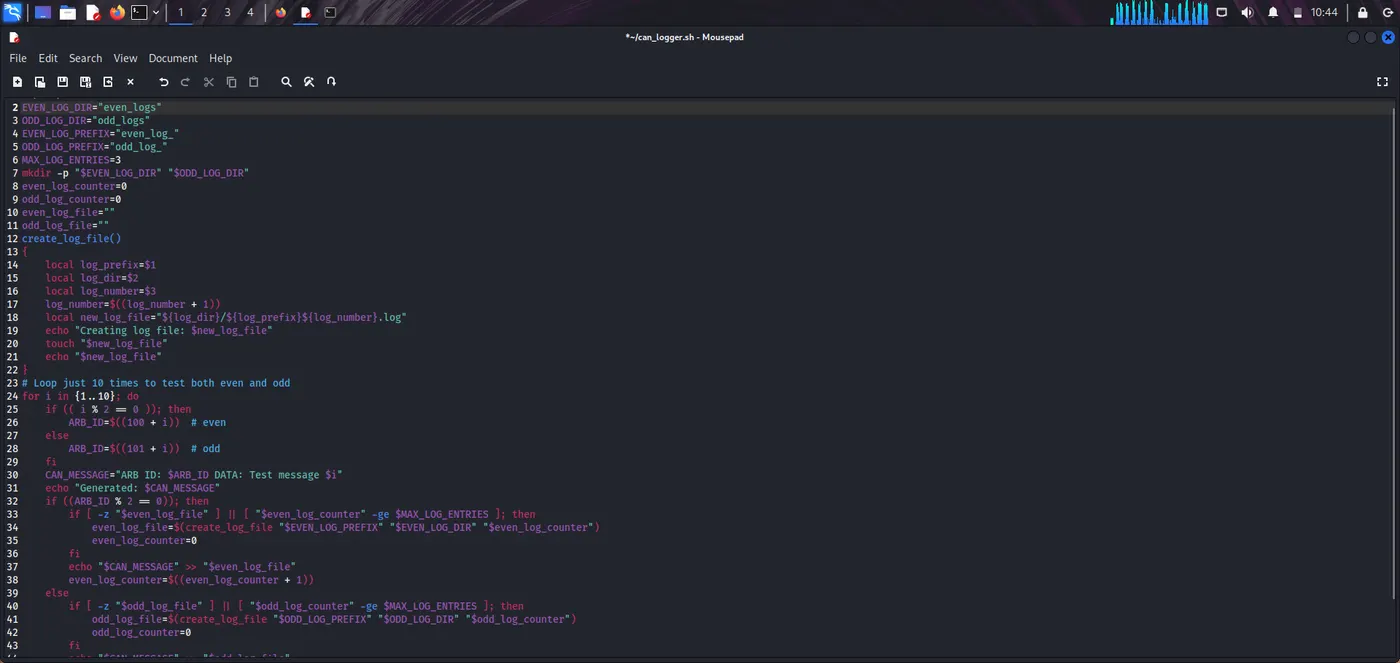
Make it Executable:
Command:
-> chmod +x can_logger.sh
STEP 4: Run the Logger Script:
Command:
-> sudo ./can_logger.sh
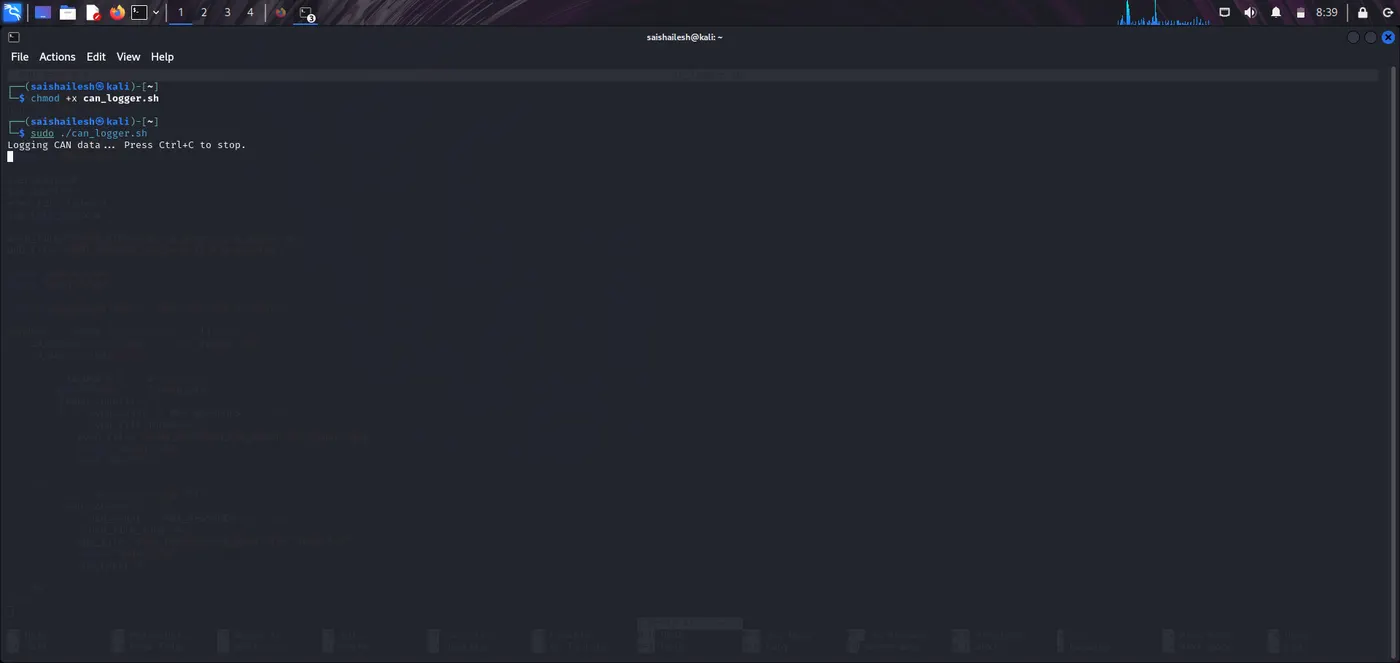
Output:
Logging CAN data... Press Ctrl+C to stop.
-> This script will now continuously listen to vcan0 and log messages to:
Even Logs/even_log_*.log
Odd Logs/odd_log_*.log
STEP 5: Send Some CAN Messages:
In another terminal window, send test messages to vcan0:
Command:
-> cansend vcan0 123#11223344
-> cansend vcan0 124#AABBCCDD
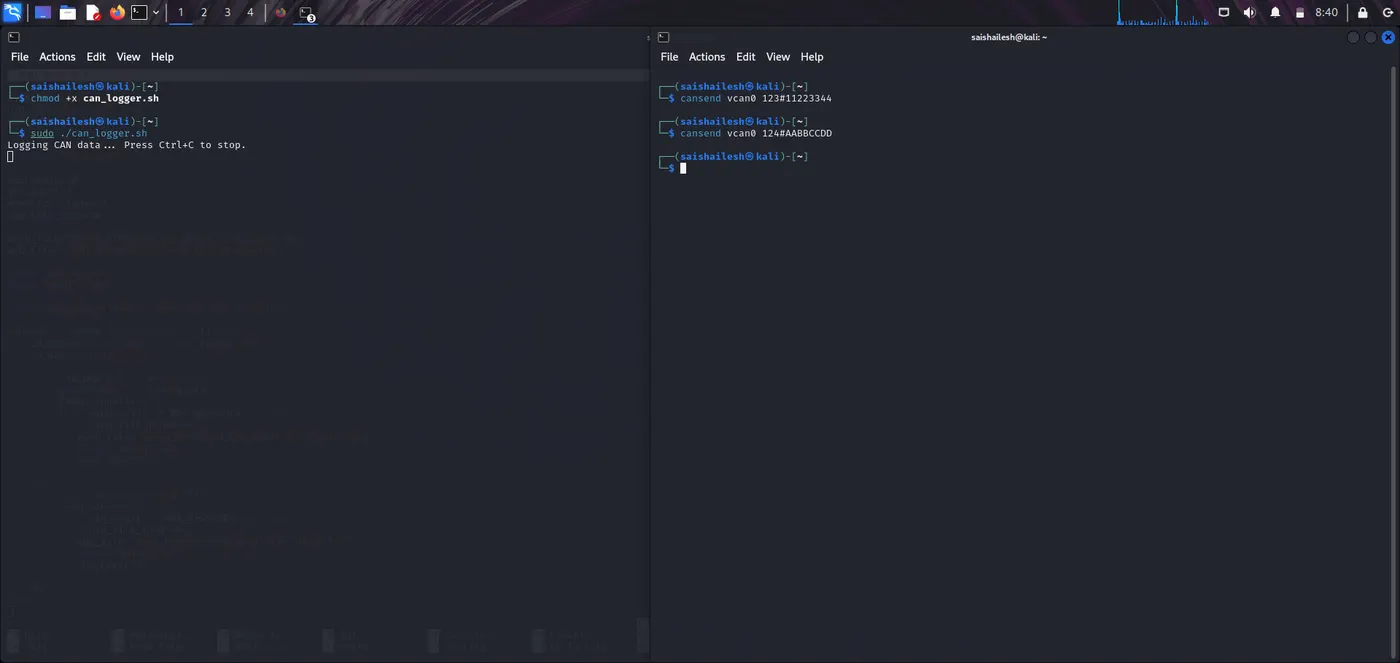
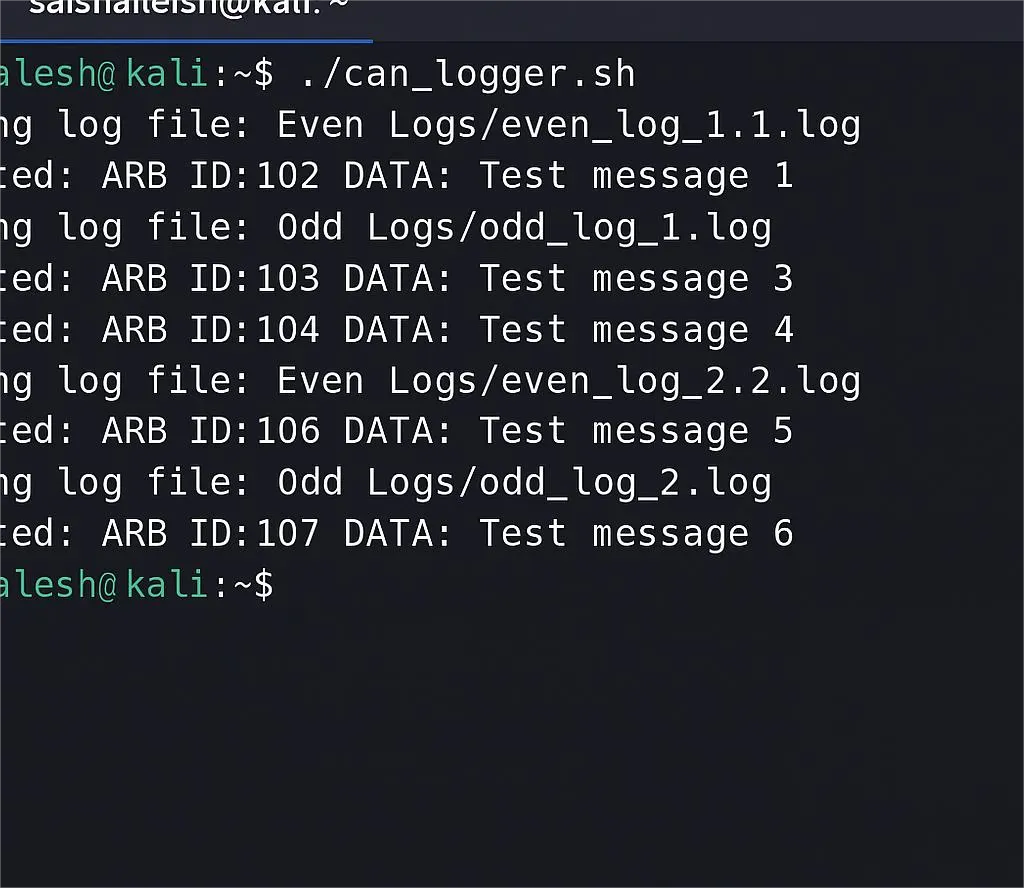
Output (in logger terminal):
Creating log file: Even_logs/even_log_1.1.log
Generated: ARB ID: 102 DATA: Test message 1
Creating log file: Odd_logs/odd_log_1.log
Generated: ARB ID: 103 DATA: Test message 3
Generated: ARB ID: 104 DATA: Test message 4
Creating log file: Even_logs/even_log_2.2.log
Generated: ARB ID: 106 DATA: Test message 5
Creating log file: Odd_logs/odd_log_2.log
Generated: ARB ID: 107 DATA: Test message 6