Project 1
Objective: The aim of the task is to rotate the provided image by 140 degrees and scale it to half using OpenCV in python.
Process:
The below code has read_image, display_image, save_image and rotate_image defined functions to read, display, save and rotate the particular image respectively.
Angle = 140 degrees
Scale = 0.5 are give as per the task
import numpy as np
import cv2

def read_image(image_path):
	image = cv2.imread(image_path)
	return image

def display_image(window_name, read_image):
	cv2.imshow(window_name, read_image)
	cv2.waitKey(0)

def save_image(image_name, image):
	cv2.imwrite(image_name, image)


def im_rotation(image, angle, scale):
	rotation_matrix = cv2.getRotationMatrix2D((300, 498), angle, scale)
	rotated_image = cv2.warpAffine(image, rotation_matrix, ((image.shape[1]), (image.shape[0])))
	cv2.putText(rotated_image, text='Roatated Image', org=(10,40), fontFace= cv2.FONT_HERSHEY_SIMPLEX, fontScale=1.5, color=(255,255,255),
				thickness=2, lineType=cv2.LINE_AA)
	return rotated_image

angle = 140
scale = 0.5

image_path = 'Challenge1_1638957930.png'
image_read = read_image(image_path)
image_display = display_image('Car IMP Challenge 1', image_read)
image_rotated = im_rotation(image_read, angle, scale)
image_display_rot = display_image('Rotated image', image_rotated)
save_figure = save_image('Rotated_image.png', image_rotated)
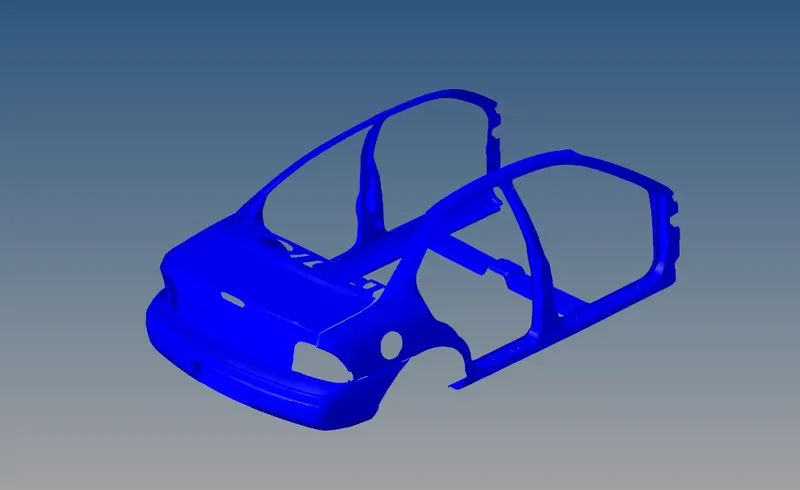
1. Original Figure provided for task
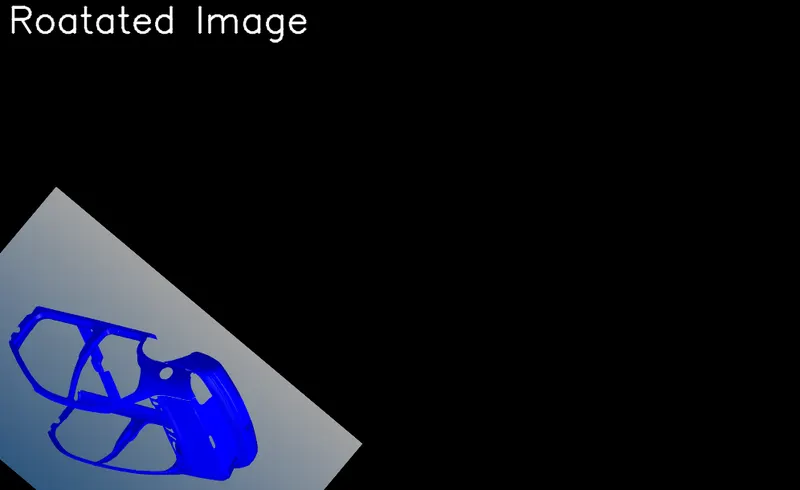
2. Rotated to 140 degrees and scaled to 0.5
Conclusion:
The image is read from the os and using getRotateMatrix2D matrix of the image is rotated to defined angle with scaling and using warpAffine function in rotate of OpenCV the image is rotated and displayed using imshow function of OpenCV using defined function display_image.