Preprocessing of car IP Substrate using ANSA
AIM : To perform structural pre-processing on the given CAD model of IP subsrate using ANSA.
OBJECTIVES :
To check for geometrical errors in the model.
To extract the midsurface of the component.
Deploy shell mesh over the midsurface using mixed set of elements keeping tria concentration as minimum as possible.
PROCEDURE :
The raw CAD model is imported in ANSA.
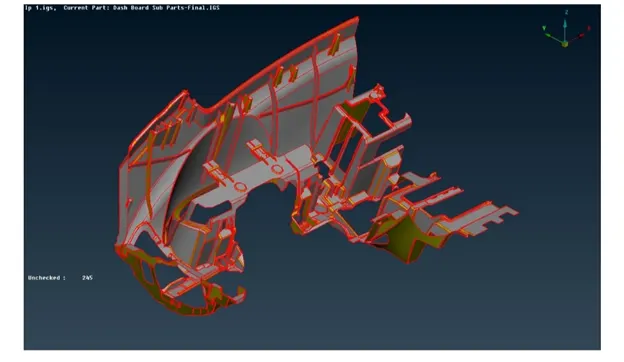
Topology is performed using Faces - Topo command to stitch adjacent faces together.
Faces are oriented properly using Faces - Orient - Visible command.
Checks - Geometry is performed to remove any geometrical irregularities and imperfections.
Most of the geometrical errors found are eliminated by the automatic fix command wherein ANSA uses pre-fed algorithms. The remaining erorrs are remobved manually.
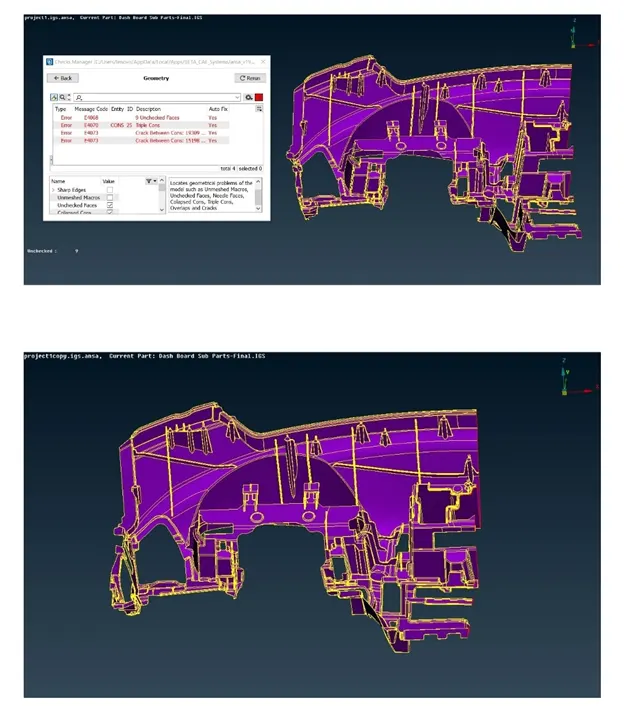
Note: Merged both images into one.
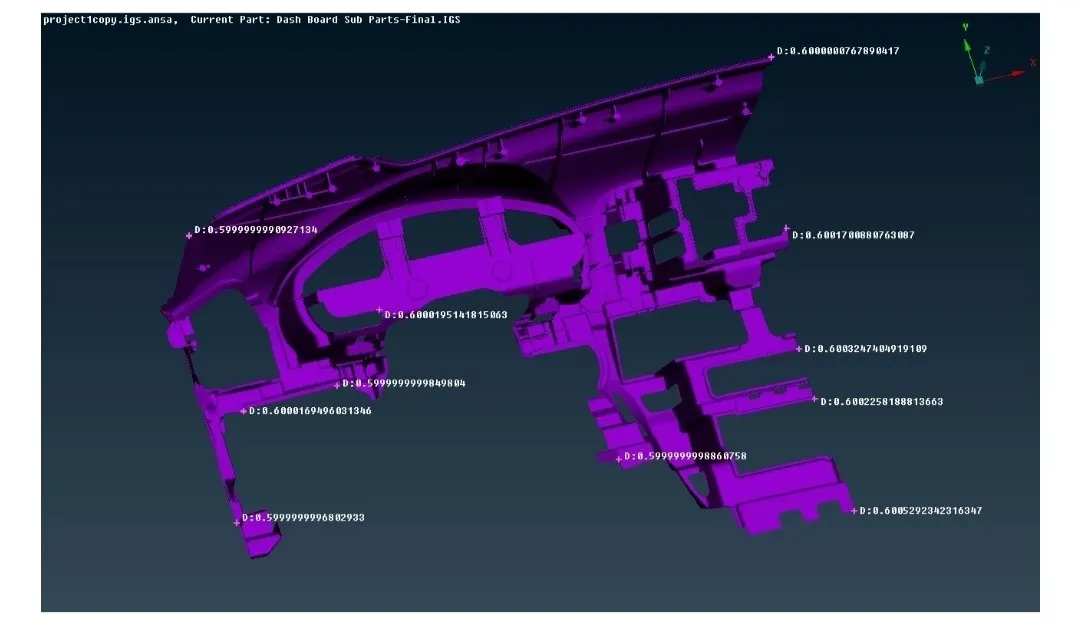
The thickness of each individual part of the component is measured to check if it is of uniform thickness or not.
Midsurfacing :
Instead of meshing the whole 3D body, instead it's midsurface is extracted and the meshing (shell mesh) is performed over it. This reduces the simulation time of the component by a large extent.
For this, Faces - Offset command is used, as performing automid over such complex component crashes ANSA.
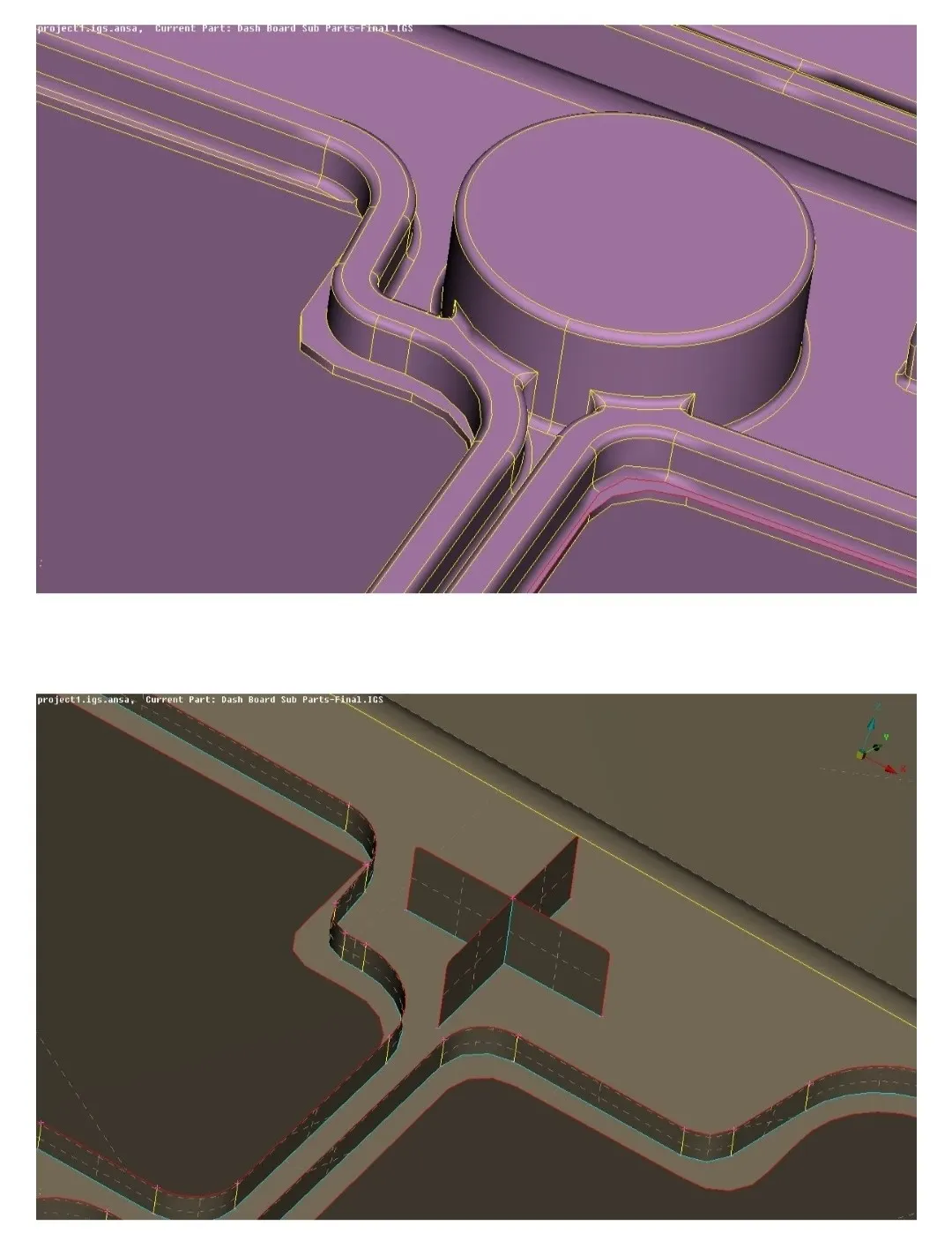
Small entities such as ribs needed to be carefully extended upto the neighbouring entities.
Since the dog houses are of thickness more than 5mm, these can't be midsurfaced normally. Instead, these are modelled as shown below.
Different PIDs are provided to the parts based on their thicknesses.
Meshing :
Now the component is ready to be meshed.
Accordingly, the required quality criteria is provided and the mesh parameters are set up.
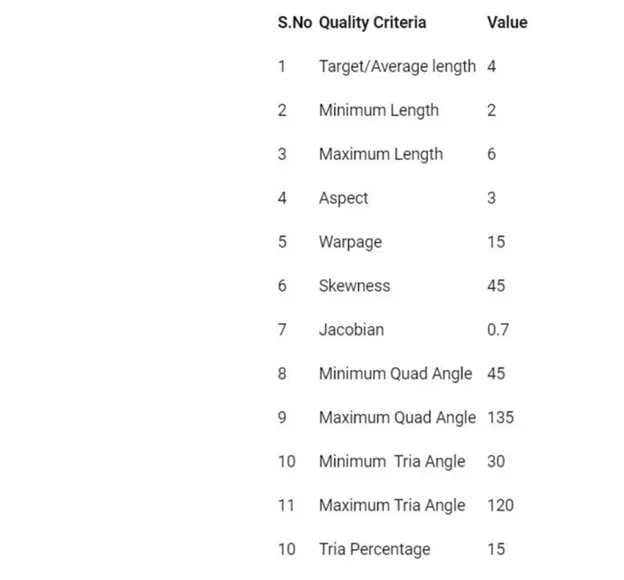
The mesh is deployed at individual faces using Best or Spot Mesh command under Mesh Generation module buttons.
The deployed mesh is reconstructed once or twice to get a better mesh flow using Shell Mesh - Reconstruct command.
To remove the off elements, the Hidden mode is turned ON and the mesh is further improvised by using commands like Swap, Split, Improve, etc.
Performing cuts at certain places parallel to the outer perimeter helps in improving the mesh flow. However such cuts are joined afterwards.
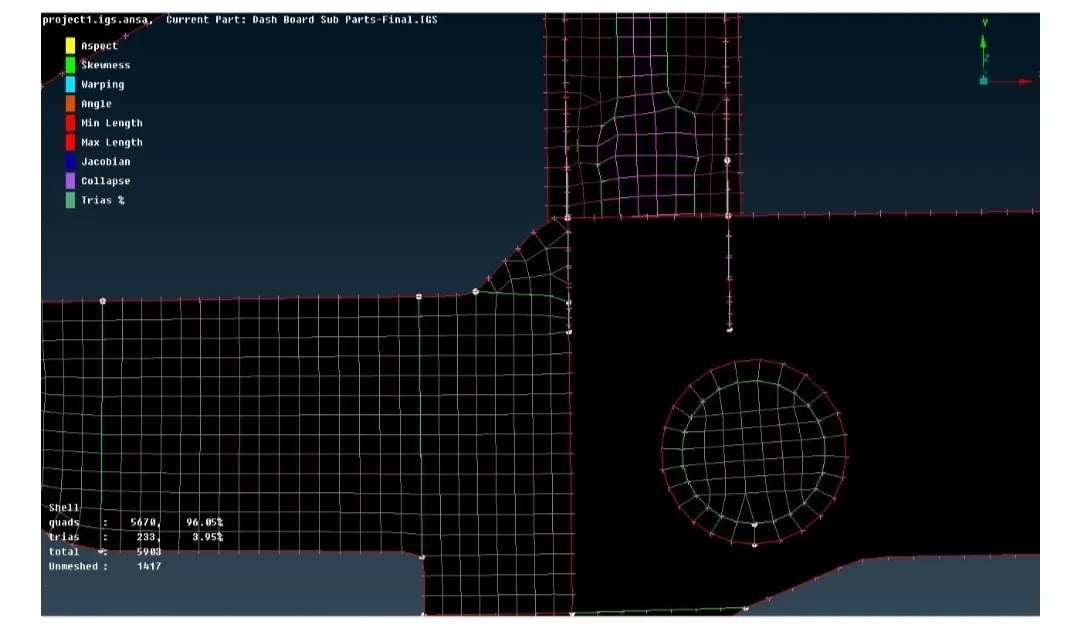
Opposite trias as shown below are eliminated by using the Grids - Paste command. The tria concentration is kept as low as possible and also rotating quad elements are removed wherever possible
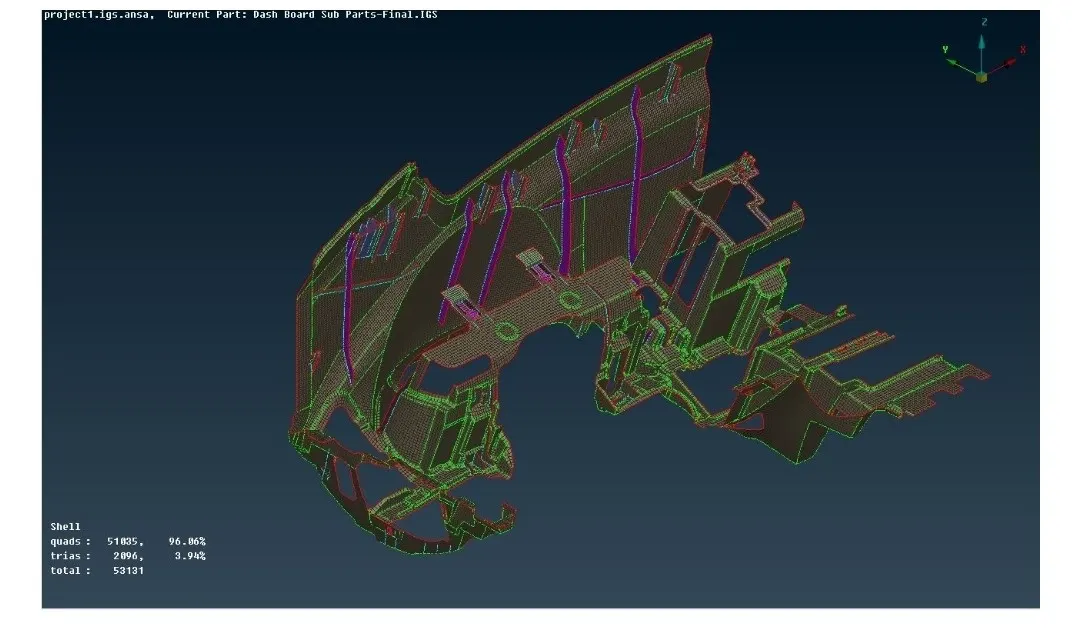
LINK: https://drive.google.com/file/d/1JLPnlUDaSJ9rTlejBZTfPChv-blJnnss/view?usp=sharing