Project 1
Aim: Perform Manual Mid surface extraction and Meshing of IP substrate component of an Vehicle with proper geometry cleanup, maintaining element quality and assigning thickness to each part.
Procedure:
- Geometry model cleanup
- Mid surface extraction
- Meshing with Element quality parameters
Geometry model cleanup:
- Importing CAD model file into ANSA
- Viewing whole model to just get an overview of model and then using perimeter>length and macros to make whole hot points at 1 mm distance inorder to have smoothness of whole model
- Performing TOPO for whole model to convert single CON to double CON.
- Now, view each part of model individually and perform Geometry check in Checks panel to see error and try to overcome those errors. Recheck Geometry checks again until all the errors are overcome.
- Make sure to use Orient option so that all the faces have same grey or yellow color.
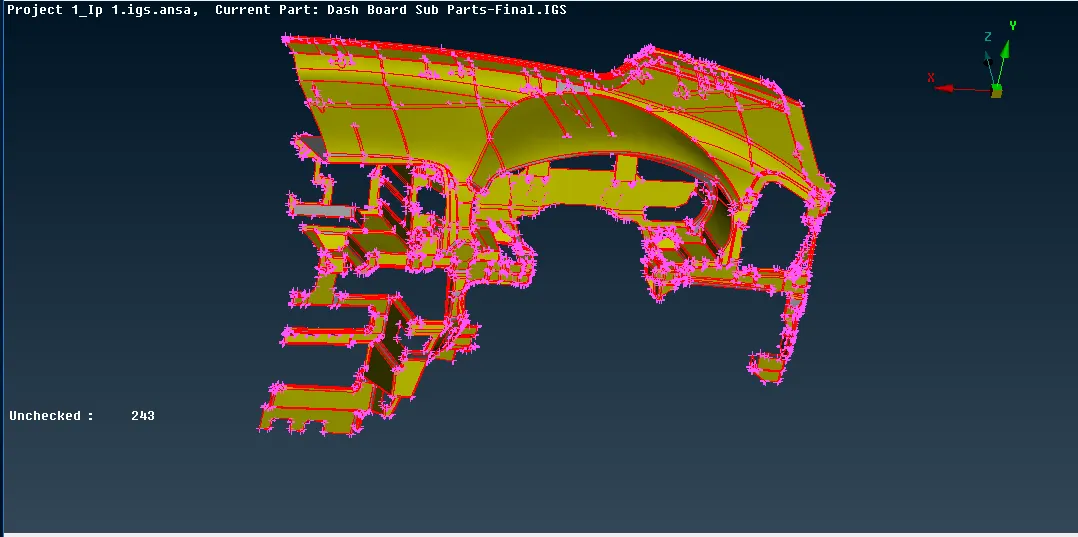
Image of Imported CAD model of an IP
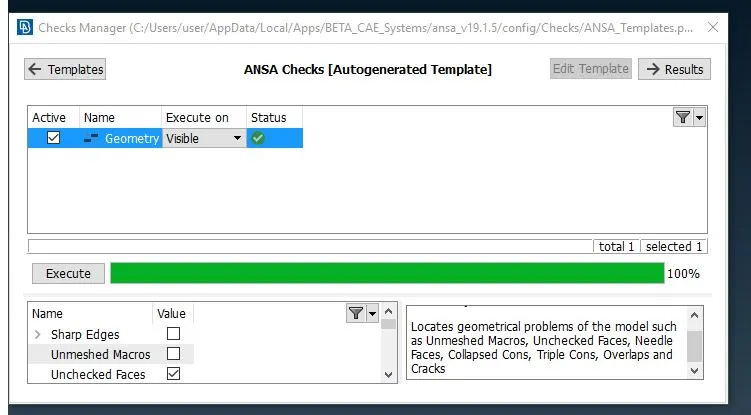
Image of Error free CAD model of an IP
Mid surface Extraction:
- After making geometry zero free, Mid surface is extracted for model.
- Since model does not have uniform thickness and also for plastic model Auto mid surface with casting option does not gives a better mid surface , So in this case we go for manual mid surface
- In order to do manual mid surfacing of any CAD model , we must be familiar with options such as mesaure , offset , middle face , middle curve , con2curve , new faces , extend , intersect , topo etc . These are the tools which are very useful in extracting mid surface of CAD geometry having different thickness at different parts.
- After Mid surface extraction , Assign PIDS for different entities having different thickness value.
- Only one collapsed CONS was obatined in geometry checking rest of where triple and single CONS.
- For Extraction of Mid surface for such big model , we should split our model in different number of parts extract the mid and then at the end join the different mid together as single
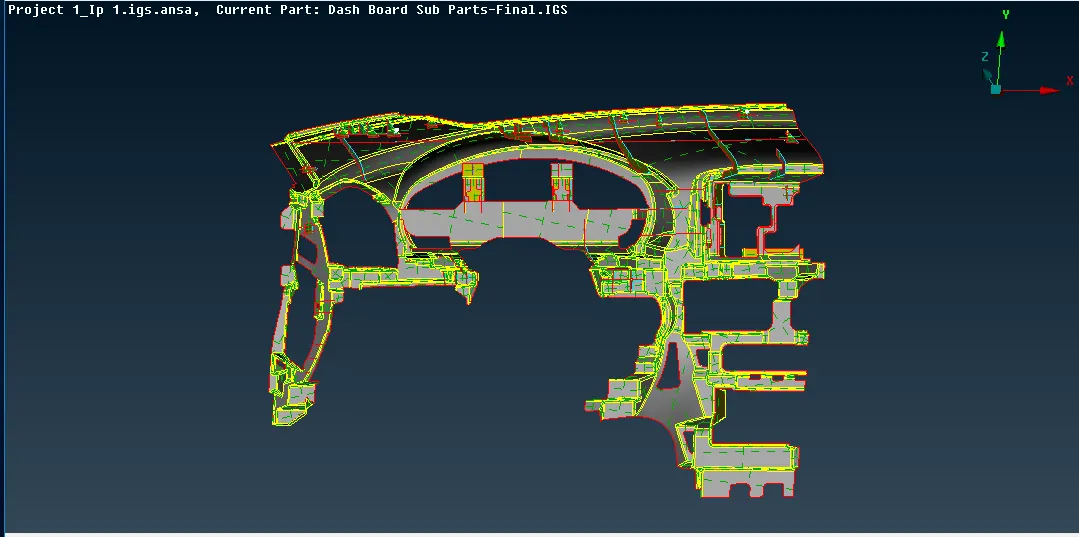
Image of Manual Extracted mid surface of an IP
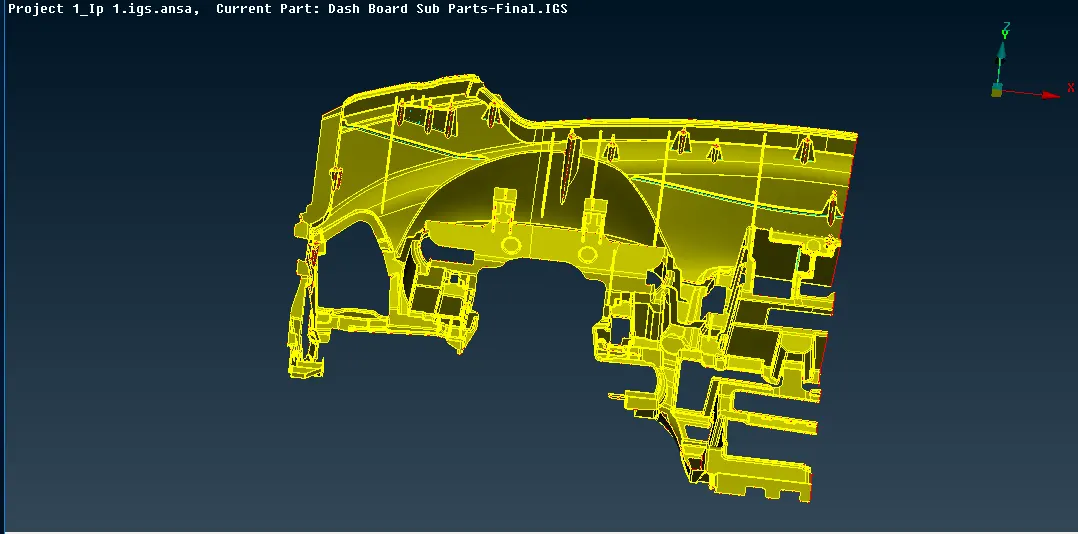
Image of full model with its mid surface
Meshing with Element quality parameters:
As we have extracted Mid surface of 3D component and converted it to 2D component so 2D shell mesh is performed by used Best option in MESH generation panel present in MESH. In order to proper quality for our model , Element quality parameters are set which is alloted to us.
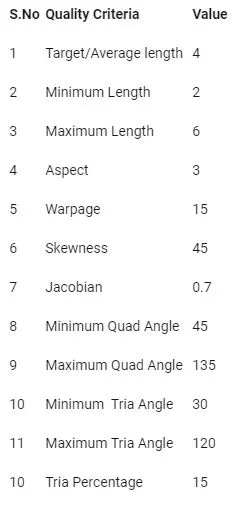
Meshing is done carefully to each section as it consists of complicated surfaces. Tools such as swap , split , reconstruct , join , cut , paste etc are used to overcome failing elements for quality.
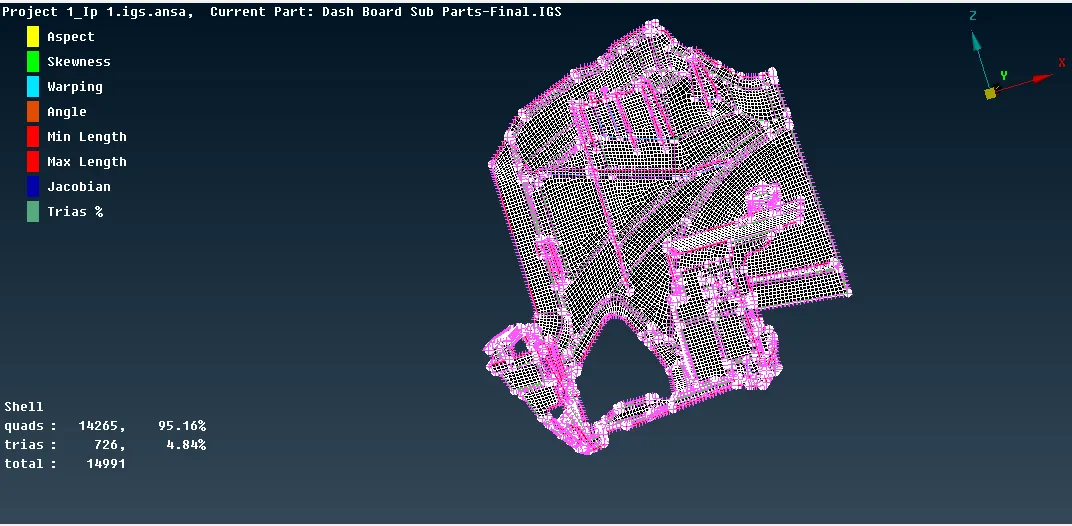
Image of Meshing created for Half IP
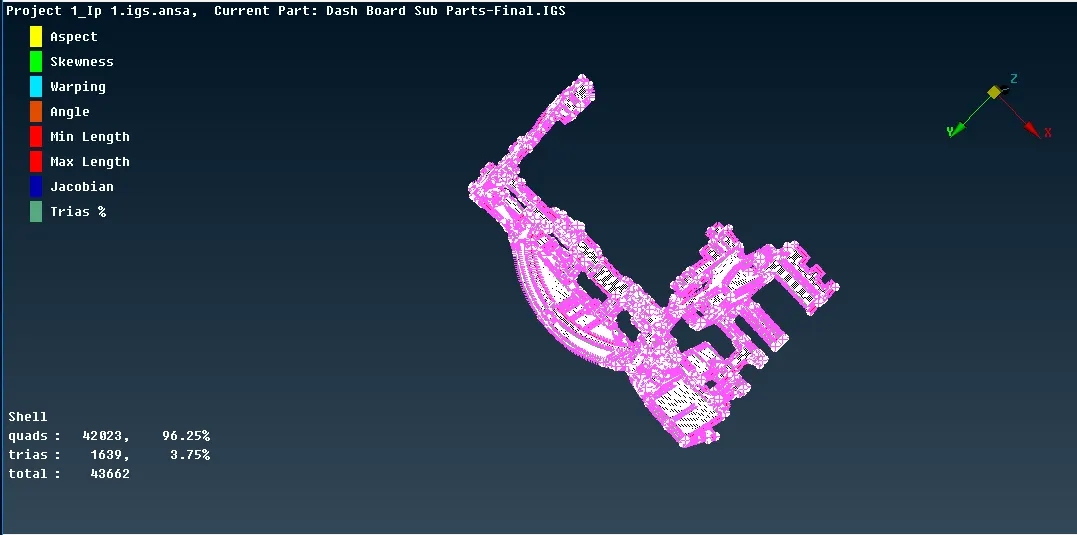
Image of Meshing created for Full IP
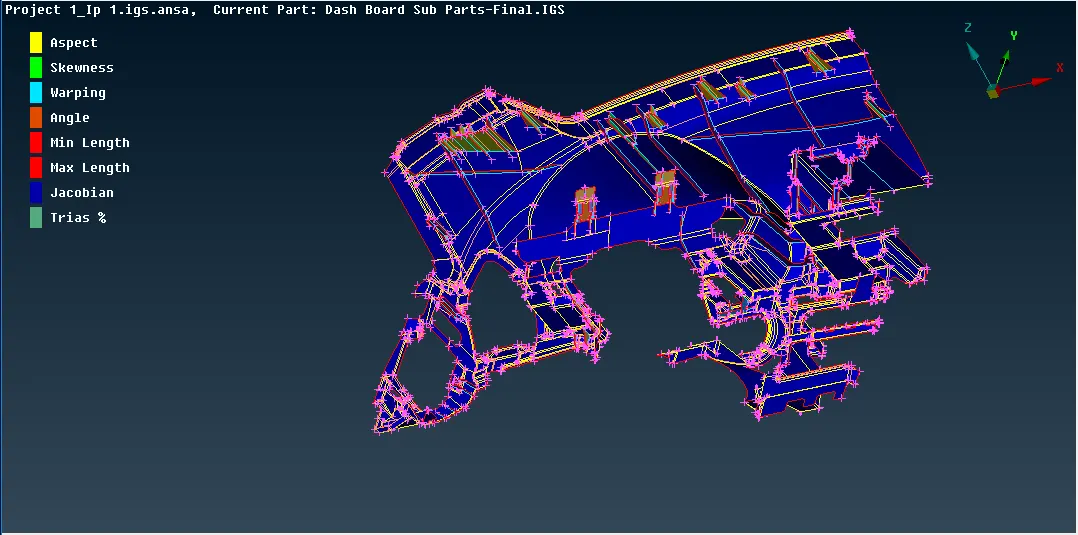
Image of different PIDS assigned to different thickness part
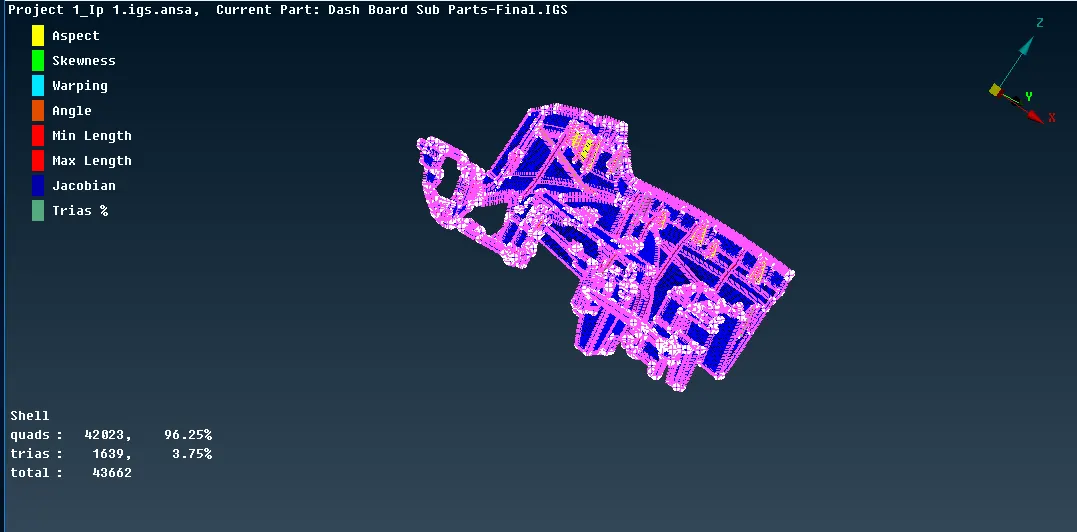
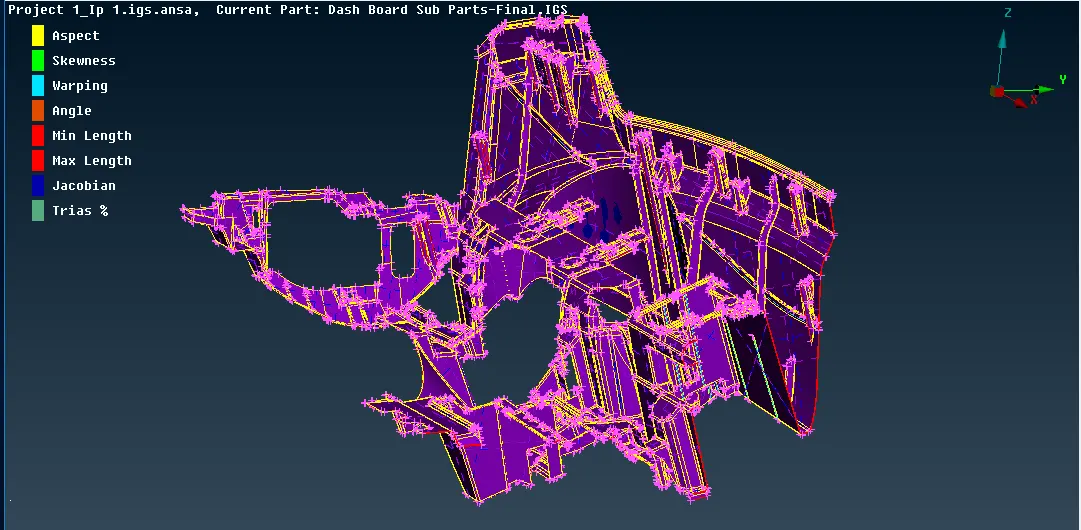
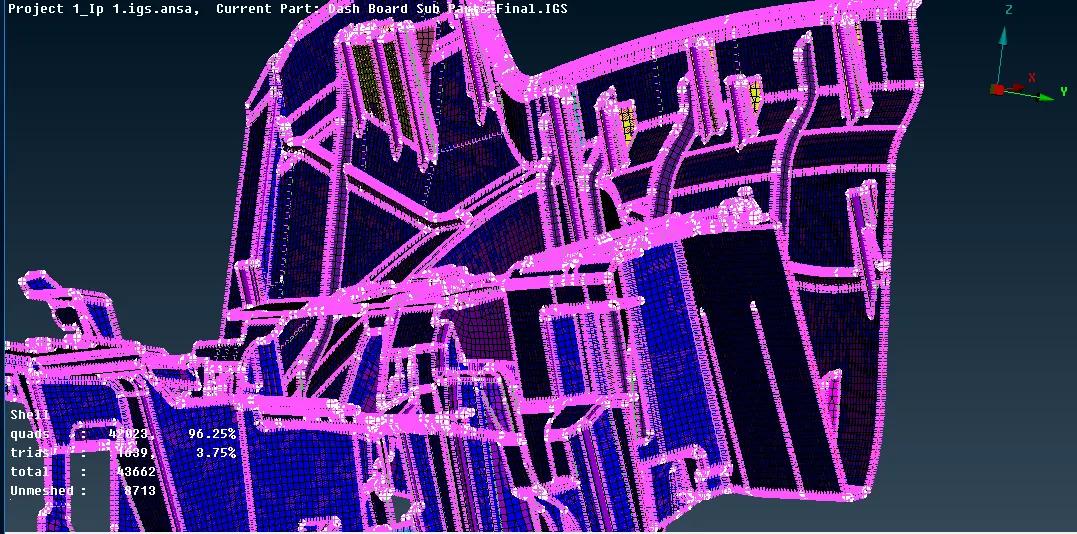
Image of Shell element represented as Solid and capturing whole Model
Learning Outcomes:
- Got knowledge of how to do proper geometry cleanup of imported CAD model and make proper orientation of model
- Got knowledge of performing better Manual Mid surface extraction for provided CAD geometry with different tools such as mesaure , offset , middle face , middle curve , con2curve , new faces , extend , intersect , topo etc
- Got knowledge of how to extract mid of complicated features and also how to do their mesh
- Got knowledge in peforming and maintaining good element quality
Conclusion:
Successfully performed Manual Mid surface extarction with Meshing of component by maintaining Element parameter quality.