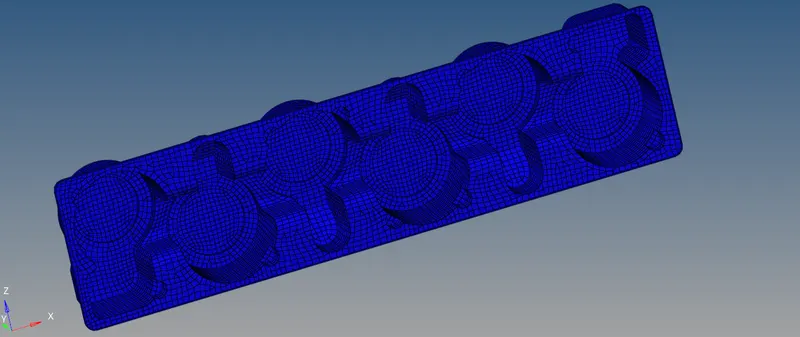
PREPROCESSING ON A PLASTIC HOLDER BY USING HYPERMESH
AIM :
To Perform a Preprocessing operation on a given plastic holder model by using Hypermesh software.
OBJECTIVES :
1) Generating the manual middle surface from the parent component.
2) Defeaturing the fillets from the extracted middle surface.
3) Performing a meshing operation on a middle surface as per element quality criteria.
4) Checking the element qualities by comparing into the given quality parameters.
5) Assigning the material and appropriate thickness on it.
CAD MODEL IMAGE :
Open a Hypermesh software, set the user profile which is "Optistrut" it means optimization enabled structural analysis. Click the "Import Solver deck" option for which importing the proper working file. Followingly, Select the "Import Geometry" option and ensuingly select the file type which "Solidworks" because our given model done by solidworks modelling software. Continuously, choose the appropriate file for which performing a preprocessing operation.
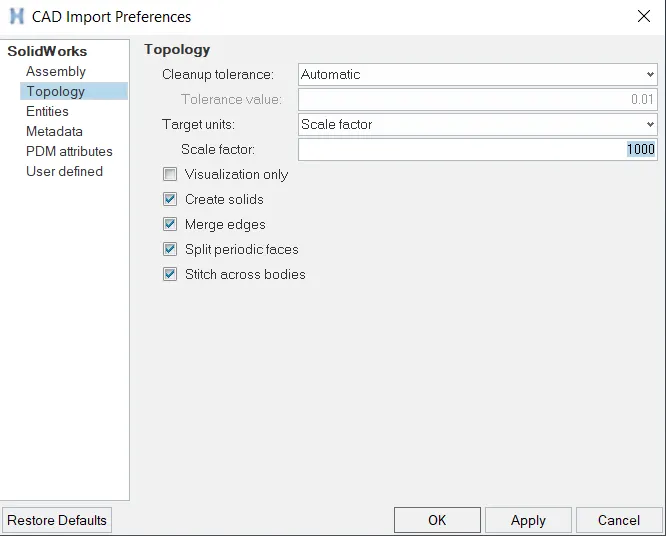
Before gonna click the import option, Our one of the objective is, we have to requiring scaling to the model for which performing a meshing on it. We have increaing scale units to 1000 instead of one. Below image showing, how the scaling units are provided to the hypermesh before importing the component.
Click the import option, model will showing up on the graphical window.
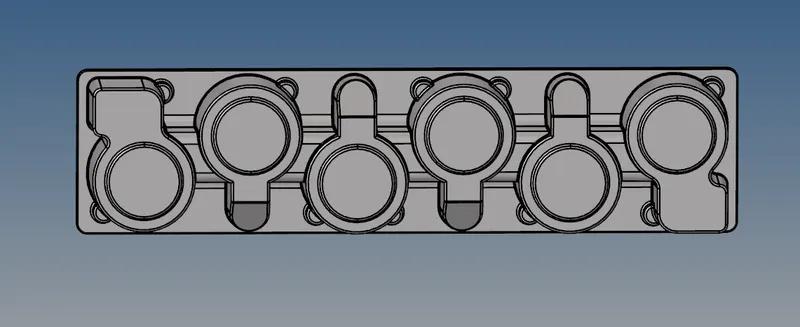
After importing the model, by default hypermesh set into "Auto Mode". It will looks like as shown in the below image.
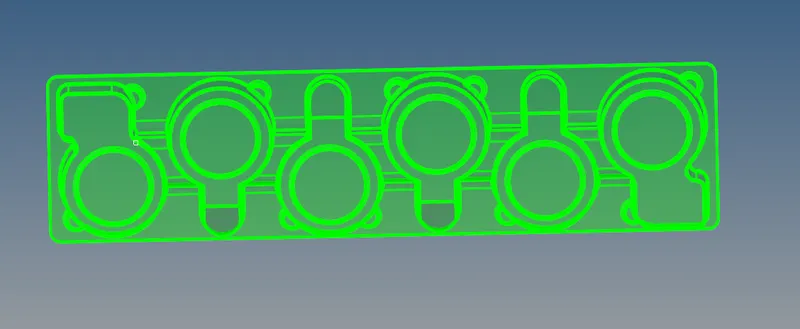
After we manually converted into "By Topo" mode instead of "Auto" mode fromwhere "Geometry color mode" option.
After changing the option, it will looks likes as shown in the below image.
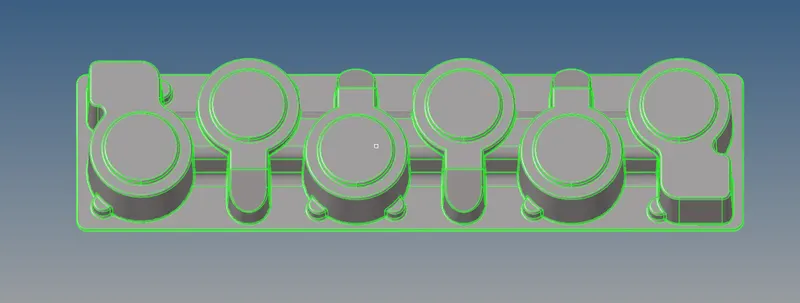
We have manually delete the solids by using delete option, because we only perform shell meshing on it. After deleting the solids from the model itself, it will looks like as shown in the below.
As we noticed, this model has symmetrically in shapes about an y axis and x axis as well but have to rotate it.
PROCEDURE FOR ATTAINING THE OBJECTIVES :
i) Generating the manually mid surface :
First of all, we have to measure the thickness distance from the model which is exactly at 1mm.
As we know, Generally middle surface has generated between exactly at neutral portion of the component.
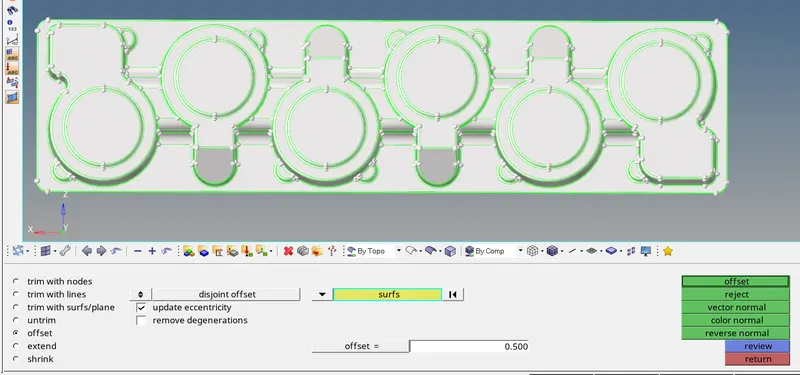
Inorder to creating the manual middle surface, we have gonna "Offset" option under the "Surface edit" panel fromwhere under the geometry module.
Provide the offset distance which is half a distance of original parent component thickness which is 0.500 mm.
Select the top surface alone properly, make sure check the vector normal direction before gonna click the offset button.
After selecting the appropriate surfaces and put the offset distance, it will looks like as shown in the below image.
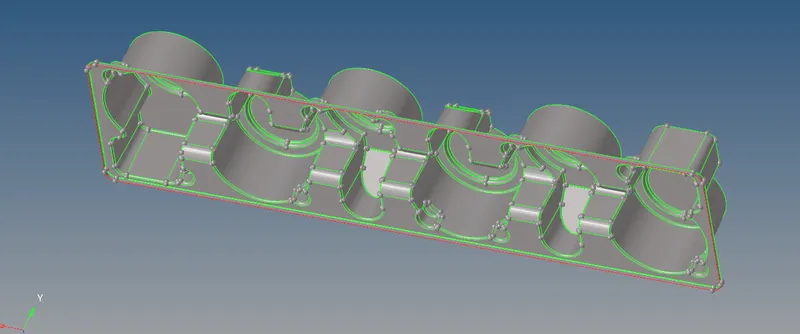
After clicking the offset option, it will generating the middle surface automatically as per our given constraints. Once mid surface created, it will looks like as shown in the below image.
ii) Defeaturing a fillets from the mid surface :
A Given minimum element length is 3mm, we have to defeaturing fillets on which coming below the given minimum element length across the lateral direction, by result elements are failing due to minimum element length on which fillet surface.
Inorder to rectify the minimum element length failing issue, we have to manually deafuring out with the help of some few options which are presented in the hypermesh software.
Before gonna defeaturing the surface, we have to provide the fillet range between minimum to maximum range is 0.50 to 3 mm.
After select the whole surface which are wants to be find fillets as per given provided inputs.
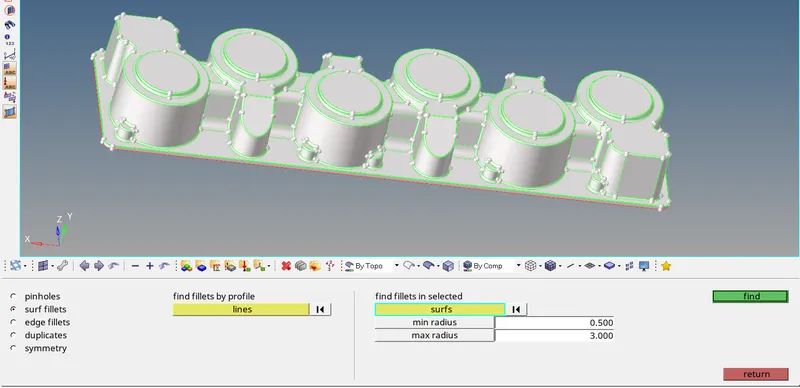
Hypermesh finded and highlighted the fillets which are falling between given range. It will looks like as shown in the below image.
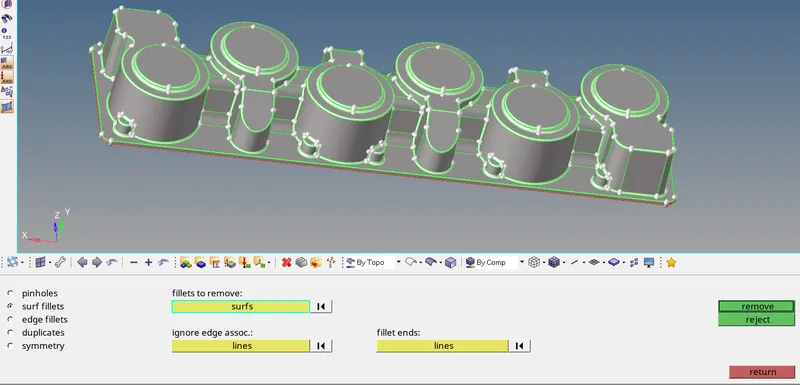
After clicking the remove option, a hypermesh has defeaturing out to sharp edge instead of fillet. After defeaturing the fillets, it will looks like as shown in the below image.
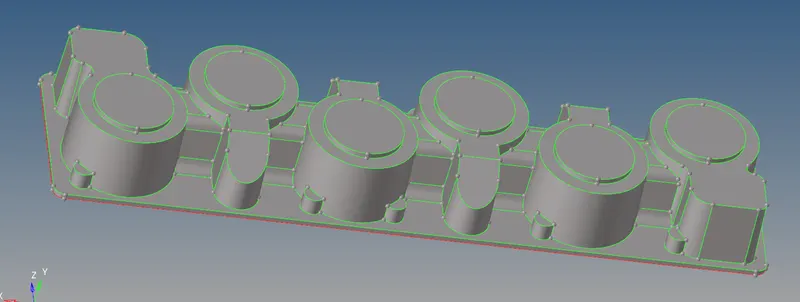
iii) Perform meshing operation :
In this model, symmetrically in shape with each other. So, we first create a mesh elements on any one symetrical side of the plastic holder surface and then use some few tools like Reflect, Translate and then Rotate option as well for which creating the mesh elements on a remaining surfaces.
Our Target element size is 5mm, element type is mixed and also we have to concerned to which create a elements as per given element quality parameters.
If the elements are failing due to any of the parameter which are provided on it or else bad mesh flow happens, we have to remeshing on it untill whenever the elements will gets satisfied the given all meshing conditions.
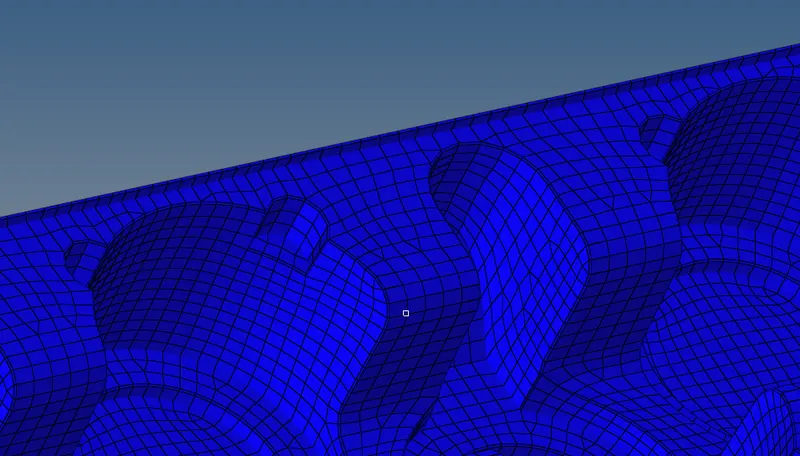
After completes the meshing operation, it will looks like as shown in the below image.
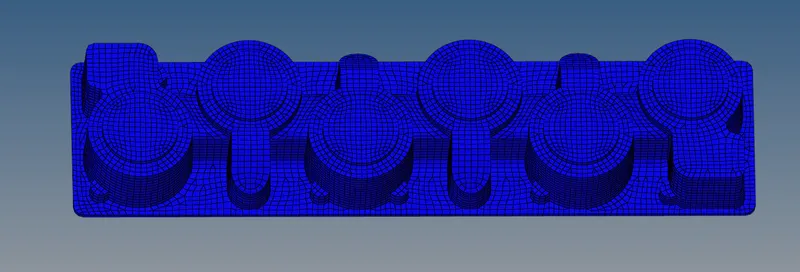
iv) Quality Checking :
All Created elements are satisfied as per given element quality criteria.
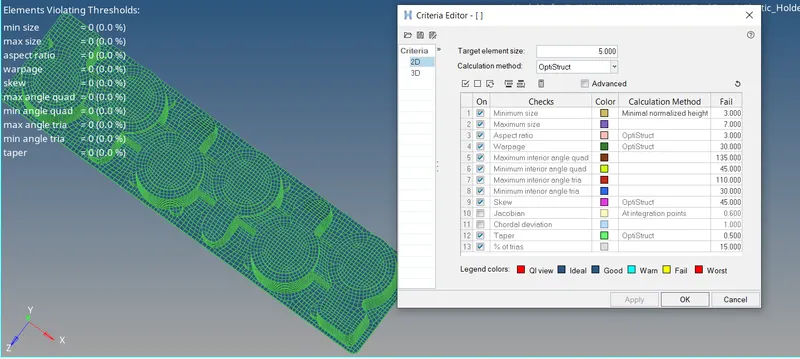
v) Assigning the thickness and material :
Create a material card to the component and naming it which is plastic. We have to keep the default properties.
Subsequently, create a property card and provide the corresponding component thickness on it.
Assigning the property card and material card to the respective component.
Inorder to visualization of assigned thickness, we have to changed the option which is "2D Detailed element representation" instead of "2D Traditional element representation".
After assigning the thickness on a component, it will looks like as shown in the below image.
CONCLUSION :
Successfully completion of preprocessing operation on a given plastic holder component like generating the middle surface from the parent component, Meshing on a mid surface as per given element quality criterias, Quality checking on a created elements and then assigning the property card & material card to the middle surface component.