Pipe Flow Sim
Aim : To run a pipe flow simulation for different Reynold's Numbers
We are running this simulation to study velocity and pressure at certain points inside the pipe
Reynold's number is given by : Re = (ρ v d)/μ
Given Reynold's Numbers : 100,1000,10000
We know density of air, kinematic viscosity of air at room temperature. Take an arbitrary value for diameter (16mm) and calculate velocities for different Re.
Values come out to be 0.0925, 0.925 and 9.25 m/s for Re 100,1000,10000 resp.
Case Set up :
Model a cylindrical pipe using sketch, extrude and shell commands
Then create line probes at lengths where analysis is to be done(85%, 90%, 95%)
Go to flow simulation workbench and create lids on both sides to make a closed system for CFD simulation
Go to to Wizard and input the given and required parameters like selecting air as fluid,specifying flow type(laminar nd turbulent) etc.
Next step is to insert boundary conditions by right clicking on boundary conditions. they are set as static pressure of 101325Pa at outlet, then inlet velocity at the other end and real wall condition to inner face of cylinder.
Then edit definition of global mesh by right clicking on it. In this case it 20, 20, 50 in the X, Y and Z direction resp.
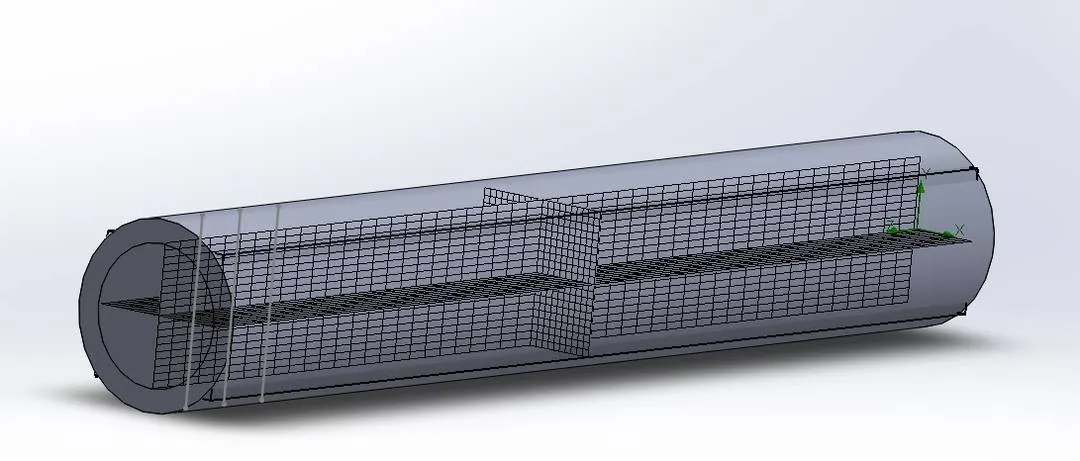
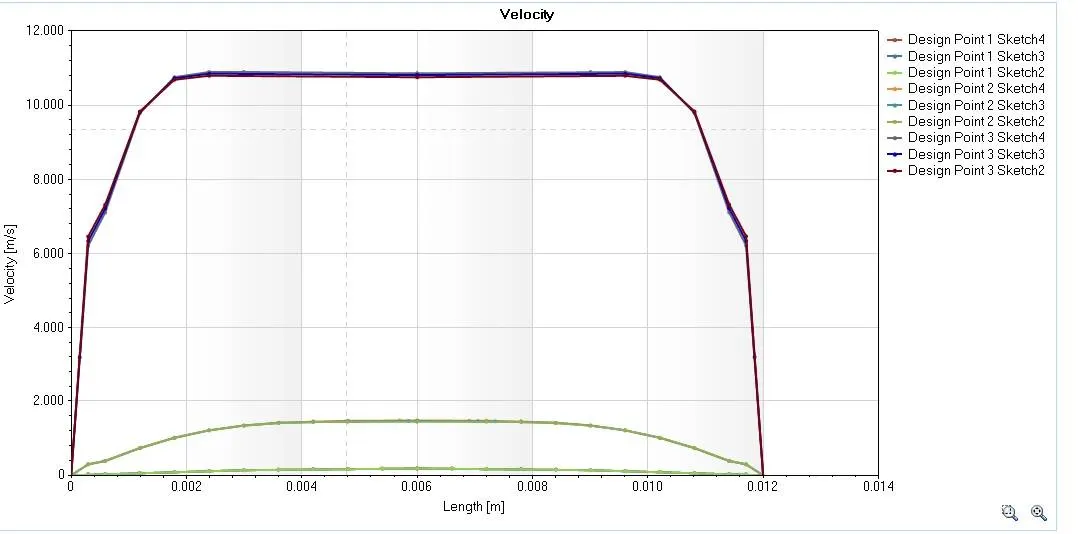
Then add XY plots and Cut plots on the given line probes using the results part in extended feature tree and run the simulation
Set up new parametric study by right clicking on project name. give input variable as inlet velocity(choose normal option). For output variable select the cut and XY plots.
In scenarios, create 3 design points for all 3 values of velocity calculated. And run.
Results obtained :
Cut plots for :
85% - https://drive.google.com/file/d/1ImfAUkzq4G4XaSMI8H_BEG394Y_J-0y3/view?usp=sharing
90% - https://drive.google.com/file/d/1N5FH3uD9WSaPRKuEkdsZ0NO7A7lhIzOL/view?usp=sharing
95% - https://drive.google.com/file/d/14UwS8XbSAZ7RRv-lkjhWpeKtBH0lFx9G/view?usp=sharing
XY plot -