Designing of American Chopper Bike in Solidworks and Providing Photo Realistic Rendering
Report Title: Designing of American Chopper in Solidworks
_________________________________________________
Objective: TO DESIGN A AMERICAN CHOPPER BIKE FROM SCRATCH BY USING SOLIDWORKS.
Introduction: Solidworks is a solid modeling computer-aided design (CAD) and computer-aided engineering program that runs on Microsoft windows.
The Solidworks model is made up of:
Parts – 2D design (sketch), 3D design (features), part design consideration in the part design section.
Assemble – Assembling of two or more than two or more than two parts considers in this section.
Drawing – Design with standards is considered in the drawing section.
We have designed first all the parts of American chopper and then assembled them as you can see given below -
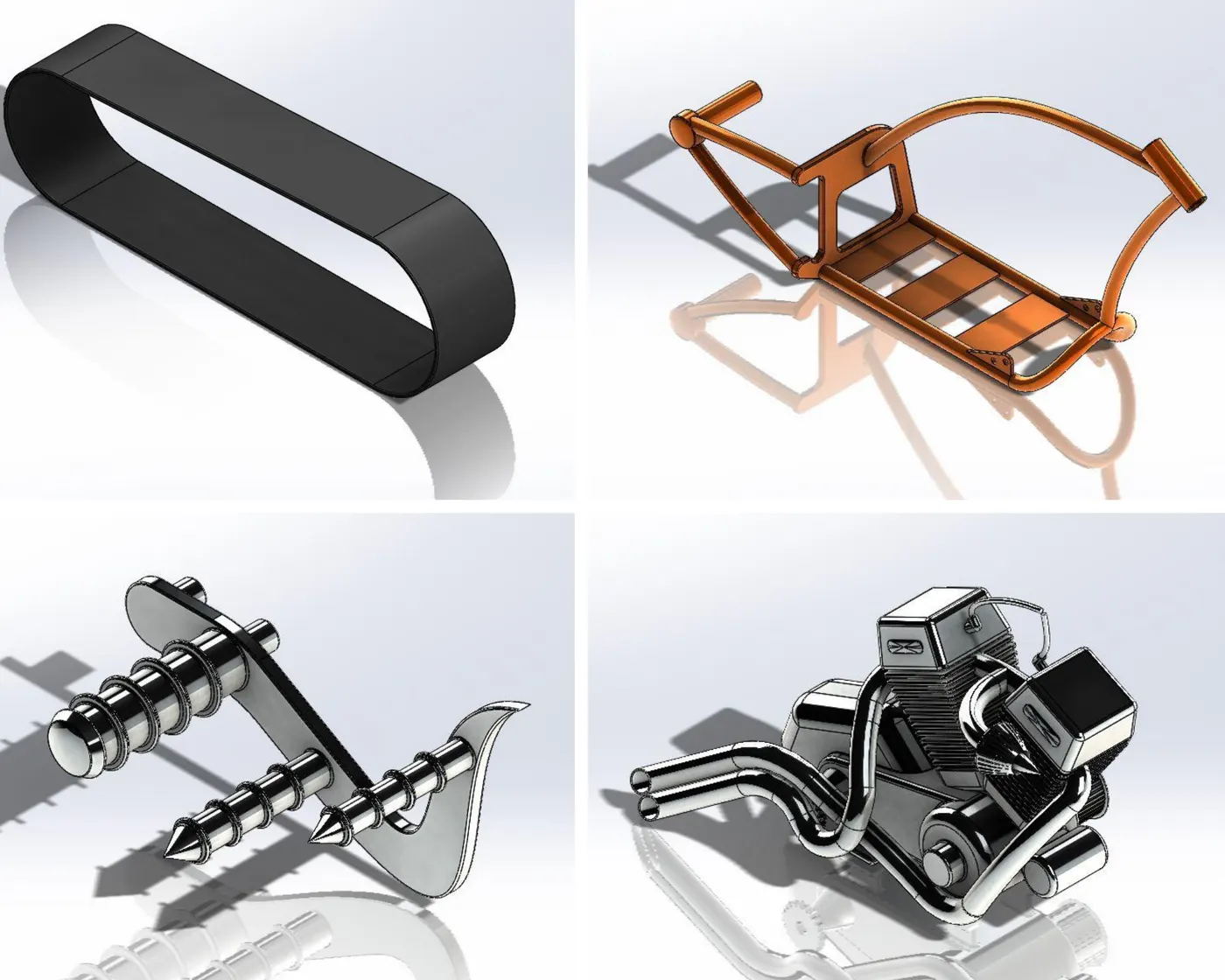
Image show Transmission belt, Chassis, pedal & Engine.
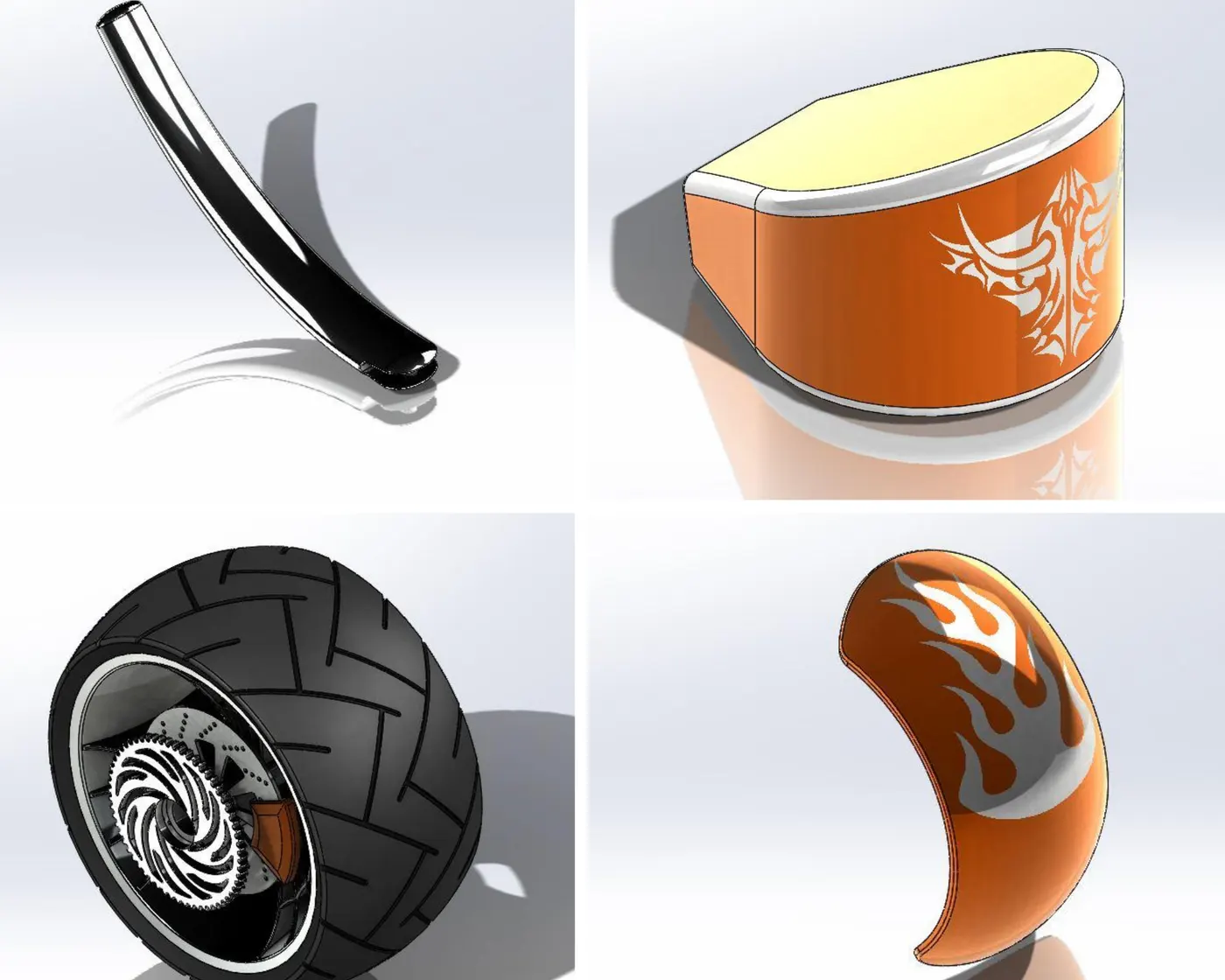
Image show Kick Stand, Oil Tank, Rear Tire & Rear Fender.
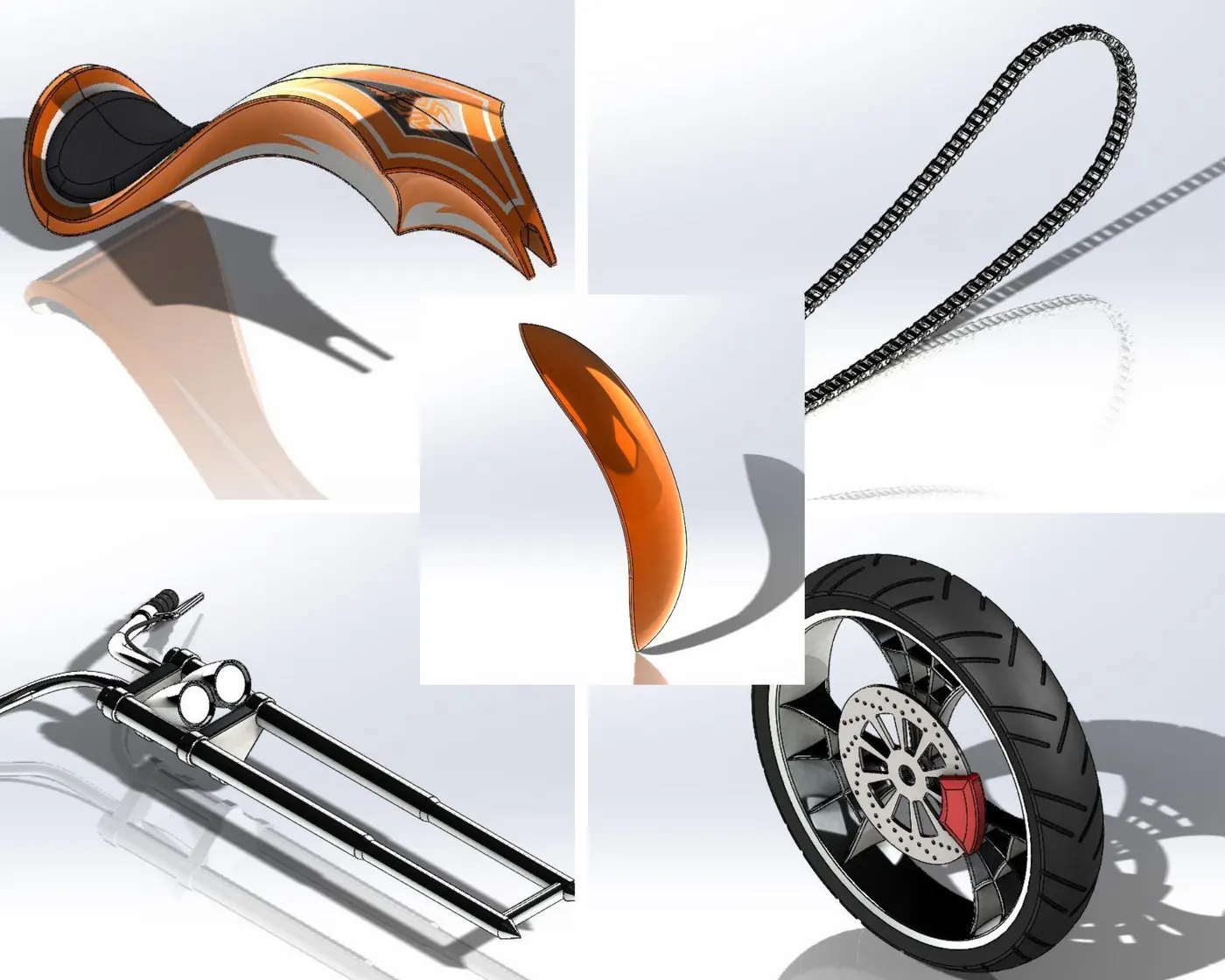
Image Show Gas Tank, Chain, Front Fender, Front Fork & Front Tire.
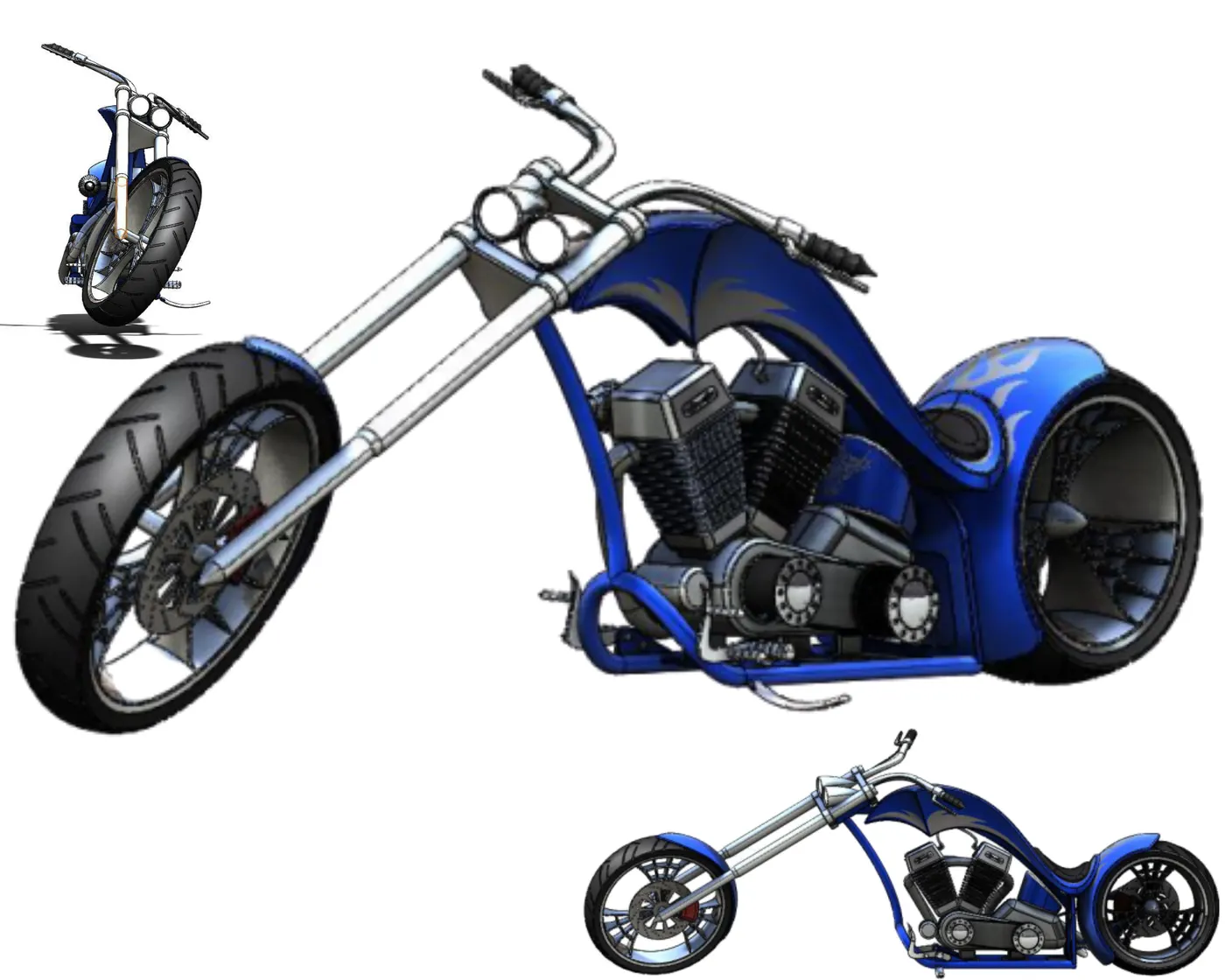
Image show Front, Side, and Isometric View Of Rendered American Chopper.
-----------------------------------------------------------------------------------------------
Design methodology -
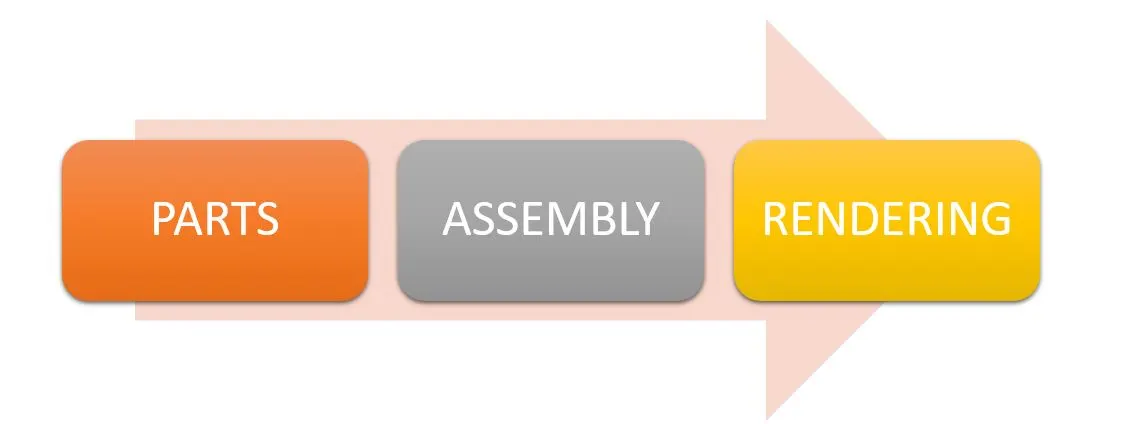
__________________________________________________________________________________________________________
Features used - Features are the individual shapes that, when combined, make up the part. you can also add the same types of features to assemblies. Some features originate as sketches, other features such as shell or fillet, are created when you select the appropriate menu command and define the dimensions or characteristics that you want.
- Extrude - Extrude extends the sketched profile of a feature. An extrude operation can either add material to a part (in base or boss) or remove material from a part.
- Extrude Cut - A cut is a feature that removes material from a part or from an assembly.
- Fillet - Fillet creates a rounded internally or externally on face of the part. you can fillet all edges of a face, selected sets of faces, selected edges, or edge loops.
- Dome - You can add a feature to any model face that has a circular, elliptical, or four-sided boundary. A four-sided boundary need not be rectangular, and each side may consist of a single segment or a set of tangent segments.
- Revolve - Material added by rotating the profile about a centerline.
- Swept - Material added by sweeping a profile along the path.
- Shell - Tool hollows out a part, leaves open the faces you select, and creates thin-walled features on the remaining faces. If you do not select any face on the model, you can shell a solid part, creating a closed hollow model.
- Assembly mate - mates are used to position and orient components with reference to each other. Mates remove a degree of freedom from the components.
_____________________________________________________________________________________________________________________
Rendered images -
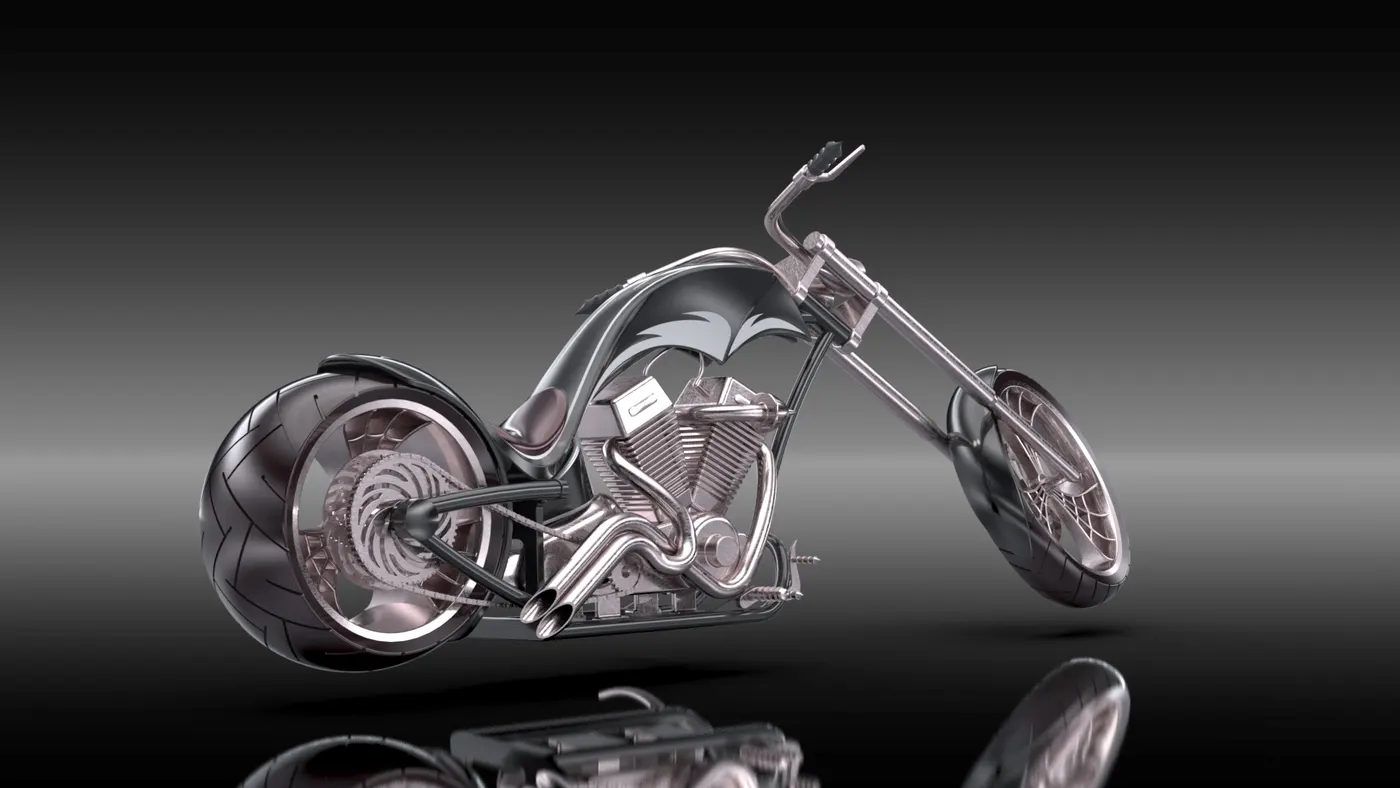
Image Show Rendered Isometric View Of American Chopper
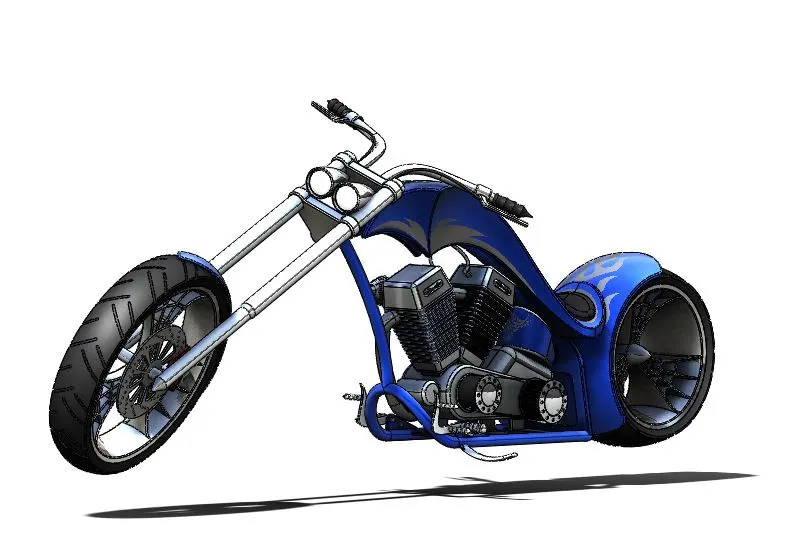
Image of the assembly in Photoview360
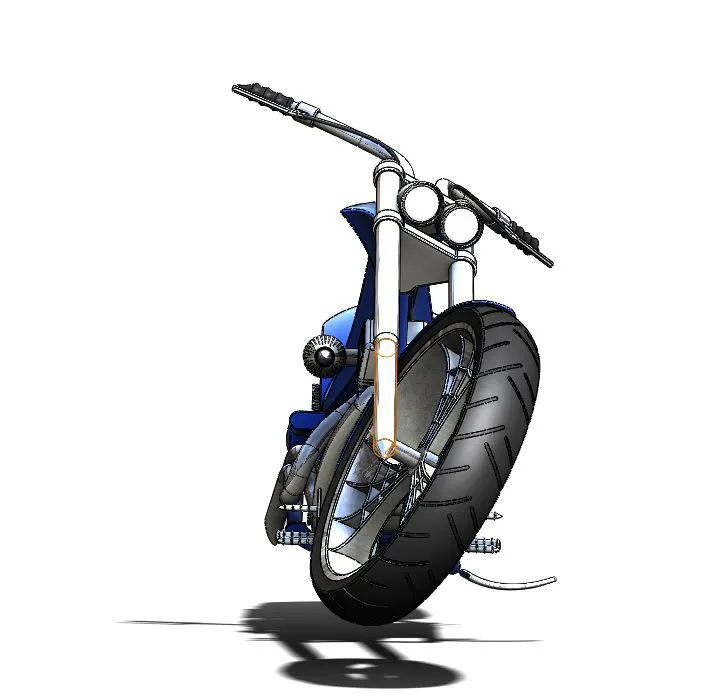
Image Show Front View Of American Chopper
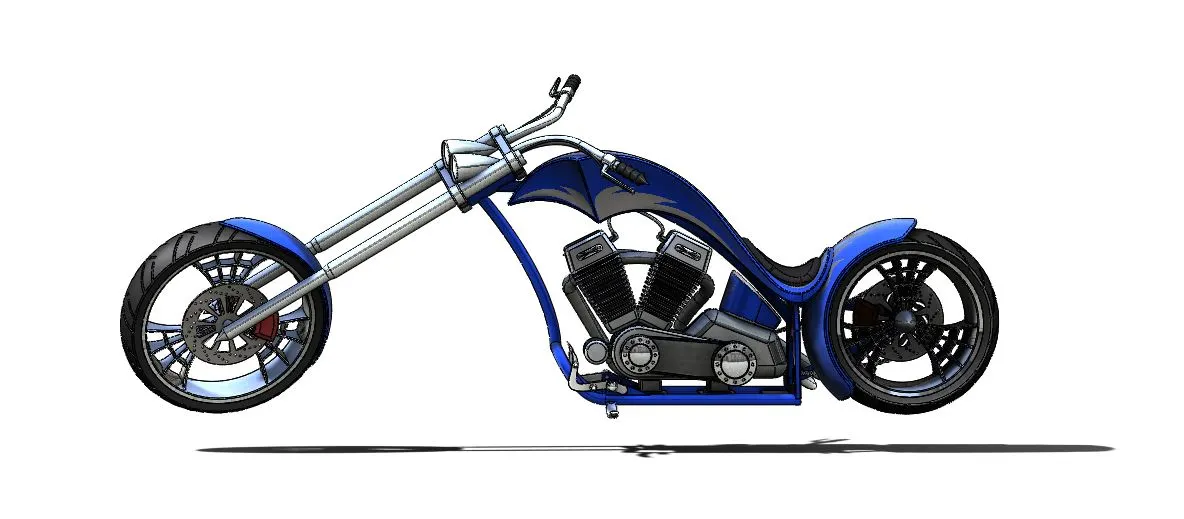
Image Show Side View Of American Chopper
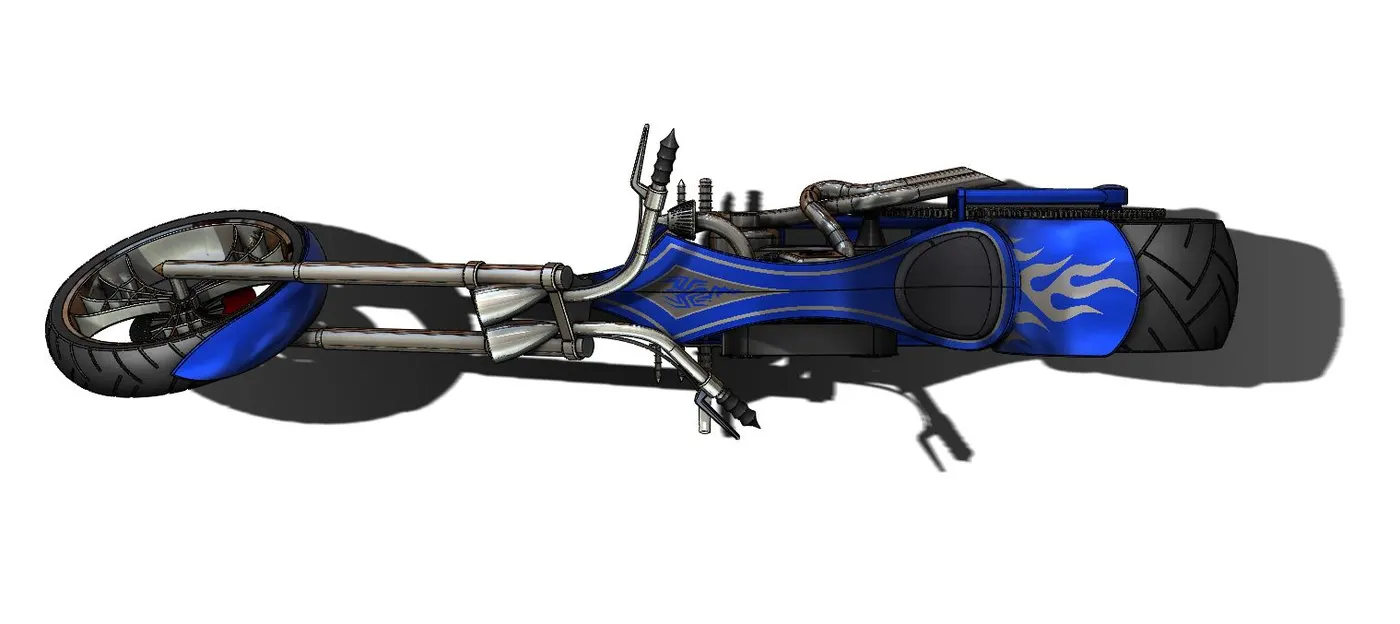
Image Show Top View Of American Chopper
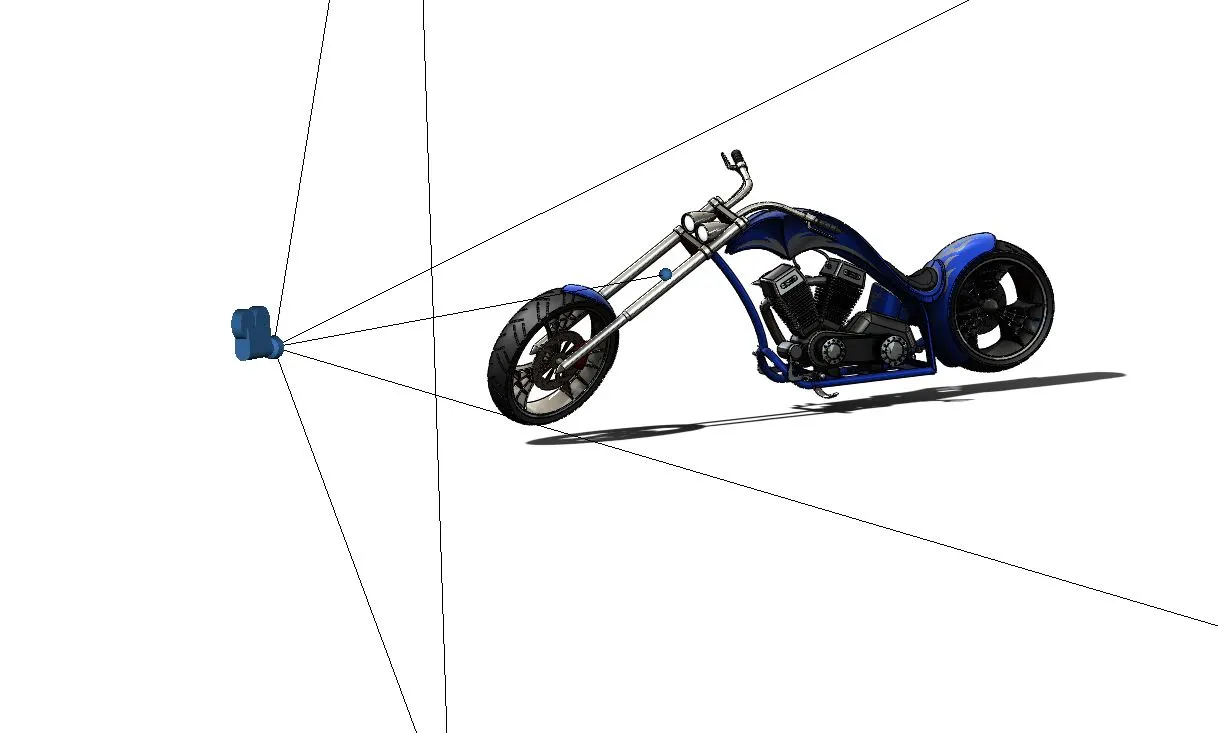
Image Show Camera position on American Chopper
________________________________________________________________________________________________________-
Conclusion -
- This report covered the preview of our learning path and study conducted during designing of American Chopper.
- Solidworks software has many advantages. It can help to reduce the time taken to produce the drawing needed in the work environment.
- Solidworks Software has the most amazing range of mechanical computer-aided design tool and they are very user friendly to use.
________________________________________________________________________________________________________-
Drive link - https://drive.google.com/file/d/1rovjlQIUvlYWGQu5kXbGCR7vST0Tnf--/view?usp=sharing