PFI Engine - surface Preparation, Boundary Flagging & No-Hydro Case Setup
In this project, a single-cylinder Port-fuel-injection (PFI) engine is setup for no-hydro simulation. Prior to it, surface preparation and boundary flagging are performed to make the geometry free from errors and to allocate the boundaries and regions. No-hydro simulation is performed to check the mesh generation and correctness of movements in the geometry before we proceed for full hydrodynamic simulation.
Objectives:
- Boundary Flagging and Extracting Regions
- Surface Preparation
- No-hydro case setup
Geometry:
The PFI geometry .stl file is imported in the Converge Studio. The base geometry has surface errors that need to be cleared before we move up with the simulation. Boundaries need to be flagged for creating the flow through the geometry and appropriated regions are extracted to initialize the flow and to create the events between the regions.
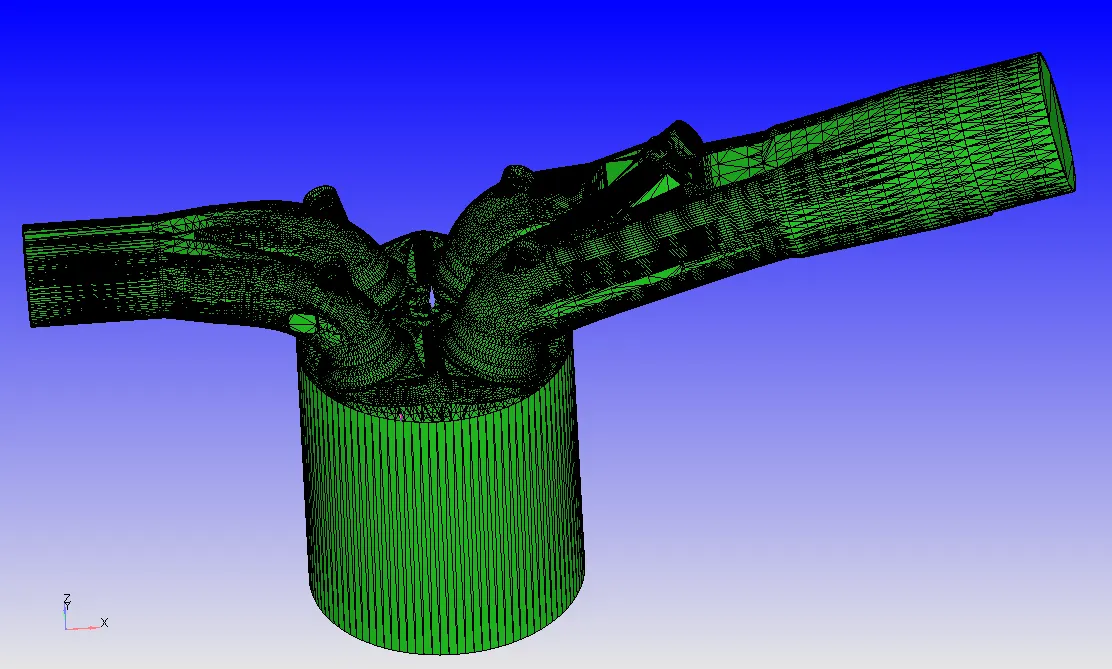
From the diagnosis, it can be observed that the following errors are detected with the surfaces viz., intersections, Nonmanifolds, open edges & overlapping, etc.,.
Boundary Flagging:
To flag the boundaries, we need to create the fences across the edges of separating boundaries so it eases in the selection of boundaries.
Liner:
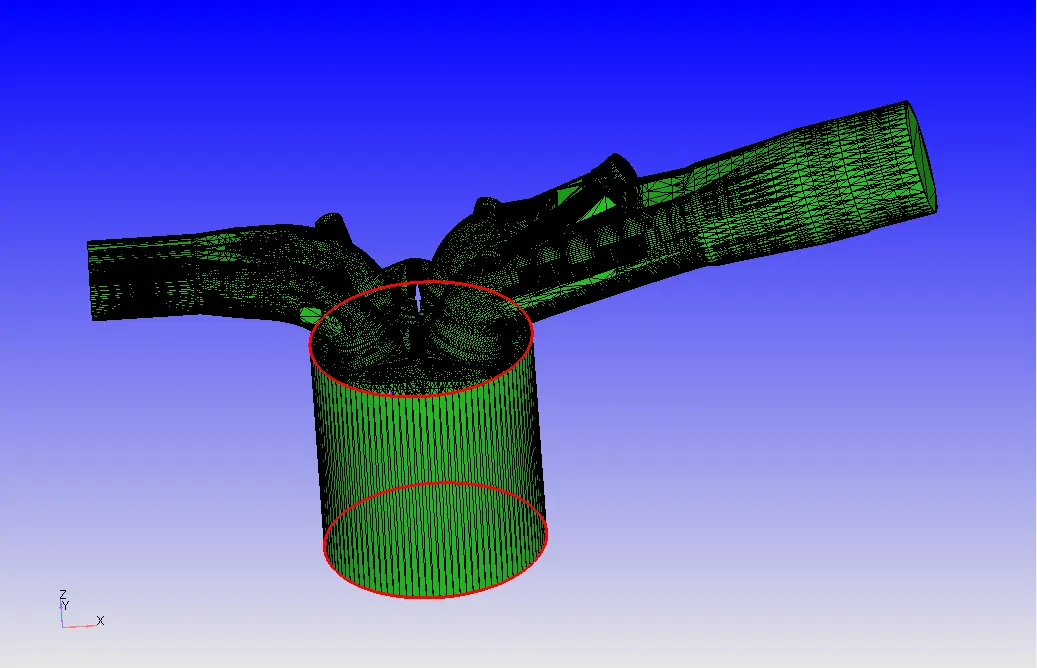
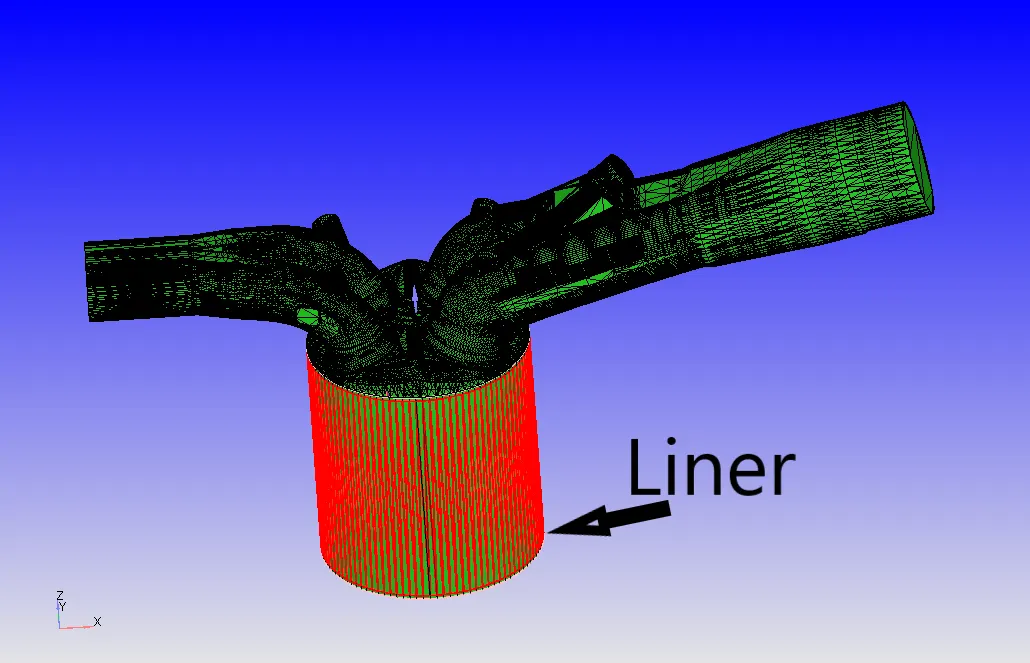
Two edges were selected to mark the fence across the Liner edges and the boundary is flagged using the boundary fence method as shown below.
 |
 |
Piston:
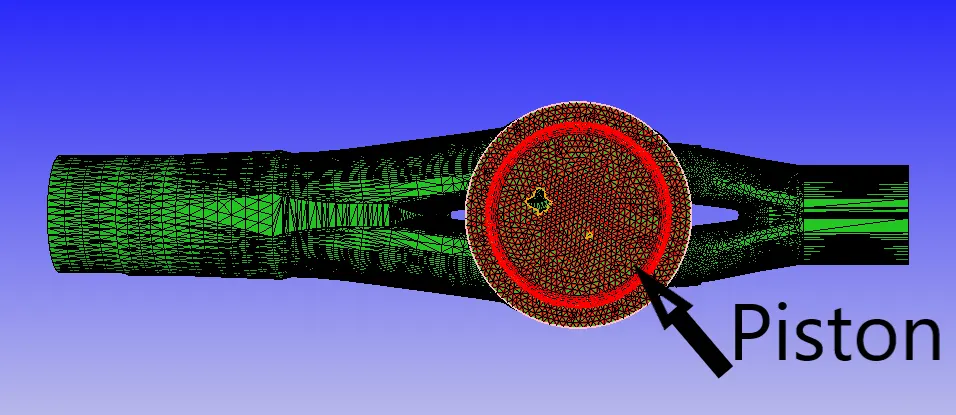
The piston is flagged by the boundary fence method as shown below.
Cylinder Head:
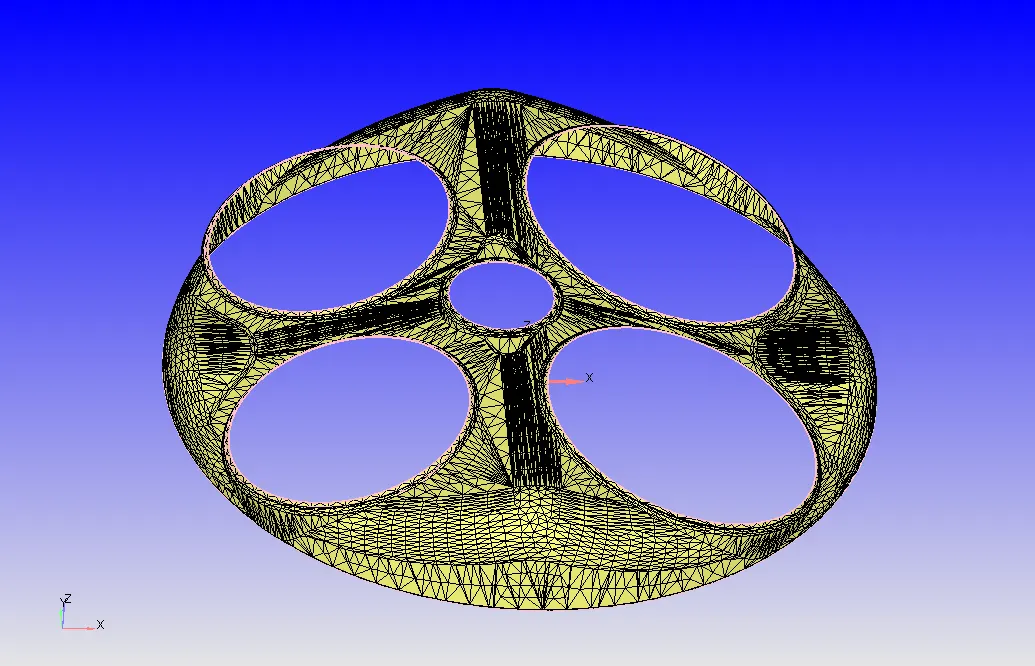
Boundary fences are created along the 4 edges which separate the region of the ports & spark plug from the cylinder head region and the cylinder head is extracted as shown below.
Intake Port / Inflow:
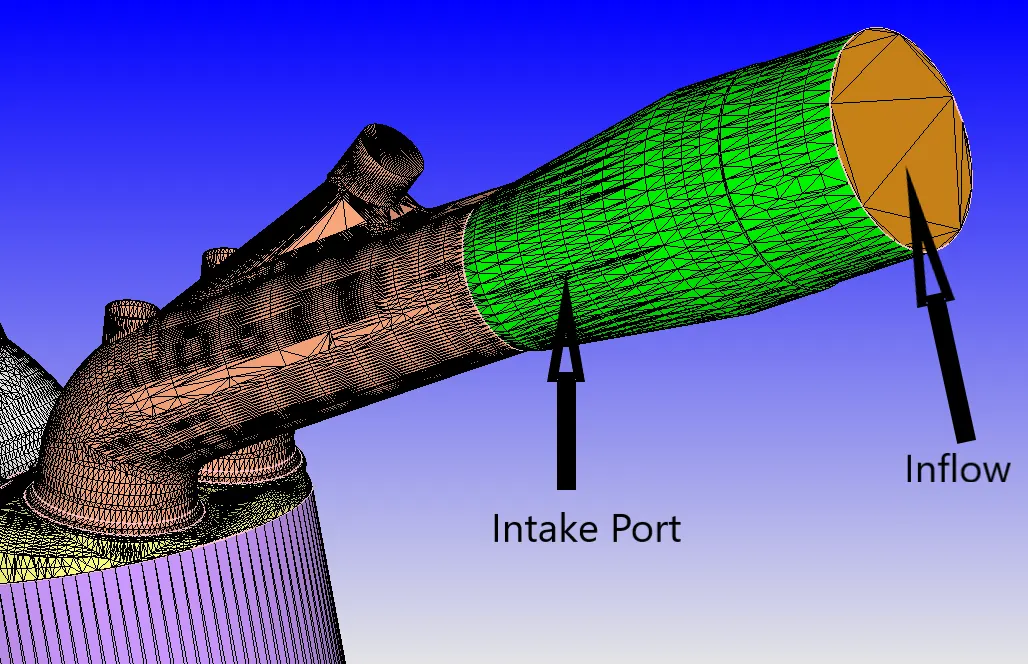
The intake port is split into two boundaries & later into two regions to separate the boundaries for different initial and boundary conditions. The intake port is where fuel spray and the air is injected. A fence is created using a fence between vertices and appropriate boundaries are flagged from the boundary fence method.
Exhaust Port / Outflow:
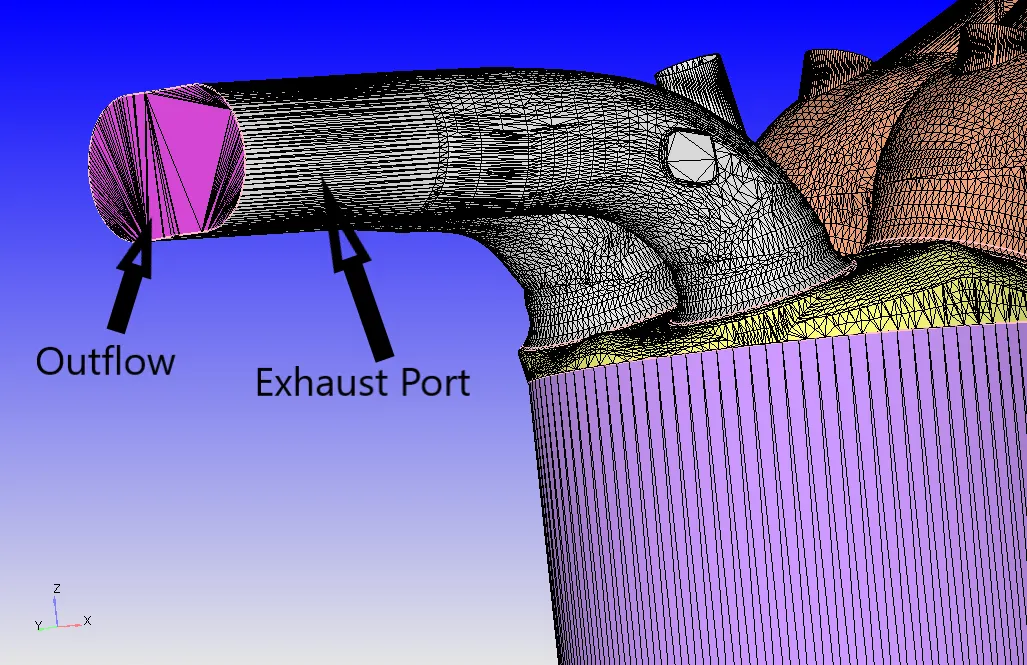
The outflow is flagged using the boundary fence method and the rest of the region as outflow as shown below.
Valves:
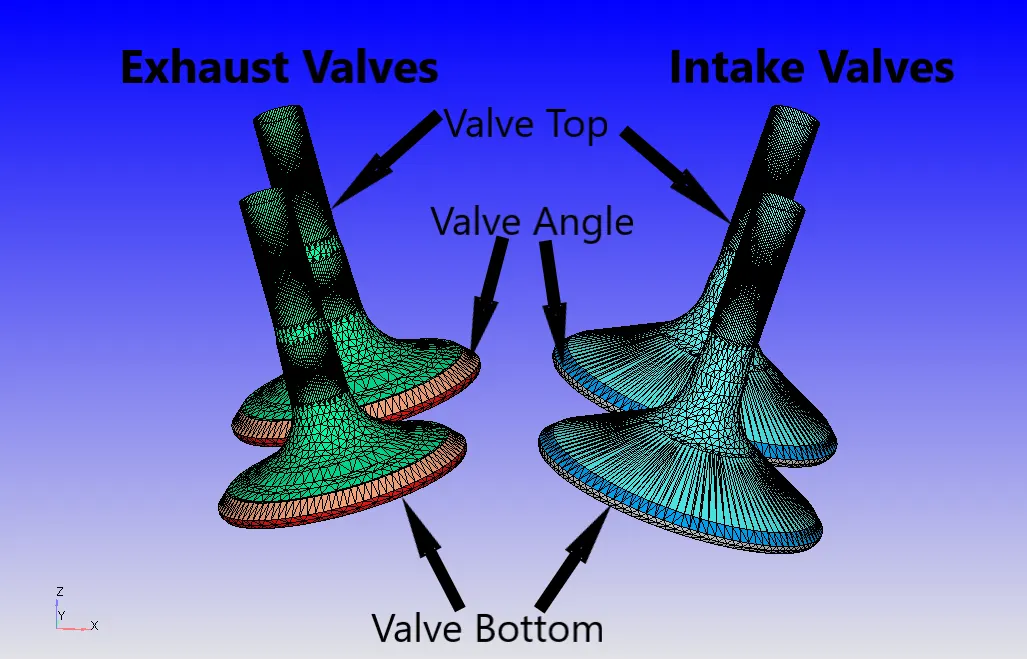
Intake & Exhaust ports, Liner, and cylinder head are hidden and then valves are visible. The valve geometry is flagged into 3 boundaries. This is done to create the events and ease in the creation of disconnect triangles and to assign realistic boundary conditions. Also, a translatory motion is provided to these valves by loading the motion files.
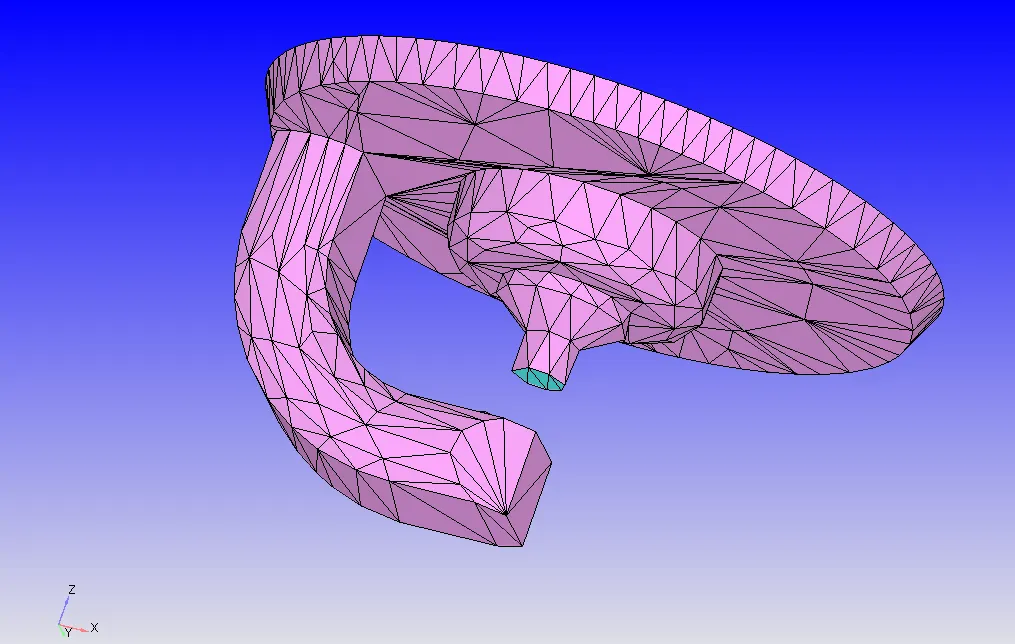
Spark Plug & Terminal:
The region where the spark is generated is at a higher temperature than the rest of the spark plug. Hence, two boundaries are necessary to assign appropriate conditions.
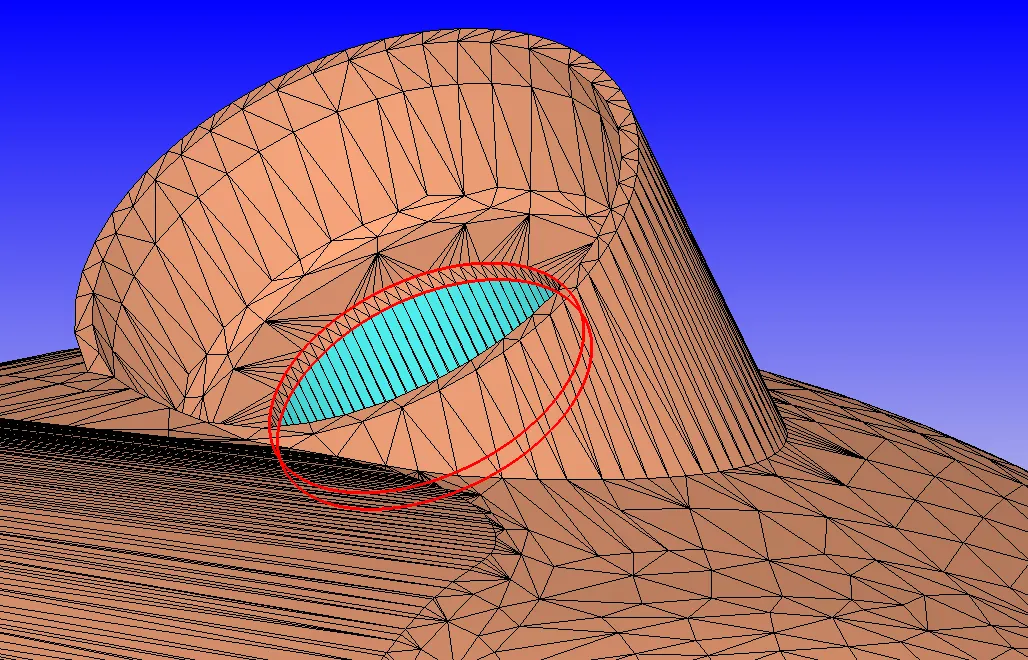
Top of Valve top assigned to port boundaries:
Due to the translatory motion of the valves and as it is connected to ports, during movement of the surface of the ports gets distorted. To avoid this distortion, the top of the top valves is assigned to the port boundary as shown below.
Flagged boundaries:
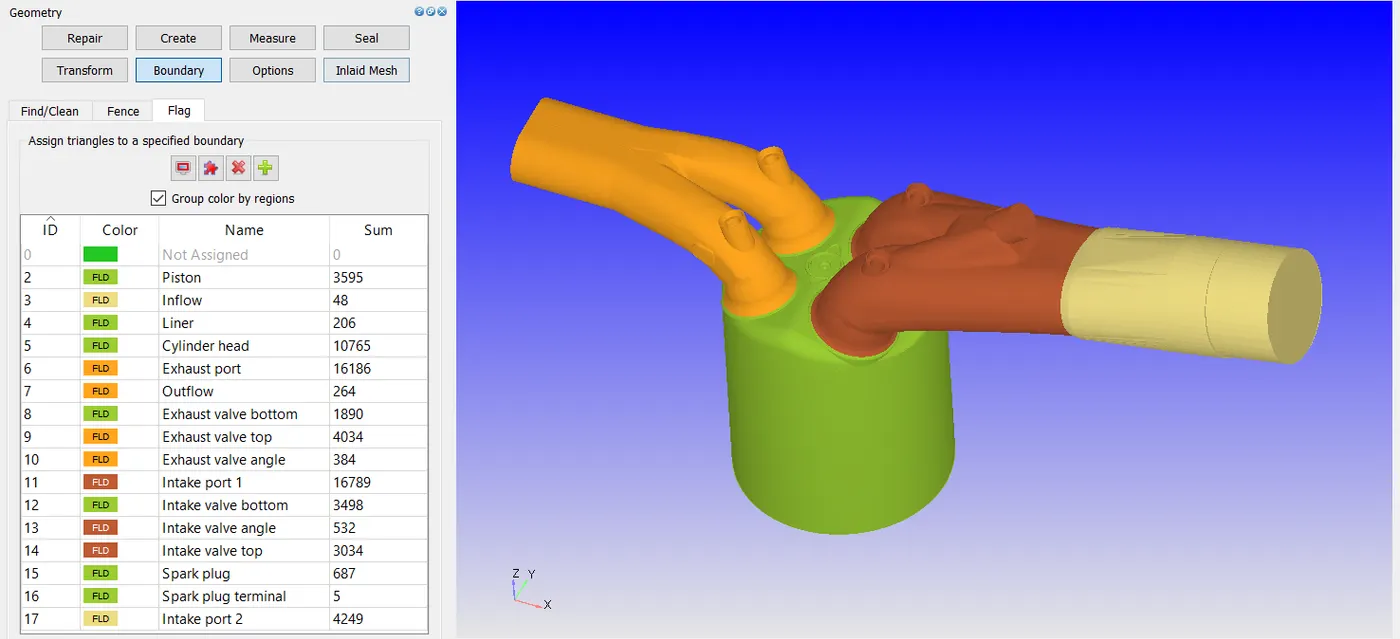
All the flagged boundaries are as shown below.
Surface Preparation:
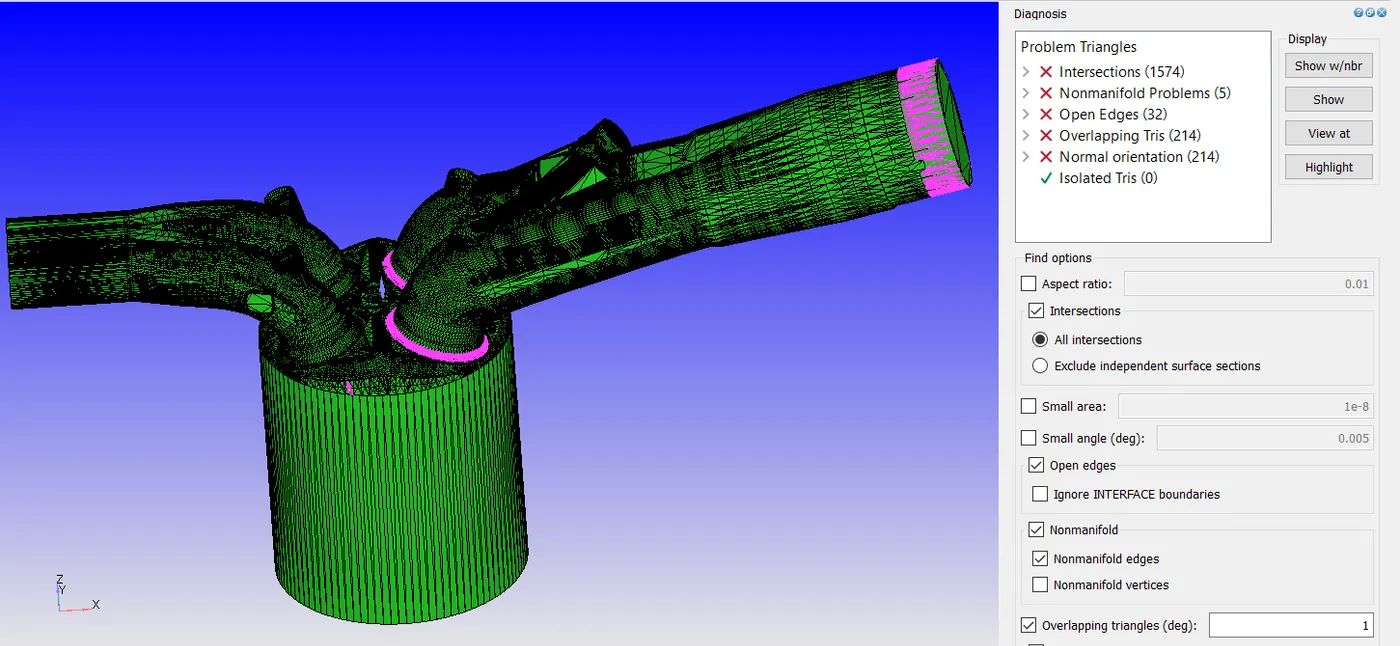
From the diagnosis, it can be observed that the following errors are detected with the surfaces viz., intersections, Nonmanifolds, open edges & overlapping, etc.,.
As can be seen from the picture above, there exist intersections between the intake ports and cylinder head this is due to the clash of the geometry of intake valves and cylinder head. To avoid this error, valves are translated by little amount.
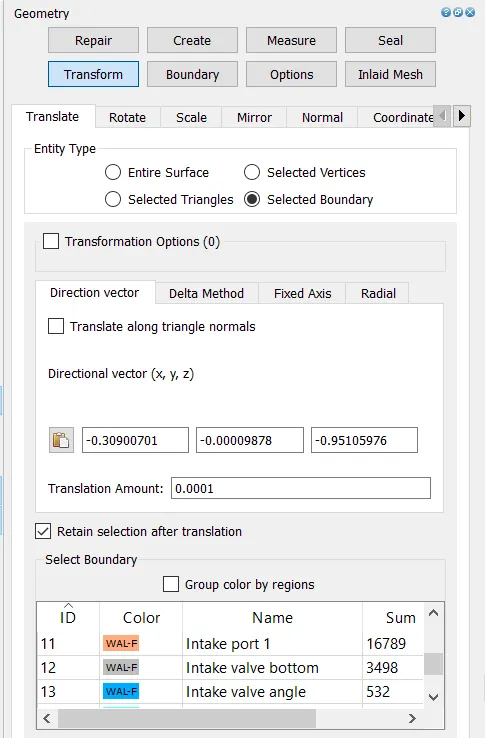
Once the intersections are cleared, nonmanifold triangles are deleted and open edges are cleared by patching and stitching the adjacent triangles. Then appropriate normal orientations are transformed depending upon the fluid flow domain. The above actions make the geometry free from errors.
Regions:
Regions are created which are used to create events between the zones and to initialize the realistic initial conditions in the flow domain.
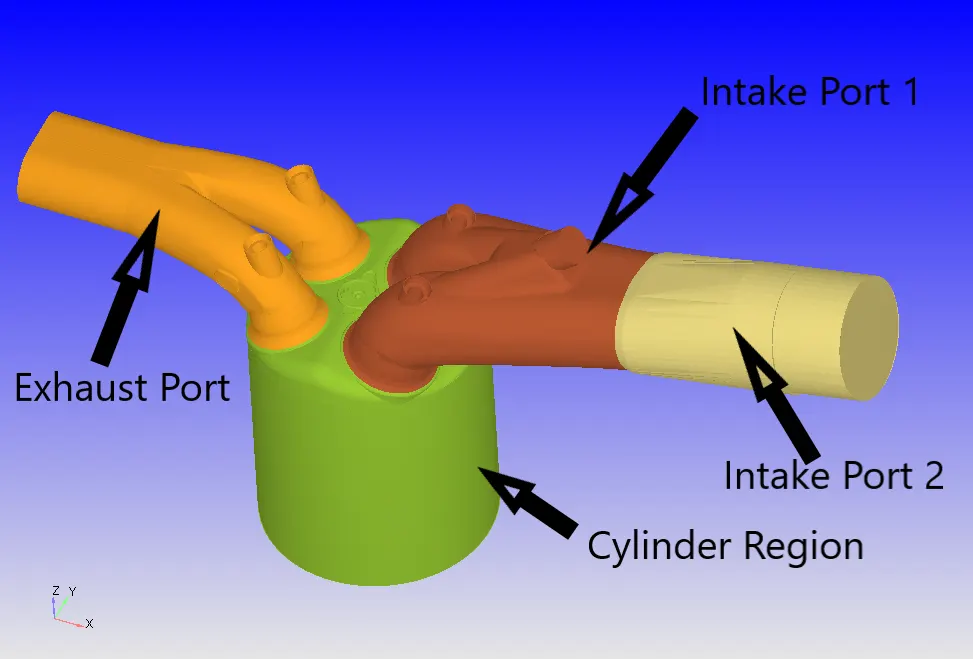
The figure below shows the boundaries assigned to the respective regions.
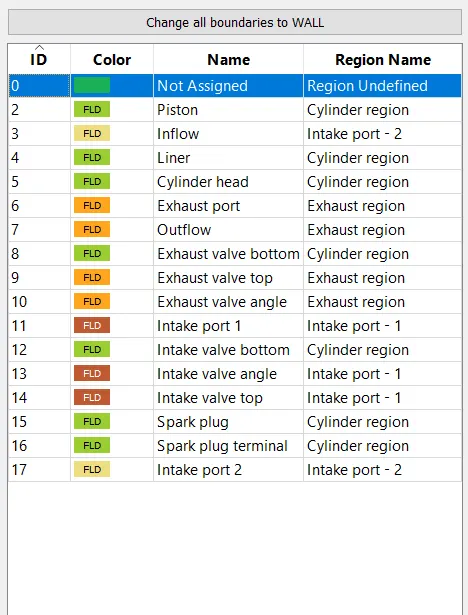
Initial and Boundary Conditions:
| Case Parameters | Setup |
| Application Type | Crank angle-based IC engine |
| Physical Parameters |
Cylinder Bore: 0.086m Stroke: 0.09m Connecting rod length: 0.18m Crank speed: 3000rpm |
| Gas Simulation | Therm.dat uploaded |
| Reaction Mechanism | Mech.dat uploaded |
| Run Parameters |
Solver - Transient Type - Crank angle-based engine simulation Simulation mode - No Hydro |
| Simulation Time Parameters |
Start time: -480 deg End time: 240 deg |
| Solver Parameters |
Solver Scheme: PISO Type: Density-based |
Boundary Conditions:
| Piston |
Boundary Type - Wall Wall motion - Translating Surface Movement - Moving Law of Wall (Piston Motion) Temperature - 450K (Law of Wall) |
| Liner |
Boundary Type - Wall Wall motion - Stationary Surface Movement - Fixed Law of Wall Temperature - 450K (Law of Wall) |
| Cylinder Head | Boundary Type - Wall
Wall motion - Stationary Surface Movement - Fixed Law of Wall Temperature - 450K (Law of Wall) |
| Exhaust Port |
Boundary Type - Wall Wall motion - Stationary Surface Movement - Fixed Law of Wall Temperature - 500K (Law of Wall) |
| Intake Port1 |
Boundary Type - Wall Wall motion - Stationary Surface Movement - Fixed Law of Wall Temperature - 425K |
| Intake Port2 |
Boundary Type - Wall Wall motion - Stationary Surface Movement - Fixed Law of Wall Temperature - 425K |
| Spark Plug |
Boundary Type - Wall Wall motion - Stationary Surface Movement - Fixed Law of Wall Temperature - 550K |
| Spark Plug Terminal |
Boundary Type - Wall Wall motion - Stationary Surface Movement - Fixed Law of Wall Temperature - 600K |
| Intake Valve |
Boundary Type - Wall Wall motion - Translating Surface Movement - Moving Law of Wall Temperature - 480K Profile - loaded Minimum Lift - 2e-4m |
| Exhaust Valve |
Boundary Type - Wall Wall motion - Translating Surface Movement - Moving Law of Wall Temperature - 525K Profile - loaded Minimum Lift - 2e-4m |
| Inflow |
Boundary Type - Inflow Temperature- 363K Pressure - 101325 Pa Species - Air |
| Outflow |
Boundary Type - Outflow Temperature- 800K Pressure - 101325 Pa Species - CO2 - 0.192304 H20 - 0.088559 N2 - 0.719137 |
Regions:
| Cylinder Region |
Temperature - 1360K Pressure - 185731 Pa Species - CO2 - 0.192304 H20 - 0.088559 N2 - 0.719137 |
| Intake Port 1 |
Temperature - 390K Pressure - 101325Pa Species IC8H18 - 0.025508 O2 - 0.20157 N2 - 0.77292 |
| Intake Port 2 |
Temperature - 370K Pressure - 101325Pa Species - Air |
| Exhaust Region |
Temperature - 1360K Pressure - 185731 Pa Species - CO2 - 0.192304 H20 - 0.088559 N2 - 0.719137 |
Events:
| Cyclic |
Between Cylinder region & Intake Port 1, Period -720 deg, Event - Valve Between Cylinder region & Exhaust Region, Period -720 deg, Event - Valve |
| Permanent | Between Intake Port 1 & Intake Port 2, Event -Open |
Mesh Size:
Here the base grid of 0.004m is used along with the fixed embedding. For the Intake and Exhaust valve angle scale of 3 and 1 embedding layer is used with Permanent Mode. Whereas, for the Cylinder region and zones next to the valves in the ports a cylinder entity is used with a scale of 2 & 1, respectively.
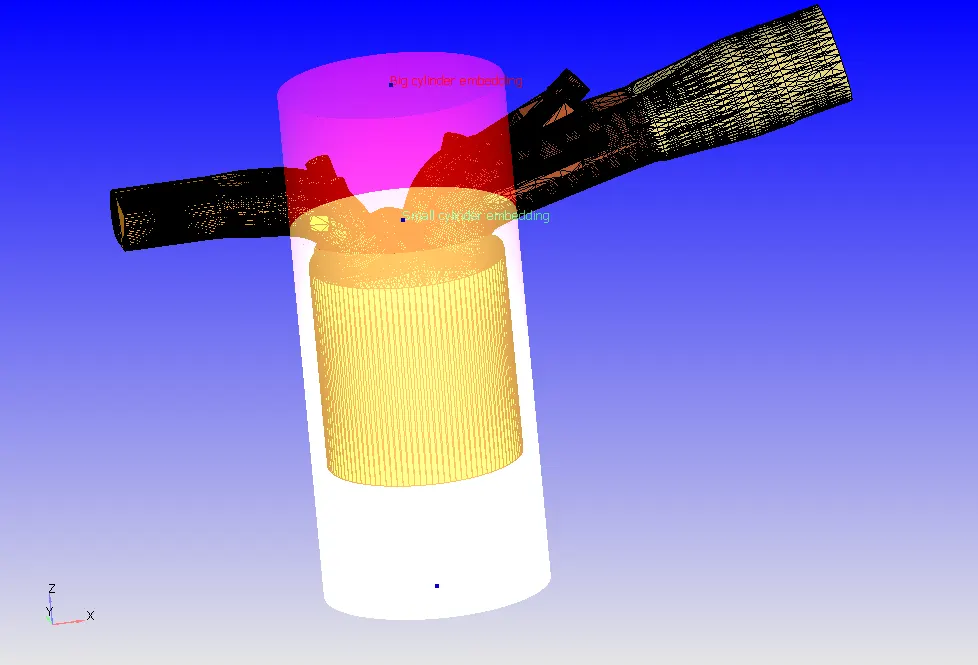
Results:
The results are processed for No-Hydro simulation and the grid size is coarsened by a factor of 4 (n = -2) as the computation time was too high for the fine mesh. Grid was coarsened as it was only a no-hydro simulation. The simulation took 263 sec while running it with 6 processors.
The movement of the entire setup is as shown below:
The movement of the entire setup for the surface with edges:
Mesh generation along with the clip: