Mid-Surfacing and Meshing of Floor Panel using HyperMesh
Objective
To extract the midsurface of the Floor panel and perform meshing according to given quality criteria.
Procedure
- Mid Surface Extraction
- Thickness of the trim is less than 6mm, so checking the thickness of the trim at various locations such as edges,ribs, dog houses and at the bolt surfaces.
- Thickness of the trim is unifrom over the entire geometry, so we manually extract the mid surface of the trim.
- The top surfaces of the panel lying in the same plane are selected using "select by face" option.These surfaces are duplicated and offsetted by a distance of 0.375mm into the surface.These duplicated surfaces are saved under a new component.
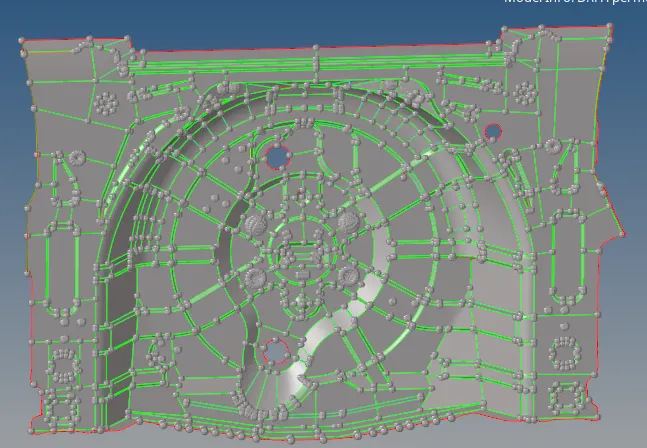 Fig:Panel MidSurface
- Meshing
- For meshing,mixed element type with the target element length of 5mm is used.Minimum length and maximum length are 2mm and 8mm respectively.
- Surfaces are meshed in smaller sections.Remeshing the surfaces to get better flow.
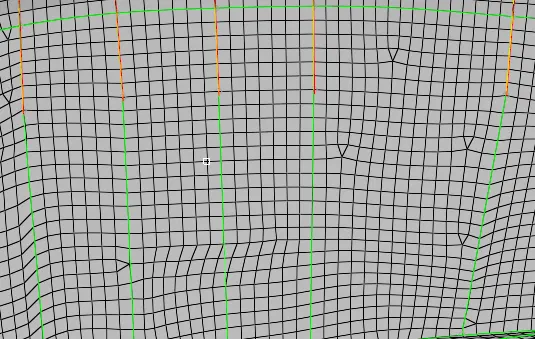 Fig: Meshed Surfaces (Sections)
 - Perform the quality check to check for the failed elements,and fix them.
- Check for the opposite trias on the surface and remove them.
- Check for the rotating quads and remesh those elements.
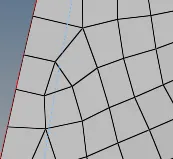
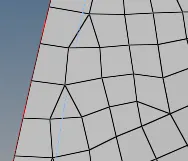 Fig: Rotating Quad Fig: Remeshed Surface
 - Check for free edges present in the surface and eliminate those.
- Create a new property and assign the thickness to the mid surface components.
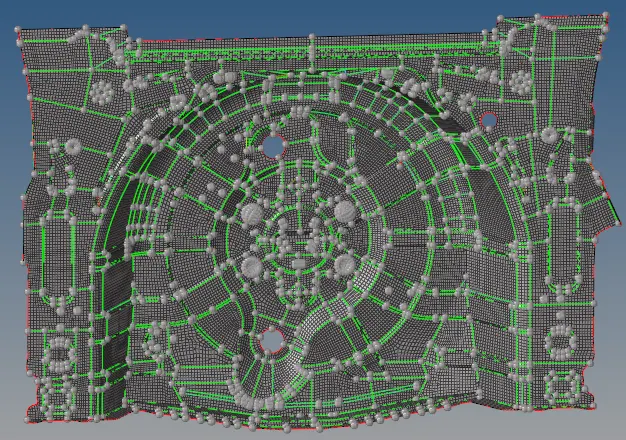
Fig:Floor Panel
Learning Outcomes
- Manual midsurface extraction.
- Create midsurfaces for failed parts by extracting a midsurface from two faces that represent the two sides.
- Capturing of bead like surfaces.