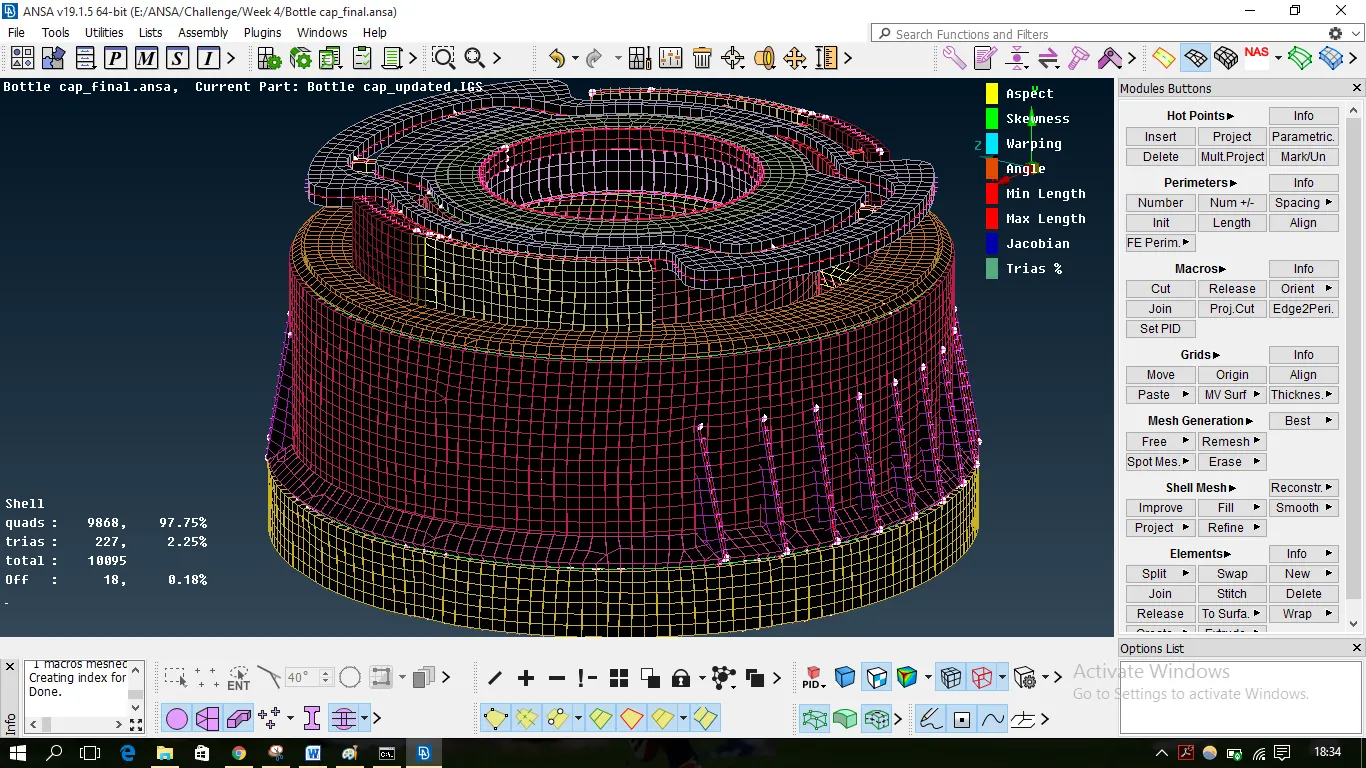
Meshing of Plastic Component (bottle cap) using ANSA
Aim:- To check for the geometrical errors and mesh plastic components using 2D mesh followed by the given element Quality criteria. After meshing assigned thickness to the respective component.
Basic Steps
1) Import component and Go for Length option from the mesh module to find out the actual geometry of a model
2)Perform topo on it, as the model is too distorted after importing from different software.
3) After understanding the geometry we can go for mid surfacing,
4) After mid-surfacing 2D meshing is done by setting the Quality criteria.
5) Assing property to each section using set PID option.
6) Solved the Quality issues generated during meshing and move forward.
7) After completing the meshing as per quality criteria, assign the thickness.
The week4 challenge model bottle cap was loaded on the ANSA workbench, the model looked as follows:
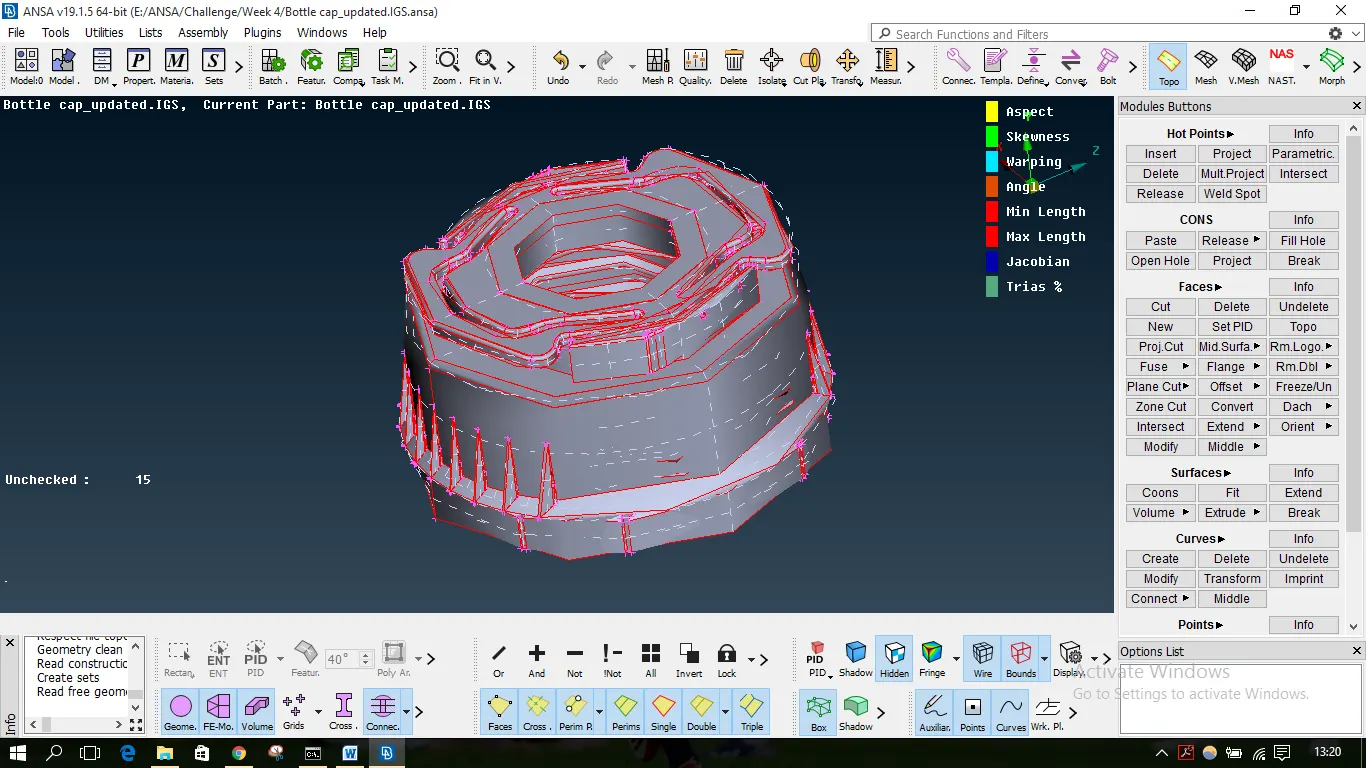
It is seen the model features are not clearly visible, many red lines are visible meaning single cons. Topo has to be done to the geometry and in mesh module, the length of macros is set at 1 to get the real shape of features as follows:
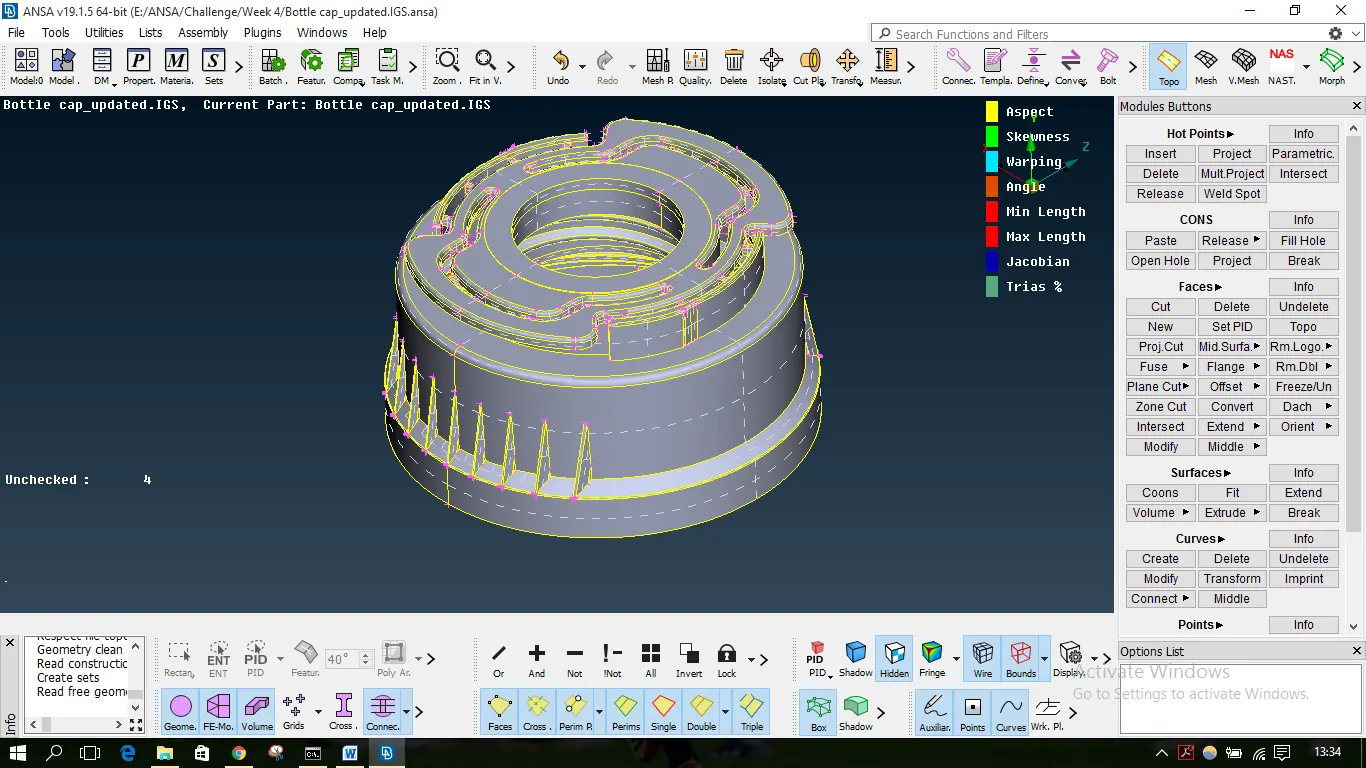
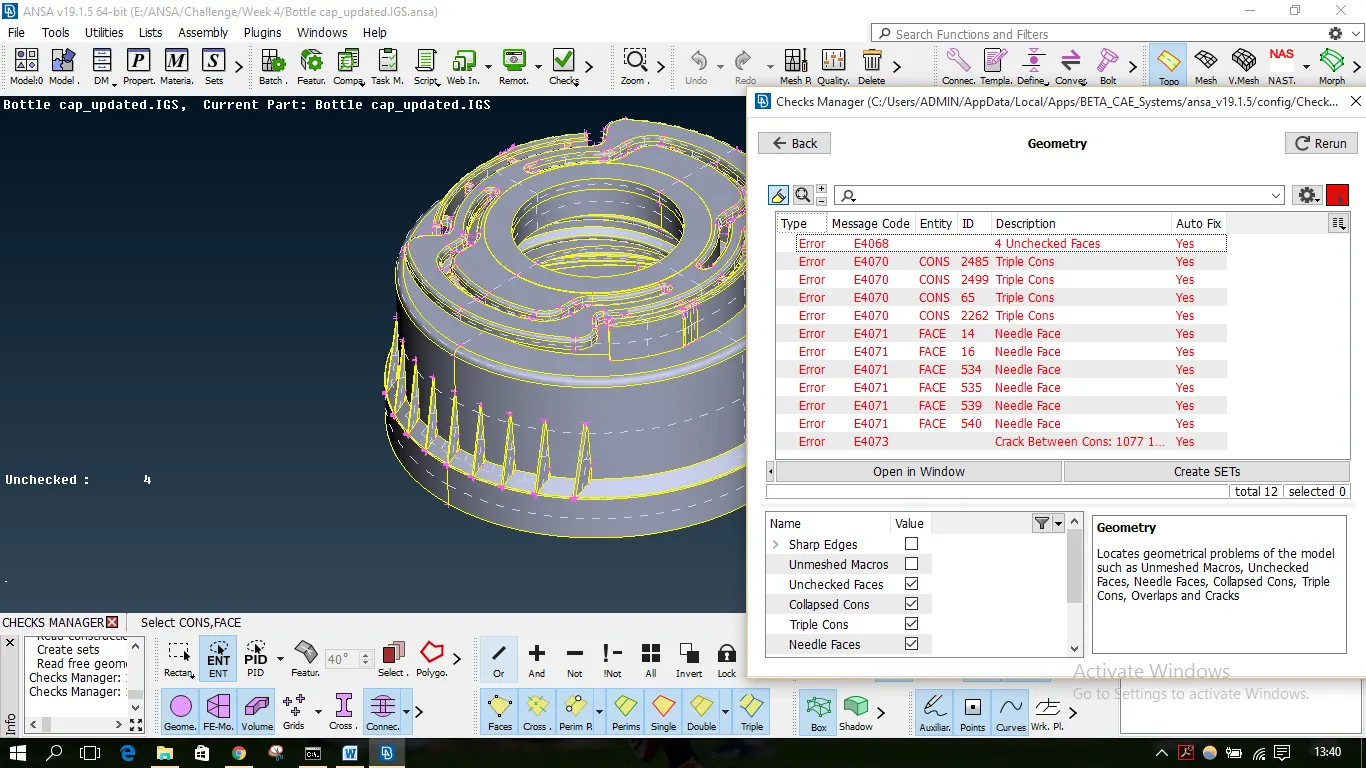
The model was later checked for geometrical errors using Checks for Geometry and errors like crack, unchecked faces, needle faces were fixed.
Mid Surfacing
Once the model is error-free, the extraction of the mid surface was done. Since its a plastic model and had different thicknesses for each feature, the mid surface was extracted manually.
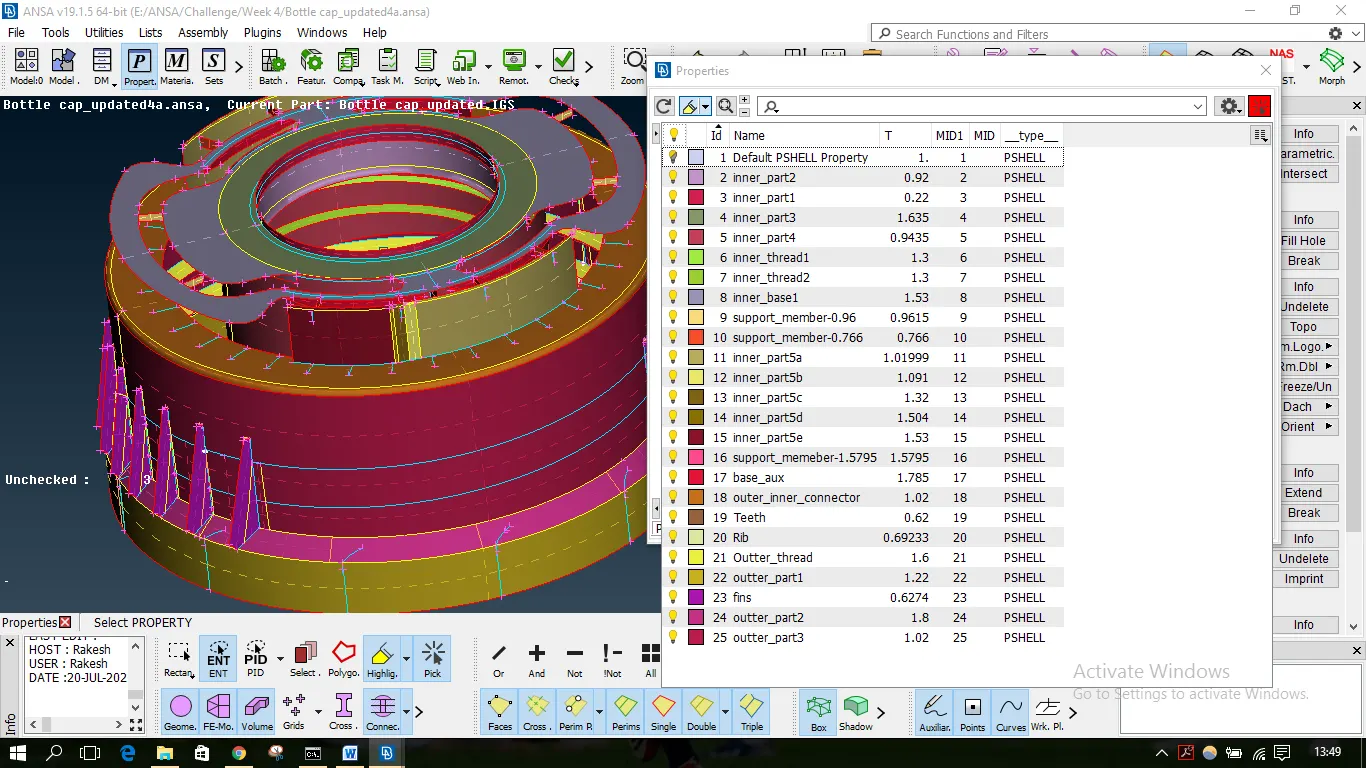
Since thickness differed in each feature, after extracting mid surface individually for each feature PID was assigned with respective thickness for the feature. Total of 24 such PIDs were created with different colors assigned to them.
For some complex features, it was not easy to use 'offset or the 'middle' options. Such features were extracted as below.
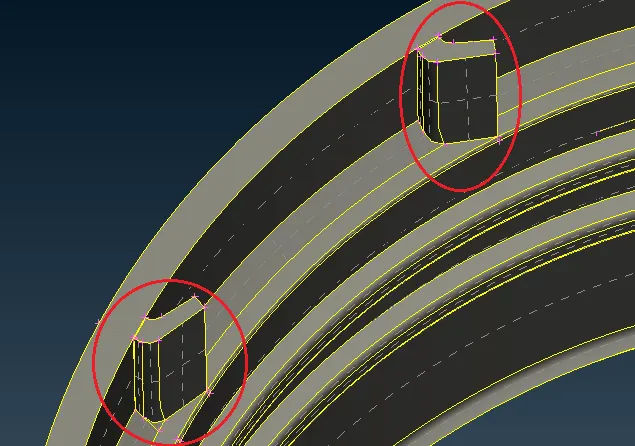
- Mid Surface of Teeth
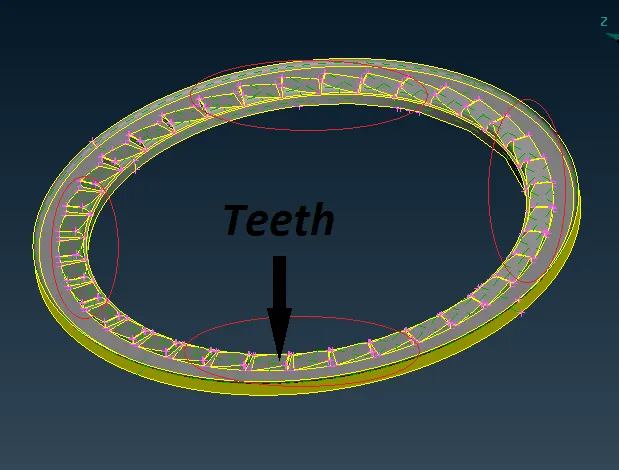
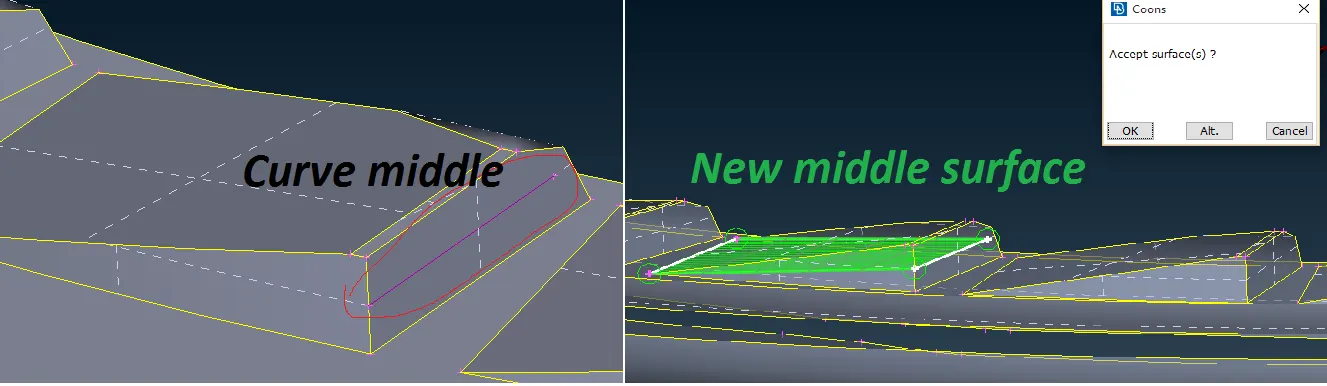
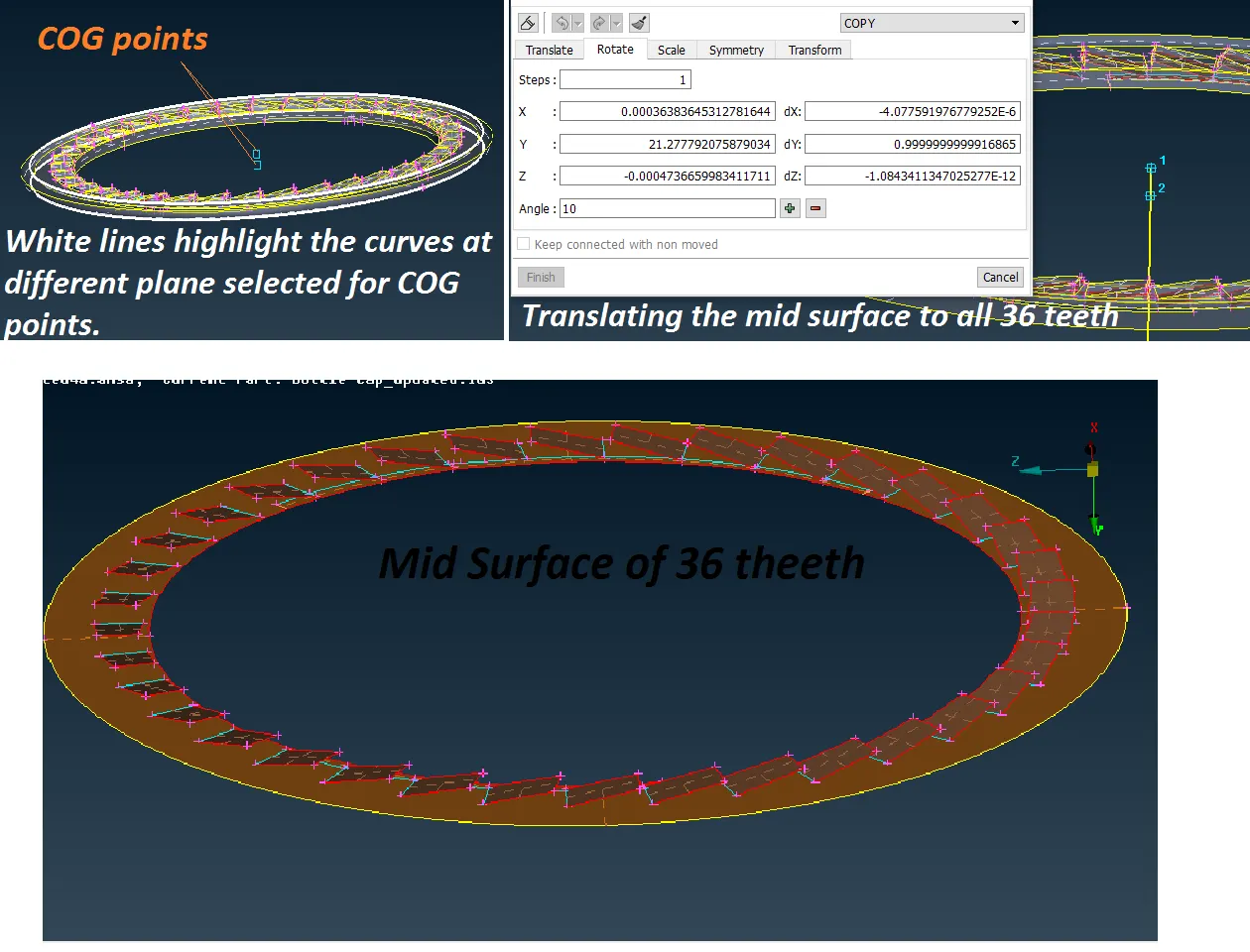
This kind of features cannot be captured using 'offset or the 'middle' options. So manually a mid surface was created using curves middle, new face options. The curve was created at the thicker side of the teeth. Using that curve and the side touching the bottom surface a new surface was created and PID was set with average thickness. This was done for one tooth and later translated to all the teeth using transform rotate.
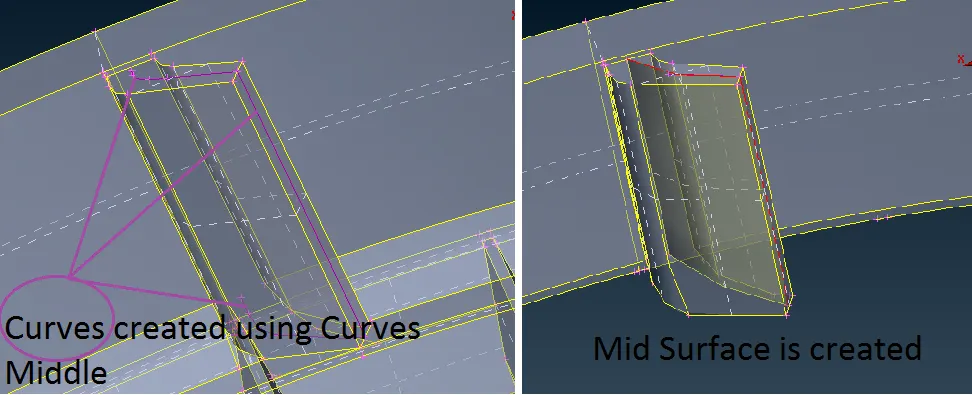
- Mid Surface of Rib
It is seen that the rib doesn't have a uniform thickness, again the options curve middle and new face were used to create the mid surface for the rib. The PID set with an average thickness of the rib.
- Mid surface of Threads
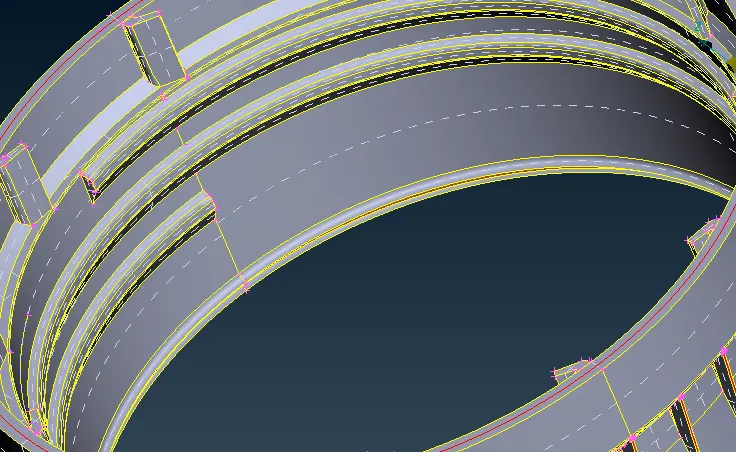
It is seen that the thread is in a trapezoidal shape and its difficult to have a mid surface in a trapezoidal shape, so the surface is created at the center trapezium in the shape of a rectangle as shown below.
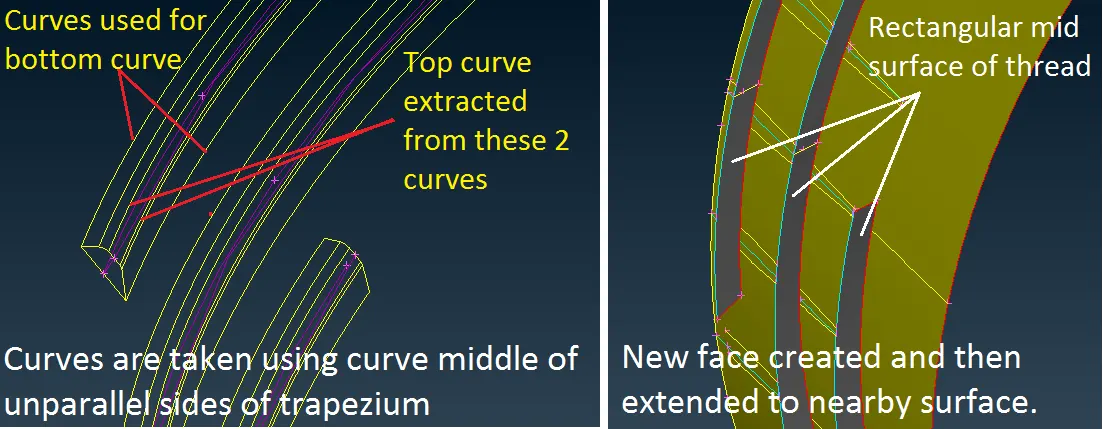
Once the mid surface was extracted, the mid surface was run for geometry checks before starting with mesh.
MESHING
The quality criteria given in the challenge was setup before starting with mesh.
The meshing was done using Best option in mesh generation tab.
The mesh generated was reconstructed using Reconstruct option.
To achieve the good mesh flow without quality compromise, mesh was altered using split, swap, MV surf, smooth options.
The construction lines which would not affect geometry were removed to have better mesh flow.
Some quality issues are as follows:
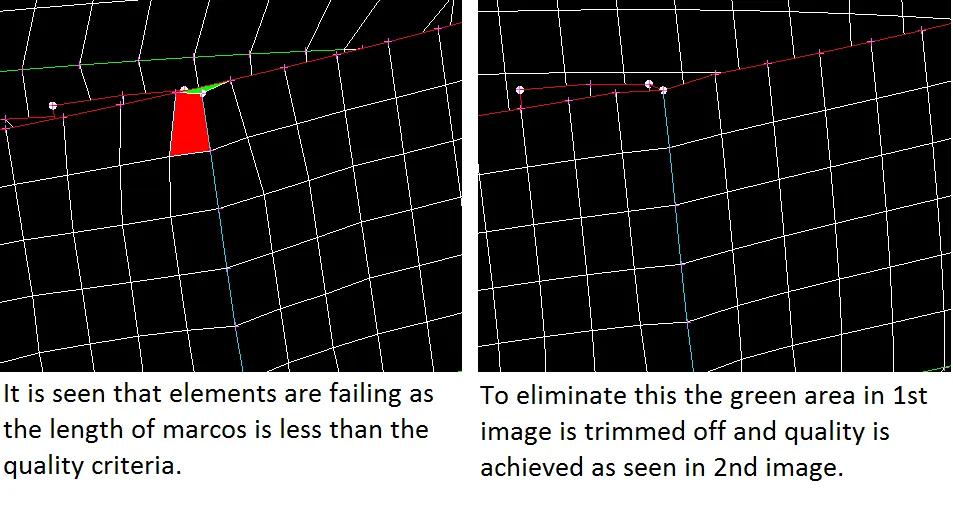
1. At the junction of rib and the wall, it's observed that the top end of the rib and the wall are in 2 different vertical planes and the hot point at the junction of both surfaces is below the wall's end. This is leading to quality issues as shown below. The issue was addressed by chopping off the area above the junction without affecting the geometry.
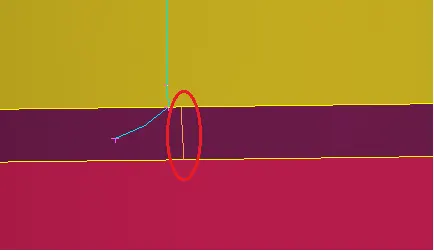
2. The encircled orange line is a construction line that is near to the feature line in cyan color. This line is removed to avoid elements failure due to minimum length.
3. Using Shell Mesh options like Reconstruct, Smooth following off elements were reconstructed.
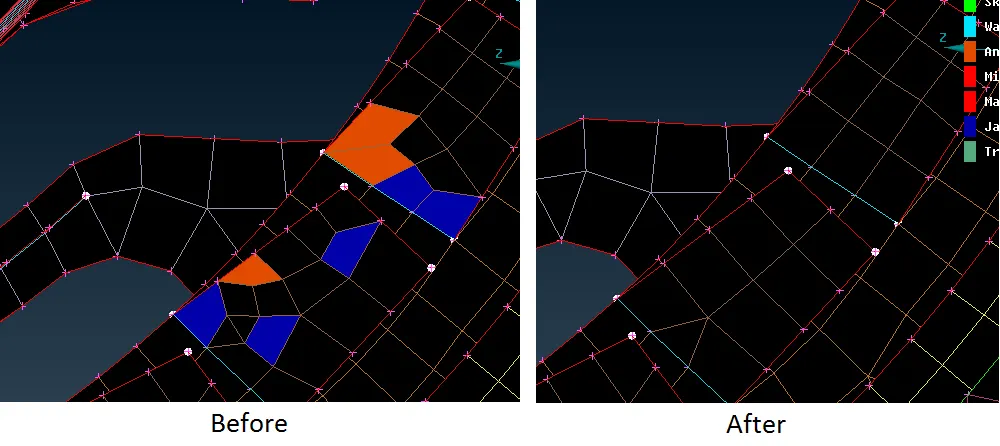
Some off elements could not be fixed as the feature at those places could not be compromised for given quality criteria.
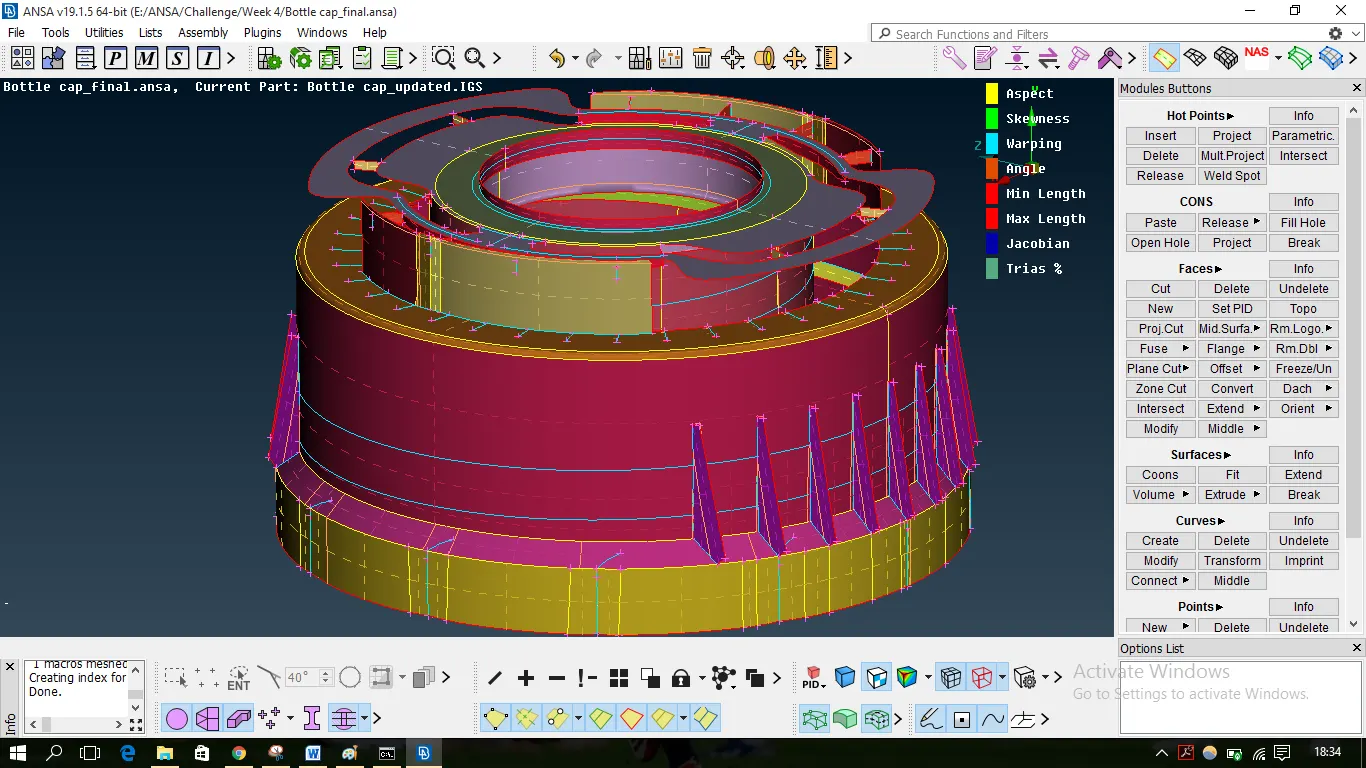
FINAL MODEL
Topo Mode
Mesh Mode