Matlab program for a 2 Arm Robotic Arm
Objective: To execute a program for a 2 Arm Robotic Arm in Matlab
Introduction:
- A robotic arm sometimes referred to as an industrial robot, is often described as a 'mechanical' arm. It is a device that operates in a similar way to a human arm, with a number of joints that either move along an axis or can rotate in certain directions.
- The robotic arm is used for multiple industrial applications, from welding, material handling, and thermal spraying, to painting and drilling. The robotic technology also provides human-like dexterity in a variety of environments.
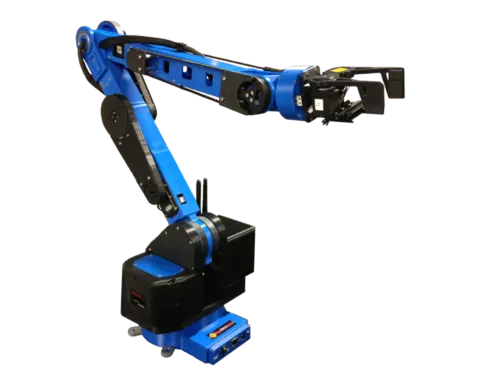
Main Objectives of this program:
- The workspace in which the possible locations that the robot can reach.
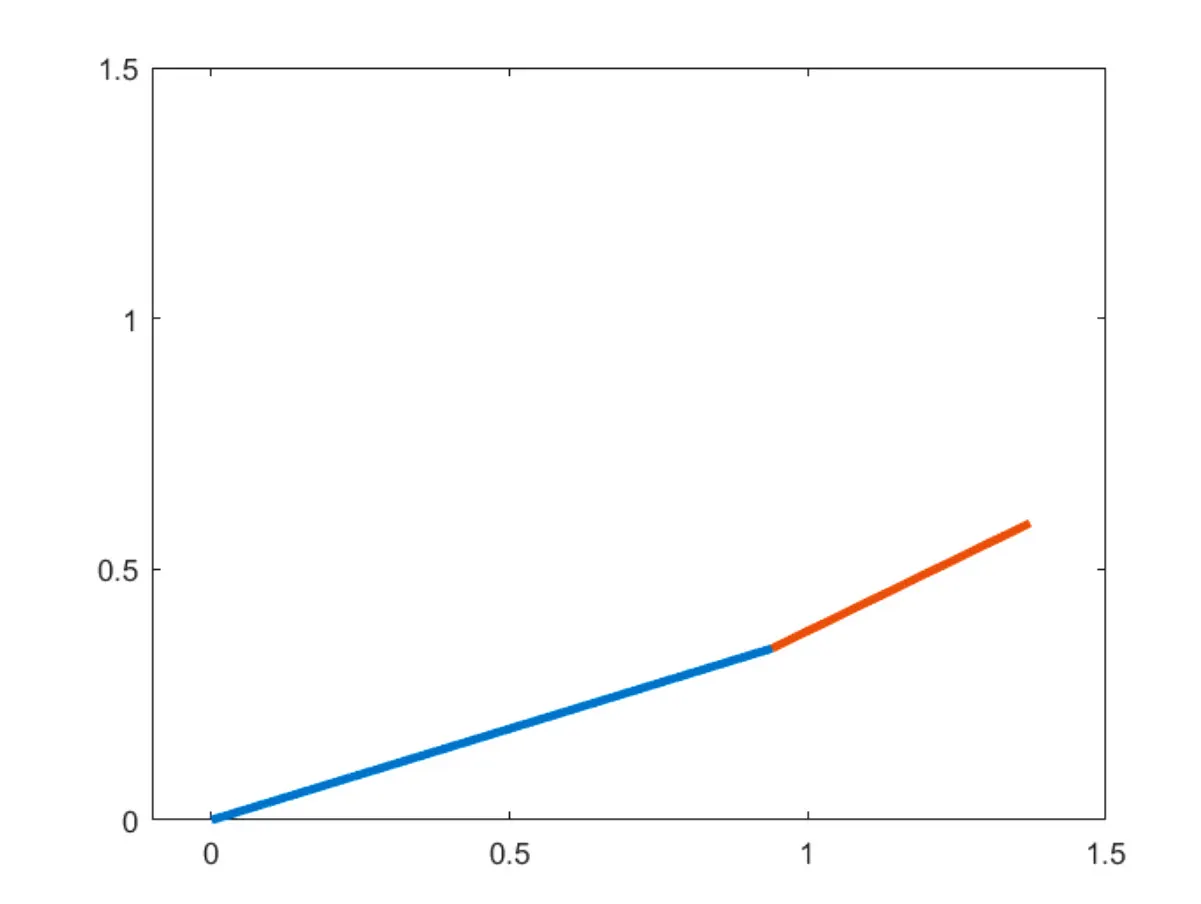
- Its a 2 Arm robotic arms, usually contain 2 links & 2 rotational joints
- The Manipulator can be a welding tool or a machining tool depending upon the applications in industry
- Link 1 is connected to the base of the Robot & Link 2 is connected to Link 1.
- At the end of Link 2, a manipulator is fixed depending upon usage
- Each Link has different theta values that are assumed.
- Creating a small video that represents different values of theta with respect to the movement of the robot.
clear all
close all
clc
%Inputs
l1 = 1;
l2 = 0.5;
theta1 = linspace(0,90,10);
theta2 = linspace(0,90,10);
ct=1;
for i = 1:length(theta1)
    THETA1 = theta1(i);
    for j = 1:length(theta2)
        THETA2 = theta2(j);
        x0 = 0;
        y0 = 0;

        x1 = l1*cosd(THETA1);
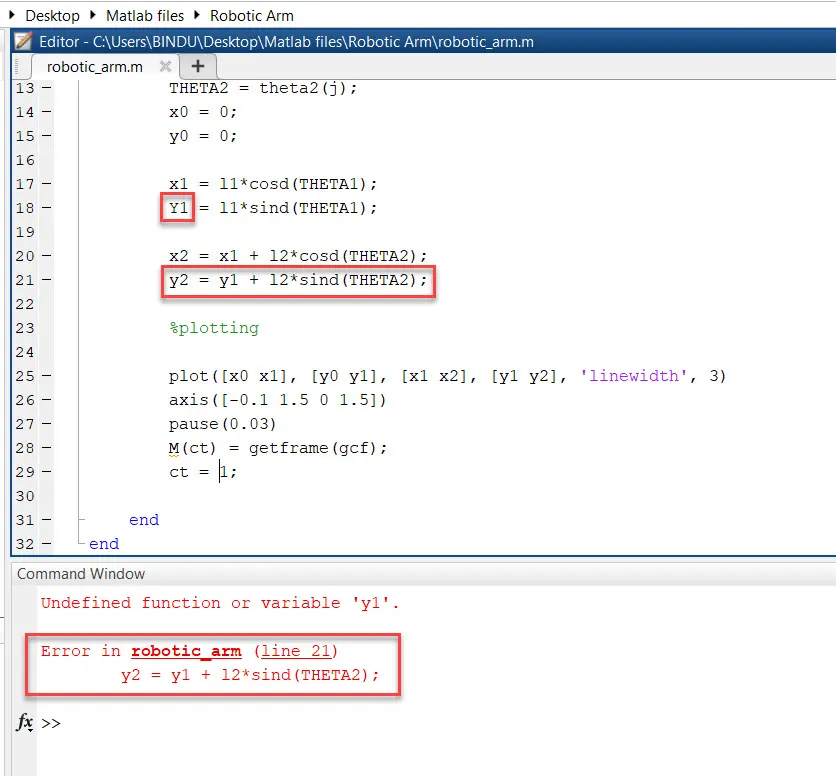
        y1 = l1*sind(THETA1);

        x2 = x1 + l2*cosd(THETA2);
        y2 = y1 + l2*sind(THETA2);

        %plotting

        plot([x0 x1], [y0 y1], [x1 x2], [y1 y2], 'linewidth', 3)
        axis([-0.1 1.5 0 1.5])
        pause(0.03)
        M(ct) = getframe(gcf);
        ct = ct+1;

    end
end

movie(M)
videofile = VideoWriter('robotic_arm.avi', 'Uncompressed AVI');
open(videofile)
writeVideo(videofile,M)
close(videofile)
Terms used & explanation in code:
ct - counter
theta - degree
THETA - variable
l1 - length of Link 1
l2 - length of Link 2
x0,x1, x2 & y0, y1, y2 - plots of links
axis are fixed at - [-0.1 1.5 0 1.5]
movie - M
ct - Frame of movie
getframe(gcf) - getframe command and figure window included.
Figure:
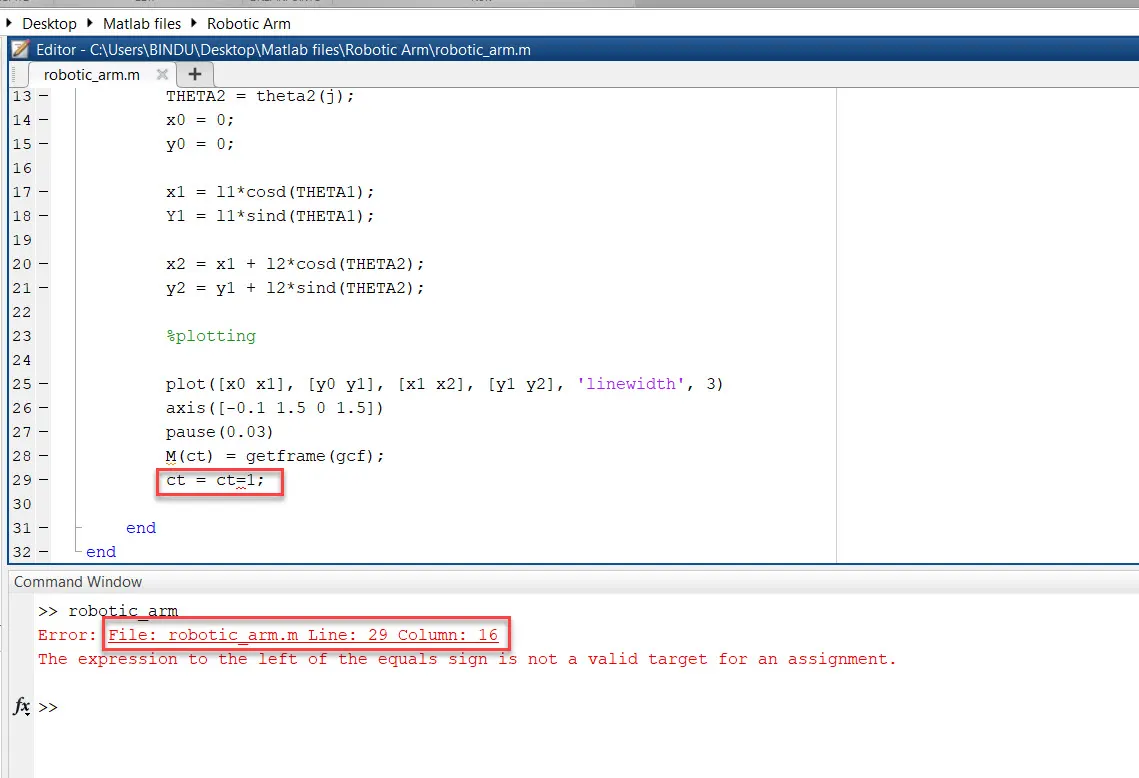
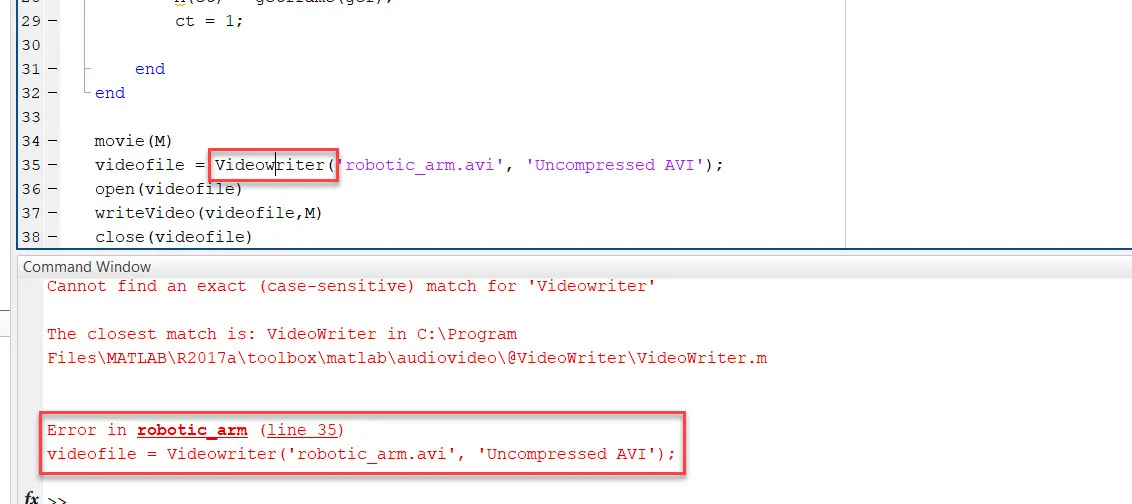
Errors that are rectified:
- ct = ct+1
- Lower case "y1"
- videofile = VideoWriter('robotic_arm.avi', 'Uncompressed AVI');
Check out the Video Animation Link: https://drive.google.com/file/d/1gOAHF5OxbC2QdD4K6WhB9sKq--WWpWme/view?usp=sharing