Creating various 3D Models like Furniture, Footing, Girder, Column drop with panel and Gable Wall in AutoCad
1.AIM
To create a 3D Furniture elements using the various commands in Auto CAD.
INTRODUCTION BY 3D VIEW
- The process of creating a mathematical representation of any surface of an object in three dimensions by using special software.
- A 3D model can even be represented as a two dimensional image by using the 3D rendering process.
- It enables the professional creation and edition of 2D geometry and 3D models with solids, surfaces and objects.
PROCEDURE
- To create a new sheet from application of Auto CAD.
- Go to the setting and to change the view of the page from Drafting to 3D modeling.
- Type ,,UN’ to set the units of current format of measure.( feet and inches).
- Type ,,LIMITS’ to set the maximum dimension limits on the particular page.
- First we take the top view of the page.
- Type ,, REC’ to create a rectangle with a dimension of 2’6” x 3’0”.
- And then we take to a 3D custom view .
- Type ,, 3D ORBIT’ to view a 3D orbit viewport in the current viewport
- Then, we take a all box dimension to create it from the origin point is (0,0,0).
- Next point we take to x direction of (@2’6”,0,0)
- Type extrude to create a surface or solid of a 2D surface.
- Then, we have to change the view of 2D Wire, Shaded, Conceptional,,etc.
- Type,, 3D FACE’ for allows to generate 3D faces by identifying.
- To save the diagram to particular file.
RESULTS
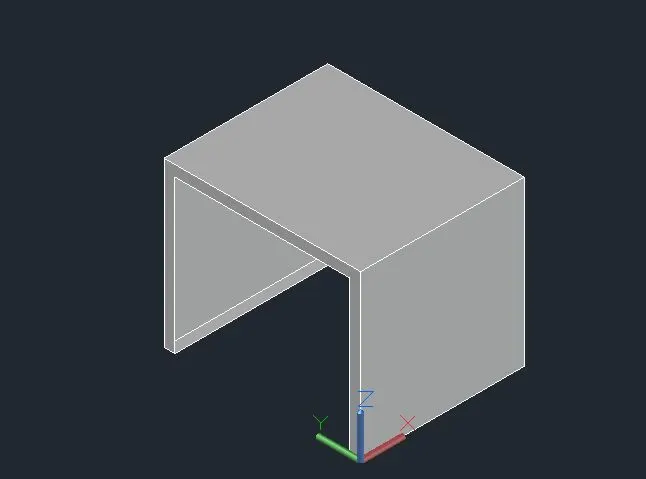
The diagram of 3D furniture elements is drawn as per dimensions using the software of Auto.
DIAGRAM
2.AIM
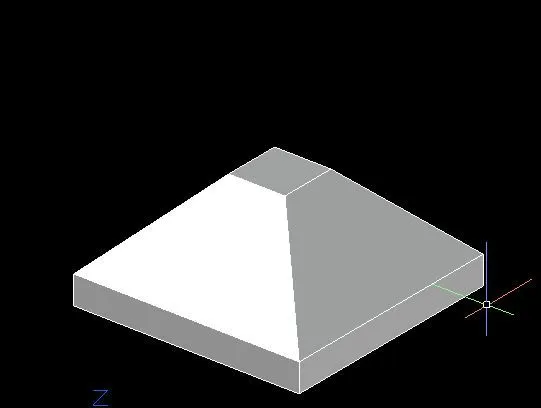
To create a 3D Model of an isolated footings using the various commands in Auto CAD.
PROCEDURE
- To create a new sheet from application of Auto CAD.
- Go to the setting and to change the view of the page from Drafting to 3D modeling.
- Type ,,UN’ to set the units of current format of measure.( feet and inches).
- Type ,,LIMITS’ to set the maximum dimension limits on the particular page.
- First we take the top view of the page.
- Type ,, REC’ to create a rectangle with a given dimensions.
- And then we take to a 3D custom view.
- The footing dimension is 4’0” x 4’0”.
- The depth of footing is 6” and reduced to the depth of 2” and width is 1’0”.
- COPY – this commands is used to selected objects from a given square to destination, learning a copy at the originally selected location.
- MOVE – moves the objects to the destination place from the source place.
- And then to join the all lines .
- Type ,, 3D ORBIT’ to view a 3D orbit viewport in the current viewport
- Type,, 3D FACE’ for allows to generate 3D faces by identifying.
- To save the diagram to particular file.
RESULTS
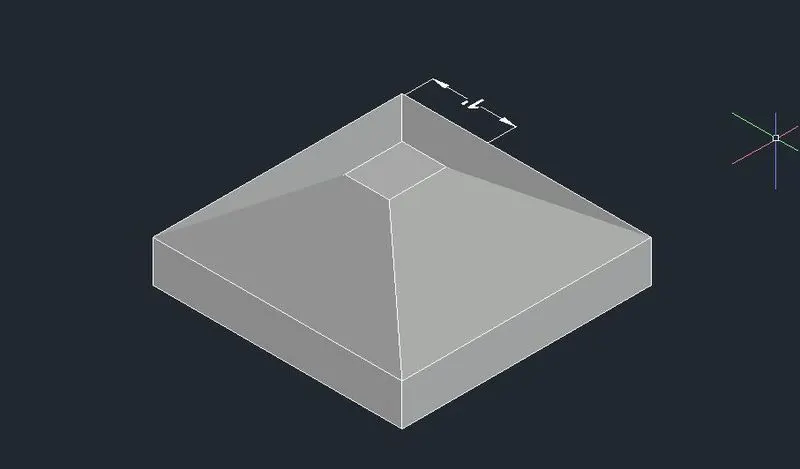
The diagram of 3D Model of an isolated footing is drawn as per dimensions using the software of Auto.
DIAGRAM
3.AIM
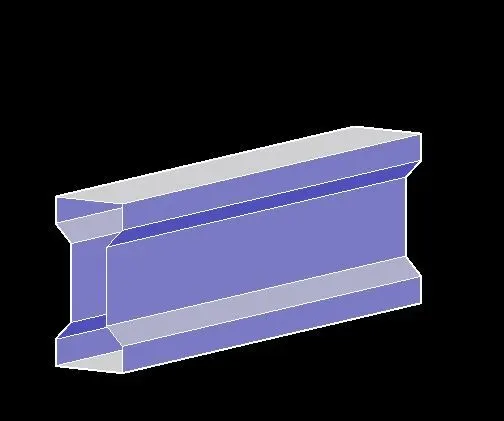
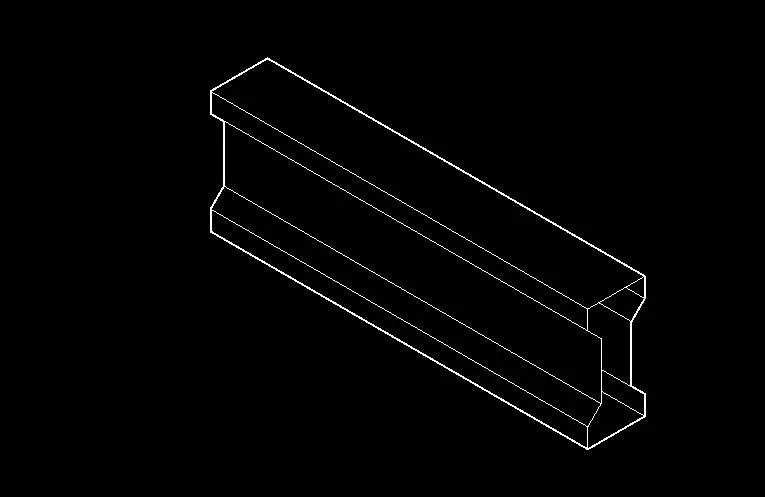
To create a 3D View of the AASTHO type girder using the various commands in Auto CAD.
PROCEDURE
- To create a new sheet from application of Auto CAD.
- Go to the setting and to change the view of the page from Drafting to 3D modeling.
- Type ,,UN’ to set the units of current format of measure.( feet and inches).
- Type ,,LIMITS’ to set the maximum dimension limits on the particular page.
- First we take the top view of the page.
- To take ,,L’ to create a line to draw the I section AASTHO Girder.
- The origin point is 0,0,0.
- The next point is (@1’6”,0,0)
- The next point is (@0,0,6”).
- The next point is (@6”<0<135) and to follow the all given dimensions to draw the Section.
- Type ,, 3D ORBIT’ to view a 3D orbit viewport in the current viewport
- Type,, 3D FACE’ for allows to generate 3D faces by identifying.
- Type ,, REGION’ to converts objects that encloses an area into a 2D region objects.
- Type ,, EXTRUDE’ to create a surface or solid of a 2D surface or a 3D curve.
- The extruded length of the section Girder is 10 feet.
- Then, we have to change the view of 2D Wire, Shaded, Conceptional,,etc.
- To save the diagram to particular file.
RESULTS
The diagram of 3D type of AASTHO girder type is drawn as per dimensions using the software of Auto CAD.
DIAGRAM
4.AIM
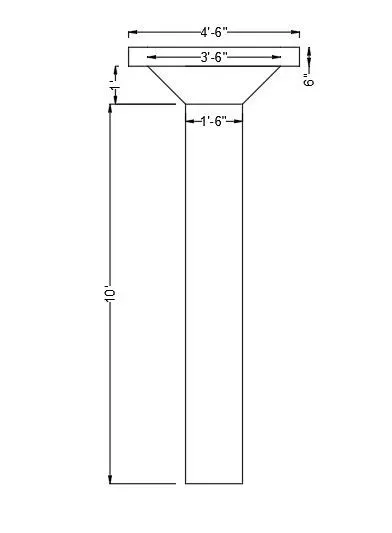
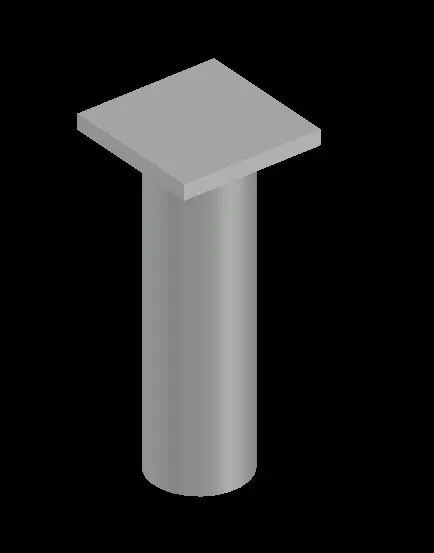
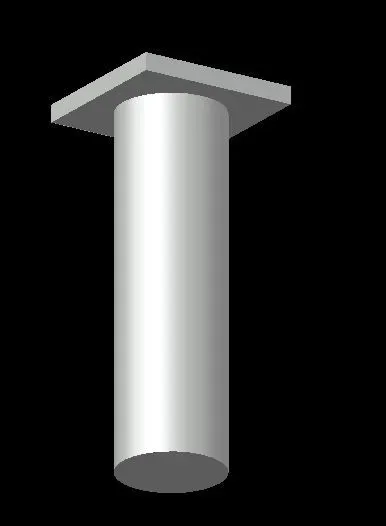
To create a 3D Model of a drop column with panel using the various commands in Auto CAD.
PROCEDURE
- To create a new sheet from application of Auto CAD.
- Go to the setting and to change the view of the page from Drafting to 3D modeling.
- Type ,,UN’ to set the units of current format of measure.( feet and inches).
- Type ,,LIMITS’ to set the maximum dimension limits on the particular page.
- First we take the top view of the page.
- Type ,, REC’ to create a rectangle with a given dimensions.
- And then we take to a 3D custom view.
- To choose the Top view of page.
- The rectangular size is 4’6”.
- Type ,, C’ to create a circle options.
- The column cap height id 1 feet.
- The column head thickness is 6 inch,
- The height of the column is 10 feet.
- COPY – this commands is used to selected objects from a given square to destination, learning a copy at the originally selected location.
- MOVE – moves the objects to the destination place from the source place.
- After completed the copy of rectangle to make the box like structure of column head.
- After we take to draw a circle of diameter of 1’6”.
- Type ,, EXTRUDE’ to create a surface or solid of a 2D surface or a 3D curve.
- The extruded length of the circular column with a negative direction of Z is 10 feet.
- Type ,, 3D ORBIT’ to view a 3D orbit viewport in the current viewport
- Type,, 3D FACE’ for allows to generate 3D faces by identifying.
- Type ,, REGION’ to converts objects that encloses an area into a 2D region objects.
- To save the diagram to particular file
RESULTS
The diagram of 3D model of a column with drop panel is drawn as per dimensions using the software of Auto CAD.
DIAGRAM
5.AIM
To create a 3D model of a wall using the various commands in Auto CAD.
PROCEDURE
- To create a new sheet from application of Auto CAD.
- Go to the setting and to change the view of the page from Drafting to 3D modeling.
- Type ,,UN’ to set the units of current format of measure.( feet and inches).
- Type ,,LIMITS’ to set the maximum dimension limits on the particular page.
- First we take the top view of the page.
- Before we start the 3D work to create a plan of wall at 2D .
- To make the wall thickness of 250mm.
- To fix the door and wall opening from wherever we need.
- Type ,, REGION’ to converts objects that encloses an area into a 2D region objects.
- After creating perfect plan to do next work of 3D solid works.
- Type ,, EXTRUDE’ to create a surface or solid of a 2D surface or a 3D curve.
- The extruded of wall height id 10 feet from the base.
- And then to draw the rectangle of wherever having the doors and windows.
- This comes after to follow the extruded of door opening height of 7 feet.
- Type ,, 3D ORBIT’ to view a 3D orbit viewport in the current viewport
- Type,, 3D FACE’ for allows to generate 3D faces by identifying.
- Type ,, REGION’ to converts objects that encloses.
- Type ,, SUBTRACT’ to remove the open required places of doors and windows.
- To save the diagram to particular file.
RESULTS
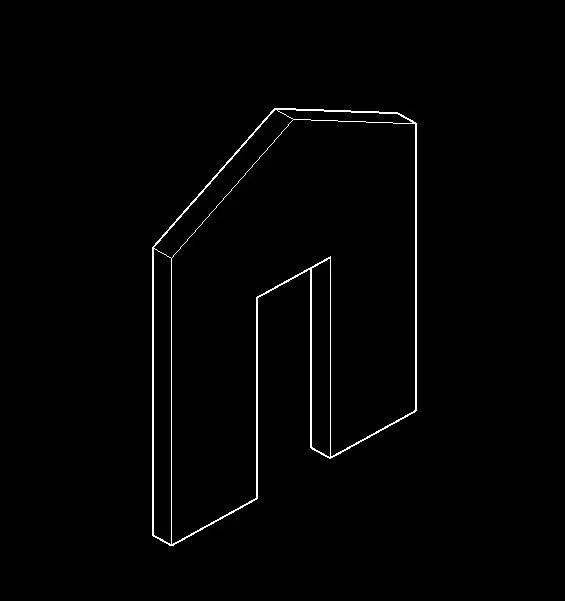
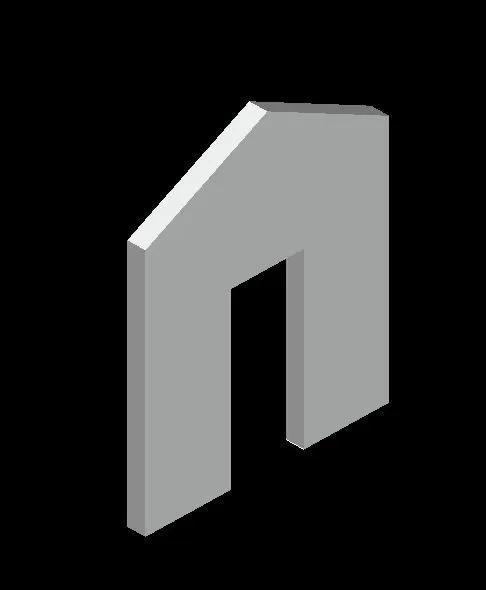
The diagram of 3D model of a wall is drawn as per dimensions using the software of Auto CAD.