Challenge 7 : Concept Modelling of Steering Wheel
Title of the Project: Surface Modeling for Automotive Steering Wheel using Autodesk Alias
Objective:
The primary objective of this project is to design a refined and ergonomic surface for an automotive steering wheel using Autodesk Alias software. The project aims to integrate advanced surface modeling techniques, ensuring the final design meets safety standards, ergonomic considerations, and aesthetic expectations.
Introduction:
Automotive steering wheels serve as a critical interface between drivers and vehicles. This project focuses on leveraging the capabilities of Autodesk Alias to create a steering wheel surface that not only meets functional requirements but also reflects innovative design principles.
Design Methodology/Approach:
Autodesk Alias is a powerful 3D design and modeling software widely used in the automotive and industrial design industries. Let's discuss three key aspects: Import Canvas, Various Curve Options, and Surface Options in Autodesk Alias.
1. Import Canvas:
Importing a canvas in Autodesk Alias allows designers to use 2D reference images or sketches to aid in the 3D modeling process. Here's how you can use the Import Canvas feature:
- Importing Images: You can import reference images or sketches by using the "Import Canvas" function. This allows you to overlay 2D images directly onto the modeling workspace, providing a visual guide for creating your 3D model.
- Scaling and Positioning: Import Canvas provides tools to scale, position, and align the imported images accurately with the 3D modeling space. This ensures that your 3D model closely follows the design intent outlined in the reference images.
- Multiple Canvas Support: Alias allows the import of multiple canvases, enabling designers to reference various views or design iterations simultaneously.
2. Various Curve Options:
Alias provides a range of curve creation options, allowing designers to create complex and precise curves. Some of the key curve options include:
- Bezier Curves: Alias supports Bezier curves, enabling the creation of smooth and flowing curves with control over tangency and curvature.
- NURBS Curves: Non-Uniform Rational B-Splines (NURBS) curves are fundamental in Alias. These curves offer great flexibility and precision in shaping 3D surfaces.
- CV Curves (Control Vertex Curves): CV curves allow direct manipulation of control vertices, providing a high level of control over the shape of the curve.
- Interpolation Curves: These curves allow you to define curves by specifying points through which the curve must pass.
- Offset and Blend Curves: Alias provides tools for offsetting and blending curves, enabling the creation of complex surface transitions.
3. Surface Options:
Creating surfaces is a crucial aspect of 3D modeling, and Autodesk Alias offers various options for surface creation:
- Surface Lofting: Lofting allows you to create surfaces by blending between multiple curves. This is useful for creating smooth transitions between different shapes.
- Surface Fillets: Filleting involves creating rounded edges between two surfaces or along a curve. Alias provides tools for creating precise and adjustable fillets.
- Surface Networks: Alias supports the creation of surface networks, allowing designers to define complex surface structures by specifying curves and points.
- Surface Editing Tools: Alias offers a wide range of tools for editing and manipulating surfaces, including trimming, extending, and modifying surface continuity.
- Dynamic Shape Modeling: This feature allows real-time manipulation of surfaces, enabling designers to make instant adjustments and see the impact on the overall design.
Understanding and utilizing these curve and surface options in Autodesk Alias empowers designers to create highly detailed and sophisticated 3D models, making it a preferred tool in the field of industrial and automotive design.
The design methodology for this project follows a structured below:
1. Conceptualization and Sketching: Initial sketches and conceptualizations were developed to establish the design direction, considering factors such as ergonomics, safety, and brand identity.
2. Surface Modeling Techniques: Autodesk Alias's advanced surface modeling tools were applied to sculpt and refine the steering wheel surfaces, ensuring a harmonious and functional design.
3. Dynamic Surface Adjustments: Dynamic surface modeling allowed for real-time adjustments, enabling exploration of various design iterations and fine-tuning of surface contours.
4. Curvature Analysis and Validation: Curvature analysis tools were used to maintain smooth transitions and verify surface quality, ensuring compliance with industry standards.
5. Fillet and Blend Features: Fillet and blend tools were employed to create seamless connections between different sections of the steering wheel, enhancing both visual aesthetics and tactile comfort.
Description:
The project involved the strategic use of specific tools and features within Autodesk Alias software, including:
- Wireframe Modeling: Initial wireframe sketches were created to establish the fundamental shape and proportions of the steering wheel.
- Surface Lofting: Lofting techniques were employed to generate complex surface shapes, ensuring a cohesive and ergonomic design.
- Parametric Design: Parametric modeling facilitated quick and efficient adjustments to design parameters, allowing for flexibility in the design process.
- Visualization and Rendering: High-quality visualization and rendering tools were used to assess the design's visual impact and to present realistic renderings of the final steering wheel surface model.
In Autodesk Alias, achieving smooth and continuous surfaces is crucial for creating high-quality 3D models, especially in automotive and industrial design. Surface continuity refers to the seamless blending of adjacent surfaces to ensure a visually pleasing and aerodynamically sound design. There are several methods and tools in Alias to control and achieve surface continuity. Here are some key techniques:
1. G0, G1, and G2 Continuity:
- G0 (Positional Continuity): This ensures that the surfaces meet without any gaps. It is the most basic form of continuity and involves aligning the control points of the adjacent surfaces.
- G1 (Tangential Continuity): G1 continuity ensures that the tangent vectors of the surfaces are aligned at their common boundary, providing a smooth transition without abrupt changes in slope.
- G2 (Curvature Continuity): G2 continuity goes a step further, ensuring not only aligned tangents but also matched curvatures. This creates a truly smooth transition, eliminating any visible creases or disruptions in the surface flow.
2. Blend and Fillet Surfaces:
- Blend Surfaces: Alias provides tools to create blend surfaces between existing surfaces. This involves creating a transitional surface that smoothly connects two adjacent surfaces. Users can control the shape and size of the blend to achieve the desired continuity.
- Fillet Surfaces: Filleting involves adding a rounded edge between two intersecting surfaces. Alias allows users to adjust the fillet size and shape to achieve a seamless blend between surfaces.
3. Surface Matching:
- Match Surface Tool: Alias includes a "Match Surface" tool that allows users to match the curvature and continuity of one surface to another. This tool is particularly useful for achieving G2 continuity.
- Surface Fillet Options: When creating fillets, Alias provides options to control the continuity. Users can specify the continuity type (G0, G1, or G2) to achieve the desired blending effect.
4. Adjusting Surface CVs:
- Manipulating Control Vertices (CVs): Users can manually adjust the control vertices of surfaces to achieve better continuity. This level of control is especially useful when fine-tuning complex surface transitions.
5. Use of Surface Analysis Tools:
- Curvature Analysis: Alias provides curvature analysis tools that allow users to visually inspect and analyze the curvature of surfaces. This aids in identifying areas that may require adjustments to achieve better continuity.
6. Dynamic Shape Modeling:
- Dynamic Shape Modeling (DSM): Alias offers DSM tools that allow real-time manipulation of surfaces. Designers can interactively adjust the shape of surfaces, making it easier to achieve and visualize continuity.
7. Checking Continuity:
- Surface Continuity Checker: Alias includes tools to check the continuity between surfaces, helping designers identify and address any discontinuities in the model.
By combining these methods and tools, Alias users can ensure that their 3D models have smooth and continuous surfaces, meeting the high standards required in industries such as automotive design. It's essential to experiment with these techniques to find the most effective approach for a specific design context.
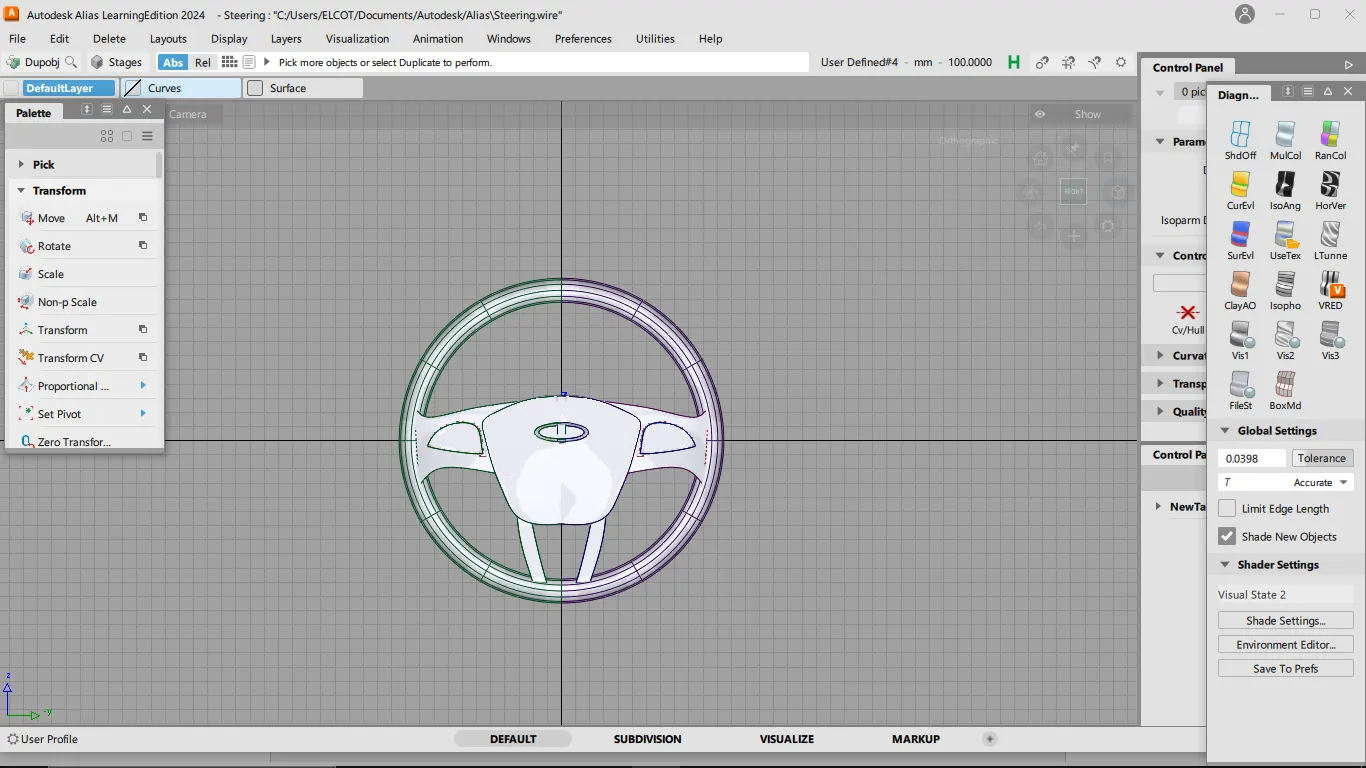
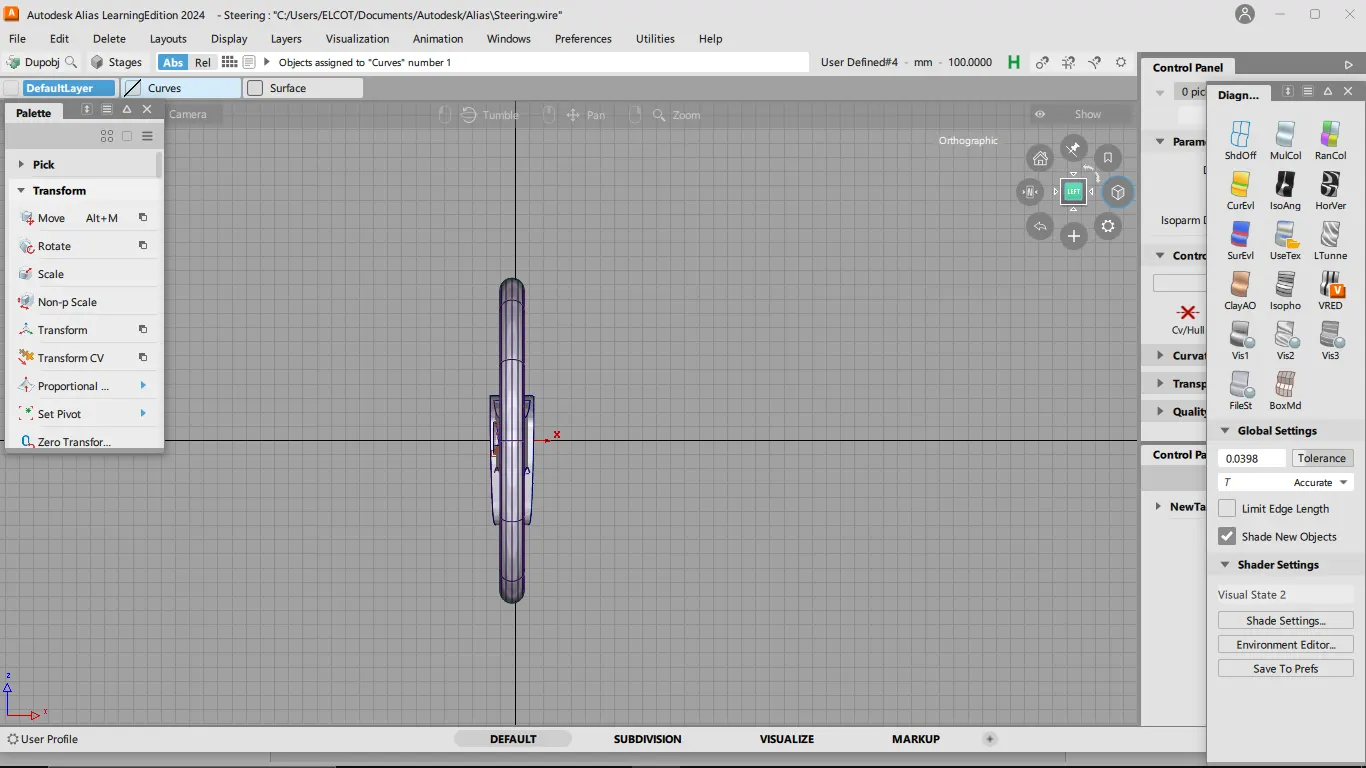
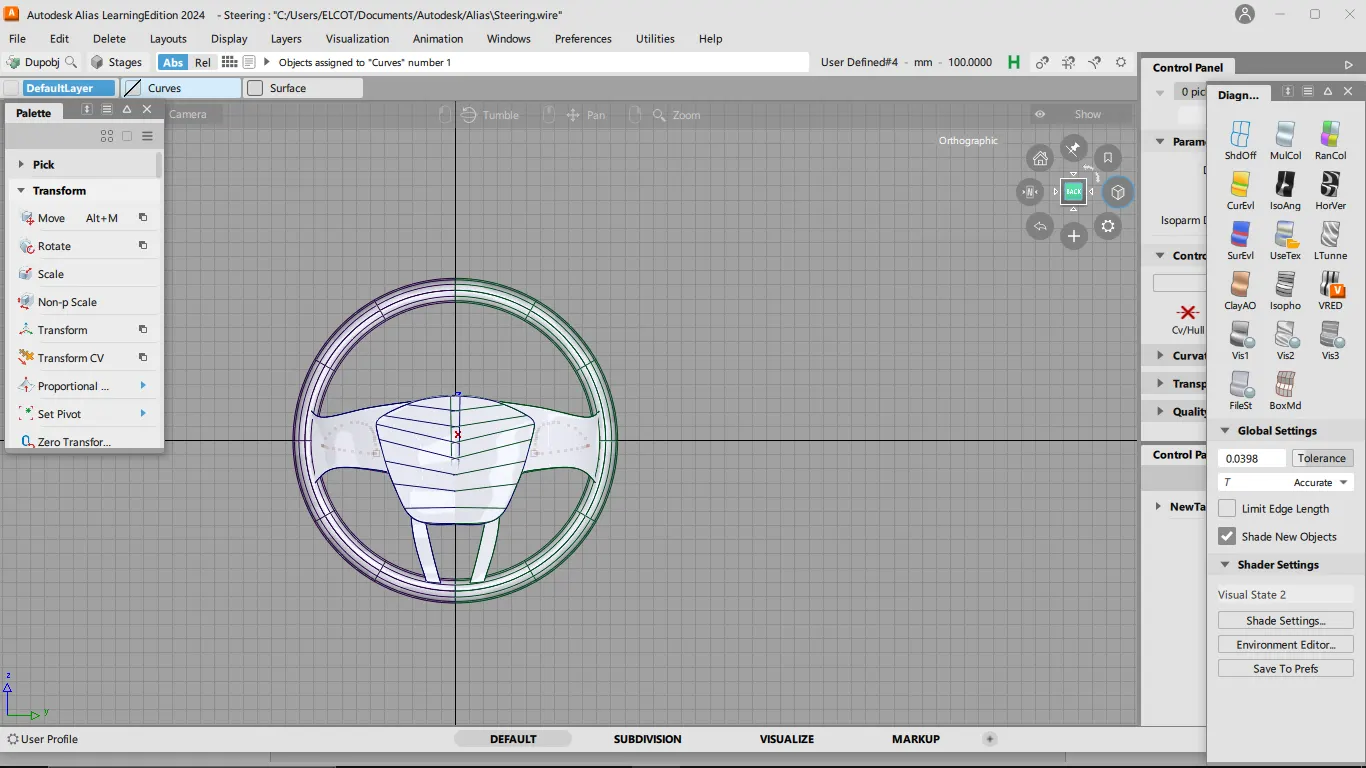
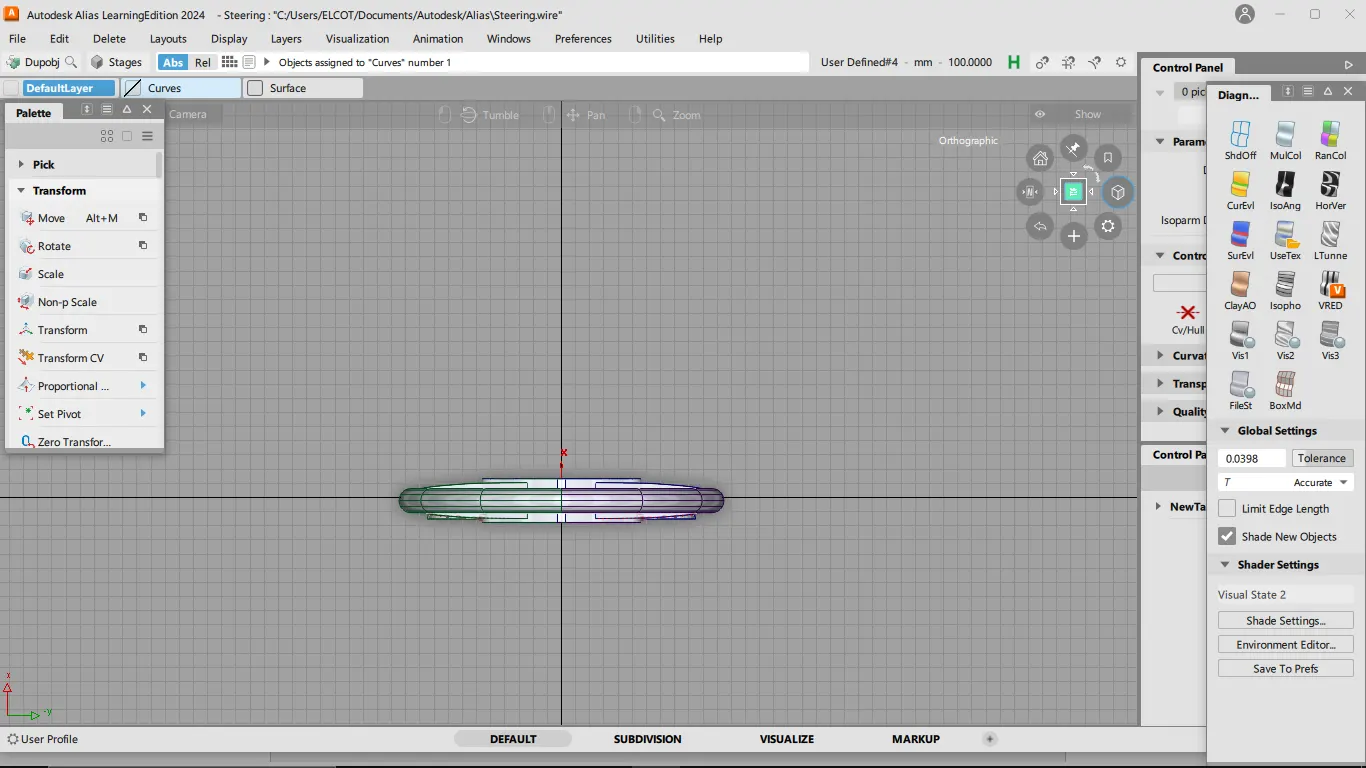
Images of Part Files:
Conclusion:
The project to create a steering wheel surface using Autodesk Alias software successfully achieved its objectives. The structured design methodology ensured a systematic and efficient approach to the design process, resulting in a steering wheel design that harmonizes safety, ergonomics, and visual appeal. The screenshots provide a comprehensive view of the final surface model, showcasing the intricate details and refined surfaces achieved through the use of Autodesk Alias. This project contributes to the advancement of automotive design and highlights the software's capabilities in creating complex and visually appealing surfaces for essential vehicle components.